
Phomemo P12
ഫോമെമോ പി12 ലേബൽ മേക്കർ മെഷീൻ യൂസർ മാനുവൽ
Model: P12 | Brand: Phomemo
1. ആമുഖം
The Phomemo P12 is a portable Bluetooth label maker designed for efficient and versatile labeling. It utilizes thermal and thermal transfer printing technology, eliminating the need for ink or toner. This manual provides detailed instructions for setting up, operating, and maintaining your P12 label maker.

Figure 1: Phomemo P12 Label Maker and accessories.
2. ബോക്സിൽ എന്താണുള്ളത്?
- Phomemo P12 Label Maker (Pink)
- Black on white 12mm x 4m label tape
- ടൈപ്പ്-സി യുഎസ്ബി കേബിൾ
- ഉപയോക്തൃ മാനുവൽ (ഈ പ്രമാണം)
3. സജ്ജീകരണ ഗൈഡ്
3.1 ഉപകരണം ചാർജ് ചെയ്യുന്നു
The Phomemo P12 label maker is rechargeable via a Type-C USB cable. Connect the provided Type-C cable to the label maker and a suitable power source (e.g., USB wall adapter, computer USB port). The device will automatically shut off after 15 minutes of inactivity to conserve power.
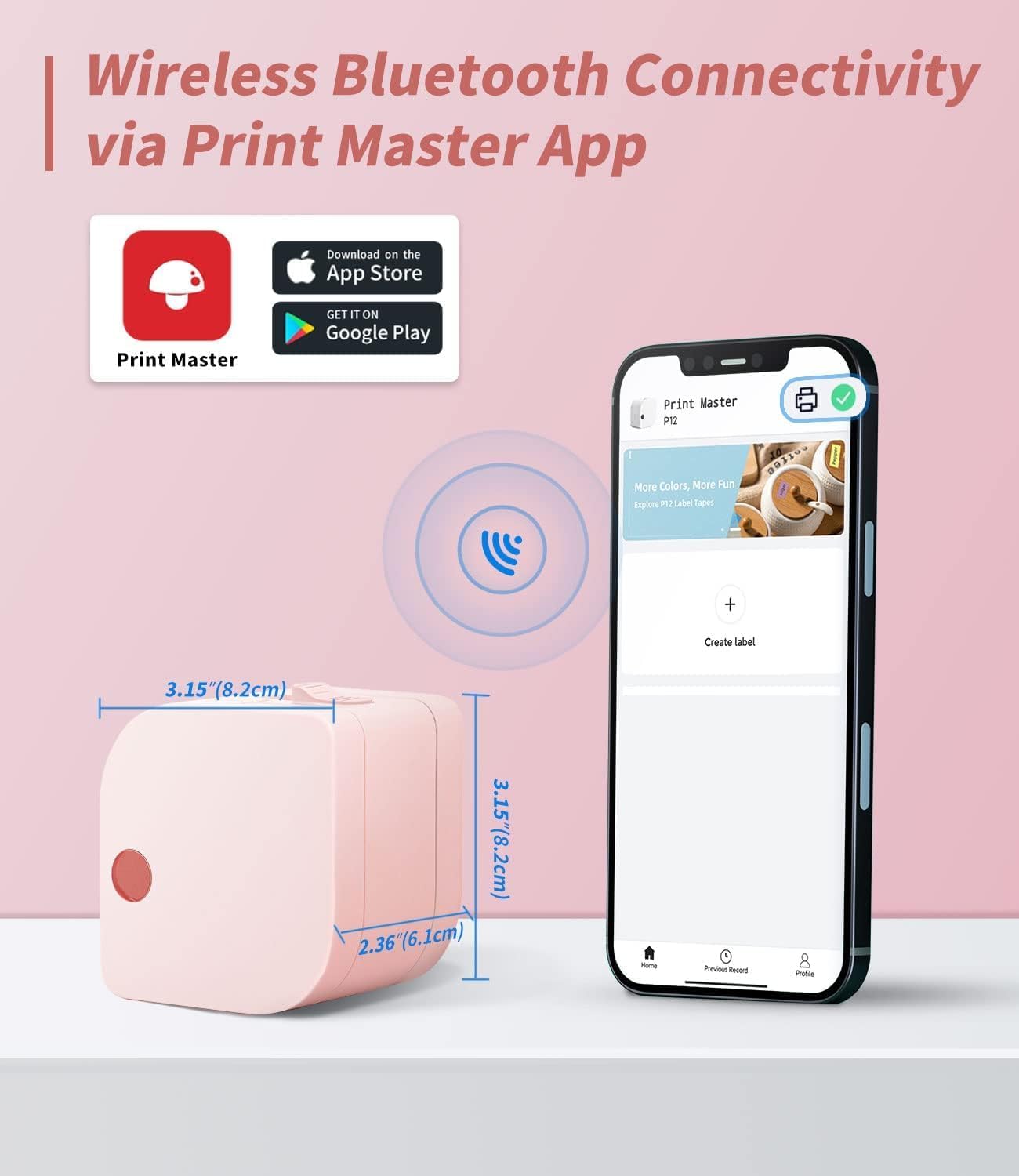
Figure 2: Device dimensions and app interface.
3.2. ആപ്പ് ഇൻസ്റ്റാളേഷനും ബ്ലൂടൂത്ത് കണക്ഷനും
Download the "Print Master" app from your device's app store (Google Play for Android or App Store for iOS). Once installed, open the app and ensure your phone's Bluetooth is enabled. The app will guide you through connecting to the Phomemo P12 via Bluetooth, typically within 2 seconds.
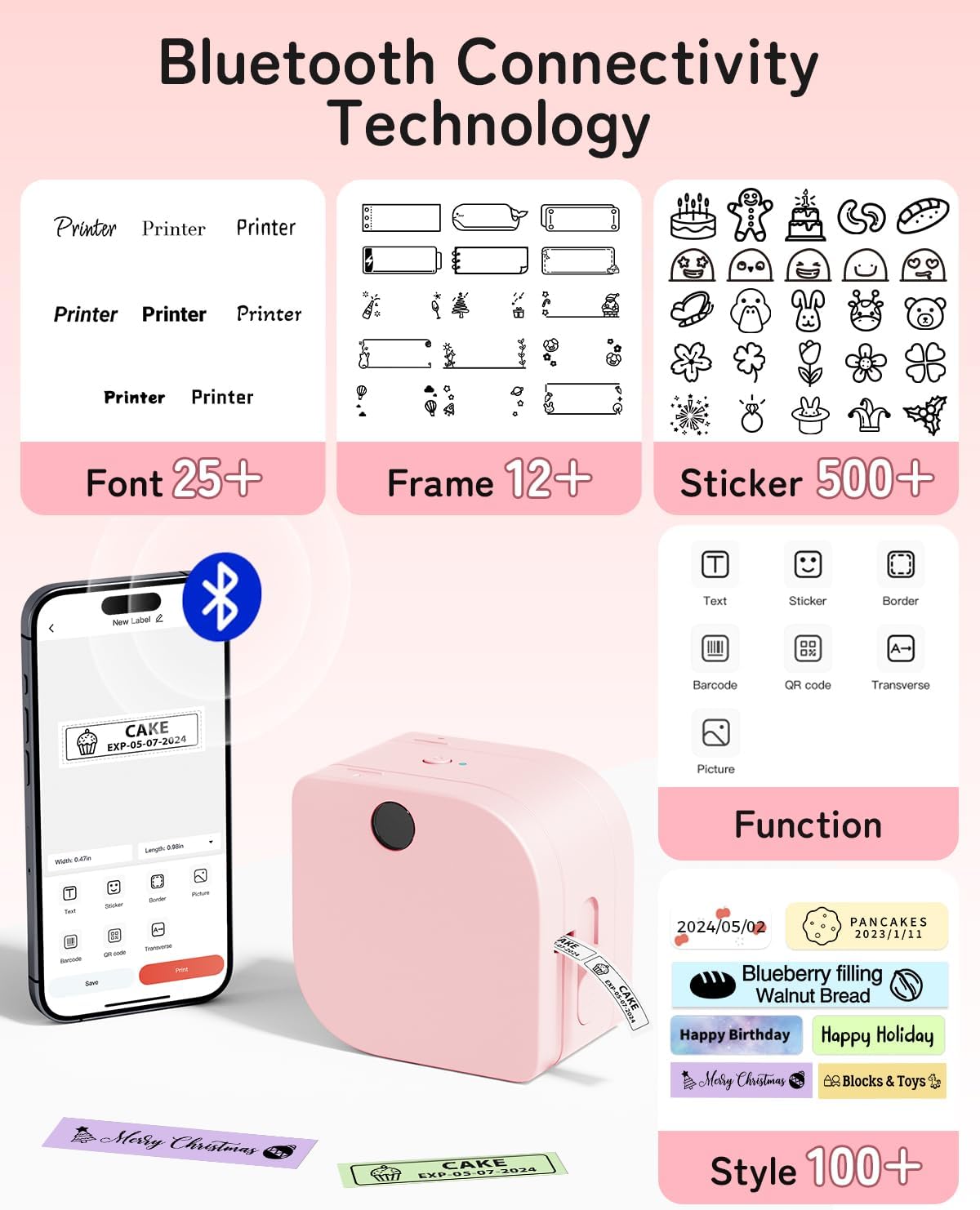
Figure 3: Print Master App interface with various customization options.
Video 1: Demonstration of the Phomemo P12 label maker application and its features.
3.3. ലേബൽ ടേപ്പ് ലോഡുചെയ്യുന്നു
Open the label maker's cover. Insert the label tape roll into the designated slot, ensuring the tape feeds smoothly through the output opening. Pull out approximately 5mm of the label tape to prevent paper jams. Close the cover securely.

Figure 4: Proper loading of label tape into the device.
4. പ്രവർത്തന നിർദ്ദേശങ്ങൾ
4.1. ലേബലുകൾ സൃഷ്ടിക്കലും ഇഷ്ടാനുസൃതമാക്കലും
Using the "Print Master" app, you can create personalized labels. The app offers:
- Over 11 languages and 25 fonts.
- More than 12 frames and 1000 symbols.
- Options to add text, graphics, numbers, logos, barcodes, and QR codes.
- Ability to create labels with borders.
You can design labels for various purposes, including time, text, and graphics. The app allows for 1-3 lines of text and supports small spacing to minimize label waste. Label templates can be saved within the application for future use.
വീഡിയോ 2: കഴിഞ്ഞുview of the Phomemo P12 Mini Label Maker and its ease of use.
4.2. പ്രിൻ്റിംഗ് ലേബലുകൾ
Once your label design is complete in the app, select the print option. The P12 features a built-in cutter for easy and clean label cutting after printing.

Figure 5: Using the built-in manual cutter for precise label length.
4.3. ലേബൽ തരങ്ങളും ആപ്ലിക്കേഷനുകളും
The P12 supports various label types, including standard paper labels, ribbon labels, and iron-on labels. These labels are waterproof, oil-proof, scratch-proof, and tear-proof, ensuring durability.
- ഹോം ഓർഗനൈസേഷൻ: Ideal for kitchen (food labels, jar labels), pantry, garden (plant labels), garage, tools, and personal items.
- ഓഫീസ് ഉപയോഗം: Manage laptop labels, file sorting, reminder labels, and general supply organization.
- സ്കൂൾ: Mark classroom items, personal belongings, name labels, and wires/cables.
- സ്പെഷ്യാലിറ്റി ലേബലുകൾ: Customize gift packages with ribbon labels or create durable iron-on labels for clothing.

ചിത്രം 6: ഉദാamples of label applications in different settings.
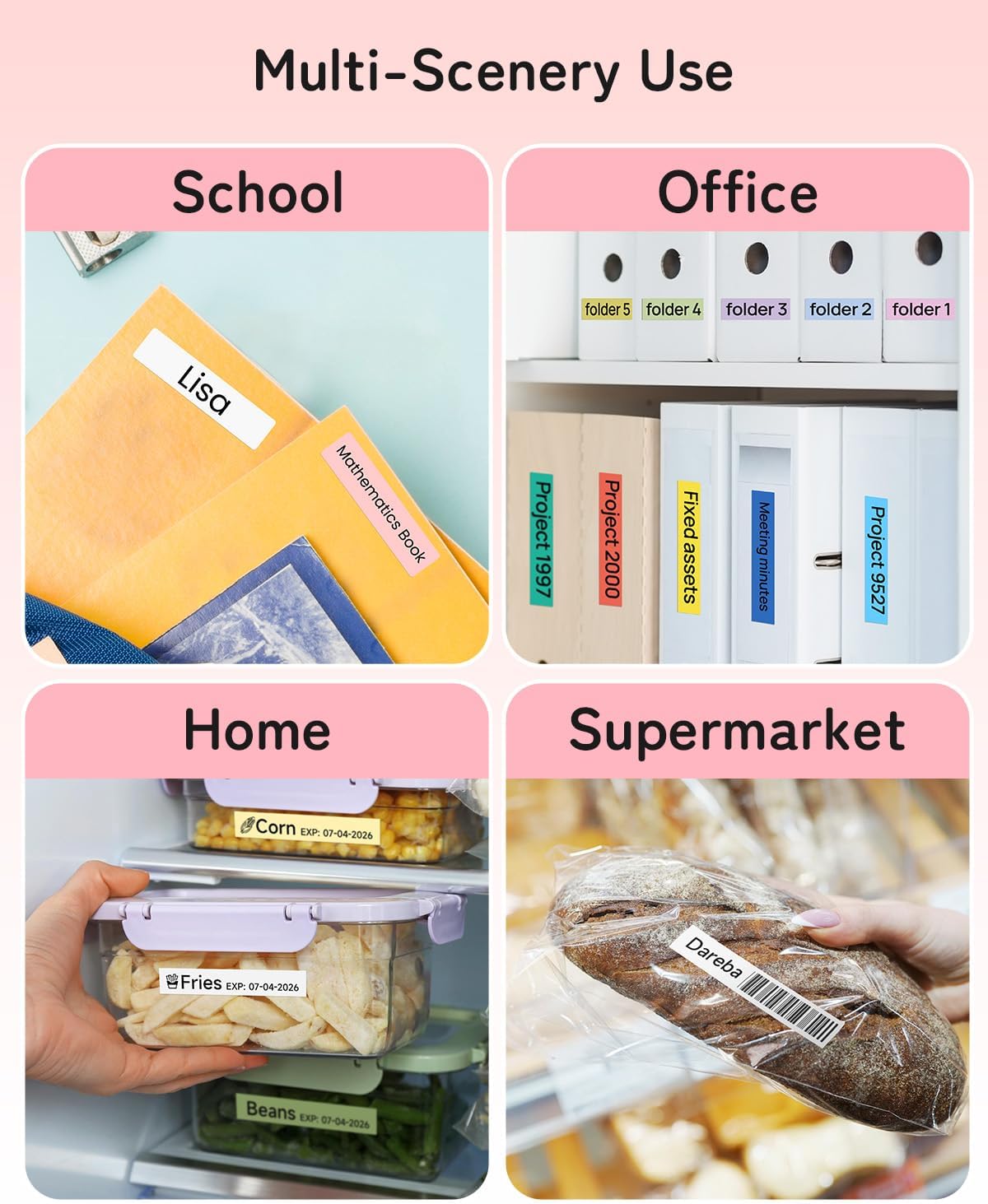
Figure 7: Multi-scenery use cases for the Phomemo P12 labels.
Video 3: Demonstration of the iron-on label tape with the P12 label maker.
Video 4: How to use satin ribbon labels with the Phomemo P12.
Video 5: Practical applications of P12 labels for organization.
5. പരിപാലനം
The Phomemo P12 label maker is designed for low maintenance. As it uses thermal and thermal transfer printing, there is no need to purchase or replace expensive ink, toner, or cartridges.
To ensure optimal performance, keep the device clean and free from dust. Avoid exposing it to extreme temperatures or direct sunlight.

Figure 8: Understanding thermal printing technology.
6. പ്രശ്നപരിഹാരം
- Printing Failed/Paper Jam: Ensure that when replacing new labels, you pull out about 5mm of paper to avoid jams. Check if the label tape is correctly inserted and not tangled.
- പവർ ഇല്ല / ഓണാക്കുന്നില്ല: Verify the device is charged. If using without batteries, ensure it is connected to a power source via the Type-C cable.
- കണക്ഷൻ പ്രശ്നങ്ങൾ: Confirm Bluetooth is enabled on your phone and the "Print Master" app is open. Try restarting both the label maker and your phone.
- മോശം പ്രിന്റ് നിലവാരം: Ensure the label tape is correctly installed. Check if the label maker's print head is clean.
7 സ്പെസിഫിക്കേഷനുകൾ
| ഫീച്ചർ | വിശദാംശങ്ങൾ |
|---|---|
| ബ്രാൻഡ് | ഫേമോമോ |
| മോഡലിൻ്റെ പേര് | P12 |
| ഉൽപ്പന്ന അളവുകൾ | 4.09 x 3.52 x 2.7 ഇഞ്ച് |
| ഇനത്തിൻ്റെ ഭാരം | 6.3 ഔൺസ് (180 ഗ്രാം) |
| കണക്റ്റിവിറ്റി ടെക്നോളജി | ബ്ലൂടൂത്ത് |
| പ്രിൻ്റിംഗ് ടെക്നോളജി | തെർമൽ |
| പരമാവധി പ്രിന്റ് റെസലൂഷൻ | 203 ഡിപിഐ |
| പരമാവധി മീഡിയ വലുപ്പം | 12 മിമി x 4 മി |
| കൺട്രോളർ തരം | IOS, Android (via App) |
| വൈദ്യുതി ഉപഭോഗം | 5 വാട്ട്സ് (ഓൺ-മോഡ്) |
| ഹാർഡ്വെയർ ഇന്റർഫേസ് | യുഎസ്ബി ടൈപ്പ് സി |
8. വാറൻ്റിയും പിന്തുണയും
The Phomemo P12 Label Maker comes with a limited warranty. For detailed warranty information and support, please refer to the official Phomemo webസൈറ്റ് അല്ലെങ്കിൽ ഉപഭോക്തൃ സേവനവുമായി ബന്ധപ്പെടുക.
ഡൗൺലോഡ് ചെയ്യുന്നതിന് ഔദ്യോഗിക ഉപയോക്തൃ ഗൈഡും (PDF) ലഭ്യമാണ്: ഉപയോക്തൃ ഗൈഡ് (PDF) ഡൗൺലോഡ് ചെയ്യുക
Ask a question about this manual
Ask about setup, troubleshooting, compatibility, parts, safety, or missing instructions. Manuals+ will review the question and use this page’s manual context to help answer it.