
1. ആമുഖം
Thank you for choosing the Auna Connect 100 MKII Portable Bluetooth DAB/DAB+/FM Radio. This device offers a versatile listening experience with access to digital DAB/DAB+ radio, traditional FM radio, and wireless audio streaming via Bluetooth. It also features USB playback, an AUX input, a TFT display, and an alarm clock function. This manual provides essential information for safe operation, setup, and maintenance of your radio.
2. സുരക്ഷാ നിർദ്ദേശങ്ങൾ
- ഉപകരണം ഉപയോഗിക്കുന്നതിന് മുമ്പ് എല്ലാ നിർദ്ദേശങ്ങളും ശ്രദ്ധാപൂർവ്വം വായിക്കുക.
- ഭാവി റഫറൻസിനായി ഈ മാനുവൽ സൂക്ഷിക്കുക.
- മഴ, ഈർപ്പം, അല്ലെങ്കിൽ തീവ്രമായ താപനില എന്നിവയിൽ ഉപകരണം തുറന്നുകാട്ടരുത്.
- ശരിയായ വായുസഞ്ചാരം ഉറപ്പാക്കുക; ഏതെങ്കിലും വായുസഞ്ചാര ദ്വാരങ്ങൾ തടയരുത്.
- യൂണിറ്റിനൊപ്പം നൽകിയിട്ടുള്ള പവർ അഡാപ്റ്റർ മാത്രം ഉപയോഗിക്കുക.
- യൂണിറ്റ് ഡിസ്അസംബ്ലിംഗ് ചെയ്യാനോ പരിഷ്ക്കരിക്കാനോ ശ്രമിക്കരുത്. എല്ലാ സേവനങ്ങളും യോഗ്യതയുള്ള ഉദ്യോഗസ്ഥർക്ക് റഫർ ചെയ്യുക.
- Clean the unit only with a dry, soft cloth.
3. ഉൽപ്പന്നം കഴിഞ്ഞുview
ഫ്രണ്ട് പാനൽ നിയന്ത്രണങ്ങളും ഡിസ്പ്ലേയും

ചിത്രം: മുൻഭാഗം view of the Auna Connect 100 MKII radio, showing the central TFT display, two rotary knobs (Volume and Navigate/Snooze), and various control buttons below the display, including USB IN port.
- TFT ഡിസ്പ്ലേ: Shows current mode, station information, track details, time, and menu options.
- വോളിയം/പവർ നോബ്: Rotate to adjust volume; press to power on/off.
- OK/Navigate/Snooze Knob: Rotate to navigate menus/stations; press to confirm selection or snooze alarm.
- USB ഇൻ പോർട്ട്: ഓഡിയോ പ്ലേബാക്കിനായി USB സംഭരണ ഉപകരണങ്ങൾ ബന്ധിപ്പിക്കുന്നതിന്.
- നിയന്ത്രണ ബട്ടണുകൾ: Include Home, Scan, Presets (1-5+), Menu/Info, Back, and Headphone Jack.
പിൻ പാനൽ കണക്ഷനുകൾ

ചിത്രം: പിൻഭാഗം view of the Auna Connect 100 MKII radio, highlighting the telescopic antenna, AUX IN, DC power input, and Line-Out ports.
- ടെലിസ്കോപ്പിക് ആന്റിന: For DAB/DAB+ and FM radio reception.
- ഓക്സ് ഇൻ: ബാഹ്യ ഓഡിയോ സ്രോതസ്സുകളെ ബന്ധിപ്പിക്കുന്നതിനുള്ള 3.5mm ജാക്ക്.
- DC IN: Power input for the mains adapter.
- ലൈൻ-ഔട്ട്: ബാഹ്യ ഉപകരണങ്ങളുമായി ബന്ധിപ്പിക്കുന്നതിന് ampലൈഫയർമാർ അല്ലെങ്കിൽ സ്പീക്കറുകൾ.
4. സജ്ജീകരണം
4.1 അൺപാക്കിംഗ്
Carefully remove the radio from its packaging. Retain the packaging materials for future transport or storage.
4.2 പവർ കണക്ഷൻ
- Connect the supplied power adapter to the DC IN port on the rear of the radio.
- Plug the power adapter into a suitable mains power outlet.
- The radio is designed for mains operation.
4.3 ആന്റിന ക്രമീകരണം
Extend the telescopic antenna fully and adjust its position for optimal DAB/DAB+ and FM radio reception.
5. ഓപ്പറേഷൻ
5.1 പവർ ഓൺ/ഓഫ്
അമർത്തുക വോളിയം/പവർ നോബ് to turn the radio on or off.
5.2 മോഡ് തിരഞ്ഞെടുക്കൽ
അമർത്തുക വീട് button to access the main menu and select your desired mode (e.g., DAB, FM, Bluetooth, USB, AUX). Use the OK/Navigate Knob to scroll and select.

ചിത്രം: മുകളിൽ view of the Auna Connect 100 MKII radio, showing icons for various connection types and modes such as FM Antenna, DAB/DAB+, USB, Headphone, Aux, WiFi, and Bluetooth.
5.3 DAB/DAB+ റേഡിയോ
- തിരഞ്ഞെടുക്കുക DAB mode from the main menu.
- ലഭ്യമായ DAB/DAB+ സ്റ്റേഷനുകൾക്കായി റേഡിയോ സ്വയമേവ സ്കാൻ ചെയ്യും.
- ഉപയോഗിക്കുക OK/Navigate Knob to browse the station list and press to select a station.
- അമർത്തുക മെനു/വിവരങ്ങൾ എന്നതിലേക്കുള്ള ബട്ടൺ view സ്റ്റേഷൻ വിവരങ്ങൾ.
5.4 എഫ്എം റേഡിയോ
- തിരഞ്ഞെടുക്കുക FM mode from the main menu.
- അമർത്തുക സ്കാൻ ചെയ്യുക button to automatically scan for FM stations.
- ഉപയോഗിക്കുക OK/Navigate Knob to fine-tune frequencies or select a scanned station.

Image: Two individuals smiling and enjoying music, illustrating the stereo sound output of the Auna Connect 100 MKII radio.
5.5 ബ്ലൂടൂത്ത് ജോടിയാക്കൽ
- തിരഞ്ഞെടുക്കുക ബ്ലൂടൂത്ത് mode from the main menu. The display will show "Pairing".
- Enable Bluetooth on your smartphone or tablet and search for available devices.
- Select "Auna Connect 100 MKII" from the list to pair.
- ജോടിയാക്കിയാൽ, നിങ്ങളുടെ ഉപകരണത്തിൽ നിന്ന് റേഡിയോയിലേക്ക് ഓഡിയോ സ്ട്രീം ചെയ്യാൻ കഴിയും.
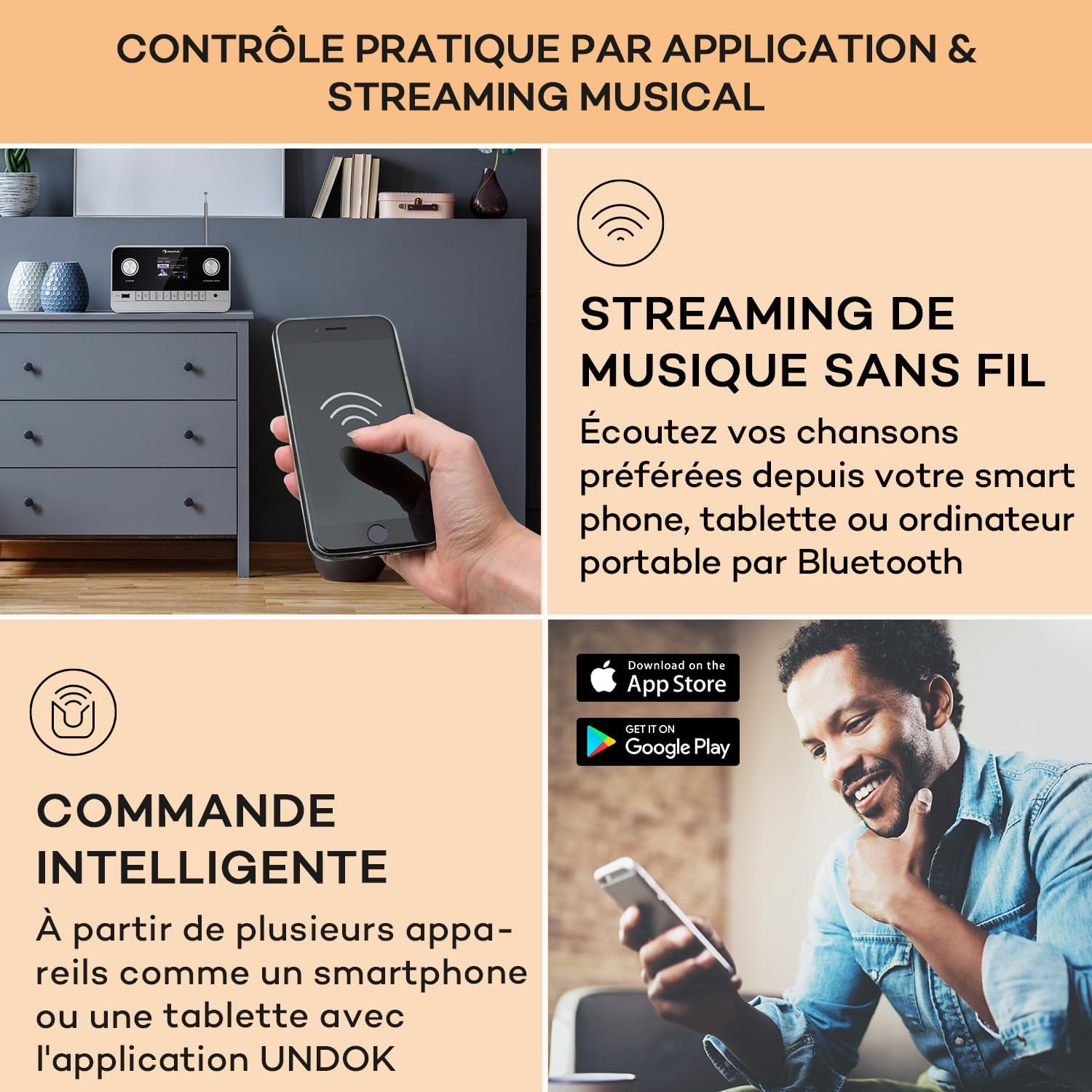
Image: A hand holding a smartphone, demonstrating wireless music streaming and smart control of the Auna Connect 100 MKII radio via a dedicated application.
5.6 യുഎസ്ബി പ്ലേബാക്ക്
- Insert a USB storage device into the USB IN മുൻ പാനലിലെ പോർട്ട്.
- തിരഞ്ഞെടുക്കുക USB mode from the main menu.
- ഉപയോഗിക്കുക OK/Navigate Knob to browse folders and tracks, then press to play.
5.7 AUX ഇൻപുട്ട്
- ഒരു ബാഹ്യ ഓഡിയോ ഉപകരണം (ഉദാ. MP3 പ്ലെയർ) ഇതിലേക്ക് ബന്ധിപ്പിക്കുക ഓക്സ് ഇൻ port on the rear panel using a 3.5mm audio cable.
- തിരഞ്ഞെടുക്കുക ഓക്സ് mode from the main menu.
- Audio from the external device will now play through the radio.
5.8 അലാറം ക്ലോക്കും സ്ലീപ്പ് ടൈമറും
The radio includes an alarm clock and sleep timer function. Access these settings via the മെനു button and follow the on-screen instructions to set alarms or a sleep timer.
5.9 ഡിസ്പ്ലേ ക്രമീകരണങ്ങൾ
Adjust display brightness and other settings through the മെനു options. The TFT color display provides clear visibility of information.
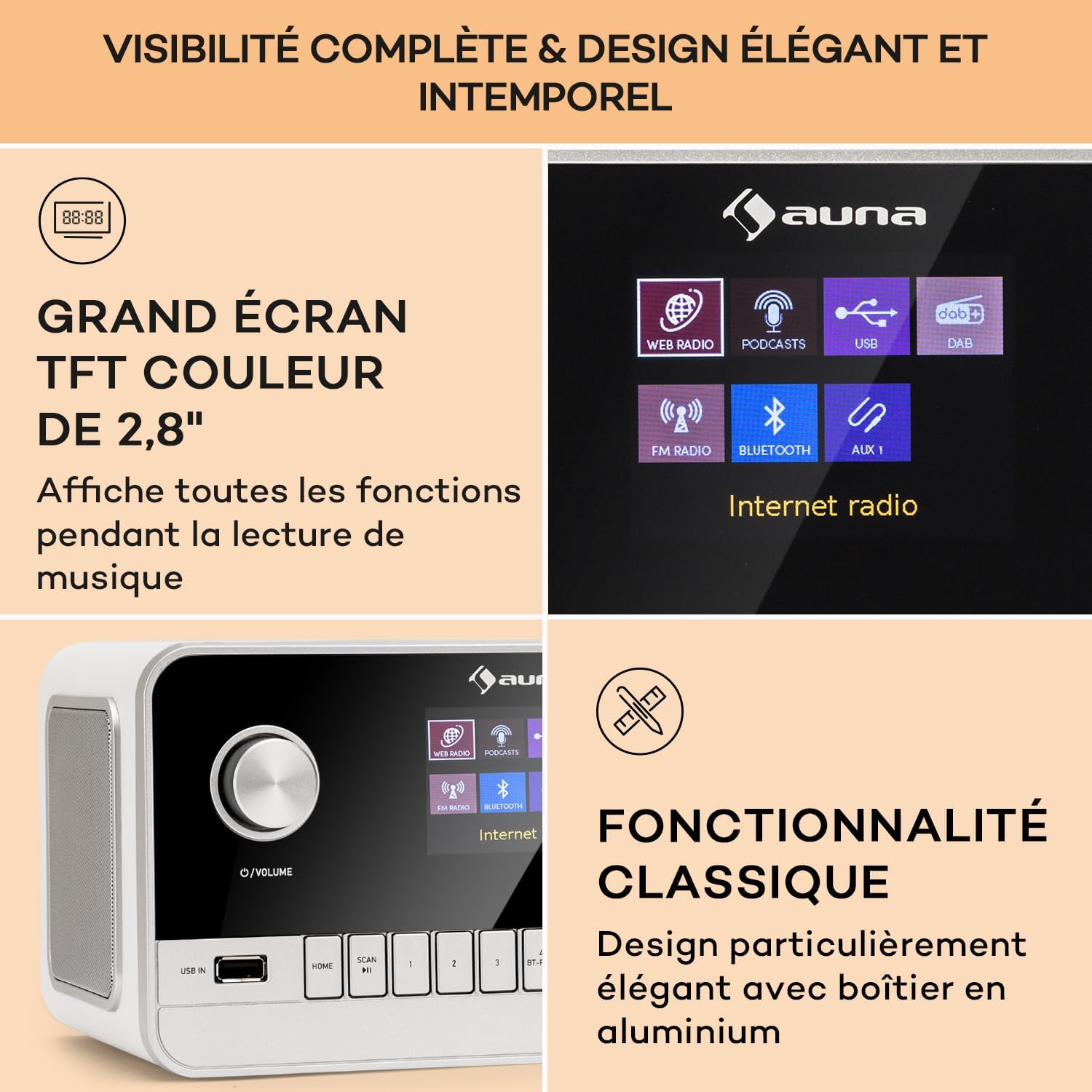
Image: Close-up of the Auna Connect 100 MKII's 2.8-inch TFT color display, showing various function icons and music playback information, highlighting its elegant design.
5.10 വിദൂര നിയന്ത്രണം
The included remote control allows for convenient operation of all radio functions from a distance. Ensure the remote's battery is correctly inserted.
6. പരിപാലനം
- വൃത്തിയാക്കൽ: Disconnect the power before cleaning. Use a soft, dry cloth to wipe the surface of the radio. Do not use liquid cleaners or abrasive materials.
- സംഭരണം: ദീർഘനേരം റേഡിയോ ഉപയോഗിക്കുന്നില്ലെങ്കിൽ, പവർ ഔട്ട്ലെറ്റിൽ നിന്ന് അത് ഊരിമാറ്റി തണുത്തതും വരണ്ടതുമായ സ്ഥലത്ത് സൂക്ഷിക്കുക.
7. പ്രശ്നപരിഹാരം
| പ്രശ്നം | സാധ്യമായ കാരണം | പരിഹാരം |
|---|---|---|
| ശക്തിയില്ല | പവർ അഡാപ്റ്റർ ബന്ധിപ്പിച്ചിട്ടില്ല അല്ലെങ്കിൽ ഔട്ട്ലെറ്റ് തകരാറിലാണ്. | Check power connections and try a different outlet. |
| മോശം റേഡിയോ റിസപ്ഷൻ (DAB/FM) | ആന്റിന വികസിതമല്ല അല്ലെങ്കിൽ മോശം സിഗ്നൽ ഏരിയ. | Fully extend and adjust the telescopic antenna. Try repositioning the radio. |
| Bluetooth device cannot pair | റേഡിയോ ജോടിയാക്കൽ മോഡിലല്ല അല്ലെങ്കിൽ ഉപകരണം വളരെ അകലെയാണ്. | Ensure radio is in Bluetooth mode and displaying "Pairing". Move device closer to the radio. |
| No sound from USB | പിന്തുണയ്ക്കുന്നില്ല file format or USB device issue. | Check USB device for compatible audio files. Ensure USB is properly inserted. |
8 സ്പെസിഫിക്കേഷനുകൾ
| ഫീച്ചർ | വിശദാംശങ്ങൾ |
|---|---|
| ബ്രാൻഡ് | ഔന |
| മോഡൽ നമ്പർ | Connect 100 MKII |
| നിറം | വെള്ള |
| കണക്റ്റിവിറ്റി ടെക്നോളജി | ബ്ലൂടൂത്ത്, യുഎസ്ബി, ഓക്സിലറി |
| പ്രത്യേക സവിശേഷതകൾ | Portable, Alarm Clock |
| അനുയോജ്യമായ ഉപകരണങ്ങൾ | ബ്ലൂടൂത്ത് അല്ലെങ്കിൽ യുഎസ്ബി കണക്റ്റിവിറ്റിയുള്ള ഉപകരണങ്ങൾ |
| ഉൽപ്പന്ന അളവുകൾ (LxWxH) | 22.5 x 16.5 x 12.1 സെ.മീ |
| ട്യൂണിംഗ് സാങ്കേതികവിദ്യ | ഡിജിറ്റൽ |
| പിന്തുണയ്ക്കുന്ന റേഡിയോ ബാൻഡുകൾ | DAB/DAB+/FM |
| പവർ ഉറവിടം | Electric Cable (Mains Powered) |
9. ബോക്സിൽ എന്താണുള്ളത്?
- 1 x Auna Connect 100 MKII Portable DAB+/FM Radio
- 1 x പവർ അഡാപ്റ്റർ
- 1 x റിമോട്ട് കൺട്രോൾ
- 1 x ബഹുഭാഷാ ഉപയോക്തൃ മാനുവൽ
10. വാറൻ്റിയും പിന്തുണയും
For warranty information and technical support, please refer to the documentation provided with your purchase or contact Auna customer service. Keep your proof of purchase for any warranty claims.