
1. ആമുഖം
Thank you for choosing the Dreame H12 Core Wet and Dry Vacuum Cleaner. This manual provides essential information for the safe and efficient operation, maintenance, and troubleshooting of your device. Please read it thoroughly before first use and keep it for future reference.
2. സുരക്ഷാ നിർദ്ദേശങ്ങൾ
To prevent electric shock, fire, or injury, please read all instructions carefully before using the appliance.
- ഈ ഉപകരണം, അവരുടെ സുരക്ഷയ്ക്ക് ഉത്തരവാദിയായ ഒരു വ്യക്തി ഉപകരണത്തിൻ്റെ ഉപയോഗത്തെ സംബന്ധിച്ച മേൽനോട്ടമോ നിർദ്ദേശമോ നൽകിയിട്ടില്ലെങ്കിൽ, ശാരീരികമോ ഇന്ദ്രിയപരമോ മാനസികമോ ആയ കഴിവുകൾ കുറഞ്ഞതോ അനുഭവത്തിൻ്റെയും അറിവിൻ്റെയും അഭാവം ഉള്ള വ്യക്തികൾക്ക് (കുട്ടികൾ ഉൾപ്പെടെ) ഉപയോഗിക്കാൻ ഉദ്ദേശിച്ചുള്ളതല്ല.
- കുട്ടികൾ ഉപകരണം ഉപയോഗിച്ച് കളിക്കുന്നില്ലെന്ന് ഉറപ്പാക്കാൻ മേൽനോട്ടം വഹിക്കണം.
- ഉപകരണം, പവർ കോർഡ്, പ്ലഗ് എന്നിവ വെള്ളത്തിലോ മറ്റ് ദ്രാവകങ്ങളിലോ മുക്കരുത്.
- ഗ്യാസോലിൻ പോലുള്ള കത്തുന്നതോ കത്തുന്നതോ ആയ ദ്രാവകങ്ങൾ എടുക്കുന്നതിനോ അവ ഉള്ള സ്ഥലങ്ങളിൽ ഉപയോഗിക്കുന്നതിനോ ഉപകരണം ഉപയോഗിക്കരുത്.
- കത്തുന്നതോ പുകവലിക്കുന്നതോ ആയ സിഗരറ്റ്, തീപ്പെട്ടി, ചൂടുള്ള ചാരം എന്നിവയൊന്നും എടുക്കരുത്.
- Always turn off the appliance before connecting or disconnecting the brush roll.
- Use only Dreame recommended cleaning solutions.
- Ensure the clean water tank and dirty water tank are correctly installed before operation.
3. പാക്കേജ് ഉള്ളടക്കം
അൺപാക്ക് ചെയ്യുമ്പോൾ എല്ലാ ഇനങ്ങളും നിലവിലുണ്ടെന്നും നല്ല നിലയിലാണെന്നും ഉറപ്പാക്കുക.
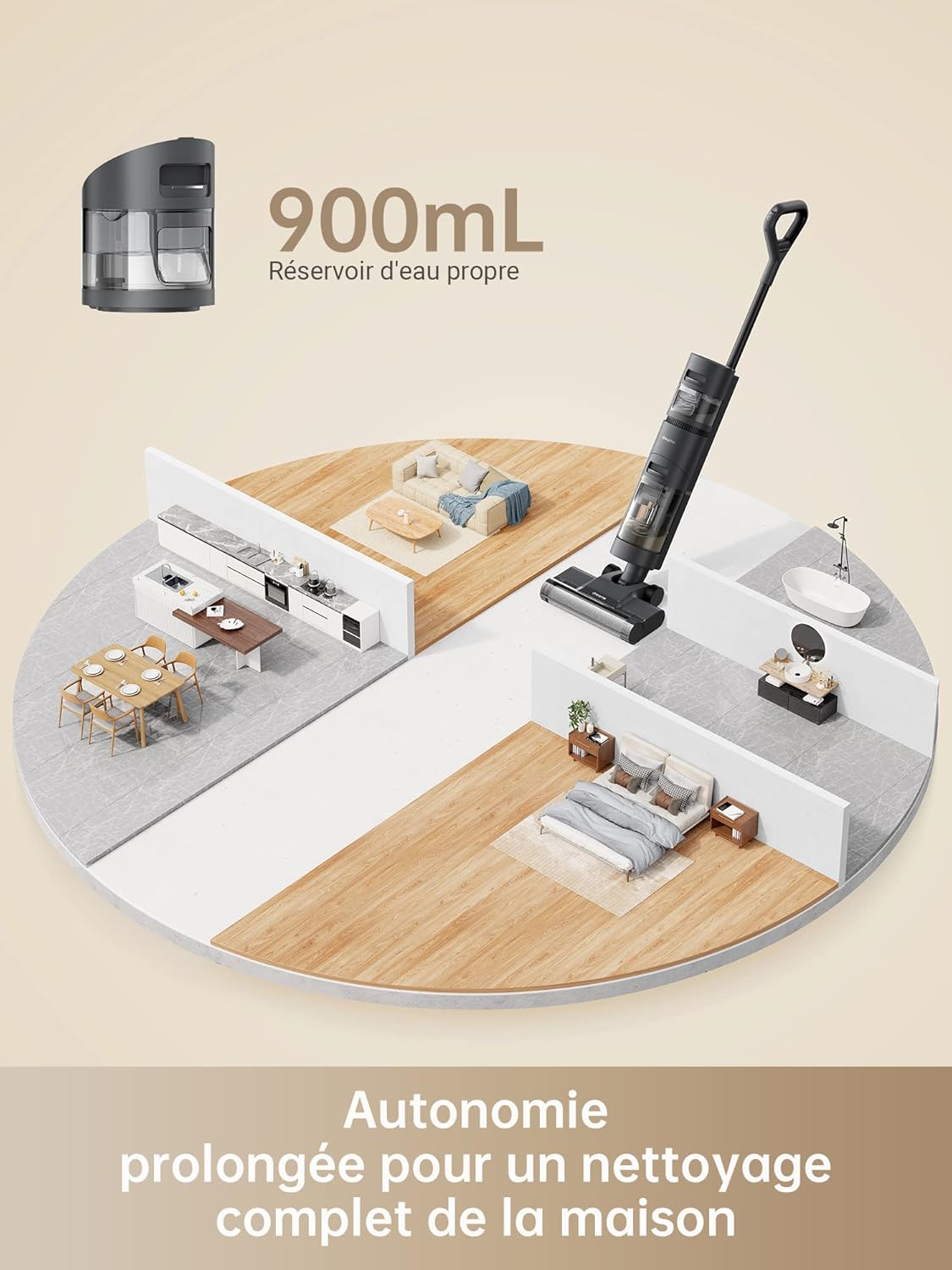
Image: The package contents of the Dreame H12 Core, showing the main body, handle, power adapter, cleaning solution, cleaning brush, and charging base.
- പ്രധാന ബോഡി x1
- X1 കൈകാര്യം ചെയ്യുക
- പവർ അഡാപ്റ്റർ x1
- ക്ലീനിംഗ് ബ്രഷ് x1
- ചാർജിംഗ് ബേസ് x1
- ക്ലീനിംഗ് സൊല്യൂഷൻ x1
4. ഉൽപ്പന്നം കഴിഞ്ഞുview
Familiarize yourself with the components of your Dreame H12 Core.

ചിത്രം: ഒരു പൂർണ്ണ view of the Dreame H12 Core Wet and Dry Vacuum Cleaner, highlighting its sleek design and integrated water tanks.
ഡിസ്പ്ലേ സൂചകങ്ങൾ

Image: Close-up of the LED display on the Dreame H12 Core, showing indicators for cleaning mode, battery level, clean water tank, dirty water tank, blocked tube, and tangled brush.
- ക്ലീനിംഗ് സൂചകം: Shows the current cleaning mode.
- ബാറ്ററി പവർ: ശേഷിക്കുന്ന ബാറ്ററി ശതമാനം പ്രദർശിപ്പിക്കുന്നുtage.
- Clean Water Tank Indicator: Alerts when the clean water tank is low.
- Dirty Water Tank Indicator: Alerts when the dirty water tank is full.
- Blocked Tube Indicator: Indicates a blockage in the suction path.
- Tangled Brush Indicator: Alerts if the brush roll is tangled.
5. സജ്ജീകരണം
അസംബ്ലി
- അത് ക്ലിക്കുചെയ്യുന്നത് വരെ പ്രധാന ബോഡിയിലേക്ക് ഹാൻഡിൽ തിരുകുക.
- Ensure the clean water tank and dirty water tank are securely attached.
പ്രാരംഭ ചാർജിംഗ്

Image: The Dreame H12 Core placed on its charging base, connected to a power outlet, indicating the charging process.
- ചാർജിംഗ് ബേസിൽ വാക്വം ക്ലീനർ സ്ഥാപിക്കുക.
- Connect the power adapter to the charging base and a power outlet.
- Charge the device fully before first use. The display will show the charging status.
6. പ്രവർത്തന നിർദ്ദേശങ്ങൾ
ശുദ്ധമായ വാട്ടർ ടാങ്ക് നിറയ്ക്കുന്നു

Image: A close-up of the Dreame H12 Core's 900ml clean water tank, indicating its capacity for extended cleaning sessions.
- പ്രധാന ബോഡിയിൽ നിന്ന് ശുദ്ധമായ വാട്ടർ ടാങ്ക് നീക്കം ചെയ്യുക.
- Open the tank cap and fill with clean water. For enhanced cleaning, add a small amount of Dreame cleaning solution.
- Close the cap securely and reattach the tank to the main body.
Powering On and Selecting Modes
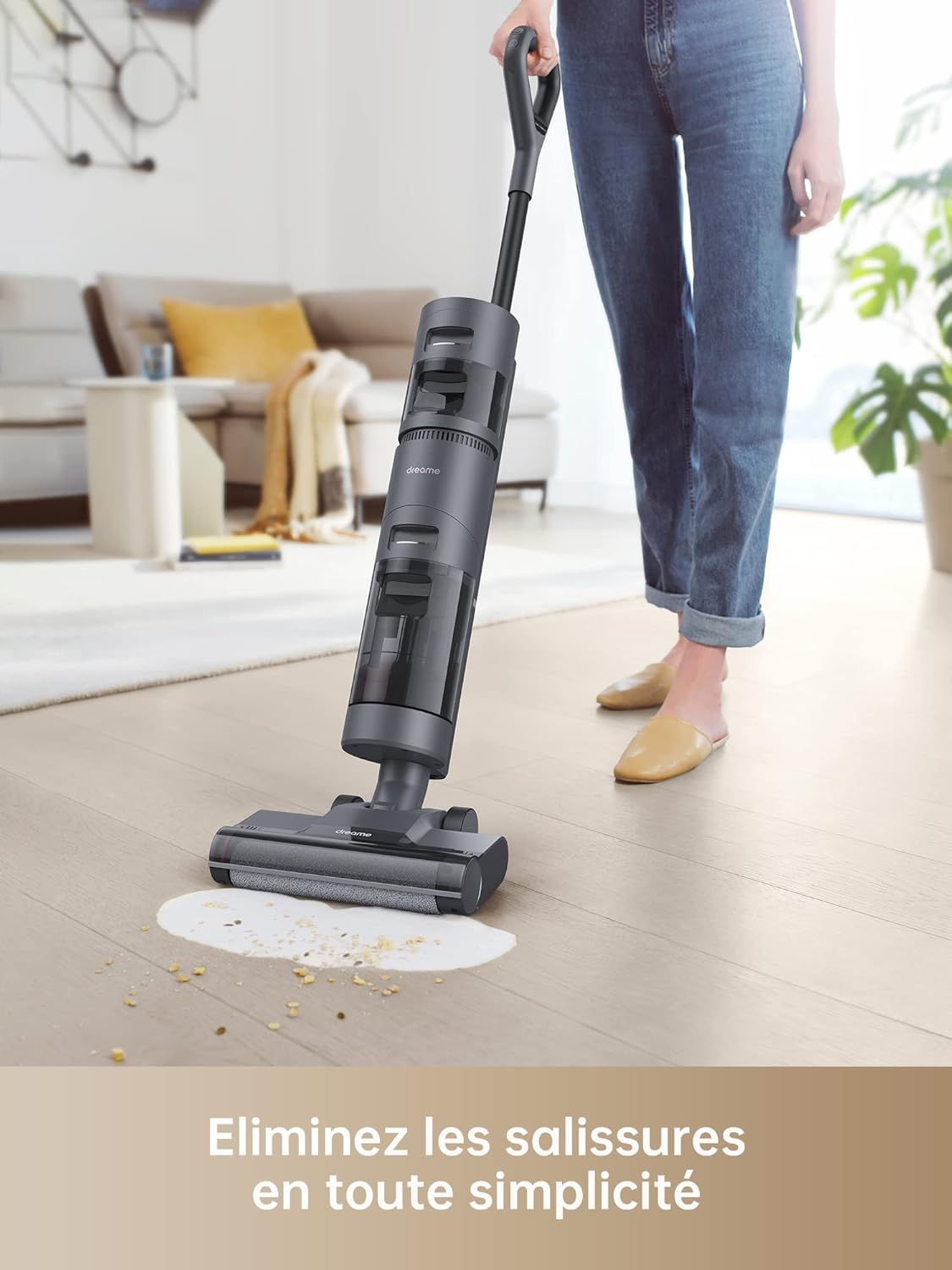
Image: A split image demonstrating the two cleaning modes of the Dreame H12 Core: Automatic mode for wet and dry cleaning, and Suction mode for liquid spills.
- വാക്വം ക്ലീനർ ഓണാക്കാൻ ഹാൻഡിലിലെ പവർ ബട്ടൺ അമർത്തുക.
- The device will start in ഓട്ടോമാറ്റിക് മോഡ് by default, intelligently adjusting suction and water flow based on dirt detection.
- Press the mode button to switch to സക്ഷൻ മോഡ് for liquid-only spills.
ഇന്റലിജന്റ് ഡേർട്ട് ഡിറ്റക്ഷൻ

Image: The Dreame H12 Core cleaning a spill, with its LED display showing intelligent dirt detection and adjusted suction power.
The H12 Core features an intelligent sensor that detects the level of dirt on your hard floors and automatically adjusts the suction power and water flow for optimal cleaning efficiency. The LED display provides real-time feedback on the dirt level.
ക്ലീനിംഗ് പ്രകടനം

Image: The Dreame H12 Core effectively cleaning a liquid spill and scattered debris on a hard floor, demonstrating its wet and dry cleaning capabilities.
The powerful brush roll rotates at 180 RPM to scrub floors, effectively removing powders, liquids, hair, and other debris. The integrated scraper cleans hair and dirt from the brush roll during operation.
കുസൃതി

Image: A person easily maneuvering the Dreame H12 Core around furniture in a living room, showcasing its lightweight design and powerful forward traction.
The H12 Core features powerful forward traction, a lightweight design, and large rear wheels, making it easy to push and maneuver around furniture and close to walls.
വോയ്സ് പ്രോംപ്റ്റുകൾ

Image: A close-up of the Dreame H12 Core's display with speech bubbles indicating voice prompts such as "Automatic mode," "Intelligent detection," and "Fill the clean water tank."
The device provides helpful voice prompts to inform you about its status, such as current mode, dirt detection, and tank levels, ensuring you get the most out of each cleaning session.
7. പരിപാലനം
ഓട്ടോമാറ്റിക് സെൽഫ് ക്ലീനിംഗ്
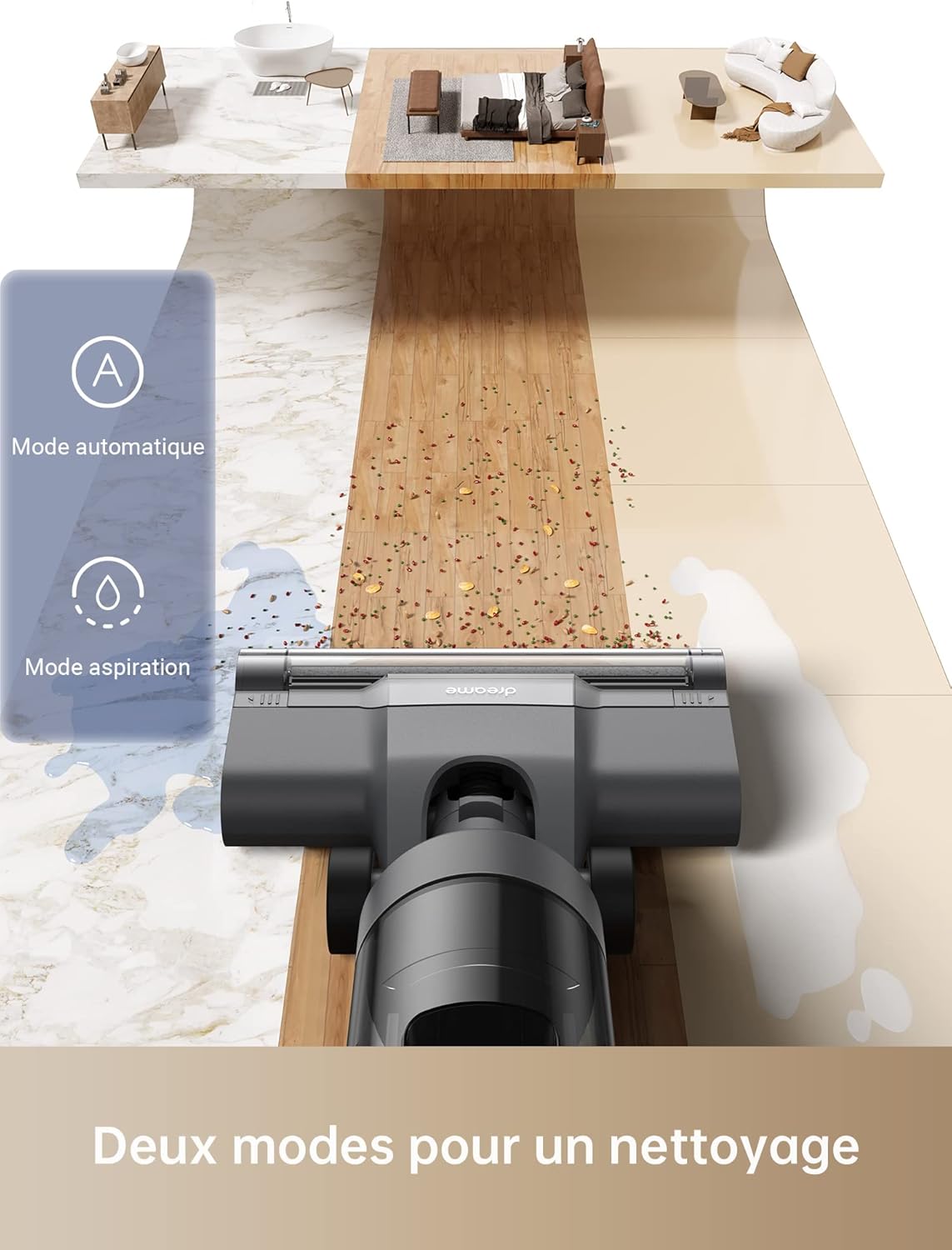
Image: A hand pressing the self-clean button on the Dreame H12 Core's handle while the vacuum is on its charging base, initiating the automatic self-cleaning cycle.
- After cleaning, place the vacuum cleaner on its charging base.
- Press the self-clean button on the handle.
- The device will automatically rinse, wring, and clean the brush roll, preparing it for the next use.
വൃത്തികെട്ട വാട്ടർ ടാങ്ക് കാലിയാക്കുന്നു
Regularly empty the dirty water tank to maintain optimal performance and prevent odors.
- Remove the dirty water tank from the main body.
- ടാങ്ക് തുറന്ന് മലിനജലം നീക്കം ചെയ്യുക.
- Rinse the tank with clean water and dry it thoroughly before reattaching.
ബ്രഷ് റോളും ഫിൽട്ടറും വൃത്തിയാക്കൽ
For thorough cleaning, remove the brush roll and filter for manual washing.
- Turn off the vacuum cleaner and disconnect it from the charging base.
- Remove the brush roll cover and then the brush roll.
- ബ്രഷ് റോളിൽ നിന്ന് പിണഞ്ഞുകിടക്കുന്ന രോമങ്ങളോ അവശിഷ്ടങ്ങളോ നീക്കം ചെയ്യാൻ നൽകിയിരിക്കുന്ന ക്ലീനിംഗ് ബ്രഷ് ഉപയോഗിക്കുക.
- Rinse the brush roll and HEPA filter under running water. Allow them to air dry completely before reinstallation.
8. പ്രശ്നപരിഹാരം
പൊതുവായ പ്രശ്നങ്ങളും അവയുടെ പരിഹാരങ്ങളും അറിയാൻ ഈ വിഭാഗം കാണുക.
| പ്രശ്നം | സാധ്യമായ കാരണം | പരിഹാരം |
|---|---|---|
| ശക്തിയില്ല | Battery depleted; Not charging correctly | Charge the battery fully; Ensure power adapter is connected securely. |
| മോശം സക്ഷൻ | Dirty water tank full; Brush roll tangled; Filter clogged | Empty dirty water tank; Clean brush roll; Clean/replace filter. |
| വെള്ളം ചോർച്ച | Water tanks not installed correctly; Tank caps loose | Reinstall tanks securely; Tighten tank caps. |
| അസാധാരണമായ ശബ്ദം | Foreign object in brush roll; Motor issue | Check and remove any foreign objects; Contact customer support if noise persists. |
9 സ്പെസിഫിക്കേഷനുകൾ
Technical details of the Dreame H12 Core Wet and Dry Vacuum Cleaner.
| ഫീച്ചർ | വിശദാംശങ്ങൾ |
|---|---|
| മോഡൽ നമ്പർ | HHR22B |
| അളവുകൾ (L x W x H) | 32.1 x 28.2 x 115 സെ.മീ |
| ഭാരം | 5.8 കി.ഗ്രാം |
| ബാറ്ററി തരം | ലിഥിയം-അയൺ |
| റേറ്റുചെയ്ത വോളിയംtage | 26 വി |
| റേറ്റുചെയ്ത പവർ | 200 W |
| ശുദ്ധമായ വാട്ടർ ടാങ്ക് കപ്പാസിറ്റി | 900 മില്ലി |
| വൃത്തികെട്ട വാട്ടർ ടാങ്ക് ശേഷി | 500 ml (approximate, derived from feature bullets) |
| പ്രവർത്തനസമയം | Up to 22 minutes (Battery life up to 35 minutes) |
| ശബ്ദ നില | 73 ഡി.ബി |
| ഫിൽട്ടർ തരം | HEPA |
| ശുപാർശ ചെയ്യുന്ന ഉപരിതലം | Hardwood, Tile, Vinyl, Carpet (light cleaning) |
10. ഔദ്യോഗിക ഉൽപ്പന്ന വീഡിയോ
Watch this video for a visual guide on the Dreame H12 Core's features and operation.
Video: An official product demonstration showcasing the Dreame H12 Core Wet and Dry Vacuum Cleaner's intelligent cleaning, dual modes, and self-cleaning function.
11. വാറൻ്റിയും പിന്തുണയും
For warranty information, technical support, or service inquiries, please refer to the warranty card included with your product or visit the official Dreame webസൈറ്റ്. വാങ്ങിയതിന്റെ തെളിവായി നിങ്ങളുടെ വാങ്ങൽ രസീത് സൂക്ഷിക്കുക.