
1. ആമുഖം
This manual provides detailed instructions for the Shutao 2.8-inch TFT LCD Touch Screen Module, featuring the ILI9341 driver. This module is designed for embedded systems and DIY electronics projects, offering a 320x240 pixel resolution color display with touch functionality via a 4-wire SPI interface. It supports both 3.3V and 5V power supplies, making it versatile for various microcontrollers.
2. സവിശേഷതകൾ
- 2.8-inch color screen, supporting 65K color display for rich visuals.
- Utilizes a 4-wire SPI serial bus, requiring minimal I/O pins for display illumination.
- Integrated SD card slot for easy expansion and data storage.
- Includes touch screen function with a dedicated touch pen for interactive applications.
- 320x240 pixel resolution for clear image and text display.
3. സജ്ജീകരണവും കണക്ഷനുകളും
Proper connection of the module to your microcontroller is crucial for correct operation. The module uses a 4-wire SPI interface for display control and additional pins for touch functionality and power.

ചിത്രം 3.1: പിൻഭാഗം view of the 2.8-inch TFT LCD Touch Screen Module, showing the pinout connections and the integrated SD card slot. This view details the various pin connections for power, SPI communication, and touch functionality, along with the integrated SD card slot for expansion.
3.1 പിൻഔട്ട് വിവരണം
| പിൻ പേര് | വിവരണം |
|---|---|
| വി.സി.സി | Power supply input (3.3V to 5V) |
| ജിഎൻഡി | ഗ്രൗണ്ട് |
| CS | LCD Chip Select (Active Low) |
| പുനഃസജ്ജമാക്കുക | LCD Reset (Active Low) |
| DC | Data/Command Selection (High for Data, Low for Command) |
| മോസി | Master Out Slave In (SPI Data Input) |
| മിസോ | Master In Slave Out (SPI Data Output) |
| എസ്.സി.എൽ.കെ. | SPI ക്ലോക്ക് |
| എൽഇഡി | Backlight Control (Connect to 3.3V for always on, or PWM for brightness control) |
| T_CS | Touch Screen Chip Select (Active Low) |
| T_CLK | Touch Screen SPI Clock |
| T_DIN | Touch Screen Data In |
| T_DO | Touch Screen Data Out |
| T_IRQ | Touch Screen Interrupt Request (Active Low) |
| SD_CS | SD Card Chip Select (Active Low) |
| എസ്ഡി_മോസി | SD Card SPI Data Input |
| എസ്ഡി_മിസോ | SD Card SPI Data Output |
| എസ്ഡി_എസ്സികെ | SD Card SPI Clock |
3.2 പവർ ആവശ്യകതകൾ
The module requires a VCC power supply between 3.3V and 5V. The logic IO port voltage for communication should be 3.3V (TTL). Ensure your microcontroller's logic levels are compatible or use level shifters if necessary to prevent damage.

ചിത്രം 3.2: The display module connected to a development board with multiple colored wires, illustrating a typical setup for integration into electronic projects. The screen is active, displaying an image.
4. പ്രവർത്തന നിർദ്ദേശങ്ങൾ
4.1 Display Initialization and Control
The display is controlled via a 4-wire SPI interface. To operate the display, you will need to:
- Initialize the ILI9341 Driver: Send a sequence of commands to the ILI9341 driver IC to configure the display settings, such as resolution, orientation, and color mode. Refer to the ILI9341 datasheet for specific command sequences.
- Send Display Data: After initialization, pixel data can be sent via SPI. Set the DC pin high for data and low for commands. The MOSI pin carries the data, and SCLK provides the clock signal.
- ബാക്ക്ലൈറ്റ് നിയന്ത്രണം: The LED pin controls the backlight. Connect it to 3.3V for continuous illumination or use a PWM signal from your microcontroller for adjustable brightness.

ചിത്രം 4.1: The 2.8-inch TFT LCD module in operation, displaying programming code. A hand is holding the provided touch pen, demonstrating the touch input capability of the screen.
4.2 Touch Screen Functionality
The module includes a resistive touch screen. The touch functionality is also controlled via SPI, using the T_CS, T_CLK, T_DIN, T_DO, and T_IRQ pins. The provided touch pen can be used for precise input.
- ടച്ച് കൺട്രോളർ: The touch screen typically uses a separate controller IC (e.g., XPT2046, though not explicitly stated for this module, it's common for ILI9341 displays). You will need to initialize this controller and read touch coordinates.
- Reading Touch Input: When a touch is detected, the T_IRQ pin will go low. Your microcontroller can then read the X and Y coordinates by communicating with the touch controller via its dedicated SPI pins.
- കാലിബ്രേഷൻ: Resistive touch screens often require calibration to accurately map raw touch coordinates to display pixels.
4.3 SD Card Usage
The integrated SD card slot allows for storing images, fonts, or other data that can be displayed on the screen. The SD card communicates via its own SPI interface, using the SD_CS, SD_MOSI, SD_MISO, and SD_SCK pins. Standard SD card libraries can be used with your microcontroller to read and write data.
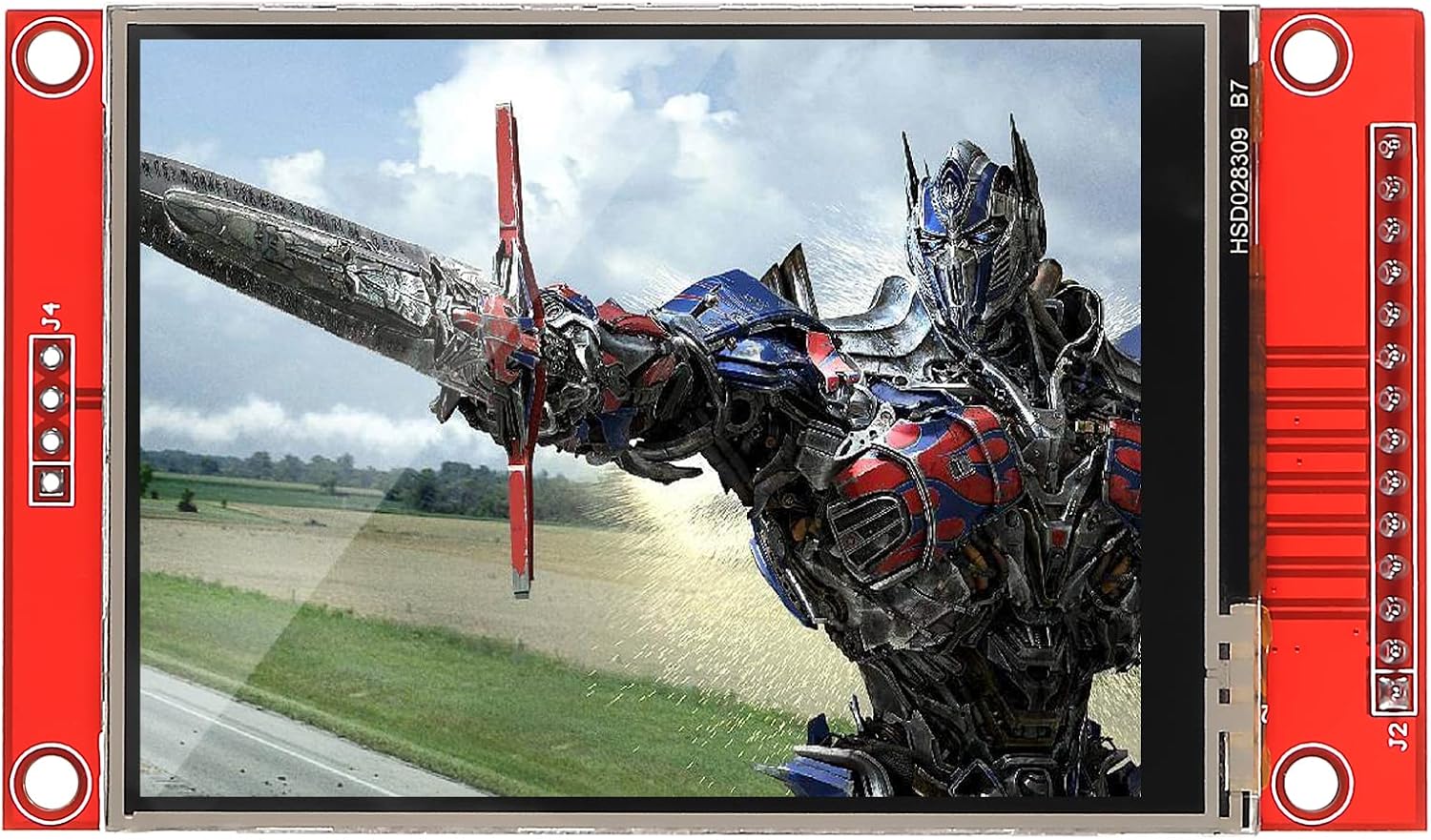
ചിത്രം 4.2: The module is shown displaying a vibrant image of a robot, highlighting its color display capabilities and 320x240 resolution.
5. പരിപാലനം
To ensure the longevity and optimal performance of your TFT LCD module, follow these maintenance guidelines:
- വൃത്തിയാക്കൽ: മൃദുവായ, ലിൻ്റ് രഹിത തുണി ഉപയോഗിക്കുകampened with water or a mild screen cleaner to gently wipe the display surface. Avoid abrasive materials or harsh chemicals.
- കൈകാര്യം ചെയ്യൽ: Always handle the module by its edges. Avoid applying pressure directly to the screen or the PCB components.
- സംഭരണം: Store the module in a dry, dust-free environment, away from direct sunlight and extreme temperatures.
- സ്റ്റാറ്റിക് ഇലക്ട്രിസിറ്റി: Take precautions against electrostatic discharge (ESD) when handling the module, as electronic components are sensitive to static.
6. പ്രശ്നപരിഹാരം
If you encounter issues with your 2.8-inch TFT LCD Touch Screen Module, consider the following troubleshooting steps:
- ഡിസ്പ്ലേ/ബ്ലാങ്ക് സ്ക്രീൻ ഇല്ല:
- Verify power connections (VCC and GND) are correct and stable.
- Check all SPI connections (CS, RESET, DC, MOSI, SCLK) for continuity and correct wiring.
- Ensure the backlight (LED pin) is properly powered.
- Confirm that the display initialization code is running correctly and without errors.
- Incorrect Colors/Garbled Display:
- Double-check the display initialization commands against the ILI9341 datasheet.
- Ensure the correct color mode (e.g., RGB565) is selected in your code.
- Verify SPI data transmission integrity.
- ടച്ച് സ്ക്രീൻ പ്രതികരിക്കുന്നില്ല:
- Check the touch screen SPI connections (T_CS, T_CLK, T_DIN, T_DO, T_IRQ).
- Ensure the touch controller is correctly initialized in your software.
- Verify that the T_IRQ pin is being monitored by your microcontroller.
- Perform touch screen calibration if necessary.
- SD Card Not Detected/Reading Errors:
- Ensure the SD card is properly inserted into the slot.
- Check the SD card SPI connections (SD_CS, SD_MOSI, SD_MISO, SD_SCK).
- Verify that your SD card is formatted correctly (e.g., FAT32).
- Test with a different SD card to rule out card issues.
7 സ്പെസിഫിക്കേഷനുകൾ

ചിത്രം 7.1: The display module presented alongside a table summarizing its technical specifications.
| സ്പെസിഫിക്കേഷൻ | മൂല്യം |
|---|---|
| സ്ക്രീൻ വലിപ്പം | 2.8 ഇഞ്ച് |
| ഡിസ്പ്ലേ തരം | ടി.എഫ്.ടി |
| ഡ്രൈവർ ഐ.സി | ILI9341 |
| റെസലൂഷൻ | 320x240 പിക്സലുകൾ |
| മൊഡ്യൂൾ ഇന്റർഫേസ് | 4-വയർ SPI ഇൻ്റർഫേസ് |
| VCC Power Voltage | 3.3 വി ~ 5 വി |
| Logic IO Port Voltage | 3.3V (TTL) |
| ടച്ച് പ്രവർത്തനം | അതെ |
| SD കാർഡ് സ്ലോട്ട് | അതെ |
| ഇനത്തിൻ്റെ ഭാരം | 1.44 ഔൺസ് (ഏകദേശം 40.8 ഗ്രാം) |
| പാക്കേജ് അളവുകൾ | 5.28 x 3.62 x 0.87 ഇഞ്ച് |
8. പാക്കേജ് ഉള്ളടക്കം
The package for the Shutao 2.8-inch TFT LCD Touch Screen Module typically includes:
- 1 x 2.8" SPI TFT LCD Display Module
- 1 x ടച്ച് പേന
9. വാറൻ്റിയും പിന്തുണയും
For warranty information, technical support, or any inquiries regarding the Shutao 2.8-inch TFT LCD Touch Screen Module, please refer to the seller's return policy or contact the seller directly through the platform where the product was purchased. Keep your purchase receipt or order number handy for faster assistance.