
1. ആമുഖം
The ATTACK SHARK G6 Gaming Mouse is a versatile peripheral designed for both gaming and daily productivity. It offers three distinct connection modes: wired, 2.4G wireless, and Bluetooth, ensuring reliable and accurate transmission across various devices. Its ergonomic design, adjustable DPI settings, and customizable RGB lighting provide a tailored user experience.

Figure 1: The ATTACK SHARK G6 Gaming Mouse (Blue/White) with its USB receiver.
2. സവിശേഷതകൾ
- ട്രൈ-മോഡ് കണക്റ്റിവിറ്റി: Seamlessly switch between wired (USB-C), 2.4G wireless (via USB receiver), and Bluetooth connections for maximum flexibility.
- ക്രമീകരിക്കാവുന്ന DPI: Features 5 adjustable DPI levels (1200/1600/2000/2400/4000) for precise control and responsiveness, suitable for various tasks from detailed work to fast-paced gaming.
- 11 Chroma RGB Lighting Modes: Customize your setup with 11 distinct RGB lighting effects, enhancing your gaming atmosphere.
- 10 പ്രോഗ്രാം ചെയ്യാവുന്ന ബട്ടണുകൾ: Equipped with 10 function buttons, strategically placed for easy access, allowing for quick actions like light changes, one-click web access, and navigation.
- എർഗണോമിക് ഡിസൈൻ: Specifically designed for right-hand users with a comfortable thumb rest, reducing fatigue during extended use.
- നിശബ്ദ ക്ലിക്ക് ബട്ടണുകൾ: Left and right buttons feature a silent click design, minimizing noise and preventing disturbance to others.
- റീചാർജ് ചെയ്യാവുന്ന ബാറ്ററി: Built-in 500mAh lithium battery, rechargeable via Type-C, providing long-lasting use on a single charge (approx. 3-4 hours for full charge).
- വിശാലമായ അനുയോജ്യത: Compatible with Windows, Mac, Android, and other operating systems, ensuring broad usability.

ചിത്രം 2: ഓവർview of the 10 programmable buttons and ergonomic finger rests.
3. പാക്കേജ് ഉള്ളടക്കം
അൺബോക്സിംഗ് ചെയ്യുമ്പോൾ എല്ലാ ഇനങ്ങളും ഉണ്ടെന്ന് ഉറപ്പാക്കാൻ പാക്കേജ് ഉള്ളടക്കങ്ങൾ പരിശോധിക്കുക:
- ATTACK SHARK G6 Gaming Mouse
- USB 2.4G Wireless Receiver
- USB-C ചാർജിംഗ് കേബിൾ
- ഉപയോക്തൃ മാനുവൽ (ഈ പ്രമാണം)
4. സജ്ജീകരണം
4.1. മൗസ് ചാർജ് ചെയ്യുന്നു
Before first use, it is recommended to fully charge the mouse. Connect the supplied USB-C charging cable to the mouse's Type-C port and the other end to a USB power source (e.g., computer USB port, USB wall adapter). The charging indicator will show status (refer to LED indicator section for details). A full charge typically takes 3-4 hours.

Figure 3: Charging the G6 Gaming Mouse via its Type-C port.
4.2. കണക്ഷൻ മോഡുകൾ
The G6 mouse supports three connection methods:
- 2.4G വയർലെസ് മോഡ്:
- Locate the USB 2.4G wireless receiver, usually stored in a compartment on the underside of the mouse.
- നിങ്ങളുടെ കമ്പ്യൂട്ടറിൽ ലഭ്യമായ USB പോർട്ടിലേക്ക് റിസീവർ പ്ലഗ് ചെയ്യുക.
- മൗസിന്റെ അടിവശത്തുള്ള പവർ സ്വിച്ച് ഉപയോഗിച്ച് അത് ഓണാക്കുക. മൗസ് യാന്ത്രികമായി കണക്ട് ചെയ്യണം.
- ബ്ലൂടൂത്ത് മോഡ്:
- Turn on the mouse and switch it to Bluetooth mode (refer to the switch on the underside).
- നിങ്ങളുടെ ഉപകരണത്തിൽ (കമ്പ്യൂട്ടർ, ടാബ്ലെറ്റ്, ഫോൺ), ബ്ലൂടൂത്ത് ക്രമീകരണങ്ങളിലേക്ക് പോയി പുതിയ ഉപകരണങ്ങൾക്കായി തിരയുക.
- Select "ATTACK SHARK G6" (or similar name) from the list to pair.
- വയർഡ് മോഡ്:
- Connect the supplied USB-C cable to the mouse's Type-C port.
- കേബിളിൻ്റെ മറ്റേ അറ്റം നിങ്ങളുടെ കമ്പ്യൂട്ടറിലെ യുഎസ്ബി പോർട്ടിലേക്ക് ബന്ധിപ്പിക്കുക.
- വയേർഡ് മോഡിൽ മൗസ് ഉടനടി പ്രവർത്തിക്കുകയും അതേ സമയം ചാർജ് ചെയ്യുകയും ചെയ്യും.
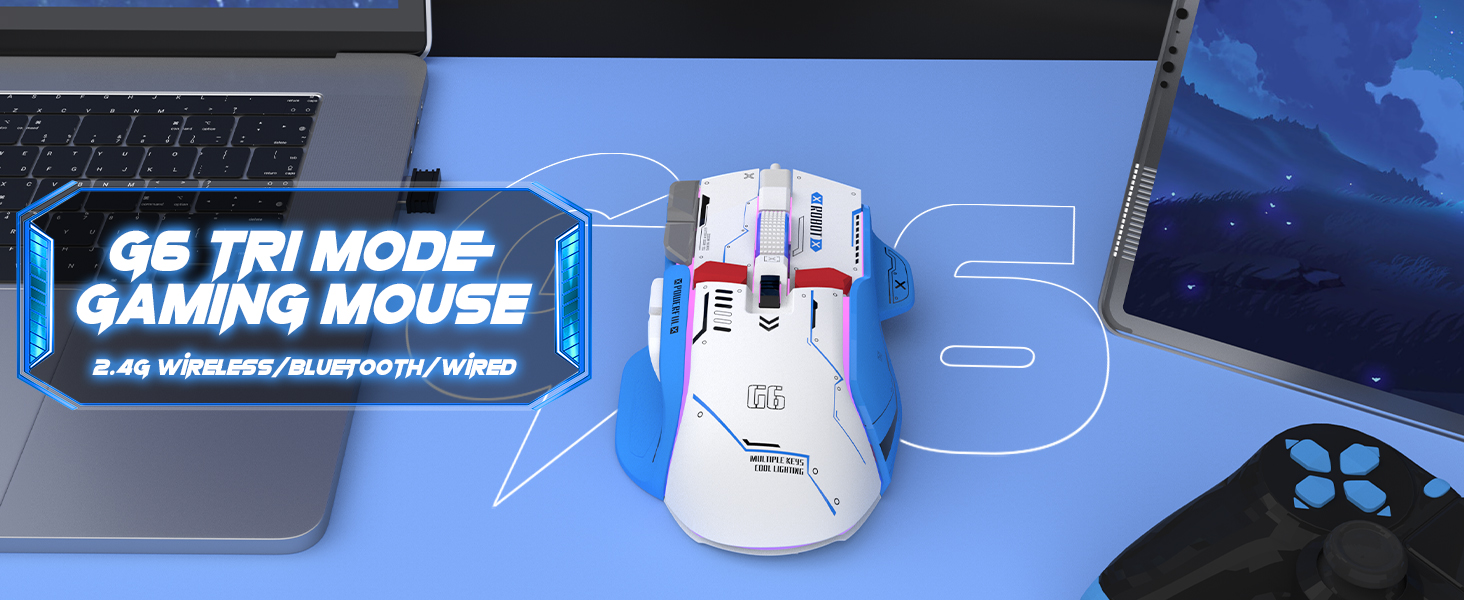
Figure 4: The G6 mouse supports 2.4G wireless, Bluetooth, and wired connections.
5. പ്രവർത്തന നിർദ്ദേശങ്ങൾ
5.1. ഡിപിഐ ക്രമീകരണം
The G6 mouse features a dedicated DPI button (refer to Figure 2 for location) to cycle through 5 adjustable DPI levels: 1200, 1600, 2000, 2400, and 4000. Press the DPI button to switch between sensitivity settings to match your preference or game requirements.
5.2. RGB ലൈറ്റിംഗ് നിയന്ത്രണം
The mouse offers 11 Chroma RGB lighting modes. Use the dedicated Light Control button (refer to Figure 2) to cycle through the different lighting effects. To turn off the RGB lighting, continue pressing the button until the lights are off, or refer to the software if available for more advanced control.

Figure 5: The G6 mouse features 11 kinds of RGB backlight modes.
5.3. ബട്ടൺ പ്രവർത്തനങ്ങൾ
The G6 mouse has 10 function buttons. Their default functions are:
- ഇടത് ക്ലിക്ക്: Standard left mouse button.
- വലത് ക്ലിക്കിൽ: Standard right mouse button (silent click).
- സ്ക്രോൾ വീൽ: മുകളിലേക്കും/താഴേക്കും സ്ക്രോൾ ചെയ്യുക, മധ്യത്തിൽ ക്ലിക്ക് ചെയ്യുക.
- DPI ബട്ടൺ: DPI ക്രമീകരണങ്ങളിലൂടെ കടന്നുപോകുന്നു.
- ലൈറ്റ് കൺട്രോൾ ബട്ടൺ: RGB ലൈറ്റിംഗ് മോഡുകളിലൂടെ സഞ്ചരിക്കുന്നു.
- ഫോർവേഡ് ബട്ടൺ: മുന്നോട്ട് നാവിഗേറ്റ് ചെയ്യുന്നു web browsers/folders.
- ബാക്ക്വേർഡ് ബട്ടൺ: പിന്നിലേക്ക് നാവിഗേറ്റ് ചെയ്യുന്നു web browsers/folders.
- ഫയർ ബട്ടൺ: Rapid fire function (default, may be programmable).
- Desktop Button: One-click access to desktop.
- Webpage Button: One-click access to web ബ്രൗസർ.

ചിത്രം 6: വിശദമായി view of key features including finger rests and Type-C port.

Figure 7: The silent click feature ensures quiet operation, ideal for shared spaces.
6. പരിപാലനം
To ensure the longevity and optimal performance of your ATTACK SHARK G6 Gaming Mouse, follow these maintenance guidelines:
- വൃത്തിയാക്കൽ: മൗസിന്റെ പ്രതലം തുടയ്ക്കാൻ മൃദുവായതും ഉണങ്ങിയതുമായ ഒരു തുണി ഉപയോഗിക്കുക. കഠിനമായ അഴുക്കിന്, അല്പം ഡി.amp cloth with mild soap can be used, but ensure no liquid enters the mouse. Do not use harsh chemicals or abrasive materials.
- സംഭരണം: നേരിട്ടുള്ള സൂര്യപ്രകാശത്തിൽ നിന്നും കടുത്ത താപനിലയിൽ നിന്നും മാറി തണുത്തതും വരണ്ടതുമായ സ്ഥലത്ത് മൗസ് സൂക്ഷിക്കുക.
- തുള്ളികൾ ഒഴിവാക്കുക: ആന്തരിക ഘടകങ്ങളെ തകരാറിലാക്കുന്ന തുള്ളികളിൽ നിന്നും ആഘാതങ്ങളിൽ നിന്നും മൗസിനെ സംരക്ഷിക്കുക.
- കേബിൾ കെയർ: When using wired mode or charging, handle the USB-C cable carefully to prevent bending or fraying.
7. പ്രശ്നപരിഹാരം
If you encounter issues with your ATTACK SHARK G6 Gaming Mouse, please refer to the following common solutions:
| പ്രശ്നം | സാധ്യമായ പരിഹാരം |
|---|---|
| മൗസ് പ്രതികരിക്കുന്നില്ല (വയർലെസ്/ബ്ലൂടൂത്ത്) |
|
| DPI ക്രമീകരണങ്ങൾ മാറുന്നില്ല |
|
| RGB ലൈറ്റിംഗ് പ്രവർത്തിക്കുന്നില്ല അല്ലെങ്കിൽ തടസ്സപ്പെട്ടു |
|
| കാലതാമസം അല്ലെങ്കിൽ ഇടവിട്ടുള്ള കണക്ഷൻ |
|
7.1. Product Video Guide
For a visual guide on the mouse's features and operation, please watch the official product video:
Video: G6 Wireless/wired/bluetooth gaming mouse. This video demonstrates the RGB lighting effects and general appearance of the G6 gaming mouse in different colors.
8 സ്പെസിഫിക്കേഷനുകൾ
| ഫീച്ചർ | വിശദാംശങ്ങൾ |
|---|---|
| ബ്രാൻഡ് | അറ്റാക്ക് സ്രാവ് |
| മോഡൽ നമ്പർ | G6 |
| കണക്റ്റിവിറ്റി ടെക്നോളജി | Bluetooth, Wired, Wireless (2.4G) |
| മൂവ്മെന്റ് ഡിറ്റക്ഷൻ ടെക്നോളജി | ഒപ്റ്റിക്കൽ |
| ക്രമീകരിക്കാവുന്ന DPI ലെവലുകൾ | 1200/1600/2000/2400/4000 |
| RGB മോഡുകൾ | 11 Chroma RGB modes |
| ബട്ടണുകളുടെ എണ്ണം | 10 |
| ബാറ്ററി ശേഷി | 500mAh റീചാർജ് ചെയ്യാവുന്ന ലിഥിയം ബാറ്ററി |
| ചാർജിംഗ് പോർട്ട് | ടൈപ്പ്-സി |
| ഇനത്തിൻ്റെ ഭാരം | 7.4 ഔൺസ് (ഏകദേശം 210 ഗ്രാം) |
| പാക്കേജ് അളവുകൾ | 6.38 x 5.43 x 2.13 ഇഞ്ച് |
| അനുയോജ്യത | വിൻഡോസ്, മാക്, ആൻഡ്രോയിഡ്, ഐഒഎസ് |
9. വാറൻ്റിയും പിന്തുണയും
ATTACK SHARK products are designed and manufactured to the highest quality standards. This product is covered by a limited warranty from the date of purchase. For detailed warranty terms, technical support, or customer service inquiries, please contact your retailer or visit the official ATTACK SHARK webസൈറ്റ്.
ഓൺലൈൻ പിന്തുണ: Visit the ATTACK SHARK Store on Amazon