
1. ആമുഖം
This manual provides detailed instructions for the setup, operation, maintenance, and troubleshooting of your RUNMUS GAMING CW902 Wired Gaming Mouse. Please read this manual thoroughly to ensure optimal performance and longevity of your device.

മുകളിൽ നിന്ന് താഴേക്ക് view of the RUNMUS GAMING CW902 wired gaming mouse, showcasing its ergonomic shape and vibrant RGB lighting.
2. ഉൽപ്പന്ന സവിശേഷതകൾ
The RUNMUS GAMING CW902 mouse is engineered for performance and comfort, offering a range of features to enhance your gaming and computing experience:
- Ergonomic & Anti-Fatigue Design: Crafted for extended use, reducing strain during long sessions.
- High DPI Sensitivity: Adjustable DPI from 800 to 6400 for precise tracking and responsiveness.
- 6 Customizable Buttons: Program buttons for specific functions or macros to suit your playstyle.
- ഡൈനാമിക് RGB ലൈറ്റിംഗ്: Multiple customizable lighting modes to personalize your setup.
- മോടിയുള്ള ബിൽഡ് ക്വാളിറ്റി: ദീർഘായുസ്സിനും വിശ്വാസ്യതയ്ക്കുമായി ഉയർന്ന നിലവാരമുള്ള വസ്തുക്കൾ ഉപയോഗിച്ച് നിർമ്മിച്ചിരിക്കുന്നത്.
- സാർവത്രിക അനുയോജ്യത: വിൻഡോസ്, മാകോസ്, ലിനക്സ് ഓപ്പറേറ്റിംഗ് സിസ്റ്റങ്ങളെ പിന്തുണയ്ക്കുന്നു.
- ഉയർന്ന കൃത്യതയുള്ള ഒപ്റ്റിക്കൽ സെൻസർ: Provides extreme accuracy and responsiveness for competitive gameplay.

ഒരു ക്ലോസപ്പ് view of the RUNMUS CW902 mouse, highlighting its ergonomic and anti-fatigue design for extended comfortable use.
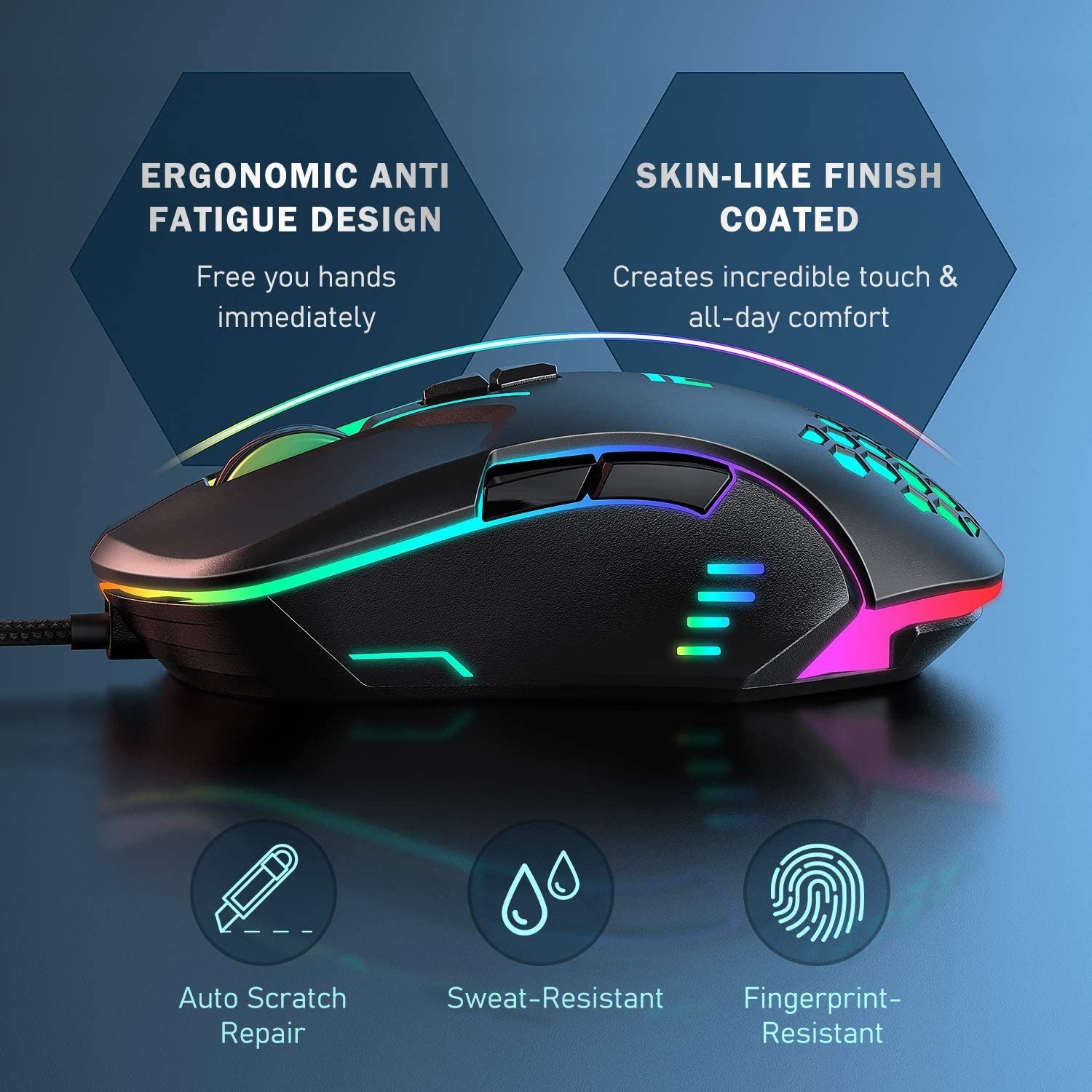
ഒരു വശം view of the RUNMUS CW902 mouse highlighting its ergonomic, anti-fatigue design and skin-like coated finish for comfortable grip, along with features like auto scratch repair, sweat-resistance, and fingerprint-resistance.
3. പാക്കേജ് ഉള്ളടക്കം
നിങ്ങളുടെ പാക്കേജിൽ എല്ലാ ഇനങ്ങളും ഉണ്ടെന്ന് ദയവായി പരിശോധിക്കുക:
- RUNMUS GAMING CW902 Wired Gaming Mouse
- ഉപയോക്തൃ മാനുവൽ (ഈ പ്രമാണം)
4. സജ്ജീകരണം
Setting up your RUNMUS GAMING CW902 mouse is a straightforward process:
- മൗസ് ബന്ധിപ്പിക്കുക: Plug the USB connector of the CW902 mouse into an available USB port on your computer.
- ഡ്രൈവർ ഇൻസ്റ്റാളേഷൻ: The mouse is plug-and-play. Your operating system (Windows, macOS, Linux) will automatically detect and install the necessary drivers. No additional software installation is typically required for basic functionality.
- സ്ഥിരീകരണം: Once connected, the RGB lighting on the mouse should illuminate, and the cursor should respond to movement.
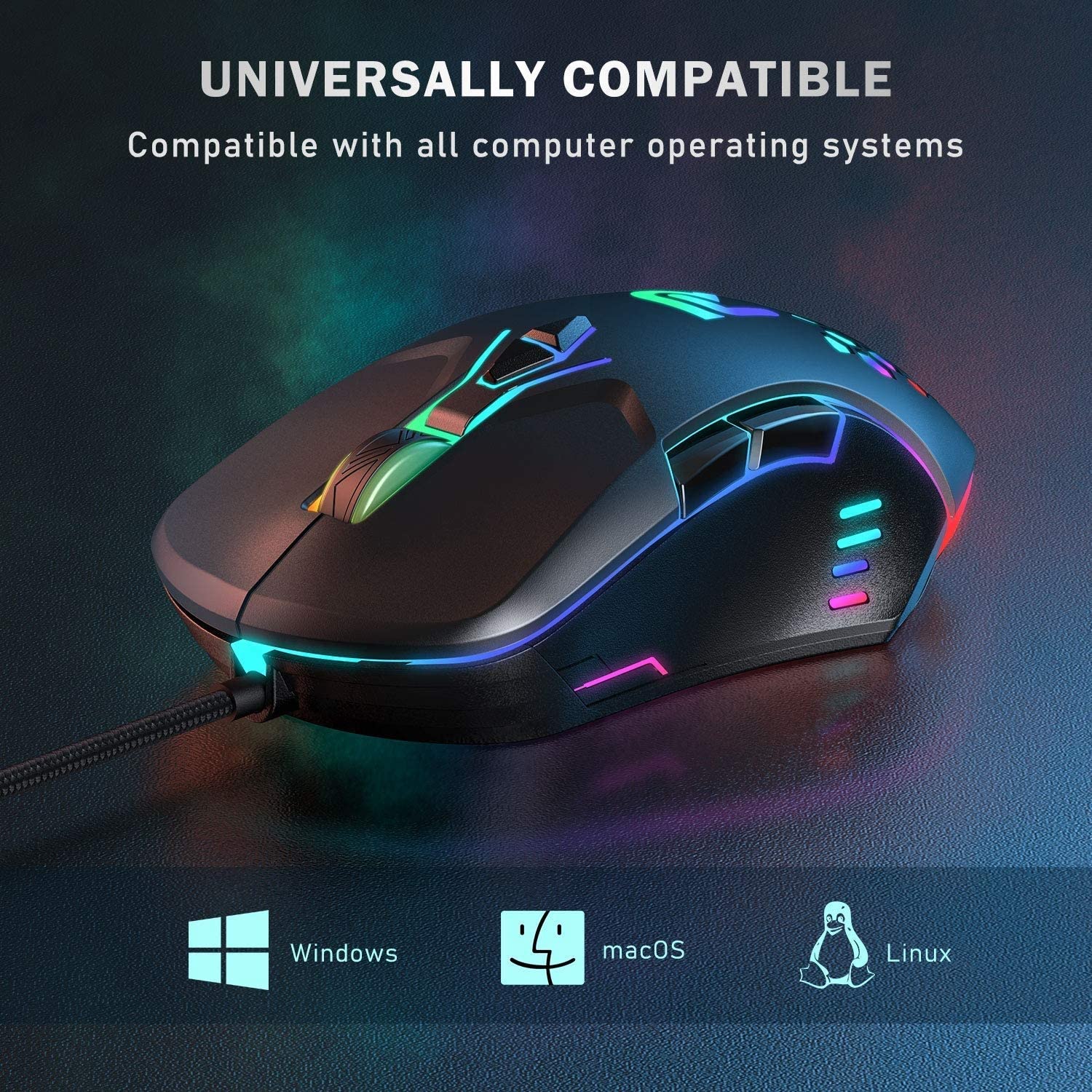
The RUNMUS CW902 mouse displayed with icons for Windows, macOS, and Linux, indicating its universal compatibility with various operating systems.
5. പ്രവർത്തന നിർദ്ദേശങ്ങൾ
5.1 അടിസ്ഥാന പ്രവർത്തനങ്ങൾ
- ഇടത് ക്ലിക്ക്: പ്രാഥമിക പ്രവർത്തന ബട്ടൺ.
- വലത് ക്ലിക്കിൽ: സാധാരണയായി സന്ദർഭ മെനുകൾക്കുള്ള സെക്കൻഡറി പ്രവർത്തന ബട്ടൺ.
- സ്ക്രോൾ വീൽ: പ്രമാണങ്ങളിലൂടെ സ്ക്രോൾ ചെയ്യാൻ ഉപയോഗിക്കുന്നു കൂടാതെ web പേജുകൾ. ഒരു മിഡിൽ ക്ലിക്ക് ബട്ടണായും പ്രവർത്തിക്കാം.
5.2 ഡിപിഐ അഡ്ജസ്റ്റ്മെന്റ്
The CW902 mouse features adjustable DPI settings, allowing you to change cursor sensitivity on the fly. Use the dedicated DPI button (usually located behind the scroll wheel) to cycle through the preset DPI levels:
- 800 ഡിപിഐ
- 1600 ഡിപിഐ
- 2400 ഡിപിഐ
- 3200 ഡിപിഐ
- 4800 ഡിപിഐ
- 6400 ഡിപിഐ
Each DPI level may correspond to a different RGB lighting color for visual indication.

An illustration of the RUNMUS CW902 mouse showcasing its six programmable RGB lighting modes (Rainbow, Floe, Colorful, Waltz, 4 Seasons, DPI Mode) and six default adjustable DPI levels ranging from 800 to 6400, each with a distinct color indicator.

An image illustrating the RUNMUS CW902 mouse's adjustable DPI range from 800 to 6400, with visual representations of different DPI levels.
5.3 RGB ലൈറ്റിംഗ് മോഡുകൾ
The mouse features various RGB lighting effects. Use the dedicated lighting button (if available, or a combination of buttons) to switch between modes such as:
- മഴവില്ല്
- ഫ്ലോ
- വർണ്ണാഭമായ
- വാൾട്ട്സ്
- 4 സീസണുകൾ
- DPI Mode (lighting changes with DPI setting)
5.4 പ്രോഗ്രാം ചെയ്യാവുന്ന ബട്ടണുകൾ
The CW902 includes 6 buttons that can be customized. While basic functionality is plug-and-play, advanced customization of these buttons may require specific software, which can typically be downloaded from the manufacturer's official website. Refer to the software's instructions for programming macros and remapping buttons.

A user operating the RUNMUS CW902 mouse during a gaming session, emphasizing its high-precision sensor for accurate and responsive tracking, with a view ആന്തരിക ഘടകങ്ങളുടെ.
6. പരിപാലനം
Proper maintenance ensures the longevity and performance of your gaming mouse:
- വൃത്തിയാക്കൽ: മൗസിന്റെ പ്രതലം തുടയ്ക്കാൻ മൃദുവായതും ഉണങ്ങിയതുമായ ഒരു തുണി ഉപയോഗിക്കുക. കഠിനമായ അഴുക്കിന്, ചെറുതായി dampതുണിയിൽ വെള്ളം ഒഴിക്കുക. കഠിനമായ രാസവസ്തുക്കളോ ഉരച്ചിലുകളോ ഉള്ള വസ്തുക്കൾ ഒഴിവാക്കുക.
- സെൻസർ ക്ലീനിംഗ്: ഇടയ്ക്കിടെ, ഒരു കോട്ടൺ സ്വാബ് ചെറുതായി ഉപയോഗിക്കുക dampened with isopropyl alcohol to gently clean the optical sensor on the underside of the mouse. Ensure no liquid enters the mouse.
- കേബിൾ കെയർ: Avoid sharply bending or pulling the USB cable. Store the mouse in a way that prevents the cable from being tangled or crimped.
- സംഭരണം: ദീർഘനേരം ഉപയോഗിക്കാത്തപ്പോൾ, നേരിട്ടുള്ള സൂര്യപ്രകാശത്തിൽ നിന്നും കടുത്ത താപനിലയിൽ നിന്നും മാറി വൃത്തിയുള്ളതും വരണ്ടതുമായ അന്തരീക്ഷത്തിൽ മൗസ് സൂക്ഷിക്കുക.
7. പ്രശ്നപരിഹാരം
If you encounter issues with your RUNMUS GAMING CW902 mouse, refer to the following common solutions:
- മൗസ് പ്രതികരിക്കുന്നില്ല:
- പ്രവർത്തിക്കുന്ന ഒരു USB പോർട്ടിലേക്ക് USB കേബിൾ സുരക്ഷിതമായി പ്ലഗ് ചെയ്തിട്ടുണ്ടെന്ന് ഉറപ്പാക്കുക.
- നിങ്ങളുടെ കമ്പ്യൂട്ടറിലെ മറ്റൊരു USB പോർട്ടിലേക്ക് മൗസ് പ്ലഗ് ചെയ്യാൻ ശ്രമിക്കുക.
- നിങ്ങളുടെ കമ്പ്യൂട്ടർ പുനരാരംഭിക്കുക.
- Cursor Movement is Erratic or Jumpy:
- മൗസിന്റെ അടിവശത്തുള്ള ഒപ്റ്റിക്കൽ സെൻസർ വൃത്തിയാക്കുക.
- Ensure you are using the mouse on a clean, non-reflective, and uniform surface (a mouse pad is recommended).
- Check for any physical obstructions around the sensor.
- ഡിപിഐ മാറുന്നില്ല:
- DPI ബട്ടൺ ദൃഢമായി അമർത്തുക.
- Ensure no software is overriding the hardware DPI settings.
- RGB ലൈറ്റുകൾ പ്രവർത്തിക്കുന്നില്ല അല്ലെങ്കിൽ തെറ്റാണ്:
- USB കണക്ഷൻ പരിശോധിക്കുക.
- Cycle through the RGB lighting modes using the designated button.
- If using customization software, ensure settings are correctly applied.
ഈ ഘട്ടങ്ങൾ പ്രശ്നം പരിഹരിക്കുന്നില്ലെങ്കിൽ, ദയവായി ഉപഭോക്തൃ പിന്തുണയുമായി ബന്ധപ്പെടുക.
8 സ്പെസിഫിക്കേഷനുകൾ
| ബ്രാൻഡ് | റൺമസ് ഗെയിമിംഗ് |
| മോഡൽ | CW902 |
| കണക്റ്റിവിറ്റി | വയർഡ് യുഎസ്ബി |
| മൂവ്മെന്റ് ഡിറ്റക്ഷൻ ടെക്നോളജി | ഒപ്റ്റിക്കൽ |
| ഡിപിഐ ശ്രേണി | 800-6400 DPI (ക്രമീകരിക്കാവുന്നത്) |
| ബട്ടണുകളുടെ എണ്ണം | 6 |
| കൈ ഓറിയൻ്റേഷൻ | ശരിയാണ് |
| ഉൽപ്പന്ന അളവുകൾ | 7.5 x 12 x 4 സെ.മീ |
| ഇനത്തിൻ്റെ ഭാരം | 120 ഗ്രാം |
| ഓപ്പറേറ്റിംഗ് സിസ്റ്റം അനുയോജ്യത | Linux, Windows 7, Windows XP (and newer Windows versions, macOS) |

A promotional image of the RUNMUS CW902 High-Precision Pro Gaming Mouse, indicating its compatibility with Windows, macOS, and Linux operating systems.

A split image showing the internal precision sensor of the RUNMUS CW902 mouse on one side and a user actively gaming with the mouse on the other, emphasizing its accuracy.
9. വാറൻ്റിയും പിന്തുണയും
The RUNMUS GAMING CW902 Wired Gaming Mouse comes with a standard manufacturer's warranty. Please refer to the product packaging or the official RUNMUS GAMING webനിർദ്ദിഷ്ട വാറന്റി നിബന്ധനകൾക്കും വ്യവസ്ഥകൾക്കും സൈറ്റ്.
For technical support, troubleshooting assistance beyond this manual, or warranty claims, please contact RUNMUS GAMING customer service through their official support channels. Keep your purchase receipt as proof of purchase for warranty purposes.