
1. ആമുഖം
The UNI-T UT60S is a smart, true RMS digital multimeter designed for accurate and reliable electrical measurements. Featuring 9999 counts, this device can measure AC/DC voltage, AC/DC current, resistance, diode, capacitance, temperature, and frequency. Its fully automatic anti-burn intelligent design helps prevent operational errors and device damage, making it suitable for both professional technicians and everyday users.

ചിത്രം 1: മുൻഭാഗം view of the UNI-T UT60S Digital Multimeter.
2 സുരക്ഷാ വിവരങ്ങൾ
Always adhere to safety precautions when using the multimeter. Failure to do so may result in electric shock, injury, or damage to the meter or equipment under test.
- മാനുവൽ വായിക്കുക: ഉപയോഗിക്കുന്നതിന് മുമ്പ്, ഈ മാനുവലിലെ എല്ലാ നിർദ്ദേശങ്ങളും സുരക്ഷാ മുന്നറിയിപ്പുകളും നന്നായി വായിച്ച് മനസ്സിലാക്കുക.
- റേറ്റുചെയ്ത വോളിയംtage: റേറ്റുചെയ്ത വോള്യത്തേക്കാൾ കൂടുതൽ പ്രയോഗിക്കരുത്tage, as marked on the meter, between terminals or between any terminal and earth ground. The UT60S is capable of withstanding a maximum overvoltage impulse of 1000V.
- ഉപയോഗിക്കുന്നതിന് മുമ്പ് പരിശോധിക്കുക: ഓരോ ഉപയോഗത്തിനും മുമ്പ്, മീറ്റർ, ടെസ്റ്റ് ലീഡുകൾ, ആക്സസറികൾ എന്നിവയിൽ എന്തെങ്കിലും കേടുപാടുകൾ സംഭവിച്ചിട്ടുണ്ടോ എന്ന് പരിശോധിക്കുക. കേടുപാടുകൾ സംഭവിച്ചിട്ടുണ്ടെങ്കിൽ ഉപയോഗിക്കരുത്.
- Proper Terminals: Ensure test leads are connected to the correct input terminals for the measurement function selected.
- സർക്യൂട്ട് ഡീ-എനർജിസേഷൻ: Always de-energize the circuit and discharge all high-voltagപ്രതിരോധം, തുടർച്ച, ഡയോഡ് അല്ലെങ്കിൽ കപ്പാസിറ്റൻസ് അളവുകൾ നടത്തുന്നതിന് മുമ്പ് ഇ കപ്പാസിറ്ററുകൾ.
- Live Circuit Work: When working on live circuits, work alone as little as possible, and ensure another person is present to provide assistance if needed.
- ഓവർകറന്റ് സംരക്ഷണം: The meter features overcurrent alarms and protection functions. Do not exceed the maximum current ratings for the input terminals.
- പരിസ്ഥിതി വ്യവസ്ഥകൾ: Use the meter only as specified in this manual. Do not use the meter in explosive gas, vapor, or dusty environments.
- വ്യക്തിഗത സംരക്ഷണ ഉപകരണങ്ങൾ: Always wear appropriate personal protective equipment (PPE), such as safety glasses and insulated gloves, when working with electrical circuits.
3. ഉൽപ്പന്ന സവിശേഷതകൾ
The UNI-T UT60S Digital Multimeter offers a range of features for versatile and safe electrical testing:
- 9999 കൗണ്ട്സ് ഡിസ്പ്ലേ: Provides high-resolution measurements for precision.
- യഥാർത്ഥ RMS അളവ്: Ensures accurate readings for non-sinusoidal waveforms.
- Fully Automatic Anti-Burn Design: Intelligent protection against operational errors and potential device damage.
- Wide Measurement Capabilities: AC/DC വോളിയം അളക്കുന്നുtage (up to 1000V), AC/DC current, resistance, diode, capacitance, temperature, and frequency.
- Large LCD Screen with Dual Display: Allows simultaneous display of AC voltage and frequency, enhancing readability.
- Full Button Design: Offers intuitive control and automatic recognition of current input jacks.
- Fast ADC (Analog to Digital Converter): Provides rapid measurement updates (3 times/second).
- Misoperation Protection: Capable of withstanding a maximum overvoltage impulse of 1000V, with overvoltage and overcurrent alarms.
- NCV (നോൺ-കോൺടാക്റ്റ് വോളിയംtage) Function: എസി വോള്യം കണ്ടെത്തുന്നുtage without physical contact, featuring audible and visual alarms for safety.
- ഓട്ടോമാറ്റിക് പവർ സേവിംഗ്: Low power consumption (7mA during operation, 5uA in sleep state) and automatic backlight display in dark environments, extending battery life. Automatic shut-down feature.

Figure 2: The UT60S display with 9999 counts for precise readings.
4. ബോക്സിൽ എന്താണുള്ളത്?
പാക്കേജ് തുറക്കുമ്പോൾ, നിങ്ങൾ ഇനിപ്പറയുന്ന ഇനങ്ങൾ കണ്ടെത്തണം:
- UNI-T UT60S ഡിജിറ്റൽ മൾട്ടിമീറ്റർ
- Thermocouple (for temperature measurements)
- Multimeter Test Leads (red and black)
- 1.5V AAA Batteries (pre-installed or included separately)

Figure 3: Contents of the UNI-T UT60S package, including the multimeter, test leads, and thermocouple.
5. സജ്ജീകരണം
5.1. ബാറ്ററി ഇൻസ്റ്റാളേഷൻ
The UT60S typically uses 1.5V AAA batteries. To install or replace batteries:
- മൾട്ടിമീറ്റർ ഓഫ് ചെയ്തിട്ടുണ്ടെന്നും ടെസ്റ്റ് ലീഡുകൾ വിച്ഛേദിക്കപ്പെട്ടിട്ടുണ്ടെന്നും ഉറപ്പാക്കുക.
- മീറ്ററിന്റെ പിൻഭാഗത്ത് ബാറ്ററി കമ്പാർട്ട്മെന്റ് കണ്ടെത്തുക.
- ബാറ്ററി കമ്പാർട്ട്മെന്റ് കവർ തുറക്കാൻ ഒരു സ്ക്രൂഡ്രൈവർ ഉപയോഗിക്കുക.
- Insert the AAA batteries, observing correct polarity (+ and -).
- ബാറ്ററി കമ്പാർട്ട്മെന്റ് കവർ മാറ്റി സ്ക്രൂ ഉപയോഗിച്ച് സുരക്ഷിതമാക്കുക.
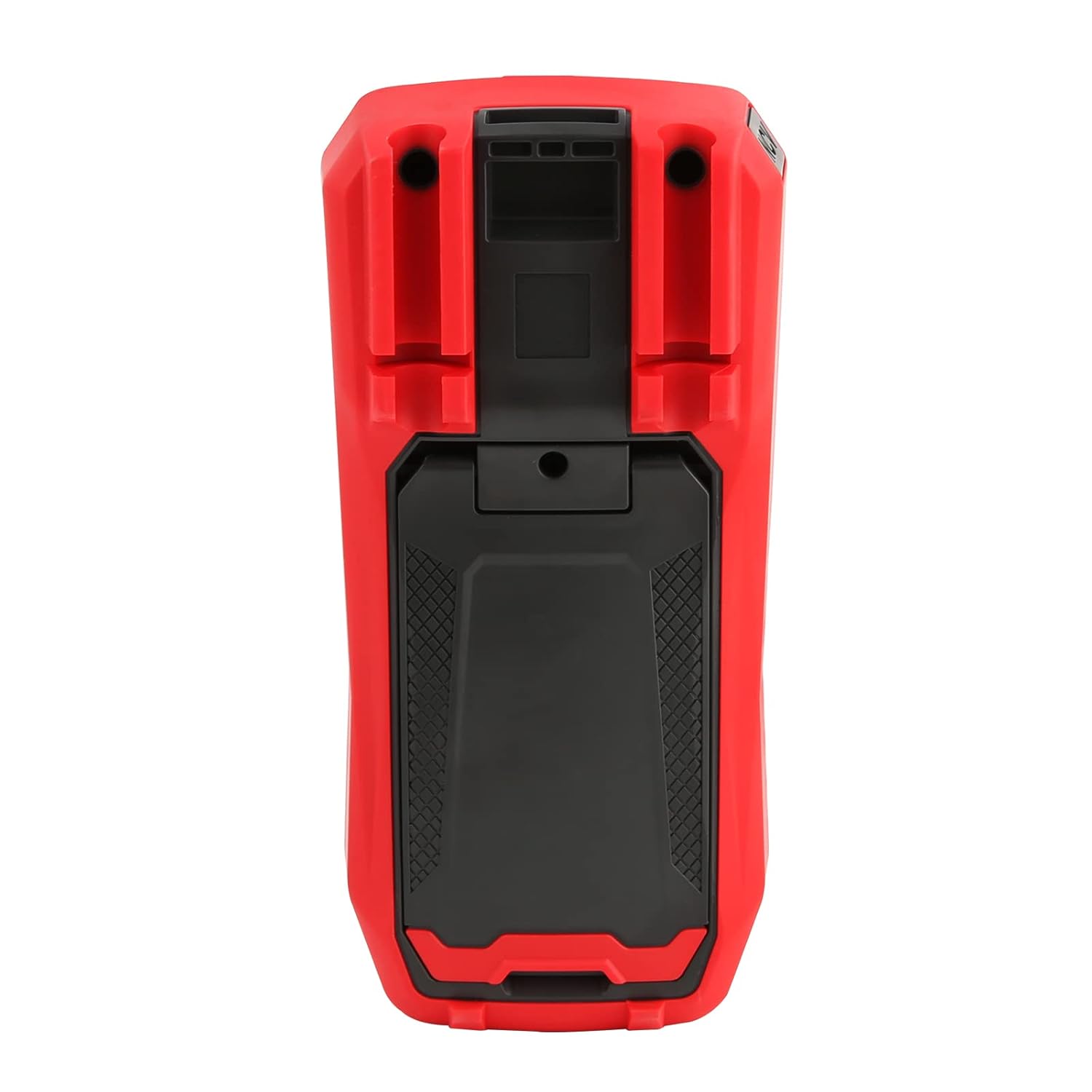
ചിത്രം 4: പിൻഭാഗം view of the UT60S, indicating the battery compartment location.
5.2. ടെസ്റ്റ് ലീഡുകൾ ബന്ധിപ്പിക്കുന്നു
Connect the test leads to the appropriate input terminals:
- The black test lead (common) should always be connected to the COM അതിതീവ്രമായ.
- വോളിയത്തിന്tage, resistance, capacitance, frequency, diode, and continuity measurements, connect the red test lead to the VΩHzCAP അതിതീവ്രമായ.
- For current measurements (mA/A), connect the red test lead to the mA/A അതിതീവ്രമായ.
- For microampere current measurements (μA), connect the red test lead to the μA അതിതീവ്രമായ.

Figure 5: Input terminals of the UT60S for connecting test leads.
6. പ്രവർത്തന നിർദ്ദേശങ്ങൾ
The UT60S features a full button design for selecting measurement functions. The meter's intelligent anti-burn design automatically recognizes the input jack and selected function.
6.1. പവർ ഓൺ/ഓഫ്
അമർത്തുക പവർ button to turn the meter on or off. The meter will automatically shut down after a period of inactivity to save battery life.
6.2. ഓട്ടോ മോഡ്
In Auto mode, the meter automatically identifies the measurement type (voltage, resistance, continuity) and selects the appropriate range. This simplifies operation for general troubleshooting.
6.3. Measuring AC/DC Voltage
വോളിയം അളക്കാൻtage:
- എന്നതിലേക്ക് ബ്ലാക്ക് ടെസ്റ്റ് ലീഡ് ബന്ധിപ്പിക്കുക COM ടെർമിനലും ചുവന്ന പരിശോധനയും നയിക്കുന്നു VΩHzCAP അതിതീവ്രമായ.
- അമർത്തുക V~ / Hz button to select AC voltage measurement, or the V= / NCV button for DC voltage. The meter may automatically select the correct mode in Auto range.
- അളക്കേണ്ട സർക്യൂട്ടിലോ ഘടകത്തിലോ ഉടനീളം ടെസ്റ്റ് പ്രോബുകൾ ബന്ധിപ്പിക്കുക.
- വാല്യം വായിക്കുകtagഡിസ്പ്ലേയിൽ e മൂല്യം. AC വോള്യത്തിന്tage, the frequency may also be displayed simultaneously.

Figure 6: Measuring AC voltage and frequency with the UT60S.
6.4. Measuring AC/DC Current
കറൻ്റ് അളക്കാൻ:
- പ്രധാനപ്പെട്ടത്: To measure current, the meter must be connected in series with the circuit. Always turn off power to the circuit before connecting the meter.
- എന്നതിലേക്ക് ബ്ലാക്ക് ടെസ്റ്റ് ലീഡ് ബന്ധിപ്പിക്കുക COM അതിതീവ്രമായ.
- For current up to 10A, connect the red test lead to the mA/A terminal. For microampere current, connect to the μA അതിതീവ്രമായ.
- അമർത്തുക എസിഎ/ഡിസിഎ button to select AC or DC current measurement.
- സർക്യൂട്ട് പൊട്ടിച്ച് ടെസ്റ്റ് ലീഡുകൾ ലോഡുമായി പരമ്പരയിൽ ബന്ധിപ്പിക്കുക.
- സർക്യൂട്ടിലേക്ക് വൈദ്യുതി എത്തിച്ച് ഡിസ്പ്ലേയിലെ കറന്റ് മൂല്യം വായിക്കുക.
6.5. Measuring Resistance, Diode, and Continuity
To measure resistance, diode, or continuity:
- Ensure the circuit is de-energized and capacitors are discharged.
- എന്നതിലേക്ക് ബ്ലാക്ക് ടെസ്റ്റ് ലീഡ് ബന്ധിപ്പിക്കുക COM ടെർമിനലും ചുവന്ന പരിശോധനയും നയിക്കുന്നു VΩHzCAP അതിതീവ്രമായ.
- അമർത്തുക Ω→+ button to cycle through resistance, diode, and continuity functions.
- ഘടകത്തിലുടനീളം ടെസ്റ്റ് പ്രോബുകൾ ബന്ധിപ്പിക്കുക.
- Read the measurement. For continuity, an audible buzzer will sound if continuity is detected.
6.6. Measuring Capacitance
കപ്പാസിറ്റൻസ് അളക്കാൻ:
- പരിശോധിക്കുന്നതിന് മുമ്പ് കപ്പാസിറ്റർ പൂർണ്ണമായും ഡിസ്ചാർജ് ചെയ്തിട്ടുണ്ടെന്ന് ഉറപ്പാക്കുക.
- എന്നതിലേക്ക് ബ്ലാക്ക് ടെസ്റ്റ് ലീഡ് ബന്ധിപ്പിക്കുക COM ടെർമിനലും ചുവന്ന പരിശോധനയും നയിക്കുന്നു VΩHzCAP അതിതീവ്രമായ.
- അമർത്തുക mV~°C°F button to select temperature measurement.
- കപ്പാസിറ്റർ ടെർമിനലുകളിലുടനീളം ടെസ്റ്റ് പ്രോബുകൾ ബന്ധിപ്പിക്കുക.
- ഡിസ്പ്ലേയിലെ കപ്പാസിറ്റൻസ് മൂല്യം വായിക്കുക.

Figure 7: The UT60S performing a capacitance measurement.
6.7 താപനില അളക്കൽ
താപനില അളക്കാൻ:
- Connect the thermocouple to the appropriate input terminals (usually the VΩHzCAP ഒപ്പം COM terminals, or dedicated temperature inputs if available).
- അമർത്തുക mV~°C°F button to select temperature measurement.
- Place the thermocouple probe at the point where temperature needs to be measured.
- Read the temperature value on the display in Celsius or Fahrenheit.
6.8. NCV (നോൺ-കോൺടാക്റ്റ് വോളിയംtage) Function
എൻസിവി ഫംഗ്ഷൻ എസി വോളിയം കണ്ടെത്തൽ അനുവദിക്കുന്നുtagകണ്ടക്ടർമാരുമായി നേരിട്ട് സമ്പർക്കം പുലർത്താതെ.
- അമർത്തുക V= / NCV button to activate the NCV function.
- Move the top of the meter close to the conductor or outlet.
- The meter will provide an audible alarm and visual indication (flashing light) if AC voltage is detected. The intensity of the alarm and light may vary with voltagഇ ശക്തി.

Figure 8: Using the NCV function to detect live AC voltage.
6.9 ഡാറ്റ ഹോൾഡ്
അമർത്തുക പിടിക്കുക button to freeze the current reading on the display. Press it again to release the hold function.
6.10. Range Selection
While the meter typically operates in Auto range, you can manually select a range by pressing the റേഞ്ച് button. This can be useful for specific applications or to speed up measurements in stable conditions. Press and hold the റേഞ്ച് button to return to Auto range.
6.11. USB Communication (if applicable)
The UT60S series may support USB communication for data logging and analysis on a computer. If your model includes this feature, connect the meter to your computer using the provided USB cable and install the UNI-T software. Refer to the software manual for detailed instructions.
Video 1: Demonstration of features like NCV, LoZ, and USB communication on a UNI-T UT161 series multimeter. The UT60S shares similar functionalities.
7. പരിപാലനം
7.1. വൃത്തിയാക്കൽ
പരസ്യം ഉപയോഗിച്ച് മീറ്ററിന്റെ കേസ് തുടയ്ക്കുകamp തുണിയും നേരിയ ഡിറ്റർജന്റും ഉപയോഗിക്കുക. അബ്രാസീവ് വസ്തുക്കളോ ലായകങ്ങളോ ഉപയോഗിക്കരുത്. ഉപയോഗിക്കുന്നതിന് മുമ്പ് മീറ്റർ പൂർണ്ണമായും ഉണങ്ങിയെന്ന് ഉറപ്പാക്കുക.
7.2. ബാറ്ററി മാറ്റിസ്ഥാപിക്കൽ
ഡിസ്പ്ലേയിൽ ബാറ്ററി കുറവാണെന്ന് കാണിക്കുമ്പോൾ ബാറ്ററികൾ മാറ്റിസ്ഥാപിക്കുക. ബാറ്ററി ഇൻസ്റ്റാളേഷൻ നിർദ്ദേശങ്ങൾക്ക് സെക്ഷൻ 5.1 കാണുക.
7.3. ഫ്യൂസ് മാറ്റിസ്ഥാപിക്കൽ
If the current measurement function stops working, the fuse may need replacement. Refer to the full user manual for specific fuse ratings and replacement procedures. Always use fuses with the specified voltagഇ, നിലവിലെ റേറ്റിംഗുകൾ.
8. പ്രശ്നപരിഹാരം
If you encounter issues with your UNI-T UT60S, try the following basic troubleshooting steps:
- ഡിസ്പ്ലേ/പവർ ഓണല്ല: ബാറ്ററി ഇൻസ്റ്റാളേഷൻ പരിശോധിച്ച് ബാറ്ററികൾ തീർന്നിട്ടില്ലെന്ന് ഉറപ്പാക്കുക. ആവശ്യമെങ്കിൽ മാറ്റിസ്ഥാപിക്കുക.
- തെറ്റായ വായനകൾ: Verify that the test leads are correctly connected to the appropriate terminals for the selected function. Ensure the function dial is set correctly. Check for damaged test leads.
- കറന്റ് അളക്കൽ പ്രവർത്തിക്കുന്നില്ല: Check the fuse. If blown, replace it with a fuse of the correct rating. Ensure the meter is connected in series with the circuit.
- "OL" അല്ലെങ്കിൽ ഓവർലോഡ് സൂചന: This indicates that the measured value is outside the selected range or the maximum capability of the meter. Try selecting a higher range (if in manual range mode) or ensure the component is within the meter's specifications.
- എൻസിവി കണ്ടെത്തുന്നില്ല: Ensure the NCV function is activated and the meter is brought close enough to the AC voltagഇ ഉറവിടം.
For more complex issues, refer to the detailed troubleshooting section in the complete user manual or contact UNI-T customer support.
9 സ്പെസിഫിക്കേഷനുകൾ
Key specifications for the UNI-T UT60S Digital Multimeter:
| ഫീച്ചർ | സ്പെസിഫിക്കേഷൻ |
|---|---|
| പ്രദർശന എണ്ണം | 9999 |
| യഥാർത്ഥ RMS | അതെ |
| എസി/ഡിസി വോളിയംtage | 1000V വരെ |
| എസി / ഡിസി കറന്റ് | Up to 10A (mA/A terminals), Up to 1000μA (μA terminal) |
| പ്രതിരോധം | 0.1Ω - 40MΩ |
| കപ്പാസിറ്റൻസ് | 1nF - 4000μF |
| താപനില | Yes (with thermocouple) |
| ആവൃത്തി | അതെ |
| ഡയോഡ് ടെസ്റ്റ് | അതെ |
| തുടർച്ചയായ പരിശോധന | അതെ |
| NCV (നോൺ-കോൺടാക്റ്റ് വോളിയംtage) | അതെ |
| പവർ ഉറവിടം | Battery Powered (1.5V AAA batteries) |
| ഇനത്തിൻ്റെ ഭാരം | 370 ഗ്രാം |
| സുരക്ഷാ പാലിക്കൽ | UL 61010-1, IEC 61010-2-030, CAT III 1000V, CAT II 600V |
10. വാറൻ്റിയും പിന്തുണയും
UNI-T provides customer support for their products. If you encounter any problems during use, please contact UNI-T customer service directly via email. They offer 7/24 1-to-1 user support to address your concerns promptly.
For specific warranty details, please refer to the warranty card included with your product or visit the official UNI-T webസൈറ്റ്.