
ആമുഖം
This manual provides detailed instructions for the installation, operation, and maintenance of your Podofo 10-inch Wireless CarPlay Android Auto Car Stereo. This unit is designed for specific vehicle models including Citroen C1, Toyota Aygo, and Peugeot 107, offering advanced features such as a 10-inch touchscreen, GPS navigation, WiFi, Bluetooth, hands-free calling, FM/RDS radio, and USB connectivity. Please read this manual thoroughly before use to ensure proper functionality and safety.

Image: The Podofo 10-inch Car Stereo shown installed in a compatible vehicle dashboard, highlighting the visual upgrade from the original setup. This image illustrates the product's fit for Peugeot 107, Citroen C1, and Toyota Aygo models.
പാക്കേജ് ഉള്ളടക്കം
Before beginning installation, verify that all components listed below are present in your package. If any items are missing or damaged, please contact customer support.

Image: A visual representation of the product's dimensions (10.1 inch screen, 250mm width, 145mm height) and a comprehensive list of all included accessories, such as power cables, USB cables, antennas, RCA cables, GPS antenna, installation tools, rear camera input cable, user manual, and Canbus Box.
- Podofo 10-inch Car Stereo Unit
- Various Power Cables
- ഒറിജിനൽ യുഎസ്ബി കേബിൾ
- റേഡിയോ ആന്റിന
- ആന്റിന ഹെഡ്
- ആർസിഎ കേബിൾ
- ജിപിഎസ് ആൻ്റിന
- ഇൻസ്റ്റലേഷൻ ടൂൾ
- USB കേബിൾ
- പിൻ ക്യാമറ ഇൻപുട്ട് കേബിൾ
- ഉപയോക്തൃ മാനുവൽ
- ക്യാൻബസ് ബോക്സ്
സജ്ജീകരണവും ഇൻസ്റ്റാളേഷനും
Professional installation is recommended. Ensure the vehicle's battery is disconnected before starting any electrical work. Refer to your vehicle's specific wiring diagram for accurate connections.
- നിലവിലുള്ള ഹെഡ് യൂണിറ്റ് നീക്കം ചെയ്യുക: ഫാക്ടറി കാർ സ്റ്റീരിയോ ശ്രദ്ധാപൂർവ്വം നീക്കം ചെയ്ത് പാനലുകൾ ട്രിം ചെയ്യുക.
- വയറിംഗ് ഹാർനെസ് ബന്ധിപ്പിക്കുക: Connect the provided power cables and original USB cable to the car stereo and the vehicle's wiring harness. Ensure all connections are secure.
- ജിപിഎസ് ആന്റിന ഇൻസ്റ്റാൾ ചെയ്യുക: വ്യക്തമായ വെളിച്ചമുള്ള ഒരു സ്ഥലത്ത് GPS ആന്റിന സ്ഥാപിക്കുക. view ആകാശത്തിന്റെ, സാധാരണയായി ഡാഷ്ബോർഡിലോ വിൻഡ്ഷീൽഡിനടിയിലോ.
- Connect Radio Antenna: Attach the radio antenna to the unit.
- Rear Camera (Optional): If installing a rear camera, connect the rear camera input cable to the stereo and route the camera cable to the rear of the vehicle.
- Canbus Box: Connect the Canbus Box as per the vehicle's specific requirements to enable steering wheel controls and other vehicle data integration.
- ടെസ്റ്റ് കണക്ഷനുകൾ: Before fully reassembling, temporarily connect the battery and power on the unit to test basic functions (power, audio, touchscreen response).
- സുരക്ഷിത യൂണിറ്റ്: Mount the new car stereo securely into the dashboard opening.
- ട്രിം വീണ്ടും കൂട്ടിച്ചേർക്കുക: Reinstall all removed trim panels.
പ്രവർത്തന നിർദ്ദേശങ്ങൾ
വയർലെസ് കാർപ്ലേയും ആൻഡ്രോയിഡ് ഓട്ടോയും
Connect your smartphone wirelessly to access navigation, music, messages, and more directly on the car stereo's display. This feature supports both Apple CarPlay and Android Auto via the Zlink application.
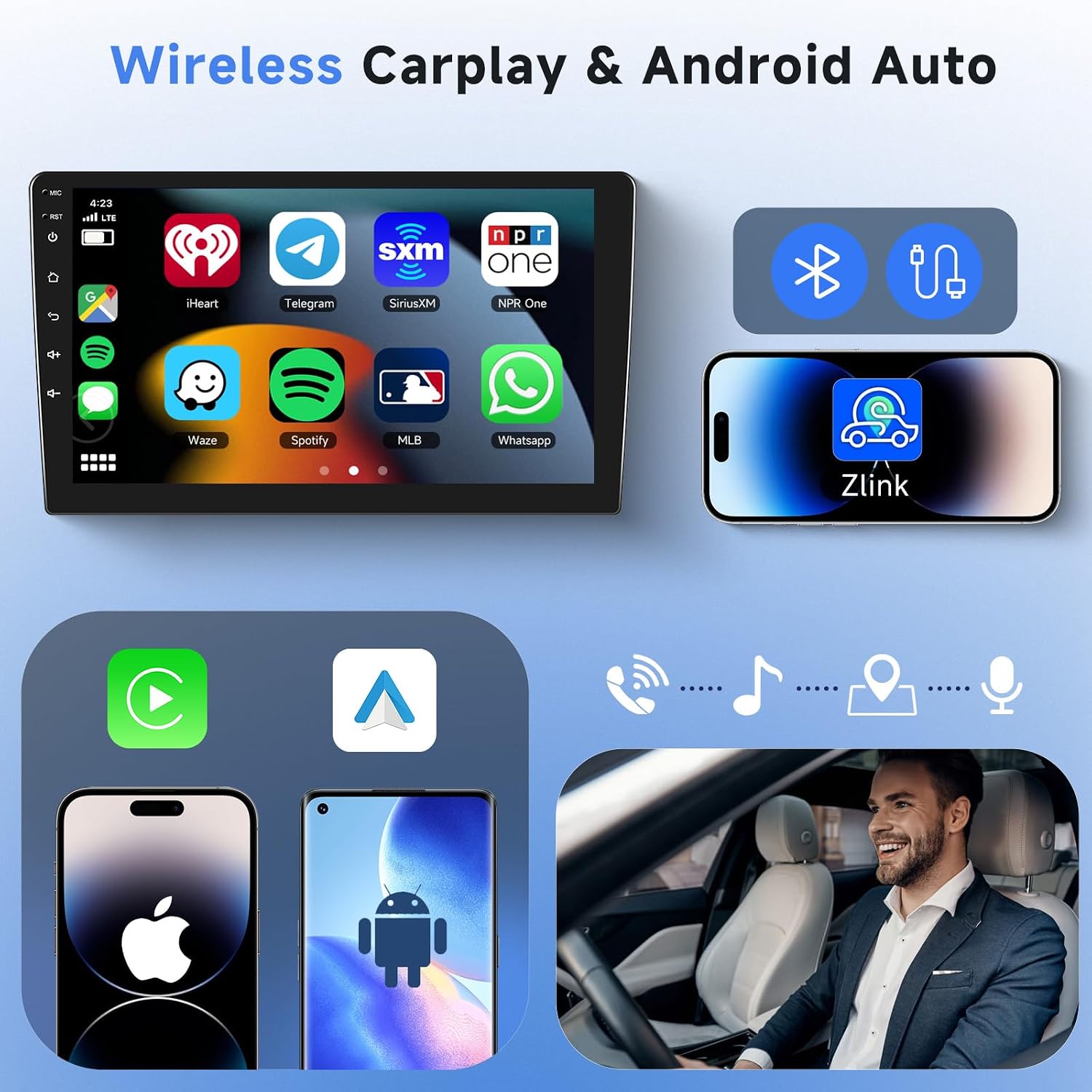
Image: The car stereo's interface displaying popular applications accessible through Wireless CarPlay and Android Auto, such as Spotify, Waze, and WhatsApp. The image also illustrates the wireless connection process with a smartphone using the Zlink app.
- നിങ്ങളുടെ സ്മാർട്ട്ഫോണിൽ ബ്ലൂടൂത്തും വൈഫൈയും പ്രവർത്തനക്ഷമമാക്കിയിട്ടുണ്ടെന്ന് ഉറപ്പാക്കുക.
- Open the "Zlink" application on the car stereo.
- നിങ്ങളുടെ ഫോൺ ജോടിയാക്കാൻ ഓൺ-സ്ക്രീൻ നിർദ്ദേശങ്ങൾ പാലിക്കുക.
എഫ്എം/ആർഡിഎസ് റേഡിയോ
Tune into your favorite radio stations with clear reception. The RDS (Radio Data System) feature displays station information, song titles, and traffic announcements where available.

Image: The car stereo's FM/RDS radio interface, showing a tuned frequency and options for station selection. An inset image depicts a user interacting with a rotary control, symbolizing ease of use.
- Select the "Radio" application from the main menu.
- Use the touchscreen to scan for stations or manually tune to a frequency.
- RDS information will display automatically if broadcast by the station.
ജിപിഎസ് നാവിഗേഷൻ
Utilize integrated GPS for accurate turn-by-turn navigation. The system supports various navigation applications.

Image: The car stereo displaying a GPS navigation map, illustrating a route with estimated travel time and distance. Icons for popular navigation apps are also shown, indicating compatibility.
- Open your preferred navigation app (e.g., Google Maps, Waze).
- Enter your destination and follow the on-screen directions.
Bluetooth & WiFi Connectivity
Connect to your phone via Bluetooth for hands-free calling and audio streaming. Use WiFi to access online content, download apps, and update software.

Image: The car stereo's interface demonstrating Bluetooth functionality for hands-free calling and music playback. It also shows the WiFi connection feature, enabling access to online streaming services and applications.
- ബ്ലൂടൂത്ത്: Go to Bluetooth settings, enable it, and pair with your phone.
- വൈഫൈ: Go to WiFi settings, enable it, and connect to an available network.
HD Rear Camera (Optional) & Steering Wheel Control
Enhance parking safety with an optional HD rear camera. Integrate with your vehicle's steering wheel controls for convenient operation without taking your hands off the wheel.

Image: The car stereo displaying a clear view from an HD rear camera, complete with parking assistance lines. Another section shows the steering wheel control interface, allowing users to program buttons for various stereo functions.
- പിൻ ക്യാമറ: ഡിസ്പ്ലേ യാന്ത്രികമായി ക്യാമറയിലേക്ക് മാറുന്നു view when the vehicle is in reverse (if installed).
- സ്റ്റിയറിംഗ് വീൽ നിയന്ത്രണം: Access "Steering Learn" in the settings menu to program your vehicle's steering wheel buttons.
OBD2/DAB Input Support (External Device Required)
The unit supports external OBD2 and DAB devices for enhanced diagnostics and digital radio reception. These devices are sold separately.
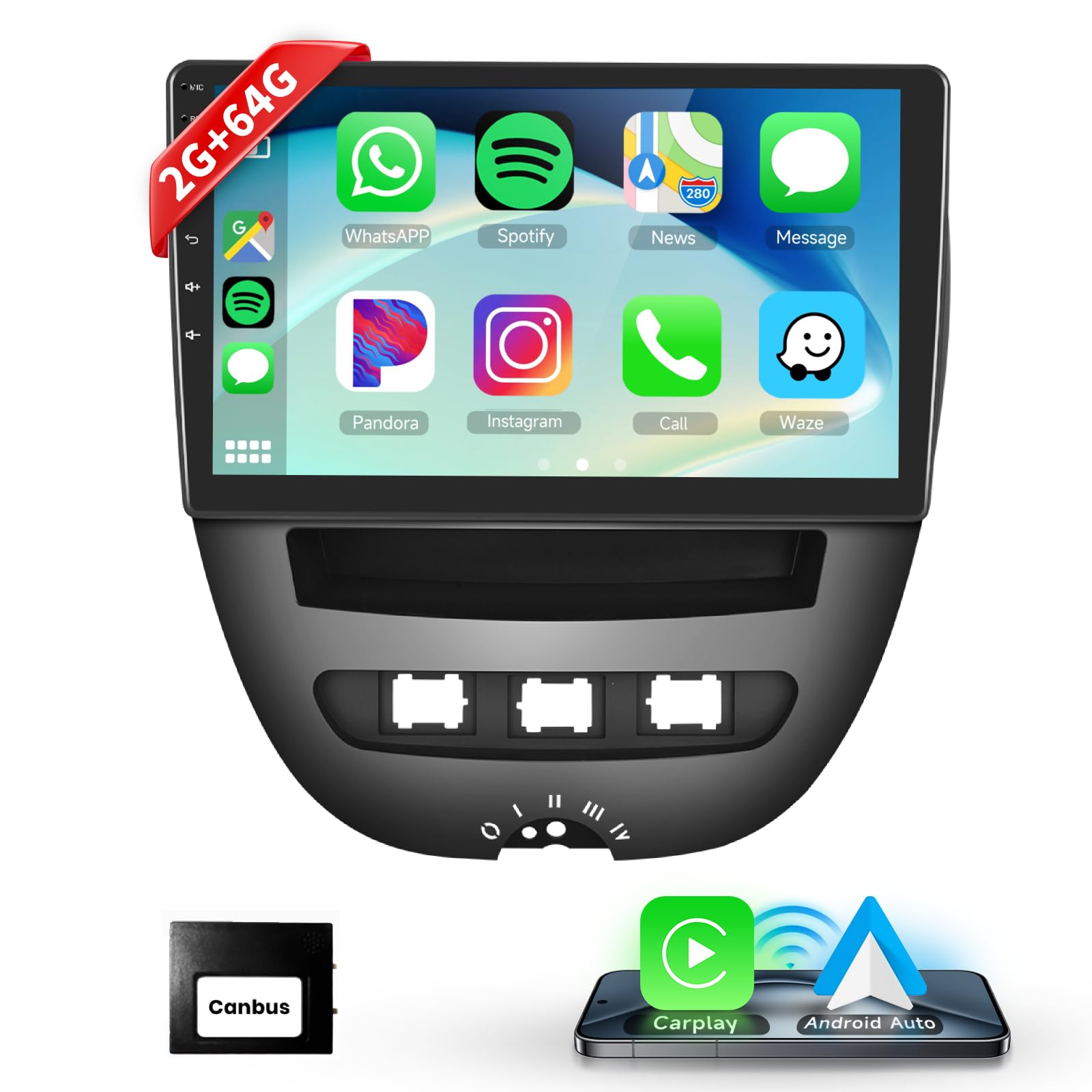
Image: This image illustrates the car stereo's compatibility with external OBD2 and DAB devices. It shows an OBD2 scanner and a car's digital dashboard displaying diagnostic information, alongside a DAB antenna for digital audio broadcasting.
- Connect the external OBD2 scanner or DAB antenna to the designated USB port or input.
- Access the corresponding application on the stereo to view data or listen to DAB radio.
മെയിൻ്റനൻസ്
- സ്ക്രീൻ ക്ലീനിംഗ്: ടച്ച്സ്ക്രീൻ വൃത്തിയാക്കാൻ മൃദുവായ, ലിന്റ് രഹിത തുണി ഉപയോഗിക്കുക. ഉരച്ചിലുകൾ ഉള്ള ക്ലീനറുകളോ ലായകങ്ങളോ ഉപയോഗിക്കുന്നത് ഒഴിവാക്കുക.
- സോഫ്റ്റ്വെയർ അപ്ഡേറ്റുകൾ: Periodically check for software updates via the WiFi connection to ensure optimal performance and access to new features.
- പൊതു പരിചരണം: യൂണിറ്റ് പൊടിയിൽ നിന്നും കടുത്ത താപനിലയിൽ നിന്നും മുക്തമായി സൂക്ഷിക്കുക.
ട്രബിൾഷൂട്ടിംഗ്
| പ്രശ്നം | സാധ്യമായ കാരണം | പരിഹാരം |
|---|---|---|
| പവർ ഇല്ല | തെറ്റായ വയറിംഗ്; ഫ്യൂസ് പൊട്ടി; വാഹന ബാറ്ററി തകരാർ. | Check all power connections. Inspect vehicle fuses. Ensure battery is charged. |
| ശബ്ദമില്ല | Speaker wires disconnected; Volume too low; Mute activated. | Verify speaker connections. Increase volume. Check if mute is active. |
| ടച്ച്സ്ക്രീൻ പ്രതികരിക്കുന്നില്ല | Software glitch; Screen calibration issue. | Restart the unit. Perform a factory reset if necessary (refer to settings). |
| കാർപ്ലേ/ആൻഡ്രോയിഡ് ഓട്ടോ കണക്റ്റ് ചെയ്യുന്നില്ല | Bluetooth/WiFi off; Incorrect pairing; Phone software issue. | Ensure phone's Bluetooth/WiFi is on. Re-pair the device. Update phone OS. |
| GPS സിഗ്നൽ നഷ്ടപ്പെട്ടു | Antenna obstruction; Poor satellite reception. | ജിപിഎസ് ആന്റിനയ്ക്ക് വ്യക്തമായ ഒരു രേഖ ഉണ്ടെന്ന് ഉറപ്പാക്കുക view ആകാശത്തിന്റെ. തുറസ്സായ സ്ഥലത്തേക്ക് നീങ്ങുക. |
സ്പെസിഫിക്കേഷനുകൾ
| ഫീച്ചർ | വിശദാംശങ്ങൾ |
|---|---|
| മോഡൽ നമ്പർ | 2G+64G+Carplay+HiFi |
| ബ്രാൻഡ് | പോഡോഫോ |
| സ്ക്രീൻ വലിപ്പം | 10.1 ഇഞ്ച് (ഏകദേശം 25.65 സെ.മീ) |
| കണക്റ്റിവിറ്റി ടെക്നോളജി | WiFi, Bluetooth, USB, Carplay, Android Auto, FM, RDS |
| കൺട്രോളർ തരം | ആൻഡ്രോയിഡ്, ടച്ച്സ്ക്രീൻ |
| അനുയോജ്യമായ ഉപകരണങ്ങൾ | സ്മാർട്ട്ഫോൺ |
| ഓഡിയോ put ട്ട്പുട്ട് മോഡ് | സ്റ്റീരിയോ |
| സറൗണ്ട് സൗണ്ട് ചാനലുകൾ | 3.1 (അല്ലെങ്കിൽ 2.1) |
| വീഡിയോ എൻകോഡിംഗ് | H.264, H.265/HEVC, VP9, MPEG-4, etc. |
| ഔട്ട്പുട്ട് പവർ | 45 Watts (per channel, 2 channels) |
| നിയന്ത്രണ രീതി | സ്പർശിക്കുക |
| ഡിജിറ്റൽ മീഡിയ ഫോർമാറ്റ് | പ്രത്യേക പതിപ്പ് |
| അളവുകൾ (D x W x H) | 8.9D x 26.5H centimeters (Note: The image shows 250mm W x 145mm H for the screen, and 260mm W x 265mm H for the frame. The specification is likely for the overall unit.) |
വാറൻ്റിയും പിന്തുണയും
For warranty information, technical support, or service inquiries, please refer to the official Podofo website or contact the retailer from whom you purchased the product. Keep your purchase receipt as proof of purchase.