
1. ആമുഖം
Thank you for choosing the Woputne LED Desk Lamp with Dual Heads, Model JB510. This manual provides essential information for the safe and efficient operation of your new desk lamp. Please read it thoroughly before use and retain it for future reference.
ഈ എൽamp features a dual-head design, offering versatile lighting with 5 color modes and 10 brightness levels. It is designed for various environments including home offices, bedrooms, study areas, and craft spaces.

Figure 1: Woputne LED Desk Lamp with Dual Heads in use, demonstrating phone charging capability.
2. പാക്കേജ് ഉള്ളടക്കം
താഴെ ലിസ്റ്റ് ചെയ്തിരിക്കുന്ന എല്ലാ ഇനങ്ങളും നിങ്ങളുടെ പാക്കേജിൽ ഉൾപ്പെടുത്തിയിട്ടുണ്ടെന്ന് ദയവായി പരിശോധിക്കുക:
- 1 x Woputne LED Desk Lamp (Model JB510)
- 1 x 5V 2A Mains Plug
- 1 x USB കേബിൾ
- 1 x ഉപയോക്തൃ മാനുവൽ (ഈ പ്രമാണം)
3. സുരക്ഷാ നിർദ്ദേശങ്ങൾ
- വൈദ്യുതി വിതരണം വോളിയം ഉറപ്പാക്കുകtage, l-മായി പൊരുത്തപ്പെടുന്നുampയുടെ ആവശ്യകതകൾ (5V).
- l ഡിസ്അസംബ്ലിംഗ് ചെയ്യുകയോ പരിഷ്കരിക്കുകയോ ചെയ്യരുത്amp.
- എൽ വെളിപ്പെടുത്തുന്നത് ഒഴിവാക്കുകamp to water or high humidity. This product is not waterproof.
- എൽ സൂക്ഷിക്കുകamp താപ സ്രോതസ്സുകളിൽ നിന്നും നേരിട്ടുള്ള സൂര്യപ്രകാശത്തിൽ നിന്നും അകലെ.
- എൽ അൺപ്ലഗ് ചെയ്യുകamp from the power outlet before cleaning or if it will not be used for an extended period.
- പവർ കോഡിനോ പ്ലഗിനോ കേടുപാടുകൾ സംഭവിച്ചാൽ ഉപയോഗിക്കരുത്.
4. സജ്ജീകരണം
- അൺപാക്ക്: പാക്കേജിംഗിൽ നിന്ന് എല്ലാ ഘടകങ്ങളും ശ്രദ്ധാപൂർവ്വം നീക്കം ചെയ്യുക.
- സ്ഥാനനിർണ്ണയം: എൽ സ്ഥാപിക്കുകamp ഒരു സ്ഥിരതയുള്ള, പരന്ന പ്രതലത്തിൽ അടിത്തറയിടുക.
- പവർ ബന്ധിപ്പിക്കുക: l-ലേക്ക് USB കേബിൾ ചേർക്കുകamp's 5V 2A USB Charging input-port (labeled 'IN' on the back of the base). Connect the other end of the USB cable to the provided mains plug, then plug the mains plug into a suitable wall outlet.
- മാനുവൽ പവർ സ്വിച്ച്: Locate the manual 'ON/OFF' sliding button on the back of the lamp base. Ensure this switch is in the 'ON' position for the lamp to function. If the button is 'OFF', the desk lamp പ്രകാശിക്കുകയില്ല.

Figure 2: Detail of the lamp base, highlighting the USB input port and the manual ON/OFF switch.
5. പ്രവർത്തന നിർദ്ദേശങ്ങൾ
The Woputne LED Desk Lamp features intuitive touch controls located on the base.

Figure 3: Touch control panel and visual representation of light modes and brightness levels.
5.1 പവർ ഓൺ/ഓഫ്
- Ensure the manual switch on the back is 'ON'.
- തൊടുക പവർ ബട്ടൺ (ചിഹ്നം: ലംബ രേഖയുള്ള വൃത്തം) on the base to turn the lamp ഓൺ അല്ലെങ്കിൽ ഓഫ്.
5.2 Adjusting Color Modes
- തൊടുക മോഡ് ബട്ടൺ (symbol: book) to cycle through 5 different color temperatures (3000K to 6000K).
5.3 Adjusting Brightness Levels
- തൊടുക തെളിച്ചം ബട്ടൺ (symbol: gear) to cycle through 10 brightness levels.
5.4 മെമ്മറി പ്രവർത്തനം
- എൽamp will remember your last used brightness and color mode settings when turned off and on again, provided the main power is not disconnected.
- കുറിപ്പ്: എങ്കിൽ എൽamp is unplugged or experiences a power outage, it will reset to factory default settings.
5.5 ഓട്ടോ-ഓഫ് ടൈമർ
- തൊടുക ടൈമർ ബട്ടൺ (ചിഹ്നം: ക്ലോക്ക്) to activate the 45-minute auto-off timer. This is useful for nighttime reading.
6. സവിശേഷതകൾ
6.1 Dual Head Design
എൽamp features a unique dual-head design, allowing for flexible lighting. The two light bars can be adjusted independently or together to concentrate light for specific tasks or disperse it for broader illumination. The total length of the lamp head is 56cm, with each single head measuring 25cm.
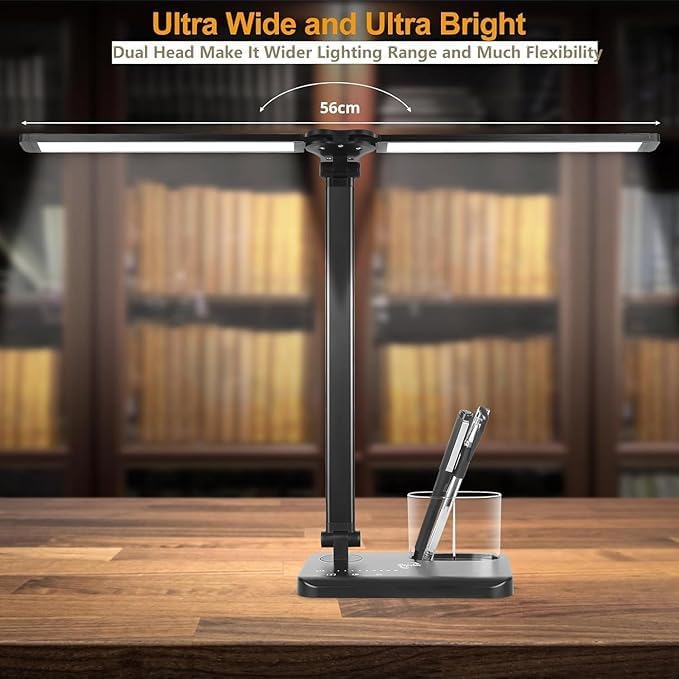
Figure 4: Dual head design for wide and flexible lighting.
6.2 Adjustable Arm and Base
എൽamp offers extensive adjustability for optimal positioning:
- എൽamp arm is 180° flexible.
- The base can be adjusted up to 135°.
- The foldable design enhances portability and storage.

Figure 5: Adjustable arm and base for flexible positioning.
6.3 യുഎസ്ബി ചാർജിംഗ് പോർട്ട്
എൽamp includes a 5V 1A USB output port on the base, allowing you to charge compatible devices such as smartphones while using the lamp.
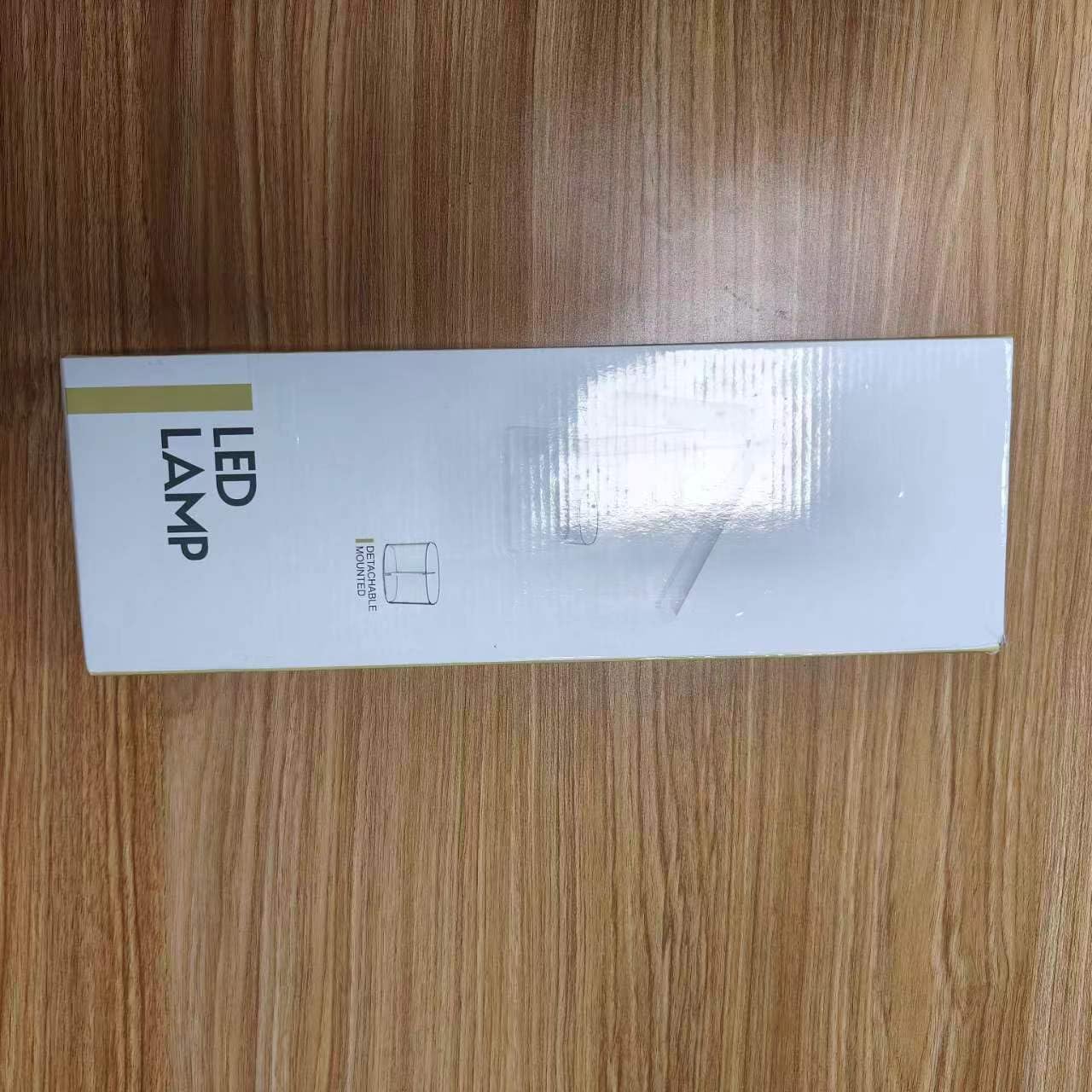
Figure 6: USB charging port on the lamp അടിസ്ഥാനം.
7. പരിപാലനം
- വൃത്തിയാക്കൽ: എൽ ഉറപ്പാക്കുകamp is unplugged before cleaning. Use a soft, dry cloth to wipe the surface. Do not use abrasive cleaners or solvents.
- സംഭരണം: ഉപയോഗത്തിലില്ലാത്തപ്പോൾ, എൽ സംഭരിക്കുകamp തണുത്തതും വരണ്ടതുമായ സ്ഥലത്ത്, നേരിട്ടുള്ള സൂര്യപ്രകാശത്തിൽ നിന്നും ഈർപ്പത്തിൽ നിന്നും അകലെ.
8. പ്രശ്നപരിഹാരം
| പ്രശ്നം | സാധ്യമായ കാരണം | പരിഹാരം |
|---|---|---|
| Lamp ഓണാക്കുന്നില്ല. | 1. Manual ON/OFF switch is in 'OFF' position. 2. Power cable is not properly connected. 3. പവർ ഓtage or lamp പുന .സജ്ജമാക്കുക. | 1. Ensure the manual switch on the back of the base is 'ON'. 2. Check all power connections, including the mains plug and USB cable. 3. If unplugged or power was lost, the lamp may need to be turned on via the touch control. |
| Lamp settings (mode/brightness) reset. | Power was disconnected or there was a power outage. | This is normal behavior. Re-adjust your preferred settings. The memory function only works when the lamp is turned off via touch control and remains plugged in. |
| Lamp head/arm does not stay in position. | Joints may be loose or the weight distribution is uneven. | എൽ ക്രമീകരിക്കുകamp head and arm to a balanced position. Ensure the joints are not excessively loose. |
| യുഎസ്ബി ചാർജിംഗ് പോർട്ട് പ്രവർത്തിക്കുന്നില്ല. | 1. ഉപകരണം അനുയോജ്യമല്ല. 2. എൽamp not powered on. 3. Cable issue. | 1. Ensure your device is compatible with 5V 1A USB charging. 2. എൽamp must be powered on for the USB charging port to function. 3. Try a different USB cable. |
9 സ്പെസിഫിക്കേഷനുകൾ
ചിത്രം 7: ഉൽപ്പന്ന അളവുകൾ.
| സ്പെസിഫിക്കേഷൻ | വിശദാംശങ്ങൾ |
|---|---|
| മോഡലിൻ്റെ പേര് | JB510 |
| ബ്രാൻഡ് | വോപുട്നെ |
| പ്രകാശ സ്രോതസ്സ് തരം | എൽഇഡി |
| വാട്ട്tage | 5 വാട്ട്സ് |
| വാല്യംtage | 5 വോൾട്ട് |
| തെളിച്ചം | 270 ല്യൂമെൻ |
| വർണ്ണ താപനില | 5 modes (3000K to 6000K) |
| തെളിച്ച നിലകൾ | 10 ലെവലുകൾ |
| നിയന്ത്രണ രീതി | സ്പർശിക്കുക |
| പ്രത്യേക സവിശേഷതകൾ | Manual ON/OFF Switch, Memory Function, 45-minute Auto-Off Timer, USB Charging Port (5V 1A output) |
| മെറ്റീരിയൽ | അലുമിനിയം, പ്ലാസ്റ്റിക് |
| ഉൽപ്പന്ന അളവുകൾ | 5.2"D x 1.81"W x 15.35"H (ഏകദേശം 13.2cm D x 4.6cm W x 39cm H) |
| ഇനത്തിൻ്റെ ഭാരം | 1.47 പൗണ്ട് (ഏകദേശം 665 ഗ്രാം) |
| കേബിൾ നീളം | 39.37 Inches (approx. 100cm) |
| യു.പി.സി | 715377635471 |
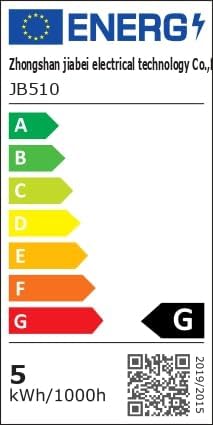
Figure 8: Energy Efficiency Label. For more details, visit eprel.ec.europa.eu/qr/1481462.
10. വാറൻ്റിയും പിന്തുണയും
Woputne is committed to providing quality products. For any questions, concerns, or support needs regarding your LED Desk Lamp, please contact our customer service. Specific warranty details may vary; please refer to your purchase documentation or contact the seller for more information.
We aim to ensure customer satisfaction and are available to assist with product inquiries or operational guidance.