
1. ആമുഖം
വാങ്ങിയതിന് നന്ദി.asing the Audizio Adria DAB/Internet Radio Tuner. This device offers a versatile audio experience, combining Internet Radio, DAB+, FM radio, Bluetooth connectivity, and Spotify Connect. This manual provides essential information for setting up, operating, and maintaining your tuner to ensure optimal performance and longevity.
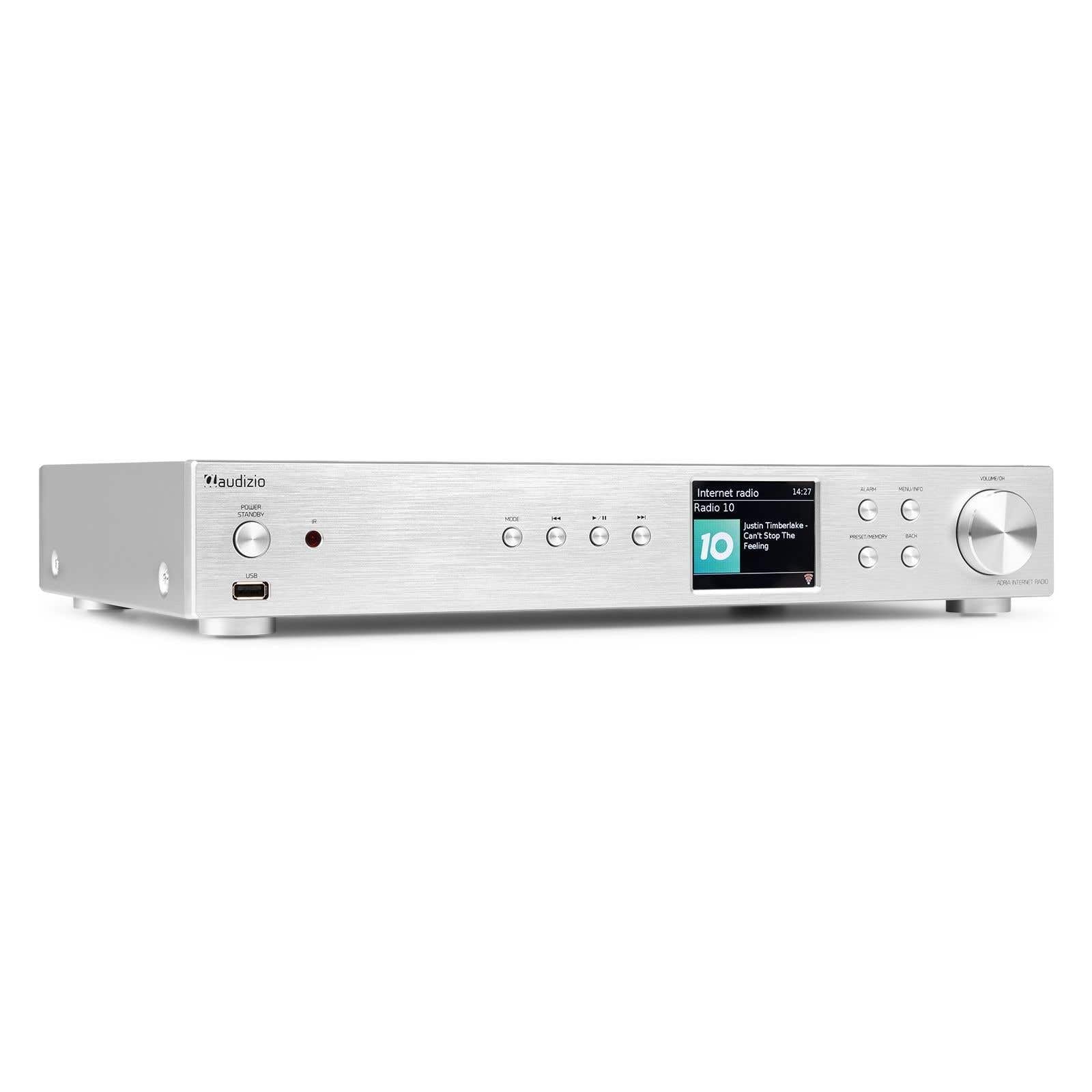
Figure 1.1: Audizio Adria DAB/Internet Radio Tuner with included remote control and antenna.
2 സുരക്ഷാ വിവരങ്ങൾ
- ഉപയോഗിക്കുന്നതിന് മുമ്പ് എല്ലാ നിർദ്ദേശങ്ങളും ശ്രദ്ധാപൂർവ്വം വായിക്കുക.
- Keep the unit away from water, moisture, and direct heat sources.
- വെന്റിലേഷൻ തുറസ്സുകൾ തടയരുത്. ശരിയായ വായുസഞ്ചാരത്തിനായി യൂണിറ്റിന് ചുറ്റും മതിയായ ഇടം ഉറപ്പാക്കുക.
- യൂണിറ്റിനൊപ്പം നൽകിയിട്ടുള്ള പവർ അഡാപ്റ്റർ മാത്രം ഉപയോഗിക്കുക.
- Do not attempt to repair or modify the unit yourself. Refer all servicing to qualified personnel.
- Dispose of batteries responsibly. The remote control uses 1 AAA battery.
3. പാക്കേജ് ഉള്ളടക്കം
പാക്കേജിൽ എല്ലാ ഇനങ്ങളും ഉണ്ടെന്ന് ഉറപ്പാക്കുക:
- Audizio Adria DAB/Internet Radio Tuner Unit
- Remote Control (requires 1x AAA battery, included)
- പവർ അഡാപ്റ്റർ
- DAB/FM ആന്റിന
- ഉപയോക്തൃ മാനുവൽ
4. ഉൽപ്പന്നം കഴിഞ്ഞുview
4.1 ഫ്രണ്ട് പാനൽ

ചിത്രം 4.1: ഫ്രണ്ട് പാനൽ നിയന്ത്രണങ്ങളും ഡിസ്പ്ലേയും
- Power / Standby Button: യൂണിറ്റ് ഓണാക്കുകയോ ഓഫാക്കുകയോ ചെയ്യുന്നു.
- USB പോർട്ട്: USB സംഭരണ ഉപകരണങ്ങളിൽ നിന്നുള്ള മീഡിയ പ്ലേബാക്കിനായി.
- മോഡ് ബട്ടൺ: Switches between Internet Radio, DAB+, FM, Bluetooth, and Media Player modes.
- പ്ലേ/താൽക്കാലികമായി നിർത്തുക ബട്ടൺ: Controls playback in media modes.
- സ്കിപ്പ്/ട്യൂൺ ബട്ടണുകൾ: Navigates tracks or tunes radio frequencies.
- ഡിസ്പ്ലേ സ്ക്രീൻ: Shows station information, menus, and settings.
- അലാറം ബട്ടൺ: അലാറം ക്രമീകരണങ്ങൾ ആക്സസ് ചെയ്യുന്നു.
- മെനു/വിവര ബട്ടൺ: Enters menu or displays information.
- Preset/Memory Button: Saves or recalls favorite stations.
- ബാക്ക് ബട്ടൺ: മുമ്പത്തെ മെനുവിലേക്കോ സ്ക്രീനിലേക്കോ മടങ്ങുന്നു.
- Volume / OK Knob: Rotates to adjust volume or navigate menus; presses to confirm selections.
4.2 പിൻ പാനൽ

ചിത്രം 4.2: പിൻ പാനൽ കണക്ഷനുകൾ
- പവർ ഇൻപുട്ട്: വിതരണം ചെയ്ത പവർ അഡാപ്റ്റർ ഇവിടെ ബന്ധിപ്പിക്കുക.
- DAB/FM Antenna Input: Connect the included DAB/FM antenna.
- അനലോഗ് ഔട്ട്പുട്ട് (RCA): ഒരു ലേക്ക് ബന്ധിപ്പിക്കുക ampആർസിഎ കേബിളുകൾ ഉപയോഗിക്കുന്ന ലൈഫയർ അല്ലെങ്കിൽ സജീവ സ്പീക്കറുകൾ.
- AUX ഇൻപുട്ട്: Connect external audio sources via a 3.5mm jack.
- USB ചാർജ് പോർട്ട്: ബാഹ്യ ഉപകരണങ്ങൾ ചാർജ് ചെയ്യുന്നതിന്.
- ഒപ്റ്റിക്കൽ ഡിജിറ്റൽ ഔട്ട്പുട്ട്: ഒരു ലേക്ക് ബന്ധിപ്പിക്കുക amplifier or DAC with an optical cable.
- Coaxial Digital Output: ഒരു ലേക്ക് ബന്ധിപ്പിക്കുക amplifier or DAC with a coaxial cable.
5. സജ്ജീകരണം
5.1 Connecting Power and Antennas
- Connect the supplied DAB/FM antenna to the DAB/FM Antenna Input on the rear panel. Extend the antenna fully for best reception.
- Connect the power adapter to the Power Input on the rear panel, then plug it into a wall outlet.
5.2 ഒരു ഓഡിയോ സിസ്റ്റത്തിലേക്ക് ബന്ധിപ്പിക്കുന്നു
Choose one of the following methods to connect the Adria tuner to your ampലിഫയർ അല്ലെങ്കിൽ സജീവ സ്പീക്കറുകൾ:
- അനലോഗ് ഔട്ട്പുട്ട് (RCA): Use RCA cables to connect the Analog Output ports on the Adria to the corresponding input on your ampജീവൻ.
- ഒപ്റ്റിക്കൽ ഡിജിറ്റൽ ഔട്ട്പുട്ട്: Use an optical cable to connect the Optical Digital Output to an optical input on your ampലൈഫയർ അല്ലെങ്കിൽ ഡിഎസി.
- Coaxial Digital Output: Use a coaxial cable to connect the Coaxial Digital Output to a coaxial input on your ampലൈഫയർ അല്ലെങ്കിൽ ഡിഎസി.
5.3 പ്രാരംഭ പവർ-ഓണും നെറ്റ്വർക്ക് സജ്ജീകരണവും
- Press the Power/Standby button on the front panel or remote control to turn on the unit.
- The display will show the Audizio logo, then guide you through the initial setup wizard.
- Follow the on-screen prompts to select your language, time zone, and connect to your Wi-Fi network. You will need your Wi-Fi network name (SSID) and password.
- Use the Volume/OK knob to navigate menus and confirm selections.
6. പ്രവർത്തന നിർദ്ദേശങ്ങൾ
6.1 മോഡ് തിരഞ്ഞെടുക്കൽ
അമർത്തുക മോഡ് button on the front panel or remote control to cycle through available modes: Internet Radio, DAB+, FM, Bluetooth, and Media Player (USB).
6.2 ഇൻ്റർനെറ്റ് റേഡിയോ
Figure 6.1: Internet Radio Mode Display
- ഇന്റർനെറ്റ് റേഡിയോ മോഡ് തിരഞ്ഞെടുക്കുക.
- Use the Volume/OK knob to browse stations by location, genre, or search.
- Press the Volume/OK knob to select a station.
- ഒരു സ്റ്റേഷൻ പ്രീസെറ്റായി സംരക്ഷിക്കാൻ, അമർത്തിപ്പിടിക്കുക പ്രീസെറ്റ്/മെമ്മറി button. Select a preset number and confirm.
- ഒരു പ്രീസെറ്റ് തിരിച്ചുവിളിക്കാൻ, അമർത്തുക പ്രീസെറ്റ്/മെമ്മറി button briefly, then select the desired preset.
6.3 DAB/DAB+ റേഡിയോ

Figure 6.2: DAB Radio Mode Display
- Select DAB+ mode. The unit will automatically scan for available stations on first use.
- Use the Volume/OK knob to scroll through the list of stations.
- Press the Volume/OK knob to select a station.
- Saving and recalling presets works the same as for Internet Radio.
6.4 എഫ്എം റേഡിയോ
In FM mode, use the Skip/Tune buttons to manually tune frequencies or press and hold to auto-scan. Saving and recalling presets works the same as for Internet Radio.
6.5 ബ്ലൂടൂത്ത് കണക്റ്റിവിറ്റി
- Select Bluetooth mode. The unit will enter pairing mode automatically.
- On your smartphone, tablet, or other Bluetooth device, search for available devices and select "Audizio Adria".
- Once paired, you can stream audio from your device to the tuner.
6.6 Spotify കണക്റ്റ്
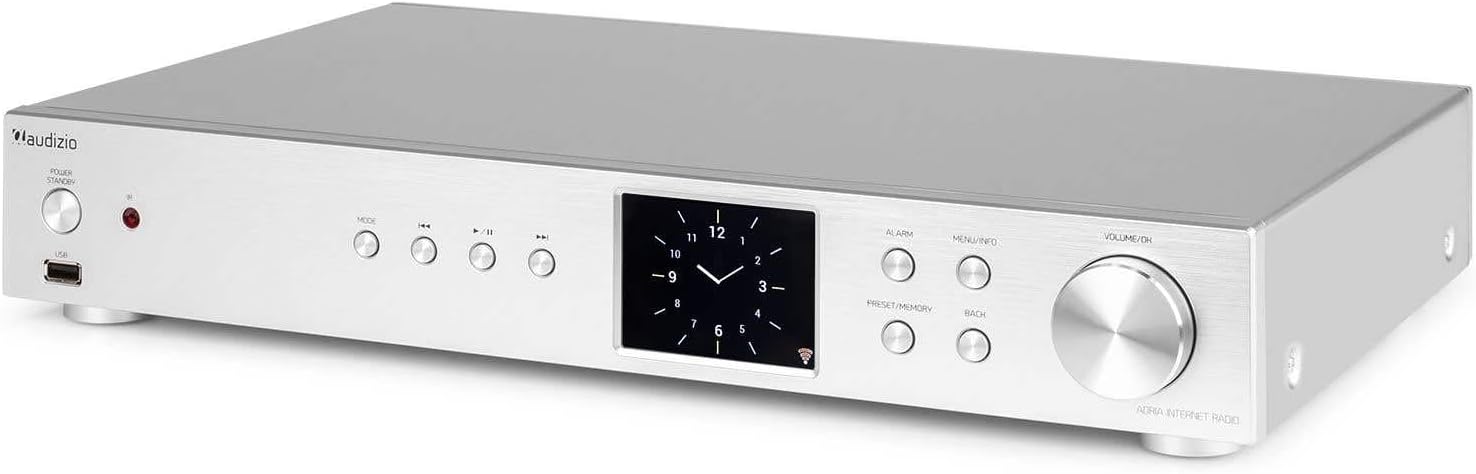
Figure 6.3: Spotify Connect Display
To use Spotify Connect:
- Ensure your Audizio Adria is connected to the same Wi-Fi network as your smartphone or tablet running the Spotify app.
- Open the Spotify app on your device and play a song.
- Tap the "Devices Available" icon (usually a speaker or computer icon) at the bottom of the screen.
- Select "Audizio Adria" from the list of available devices. The music will now play through your tuner.
6.7 അലാറം പ്രവർത്തനം

Figure 6.4: Clock and Alarm Display
അമർത്തുക അലാറം button to access and set up alarms. You can configure alarm time, source (buzzer, Internet Radio, DAB, FM), and frequency (daily, once, weekends, weekdays).
7. റിമോട്ട് കൺട്രോൾ

ചിത്രം 7.1: റിമോട്ട് കൺട്രോൾ ലേഔട്ട്
The remote control provides full functionality for operating your Audizio Adria tuner. Ensure the included AAA battery is correctly inserted. Point the remote control directly at the unit's front panel for optimal response.
- സ്നൂസ്: താൽക്കാലികമായി അലാറം നിശബ്ദമാക്കുന്നു.
- പവർ ബട്ടൺ: യൂണിറ്റ് ഓണാക്കുകയോ ഓഫാക്കുകയോ ചെയ്യുന്നു.
- നാവിഗേഷൻ ബട്ടണുകൾ (മുകളിലേക്ക്, താഴേക്ക്, ഇടത്, വലത്, ശരി): മെനു നാവിഗേഷനും തിരഞ്ഞെടുപ്പിനും.
- VOL +/-: വോളിയം ക്രമീകരിക്കുന്നു.
- വഴികൾ: ഇൻപുട്ട് മോഡുകളിലൂടെ സൈക്കിൾ ചെയ്യുന്നു.
- മെനു: പ്രധാന മെനുവിൽ പ്രവേശിക്കുന്നു.
- മടങ്ങുക: മുമ്പത്തെ സ്ക്രീനിലേക്ക് മടങ്ങുന്നു.
- വിവരം: Displays detailed information about the current station or track.
- സ്കാൻ: റേഡിയോ സ്റ്റേഷനുകൾക്കായി ഒരു സ്കാൻ ആരംഭിക്കുന്നു.
- EQ: Accesses equalizer settings.
- സംഖ്യാ കീപാഡ് (0-9): For direct input or selecting presets.
- പ്രീസെറ്റ്: Saves or recalls favorite stations.
8. പരിപാലനം
To ensure the longevity and optimal performance of your Audizio Adria tuner, follow these maintenance guidelines:
- വൃത്തിയാക്കൽ: Use a soft, dry cloth to clean the unit's exterior. Do not use abrasive cleaners, waxes, or solvents.
- വെൻ്റിലേഷൻ: Ensure that the ventilation openings are not blocked. Dust accumulation can be removed with a soft brush or vacuum cleaner.
- സംഭരണം: യൂണിറ്റ് ദീർഘനേരം സൂക്ഷിക്കുകയാണെങ്കിൽ, വൈദ്യുതി വിതരണത്തിൽ നിന്ന് അത് വിച്ഛേദിച്ച് തണുത്തതും വരണ്ടതുമായ സ്ഥലത്ത് സൂക്ഷിക്കുക.
- ആന്റിന കെയർ: Handle the antenna gently to avoid damage.
9. പ്രശ്നപരിഹാരം
If you encounter issues with your Audizio Adria tuner, consult the following table for common problems and solutions:
| പ്രശ്നം | സാധ്യമായ കാരണം | പരിഹാരം |
|---|---|---|
| ശക്തിയില്ല | പവർ കേബിൾ ബന്ധിപ്പിച്ചിട്ടില്ല; പവർ ഔട്ട്ലെറ്റ് തകരാറിലാണ്. | പവർ കേബിൾ കണക്ഷൻ പരിശോധിക്കുക; മറ്റൊരു ഔട്ട്ലെറ്റ് പരീക്ഷിക്കുക. |
| ശബ്ദമില്ല | Volume too low; incorrect audio output selected; ampലിഫയർ/സ്പീക്കറുകൾ ഓഫ് ചെയ്യുക അല്ലെങ്കിൽ വിച്ഛേദിക്കുക. | Increase volume; check audio cable connections; ensure amplifier/speakers are on and set to correct input. |
| Wi-Fi-യിലേക്ക് കണക്റ്റുചെയ്യാൻ കഴിയില്ല | തെറ്റായ പാസ്വേഡ്; ദുർബലമായ സിഗ്നൽ; റൂട്ടർ പ്രശ്നം. | Verify Wi-Fi password; move unit closer to router; restart router. |
| മോശം DAB/FM റിസപ്ഷൻ | ആന്റിന നീട്ടിയിട്ടില്ല; ദുർബലമായ സിഗ്നൽ ഏരിയ. | Fully extend and reposition the antenna; consider an external antenna if available. |
| ബ്ലൂടൂത്ത് ജോടിയാക്കൽ പരാജയപ്പെടുന്നു | Device not in pairing mode; device too far; interference. | Ensure both devices are in pairing mode; move devices closer; turn off other Bluetooth devices. |
10 സ്പെസിഫിക്കേഷനുകൾ
| ഫീച്ചർ | സ്പെസിഫിക്കേഷൻ |
|---|---|
| ബ്രാൻഡ് | ഓഡിസിയോ |
| മോഡൽ നമ്പർ | അഡ്രിയ |
| നിറം | വെള്ളി |
| ഡിസ്പ്ലേ വലിപ്പം | 3.2 ഇഞ്ച് |
| കണക്റ്റിവിറ്റി ടെക്നോളജി | Optical, Coaxial, Bluetooth |
| പ്രത്യേക സവിശേഷതകൾ | Bluetooth, Internet Radio, DAB+, FM, Spotify Connect |
| പിന്തുണയ്ക്കുന്ന റേഡിയോ ബാൻഡുകൾ | ഡിഎബി, ഡിഎബി+, എഫ്എം |
| പവർ ഉറവിടം | കോർഡഡ് ഇലക്ട്രിക് |
| ഉൽപ്പന്ന അളവുകൾ (L x W x H) | 43.4 x 7.5 x 31 സെ.മീ |
| ഇനത്തിൻ്റെ ഭാരം | 3.2 കിലോഗ്രാം |
| ഉൾപ്പെടുത്തിയ ഘടകങ്ങൾ | റിമോട്ട് കൺട്രോൾ |
| അനുയോജ്യമായ ഉപകരണങ്ങൾ | സ്മാർട്ട്ഫോൺ, ടാബ്ലെറ്റ്, ലാപ്ടോപ്പ് |
11. വാറൻ്റി വിവരങ്ങൾ
This product is covered by a manufacturer's warranty. Please refer to the warranty card included in your package or contact your retailer for specific terms and conditions. Keep your proof of purchase for warranty claims.
12. പിന്തുണ
For technical assistance, troubleshooting beyond this manual, or service inquiries, please contact Audizio customer support or your local dealer. Contact information can typically be found on the manufacturer's webസൈറ്റ് അല്ലെങ്കിൽ നിങ്ങളുടെ വാങ്ങൽ ഡോക്യുമെന്റേഷൻ.