
ആമുഖം
This manual provides essential information for the safe and efficient operation of your Jupiter 1000 Watt Continuous/2000 Watt Peak Modified Sine Wave Power Inverter. Please read all instructions carefully before use to ensure proper functionality and to prevent damage to the unit or connected devices.
പ്രധാനപ്പെട്ട സുരക്ഷാ വിവരങ്ങൾ
- ഇൻവെർട്ടർ എപ്പോഴും 12V DC പവർ സ്രോതസ്സുമായി ബന്ധിപ്പിക്കുക.
- അമിതമായി ചൂടാകുന്നത് തടയാൻ ഇൻവെർട്ടറിന് ചുറ്റും മതിയായ വായുസഞ്ചാരം ഉറപ്പാക്കുക.
- ഇൻവെർട്ടർ വെള്ളം, മഴ, അമിതമായ ഈർപ്പം എന്നിവയിൽ ഏൽക്കരുത്.
- കുട്ടികൾക്ക് ലഭ്യമാകാതെ സൂക്ഷിക്കുക.
- Do not disassemble the inverter; refer servicing to qualified personnel.
- Avoid connecting devices that exceed the inverter's continuous or peak wattagഇ റേറ്റിംഗുകൾ.
ഉൽപ്പന്ന സവിശേഷതകൾ
- High surge capacity for products that require power up to 2000 watts to start.
- Continuous power output up to 1000 watts.
- Protection from low/high voltage, high temperatures, and high currents.
- Modified sine wave output for up to 88% efficiency.
- Two 120V AC outlets for standard appliances.
- ഒന്ന് 2.1 amp USB port, compatible with all smartphones and tablets.
- Short circuit and overload protection for enhanced safety.
പാക്കേജ് ഉള്ളടക്കം
- Jupiter 1000W/2000W Peak Modified Sine Wave Power Inverter Unit
- Battery Connection Cables (Red for Positive, Black for Negative)
- ഉപയോക്തൃ മാനുവൽ
സജ്ജീകരണവും ഇൻസ്റ്റാളേഷനും
Follow these steps for safe and correct installation of your power inverter:
- ഒരു ലൊക്കേഷൻ തിരഞ്ഞെടുക്കുക: Select a dry, well-ventilated area for the inverter. Ensure it is away from direct sunlight, heat sources, and flammable materials. The inverter should be placed on a stable, flat surface.
- പവർ സ്രോതസ്സ് തയ്യാറാക്കുക: Ensure the vehicle's engine is off and the ignition is in the OFF position. If connecting to a vehicle battery, ensure the battery terminals are clean and free of corrosion.
- ബാറ്ററി കേബിളുകൾ ബന്ധിപ്പിക്കുക:
- ബന്ധിപ്പിക്കുക ചുവപ്പ് positive (+) cable to the ചുവപ്പ് positive (+) terminal on the inverter.
- ബന്ധിപ്പിക്കുക കറുപ്പ് negative (-) cable to the കറുപ്പ് negative (-) terminal on the inverter.
- മറ്റേ അറ്റം ബന്ധിപ്പിക്കുക ചുവപ്പ് positive (+) cable to the പോസിറ്റീവ് (+) ടെർമിനൽ നിങ്ങളുടെ 12V ബാറ്ററിയുടെ.
- മറ്റേ അറ്റം ബന്ധിപ്പിക്കുക കറുപ്പ് negative (-) cable to the നെഗറ്റീവ് (-) ടെർമിനൽ നിങ്ങളുടെ 12V ബാറ്ററിയുടെ.
പ്രധാനപ്പെട്ടത്: Ensure all connections are tight and secure to prevent arcing or poor performance. Connect the inverter to the battery before connecting any devices to the inverter.
- Grounding (Optional but Recommended): For added safety, connect a grounding wire from the inverter's grounding terminal (if present) to a good chassis ground point on your vehicle or a suitable earth ground.
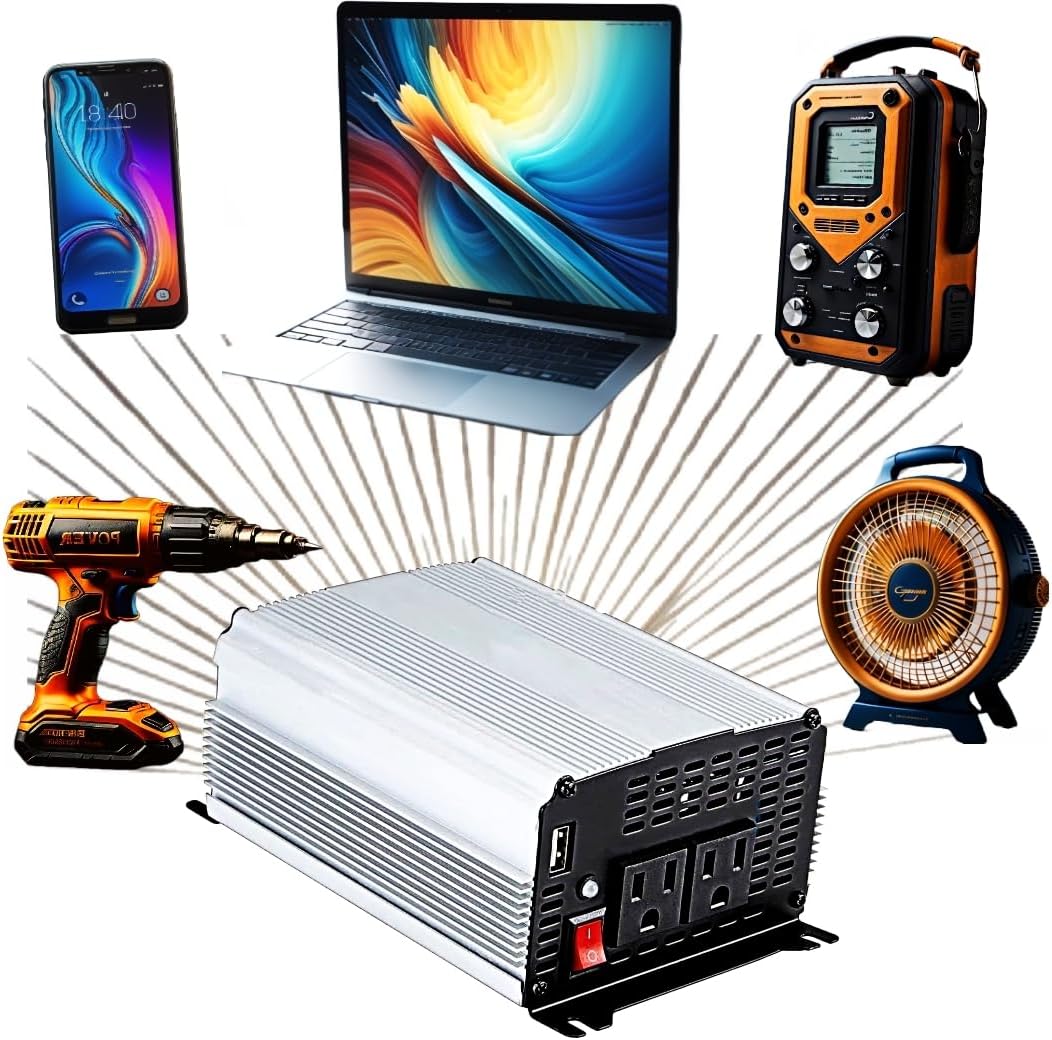
Figure 1: The Jupiter Power Inverter shown with various compatible electronic devices it can power, including a smartphone, laptop, portable radio, power drill, and a fan.
പ്രവർത്തന നിർദ്ദേശങ്ങൾ
- പവർ ഓൺ: After all connections are secure, press the power switch on the front of the inverter to the 'ON' position. The power indicator light should illuminate.
- ഉപകരണങ്ങൾ ബന്ധിപ്പിക്കുക: Plug your 120V AC devices into the AC outlets and/or your USB devices into the USB port. Ensure the total wattage of all connected devices does not exceed the inverter's continuous power rating (1000 watts).
- മോണിറ്റർ ലോഡ്: If the inverter's overload protection activates (indicated by an alarm or warning light), immediately disconnect some devices to reduce the load.
- പവർ ഓഫ്: When finished, first turn off and unplug all connected devices. Then, switch the inverter's power switch to the 'OFF' position.

ചിത്രം 2: വിശദമായ ഒരു view of the Jupiter Power Inverter's front panel, highlighting the two 120V AC outlets, the 2.1A USB port, and the main power switch.
മെയിൻ്റനൻസ്
- വൃത്തിയാക്കൽ: ഇൻവെർട്ടറിന്റെ പുറംഭാഗം ഉണങ്ങിയതും മൃദുവായതുമായ തുണി ഉപയോഗിച്ച് ഇടയ്ക്കിടെ വൃത്തിയാക്കുക. ലിക്വിഡ് ക്ലീനറുകളോ ലായകങ്ങളോ ഉപയോഗിക്കരുത്. വെന്റിലേഷൻ ഓപ്പണിംഗുകൾ പൊടിയിൽ നിന്നും അവശിഷ്ടങ്ങളിൽ നിന്നും മുക്തമാണെന്ന് ഉറപ്പാക്കുക.
- കണക്ഷനുകൾ: Regularly check battery cable connections to ensure they remain tight and free of corrosion.
- സംഭരണം: ഉപയോഗത്തിലില്ലാത്തപ്പോൾ, ഇൻവെർട്ടർ തണുത്തതും വരണ്ടതുമായ സ്ഥലത്ത് സൂക്ഷിക്കുക, നേരിട്ടുള്ള സൂര്യപ്രകാശത്തിൽ നിന്നും കടുത്ത താപനിലയിൽ നിന്നും അകറ്റി നിർത്തുക.
ട്രബിൾഷൂട്ടിംഗ്
| പ്രശ്നം | സാധ്യമായ കാരണം | പരിഹാരം |
|---|---|---|
| പവർ ഔട്ട്പുട്ട് ഇല്ല | Inverter switch is OFF അയഞ്ഞ ബാറ്ററി കണക്ഷനുകൾ കുറഞ്ഞ ബാറ്ററി വോള്യംtage ഓവർലോഡ് സംരക്ഷണം സജീവമാക്കി | സ്വിച്ച് ഓണാക്കുക കണക്ഷനുകൾ പരിശോധിച്ച് ശക്തമാക്കുക ബാറ്ററി റീചാർജ് ചെയ്യുക അല്ലെങ്കിൽ മാറ്റിസ്ഥാപിക്കുക Reduce load, restart inverter |
| കുറഞ്ഞ പവർ ഔട്ട്പുട്ട് | Excessive cable length/gauge ദുർബലമായ ബാറ്ററി | Use shorter, thicker cables ബാറ്ററി ചാർജ് ചെയ്യുക അല്ലെങ്കിൽ മാറ്റിസ്ഥാപിക്കുക |
| Inverter shuts down | ഓവർലോഡ് അമിത ചൂടാക്കൽ കുറഞ്ഞ/ഉയർന്ന ഇൻപുട്ട് വോളിയംtage | ലോഡ് കുറയ്ക്കുക ശരിയായ വെൻ്റിലേഷൻ ഉറപ്പാക്കുക ബാറ്ററി വോളിയം പരിശോധിക്കുകtage |
സ്പെസിഫിക്കേഷനുകൾ
| ഫീച്ചർ | സ്പെസിഫിക്കേഷൻ |
|---|---|
| മോഡലിൻ്റെ പേര് | Fits JUPITER 1000 Watt Continuous/2000 Watt Peak Modified Sine Wave Power Inverter |
| തുടർച്ചയായ വാട്ട്tage | 1000 വാട്ട്സ് |
| പീക്ക് വാട്ട്tage | 2000 വാട്ട്സ് |
| പവർ ഉറവിടം | Battery Powered, Corded Electric (12V DC input) |
| Putട്ട്പുട്ട് വോളിയംtage | 120V എസി |
| USB ഔട്ട്പുട്ട് | 2.1എ |
| ഇനത്തിൻ്റെ ഭാരം | 2.7 പൗണ്ട് |
| ബ്രാൻഡ് | ജനറിക് |
| നിർമ്മാതാവ് | HFT |
| മാതൃരാജ്യം | ചൈന |
| ശുപാർശ ചെയ്യുന്ന ഉപയോഗങ്ങൾ | Recreational Vehicle, Camping, Road trips, Travel, Small electronics |
വാറൻ്റിയും പിന്തുണയും
This product comes with a standard manufacturer's warranty. For specific warranty details, claims, or technical support, please refer to the documentation included with your purchase or contact the manufacturer directly. Keep your purchase receipt as proof of purchase.