
ആമുഖം
This manual provides detailed instructions for the installation, operation, and maintenance of your ESSGOO Portable Carplay System. Please read this manual thoroughly before using the device to ensure proper function and safety.
The ESSGOO Portable Carplay System features a 10.26-inch touch screen with wireless Apple Carplay and Android Auto compatibility, Bluetooth hands-free calling, Mirror Link, and AUX connectivity. It is designed to enhance your driving experience with smart navigation, communication, and entertainment options.
1. സജ്ജീകരണവും ഇൻസ്റ്റാളേഷനും
The ESSGOO Portable Carplay System is designed for easy installation, requiring no specialized skills. Follow these steps to set up your device.
1.1 പാക്കേജ് ഉള്ളടക്കം
ഇൻസ്റ്റാൾ ചെയ്യുന്നതിനുമുമ്പ്, പാക്കേജിൽ എല്ലാ ഘടകങ്ങളും ഉണ്ടെന്ന് ഉറപ്പാക്കുക:
- ESSGOO Portable Carplay Device
- ഡാഷ്ബോർഡ് മ .ണ്ട്
- സക്ഷൻ കപ്പ് മ .ണ്ട്
- Power Cable (for cigarette lighter)
- AUX കേബിൾ
- ഉപയോക്തൃ മാനുവൽ
- വാറൻ്റി കാർഡ്

Image: All components included in the ESSGOO Portable Carplay System package.
1.2 ഉപകരണം മൌണ്ട് ചെയ്യുന്നു
Choose between the dashboard mount or the suction cup mount based on your vehicle's interior and preference for optimal viewപ്രവേശനക്ഷമതയും.
- Dashboard Mount: Attach the dashboard mount to a flat, clean surface on your dashboard. Ensure it is securely fixed.
- സക്ഷൻ കപ്പ് മൗണ്ട്: Attach the suction cup mount to your windshield or a smooth dashboard surface. Press firmly and engage the locking mechanism for stability.
- Once the mount is secure, attach the ESSGOO Carplay device to the mount.

Image: The ESSGOO system offers simple installation compared to traditional car stereo setups.
1.3 പവർ കണക്ഷൻ
Connect the provided power cable to the device and plug the other end into your vehicle's cigarette lighter socket. The device will power on automatically.
2. പ്രവർത്തന നിർദ്ദേശങ്ങൾ
This section details how to use the various features of your ESSGOO Portable Carplay System.
2.1 പ്രാരംഭ പവർ ഓണും ഇന്റർഫേസും
Upon powering on, the device will display its main interface. The 10.26-inch touch screen allows for intuitive navigation through menus and applications.

Image: Main interface of the ESSGOO Portable Carplay System.
2.2 Wireless Apple Carplay / Android Auto
Connect your smartphone wirelessly to access Apple Carplay or Android Auto features.
- നിങ്ങളുടെ സ്മാർട്ട്ഫോണിൽ ബ്ലൂടൂത്തും വൈഫൈയും പ്രവർത്തനക്ഷമമാക്കിയിട്ടുണ്ടെന്ന് ഉറപ്പാക്കുക.
- On the Carplay system, select the Apple Carplay or Android Auto icon.
- Follow the on-screen prompts to pair your phone. Once paired, your phone's compatible apps will appear on the Carplay screen.
2.3 Smart Brightness Adjustment
The device features an intelligent light-sensing design that automatically adjusts screen brightness based on ambient light conditions. This ensures optimal visibility during both day and night driving and reduces glare.
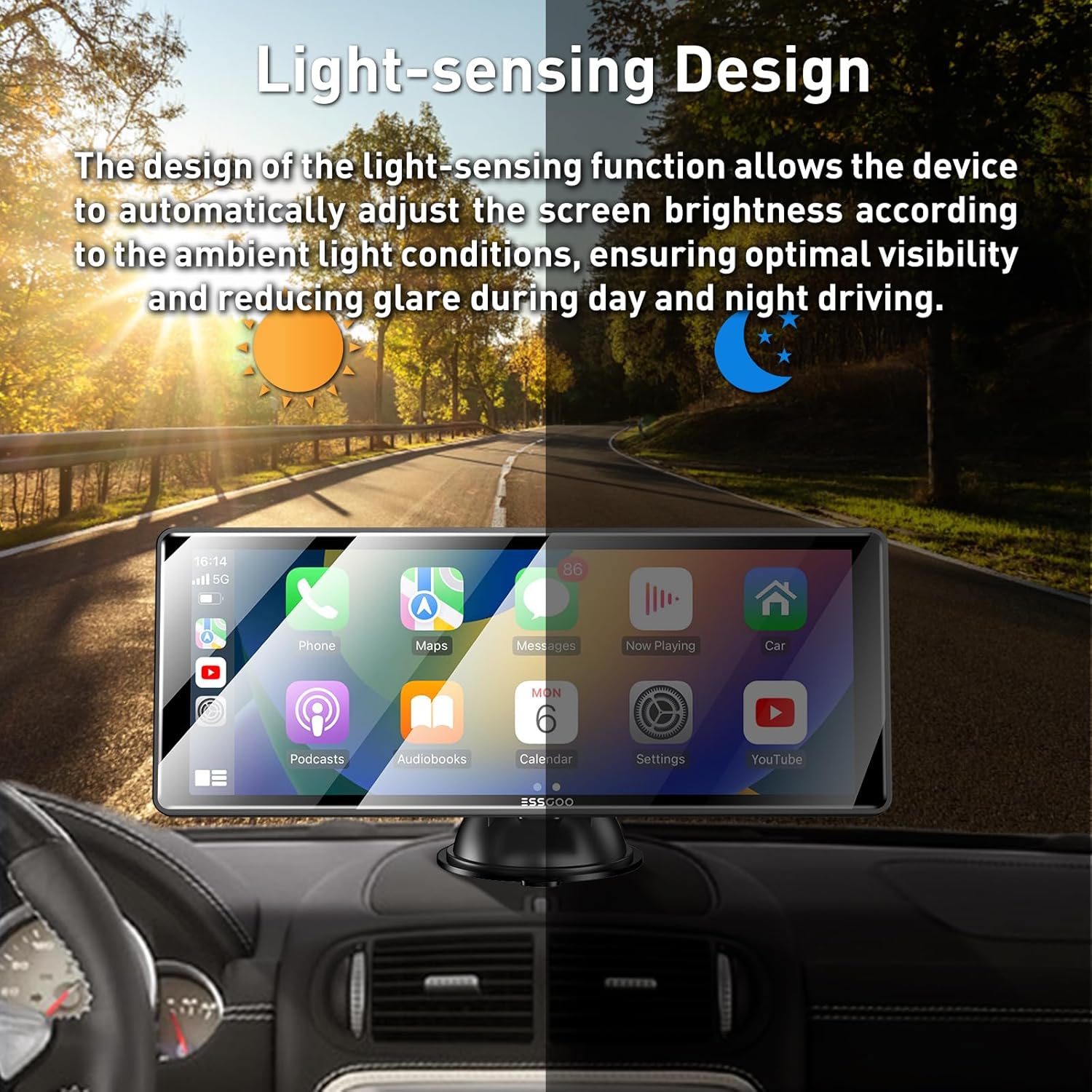
Image: Automatic brightness adjustment feature for optimal visibility.
2.4 ഓഡിയോ ഔട്ട്പുട്ട് ഓപ്ഷനുകൾ
The ESSGOO system offers multiple ways to output audio to your car's sound system:
- ബ്ലൂടൂത്ത്: Connect the Carplay system to your car's Bluetooth for audio output.
- AUX കണക്ഷൻ: Use the provided AUX cable to connect the Carplay system to your car's AUX input.
- എഫ്എം ട്രാൻസ്മിറ്റർ: Tune the Carplay system to an unused FM frequency, then tune your car's radio to the same frequency to transmit audio.
- ബിൽറ്റ്-ഇൻ സ്പീക്കർ: നേരിട്ടുള്ള ഓഡിയോ ഔട്ട്പുട്ടിനായി ഉപകരണത്തിൽ ഒരു ബിൽറ്റ്-ഇൻ സ്പീക്കർ ഉണ്ട്.

Image: Various audio output methods available.
2.5 ശബ്ദ നിയന്ത്രണം
Utilize voice commands for safer driving. The system supports Siri Assistant and Google Assistant.
- Activate Siri or Google Assistant through the Carplay/Android Auto interface or by using the designated voice command button (if available).
- Examples: "Hey Siri, call [Contact Name]", "Hey Google, play music", "Hey Siri, show me the map".

Image: Voice control functionality for hands-free operation.
2.6 മറ്റ് സവിശേഷതകൾ
- Mirror Link / AirPlay: Connect your phone to mirror its screen content directly onto the Carplay display.
- ഉയർന്ന മിഴിവുള്ള ഡിസ്പ്ലേ: Enjoy a clear visual experience with the 1600x600 resolution IPS display.

Image: High-resolution display for superior visual clarity.
3. പരിപാലനം
Proper maintenance ensures the longevity and optimal performance of your ESSGOO Portable Carplay System.
- സ്ക്രീൻ ക്ലീനിംഗ്: ടച്ച് സ്ക്രീൻ മൃദുവായി തുടയ്ക്കാൻ മൃദുവായ, ലിന്റ് രഹിത തുണി ഉപയോഗിക്കുക. കഠിനമായ പാടുകൾക്ക്, ചെറുതായി dampതുണിയിൽ വെള്ളം അല്ലെങ്കിൽ സ്ക്രീൻ-സേഫ് ക്ലീനർ ഉപയോഗിക്കുക. കഠിനമായ രാസവസ്തുക്കളോ ഉരച്ചിലുകളോ ഉള്ള വസ്തുക്കൾ ഒഴിവാക്കുക.
- ഉപകരണം വൃത്തിയാക്കൽ: Keep the device body free from dust and debris. Use a dry, soft cloth.
- കേബിൾ കെയർ: Ensure all cables are connected securely and are not pinched or bent sharply, which can cause damage.
- താപനില: Avoid exposing the device to extreme temperatures, both hot and cold, for extended periods.
4. പ്രശ്നപരിഹാരം
If you encounter issues with your ESSGOO Portable Carplay System, refer to the following common solutions.
4.1 വൈദ്യുതിയില്ല
- പവർ കണക്ഷൻ പരിശോധിക്കുക: Ensure the power cable is securely plugged into the device and the vehicle's cigarette lighter socket.
- വാഹന ശക്തി: Verify that the cigarette lighter socket in your vehicle is functional. Test with another device if possible.
- ഫ്യൂസ്: Check your vehicle's fuse box for a blown fuse related to the cigarette lighter socket.
4.2 Cannot Connect to Apple Carplay / Android Auto
- ബ്ലൂടൂത്തും വൈഫൈയും: Ensure both Bluetooth and Wi-Fi are enabled on your smartphone.
- ഉപകരണം മറക്കുക: On your phone, go to Bluetooth settings and "forget" the Carplay device, then attempt to pair again.
- ഉപകരണങ്ങൾ പുനരാരംഭിക്കുക: Restart both your smartphone and the Carplay system.
- സോഫ്റ്റ്വെയർ അപ്ഡേറ്റ്: നിങ്ങളുടെ സ്മാർട്ട്ഫോണിന്റെ ഓപ്പറേറ്റിംഗ് സിസ്റ്റം കാലികമാണെന്ന് ഉറപ്പാക്കുക.
4.3 ഓഡിയോ ഔട്ട്പുട്ട് ഇല്ല
- വോളിയം ലെവലുകൾ: Check the volume settings on both the Carplay system and your car's audio system.
- ഓഡിയോ putട്ട്പുട്ട് മോഡ്: Verify that the correct audio output mode (Bluetooth, AUX, FM Transmitter, Built-in Speaker) is selected on the Carplay system and your car's stereo.
- AUX കേബിൾ: If using AUX, ensure the cable is fully inserted into both the Carplay device and your car's AUX input.
- എഫ്എം ട്രാൻസ്മിറ്റർ: If using FM, ensure the Carplay system and your car radio are tuned to the exact same, clear FM frequency.
4.4 ടച്ച് സ്ക്രീൻ പ്രതികരിക്കുന്നില്ല
- ഉപകരണം പുനരാരംഭിക്കുക: Power off and then power on the Carplay system.
- വൃത്തിയുള്ള സ്ക്രീൻ: Ensure the screen is clean and free from dirt or moisture.
5 സ്പെസിഫിക്കേഷനുകൾ
| ഫീച്ചർ | വിശദാംശങ്ങൾ |
|---|---|
| ബ്രാൻഡ് | എസ്.എസ്.ഗു |
| മോഡൽ | cdb84775-1c2e-4fc8-9905-d8619db2c26e |
| സ്ക്രീൻ വലിപ്പം | 10.26 ഇഞ്ച് |
| റെസലൂഷൻ | 1600 x 600 (IPS Display) |
| പ്രത്യേക സവിശേഷതകൾ | Touch Screen, Automatic Brightness Adjustment |
| കണക്റ്റിവിറ്റി ടെക്നോളജി | Auxiliary, Bluetooth, Wireless (for Carplay/Android Auto) |
| അനുയോജ്യമായ ഉപകരണങ്ങൾ | Smartphone, Car Speakers |
| ഓഡിയോ put ട്ട്പുട്ട് മോഡ് | സ്റ്റീരിയോ |
| ഉൽപ്പന്ന ഭാരം | 1.2 കിലോഗ്രാം |
| നിറം | കറുപ്പ് |
| പവർ ഇൻപുട്ട് | 12-24V (Compatible with most car models) |

Image: Wide compatibility with different vehicle types.
6. വാറൻ്റിയും പിന്തുണയും
6.1 ഉൽപ്പന്ന വാറന്റി
The ESSGOO Portable Carplay System comes with a ഒരു വർഷത്തെ വാറൻ്റി from the date of purchase. This warranty covers manufacturing defects and unforeseen issues. Please retain your proof of purchase for warranty claims.
6.2 ഉപഭോക്തൃ പിന്തുണ
For any questions, concerns, or technical assistance, please contact ESSGOO customer support. Refer to the contact information provided on the warranty card or the official ESSGOO website. Our support team is dedicated to resolving your concerns promptly and ensuring your satisfaction.