
1. ആമുഖം
Thank you for choosing the V-TAC VT-1001 Portable Power Station. This device is a versatile and rechargeable power source designed to provide reliable electricity for various applications, from outdoor adventures to emergency backup. It features a 1000W output and a 22.4V, 46.9Ah LiFePO4 battery for long-lasting performance. Please read this manual thoroughly before operating the power station to ensure safe and efficient use.
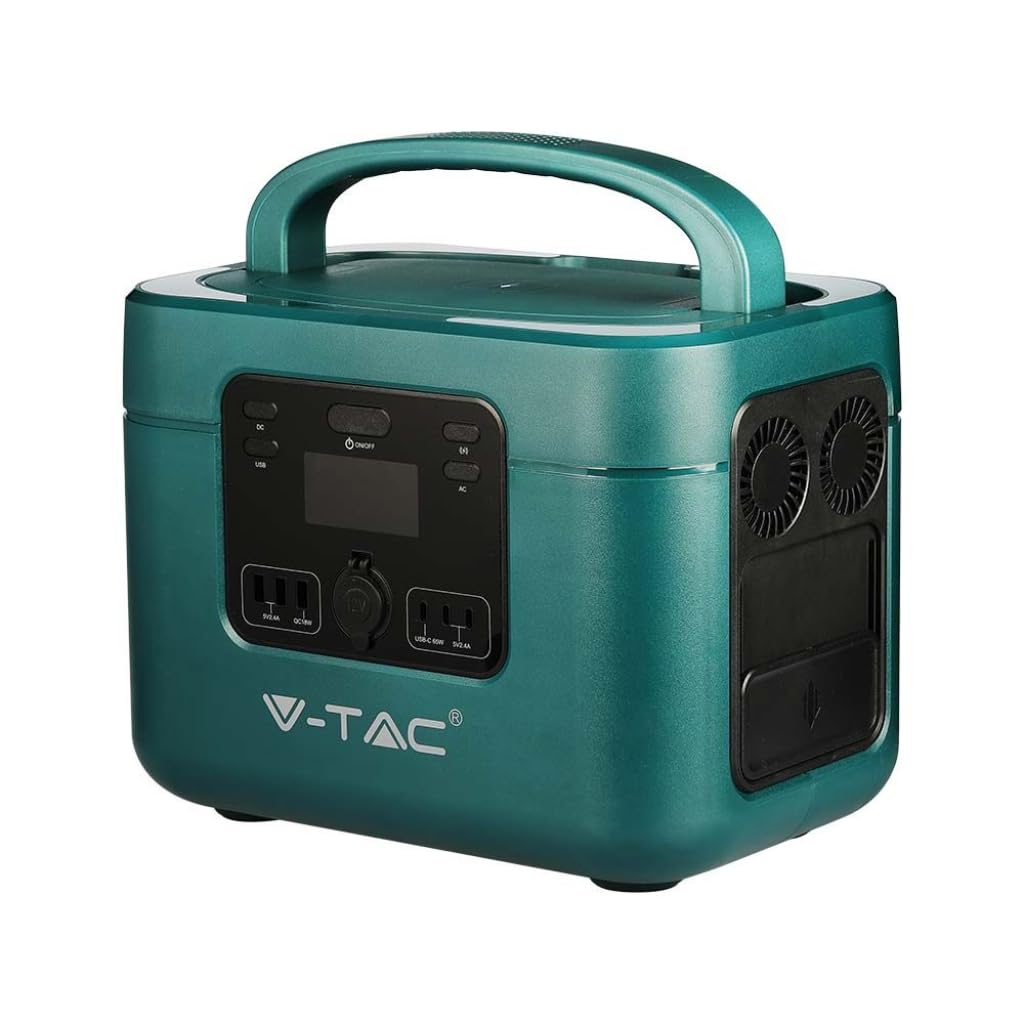
Image: The V-TAC VT-1001 Portable Power Station, a compact and robust power solution.
2. സുരക്ഷാ നിർദ്ദേശങ്ങൾ
ഉപകരണത്തിന് പരിക്കേൽക്കുകയോ കേടുപാടുകൾ സംഭവിക്കുകയോ ചെയ്യാതിരിക്കാൻ ഇനിപ്പറയുന്ന സുരക്ഷാ മുൻകരുതലുകൾ പാലിക്കുക:
- യൂണിറ്റ് വേർപെടുത്തുകയോ നന്നാക്കുകയോ പരിഷ്കരിക്കുകയോ ചെയ്യരുത്. തെറ്റായി വീണ്ടും കൂട്ടിച്ചേർക്കുന്നത് തീപിടുത്തത്തിനോ വൈദ്യുതാഘാതത്തിനോ കാരണമായേക്കാം.
- യൂണിറ്റ് തീയുടെ അടുത്ത് വയ്ക്കരുത് അല്ലെങ്കിൽ ചൂടാക്കരുത്. നേരിട്ട് സൂര്യപ്രകാശം ഏൽക്കാതെ സൂക്ഷിക്കുക.
- Do not charge, use, or store the unit in a bathroom or an area exposed to water or moisture.
- Use only the provided charger or approved charging methods.
- യൂണിറ്റ് കേടായാലോ വീണുപോയാലോ അത് ഉപയോഗിക്കരുത്.
- കുട്ടികൾക്കും വളർത്തുമൃഗങ്ങൾക്കും ലഭ്യമാകാതെ സൂക്ഷിക്കുക.
- ഉപയോഗിക്കുമ്പോഴും ചാർജ് ചെയ്യുമ്പോഴും ശരിയായ വായുസഞ്ചാരം ഉറപ്പാക്കുക. യൂണിറ്റ് മൂടരുത്.
- Avoid extreme temperatures. Store and operate the unit within the recommended temperature range.
3. ഉൽപ്പന്നം കഴിഞ്ഞുview
Familiarize yourself with the various components and interfaces of your power station.
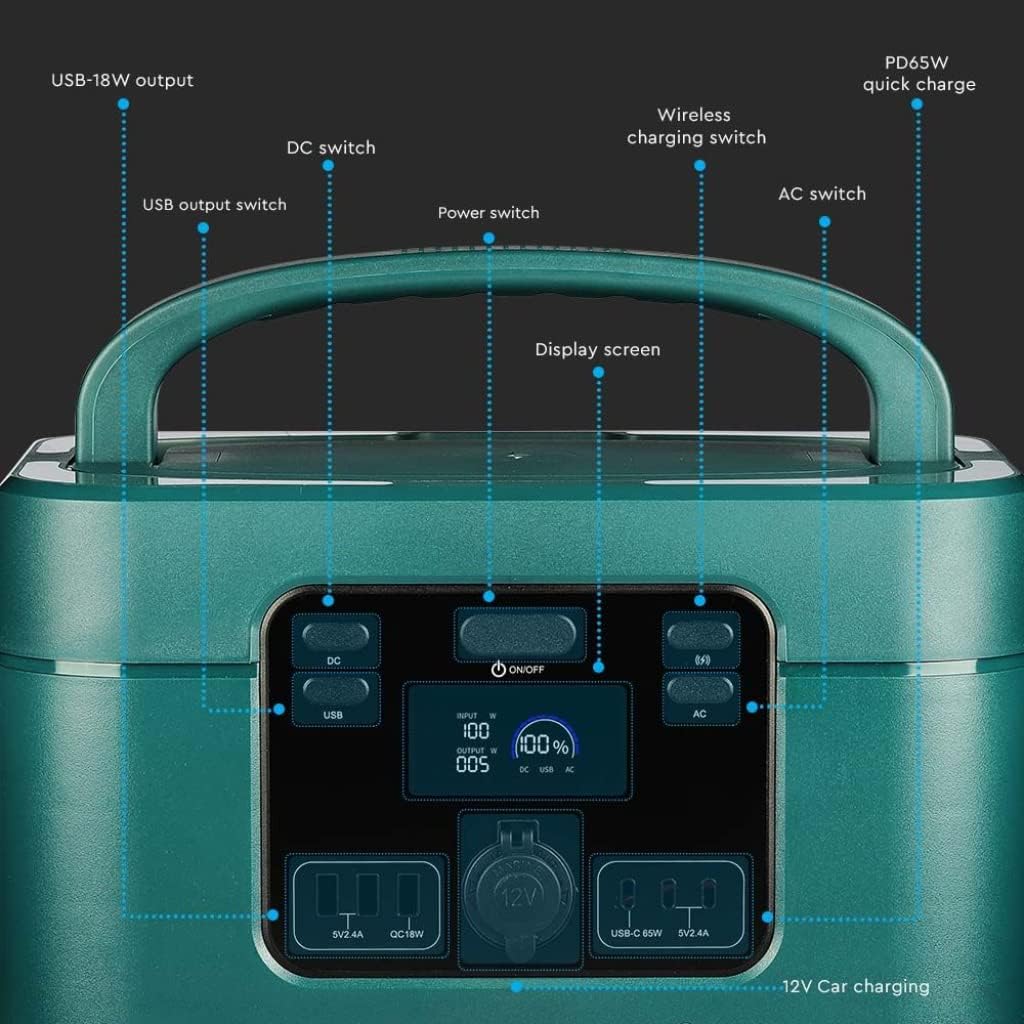
Image: Detailed diagram of the front control panel and output ports.
ഫ്രണ്ട് പാനൽ സവിശേഷതകൾ:
- DC സ്വിച്ച്: Activates/deactivates DC output ports.
- USB Output Switch: Controls the USB-A and USB-C output ports.
- പവർ സ്വിച്ച് (ഓൺ/ഓഫ്): Main power button for the unit.
- ഡിസ്പ്ലേ സ്ക്രീൻ: Shows input/output wattagഇ, ബാറ്ററി ശതമാനംtage, സ്റ്റാറ്റസ് സൂചകങ്ങൾ.
- Wireless Charging Switch: Enables/disables the wireless charging pad.
- എസി സ്വിച്ച്: Activates/deactivates AC output sockets.
- USB-18W Output: Standard USB-A port.
- PD65W Quick Charge: USB-C port for fast charging compatible devices.
- 12V Car Charging Port: Standard car accessory socket.

Image: Detailed diagram of the rear input ports and lighting feature.
പിൻ പാനൽ സവിശേഷതകൾ:
- ലൈറ്റിംഗ്: സംയോജിത പ്രകാശ സ്രോതസ്സ്.
- സുരക്ഷാ സ്വിച്ച്: Additional safety mechanism.
- DC Charging 60 Interface: Input port for DC charging, compatible with solar panels.
- AC Fast Charging Input: Port for charging the power station via AC wall outlet.

Image: Diagram showing the side panel with cooling outlet and AC outputs.
സൈഡ് പാനൽ സവിശേഷതകൾ:
- Cooling Outlet: Ensures proper heat dissipation during operation.
- നീക്കം ചെയ്യാവുന്ന മൂടി: Covers and protects the AC output sockets.
- 220V ഔട്ട്പുട്ട്: Standard AC power sockets for appliances.
4. സജ്ജീകരണം
ആദ്യ ഉപയോഗത്തിന് മുമ്പ്, പവർ സ്റ്റേഷൻ പൂർണ്ണമായും ചാർജ് ചെയ്യാൻ ശുപാർശ ചെയ്യുന്നു.
- അൺപാക്ക് ചെയ്യുന്നു: പാക്കേജിംഗിൽ നിന്ന് പവർ സ്റ്റേഷനും എല്ലാ അനുബന്ധ ഉപകരണങ്ങളും ശ്രദ്ധാപൂർവ്വം നീക്കം ചെയ്യുക.
- പ്രാരംഭ ചാർജ്: Connect the power station to a wall outlet using the provided AC charging cable. The display screen will indicate the charging status. Charge until the battery indicator shows 100%.
5. പ്രവർത്തന നിർദ്ദേശങ്ങൾ
The V-TAC VT-1001 offers multiple output options for various devices.
പൊതുവായ പ്രവർത്തനം:
- പവർ ഓൺ/ഓഫ്: അമർത്തിപ്പിടിക്കുക പവർ സ്വിച്ച് (ON/OFF) on the front panel to turn the unit on or off. The display screen will illuminate.
- ഡിസ്പ്ലേ സ്ക്രീൻ: The LED display provides real-time information on input/output power (W) and battery charge level (%).

Image: Close-up of the wide LED display, showing input, output, and battery percentage.
ഔട്ട്പുട്ട് പോർട്ടുകൾ ഉപയോഗിക്കുന്നു:
- AC Output (220V): അമർത്തുക എസി സ്വിച്ച് to enable the AC outlets. Plug in your appliances (e.g., laptops, power tools, mini coolers) into the 220V sockets located under the removable lid on the side. Ensure the total wattagഇ 1000W കവിയരുത്.
- DC Output (12V Car Port): അമർത്തുക ഡിസി സ്വിച്ച് to enable the 12V car charging port. Connect your 12V devices.
- USB Output (USB-A, USB-C): അമർത്തുക USB ഔട്ട്പുട്ട് സ്വിച്ച് to activate the USB ports. Connect your USB-powered devices to the USB-18W or PD65W Quick Charge ports.
- വയർലെസ് ചാർജിംഗ്: അമർത്തുക Wireless Charging Switch. Place your compatible device (e.g., smartphone) on the wireless charging pad located on top of the unit.
- ലൈറ്റിംഗ്: Use the dedicated button on the rear panel to activate the integrated light.

Image: The power station simultaneously charging a laptop, mobile phone, and drone.
6. പവർ സ്റ്റേഷൻ ചാർജ് ചെയ്യുന്നു
The VT-1001 can be recharged using multiple methods:
എസി വാൾ ചാർജിംഗ്:
Connect the provided AC charging cable to the AC Fast Charging Input port on the rear panel and then to a standard wall outlet. The unit will begin charging automatically.
സോളാർ പാനൽ ചാർജിംഗ്:
Connect a compatible solar panel (not included) to the DC Charging 60 Interface port on the rear panel. Ensure the solar panel is positioned to receive maximum sunlight. The power station features MPPT technology for efficient solar charging.
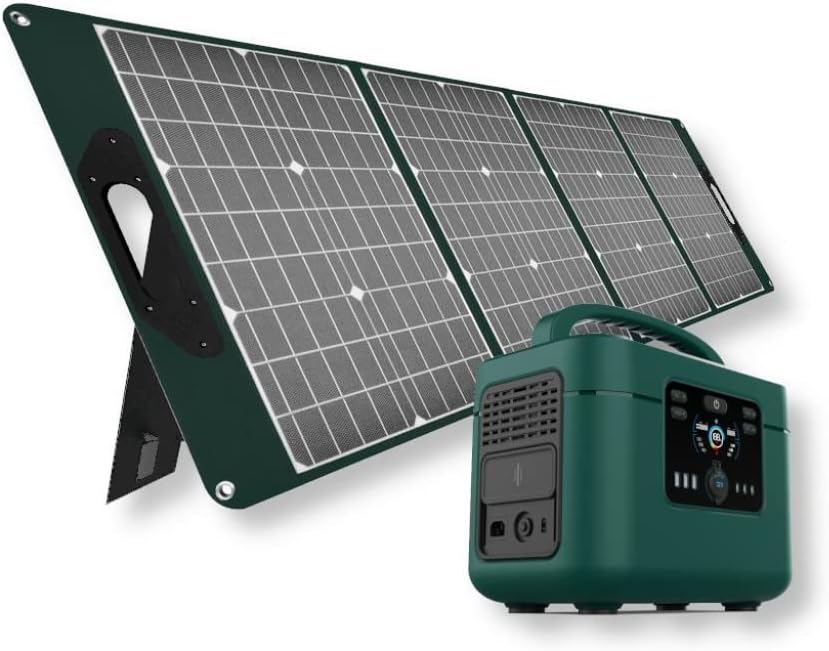
Image: The V-TAC VT-1001 Power Station connected to a portable solar panel for charging.
കാർ ചാർജിംഗ്:
Use a compatible car charger (not included) to connect the power station to your vehicle's 12V accessory outlet. This method is suitable for charging on the go.
7. പരിപാലനം
Proper maintenance ensures the longevity and performance of your power station.
- വൃത്തിയാക്കൽ: Wipe the unit with a dry, soft cloth. Do not use abrasive cleaners or immerse the unit in water.
- സംഭരണം: Store the power station in a cool, dry place, away from direct sunlight and extreme temperatures. For long-term storage, charge the unit to approximately 50-80% every 3-6 months to maintain battery health.
- ബാറ്ററി കെയർ: The integrated LiFePO4 battery is designed for durability and safety. The Intelligent BMS (Battery Management System) optimizes battery life and efficiency.
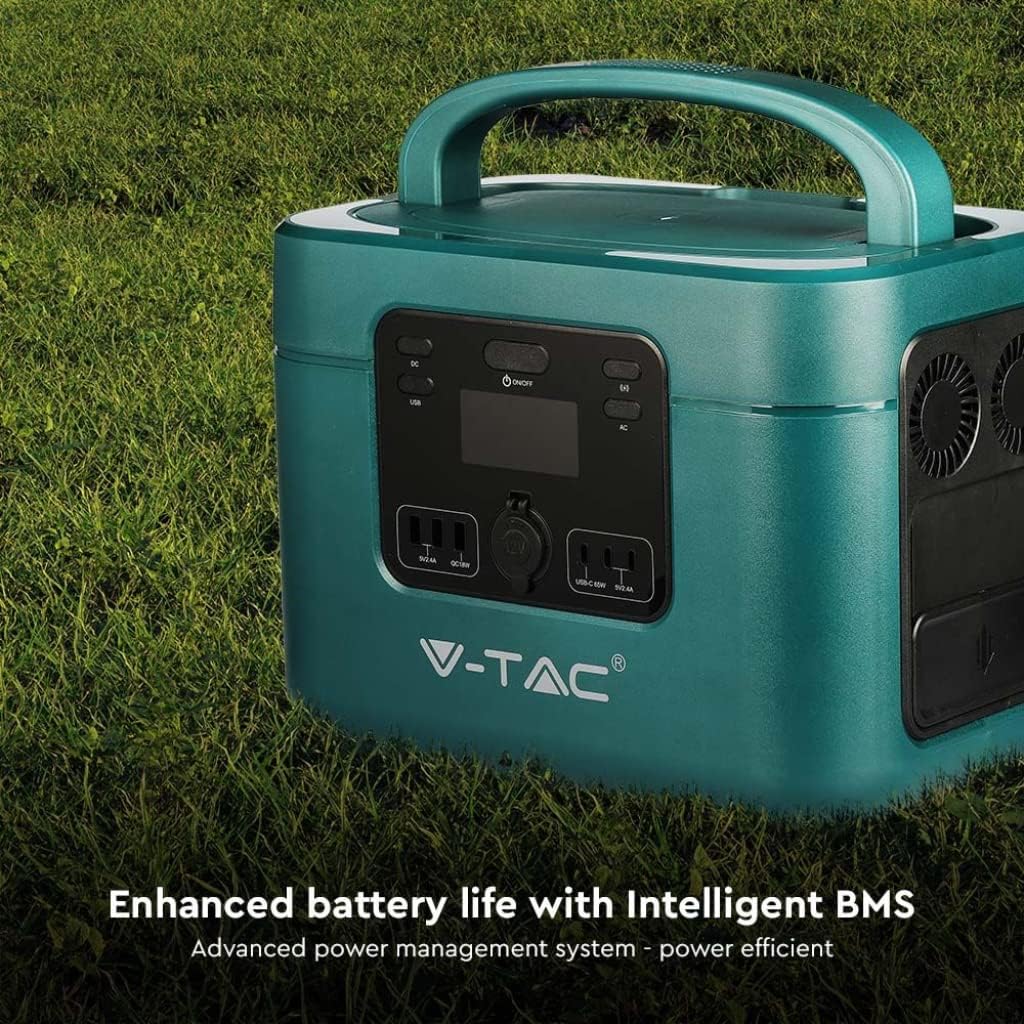
Image: The V-TAC VT-1001 highlighting its Intelligent BMS for enhanced battery life.
8. പ്രശ്നപരിഹാരം
If you encounter issues with your power station, refer to the following common solutions:
- യൂണിറ്റ് ഓണാക്കുന്നില്ല: Ensure the battery is charged. If not, connect it to an AC outlet for charging.
- പോർട്ടുകളിൽ നിന്ന് ഔട്ട്പുട്ട് ഇല്ല: Verify that the respective output switch (AC, DC, USB, Wireless) is turned on. Check if the device you are trying to power is within the power station's wattagഇ പരിധികൾ.
- ചാർജിംഗ് ആരംഭിക്കുന്നില്ല: Ensure all charging cables are securely connected. For solar charging, confirm the solar panel is receiving adequate sunlight.
- ഓവർലോഡ് സംരക്ഷണം: If the unit shuts down, it may be due to an overload. Disconnect some devices and restart the power station.
For persistent issues, contact V-TAC customer support.
9 സ്പെസിഫിക്കേഷനുകൾ
| ഫീച്ചർ | സ്പെസിഫിക്കേഷൻ |
|---|---|
| മോഡൽ നമ്പർ | 11443 |
| ബ്രാൻഡ് | വി-ടിഎസി |
| റേറ്റുചെയ്ത പവർ put ട്ട്പുട്ട് | 1000W |
| ബാറ്ററി തരം | ലൈഫെപിഒ4 |
| ബാറ്ററി ശേഷി | 22.4 വി, 46.9 അ |
| മെറ്റീരിയൽ | അക്രിലോണിട്രൈൽ ബ്യൂട്ടാഡൈൻ സ്റ്റൈറൈൻ |
| ഭാരം | 15 കിലോഗ്രാം |
| എസി ഔട്ട്പുട്ട് | 220V (specific region voltage) |
| DC ഇൻപുട്ട് | 60 Interface (Solar Compatible) |
| USB ഔട്ട്പുട്ട് | USB-A (18W), USB-C (PD65W) |
| വയർലെസ് ചാർജിംഗ് | അതെ |
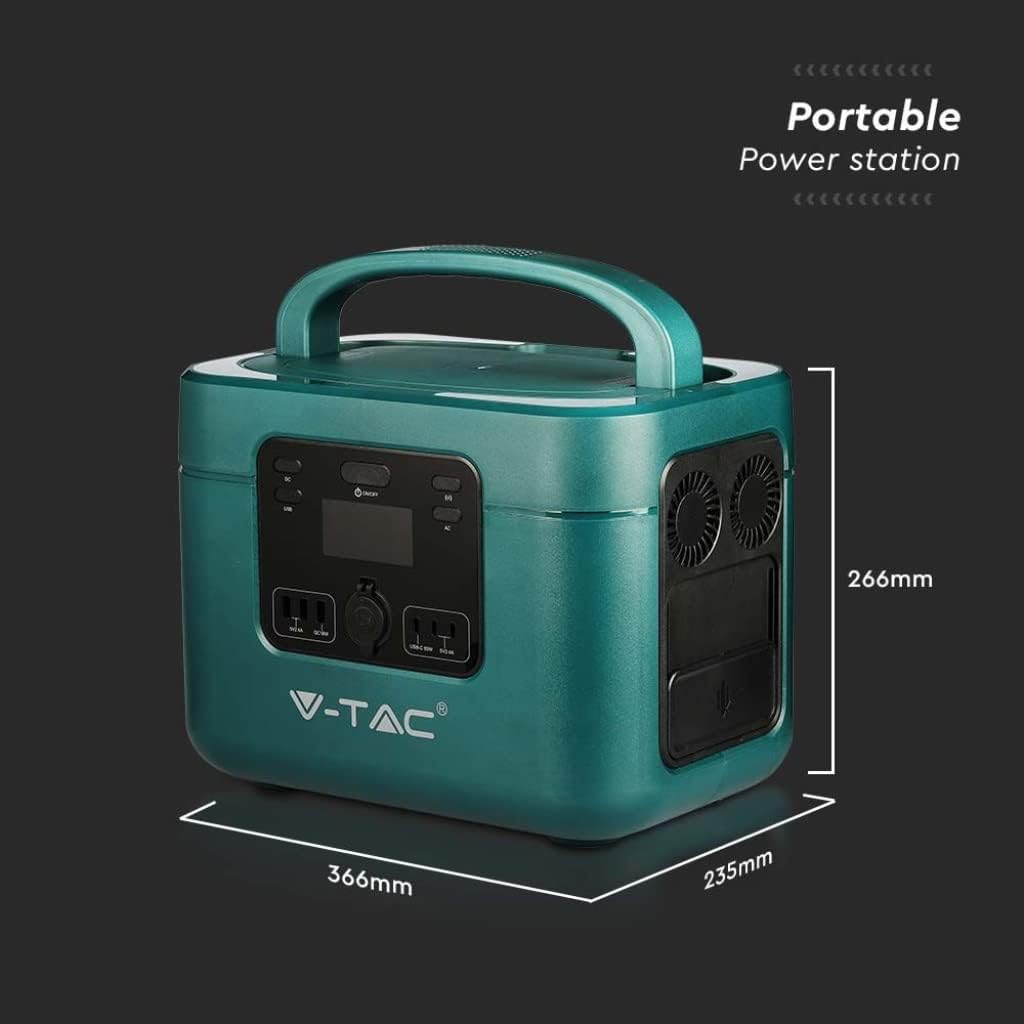
Image: Dimensions of the V-TAC VT-1001 Power Station: 366mm (length) x 235mm (width) x 266mm (height).
10. വാറൻ്റിയും പിന്തുണയും
For warranty information and customer support, please refer to the warranty card included with your product or visit the official V-TAC webസൈറ്റ്. വാങ്ങിയതിന്റെ തെളിവായി നിങ്ങളുടെ വാങ്ങൽ രസീത് സൂക്ഷിക്കുക.