
1. ആമുഖം
Thank you for choosing the VILTROX 16mm F1.8 FE lens. This full-frame wide-angle autofocus lens is designed for Sony E-mount mirrorless cameras, offering a large F1.8 aperture for excellent low-light performance and shallow depth of field. This manual provides essential information for the proper use and maintenance of your lens.
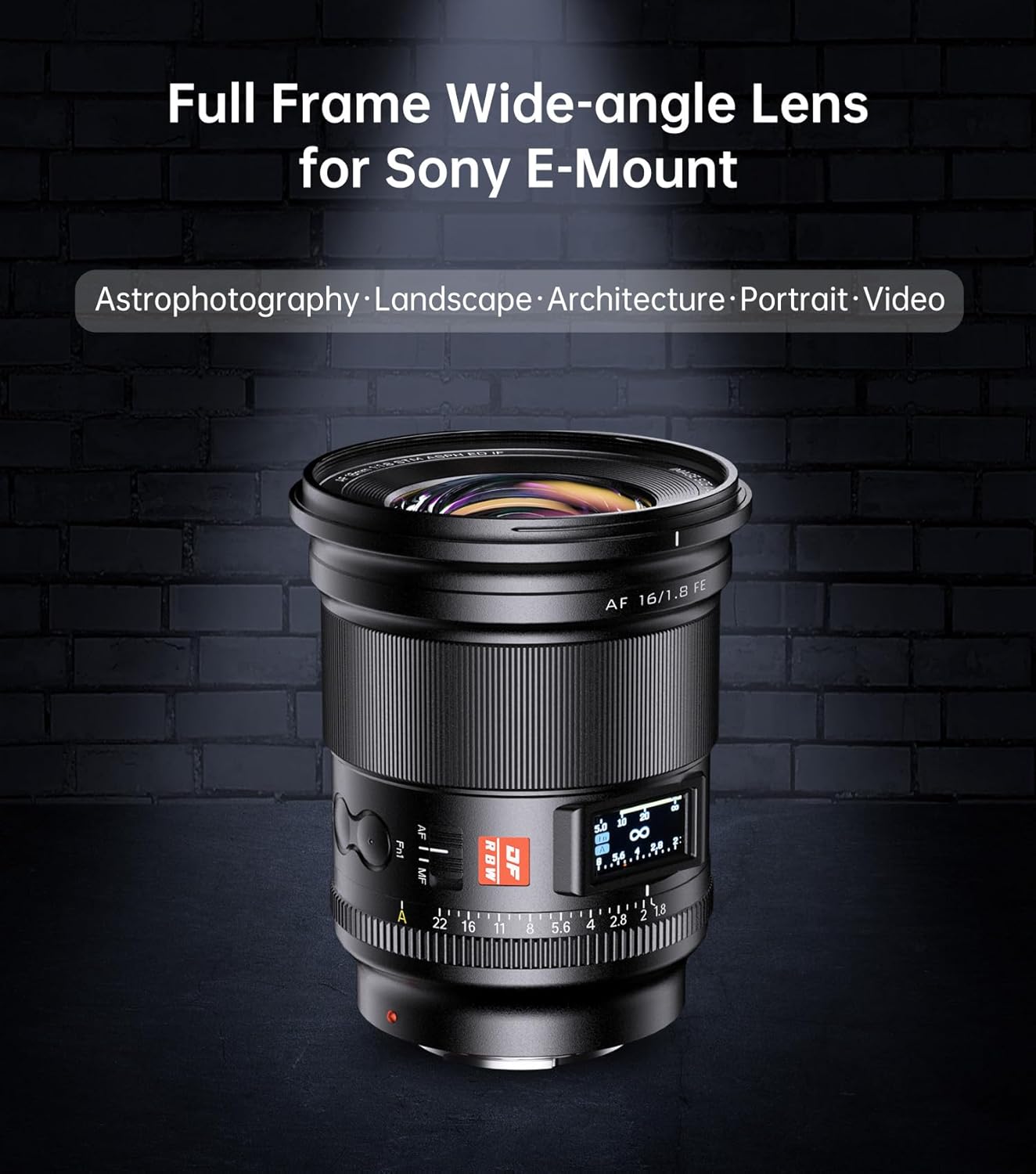
Image: The VILTROX 16mm F1.8 FE lens, designed for Sony E-mount cameras, suitable for astrophotography, landscape, architecture, portrait, and video.
2. ബോക്സിൽ എന്താണുള്ളത്?
താഴെ ലിസ്റ്റ് ചെയ്തിരിക്കുന്ന എല്ലാ ഇനങ്ങളും നിങ്ങളുടെ പാക്കേജിൽ ഉൾപ്പെടുത്തിയിട്ടുണ്ടെന്ന് ദയവായി പരിശോധിക്കുക:
- VILTROX 16mm F1.8 FE Lens
- ലെൻസ് ഹുഡ്
- ലെൻസ് ബാഗ്
- ലെൻസ് ഫ്രണ്ട് ക്യാപ്
- ലെൻസ് റിയർ ക്യാപ്
- ഉപയോക്തൃ മാനുവൽ
- വിൽപ്പനാനന്തര കാർഡ്

Image: The VILTROX 16mm F1.8 FE lens and its included accessories: lens hood, front cap, rear cap, and lens bag.
3 പ്രധാന സവിശേഷതകൾ
The VILTROX 16mm F1.8 FE lens offers several advanced features for photographers and videographers:
- F1.8 Super Large Aperture: Enables excellent low-light performance and shallow depth of field for creative effects.
- Ultra Wide-Angle Design: 16mm focal length with a 105.6° angle of view, ideal for landscapes, cityscapes, and astrophotography.
- Precise Auto Focus: Equipped with an STM stepping motor for fast, accurate, and quiet autofocus, including eye and face recognition.
- സ്മാർട്ട് എൽസിഡി ഡിസ്പ്ലേ: Integrated display shows aperture and focus distance, streamlining the shooting process.
- Inner Focus Optical Structure: Features 15 elements in 12 groups, including 3 aspherical lenses, for high resolution and coma suppression.
- Portable & Efficient Control: Durable metal body, dust-protected design, and convenient controls like Fn1/Fn2 Focus Lock Buttons, CLICK aperture ring switch, and AF/MF lever.
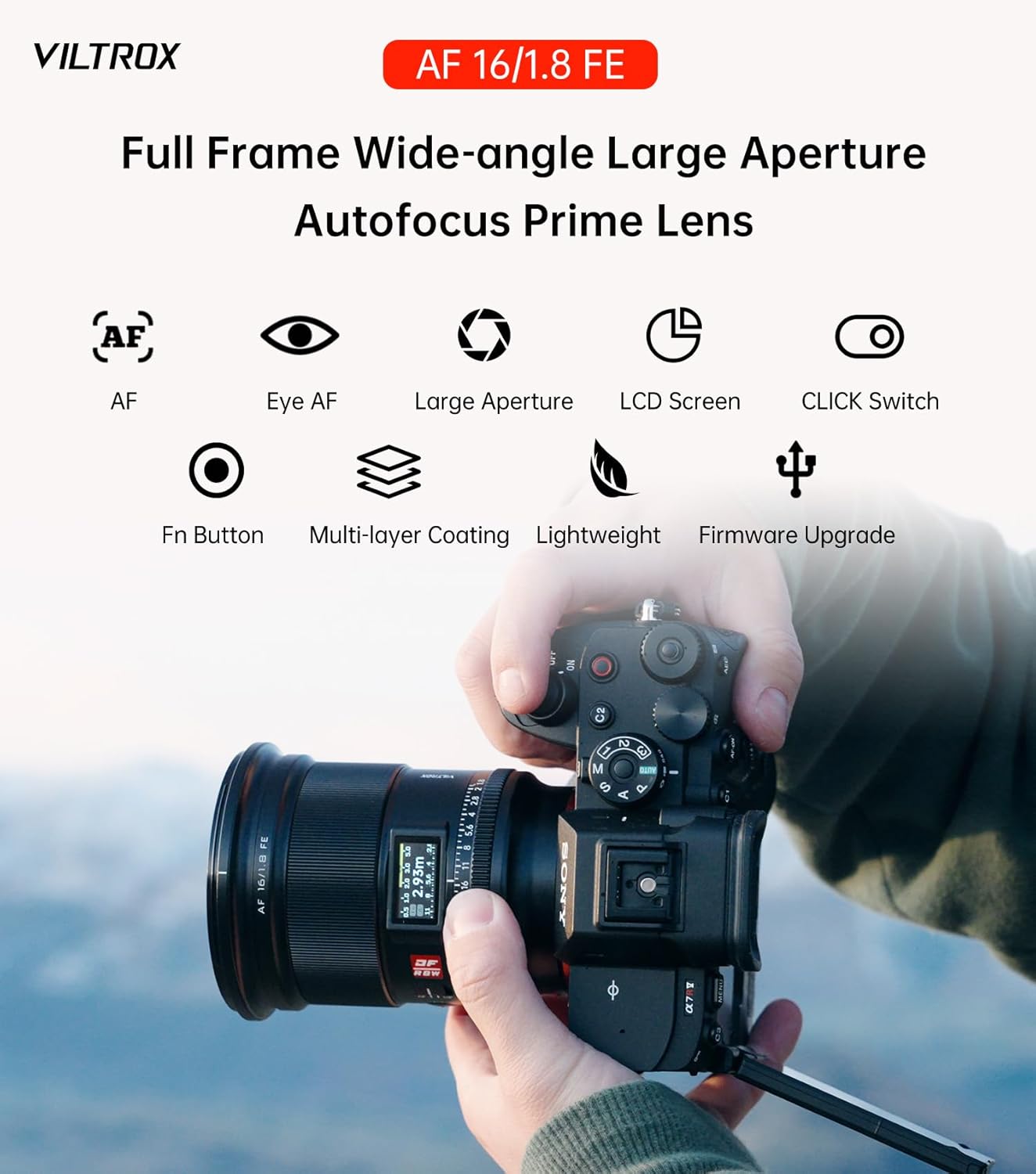
ചിത്രം: കഴിഞ്ഞുview of the VILTROX 16mm F1.8 FE lens highlighting its main features.
4. സജ്ജീകരണം
4.1 ലെൻസ് മൌണ്ട് ചെയ്യൽ
- നിങ്ങളുടെ ക്യാമറ ഓഫാക്കിയിട്ടുണ്ടെന്ന് ഉറപ്പാക്കുക.
- Remove the rear lens cap from the VILTROX 16mm F1.8 FE lens and the body cap from your camera.
- Align the white index mark on the lens with the corresponding index mark on your camera's lens mount.
- ക്യാമറ മൗണ്ടിലേക്ക് ലെൻസ് തിരുകുക, അത് സ്ഥലത്ത് ക്ലിക്ക് ചെയ്യുന്നത് വരെ ഘടികാരദിശയിൽ തിരിക്കുക. ലെൻസിനെ ബലമായി അമർത്തരുത്.
- മുൻവശത്തെ ഘടകം സംരക്ഷിക്കുന്നതിന് ഉപയോഗത്തിലില്ലാത്തപ്പോൾ മുൻവശത്തെ ലെൻസ് തൊപ്പി ഘടിപ്പിക്കുക.

Image: The rear element and electronic contacts of the VILTROX 16mm F1.8 FE lens.
4.2 ലെൻസ് ഹുഡ് ഘടിപ്പിക്കൽ
The included lens hood helps to prevent flare and ghosting caused by extraneous light. Align the lens hood with the front of the lens and twist it until it locks securely. For storage, the hood can be reversed and mounted on the lens.

Image: The VILTROX 16mm F1.8 FE lens with its lens hood attached.
4.3 Understanding Lens Controls
- AF/MF സ്വിച്ച്: Located on the side of the lens, this switch allows you to toggle between Autofocus (AF) and Manual Focus (MF) modes.
- Fn1/Fn2 Focus Lock Buttons: These customizable function buttons can be assigned various camera functions, such as focus hold, through your camera's menu.
- CLICK Aperture Ring Switch: This switch allows you to enable or disable the click stops on the aperture ring. 'ON' provides tactile clicks for precise aperture adjustments, while 'OFF' allows for smooth, silent aperture changes, ideal for video recording.
- സ്മാർട്ട് എൽസിഡി ഡിസ്പ്ലേ: The integrated LCD screen provides real-time information on aperture and focus distance.

Image: The AF/MF switch on the lens barrel.

Image: The Fn1 and Fn2 buttons on the lens barrel.

Image: The CLICK switch for aperture ring control.

Image: The smart LCD display on the lens.
5. ലെൻസ് പ്രവർത്തിപ്പിക്കൽ
5.1 Using the F1.8 Large Aperture
The F1.8 maximum aperture allows for significant light gathering, making it suitable for shooting in low-light conditions without excessive ISO. It also enables a shallow depth of field, creating pleasing background blur (bokeh) to isolate your subject. Adjust the aperture using the aperture ring on the lens or through your camera's controls, depending on your camera settings.

ചിത്രം: ഉദാample of shallow depth of field and bokeh at F1.8.
5.2 ഓട്ടോഫോക്കസ് (AF) പ്രവർത്തനം
Set the AF/MF switch on the lens to 'AF'. The lens's STM stepping motor provides fast and precise autofocus. Utilize your camera's autofocus modes, including eye and face detection, for optimal subject tracking. The lens is designed to maintain sharp focus even at wide apertures and in challenging lighting.
5.3 മാനുവൽ ഫോക്കസ് (എംഎഫ്) പ്രവർത്തനം
Set the AF/MF switch on the lens to 'MF'. Rotate the focus ring on the lens to adjust focus manually. The LCD display will show the current focus distance, assisting in precise manual focusing. Your camera's focus peaking and magnification features can further aid in achieving critical focus.
5.4 Utilizing the Smart LCD Display
The LCD display on the lens provides immediate visual feedback on your current aperture setting and focus distance. This allows for quick adjustments without needing to check your camera's screen or viewfinder, enhancing your workflow.

ചിത്രം: വിശദമായത് view എൽസിഡി ഡിസ്പ്ലേയും അതിന്റെ സൂചകങ്ങളും.
5.5 Shooting Scenarios
- ആസ്ട്രോഫോട്ടോഗ്രഫി: The 16mm focal length and F1.8 aperture are highly suitable for capturing wide-field astrophotography, allowing for detailed starscapes and Milky Way shots.
- Landscape and Architecture: The ultra-wide angle is excellent for expansive landscapes and architectural photography, fitting more of the scene into the frame.
- വീഡിയോ ഷൂട്ടിംഗ്: The lightweight design and quiet STM motor make this lens suitable for video recording, including vlogging. The de-clickable aperture ring (using the CLICK switch) allows for smooth exposure transitions.

ചിത്രം: ഉദാample of astrophotography captured with the lens.
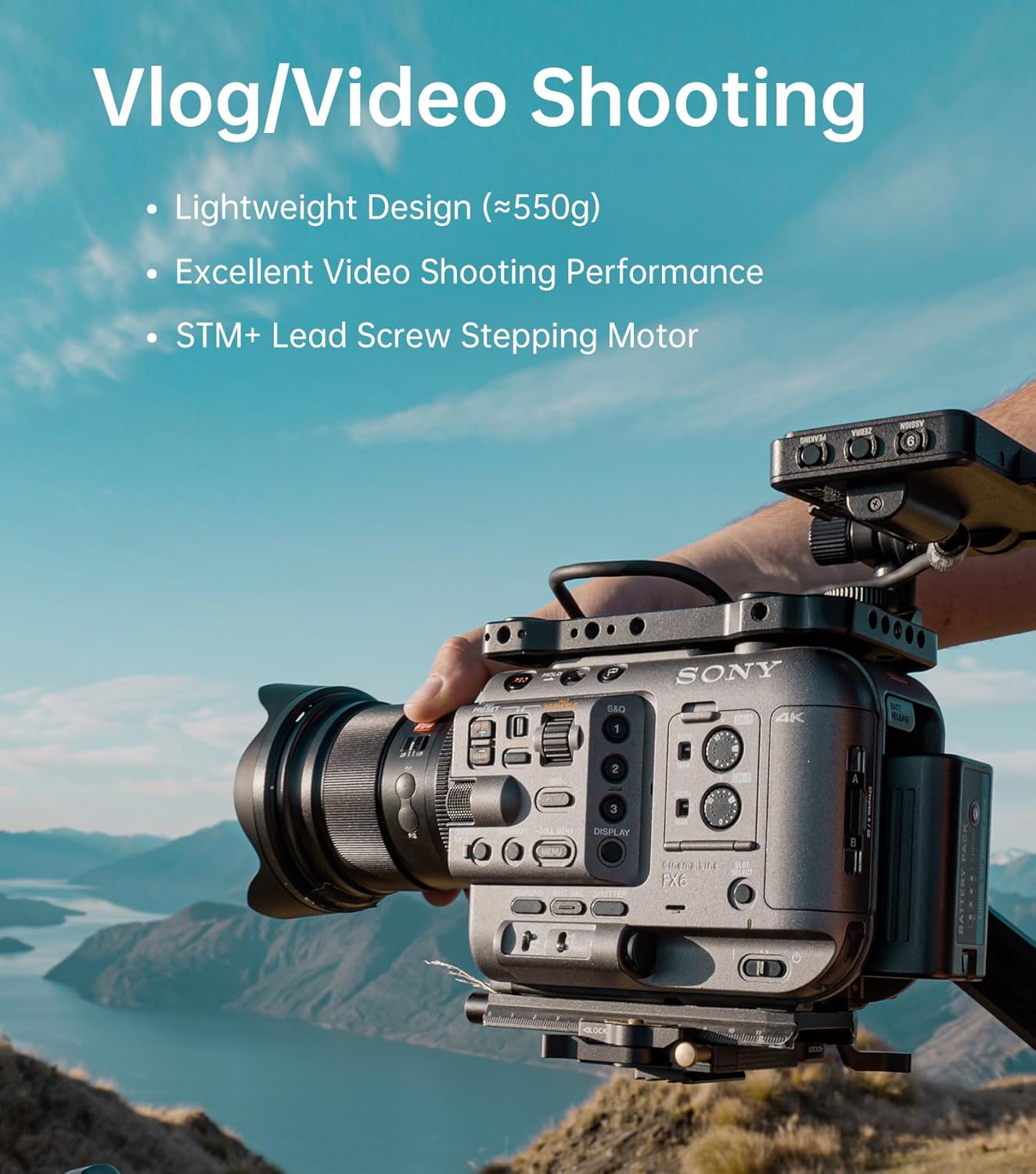
Image: The lens mounted on a video camera setup.
6. പരിപാലനം
Proper care will extend the life and performance of your lens:
- വൃത്തിയാക്കൽ: Use a soft, lint-free cloth to clean the lens barrel. For lens elements, use a lens brush to remove dust, then a lens cleaning solution and a microfiber cloth. Avoid touching the glass surfaces with your fingers.
- സംഭരണം: Store the lens in a cool, dry place away from direct sunlight and extreme temperatures. Always attach the front and rear lens caps when not in use. Use the provided lens bag for added protection during transport.
- പൊടിയും ഈർപ്പവും: The lens features a dust-protected structure. However, avoid exposing the lens to excessive dust, dirt, or moisture. If it gets wet, wipe it dry immediately.
- ബന്ധങ്ങൾ: Keep the electronic contacts on the lens mount clean. Use a clean, dry cloth to gently wipe them if necessary.
7. പ്രശ്നപരിഹാരം
If you encounter issues with your VILTROX 16mm F1.8 FE lens, consider the following common solutions:
- ക്യാമറയ്ക്ക് ലെൻസ് തിരിച്ചറിയാൻ കഴിഞ്ഞില്ല: Ensure the lens is securely mounted to the camera body. Power off the camera, re-mount the lens, and power on again. Clean the electronic contacts on both the lens and camera body with a dry, lint-free cloth.
- ഓട്ടോഫോക്കസ് പ്രവർത്തിക്കുന്നില്ല: Check that the AF/MF switch on the lens is set to 'AF'. Verify that your camera's autofocus settings are correctly configured. Ensure there is sufficient light and contrast for the autofocus system to operate effectively.
- Image quality issues (e.g., blurriness): Check if the lens is clean. Ensure the focus mode is appropriate for your subject and that focus is accurately achieved. If using manual focus, ensure the focus assist features (peaking, magnification) are utilized correctly.
- Aperture ring not clicking: Check the 'CLICK' switch on the lens. If it's set to 'OFF', the aperture ring will rotate smoothly without clicks.
- എൽസിഡി ഡിസ്പ്ലേ പ്രവർത്തിക്കുന്നില്ല: Ensure the lens is properly connected to the camera and the camera is powered on. If the issue persists, try cleaning the contacts.
For further assistance, please refer to the VILTROX official support channels.
8 സ്പെസിഫിക്കേഷനുകൾ
Below are the technical specifications for the VILTROX 16mm F1.8 FE lens:
| ബ്രാൻഡ് | വിൽട്രോക്സ് |
| മോഡൽ | 16mm F1.8 FE |
| ഫോക്കൽ ലെങ്ത് | 16 മി.മീ |
| പരമാവധി അപ്പേർച്ചർ | F1.8 |
| ലെൻസ് തരം | Wide Angle, Prime Lens |
| അനുയോജ്യമായ മൗണ്ടിംഗുകൾ | സോണി ഇ |
| ഒപ്റ്റിക്കൽ ഘടന | 15 elements in 12 groups (including 3 aspherical lenses) |
| ഓട്ടോഫോക്കസ് മോട്ടോർ | എസ്ടിഎം സ്റ്റെപ്പിംഗ് മോട്ടോർ |
| ഉൽപ്പന്ന അളവുകൾ | 4.1 x 3.4 x 3.4 ഇഞ്ച് |
| ഇനത്തിൻ്റെ ഭാരം | 2.44 പൗണ്ട് (ഏകദേശം 1.1 കിലോഗ്രാം) |
| ഫീച്ചറുകൾ | Smart LCD Display, Fn Buttons, CLICK Aperture Switch, Inner Focus |
9. വാറൻ്റിയും പിന്തുണയും
VILTROX products typically come with a manufacturer's warranty. Please refer to the warranty card included in your product packaging for specific terms and conditions, including warranty period and coverage details. For technical support, firmware updates, or service inquiries, please visit the official VILTROX webസൈറ്റ് അല്ലെങ്കിൽ അവരുടെ ഉപഭോക്തൃ സേവനവുമായി നേരിട്ട് ബന്ധപ്പെടുക.
കൂടുതൽ വിവരങ്ങളും പിന്തുണയും നിങ്ങൾക്ക് ഇവിടെ കണ്ടെത്താനാകും VILTROX Official Store on Amazon.