
MARK ADLER Xeno 4.1
MARK ADLER Xeno 4.1 Electric Height-Adjustable Desk Frame
Model: Xeno 4.1 | Brand: MARK ADLER
ആമുഖം
This manual provides essential instructions for the assembly, operation, and maintenance of your MARK ADLER Xeno 4.1 Electric Height-Adjustable Desk Frame. Please read this manual thoroughly before use to ensure safe and efficient operation.
The MARK ADLER Xeno 4.1 desk frame offers a flexible workspace solution, allowing you to switch between sitting and standing positions. Its robust construction and intuitive controls are designed for comfort and stability in various work environments.
സുരക്ഷാ വിവരങ്ങൾ
- ഉപയോഗിക്കുന്നതിന് മുമ്പ് എല്ലാ ഘടകങ്ങളും സുരക്ഷിതമായി ഉറപ്പിച്ചിട്ടുണ്ടെന്ന് ഉറപ്പാക്കുക.
- പരമാവധി ലോഡ് കപ്പാസിറ്റി 70 കി.ഗ്രാം (154 പൗണ്ട്) കവിയരുത്.
- ഉയരം ക്രമീകരിക്കുമ്പോൾ കുട്ടികളെയും വളർത്തുമൃഗങ്ങളെയും മേശയിൽ നിന്ന് അകറ്റി നിർത്തുക.
- Avoid placing liquids directly on the control panel or motor components.
- വൃത്തിയാക്കുന്നതിനോ അറ്റകുറ്റപ്പണികൾ നടത്തുന്നതിനോ മുമ്പ് വൈദ്യുതി വിച്ഛേദിക്കുക.
- നൽകിയിരിക്കുന്ന പവർ അഡാപ്റ്ററും ഘടകങ്ങളും മാത്രം ഉപയോഗിക്കുക.
- If any unusual noise or malfunction occurs, immediately stop operation and disconnect power.
പാക്കേജ് ഉള്ളടക്കം
Verify that all parts are present before beginning assembly. Refer to the included assembly guide for a detailed list of components.
- Electric Height-Adjustable Desk Frame components
- Control Panel with Memory Function
- പവർ അഡാപ്റ്റർ
- അസംബ്ലി ഗൈഡ്
- Necessary Screws and Tools (Screwdriver recommended for assembly)
സജ്ജീകരണവും അസംബ്ലിയും
Follow these general steps for assembling your MARK ADLER Xeno 4.1 desk frame. A detailed assembly guide is included with your product.
- ഘടകങ്ങൾ അൺപാക്ക് ചെയ്യുക: പാക്കേജിംഗിൽ നിന്ന് എല്ലാ ഭാഗങ്ങളും ശ്രദ്ധാപൂർവ്വം നീക്കം ചെയ്ത് വൃത്തിയുള്ളതും പരന്നതുമായ പ്രതലത്തിൽ വയ്ക്കുക.
- Assemble Legs and Feet: Attach the desk legs to the feet using the provided screws. Ensure they are stable and level.
- ക്രോസ്ബാർ ബന്ധിപ്പിക്കുക: Attach the adjustable crossbar between the two leg assemblies. Adjust the width to match your desired tabletop size (90 to 160 cm).
- Install Motor and Control Box: Secure the motor and control box to the frame according to the assembly guide.
- നിയന്ത്രണ പാനൽ അറ്റാച്ചുചെയ്യുക: Mount the LED control panel in an accessible location on the frame.
- വയറിംഗ്: Connect all cables from the motor, control panel, and power adapter to the control box. Ensure all connections are secure.
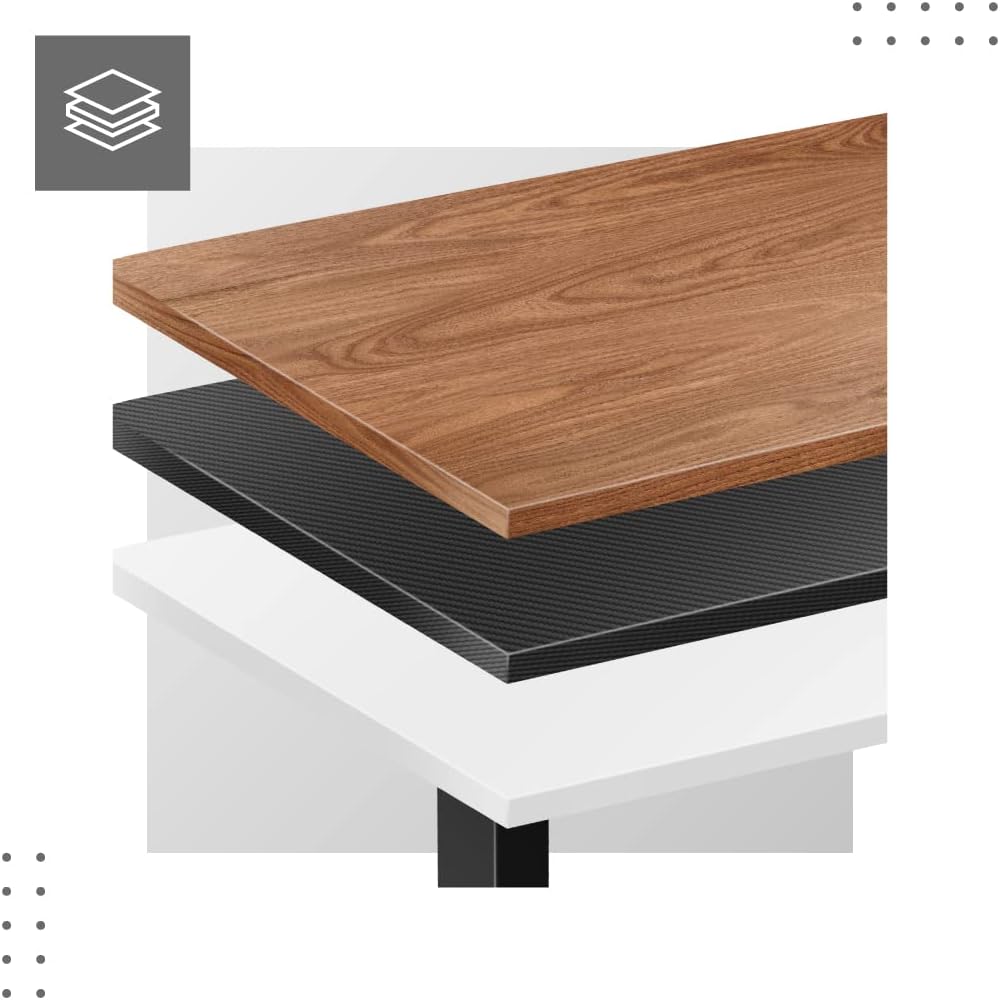
- Attach Tabletop (Not Included): Place your tabletop (90-160 cm width recommended) onto the assembled frame and secure it using appropriate screws (not included with frame).
- പ്രാരംഭ പവർ-അപ്പ്: Plug the power adapter into a wall outlet. The desk is now ready for calibration.
Dimensions and Compatibility:

പ്രവർത്തന നിർദ്ദേശങ്ങൾ
The MARK ADLER Xeno 4.1 features an intuitive LED control panel for easy height adjustment and memory functions.


Basic Height Adjustment
- ഉപയോഗിക്കുക മുകളിലേക്ക് (▲) arrow button to raise the desk to your desired standing height.
- ഉപയോഗിക്കുക താഴേക്ക് (▼) arrow button to lower the desk to your desired sitting height.
- The current height will be displayed on the LED screen.
മെമ്മറി പ്രീസെറ്റുകൾ സജ്ജമാക്കുന്നു
The desk allows you to save up to three preferred height settings.
- മുകളിലേക്കും താഴേക്കും ബട്ടണുകൾ ഉപയോഗിച്ച് നിങ്ങൾക്ക് ആവശ്യമുള്ള ഉയരത്തിലേക്ക് ഡെസ്ക് ക്രമീകരിക്കുക.
- അമർത്തുക "എസ്" (Save) button. The display will show "S-".
- 3 സെക്കൻഡിനുള്ളിൽ, മെമ്മറി ബട്ടണുകളിൽ ഒന്ന് അമർത്തുക ("1" വസ്തുതകൾ, "2" വസ്തുതകൾ, അല്ലെങ്കിൽ "3" വസ്തുതകൾ). The current height is now saved to that preset.
Recalling Memory Presets
- Simply press the desired memory button ("1" വസ്തുതകൾ, "2" വസ്തുതകൾ, അല്ലെങ്കിൽ "3" വസ്തുതകൾ). ഡെസ്ക് സംരക്ഷിച്ച ഉയരത്തിലേക്ക് സ്വയമേവ നീങ്ങും.
Initial Calibration / Reset
If the desk does not operate correctly or displays an error code, a reset may be required.
- അമർത്തിപ്പിടിക്കുക താഴേക്ക് (▼) button until the desk reaches its lowest position and then slightly rises. Release the button.
- If the issue persists, disconnect the power for 10 seconds, then reconnect and attempt the reset procedure again.
മെയിൻ്റനൻസ്
- വൃത്തിയാക്കൽ: Wipe the desk frame with a soft, damp cloth. Avoid abrasive cleaners or solvents. Ensure the control panel and electrical components remain dry.
- കേബിൾ മാനേജുമെന്റ്: Regularly check and organize cables to prevent tangles or damage, especially during height adjustments.
- ഫാസ്റ്റനർ പരിശോധന: എല്ലാ സ്ക്രൂകളും ബോൾട്ടുകളും ഇറുകിയതാണെന്ന് ഉറപ്പാക്കാൻ ഇടയ്ക്കിടെ പരിശോധിക്കുക. ആവശ്യമെങ്കിൽ വീണ്ടും മുറുക്കുക.
- ലൂബ്രിക്കേഷൻ: The electric lifting mechanism is generally maintenance-free. Do not attempt to lubricate internal components unless specifically instructed by the manufacturer.
ട്രബിൾഷൂട്ടിംഗ്
| പ്രശ്നം | സാധ്യമായ കാരണം | പരിഹാരം |
|---|---|---|
| ഡെസ്ക് അനങ്ങുന്നില്ല. | Power cable disconnected; Overload; Motor overheating; Control panel issue. | Check power connection. Reduce load. Allow motor to cool down. Perform a reset (see Operating Instructions). |
| Uneven movement or desk tilting. | Uneven load distribution; Loose fasteners. | Distribute weight evenly on the tabletop. Check and tighten all assembly screws. |
| നിയന്ത്രണ പാനലിൽ പിശക് കോഡ് പ്രദർശിപ്പിച്ചിരിക്കുന്നു. | System malfunction; Overload; Sensor issue. | Perform a reset (see Operating Instructions). If the error persists, contact customer support. |
| മെമ്മറി പ്രീസെറ്റുകൾ പ്രവർത്തിക്കുന്നില്ല. | പ്രീസെറ്റുകൾ ശരിയായി സംരക്ഷിച്ചിട്ടില്ല. | Re-save your desired height presets (see Operating Instructions). |
സ്പെസിഫിക്കേഷനുകൾ
| ഫീച്ചർ | വിശദാംശങ്ങൾ |
|---|---|
| മോഡലിൻ്റെ പേര് | Xeno 4.1 Black |
| ബ്രാൻഡ് | മാർക്ക് ആഡ്ലർ |
| ഉയരം ക്രമീകരിക്കൽ ശ്രേണി | 72 സെ.മീ - 118 സെ.മീ (28.3 ഇഞ്ച് - 46.5 ഇഞ്ച്) |
| Width Adjustment Range | 84 സെ.മീ - 129 സെ.മീ (33.1 ഇഞ്ച് - 50.8 ഇഞ്ച്) |
| Recommended Tabletop Width | 90 സെ.മീ - 160 സെ.മീ (35.4 ഇഞ്ച് - 63 ഇഞ്ച്) |
| പരമാവധി ലോഡ് കപ്പാസിറ്റി | 70 കി.ഗ്രാം (154 പൗണ്ട്) |
| ഫ്രെയിം മെറ്റീരിയൽ | ലോഹം |
| നിറം | കറുപ്പ് |
| നിയന്ത്രണ പാനൽ | LED with 3 Memory Presets |
| മോട്ടോർ തരം | Electric, Smooth Operation |
| അസംബ്ലി ആവശ്യമാണ് | അതെ |
| ശുപാർശ ചെയ്യുന്ന ഉപകരണങ്ങൾ | സ്ക്രൂഡ്രൈവർ |
| ഇനത്തിൻ്റെ ഭാരം | 17 കി.ഗ്രാം (37.5 പൗണ്ട്) |
| നിർമ്മാതാവ് | Meester Group sp. z o.o. |
വാറൻ്റിയും പിന്തുണയും
For warranty information and customer support, please refer to the official MARK ADLER webനിങ്ങളുടെ സൈറ്റിൽ ബന്ധപ്പെടുക അല്ലെങ്കിൽ നിങ്ങളുടെ റീട്ടെയിലറെ ബന്ധപ്പെടുക. ഏതെങ്കിലും വാറന്റി ക്ലെയിമുകൾക്ക് വാങ്ങിയതിന്റെ തെളിവായി നിങ്ങളുടെ വാങ്ങൽ രസീത് സൂക്ഷിക്കുക.
നിർമ്മാതാവ്: Meester Group sp. z o.o.
ASIN: B0C66DP9NT
കൂടുതൽ സഹായത്തിന്, ദയവായി സന്ദർശിക്കുക ആമസോണിലെ ഉൽപ്പന്ന പേജ് or contact MARK ADLER customer service.
Ask a question about this manual
Ask about setup, troubleshooting, compatibility, parts, safety, or missing instructions. Manuals+ will review the question and use this page’s manual context to help answer it.