

1. ആമുഖം
This manual provides instructions for the installation, operation, and maintenance of your TEEHO Fingerprint Door Lock. Please read this manual thoroughly before installation and use to ensure proper function and safety.
The TEEHO Fingerprint Door Lock offers multiple access methods including fingerprint recognition, keypad codes, and traditional keys. It is designed for residential door security and keyless access control.
2. പാക്കേജ് ഉള്ളടക്കം
- Fingerprint Keypad Door Lock (Exterior and Interior Assemblies)
- 2 Passage Door Knobs / Levers
- ഡെഡ്ബോൾട്ട് ലാച്ച്
- സ്ട്രൈക്ക് പ്ലേറ്റ്
- മൌണ്ടിംഗ് ഹാർഡ്വെയർ
- Keys (for emergency override)
- ഇൻസ്റ്റാളേഷൻ ടെംപ്ലേറ്റ്
3. സജ്ജീകരണവും ഇൻസ്റ്റാളേഷനും
Before installation, ensure your door meets the required dimensions for compatibility.

Image: Diagram illustrating door compatibility and dimensions for installation, including backset (2-3/8" or 2-3/4"), door thickness (1-3/8" to 2"), and bore hole diameter (2-1/8").
3.1 വാതിൽ തയ്യാറാക്കൽ
- Verify door thickness and backset measurement.
- Use the provided template to mark and drill holes if necessary. The lock is suitable for 2-1/8" (54mm) door holes.
3.2 ഡെഡ്ബോൾട്ട് ലാച്ച് ഇൻസ്റ്റാൾ ചെയ്യുന്നു
- Insert the deadbolt latch into the door edge. Ensure the 'UP' arrow is pointing upwards.
- സ്ക്രൂകൾ ഉപയോഗിച്ച് സുരക്ഷിതമാക്കുക.
3.3 Installing the Exterior Assembly
- Feed the cable through the door hole, below the deadbolt latch.
- Align the exterior assembly with the deadbolt and door holes.
3.4 Installing the Interior Assembly
- ബാഹ്യ അസംബ്ലിയിൽ നിന്ന് ഇന്റീരിയർ അസംബ്ലിയിലേക്ക് കേബിൾ ബന്ധിപ്പിക്കുക.
- Mount the interior assembly, ensuring proper alignment.
- മൗണ്ടിംഗ് സ്ക്രൂകൾ ഉപയോഗിച്ച് സുരക്ഷിതമാക്കുക.
3.5 ബാറ്ററി ഇൻസ്റ്റാളേഷൻ
- ഇന്റീരിയർ അസംബ്ലിയിലെ ബാറ്ററി കവർ നീക്കം ചെയ്യുക.
- Insert 4 AA alkaline batteries (not included), observing polarity.
- ബാറ്ററി കവർ മാറ്റിസ്ഥാപിക്കുക.
3.6 Installing Passage Door Levers
- Install the passage door levers according to their specific instructions.
4. പ്രവർത്തന നിർദ്ദേശങ്ങൾ
4.1 ഫിംഗർപ്രിന്റ് അൺലോക്ക്
The lock features 3D biometric fingerprint recognition. It can recognize your fingerprint in approximately 0.3 seconds and unlock the door in 1 second.
- നിങ്ങളുടെ രജിസ്റ്റർ ചെയ്ത വിരൽ ഫിംഗർപ്രിന്റ് സെൻസറിൽ വയ്ക്കുക.
- വിജയകരമായി തിരിച്ചറിഞ്ഞാൽ ലോക്ക് അൺലോക്ക് ചെയ്യും.

Image: A person using their finger on the fingerprint sensor of the TEEHO door lock for quick unlocking.
4.2 Keyless Entry (Keypad)
The lock supports up to 20 access codes, each 4-10 digits long.
- Enter your registered access code on the keypad.
- Press the '#' key (or equivalent confirmation key).
- ലോക്ക് അൺലോക്ക് ചെയ്യും.
ആന്റി-പീപ്പിംഗ് പാസ്വേഡ്
To prevent others from guessing your code, you can enter random digits before or after your actual access code.

Image: Illustration of the anti-peep function, showing random digits entered before and after the actual password on the backlit keypad.
4.3 One-Time PIN Code
Generate a temporary PIN code for guests, cleaners, or delivery staff. This code will be automatically deleted after a single use.

Image: A person receiving a one-time PIN code on their phone for temporary access to the door.
4.4 ഓട്ടോ-ലോക്ക് ഫംഗ്ഷൻ
The lock can be configured to automatically lock after a set period. This period can be adjusted between 10 and 99 seconds.
4.5 വൺ-ടച്ച് ലോക്കിംഗ്
To manually lock the door instantly, press and hold any key on the keypad for 2 seconds.
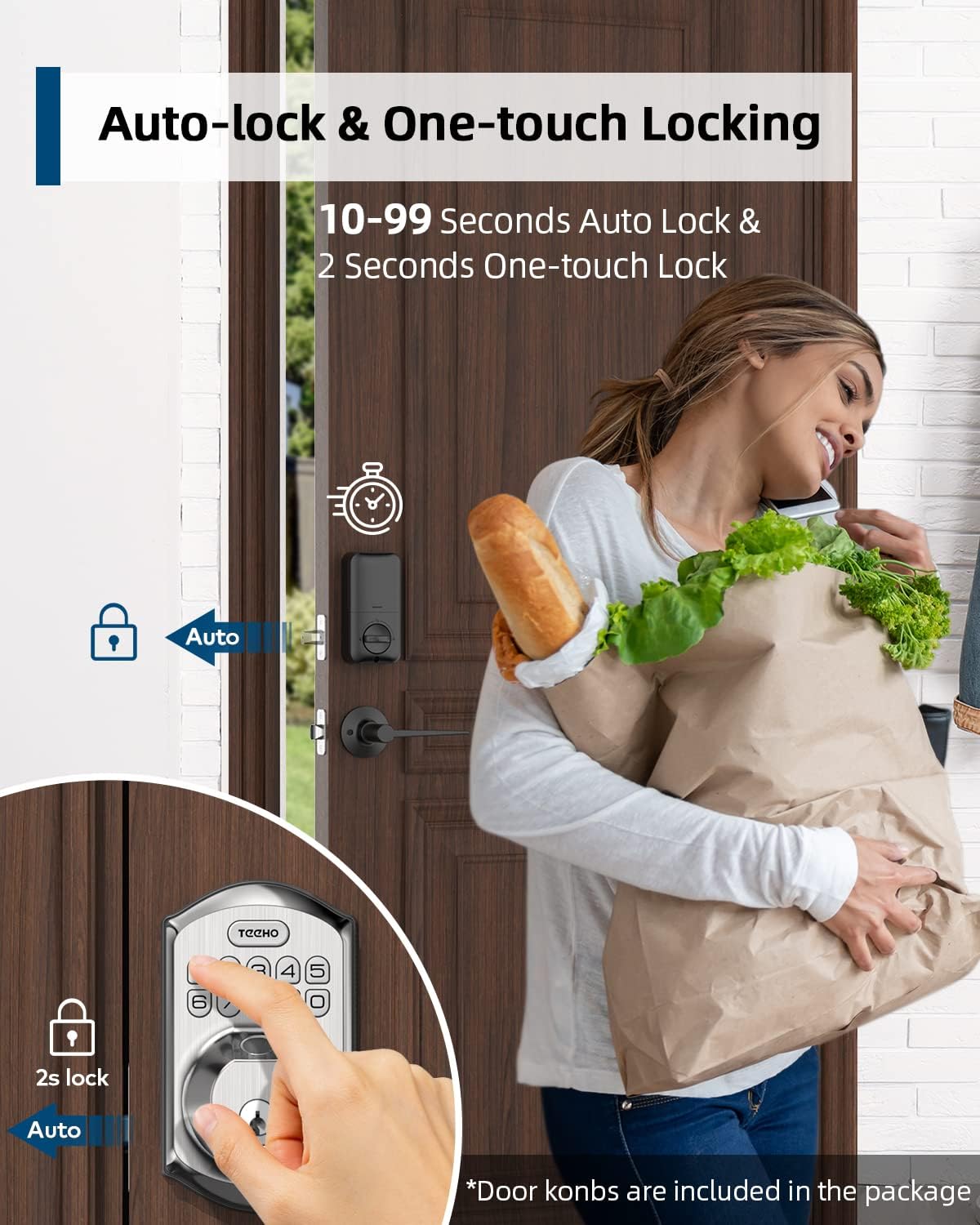
Image: Illustration showing the auto-lock function (10-99 seconds) and one-touch lock function (2 seconds hold) on the TEEHO door lock.
4.6 അധിക സവിശേഷതകൾ
- മ്യൂട്ട് മോഡ്: നിശബ്ദ പ്രവർത്തനത്തിനായി കീപാഡ് ശബ്ദങ്ങൾ പ്രവർത്തനരഹിതമാക്കുന്നു.
- അവധിക്കാല മോഡ്: Enhances security when you are away for extended periods.
- ബാക്ക്ലൈറ്റ് കീപാഡ്: കുറഞ്ഞ വെളിച്ചത്തിൽ ദൃശ്യപരത മെച്ചപ്പെടുത്തുന്നു.
5. പരിപാലനം
5.1 ബാറ്ററി മാറ്റിസ്ഥാപിക്കൽ
The lock is powered by 4 AA batteries, providing up to 1 year of battery life. The lock features a low battery indicator.

ചിത്രം: കഴിഞ്ഞുview of lock features including 20 fingerprints, 20 user codes, auto-lock, IP54 waterproof rating, one-time PIN code, one-touch locking, low battery indicator, and up to 1 year battery life.
- When the low battery indicator appears, replace all 4 AA batteries promptly.
- Use new alkaline batteries for optimal performance.
5.2 വൃത്തിയാക്കൽ
ലോക്കിന്റെ പുറംഭാഗം മൃദുവായ, ഡി ക്ലീനർ ഉപയോഗിച്ച് തുടയ്ക്കുക.amp തുണി. ഫിനിഷിനോ ഇലക്ട്രോണിക് ഘടകങ്ങളോ കേടുവരുത്തുന്ന അബ്രാസീവ് ക്ലീനറുകളോ ലായകങ്ങളോ ഒഴിവാക്കുക.
5.3 കാലാവസ്ഥാ പ്രതിരോധം
The lock has an IP54 weather resistance rating, providing protection against dust and splashing water. While durable, avoid direct exposure to heavy rain or prolonged submersion.
6. പ്രശ്നപരിഹാരം
- ലോക്ക് പ്രതികരിക്കുന്നില്ല: Check battery level. Replace batteries if low. Ensure cables are securely connected.
- വിരലടയാളം തിരിച്ചറിയാൻ കഴിഞ്ഞില്ല: Ensure your finger is clean and dry. Try placing your finger at different angles. Re-register your fingerprint if issues persist.
- കീപാഡ് പ്രവർത്തിക്കുന്നില്ല: Verify battery power. Ensure you are entering the correct code. Check for any physical damage to the keypad.
- ഓട്ടോ-ലോക്ക് പ്രവർത്തിക്കുന്നില്ല: Check the auto-lock settings to ensure it is enabled and the delay time is set correctly.
- Lock is loose: Tighten mounting screws on both interior and exterior assemblies.
7 സ്പെസിഫിക്കേഷനുകൾ
| ഫീച്ചർ | വിശദാംശങ്ങൾ |
|---|---|
| ബ്രാൻഡ് | ടീഹോ |
| മോഡൽ | B0C69VNJ27 |
| പ്രത്യേക ഫീച്ചർ | വിരലടയാളം |
| ലോക്ക് തരം | കീപാഡ് |
| മെറ്റീരിയൽ | നിക്കൽ |
| ശുപാർശ ചെയ്യുന്ന ഉപയോഗങ്ങൾ | Residential door security and keyless access control |
| ശൈലി | ആധുനികം |
| നിറം | സാറ്റിൻ നിക്കൽ |
| കഷണങ്ങളുടെ എണ്ണം | 1 (set includes lock and 2 passage door knobs) |
| ഉൾപ്പെടുത്തിയ ഘടകങ്ങൾ | Fingerprint keypad door lock, 2 passage door knobs, door levers |
| കൺട്രോളർ തരം | Hand Control, Mechanical knob |
| നിയന്ത്രണ രീതി | സ്പർശിക്കുക |
| പവർ ഉറവിടം | 4 AA ബാറ്ററികൾ (ആൽക്കലൈൻ ശുപാർശ ചെയ്യുന്നു) |
| ബാറ്ററി ലൈഫ് | 1 വർഷം വരെ |
| കാലാവസ്ഥ പ്രതിരോധം | IP54 |
| ANSI Rating | ഗ്രേഡ് 3 |
8. വാറൻ്റിയും പിന്തുണയും
8.1 വാറൻ്റി വിവരങ്ങൾ
Specific warranty details are not provided within this manual. Please refer to the product packaging, the manufacturer's official website, or your purchase documentation for comprehensive warranty information.
8.2 ഉപഭോക്തൃ പിന്തുണ
For technical assistance, troubleshooting beyond this manual, or inquiries regarding your TEEHO Fingerprint Door Lock, please contact TEEHO customer support through their official webഉൽപ്പന്നം വാങ്ങിയ സൈറ്റ് അല്ലെങ്കിൽ റീട്ടെയിലർ.