
1. ആമുഖം
This manual provides detailed instructions for the operation and maintenance of your fojep K9 Pro Bone Conduction Headphones. Please read this manual thoroughly before using the product to ensure proper function and longevity.
The fojep K9 Pro is a versatile audio device featuring bone conduction technology, IP68 waterproofing, Bluetooth connectivity, and an integrated 32GB MP3 player. It is designed for various activities including swimming, running, cycling, and general fitness.
2. ഉൽപ്പന്നം കഴിഞ്ഞുview
The fojep K9 Pro headphones utilize bone conduction to deliver sound, keeping your ears open to ambient sounds. They are designed for comfort and durability in various environments.

Image 2.1: fojep K9 Pro Bone Conduction Headphones. This image shows the headphones partially submerged in water, highlighting their waterproof design. The control buttons are visible on the left side.
2.1 പ്രധാന സവിശേഷതകൾ
- അസ്ഥി ചാലക സാങ്കേതികവിദ്യ: Delivers sound through cheekbones, leaving ear canals open.
- IP68 വാട്ടർപ്രൂഫ് റേറ്റിംഗ്: Suitable for swimming and submersion up to two meters for two hours.
- Built-in 32GB MP3 Player: Store music directly on the device for use without a phone, especially useful for swimming.
- ബ്ലൂടൂത്ത് കണക്റ്റിവിറ്റി: അനുയോജ്യമായ ഉപകരണങ്ങളിൽ നിന്നുള്ള വയർലെസ് ഓഡിയോ സ്ട്രീമിംഗ്.
- 7 മണിക്കൂർ കളിസമയം: ദീർഘനേരം ഉപയോഗിക്കുന്നതിനായി ബാറ്ററി ലൈഫ് വർദ്ധിപ്പിച്ചു.
- ENC Noise Canceling Microphone: ആംബിയന്റ് നോയ്സ് കുറച്ചുകൊണ്ട് കോൾ വ്യക്തത വർദ്ധിപ്പിക്കുന്നു.
- ഭാരം കുറഞ്ഞതും സൗകര്യപ്രദവുമായ ഡിസൈൻ: Ergonomic fit for extended wear during physical activities.
3. സജ്ജീകരണവും പ്രാരംഭ ഉപയോഗവും
3.1 പാക്കേജ് ഉള്ളടക്കം
പാക്കേജിൽ എല്ലാ ഇനങ്ങളും ഉണ്ടെന്ന് ഉറപ്പാക്കുക:
- fojep K9 Pro Bone Conduction Headphones
- ചാർജിംഗ് കേബിൾ
- ഉപയോക്തൃ മാനുവൽ (ഈ പ്രമാണം)
- Ear Plugs (for use in noisy environments)
3.2 ഹെഡ്ഫോണുകൾ ചാർജ് ചെയ്യുന്നു
- ഹെഡ്ഫോണുകളിലെ ചാർജിംഗ് പോർട്ടിലേക്ക് ചാർജിംഗ് കേബിൾ ബന്ധിപ്പിക്കുക.
- കേബിളിന്റെ മറ്റേ അറ്റം ഒരു USB പവർ അഡാപ്റ്ററുമായി (ഉൾപ്പെടുത്തിയിട്ടില്ല) അല്ലെങ്കിൽ ഒരു കമ്പ്യൂട്ടറിന്റെ USB പോർട്ടുമായി ബന്ധിപ്പിക്കുക.
- LED ഇൻഡിക്കേറ്റർ ചാർജിംഗ് സ്റ്റാറ്റസ് കാണിക്കും. പൂർണ്ണമായി ചാർജ് ചെയ്യാൻ സാധാരണയായി ഏകദേശം 2 മണിക്കൂർ എടുക്കും.
- പൂർണ്ണമായി ചാർജ് ചെയ്തുകഴിഞ്ഞാൽ, ചാർജിംഗ് കേബിൾ വിച്ഛേദിക്കുക.
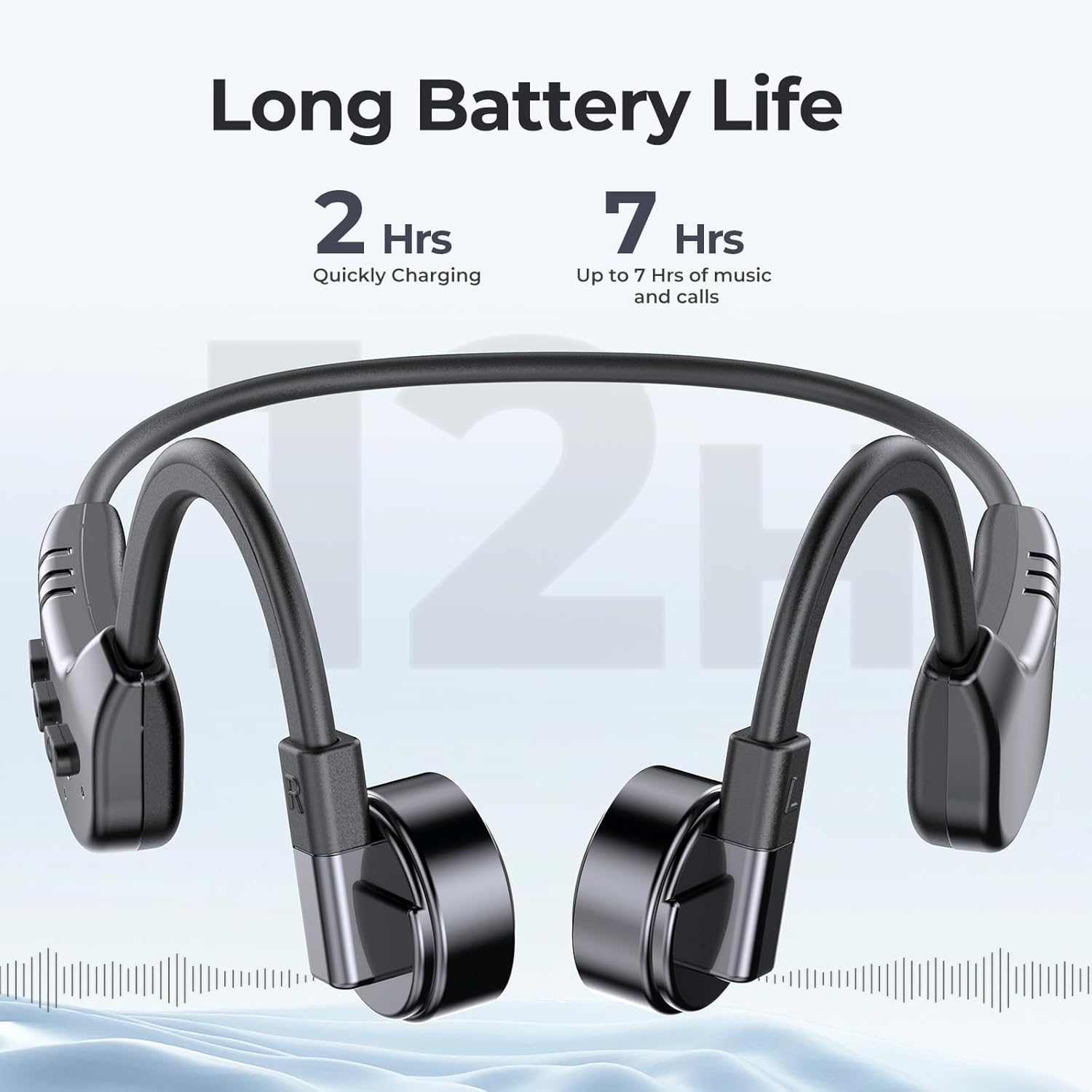
Image 3.1: fojep K9 Pro headphones with battery life indication. This image illustrates the headphones and highlights their quick charging time (2 hours) and extended playtime (7 hours).
3.3 പവർ ഓൺ/ഓഫ്
- പവർ ഓൺ: LED ഇൻഡിക്കേറ്റർ പ്രകാശിക്കുന്നത് വരെ പവർ ബട്ടൺ അമർത്തിപ്പിടിക്കുക.
- പവർ ഓഫ്: LED ഇൻഡിക്കേറ്റർ ഓഫാകുന്നതുവരെ പവർ ബട്ടൺ അമർത്തിപ്പിടിക്കുക.
4. പ്രവർത്തന നിർദ്ദേശങ്ങൾ
4.1 ഹെഡ്ഫോണുകൾ ധരിക്കൽ
Place the headphones with the transducers resting on your cheekbones, just in front of your ears. The band should wrap around the back of your head.
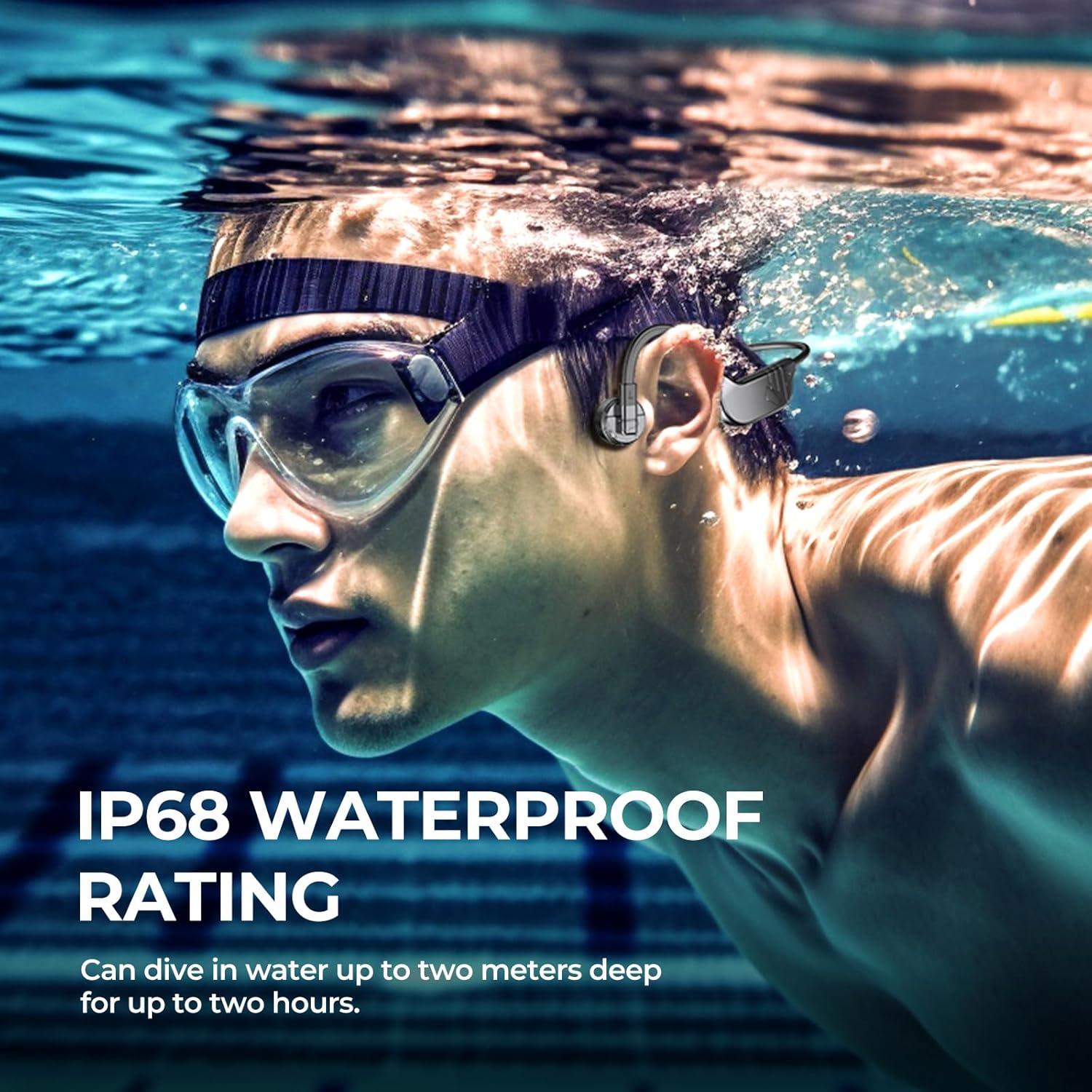
Image 4.1: User wearing fojep K9 Pro headphones during swimming. This image demonstrates the proper placement of the headphones on the head, with the transducers resting on the cheekbones, and highlights the IP68 waterproof rating.
4.2 ബ്ലൂടൂത്ത് മോഡ്
- ജോടിയാക്കൽ: With the headphones powered off, press and hold the Power button for approximately 5-7 seconds until the LED indicator flashes red and blue, indicating pairing mode.
- On your device (smartphone, tablet, etc.), enable Bluetooth and search for "fojep K9 Pro" (or similar name).
- കണക്റ്റ് ചെയ്യാൻ ഹെഡ്ഫോണുകൾ തിരഞ്ഞെടുക്കുക. കണക്റ്റ് ചെയ്തുകഴിഞ്ഞാൽ LED ഇൻഡിക്കേറ്റർ കടും നീല നിറമാകും.
- കുറിപ്പ്: Bluetooth signals may be affected underwater. For swimming, use MP3 mode.
4.3 MP3 Player Mode (Built-in 32GB Memory)
The headphones have a built-in 32GB memory for storing audio files, ideal for activities where Bluetooth connectivity is limited, such as swimming.
- കൈമാറുന്നു Files: Connect the headphones to a computer using the charging cable. The headphones will appear as a removable drive.
- നിങ്ങളുടെ ഓഡിയോ വലിച്ചിടുക files (e.g., MP3 format) into the headphones' storage folder.
- നിങ്ങളുടെ കമ്പ്യൂട്ടറിൽ നിന്ന് ഹെഡ്ഫോണുകൾ സുരക്ഷിതമായി പുറത്തെടുക്കുക.
- സ്വിച്ചിംഗ് മോഡുകൾ: Refer to the control buttons section for switching between Bluetooth and MP3 modes.

Image 4.2: User enjoying music with fojep K9 Pro headphones, highlighting the 32GB internal storage. This image shows a woman wearing the headphones, emphasizing the convenience of storing music directly on the device.
4.4 നിയന്ത്രണ ബട്ടണുകൾ
The headphones feature intuitive control buttons for managing playback, volume, and calls.
- പവർ ബട്ടൺ: പവർ ഓൺ/ഓഫ് ചെയ്യുക, ജോടിയാക്കൽ മോഡ് നൽകുക.
- വോളിയം കൂട്ടുക (+): ശബ്ദം കൂട്ടുക, അടുത്ത ട്രാക്ക് (ദീർഘനേരം അമർത്തുക).
- വോളിയം ഡൗൺ (-): വോളിയം കുറയ്ക്കുക, മുമ്പത്തെ ട്രാക്ക് (ദീർഘനേരം അമർത്തുക).
- Multi-function Button (often integrated with Power or a dedicated button): Play/Pause, Answer/End Call, Switch between Bluetooth/MP3 mode (specific press sequence may vary, refer to quick start guide if provided separately).

Image 4.3: Close-up of fojep K9 Pro headphone control buttons. This image details the physical buttons on the headphone unit, including power, volume, and potentially a multi-function button.
4.5 കോളുകൾ ചെയ്യലും സ്വീകരിക്കലും
When connected via Bluetooth to a smartphone:
- മറുപടി കോൾ: മൾട്ടി-ഫംഗ്ഷൻ ബട്ടൺ ഒരിക്കൽ അമർത്തുക.
- കോൾ അവസാനിപ്പിക്കുക: ഒരു കോൾ സമയത്ത് മൾട്ടി-ഫംഗ്ഷൻ ബട്ടൺ ഒരിക്കൽ അമർത്തുക.
- കോൾ നിരസിക്കുക: മൾട്ടി-ഫംഗ്ഷൻ ബട്ടൺ 2 സെക്കൻഡ് അമർത്തിപ്പിടിക്കുക.
- വോയ്സ് അസിസ്റ്റന്റ്: Double-press the Multi-function button (if supported by your device).
5. പരിപാലനവും പരിചരണവും
- വൃത്തിയാക്കൽ: ഒരു സോഫ്റ്റ്, ഡി ഉപയോഗിച്ച് ഹെഡ്ഫോണുകൾ തുടയ്ക്കുകamp തുണി. കഠിനമായ രാസവസ്തുക്കളോ ഉരച്ചിലുകളുള്ള ക്ലീനറുകളോ ഉപയോഗിക്കരുത്.
- സംഭരണം: നേരിട്ടുള്ള സൂര്യപ്രകാശത്തിൽ നിന്നും കടുത്ത താപനിലയിൽ നിന്നും മാറി തണുത്തതും വരണ്ടതുമായ സ്ഥലത്ത് ഹെഡ്ഫോണുകൾ സൂക്ഷിക്കുക.
- വാട്ടർ എക്സ്പോഷർ: While IP68 rated, it is recommended to rinse the headphones with fresh water after use in chlorinated or saltwater and allow them to dry completely before charging.
- ചാർജിംഗ് പോർട്ട്: Ensure the charging port is dry before connecting the charging cable to prevent damage.
6. പ്രശ്നപരിഹാരം
| പ്രശ്നം | സാധ്യമായ പരിഹാരം |
|---|---|
| ഹെഡ്ഫോണുകൾ പവർ ഓൺ ചെയ്യുന്നില്ല. | ഹെഡ്ഫോണുകൾ പൂർണ്ണമായും ചാർജ് ചെയ്തിട്ടുണ്ടെന്ന് ഉറപ്പാക്കുക. ഒരു പവർ സ്രോതസ്സിലേക്ക് കണക്റ്റ് ചെയ്ത് ചാർജിംഗ് ഇൻഡിക്കേറ്റർ പരിശോധിക്കുക. |
| ബ്ലൂടൂത്ത് വഴി ജോടിയാക്കാൻ കഴിയില്ല. |
|
| ശബ്ദമില്ല അല്ലെങ്കിൽ കുറഞ്ഞ ശബ്ദമില്ല. |
|
| Bluetooth signal drops underwater. | This is expected behavior. Use the built-in MP3 player mode for underwater listening. |
| Cannot transfer MP3 files. |
|
7 സ്പെസിഫിക്കേഷനുകൾ
| ഫീച്ചർ | വിശദാംശങ്ങൾ |
|---|---|
| മോഡലിൻ്റെ പേര് | കെ9 പ്രോ |
| ബ്രാൻഡ് | fojep |
| കണക്റ്റിവിറ്റി ടെക്നോളജി | വയർലെസ് (ബ്ലൂടൂത്ത്) |
| വയർലെസ് കമ്മ്യൂണിക്കേഷൻ ടെക്നോളജി | ബ്ലൂടൂത്ത് |
| ജല പ്രതിരോധ നില | IP68 വാട്ടർപ്രൂഫ് |
| ബിൽറ്റ്-ഇൻ മെമ്മറി | 32GB MP3 പ്ലെയർ |
| ബാറ്ററി ലൈഫ് | 7 മണിക്കൂർ വരെ |
| ചാർജിംഗ് സമയം | ഏകദേശം 2 മണിക്കൂർ |
| നിയന്ത്രണ രീതി | ടച്ച്, വോയ്സ് കൺട്രോൾ |
| മൈക്രോഫോൺ ഫോർമാറ്റ് | Built-In with ENC Noise Canceling |
| ചെവി പ്ലേസ്മെൻ്റ് | തുറന്ന ചെവി |
| ഇനത്തിൻ്റെ ഭാരം | 200 ഗ്രാം |
| മെറ്റീരിയൽ | പ്ലാസ്റ്റിക് |
8. വാറൻ്റിയും പിന്തുണയും
For warranty information and customer support, please refer to the product packaging or contact fojep customer service through their official webഉൽപ്പന്നം വാങ്ങിയ സൈറ്റ് അല്ലെങ്കിൽ റീട്ടെയിലർ. വാറന്റി ക്ലെയിമുകൾക്കായി നിങ്ങളുടെ വാങ്ങിയതിന്റെ തെളിവ് സൂക്ഷിക്കുക.
ഓൺലൈൻ ഉറവിടങ്ങൾ: For additional support, FAQs, and product updates, visit the official fojep webസൈറ്റ്.
9 സുരക്ഷാ വിവരങ്ങൾ
- ഹെഡ്ഫോണുകൾ ഡിസ്അസംബ്ലിംഗ് ചെയ്യാനോ പരിഷ്ക്കരിക്കാനോ ശ്രമിക്കരുത്.
- Avoid exposing the headphones to extreme temperatures or direct flame.
- കുട്ടികൾക്ക് ലഭ്യമാകാതെ സൂക്ഷിക്കുക.
- അംഗീകൃത ചാർജിംഗ് കേബിളുകളും അഡാപ്റ്ററുകളും മാത്രം ഉപയോഗിക്കുക.
- Be aware of your surroundings when using the headphones, especially during outdoor activities, due to the open-ear design.