
ആമുഖം
This manual provides essential information for the proper use and maintenance of your AGM PAD P1 Rugged Android Tablet. Please read this manual thoroughly before operating the device to ensure optimal performance and longevity. The AGM PAD P1 is designed for durability, featuring waterproof, dustproof, and drop-proof capabilities, making it suitable for various environments.
ബോക്സിൽ എന്താണുള്ളത്
Upon unboxing your AGM PAD P1, verify that all the following items are included:
- AGM PAD P1 Rugged Android Tablet
- USB കേബിൾ
- പവർ അഡാപ്റ്റർ
- സംരക്ഷണ കേസ്
- ഉപയോക്തൃ മാനുവൽ (ഈ പ്രമാണം)
- AGM സ്റ്റിക്കറുകൾ
ഉൽപ്പന്നം കഴിഞ്ഞുview
The AGM PAD P1 features a robust design with a 10.36-inch display and integrated cameras. Familiarize yourself with the device's physical components.

Image: The AGM PAD P1 tablet highlighting its waterproof and drop-proof design, shown submerged in water and on rough terrain with its protective case.
The tablet is equipped with an 8MP main camera on the rear and a 5MP front camera for video calls and selfies.
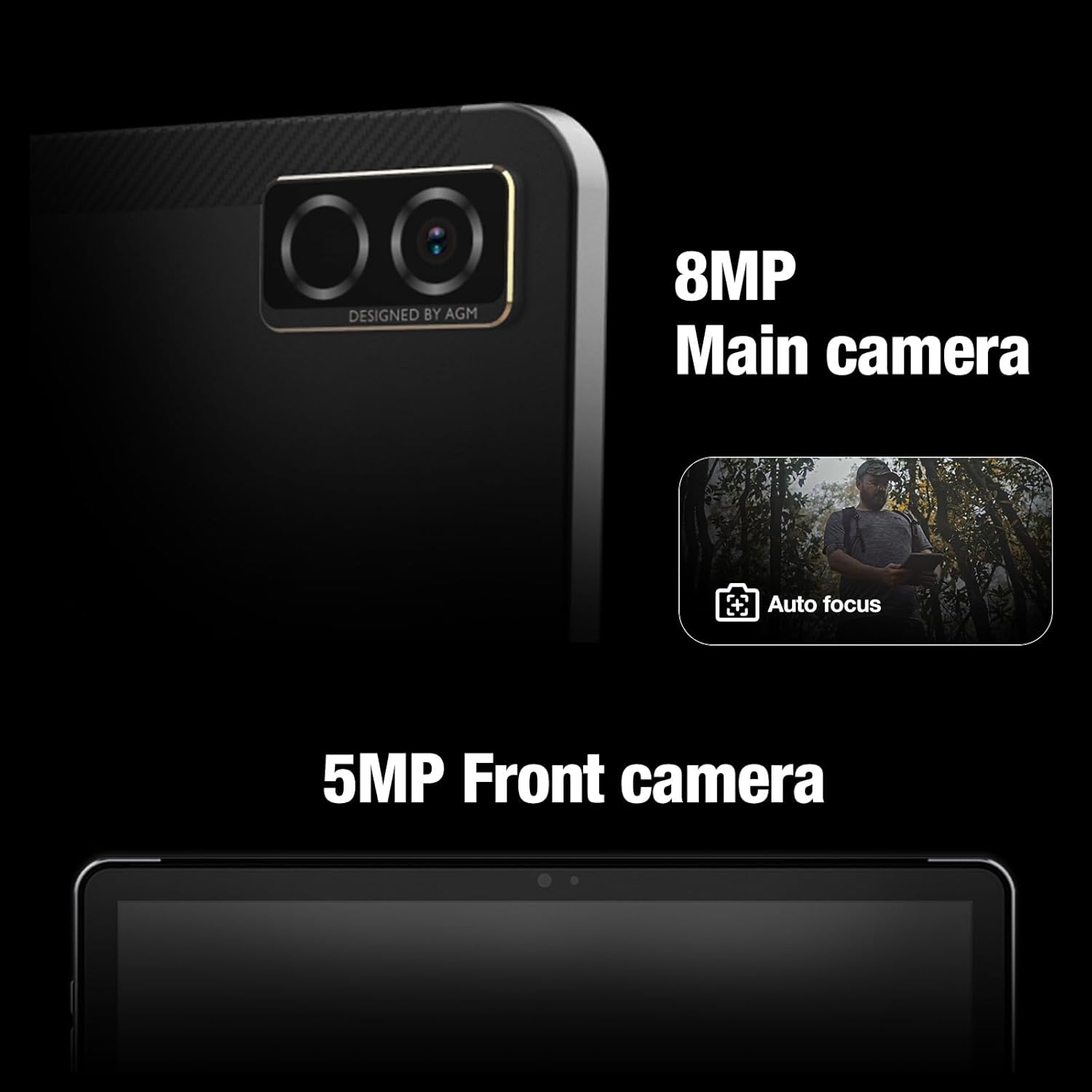
ചിത്രം: ക്ലോസ്-അപ്പ് view of the AGM PAD P1's rear 8MP main camera with autofocus and the 5MP front camera.
സജ്ജമാക്കുക
1 ഉപകരണം ചാർജ് ചെയ്യുന്നു
Before initial use, fully charge the AGM PAD P1 using the provided USB cable and power adapter. Connect the USB cable to the tablet's charging port and the adapter to a power outlet. The battery indicator on the screen will show charging progress.
2. പവർ ഓൺ/ഓഫ്
- പവർ ഓണാക്കാൻ: Press and hold the Power button until the AGM logo appears on the screen.
- പവർ ഓഫ് ചെയ്യാൻ: പവർ ഓപ്ഷൻ മെനു ദൃശ്യമാകുന്നതുവരെ പവർ ബട്ടൺ അമർത്തിപ്പിടിക്കുക. "പവർ ഓഫ്" തിരഞ്ഞെടുത്ത് സ്ഥിരീകരിക്കുക.
3. പ്രാരംഭ സജ്ജീകരണ വിസാർഡ്
Upon first power-on, the tablet will guide you through an initial setup process. This includes selecting your language, connecting to a Wi-Fi network, setting up your Google account, and configuring basic device settings.
4. ഒരു മൈക്രോ എസ്ഡി കാർഡ് ചേർക്കുന്നു
The AGM PAD P1 supports expandable storage via a microSD card (up to 2TB). Locate the card slot on the side of the tablet, open the protective cover, and carefully insert the microSD card with the gold contacts facing down until it clicks into place. Close the protective cover securely to maintain water and dust resistance.
പ്രവർത്തന നിർദ്ദേശങ്ങൾ
ഡിസ്പ്ലേയും ഇൻ്റർഫേസും
The tablet features a 10.36-inch 2K (1200 x 2000 pixels) display with a 120Hz refresh rate, providing a clear and smooth visual experience. Navigate the Android 13 operating system using touch gestures.

Image: The AGM PAD P1 tablet displaying vibrant content on its 10.36-inch 2K screen.
പ്രകടനം
Powered by the MediaTek G99 Octa-core processor (up to 2.2 GHz) and 8GB of RAM, the AGM PAD P1 delivers efficient performance for multitasking, gaming, and media consumption. It runs on Android 13, offering the latest features and security updates.

Image: The AGM PAD P1 tablet showcasing its MediaTek Helio G99 processor for high performance.
സംഭരണം
The tablet comes with 256GB of internal storage, which can be expanded up to 2TB using a microSD card. This provides ample space for applications, photos, videos, and documents.

Image: The AGM PAD P1 tablet illustrating its 256GB built-in memory and the option to expand storage up to 2TB with an SD card.
ബാറ്ററി ലൈഫ്
Equipped with a 7000mAh Lithium-Ion battery, the AGM PAD P1 offers extended usage time. Battery life varies based on usage patterns and settings.
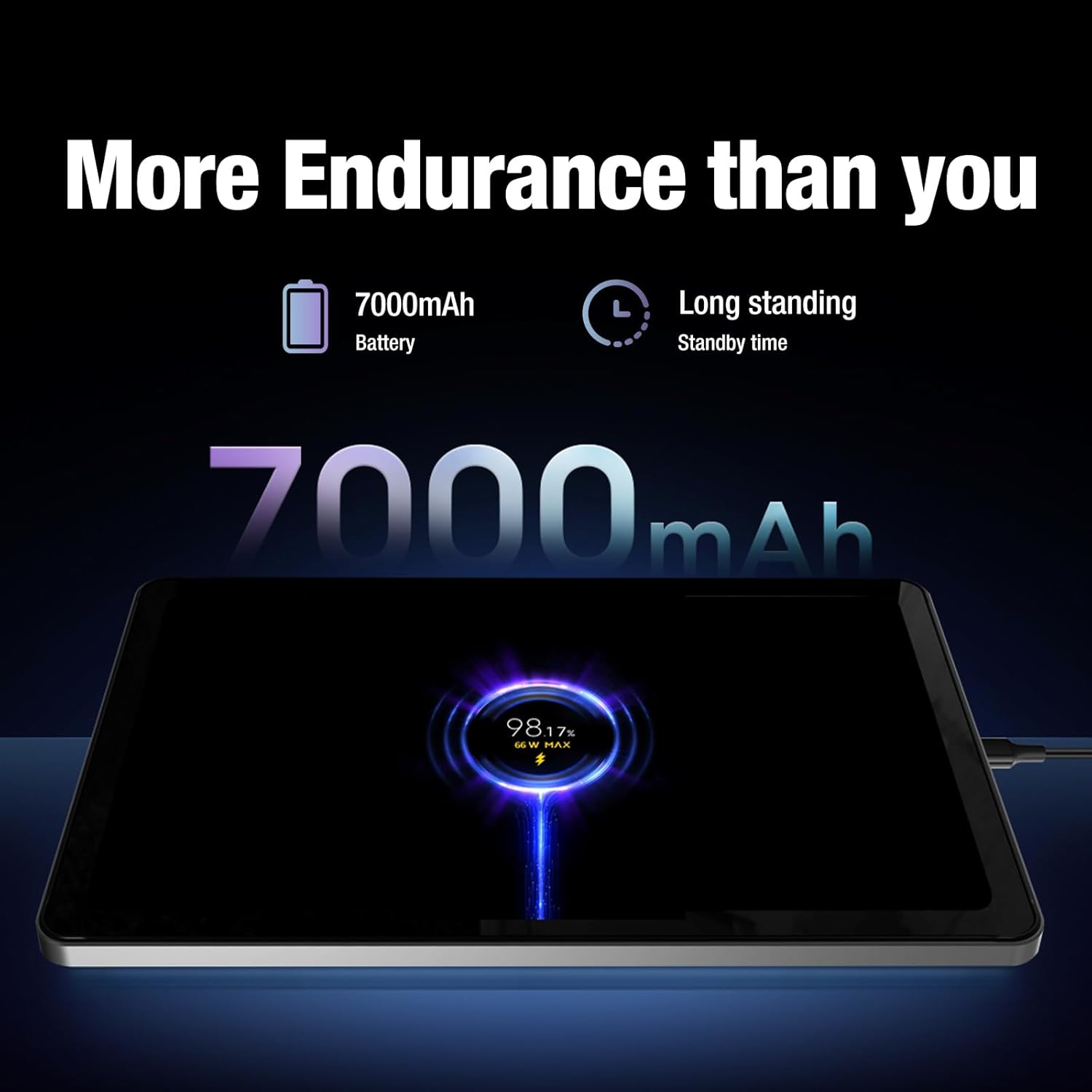
Image: The AGM PAD P1 tablet connected to a charger, indicating its 7000mAh battery capacity and long standby time.
ഓഡിയോ
Experience immersive sound with the dual box stereo speakers. The tablet supports various audio formats including MP3, AAC, WAV, and OPUS.
കണക്റ്റിവിറ്റി
The AGM PAD P1 supports Wi-Fi (802.11a/b/g), Bluetooth, and 4G cellular technology for internet access and peripheral connections. It also includes GPS for navigation.
ഡ്യൂറബിലിറ്റി സവിശേഷതകൾ
The AGM PAD P1 is built to withstand challenging environments with its rugged design and IP68/IP69K ratings.
- വാട്ടർപ്രൂഫ് (IP68/IP69K): The tablet is protected against continuous immersion in water up to 1.5 meters for 30 minutes (IP68) and against high-pressure, high-temperature water jets (IP69K). Ensure all port covers are securely closed before exposure to water.
- ഡ്രോപ്പ്-പ്രൂഫ്: Designed to endure accidental drops, the tablet's robust construction and included protective case offer enhanced shock resistance.
- പൊടിപടലം: The device is fully protected against dust ingress, making it suitable for dusty environments.
Video: An underwater unboxing of the AGM PAD P1, demonstrating its waterproof capabilities and initial boot-up sequence while submerged.
Video: A demonstration of the AGM PAD P1's ruggedness and waterproof features, showcasing its suitability for outdoor and challenging conditions.
മെയിൻ്റനൻസ്
- വൃത്തിയാക്കൽ: ഒരു സോഫ്റ്റ് ഉപയോഗിക്കുക, ഡിamp cloth to clean the tablet's surface. Avoid harsh chemicals or abrasive materials. Ensure all port covers are sealed before cleaning with liquids.
- സോഫ്റ്റ്വെയർ അപ്ഡേറ്റുകൾ: Regularly check for and install system updates to ensure your device has the latest features, security patches, and performance improvements. Go to Settings > System > System update.
- ബാറ്ററി കെയർ: To prolong battery life, avoid exposing the tablet to extreme temperatures. Do not let the battery completely drain frequently.
ട്രബിൾഷൂട്ടിംഗ്
| പ്രശ്നം | പരിഹാരം |
|---|---|
| ഉപകരണം പവർ ഓണാക്കുന്നില്ല | Ensure the battery is charged. Connect the tablet to the charger for at least 30 minutes, then try powering on again. |
| ടച്ച്സ്ക്രീൻ പ്രതികരിക്കുന്നില്ല | Restart the device by holding the Power button for 10-15 seconds. If the issue persists, perform a factory reset (data will be lost). |
| Wi-Fi കണക്ഷൻ പ്രശ്നങ്ങൾ | ക്രമീകരണങ്ങളിൽ വൈഫൈ പ്രവർത്തനക്ഷമമാക്കിയിട്ടുണ്ടോയെന്ന് പരിശോധിക്കുക. നിങ്ങളുടെ റൂട്ടറും ടാബ്ലെറ്റും പുനരാരംഭിക്കുക. നെറ്റ്വർക്ക് മറന്ന് വീണ്ടും കണക്റ്റുചെയ്യുക. |
| Apps are crashing or slow | Close background apps. Clear app cache (Settings > Apps > [App Name] > Storage > Clear cache). Restart the tablet. |
For further assistance, refer to the official AGM support resources.
സ്പെസിഫിക്കേഷനുകൾ
| ഫീച്ചർ | വിശദാംശങ്ങൾ |
|---|---|
| ബ്രാൻഡ് | എജിഎം |
| മോഡലിൻ്റെ പേര് | AGM PAD P1 |
| ഓപ്പറേറ്റിംഗ് സിസ്റ്റം | ആൻഡ്രോയിഡ് 13 |
| പ്രോസസ്സർ | MediaTek Helio G99 Octa-core (up to 2.2 GHz) |
| റാം | 8 ജിബി |
| ആന്തരിക സംഭരണം | 256 ജിബി |
| വികസിപ്പിക്കാവുന്ന സംഭരണം | 2 TB വരെ മൈക്രോ എസ്ഡി |
| സ്ക്രീൻ വലിപ്പം | 10.36 ഇഞ്ച് |
| ഡിസ്പ്ലേ റെസല്യൂഷൻ | 1200 x 2000 പിക്സലുകൾ (2K) |
| പുതുക്കൽ നിരക്ക് പ്രദർശിപ്പിക്കുക | 120 Hz |
| പിൻ ക്യാമറ | 8 എം.പി |
| മുൻ ക്യാമറ | 5 എം.പി |
| ബാറ്ററി ശേഷി | 7000 mAh ലിഥിയം-അയോൺ |
| കണക്റ്റിവിറ്റി | Wi-Fi (802.11a/b/g), Bluetooth, 4G, GPS |
| ഈട് | IP68/IP69K Waterproof, Drop-Proof, Dustproof |
| Dimensions (L x W x Thickness) | 9.84"L x 6.29"W x 0.35"Th |
| ഇനത്തിൻ്റെ ഭാരം | 0.94 കിലോഗ്രാം |
വാറൻ്റിയും പിന്തുണയും
The AGM PAD P1 comes with a 1-year manufacturer's limited warranty. For warranty claims or technical support, please contact AGM Mobile directly. Keep your proof of purchase for warranty validation.
Manufacturer: AGM Mobile
For additional support and resources, visit the official AGM webസൈറ്റ് അല്ലെങ്കിൽ അവരുടെ ഉപഭോക്തൃ സേവനവുമായി ബന്ധപ്പെടുക.