
WalkerFit ZL73E
WalkerFit Smart Watch User Manual
Model: ZL73E
1. ആമുഖം
Welcome to the WalkerFit Smart Watch user manual. This guide provides detailed instructions on how to set up, operate, and maintain your new smartwatch. The WalkerFit Smart Watch is designed for women, offering a blend of style and functionality with features like fitness tracking, health monitoring, and smart notifications.

Image: The WalkerFit Smart Watch, showcasing its round gold casing and light-colored band, with water splashes indicating its waterproof feature.
ഉൽപ്പന്നം കഴിഞ്ഞുview
The WalkerFit Smart Watch features a 1.4-inch touch screen, a sturdy and anti-scratch frame, and offers various customizable watch faces. It is compatible with both iPhone and Android devices, providing comprehensive health and fitness tracking capabilities.
വീഡിയോ: ഒരു സമഗ്രമായ ഓവർview of the WalkerFit Smart Watch, highlighting its design, features, and user interface.
2. ബോക്സിൽ എന്താണുള്ളത്?
Upon opening your WalkerFit Smart Watch package, you should find the following items:
- 1 x WalkerFit A2PRO Smart Watch
- 1 x മാഗ്നറ്റിക് ചാർജിംഗ് കേബിൾ
- 1 x ഉപയോക്തൃ മാനുവൽ

Image: A visual representation of the WalkerFit Smart Watch, its charging cable, and the user manual, as typically found in the product packaging.
3. സജ്ജീകരണ ഗൈഡ്
Follow these steps to set up your WalkerFit Smart Watch and connect it to your smartphone:
- ആപ്പ് ഡൗൺലോഡ് ചെയ്യുക: Open Google Play Store (for Android) or Apple App Store (for iPhone) and search for the "Da Fit" app. Download and install it.
- ബ്ലൂടൂത്ത് പ്രവർത്തനക്ഷമമാക്കുക: നിങ്ങളുടെ സ്മാർട്ട്ഫോണിൽ ബ്ലൂടൂത്ത് ഫംഗ്ഷൻ ഓണാക്കുക.
- ഉപകരണം ജോടിയാക്കുക: Open the "Da Fit" app. On the app's main screen, click "ADD A DEVICE" and select "ZL73E" from the list of available devices. Confirm the pairing request on your phone.
- Control Call Function: Once paired, turn on/off the call switch within the app to control the call function of the watch.

Image: A step-by-step visual guide demonstrating how to connect the WalkerFit Smart Watch to a smartphone using the Da Fit app.
4. പ്രവർത്തന നിർദ്ദേശങ്ങൾ
4.1. ആരോഗ്യ ട്രാക്കിംഗ്
Your WalkerFit Smart Watch is equipped with high-precision sensors to monitor various health metrics:
- ഹൃദയമിടിപ്പ് നിരീക്ഷണം: നിങ്ങളുടെ ഹൃദയമിടിപ്പ് 24/7 ട്രാക്ക് ചെയ്യുന്നു.
- രക്തത്തിലെ ഓക്സിജന്റെ അളവ് (SpO2): Measures blood oxygen using a wrist-based sensor.
- രക്തസമ്മർദ്ദ നിരീക്ഷണം: രക്തസമ്മർദ്ദ വായനകൾ നൽകുന്നു.
- സ്ട്രെസ് ട്രാക്കിംഗ്: Monitors your stress levels throughout the day.
- Calorie Burn: Tracks calories burned during exercise.

Image: A visual display of the watch's health tracking capabilities, including heart rate, blood oxygen, and blood pressure monitoring.
Video: Demonstrates the various health tracking features and their interface on the WalkerFit Smart Watch.
4.2. Smart Notifications & Calls
Stay connected by receiving call, SMS text, and SNS messages (Facebook, Twitter, WhatsApp, LinkedIn, Messenger, etc.) directly on your watch. The watch provides vibration alerts for incoming notifications. You can also answer or make calls directly from the smartwatch when synced to your phone.

Image: Illustrates the smart notification and call answering capabilities of the watch, showing icons for various messaging and social media apps.
Video: Shows how to navigate through the watch's interface to access call and notification features.
4.3. സ്പോർട്സ് മോഡുകൾ
The smartwatch offers a range of fitness tracking modes to cater to various activities. Select your desired exercise mode to track specific metrics like steps, distance, calories, and heart rate during your workouts.

Image: A banner displaying various sports icons, indicating the 30+ activity tracking modes available on the smartwatch.
Video: A short demonstration of selecting and starting an exercise mode on the smartwatch.
4.4. ഉറക്ക ട്രാക്കിംഗ്
The smartwatch provides enhanced sleep monitoring with multi-sleep mode detection. It analyzes your sleep quality, including total sleep, light sleep, and deep sleep, offering professional suggestions to help you sleep better.
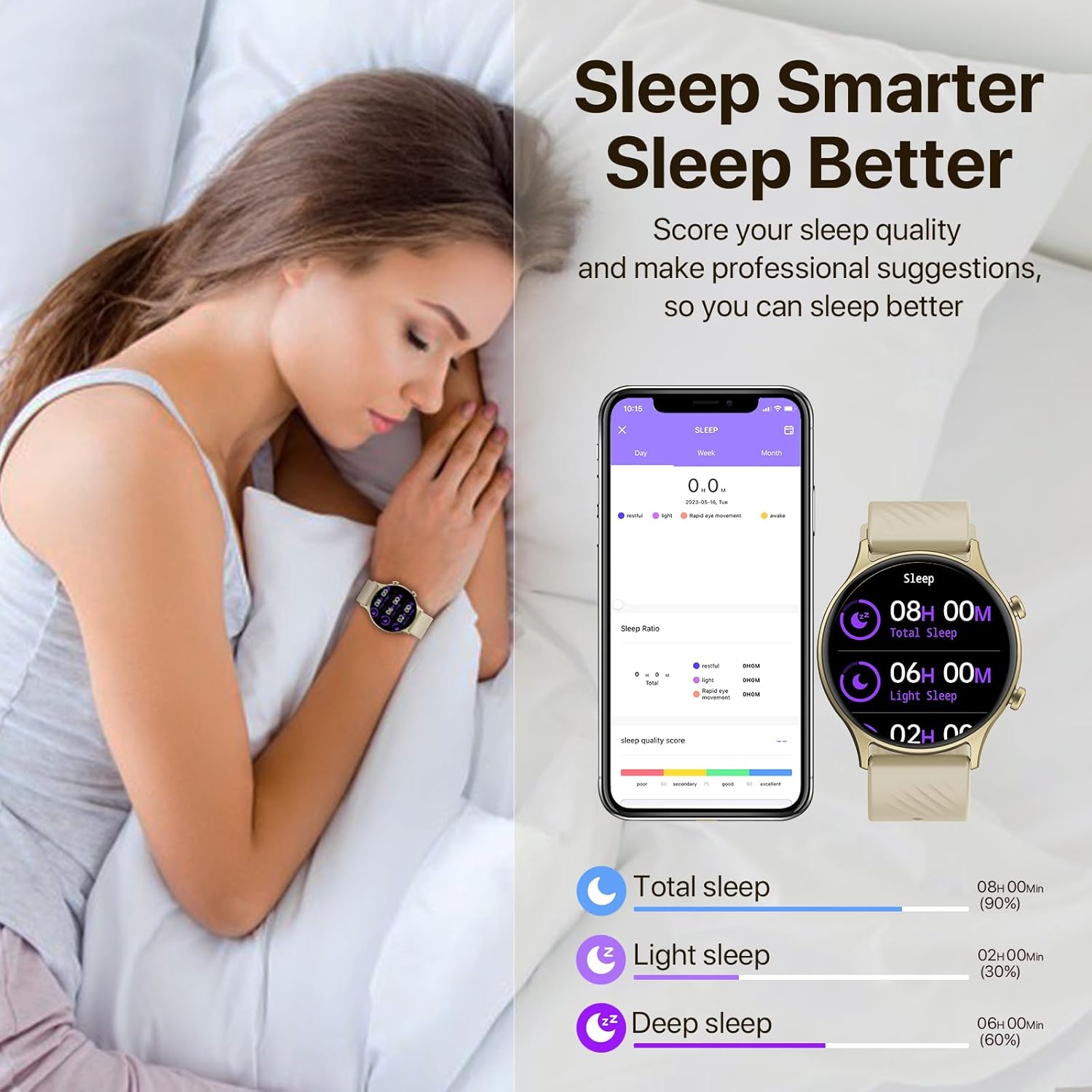
Image: A woman sleeping with the smartwatch on, alongside a graphic showing sleep quality analysis data.
4.5. ഇഷ്ടാനുസൃതമാക്കൽ
Personalize your watch with over 200+ trendsetting dials available within the app. You can also create and customize your own watch faces using photos from your phone gallery.

Image: Displays various customizable watch faces available for the 1.4-inch screen of the WalkerFit Smart Watch.
4.6. റിമോട്ട് ക്യാമറ കൺട്രോൾ
Effortlessly control your smartphone camera with just a wave of your hand using the watch's remote camera control feature. This is ideal for capturing photos, especially group shots or selfies.
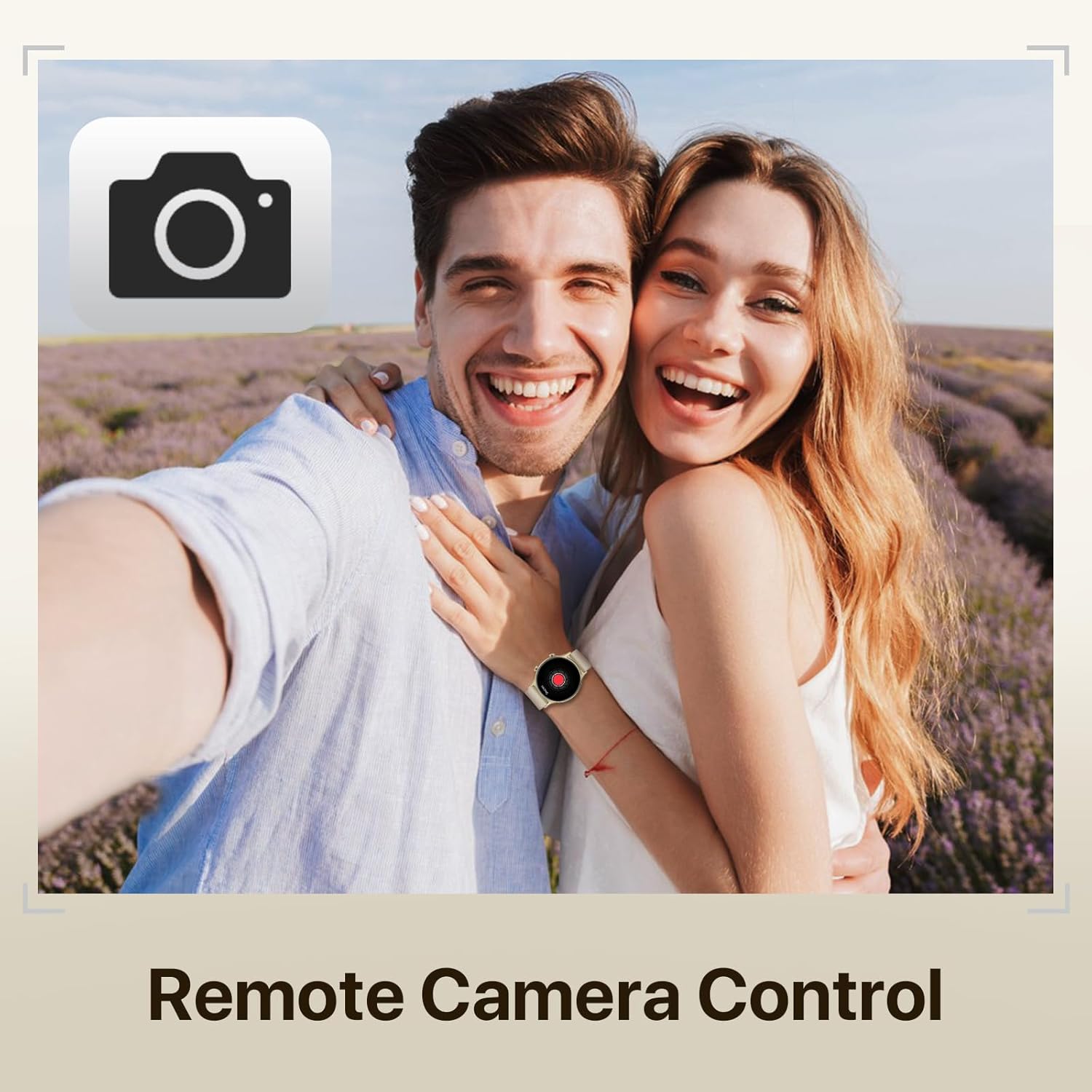
Image: A couple taking a photo, with the smartwatch on the woman's wrist, illustrating the remote camera control function.
4.7. മറ്റ് പ്രവർത്തനങ്ങൾ
The WalkerFit Smart Watch also includes additional useful features:
- Weather Forecasting: Provides 7-day weather forecasts to help you plan your activities.
- സംഗീത നിയന്ത്രണം: നിങ്ങളുടെ കണക്റ്റുചെയ്ത സ്മാർട്ട്ഫോണിൽ സംഗീത പ്ലേബാക്ക് നിയന്ത്രിക്കുക.
- ഗെയിമുകൾ: Enjoy simple games directly on your watch.
- ശ്വസന പരിശീലനം: വിശ്രമത്തിനായി ഗൈഡഡ് ശ്വസന വ്യായാമങ്ങൾ.

Image: A collage showing various life functions of the smartwatch, including games, breathe exercises, music control, and weather display.
5. പരിപാലനം
5.1. ജല പ്രതിരോധം
The WalkerFit Smart Watch has an IP67 waterproof rating. This means it can be used for hand washing and in the rain. However, it is അനുയോജ്യമല്ല for swimming, hot water, or sauna use.

Image: A woman splashing water on her face while wearing the smartwatch, illustrating its IP67 water resistance for daily activities.
5.2. ചാർജിംഗും ബാറ്ററി ലൈഫും
The watch features a 220 Milliamp Hours Lithium Polymer battery. A full charge can last for several days depending on usage. Charging typically takes about 2 hours using the provided magnetic charging cable.

Image: A woman exercising with the smartwatch, alongside an infographic showing battery life details: 7-9 days heavy use, 30 days standby, 2 hours charging time.
6. പ്രശ്നപരിഹാരം
If you encounter issues with your WalkerFit Smart Watch, please refer to the following common solutions:
- Connectivity Issues (Cannot connect to phone):
- നിങ്ങളുടെ ഫോണിലും വാച്ചിലും ബ്ലൂടൂത്ത് പ്രവർത്തനക്ഷമമാക്കിയിട്ടുണ്ടെന്ന് ഉറപ്പാക്കുക.
- Make sure the "Da Fit" app is running and has necessary permissions.
- നിങ്ങളുടെ ഫോണും സ്മാർട്ട് വാച്ചും പുനരാരംഭിക്കുക.
- ആപ്പ് വഴി ഉപകരണം അൺപെയർ ചെയ്ത് വീണ്ടും പെയർ ചെയ്യാൻ ശ്രമിക്കുക.
- ബാറ്ററി ഹോൾഡിംഗ് ചാർജ്ജ്:
- Ensure the magnetic charging cable is properly connected to the watch and a power source.
- Check if the charging contacts on the watch and cable are clean and free of debris.
- Reduce usage of power-intensive features like continuous heart rate monitoring or frequent notifications.
- Disable unnecessary background app refresh for the watch app on your phone.
- Inaccurate Health Readings (e.g., Blood Pressure, SpO2):
- വാച്ച് നിങ്ങളുടെ കൈത്തണ്ടയിൽ നന്നായി ധരിക്കുന്നുണ്ടെന്ന് ഉറപ്പാക്കുക, കൈത്തണ്ട അസ്ഥിക്ക് മുകളിൽ ഏകദേശം ഒരു വിരലിന്റെ വീതിയിൽ.
- Remain still during measurements.
- Note that these are fitness tracker readings and not medical-grade measurements. Consult a healthcare professional for medical advice.
- ദൃശ്യമാകാത്ത അറിയിപ്പുകൾ:
- Verify that notification permissions are granted to the "Da Fit" app in your phone's settings.
- Check notification settings within the "Da Fit" app to ensure specific apps are enabled.
- വാച്ച് ബ്ലൂടൂത്ത് വഴി ബന്ധിപ്പിച്ചിട്ടുണ്ടെന്ന് ഉറപ്പാക്കുക.
- Screen Scratches Easily:
- While the screen is designed to be sturdy, avoid direct contact with sharp or abrasive surfaces.
- Consider applying a screen protector for added durability.
7 സ്പെസിഫിക്കേഷനുകൾ
| ഫീച്ചർ | വിശദാംശങ്ങൾ |
|---|---|
| ഉൽപ്പന്ന അളവുകൾ | 9.45 x 1.77 x 0.43 ഇഞ്ച് |
| ഇനത്തിൻ്റെ ഭാരം | 3.84 ഔൺസ് |
| മോഡൽ നമ്പർ | ZL73E |
| ബാറ്ററികൾ | 1 ലിഥിയം പോളിമർ ബാറ്ററികൾ ആവശ്യമാണ് (ഉൾപ്പെടുത്തിയിരിക്കുന്നു) |
| സ്റ്റാൻഡിംഗ് സ്ക്രീൻ ഡിസ്പ്ലേ വലുപ്പം | 1.4 ഇഞ്ച് |
| മെമ്മറി സ്റ്റോറേജ് കപ്പാസിറ്റി | 128 MB |
| ഓപ്പറേറ്റിംഗ് സിസ്റ്റം | ആൻഡ്രോയിഡ് (അനുയോജ്യം) |
| പ്രത്യേക ഫീച്ചർ | ഭാരം കുറഞ്ഞ |
| ബാറ്ററി ശേഷി | 220 മില്ലിamp മണിക്കൂറുകൾ |
| കണക്റ്റിവിറ്റി ടെക്നോളജി | ബ്ലൂടൂത്ത് |
| വയർലെസ് കമ്മ്യൂണിക്കേഷൻ സ്റ്റാൻഡേർഡ് | ബ്ലൂടൂത്ത് |
| ജിപിഎസ് | സ്മാർട്ട്ഫോൺ വഴി ജിപിഎസ് |
| ആകൃതി | വൃത്താകൃതി |
8. വാറൻ്റിയും പിന്തുണയും
WalkerFit is committed to customer satisfaction. While specific warranty details are not provided in this manual, please retain your proof of purchase. For any product-related inquiries, technical support, or warranty claims, please contact WalkerFit customer service through the retailer where you purchased the product or visit the official WalkerFit webപിന്തുണ ബന്ധപ്പെടാനുള്ള വിവരങ്ങൾക്കുള്ള സൈറ്റ്.
Many common issues can be resolved by referring to the Troubleshooting section or by ensuring the latest version of the "Da Fit" app is installed and updated.
Ask a question about this manual
Ask about setup, troubleshooting, compatibility, parts, safety, or missing instructions. Manuals+ will review the question and use this page’s manual context to help answer it.