
Powkiddy X28
Powkiddy X28 Handheld Game Console User Manual
1. ആമുഖം
Welcome to the user manual for your new Powkiddy X28 Handheld Game Console. This guide will help you understand the device's features, set it up, operate it efficiently, and maintain it for optimal performance. Please read this manual thoroughly before using your console.
2. ഉൽപ്പന്നം കഴിഞ്ഞുview
The Powkiddy X28 is a versatile handheld gaming device running on Android 11, designed for both classic retro games and modern mobile titles. It features a powerful T618 processor, a vibrant 5.5-inch IPS display, and a comprehensive set of controls.
2.1. ഉപകരണ ലേഔട്ടും നിയന്ത്രണങ്ങളും

Image: Powkiddy X28 Handheld Game Console with labels for all buttons and ports.
The image above illustrates the various buttons, joysticks, and ports on your Powkiddy X28 console. Familiarize yourself with their locations and functions:
- Direction Keys (D-Pad): Located on the left, used for directional input in games and menu navigation.
- Rocker (Analog Sticks): Two analog joysticks for precise 3D movement and camera control.
- A/B/X/Y ബട്ടണുകൾ: Standard action buttons on the right side.
- ബട്ടണുകൾ തിരഞ്ഞെടുക്കുക/ആരംഭിക്കുക: For in-game actions and menu selections.
- L1/L2/R1/R2 ബട്ടണുകൾ: Shoulder and trigger buttons located on the top edge for additional in-game controls.
- പവർ ബട്ടൺ: Located on the top edge, used to turn the device on/off or put it to sleep.
- കാർഡ് സ്ലോട്ട്: For inserting a TF (microSD) card to expand storage.
- OTG പോർട്ട്: ബാഹ്യ USB ഉപകരണങ്ങൾ ബന്ധിപ്പിക്കുന്നതിന്.
- HD Charging Port: Type-C port for charging and HDMI output.
- വോളിയം കീകൾ: For adjusting the audio volume.
- ഹെഡ്ഫോൺ ജാക്ക് (3.5 മിമി): വയർഡ് ഹെഡ്ഫോണുകൾ ബന്ധിപ്പിക്കുന്നതിന്.
- Map/Menu Button: Accesses mapping or in-game menu functions.
- റിട്ടേൺ ബട്ടൺ: മെനുകളിലോ ആപ്ലിക്കേഷനുകളിലോ തിരികെ നാവിഗേറ്റ് ചെയ്യുന്നു.
- ഹോം ബട്ടണ്: പ്രധാന Android ഹോം സ്ക്രീനിലേക്ക് മടങ്ങുന്നു.

ചിത്രം: മുൻഭാഗം view of the Powkiddy X28 Handheld Game Console, showcasing its compact design and central screen.

Image: The Powkiddy X28 console highlighting its IPS large screen and Android operating system, suitable for classic and nostalgic games.
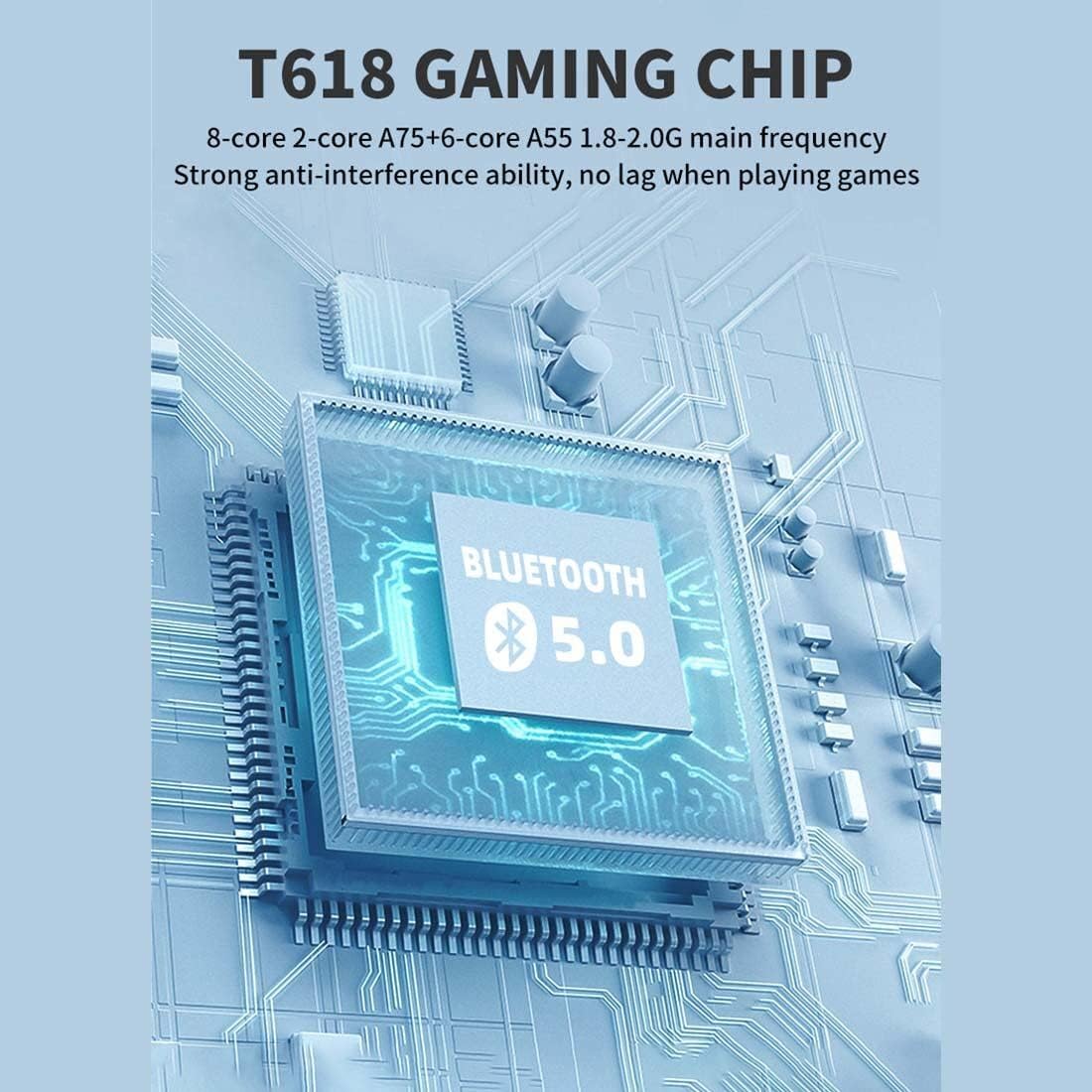
Image: A diagram illustrating the T618 Gaming Chip, emphasizing its 8-core processor (A75+A55) and Bluetooth 5.0 capabilities for smooth, lag-free gaming.

Image: The 5.5-inch IPS multi-touch screen of the Powkiddy X28, showing its 720x1280 resolution and full-fit technology for clear display and comfortable viewing, along with options for touch or button gameplay.
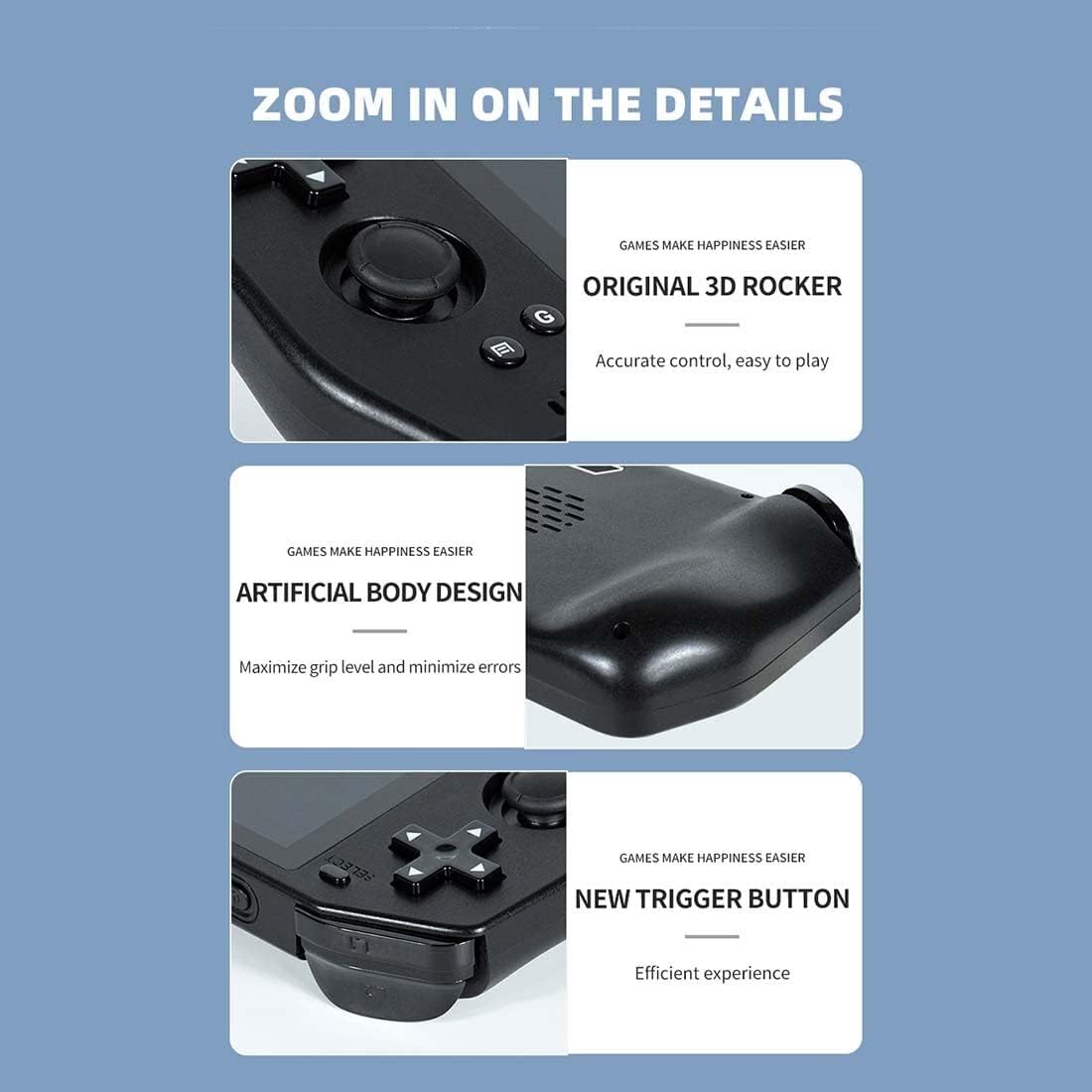
ചിത്രം: ക്ലോസ്-അപ്പ് views of the Powkiddy X28, highlighting the original 3D rocker for accurate control, the artificial body design for maximized grip and minimized errors, and the new trigger buttons for efficient gameplay.

Image: Details of the Powkiddy X28, showcasing its intimate anti-slip design for protection and aesthetics, and its stereo sound quality with a dual speaker design.
3 സ്പെസിഫിക്കേഷനുകൾ
| ഫീച്ചർ | വിവരണം |
|---|---|
| എൽസിഡി സ്ക്രീൻ | 5.5" (720 x 1280) IPS MIPI interface (fully laminated) |
| ടച്ച് പാനൽ | G+G COB 5-point touch |
| ബാറ്ററി ശേഷി | 5000 mAh |
| ചാർജർ | 5V/2A ടൈപ്പ്-സി |
| ചാർജിംഗ് കേബിൾ | ടൈപ്പ്-സി 5V/2A |
| ഹെഡ്ഫോൺ ജാക്ക് | 3.5 മി.മീ |
| ഹാർഡ്വെയർ പ്ലാറ്റ്ഫോം | UMS512/512T (T618) Octa-core (A75 + A55), 1.8-2.0 GHz |
| മെമ്മറി (റാം/റോം) | LPDDR4/4X: 4GB, EMMC: 64GB |
| വൈഫൈ | IEEE 802.11 ac/b/g/n |
| ബ്ലൂടൂത്ത് | 5.0 |
| യുഎസ്ബി ഇൻ്റർഫേസ് | Type-C X2 (both for charging, one supports external handle) |
| സെൻസറുകൾ | G-sensor, Gyroscope, P/L sensor |
| കോമ്പസ് | പിന്തുണച്ചു |
| ഗൈറോസ്കോപ്പ് | പിന്തുണച്ചു |
| ജിപിഎസ് | പിന്തുണച്ചു |
| ഒ.ടി.ജി | പിന്തുണച്ചു |
| എച്ച്ഡി put ട്ട്പുട്ട് | Mini HDMI (Type-C interface), single display output (device screen turns black when HDMI is used) |
| FM | അനുയോജ്യം |
| സ്പീക്കർ | Two stereo speakers with built-in box |
| TF കാർഡ് | പിന്തുണച്ചു |
| മൈക്രോഫോൺ | പിന്തുണച്ചു |
| വൈബ്രേഷൻ | പിന്തുണച്ചു |
| സോഫ്റ്റ്വെയർ സിസ്റ്റം | ആൻഡ്രോയിഡ് 11 |
| ഭാഷകൾ | ഒന്നിലധികം ഭാഷകൾ പിന്തുണയ്ക്കുന്നു |
| ഓഡിയോ ഫോർമാറ്റുകൾ | MP3, MP2, AMR, AWB, APE, M4A, MIDI, OGG, WAV, FLAC3GP (License required: AAC, WMA) |
| വീഡിയോ ഫോർമാറ്റുകൾ | MPEG4-SP, H.264/AVC, H.263, 3GP, 3G2, MP4, MKV, AVI |
| ഉൽപ്പന്ന അളവുകൾ | 8.2 × 3.2 × 1.05 ഇഞ്ച് |
| പാക്കേജ് ഭാരം | 400 ഗ്രാം |
4. സജ്ജീകരണം
4.1 ഉപകരണം ചാർജ് ചെയ്യുന്നു
Before first use, fully charge your Powkiddy X28. Connect the provided Type-C charging cable to the console's HD Charging Port and the other end to a 5V/2A power adapter (not included) or a compatible USB port. The charging indicator light will show the charging status.
4.2. പവർ ഓൺ/ഓഫ്
- പവർ ഓണാക്കാൻ: സ്ക്രീൻ പ്രകാശിക്കുന്നതുവരെ പവർ ബട്ടൺ അമർത്തിപ്പിടിക്കുക.
- പവർ ഓഫ് ചെയ്യാൻ: പവർ-ഓഫ് മെനു ദൃശ്യമാകുന്നതുവരെ പവർ ബട്ടൺ അമർത്തിപ്പിടിക്കുക. ഉപകരണം ഷട്ട്ഡൗൺ ചെയ്യാൻ 'പവർ ഓഫ്' തിരഞ്ഞെടുക്കുക.
- സ്ലീപ്പ് മോഡ്: Briefly press the Power button to put the device into sleep mode and turn off the screen. Press it again to wake up.
4.3. പ്രാരംഭ കോൺഫിഗറേഷൻ
Upon first boot, you may be prompted to set up basic Android settings, including language, Wi-Fi connection, and Google account (optional). Follow the on-screen instructions.
4.4. Expanding Storage (TF Card)
To add more games or media, insert a TF (microSD) card into the dedicated card slot. Ensure the card is inserted correctly until it clicks into place. The device supports TF cards for additional storage.
5. പ്രവർത്തന നിർദ്ദേശങ്ങൾ
5.1. നാവിഗേഷൻ
The Powkiddy X28 runs on Android 11, offering a familiar interface. You can navigate using the physical controls (D-Pad, analog sticks, A/B/X/Y buttons) or the 5-point multi-touch screen.
- ടച്ച് സ്ക്രീൻ: Tap, swipe, and pinch to interact with apps and menus.
- D-Pad/Analog Sticks: Use for precise movement in games and menu selection.
- A/B/X/Y ബട്ടണുകൾ: Typically used for confirmation (A), cancellation (B), and other in-game actions.
- ഹോം ബട്ടണ്: Returns to the Android home screen from any application.
- റിട്ടേൺ ബട്ടൺ: മുമ്പത്തെ സ്ക്രീനിലേക്കോ മെനുവിലേക്കോ തിരികെ പോകുന്നു.
5.2. Game Management
Games can be installed from the pre-loaded arcade system, Android app stores, or by transferring files to the device's internal storage or TF card. Ensure games are compatible with the Android 11 operating system and the device's hardware.
5.3. Connecting to a TV (HDMI Output)
The Powkiddy X28 supports Mini HDMI output for connecting to an external display. Use a compatible Mini HDMI to HDMI cable (not included) to connect the device to your TV or monitor. When HDMI output is active, the console's screen will turn black, and the display will be mirrored on the external screen.

Image: The Powkiddy X28 demonstrating its capability to support HD TV output, allowing gameplay on a larger screen. Note that the console's screen will be black when connected via HDMI.
5.4. ബ്ലൂടൂത്ത് കണക്റ്റിവിറ്റി
The device supports Bluetooth 5.0, allowing you to connect wireless headphones, gamepads, or other Bluetooth accessories. Go to Android Settings > Connected devices > Pair new device to connect.
5.5. Wi-Fi കണക്റ്റിവിറ്റി
Connect to a Wi-Fi network via Android Settings > Network & internet > Wi-Fi to download games, browse the internet, or access online features.
6. പരിപാലനം
6.1. വൃത്തിയാക്കൽ
Use a soft, dry, lint-free cloth to clean the console's screen and body. For stubborn smudges, slightly dampതുണിയിൽ വെള്ളം ഒഴിക്കുക. കഠിനമായ രാസവസ്തുക്കളോ ഉരച്ചിലുകളോ ഉള്ള വസ്തുക്കൾ ഉപയോഗിക്കുന്നത് ഒഴിവാക്കുക.
6.2. ബാറ്ററി പരിചരണം
- ബാറ്ററി ഇടയ്ക്കിടെ പൂർണ്ണമായും ഡിസ്ചാർജ് ചെയ്യുന്നത് ഒഴിവാക്കുക.
- ഉപകരണത്തെ അങ്ങേയറ്റത്തെ താപനിലയിൽ തുറന്നുകാട്ടരുത്.
- Use only the recommended 5V/2A Type-C charger.
6.3. സംഭരണം
When not in use for extended periods, store the console in a cool, dry place away from direct sunlight and extreme temperatures. It is advisable to charge the battery to about 50% before long-term storage.
7. പ്രശ്നപരിഹാരം
| പ്രശ്നം | സാധ്യമായ പരിഹാരം |
|---|---|
| ഉപകരണം ഓണാകില്ല | Ensure the battery is charged. Connect to charger for at least 30 minutes. If still unresponsive, perform a hard reset by holding the power button for 10-15 seconds. |
| Screen is black when connected to TV via HDMI | This is normal behavior. The console's screen turns off when HDMI output is active. Ensure your TV input is set to the correct HDMI port. |
| Games are lagging or freezing | Close background applications. Ensure sufficient storage space. For demanding games, lower in-game graphics settings if available. |
| Wi-Fi or Bluetooth not connecting | Restart the device. Ensure Wi-Fi/Bluetooth is enabled in settings. Check router/accessory for issues. |
| ഉപകരണം ചാർജ് ചെയ്യുന്നില്ല | Check the charging cable and adapter for damage. Try a different compatible Type-C cable and 5V/2A adapter. Ensure the charging port is clean. |
| ടച്ച് സ്ക്രീൻ പ്രതികരിക്കുന്നില്ല | ഉപകരണം പുനരാരംഭിക്കുക. സ്ക്രീൻ വൃത്തിയുള്ളതും അവശിഷ്ടങ്ങളില്ലാത്തതുമാണെന്ന് ഉറപ്പാക്കുക. പ്രശ്നം നിലനിൽക്കുകയാണെങ്കിൽ, ഉപഭോക്തൃ പിന്തുണയുമായി ബന്ധപ്പെടുക. |
8. വാറൻ്റിയും പിന്തുണയും
Your Powkiddy X28 Handheld Game Console comes with a standard manufacturer's warranty. Please refer to the warranty card included in your package for specific terms and conditions. For technical support, troubleshooting assistance beyond this manual, or warranty claims, please contact the retailer or manufacturer's customer service department.
വാറന്റി ആവശ്യങ്ങൾക്കായി വാങ്ങിയതിന്റെ തെളിവായി നിങ്ങളുടെ വാങ്ങൽ രസീത് സൂക്ഷിക്കുക.
Ask a question about this manual
Ask about setup, troubleshooting, compatibility, parts, safety, or missing instructions. Manuals+ will review the question and use this page’s manual context to help answer it.