
1. ആമുഖം
The Phomemo T02 is a compact and portable inkless thermal printer designed for a variety of uses, including printing study notes, creating custom stickers, and organizing daily tasks. Its thermal technology eliminates the need for ink cartridges, offering clear and efficient printing on the go. Control your printer easily through the user-friendly 'Phomemo' mobile application.
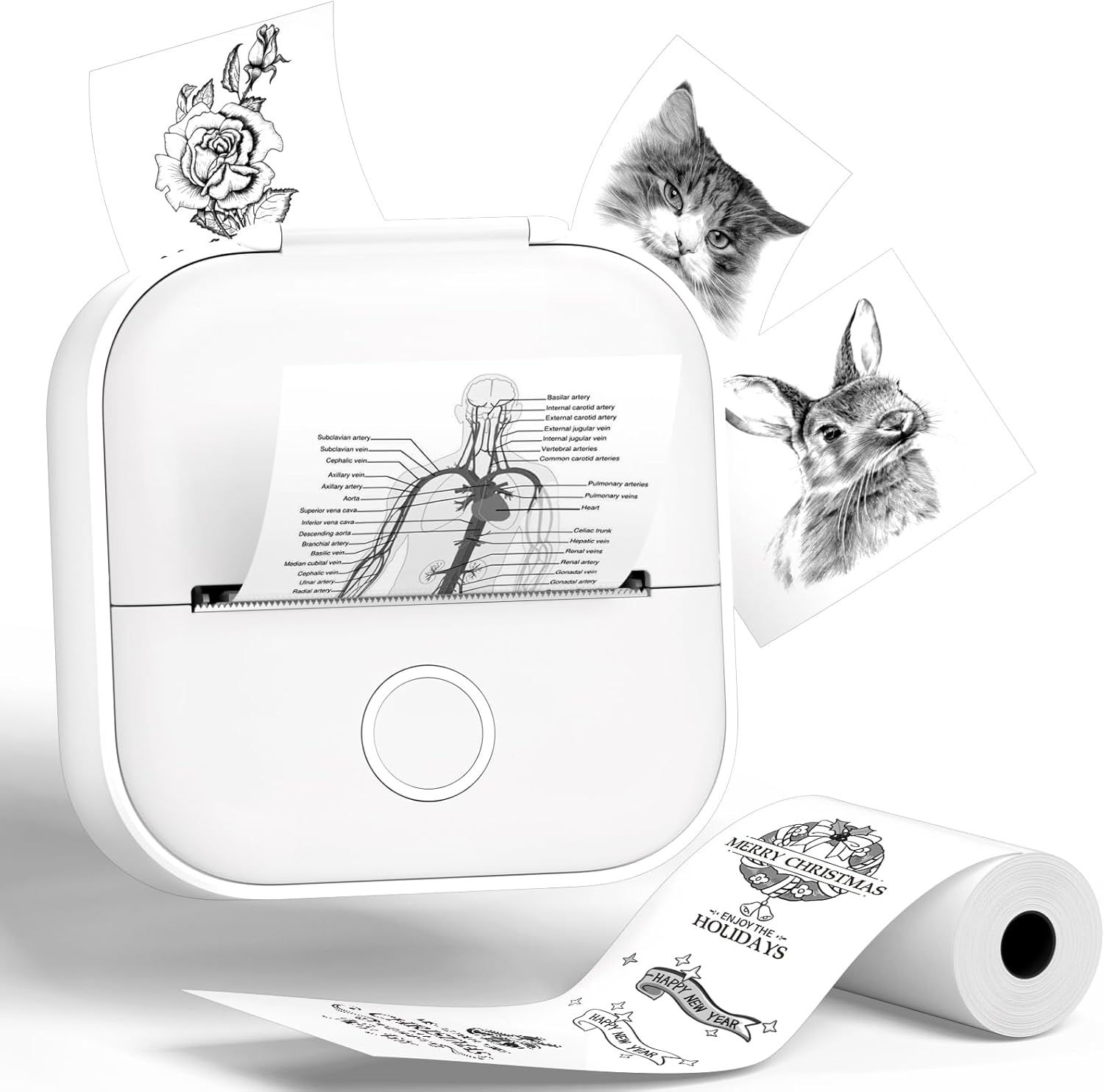
Figure 1: The Phomemo T02 Mini Sticker Printer, showcasing its compact design and diverse printing capabilities.

Figure 2: Versatile applications of the Phomemo T02, including study notes, custom stickers, and personalized gift tags.
2. പാക്കേജ് ഉള്ളടക്കം
Upon unboxing your Phomemo T02 Mini Sticker Printer, please ensure all the following items are present:
- Phomemo T02 മിനി സ്റ്റിക്കർ പ്രിൻ്റർ
- 1 Roll of Thermal Paper (pre-installed or included separately)
- യുഎസ്ബി ചാർജിംഗ് കേബിൾ
- ഉപയോക്തൃ മാനുവൽ (ഈ പ്രമാണം)

Figure 3: All items included in the Phomemo T02 Mini Sticker Printer package.
3. ഉൽപ്പന്നം കഴിഞ്ഞുview
Familiarize yourself with the various components of your Phomemo T02 printer:

Figure 4: Labeled diagram of the Phomemo T02 printer, highlighting key components such as the Paper Holder, Charging Port, Reset Button, Printer Lid Button, Rubber Roller, ON/OFF switch, and Indicator Light.
- പേപ്പർ ഹോൾഡർ: Secures the paper roll in place.
- ചാർജിംഗ് പോർട്ട്: USB-C port for charging the T02 printer.
- റീസെറ്റ് ബട്ടൺ: Used to reset the T02 printer if needed.
- Printer Lid Button: Press to open the printer lid for paper installation.
- റബ്ബർ റോളർ: Regularly clean with alcohol to improve printing quality.
- ഓൺ/ഓഫ് സ്വിച്ച്: ഉപകരണം ഓൺ അല്ലെങ്കിൽ ഓഫ് ചെയ്യുന്നു.
- ഇൻഡിക്കേറ്റർ ലൈറ്റ്: Displays the printer's status (e.g., green for ready, orange/red for low battery or paper issue).
4. സജ്ജീകരണം
4.1 പ്രിന്റർ ചാർജ് ചെയ്യുന്നു
Before first use, fully charge your Phomemo T02 printer using the provided USB charging cable. Connect the cable to the charging port on the printer and a compatible USB power source. The indicator light will show charging status.
4.2 പേപ്പർ റോൾ ഇൻസ്റ്റാൾ ചെയ്യൽ
Follow these steps to correctly install a new paper roll:
- Press the Printer Lid Button to open the upper cover.
- Remove the used paper roll holder and any empty tube core.
- Take a new paper roll. Ensure the print-facing side is positioned downwards.
- Place the paper roll into the perforated baffle, then merge it onto the other side baffle.
- Install the assembled paper roll and load it into the machine.
- Before closing the lid, pull the end of the paper roll out to the machine's paper outlet position.
- പ്രിന്റർ ലിഡ് സുരക്ഷിതമായി അടയ്ക്കുക.
Video 1: Detailed demonstration of the T02 Printer's display and operation process, including paper installation.
Video 2: Guide on how to determine the correct printing surface of your thermal paper for optimal results.
4.3 Downloading the Phomemo App
The Phomemo T02 printer is controlled via the dedicated 'Phomemo' mobile application. Download it from your device's app store:

Figure 5: The Phomemo app interface, showing availability on both Apple App Store and Google Play.
4.4 ബ്ലൂടൂത്ത് വഴി ബന്ധിപ്പിക്കുന്നു
Once the app is installed and the printer is powered on (long press the power button for 3 seconds until the green indicator light is steady), open the Phomemo app and follow the on-screen instructions to connect your printer via Bluetooth. The app will guide you through the pairing process.

Figure 6: A visual guide illustrating the four simple steps required for initial setup and Bluetooth connection of the Phomemo T02 printer.
5. ഓപ്പറേഷൻ
5.1 Basic Printing (Text, Images, Stickers)
The Phomemo app provides various options for creating and printing content:
- വാചകം: Use the text editor to type and format notes, labels, or messages.
- ചിത്രങ്ങൾ: Import photos from your phone's gallery. Note that thermal printing produces black and white images.
- സ്റ്റിക്കറുകൾ: Access a wide range of pre-designed stickers or create your own custom designs.
വീഡിയോ 3: ഒരു ഓവർview of the Phomemo T02 printer's capabilities, demonstrating its use for various personal and educational printing needs.
Video 4: A brief demonstration of how the Phomemo T02 printer can be used to print notes, highlighting its quick and convenient function.
5.2 Utilizing Templates
The Phomemo app offers over 2500 templates to help you create unique stickers and designs. Browse through categories like greeting cards, to-do lists, schedules, and more to find inspiration or a starting point for your creations.

Figure 7: A glimpse into the Phomemo app's extensive library of over 2500 templates, enabling users to freely customize their stickers.
5.3 പേപ്പർ അനുയോജ്യത
The Phomemo T02 is compatible with more than 50 kinds of thermal papers, including white, color, clear, semi-transparent, gold, and silver stick paper. This variety allows for diverse creative projects and practical applications.

Figure 8: An illustration of the wide range of paper types compatible with the Phomemo T02, highlighting different colors and finishes.

ചിത്രം 9: ഉദാamples of diverse designs and patterns printed using the Phomemo T02, demonstrating print clarity and versatility.
6. പരിപാലനം
Proper maintenance ensures the longevity and optimal performance of your Phomemo T02 printer:
- പ്രിൻ്റ് ഹെഡ് വൃത്തിയാക്കുന്നു: Regularly clean the print head with a cotton swab lightly dampened with alcohol. This prevents residue buildup and ensures clear prints.
- Storing Paper Rolls: Store unused thermal paper rolls in a cool, dry place away from direct sunlight and excessive heat to prevent premature fading or damage.
- ബാറ്ററി കെയർ: To prolong battery life, avoid fully discharging the printer frequently. Charge it regularly, even if not in constant use.
7. പ്രശ്നപരിഹാരം
If you encounter any issues with your Phomemo T02 printer, refer to the table below for common problems and their solutions:
| പ്രശ്നം | സാധ്യമായ കാരണം | പരിഹാരം |
|---|---|---|
| പ്രിന്റ് ഔട്ട്പുട്ട് ഇല്ല | Paper installed incorrectly (print side up) or paper jam. | Re-install paper with the print-facing side down. Check for and clear any paper jams. |
| മോശം പ്രിന്റ് നിലവാരം (മങ്ങിയത്, മങ്ങിയത്) | Low battery, dirty print head, or old/damaged paper. | Charge the printer. Clean the print head with alcohol. Replace the paper roll. |
| ബ്ലൂടൂത്ത് കണക്ഷൻ പ്രശ്നങ്ങൾ | Printer not powered on, out of range, or app not recognizing device. | Ensure printer is on and charged. Move printer closer to your device. Restart the app and try pairing again. Use the reset button if necessary. |
| പ്രിന്റർ പ്രതികരിക്കുന്നില്ല | Device frozen or battery completely drained. | Press and hold the power button to force restart. If unresponsive, connect to charger and allow time to charge before attempting to power on. Use the reset button. |
8 സ്പെസിഫിക്കേഷനുകൾ
Below are the technical specifications for the Phomemo T02 Mini Sticker Printer:
| ഫീച്ചർ | സ്പെസിഫിക്കേഷൻ |
|---|---|
| മോഡലിൻ്റെ പേര് | T02 |
| ബ്രാൻഡ് | ഫേമോമോ |
| പ്രിൻ്റിംഗ് ടെക്നോളജി | തെർമൽ |
| കണക്റ്റിവിറ്റി ടെക്നോളജി | ബ്ലൂടൂത്ത് |
| പ്രിൻ്റർ ഔട്ട്പുട്ട് | മോണോക്രോം |
| പരമാവധി പ്രിന്റ് റെസല്യൂഷൻ | 203 dpi or 300 dpi |
| പരമാവധി പ്രിന്റർ മീഡിയ വലുപ്പം | 4x3 ഇഞ്ച് |
| ഉൽപ്പന്ന അളവുകൾ | 4 x 3 x 2 ഇഞ്ച് |
| ഇനത്തിൻ്റെ ഭാരം | 8.8 ഔൺസ് |
| ബാറ്ററികൾ | 1 ലിഥിയം പോളിമർ ബാറ്ററികൾ ആവശ്യമാണ് (ഉൾപ്പെടുത്തിയിരിക്കുന്നു) |
| നിയന്ത്രണ രീതി | ആപ്പ് (iOS/Android) |
| നിർമ്മാതാവ് | ഫേമോമോ |
| മാതൃരാജ്യം | ചൈന |
9. വാറൻ്റിയും പിന്തുണയും
Your Phomemo T02 Mini Sticker Printer comes with a പരിമിത വാറൻ്റി. For specific details regarding warranty coverage, duration, and terms, please refer to the warranty card included in your product packaging or visit the official Phomemo webസൈറ്റ്.
For technical support, troubleshooting assistance, or any inquiries not covered in this manual, please contact Phomemo customer service through their official website or the contact information provided in your product documentation. Always ensure you are using the latest version of the Phomemo app for optimal performance and access to new features.