Portronics Bubble Pro Wireless Keyboard Instruction Manual
മോഡൽ: POR-1888
1. ഉൽപ്പന്നം കഴിഞ്ഞുview
The Portronics Bubble Pro Wireless Keyboard with Touchpad offers versatile connectivity and an ergonomic design for comfortable use across multiple devices. It features dual wireless connectivity options, a built-in touchpad, and multimedia shortcut keys.
Figure 1: Portronics Bubble Pro Wireless Keyboard with Touchpad.
പ്രധാന സവിശേഷതകൾ:
ഡ്യുവൽ വയർലെസ് കണക്റ്റിവിറ്റി: Supports both Bluetooth 5.0 and 2.4 GHz Wireless USB Receiver for flexible connection options.
ബിൽറ്റ്-ഇൻ ടച്ച്പാഡ്: Integrated touchpad with left and right-click buttons, supporting scrolling and zooming functions.
മൾട്ടി-ഡിവൈസ് കണക്ഷൻ: Connects up to 2 devices simultaneously, allowing easy switching between them.
കുറുക്കുവഴി കീകൾ: Includes multimedia hotkeys for quick access to functions like mute, pause, volume control, plus a dedicated Indian Rupee symbol key.
യാന്ത്രിക പവർ ലാഭിക്കൽ: Automatically enters sleep mode after inactivity to conserve battery life.
10 Metres Wireless Range: Provides a stable connection up to 10 meters (33 feet).
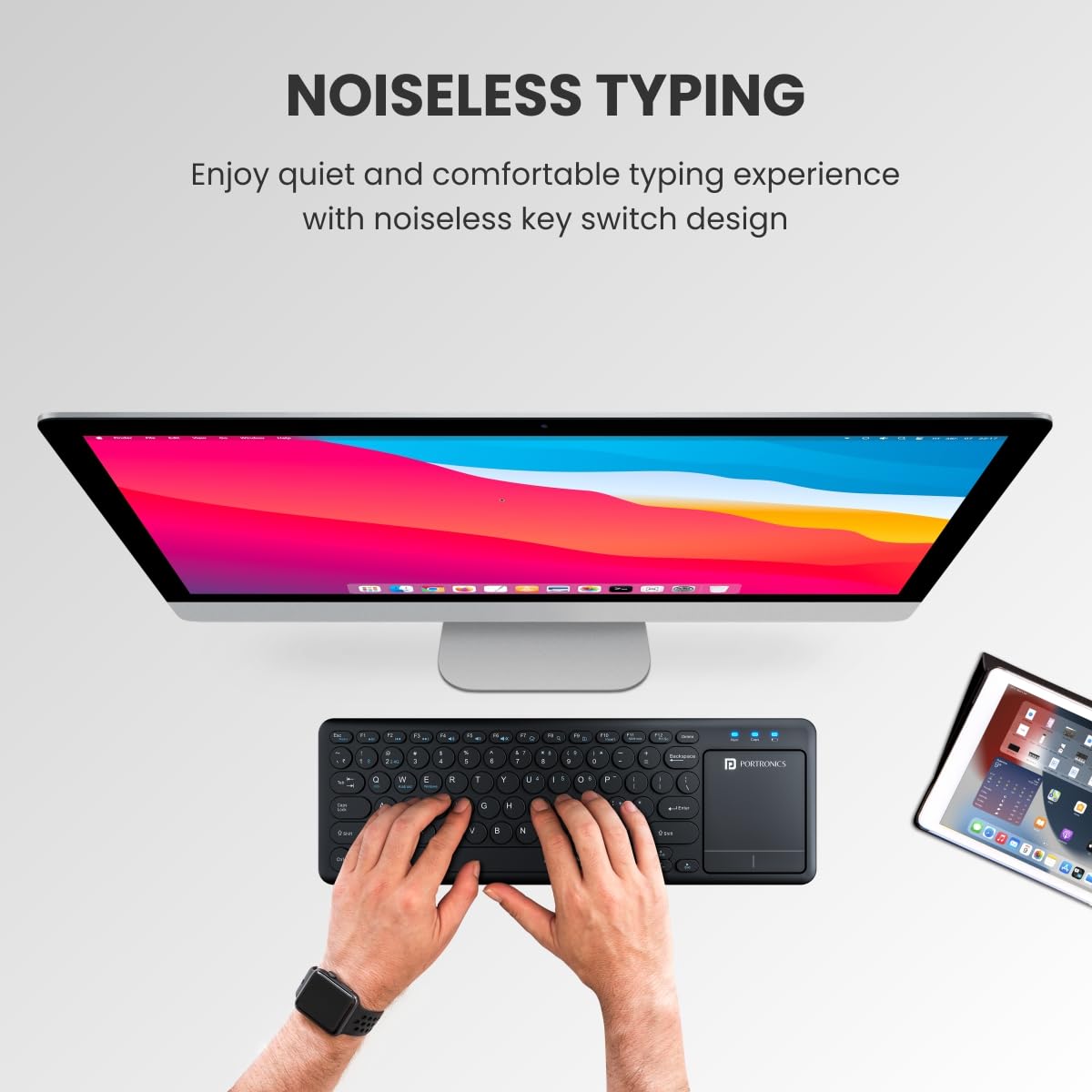
Ergonomic Typing: Features anti-fade keycaps and noiseless key switches for a comfortable typing experience.
സ്പിൽ-റെസിസ്റ്റന്റ് ഡിസൈൻ: Designed to withstand accidental spills for increased durability.
2. സജ്ജീകരണ ഗൈഡ്
2.1. പാക്കേജ് ഉള്ളടക്കം
പാക്കേജിൽ എല്ലാ ഇനങ്ങളും ഉണ്ടെന്ന് ഉറപ്പാക്കുക:
Portronics Bubble Pro Wireless Keyboard
USB Cable (for charging, if applicable, or for 2.4 GHz dongle)
2.4 GHz Wireless USB Receiver (located in the battery compartment)
Note: Batteries are not included and must be purchased separately (2 x AAA batteries).
The integrated touchpad provides mouse-like functionality:
സൂചിപ്പിക്കൽ: Move your finger across the touchpad to control the cursor.
ഇടത്-ക്ലിക്ക്: Press the left-click button below the touchpad or tap once on the touchpad surface.
വലത്-ക്ലിക്ക്: Press the right-click button below the touchpad or tap with two fingers on the touchpad surface.
സ്ക്രോളിംഗ്: Use two fingers to scroll up or down on the touchpad.
സൂം ചെയ്യുന്നു: സൂം ചെയ്യാൻ രണ്ട് വിരലുകൾ ഉപയോഗിച്ച് അകത്തേക്കോ പുറത്തേക്കോ പിഞ്ച് ചെയ്യുക.
Figure 5: Touchpad area with indicators for point and scroll functions.
3.3. കുറുക്കുവഴി കീകൾ
The keyboard is equipped with multimedia hotkeys and a dedicated Rupee symbol key:
മൾട്ടിമീഡിയ ഹോട്ട്കീകൾ: Access functions like mute, pause, play, volume up/down, etc., typically located on the F-keys (F1-F12) and activated by pressing the 'Fn' key simultaneously.
Indian Rupee Symbol (₹): A dedicated key is available for typing the Indian Rupee symbol.
3.4. Auto Power-Saving Mode
To conserve battery life, the keyboard automatically enters sleep mode after a period of inactivity. To wake it up, simply press any key or move the touchpad.
Figure 6: Keyboard demonstrating auto power-saving feature.
4. പരിപാലനം
4.1. വൃത്തിയാക്കൽ
ഒരു സോഫ്റ്റ് ഉപയോഗിക്കുക, ഡിamp cloth to wipe the surface of the keyboard.
താക്കോലുകൾക്കിടയിലുള്ള പൊടിയും അവശിഷ്ടങ്ങളും ഒഴിവാക്കാൻ, കംപ്രസ് ചെയ്ത വായു ഉപയോഗിക്കുക.
The keyboard features a spill-resistant design, allowing easy cleanup of accidental water splashes. However, avoid submerging the device in liquid.
Figure 7: Keyboard showcasing its spill-resistant design.
4.2. ബാറ്ററി മാറ്റിസ്ഥാപിക്കൽ
When the keyboard's performance degrades or it stops responding, it may be time to replace the AAA batteries. Follow the battery installation steps in Section 2.2.
5. പ്രശ്നപരിഹാരം
പ്രശ്നം
സാധ്യമായ കാരണം
പരിഹാരം
കീബോർഡ് പ്രതികരിക്കുന്നില്ല
Low battery; Not connected; In sleep mode.
Replace batteries; Re-establish connection (Bluetooth or 2.4 GHz); Press any key to wake up.
Connectivity issues (lag, disconnection)
ഇടപെടൽ; ഉപകരണം വളരെ അകലെയാണ്; ബാറ്ററി കുറവാണ്.
Move closer to the device; Ensure no strong interference sources; Replace batteries.
കീകൾ രജിസ്റ്റർ ചെയ്യുന്നില്ല അല്ലെങ്കിൽ ഇരട്ട ടൈപ്പ് ചെയ്യുന്നില്ല.
Low battery; Debris under key; Software issue.
Replace batteries; Clean under the affected key; Test on another device to rule out software issues.
6. ഉൽപ്പന്ന സവിശേഷതകൾ
ഫീച്ചർ
വിശദാംശങ്ങൾ
ബ്രാൻഡ്
പോര്ട്രോണിക്സ്
മോഡൽ നമ്പർ
POR-1888
കണക്റ്റിവിറ്റി ടെക്നോളജി
Bluetooth 5.0 & 2.4 GHz Wireless
നിറം
കറുപ്പ്
ഫോം ഫാക്ടർ
ടച്ച്പാഡുള്ള വയർലെസ് കീബോർഡ്
ഉൽപ്പന്ന അളവുകൾ
38 x 13 x 2.5 സെ.മീ
ഇനത്തിൻ്റെ ഭാരം
350 ഗ്രാം
പവർ ഉറവിടം
ബാറ്ററി പവർ (2 x AAA, ഉൾപ്പെടുത്തിയിട്ടില്ല)
വയർലെസ് ശ്രേണി
10 മീറ്റർ വരെ (33 അടി)
അനുയോജ്യമായ ഉപകരണങ്ങൾ
Laptop, Mac, PC, Smartphone (iOS, Android, Windows Tablets)
ഉൾപ്പെടുത്തിയ ഘടകങ്ങൾ
USB Cable (purpose not specified for this battery-powered model)
7. വാറൻ്റിയും പിന്തുണയും
7.1. വാറൻ്റി വിവരങ്ങൾ
The Portronics Bubble Pro Wireless Keyboard comes with a 1 വർഷത്തെ വാറൻ്റി വാങ്ങിയ തീയതി മുതൽ. വാറന്റി ക്ലെയിമുകൾക്കായി നിങ്ങളുടെ വാങ്ങൽ രസീത് സൂക്ഷിക്കുക.
7.2. ഉപഭോക്തൃ പിന്തുണ
For any support, queries, or warranty claims, please contact Portronics customer service:
നിർമ്മാതാവ്: പോർട്രോണിക്സ് ഡിജിറ്റൽ പ്രൈവറ്റ് ലിമിറ്റഡ്
ബന്ധപ്പെടേണ്ട നമ്പർ: 9555-245-245
വിലാസം: Unit No. 1082-1090, 10th Floor, Block-B, Vegas, Dwarka, Sec-14, New Delhi-110075
8.1. Portronics Bubble Pro Wireless Keyboard Overview
ഈ വീഡിയോ ഒരു സംക്ഷിപ്ത വിവരണം നൽകുന്നുview of the Portronics Bubble Pro Wireless Keyboard, highlighting its dual connectivity, built-in touchpad, multi-device connection, shortcut keys, auto power-saving, 10-meter wireless range, and ergonomic design. It showcases the product's main features and benefits.
Ask a question about this manual
Ask about setup, troubleshooting, compatibility, parts, safety, or missing instructions. Manuals+ will review the question and use this page’s manual context to help answer it.