
1. ആമുഖം
Thank you for choosing the XROCKER Agility Esports RGB Neo Motion LED Gaming Chair. This manual provides essential information for the safe assembly, operation, and maintenance of your new gaming chair. The Agility Esports chair features patented Neo Motion Sync lighting technology, offering over 200 different color modes and effects, controllable via a dedicated smartphone application. It is designed for comfort and adjustability, suitable for gaming, office work, and relaxation.

Image 1.1: The XROCKER Agility Esports RGB Neo Motion LED Gaming Chair illuminated with dynamic lighting in a gaming environment.
2 സുരക്ഷാ വിവരങ്ങൾ
Please read all safety instructions before assembly and use. Failure to follow these instructions may result in injury or damage to the product.
- Assembly is required. Ensure all components are correctly installed before use.
- പരമാവധി ഭാരം ശേഷി കവിയരുത് 110 കി.ഗ്രാം (242 പൗണ്ട്).
- Always follow the safety instructions provided with the product packaging.
- അസംബ്ലി സമയത്ത് കുട്ടികളിൽ നിന്ന് ചെറിയ ഭാഗങ്ങൾ സൂക്ഷിക്കുക.
- Use the chair on a stable, level surface.
- കസേരയിൽ നിൽക്കുന്നതോ അത് ഒരു സ്റ്റെപ്പ് സ്റ്റൂളായി ഉപയോഗിക്കുന്നതോ ഒഴിവാക്കുക.
- Do not expose the chair to excessive moisture or direct sunlight for prolonged periods.
3. സജ്ജീകരണവും അസംബ്ലിയും
The XROCKER Agility Esports Gaming Chair requires assembly. Please ensure you have all components before beginning. Refer to the included assembly guide for detailed step-by-step instructions. A general overview of the assembly process is provided below.
3.1 പായ്ക്ക് അൺപാക്ക് ചെയ്യലും ഘടക പരിശോധനയും
Carefully unpack all parts and lay them out on a clean, soft surface to prevent scratches. Verify that all components listed in the assembly guide are present.
3.2 അസംബ്ലി ഘട്ടങ്ങൾ (പൊതുവായത്)
- കസേരയുടെ അടിയിൽ കാസ്റ്ററുകൾ ഘടിപ്പിക്കുക.
- ഗ്യാസ് ലിഫ്റ്റ് സിലിണ്ടർ അടിത്തറയുടെ മധ്യഭാഗത്ത് തിരുകുക.
- Secure the mechanism plate to the underside of the seat.
- ആംറെസ്റ്റുകൾ സീറ്റിൽ ഘടിപ്പിക്കുക.
- ബാക്ക്റെസ്റ്റ് സീറ്റ് അസംബ്ലിയുമായി ബന്ധിപ്പിക്കുക.
- കൂട്ടിച്ചേർത്ത സീറ്റും ബാക്ക്റെസ്റ്റും ഗ്യാസ് ലിഫ്റ്റ് സിലിണ്ടറിൽ വയ്ക്കുക.
- Attach the headrest and lumbar support cushions.

Image 3.1: Product dimensions of the XROCKER Agility Esports Gaming Chair. The chair measures approximately 128cm in height, 59.9cm in width, and 66cm in depth.
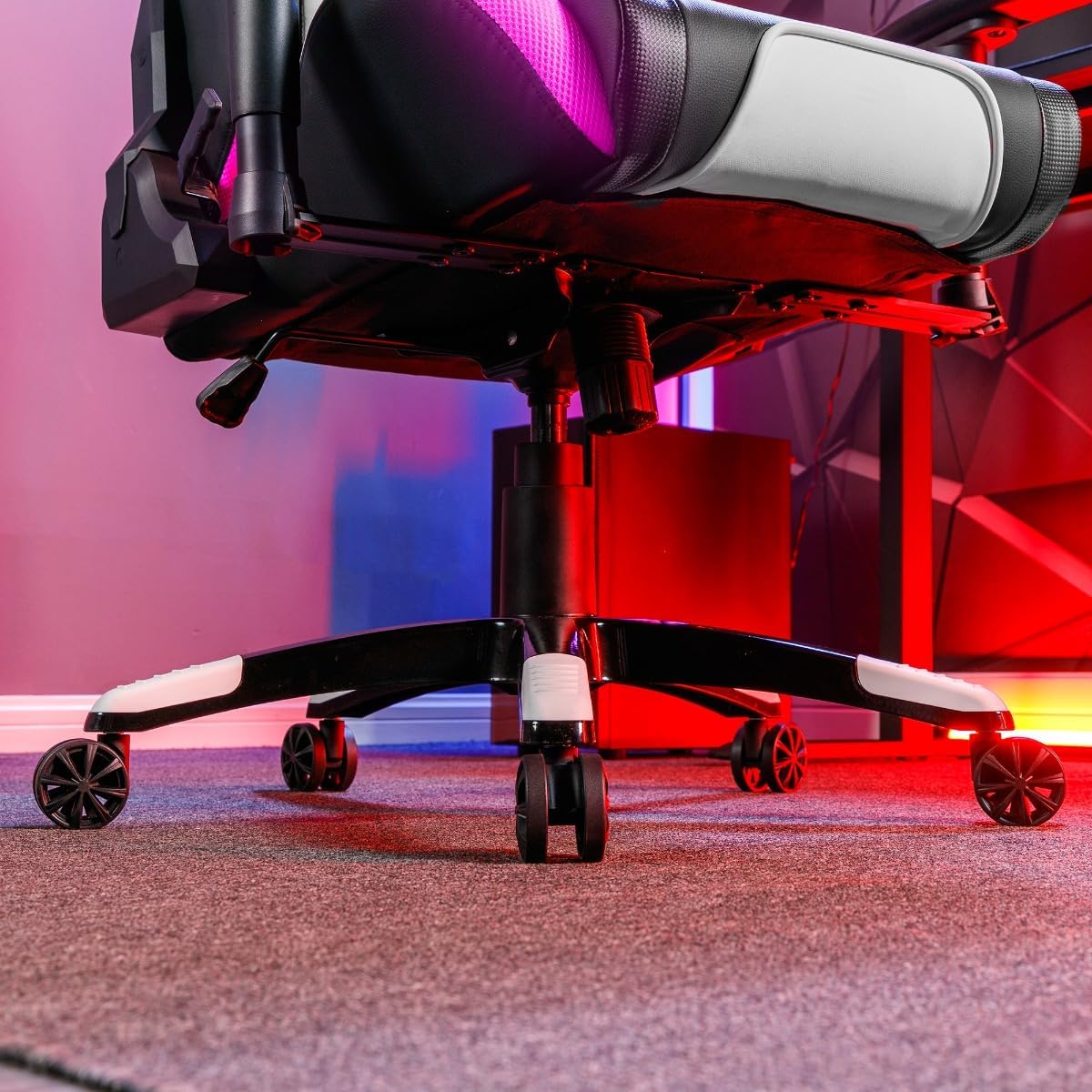
Image 3.2: The sturdy five-star base of the chair with smooth-rolling caster wheels, designed for stability and mobility.
4. പ്രവർത്തന നിർദ്ദേശങ്ങൾ
4.1 Chair Adjustments
- ഉയരം ക്രമീകരിക്കൽ: Use the lever located under the seat on the right side to adjust the chair's height. Pull the lever up to raise the chair; sit on the chair and pull the lever up to lower it.
- Rocker Function: The chair features a rocker function for relaxation. Engage or disengage the rocking mechanism using the lever under the seat.
- ചാരിയിരിക്കുന്ന പ്രവർത്തനം: The backrest can be reclined to two positions. Use the recline lever on the side of the chair to adjust the angle.
- 3D ആംറെസ്റ്റുകൾ: The armrests are adjustable in three dimensions (height, forward/backward, pivot) to provide optimal support. Use the buttons or levers on the armrests to make adjustments.
- Cushion Support: The included neck and lumbar cushions can be positioned for additional support and comfort.
4.2 Neo Motion Sync RGB Lighting
The Agility Esports chair is equipped with advanced Neo Motion Sync RGB lighting. This technology allows for dynamic lighting effects and synchronization with other compatible X Rocker products.
- പവർ ഓൺ/ഓഫ്: Locate the control panel on the side of the chair (refer to Image 4.5). Press the power button to turn the lighting on or off.
- മോഡ് തിരഞ്ഞെടുക്കൽ: Use the buttons on the control panel to cycle through over 200 different color modes, patterns, and lighting effects.
- സ്മാർട്ട്ഫോൺ ആപ്പ് നിയന്ത്രണം: For advanced control and customization, download the Neo Motion Sync app on your smartphone. The app allows you to:
- Select and customize lighting modes.
- Adjust brightness and speed.
- Sync lighting with music or game sounds.
- Manage and synchronize up to 16 Neo Motion Sync products simultaneously.

Image 4.1: Detail of the chair's armrest, showcasing the integrated RGB Neo Motion LED lighting.
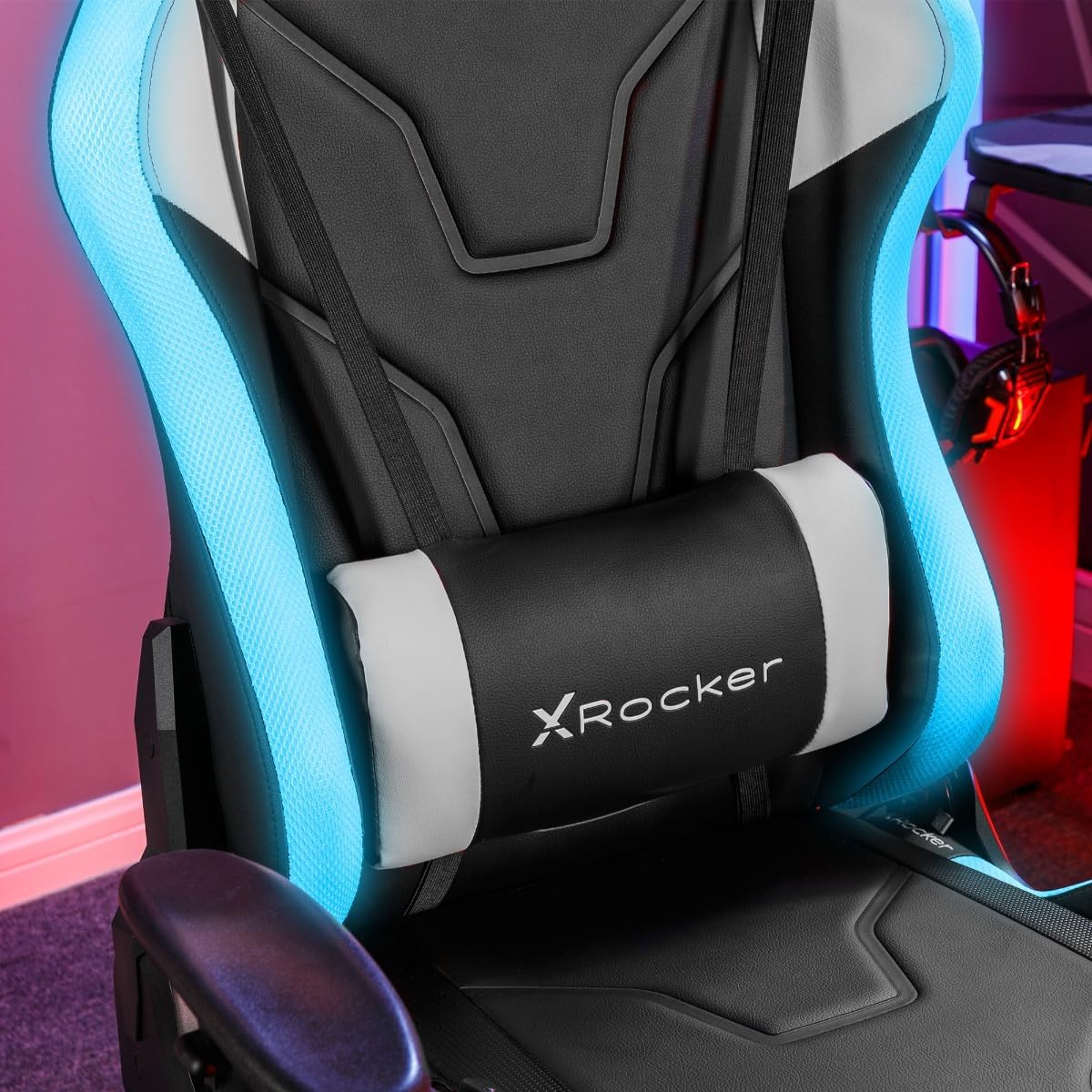
Image 4.2: The adjustable lumbar cushion, featuring integrated RGB lighting for enhanced visual appeal.

Image 4.3: The headrest cushion, providing neck support and incorporating RGB lighting elements.

ചിത്രം 4.4: ഒരു സൈഡ് പ്രോfile of the chair, illustrating the continuous flow of RGB lighting along its contours.

Image 4.5: The discreetly placed control panel for managing the chair's RGB lighting effects.
5. പരിപാലനം
Proper maintenance will extend the life and appearance of your XROCKER Agility Esports Gaming Chair.
- വൃത്തിയാക്കൽ: പരസ്യം ഉപയോഗിച്ച് വൃത്തിയാക്കുകamp cloth. For faux leather surfaces, use a mild, non-abrasive cleaner specifically designed for synthetic leather. Avoid harsh chemicals or abrasive materials.
- പതിവ് പരിശോധനകൾ: എല്ലാ സ്ക്രൂകളും ബോൾട്ടുകളും ഇറുകിയതാണെന്ന് ഉറപ്പാക്കാൻ ഇടയ്ക്കിടെ പരിശോധിക്കുക. സ്ഥിരതയും സുരക്ഷയും നിലനിർത്താൻ ആവശ്യമെങ്കിൽ വീണ്ടും മുറുക്കുക.
- കാസ്റ്റർ കെയർ: Keep the caster wheels free of hair and debris to ensure smooth movement.
- ഓവർലോഡിംഗ് ഒഴിവാക്കുക: Do not place excessive weight on the chair or its components.
6. പ്രശ്നപരിഹാരം
നിങ്ങളുടെ കസേരയിൽ പ്രശ്നങ്ങൾ നേരിടുകയാണെങ്കിൽ, താഴെ പറയുന്ന പൊതുവായ പ്രശ്നങ്ങളും പരിഹാരങ്ങളും പരിശോധിക്കുക:
| പ്രശ്നം | സാധ്യമായ കാരണം | പരിഹാരം |
|---|---|---|
| കസേര ഉയരം ക്രമീകരിക്കുന്നില്ല. | ഗ്യാസ് ലിഫ്റ്റ് തകരാറ് അല്ലെങ്കിൽ ലിവർ സജീവമല്ല. | Ensure the height adjustment lever is fully engaged. If the issue persists, the gas lift may need replacement. |
| കസേര ആടുന്നു | അയഞ്ഞ സ്ക്രൂകൾ അല്ലെങ്കിൽ അസമമായ അസംബ്ലി. | Check and tighten all assembly screws, especially those connecting the seat to the mechanism and the backrest. Ensure the chair is on a level surface. |
| കാസ്റ്ററുകൾ സുഗമമായി ഉരുളുന്നില്ല | ചക്രങ്ങളിൽ കുടുങ്ങിയ അവശിഷ്ടങ്ങൾ. | കസേര മറിച്ചിട്ട് കാസ്റ്റർ വീലുകളിൽ നിന്ന് മുടി, പൊടി അല്ലെങ്കിൽ അവശിഷ്ടങ്ങൾ നീക്കം ചെയ്യുക. |
| RGB ലൈറ്റിംഗ് പ്രവർത്തിക്കുന്നില്ല | Power issue, loose connection, or app malfunction. | Ensure the power cable for the RGB lighting is securely connected. Check the control panel for power. Restart the Neo Motion Sync app and ensure Bluetooth is enabled on your device. |
7 സ്പെസിഫിക്കേഷനുകൾ
| ഫീച്ചർ | വിശദാംശങ്ങൾ |
|---|---|
| ബ്രാൻഡ് | എക്സ് റോക്കർ |
| മോഡലിൻ്റെ പേര് | Agility Esports |
| മോഡൽ നമ്പർ | AGILITYRGB |
| നിറം | ബ്ലാക്ക് & വൈറ്റ് |
| മെറ്റീരിയൽ | Faux Leather (Seat), Foam, Polyester (Fill) |
| ഫ്രെയിം മെറ്റീരിയൽ | അലോയ് സ്റ്റീൽ |
| ഉൽപ്പന്ന അളവുകൾ (D x W x H) | 25.98"D x 23.58"W x 53.94"H (66cm D x 59.9cm W x 137cm H) |
| ഇനത്തിൻ്റെ ഭാരം | 23 കിലോഗ്രാം (50.7 പൗണ്ട്) |
| പരമാവധി ഭാരം ശുപാർശ | 110 കിലോഗ്രാം (242 പൗണ്ട്) |
| അസംബ്ലി ആവശ്യമാണ് | അതെ |
| ബാക്ക് സ്റ്റൈൽ | ഹൈ ബാക്ക് |
| ആം ശൈലി | Rounded (3D Adjustable) |
| കുഷ്യൻ ശൈലി | Lumbar, Head |
| ഫർണിച്ചർ ബേസ് മൂവ്മെൻ്റ് | സ്വിവൽ |
| ചാരിയിരിക്കുന്ന പൊസിഷൻ കൗണ്ട് | 2 |
| ടിൽറ്റിംഗ് | Yes (Rocker Function) |
| ലൈറ്റിംഗ് ടെക്നോളജി | Neo Motion Sync RGB LED |
| നിയന്ത്രണ രീതി | On-chair controls, Smartphone App |
8. വാറണ്ടിയും പിന്തുണയും
8.1 വാറൻ്റി വിവരങ്ങൾ
Specific warranty details for the XROCKER Agility Esports RGB Neo Motion LED Gaming Chair are typically provided with your purchase documentation or can be obtained directly from the retailer or X Rocker's official webസൈറ്റ്. ഏതെങ്കിലും വാറന്റി ക്ലെയിമുകൾക്കായി നിങ്ങളുടെ വാങ്ങലിന്റെ തെളിവ് സൂക്ഷിക്കുക.
8.2 ഉപഭോക്തൃ പിന്തുണ
For technical assistance, missing parts, or any other inquiries regarding your XROCKER product, please contact X Rocker customer support or the retailer from whom you purchased the chair. Contact information can usually be found on the X Rocker official webസൈറ്റ് അല്ലെങ്കിൽ നിങ്ങളുടെ വാങ്ങൽ രസീത്.
X Rocker Official Webസൈറ്റ്: www.xrockeruk.com (ദയവായി നിങ്ങളുടെ പ്രാദേശിക വിലാസം പരിശോധിക്കുക) webസൈറ്റ്)