1. ആമുഖം
വാങ്ങിയതിന് നന്ദി.asing the Generic BK-3001 Wireless Bluetooth Keyboard. This ultrathin 78-key keyboard is designed for seamless connectivity with various devices, including iPads, iPhones, and other compatible computers and tablets. It utilizes Bluetooth 3.0 technology for a stable and long-distance connection. Please read this manual carefully to ensure proper setup and operation of your new keyboard.
2. പാക്കേജ് ഉള്ളടക്കം
- 1 x Generic BK-3001 Wireless Bluetooth Keyboard
- 1 x ഉപയോക്തൃ മാനുവൽ
3. ഉൽപ്പന്നം കഴിഞ്ഞുview
The BK-3001 keyboard features a compact design with 78 keys, including function keys and media controls. Its ultrathin profile makes it highly portable and suitable for various environments.

ചിത്രം: മുകളിൽ നിന്ന് താഴേക്ക് view of the BK-3001 Wireless Bluetooth Keyboard, showcasing its 78-key layout and compact design.
4. സജ്ജീകരണം
4.1 ബാറ്ററി ഇൻസ്റ്റാളേഷൻ
- കീബോർഡിന്റെ അടിഭാഗത്ത് ബാറ്ററി കമ്പാർട്ട്മെന്റ് കണ്ടെത്തുക.
- സ്ലൈഡ് ബാറ്ററി കമ്പാർട്ട്മെന്റ് കവർ തുറക്കുക.
- ശരിയായ പോളാരിറ്റി (+/-) ഉറപ്പാക്കിക്കൊണ്ട്, കമ്പാർട്ടുമെന്റിലേക്ക് രണ്ട് (2) AAA ബാറ്ററികൾ (ഉൾപ്പെടുത്തിയിട്ടില്ല) തിരുകുക.
- ബാറ്ററി കമ്പാർട്ട്മെൻ്റ് കവർ സുരക്ഷിതമായി അടയ്ക്കുക.

ചിത്രം: ക്ലോസ്-അപ്പ് view of the battery compartment on the underside of the BK-3001 Wireless Bluetooth Keyboard, showing where to insert AAA batteries.
4.2 ഉപകരണങ്ങളുമായി ജോടിയാക്കൽ
- Turn on the keyboard by sliding the ON/OFF switch to the 'ON' position. The power indicator light may briefly illuminate.
- Press the 'CONNECT' button located near the ON/OFF switch. The Bluetooth indicator light will start blinking, indicating the keyboard is in pairing mode.
- On your device (iPad, iPhone, computer, tablet), go to the Bluetooth settings.
- നിങ്ങളുടെ ഉപകരണത്തിൽ ബ്ലൂടൂത്ത് പ്രവർത്തനക്ഷമമാക്കിയിട്ടുണ്ടെന്ന് ഉറപ്പാക്കുക.
- ഇതിനായി തിരയുക available Bluetooth devices. You should see "Bluetooth Keyboard" or a similar name appear in the list.
- Select the keyboard from the list to initiate the pairing process.
- If prompted, enter the displayed pairing code on the keyboard and press Enter.
- Once successfully paired, the Bluetooth indicator light on the keyboard will stop blinking and turn off, or remain solid, depending on the model. Your keyboard is now ready for use.

ചിത്രം: ക്ലോസ്-അപ്പ് view of the power switch (OFF/ON) and the Bluetooth connect button on the back of the BK-3001 Wireless Bluetooth Keyboard.
5. പ്രവർത്തന നിർദ്ദേശങ്ങൾ
After successful pairing, your keyboard will function as a standard input device. You can use it for typing, navigating, and executing commands on your connected device.
5.1 ഫംഗ്ഷൻ കീകൾ
The keyboard includes a row of function keys (F1-F12) that may have secondary functions (e.g., media controls, volume, brightness) when pressed in combination with the 'Fn' key. Refer to your device's operating system for specific key mappings.
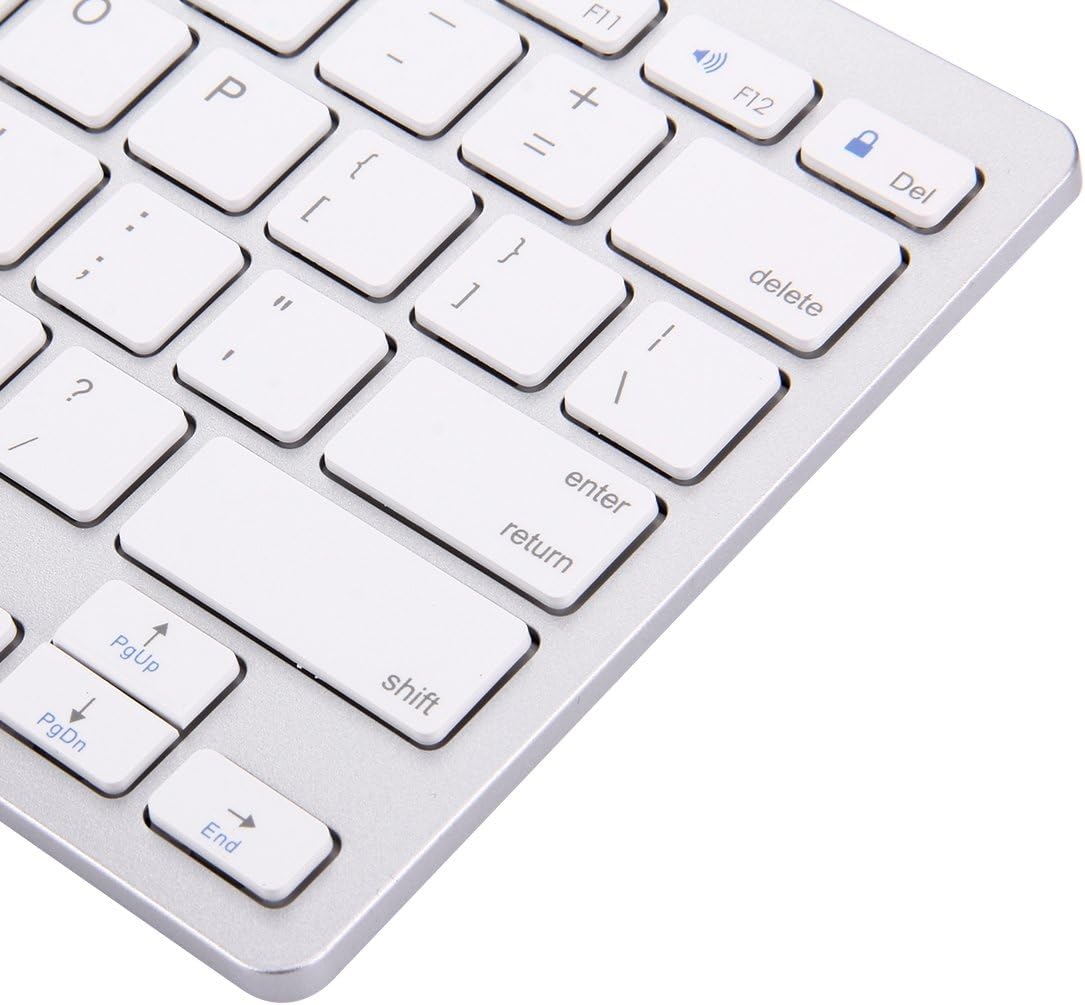
Image: Close-up of the right-hand side keys on the BK-3001 Wireless Bluetooth Keyboard, showing the Enter, Shift, Page Up, Page Down, and End keys.
5.2 അനുയോജ്യത
The keyboard is compatible with devices supporting Bluetooth 3.0, including but not limited to:
- iPad (all generations with Bluetooth support)
- iPhone (all models with Bluetooth support)
- ആൻഡ്രോയിഡ് ടാബ്ലെറ്റുകളും സ്മാർട്ട്ഫോണുകളും
- Windows computers and laptops
- Mac computers and laptops
6. പരിപാലനം
6.1 വൃത്തിയാക്കൽ
നിങ്ങളുടെ കീബോർഡ് വൃത്തിയാക്കാൻ, മൃദുവായതും ഉണങ്ങിയതും ലിന്റ് രഹിതവുമായ ഒരു തുണി ഉപയോഗിച്ച് ഉപരിതലം സൌമ്യമായി തുടയ്ക്കുക. കഠിനമായ അഴുക്കിന്, ചെറുതായി dampen the cloth with water or a mild, non-abrasive cleaning solution. Avoid excessive moisture and do not immerse the keyboard in liquid. The keyboard features a waterproof design, offering protection against minor spills, but it is not fully submersible.
6.2 സംഭരണം
When not in use for extended periods, turn off the keyboard to conserve battery life. Store the keyboard in a cool, dry place away from direct sunlight and extreme temperatures.
7. പ്രശ്നപരിഹാരം
7.1 കീബോർഡ് കണക്റ്റുചെയ്യുന്നില്ല/ജോടിയാക്കുന്നില്ല
- Ensure the keyboard is turned ON and has fresh batteries.
- നിങ്ങളുടെ ഉപകരണത്തിൽ ബ്ലൂടൂത്ത് പ്രവർത്തനക്ഷമമാക്കിയിട്ടുണ്ടെന്ന് ഉറപ്പാക്കുക.
- Press the 'CONNECT' button on the keyboard to enter pairing mode.
- Move the keyboard closer to your device (within 10 meters).
- Forget/remove the keyboard from your device's Bluetooth list and try pairing again.
- Restart both the keyboard (turn off and on) and your device.
7.2 കീകൾ പ്രതികരിക്കുന്നില്ല
- ബാറ്ററി നില പരിശോധിച്ച് ആവശ്യമെങ്കിൽ മാറ്റിസ്ഥാപിക്കുക.
- കീബോർഡ് നിങ്ങളുടെ ഉപകരണവുമായി ശരിയായി ബന്ധിപ്പിച്ചിട്ടുണ്ടെന്ന് ഉറപ്പാക്കുക.
- ബ്ലൂടൂത്ത് കണക്ഷൻ വീണ്ടും ബന്ധിപ്പിക്കാൻ ശ്രമിക്കുക.
- താക്കോലുകൾക്ക് അടിയിൽ ഉണ്ടായേക്കാവുന്ന അവശിഷ്ടങ്ങൾ വൃത്തിയാക്കുക.
7.3 Lag or Delayed Response
- സമീപത്ത് ശക്തമായ ഇടപെടലുകൾ (ഉദാ: വൈ-ഫൈ റൂട്ടറുകൾ, മറ്റ് ബ്ലൂടൂത്ത് ഉപകരണങ്ങൾ) ഇല്ലെന്ന് ഉറപ്പാക്കുക.
- നിങ്ങളുടെ ഉപകരണത്തിന് അടുത്തേക്ക് നീങ്ങുക.
- ബാറ്ററി നില പരിശോധിക്കുക.
8 സ്പെസിഫിക്കേഷനുകൾ
| ഫീച്ചർ | വിവരണം |
|---|---|
| മോഡൽ | BK-3001 |
| കണക്റ്റിവിറ്റി ടെക്നോളജി | ബ്ലൂടൂത്ത് 3.0 |
| കീകളുടെ എണ്ണം | 78 കീകൾ |
| പ്രവർത്തന ദൂരം | 10 മീറ്റർ വരെ (33 അടി) |
| പവർ ഉറവിടം | 2 x AAA ബാറ്ററികൾ (ഉൾപ്പെടുത്തിയിട്ടില്ല) |
| അനുയോജ്യമായ ഉപകരണങ്ങൾ | Laptop, Tablet, iPhone, iPad, Android devices |
| പ്രത്യേക സവിശേഷതകൾ | Ultrathin, Wireless, Waterproof, Ergonomic |
| ഇനത്തിൻ്റെ ഭാരം | 380 ഗ്രാം |
| നിർമ്മാതാവിൻ്റെ ഭാഗം നമ്പർ | luqin 1 |
9. വാറൻ്റി വിവരങ്ങൾ
This product comes with a standard manufacturer's warranty. Please refer to the product packaging or your point of purchase for specific warranty terms and conditions. Keep your proof of purchase for any warranty claims.
10. ഉപഭോക്തൃ പിന്തുണ
If you encounter any issues or have questions not covered in this manual, please contact the seller or manufacturer for assistance. Provide your product model number (BK-3001) and a detailed description of the issue when seeking support.


