
1. ആമുഖം
Thank you for choosing the LSC Smart Connect Video Doorbell. This device provides enhanced home security and convenience by allowing you to see, hear, and speak to visitors from anywhere using your smartphone. It features motion detection, two-way audio, and a clear video feed, ensuring you never miss a visitor or important delivery. Please read this manual thoroughly before installation and use to ensure proper operation and safety.
2 സുരക്ഷാ വിവരങ്ങൾ
- Ensure the installation location is secure and stable.
- ഉപകരണത്തെ തീവ്രമായ താപനില, നേരിട്ടുള്ള സൂര്യപ്രകാശം അല്ലെങ്കിൽ അമിതമായ ഈർപ്പം എന്നിവയ്ക്ക് വിധേയമാക്കരുത്.
- Use only the specified power adapter and batteries. Incorrect power sources may damage the device or cause fire.
- കുട്ടികളിൽ നിന്നും വളർത്തുമൃഗങ്ങളിൽ നിന്നും ഉപകരണം അകറ്റി നിർത്തുക.
- ഉപകരണം സ്വയം ഡിസ്അസംബ്ലിംഗ് ചെയ്യാനോ നന്നാക്കാനോ ശ്രമിക്കരുത്. എല്ലാ സേവനങ്ങളും യോഗ്യതയുള്ള ഉദ്യോഗസ്ഥരെ ഏൽപ്പിക്കുക.
- പ്രാദേശിക നിയന്ത്രണങ്ങൾ അനുസരിച്ച് ബാറ്ററികൾ നശിപ്പിക്കുക. ബാറ്ററികൾ കത്തിച്ചുകളയരുത്.
3. പാക്കേജ് ഉള്ളടക്കം
പാക്കേജിൽ ഇനിപ്പറയുന്ന ഇനങ്ങൾ ഉണ്ടോ എന്ന് പരിശോധിക്കുക:
- LSC Smart Connect Video Doorbell Unit
- ഇൻഡോർ ചൈം യൂണിറ്റ്
- USB-C ചാർജിംഗ് കേബിൾ
- മൗണ്ടിംഗ് സ്ക്രൂകളും വാൾ ആങ്കറുകളും
- Rechargeable Batteries (2x)
- ഉപയോക്തൃ മാനുവൽ (ഈ പ്രമാണം)
4. ഉൽപ്പന്നം കഴിഞ്ഞുview
4.1 Video Doorbell Unit
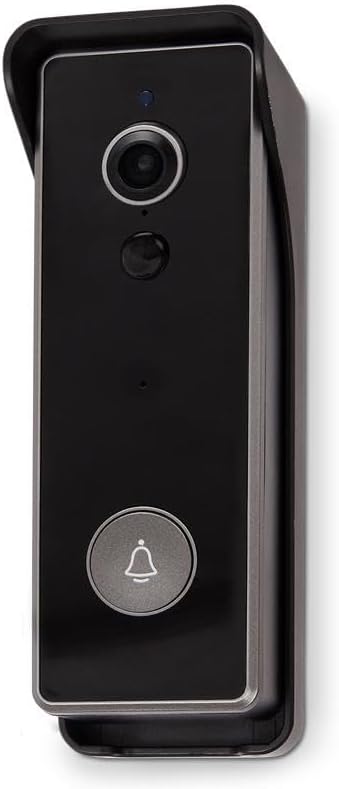
ചിത്രം: ഫ്രണ്ട് view of the LSC Smart Connect Video Doorbell, showcasing its sleek black design within a protective grey housing. The camera lens, motion sensor, and main doorbell button with a bell icon are clearly visible.
- ക്യാമറ ലെൻസ്: വീഡിയോ foo ക്യാപ്ചർ ചെയ്യുന്നുtage.
- മോഷൻ സെൻസർ (PIR): ഡോർബെല്ലിന് മുന്നിലുള്ള ചലനം കണ്ടെത്തുന്നു.
- മൈക്രോഫോൺ: ടു-വേ ആശയവിനിമയത്തിനായി ഓഡിയോ പകർത്തുന്നു.
- സ്പീക്കർ: ടു-വേ ആശയവിനിമയത്തിനായി ഓഡിയോ ഔട്ട്പുട്ട് ചെയ്യുന്നു.
- ഡോർബെൽ ബട്ടൺ: Activates the chime and sends a notification to your smartphone.
- LED സൂചകം: ഉപകരണ നില കാണിക്കുന്നു (ഉദാ. ചാർജിംഗ്, കണക്റ്റുചെയ്തു, ചലനം കണ്ടെത്തി).
4.2 Indoor Chime Unit
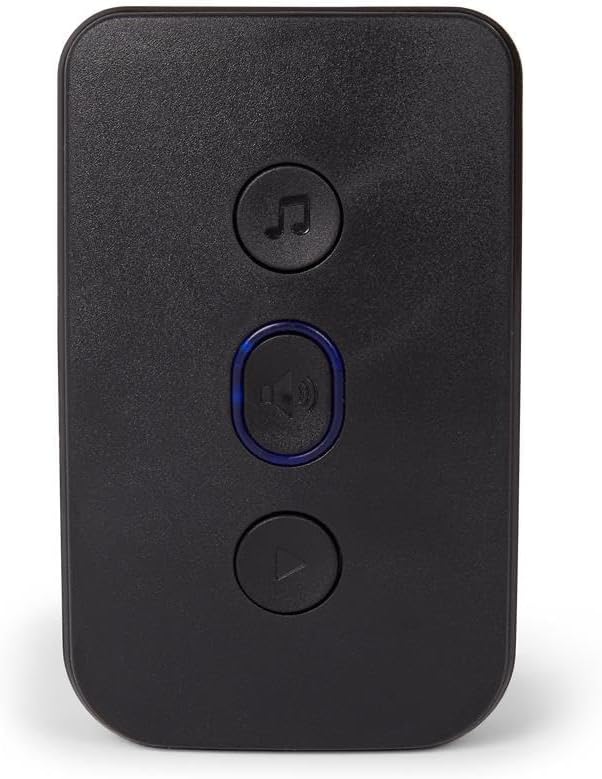
ചിത്രം: ഫ്രണ്ട് view of the LSC Smart Connect Indoor Chime Unit, a compact black device with three circular buttons. The top button features a music note icon, the middle button has a speaker icon with a blue LED ring, and the bottom button has a play/pause icon.
- സ്പീക്കർ: Emits the doorbell sound.
- മെലഡി ബട്ടൺ: Cycles through available chime melodies.
- വോളിയം ബട്ടൺ: Adjusts the chime volume.
- ജോടിയാക്കൽ ബട്ടൺ: Used to pair the chime with the doorbell unit.
5. സജ്ജീകരണം
5.1 Charging and Inserting Batteries
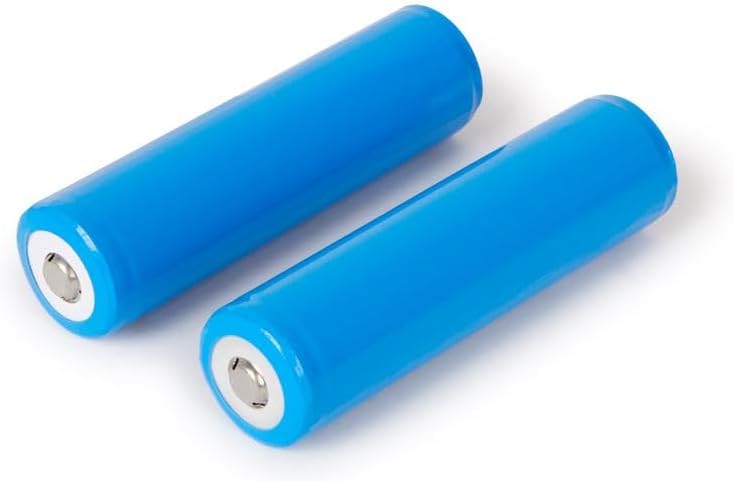
ചിത്രം: Two blue cylindrical rechargeable batteries, likely 18650 type, shown on a white background. These batteries power the video doorbell unit.
- Fully charge the provided rechargeable batteries using the USB-C cable and a compatible USB power adapter (not included). The LED indicator on the doorbell will show charging status.
- Open the battery compartment on the back of the doorbell unit.
- Insert the two charged batteries, ensuring correct polarity (+/-).
- ബാറ്ററി കമ്പാർട്ട്മെൻ്റ് സുരക്ഷിതമായി അടയ്ക്കുക.
5.2 Mounting the Video Doorbell

ചിത്രം: പിൻഭാഗം view of the LSC Smart Connect Video Doorbell's mounting plate, showing the screw holes and the ABS plastic material marking. This plate is used to securely attach the doorbell to a wall.
- നിങ്ങളുടെ വാതിലിനടുത്ത് അനുയോജ്യമായ ഒരു സ്ഥലം തിരഞ്ഞെടുക്കുക, വൃത്തിയുള്ള സ്ഥലം ഉറപ്പാക്കുക. view നല്ല വൈ-ഫൈ സിഗ്നലും.
- Use the mounting plate as a template to mark drill holes on the wall.
- ആവശ്യമെങ്കിൽ ദ്വാരങ്ങൾ തുരന്ന് വാൾ ആങ്കറുകൾ ഘടിപ്പിക്കുക.
- നൽകിയിരിക്കുന്ന സ്ക്രൂകൾ ഉപയോഗിച്ച് മൗണ്ടിംഗ് പ്ലേറ്റ് ഭിത്തിയിൽ ഉറപ്പിക്കുക.
- Attach the video doorbell unit to the mounting plate, ensuring it clicks into place securely.
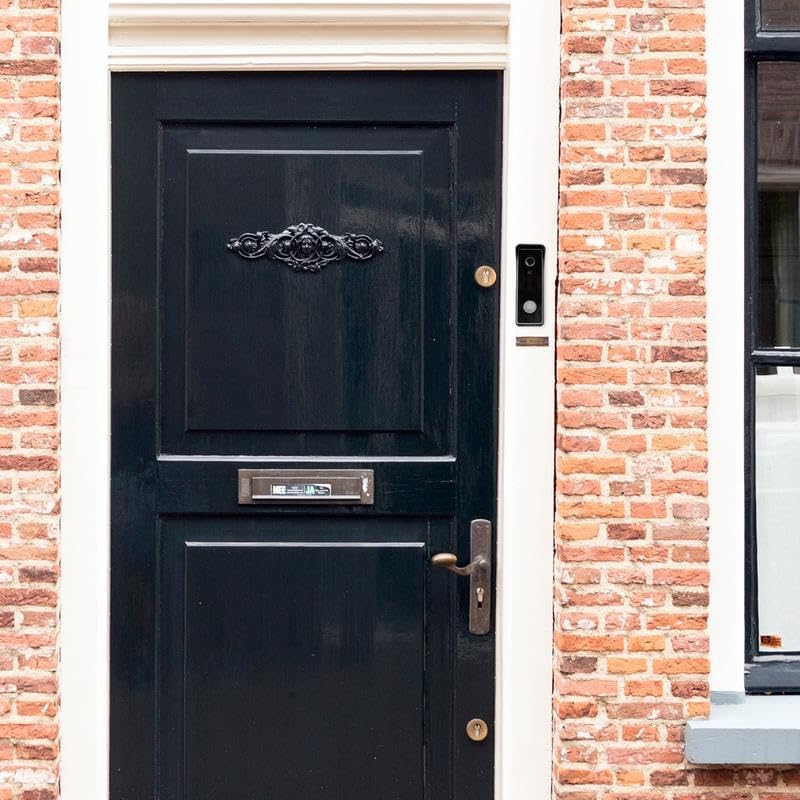
ചിത്രം: The LSC Smart Connect Video Doorbell is shown installed on a brick wall, positioned to the right of a dark wooden front door with ornate metalwork. This image demonstrates a typical installation scenario.
5.3 Pairing the Indoor Chime

ചിത്രം: The LSC Smart Connect Video Doorbell unit and its corresponding indoor chime unit are displayed side-by-side. The doorbell is on the left, and the chime, which plugs into a wall outlet, is on the right.
- Plug the Indoor Chime Unit into a standard wall outlet within range of the doorbell.
- Press and hold the pairing button on the chime unit until its LED indicator flashes.
- Press the doorbell button on the video doorbell unit. The chime should ring, indicating successful pairing.
- If pairing fails, repeat the steps.
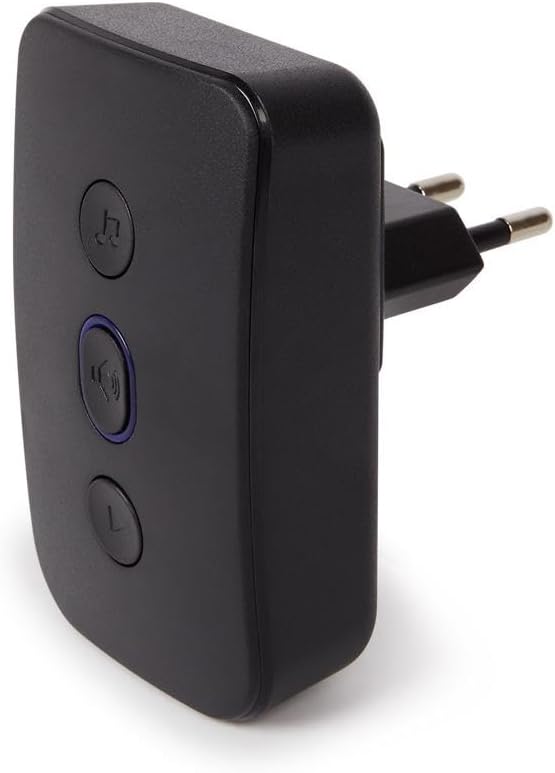
ചിത്രം: വശം view of the LSC Smart Connect Indoor Chime Unit, showing its integrated power plug designed for direct insertion into a wall socket. This highlights its compact and plug-and-play design.
5.4 App Connection (LSC Smart Connect App)
Download the "LSC Smart Connect" app from your smartphone's app store (iOS or Android). Follow the in-app instructions to add your new video doorbell. This typically involves creating an account, selecting "Add Device," choosing the doorbell category, and following prompts to connect to your home Wi-Fi network.
6. പ്രവർത്തന നിർദ്ദേശങ്ങൾ
6.1 Answering a Doorbell Call
- When a visitor presses the doorbell button, your indoor chime will ring, and you will receive a push notification on your smartphone.
- Tap the notification to open the LSC Smart Connect app and view തത്സമയ വീഡിയോ ഫീഡ്.
- Use the microphone icon in the app to enable two-way audio and speak with your visitor. Tap again to mute.
- നിങ്ങൾക്ക് തത്സമയം നിന്ന് നേരിട്ട് സ്ക്രീൻഷോട്ടുകൾ എടുക്കാനോ വീഡിയോ റെക്കോർഡുചെയ്യാനോ കഴിയും view.
6.2 മോഷൻ ഡിറ്റക്ഷൻ
- The doorbell's PIR sensor detects motion in its field of view.
- When motion is detected, you will receive a notification on your smartphone.
- You can adjust motion sensitivity and detection zones within the LSC Smart Connect app settings to minimize false alerts.
6.3 ചൈം ക്രമീകരണങ്ങൾ
- മെലഡി തിരഞ്ഞെടുക്കൽ: Press the melody button on the indoor chime unit to cycle through different ringtones.
- വോളിയം ക്രമീകരണം: Press the volume button on the indoor chime unit to increase or decrease the volume.
7. പരിപാലനം
- വൃത്തിയാക്കൽ: ഒരു സോഫ്റ്റ് ഉപയോഗിക്കുക, ഡിamp cloth to clean the doorbell lens and body. Do not use abrasive cleaners or solvents.
- ബാറ്ററി കെയർ: Recharge batteries when the app indicates low battery. Avoid fully draining batteries frequently to prolong their lifespan.
- ഫേംവെയർ അപ്ഡേറ്റുകൾ: Periodically check the LSC Smart Connect app for available firmware updates for your doorbell to ensure optimal performance and security.
8. പ്രശ്നപരിഹാരം
| പ്രശ്നം | സാധ്യമായ കാരണം | പരിഹാരം |
|---|---|---|
| Doorbell not powering on. | ബാറ്ററികൾ തീർന്നിരിക്കുന്നു അല്ലെങ്കിൽ തെറ്റായി ചേർത്തിരിക്കുന്നു. | Recharge batteries fully. Ensure batteries are inserted with correct polarity. |
| വീട്ടിനുള്ളിലെ മണിനാദം മുഴങ്ങുന്നില്ല. | Chime not paired or out of range. | Ensure chime is plugged in. Re-pair the chime with the doorbell. Move chime closer to the doorbell. |
| Poor video quality or no video. | Weak Wi-Fi signal; dirty camera lens. | Ensure strong Wi-Fi signal at doorbell location. Clean camera lens with a soft cloth. |
| App not receiving notifications. | App permissions not enabled; network issues. | Check app notification settings on your phone. Ensure doorbell is connected to Wi-Fi. Restart doorbell and router. |
9 സ്പെസിഫിക്കേഷനുകൾ
| ഫീച്ചർ | വിശദാംശങ്ങൾ |
|---|---|
| മോഡൽ | LSC Smart Connect Video Doorbell |
| നിർമ്മാതാവ് | Mopro |
| ASIN | B0CC427RH6 |
| കണക്റ്റിവിറ്റി | വൈഫൈ (2.4GHz) |
| പവർ ഉറവിടം | Rechargeable Batteries (2x, type 18650 implied) |
| Chime Power | AC 100-240V (Plug-in) |
| ക്യാമറ റെസല്യൂഷൻ | HD (e.g., 1080p, common for such devices, not specified in input) |
| മോഷൻ ഡിറ്റക്ഷൻ | PIR സെൻസർ |
| ടു-വേ ഓഡിയോ | പിന്തുണച്ചു |
| അപ്ലിക്കേഷൻ അനുയോജ്യത | LSC Smart Connect (iOS & Android) |
10. വാറൻ്റിയും പിന്തുണയും
This LSC Smart Connect Video Doorbell comes with a standard manufacturer's warranty. For detailed warranty terms and conditions, please refer to the warranty card included in your product packaging or visit the official LSC Smart Connect webസൈറ്റ്.
For technical support, troubleshooting assistance, or any product-related inquiries, please contact the manufacturer's customer service. Contact information can typically be found on the product packaging, the official website, or within the LSC Smart Connect application.