
1. ആമുഖം
The AudioQuest PowerQuest 303 is a high-performance power conditioner and non-sacrificial surge protector designed to enhance the performance and safety of your electronic equipment. It features 12 AC outlets, including dedicated high-current outlets for amplifiers and linear-filtered outlets for source components. This manual provides essential information for the proper setup, operation, and maintenance of your PowerQuest 303.

ചിത്രം 1: മുന്നിലും മുകളിലും view of the AudioQuest PowerQuest 303 unit.
2 പ്രധാന സവിശേഷതകൾ
- Linear Noise-Dissipation: Provides consistent noise reduction for improved audio and video clarity.
- ത്യാഗരഹിതമായ സർജ് സംരക്ഷണം: Designed to withstand multiple power surges up to 6000V or 3000A without degradation or damage.
- എക്സ്ട്രീം-വോളിയംtagഇ ഷട്ട്ഡൗൺ: Automatically disconnects AC power within 0.25 seconds if input voltage exceeds 140VAC, protecting connected equipment.
- 12 എസി ഔട്ട്ലെറ്റുകൾ: Includes 4 high-current outlets suitable for power amplifiers and 8 linear-filtered outlets for sensitive source components.
- വേർപെടുത്താവുന്ന പവർ കേബിൾ: Supplied with a 2-meter PQ-415 power cable designed to minimize current compression, reduce distortion, and dissipate noise.
- റാക്ക് മൗണ്ടബിൾ: Includes 2RU rack ears for integration into standard equipment racks.
- ഫ്ലാറ്റ് ടു വാൾ പ്ലഗ്: Facilitates installation in confined spaces.
3. സജ്ജീകരണ നിർദ്ദേശങ്ങൾ
Follow these steps to properly set up your AudioQuest PowerQuest 303:
- പ്ലേസ്മെൻ്റ്: Position the PowerQuest 303 in a stable location, either on a flat surface or mounted in an equipment rack using the provided rack ears. Ensure adequate ventilation around the unit.
- പവർ കണക്ഷൻ: Connect the supplied PQ-415 detachable power cable to the IEC inlet on the rear of the PowerQuest 303. Plug the other end of the power cable into a grounded AC wall outlet.
- ബന്ധിപ്പിക്കുന്ന ഉപകരണങ്ങൾ:
- വൈദ്യുതി ബന്ധിപ്പിക്കുക amplifiers, powered subwoofers, or other high-current devices to the ഉയർന്ന കറന്റ് ഔട്ട്ലെറ്റുകൾ (1-4).
- Connect source components such as preamplifiers, DACs, media players, or displays to the Linear-Filtered Outlets (5-12).
- പവർ ഓൺ: Once all equipment is connected, switch the main power toggle on the front panel to the "ON" position.

Figure 2: Rear panel showing the 12 AC outlets, IEC inlet, and reset button.

Figure 3: Close-up of the rear panel with the detachable power cable connected.
4. പ്രവർത്തന നിർദ്ദേശങ്ങൾ
The PowerQuest 303 is designed for simple operation. Once connected, it continuously provides power conditioning and surge protection to your connected devices.
4.1 പവർ ഓൺ/ഓഫ്
Use the main power toggle switch on the front panel to turn the unit on or off. When the switch is in the "ON" position, power is supplied to all 12 outlets.
4.2 ഇൻഡിക്കേറ്റർ ലൈറ്റുകൾ
മുൻ പാനലിൽ രണ്ട് ഇൻഡിക്കേറ്റർ ലൈറ്റുകൾ ഉണ്ട്:
- Protection On: This green LED indicates that the non-sacrificial surge protection circuit is active and functioning correctly.
- ഓവർ വോൾtagഇ സംരക്ഷണം: This red LED illuminates if the Extreme-Voltage Shutdown circuit has been activated due to an excessive input voltage (above 140VAC). If this light is on, the unit has temporarily disconnected power to protect your equipment.
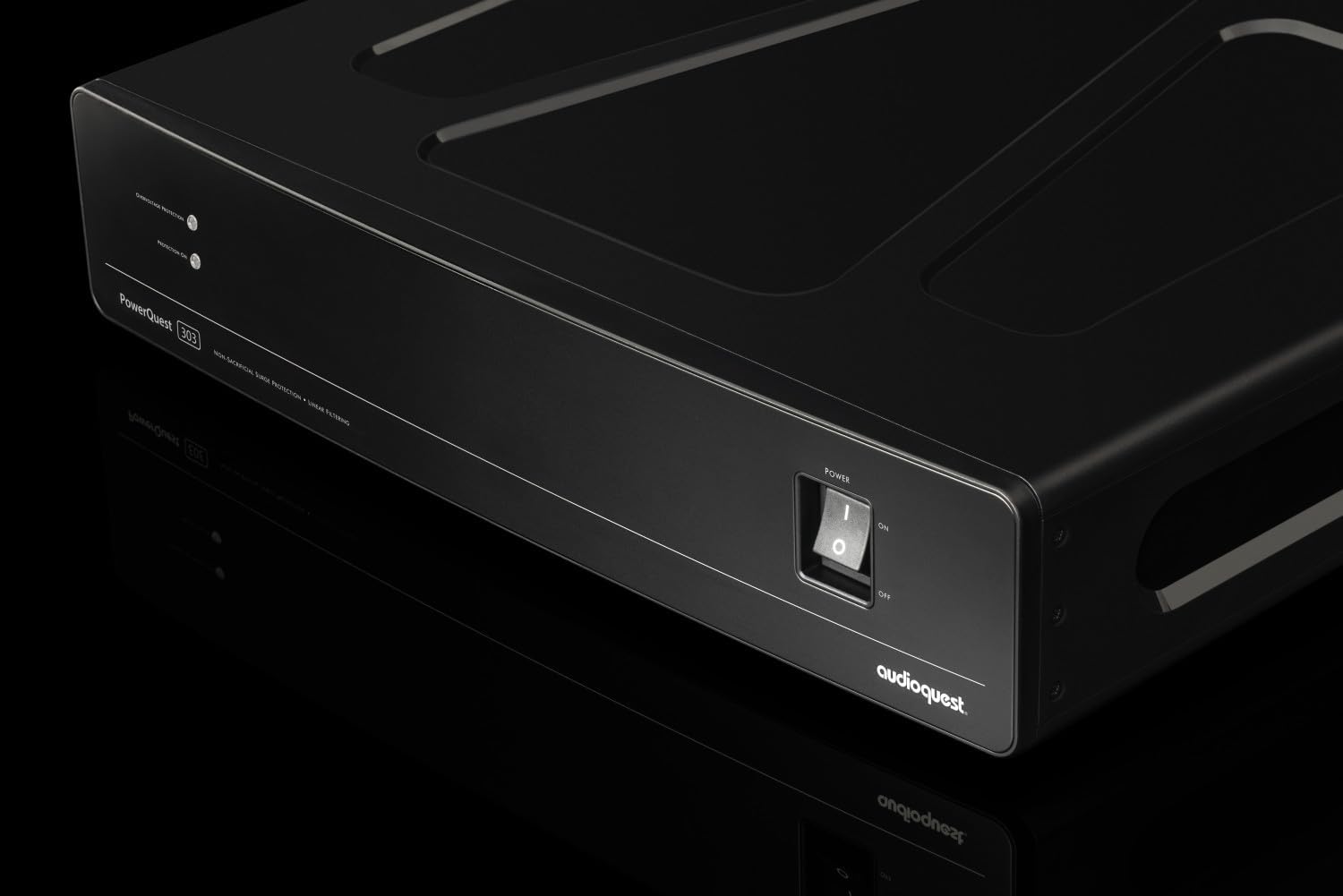
Figure 4: Close-up of the front panel showing the power switch and indicator lights.
5. പരിപാലനം
ഓഡിയോക്വസ്റ്റ് പവർക്വസ്റ്റ് 303 ന് വളരെ കുറഞ്ഞ അറ്റകുറ്റപ്പണികൾ മാത്രമേ ആവശ്യമുള്ളൂ.
- വൃത്തിയാക്കൽ: Disconnect the unit from the AC wall outlet before cleaning. Use a soft, dry cloth to wipe the exterior. Avoid using liquid cleaners or solvents.
- സർജ് സംരക്ഷണം: The non-sacrificial surge protection system does not require replacement after a surge event. It is designed to withstand multiple strikes without degradation.
- സർക്യൂട്ട് ബ്രേക്കർ: The unit includes a 15A circuit breaker (reset button) on the rear panel. If the unit loses power unexpectedly, check this button. If it has popped out, press it firmly to reset the circuit.
6. പ്രശ്നപരിഹാരം
If you encounter issues with your PowerQuest 303, refer to the following troubleshooting guide:
| പ്രശ്നം | സാധ്യമായ കാരണം | പരിഹാരം |
|---|---|---|
| ബന്ധിപ്പിച്ച ഉപകരണങ്ങളിലേക്ക് വൈദ്യുതിയില്ല. |
|
|
| "ഓവർവോൾtage Protection" LED is illuminated (red). | ഇൻപുട്ട് എസി വോള്യംtage exceeded 140VAC. |
|
| "Protection On" LED is off (green). | Indicates a fault in the surge protection circuit. |
|
7 സ്പെസിഫിക്കേഷനുകൾ
Detailed technical specifications for the AudioQuest PowerQuest 303:
| മോഡൽ നമ്പർ | PQ303NA |
| ഉൽപ്പന്ന അളവുകൾ (ആഴം x വീതി x ഉയരം) | 13.4 x 17 x 3.5 ഇഞ്ച് (34 x 43.2 x 8.9 സെ.മീ) |
| ഇനത്തിൻ്റെ ഭാരം | 4.66 പൗണ്ട് (2.11 കി.ഗ്രാം) |
| എസി ഔട്ട്ലെറ്റുകളുടെ എണ്ണം | 12 (4 High-Current, 8 Linear-Filtered) |
| സർജ് സംരക്ഷണം | ത്യാഗരഹിതം, 6000V/3000A വരെ താങ്ങാൻ കഴിയും |
| എക്സ്ട്രീം-വോളിയംtagഇ ഷട്ട്ഡൗൺ | Activates at 140VAC, disengages in <0.25 seconds |
| സർക്യൂട്ട് ബ്രേക്കർ | 15 Amps |
| കണക്റ്റർ തരം | NEMA 5-15P (for input power cable) |
| മെറ്റീരിയൽ | മെറ്റൽ ചേസിസ് |
| നിറം | കറുപ്പ് |

Figure 5: Dimensions of the AudioQuest PowerQuest 303.
8. വാറൻ്റിയും പിന്തുണയും
For detailed warranty information, please refer to the official warranty documentation provided with your AudioQuest PowerQuest 303 or visit the official AudioQuest website. For technical support or service inquiries, please contact AudioQuest customer service.