
F1
TWS F1 ഗെയിമിംഗ് ഇയർഫോൺ ഉപയോക്തൃ മാനുവൽ
മോഡൽ: F1
ആമുഖം
Thank you for choosing the TWS F1 Gaming Earphones. These true wireless stereo earbuds are designed to provide an immersive audio experience for gaming and everyday use, featuring low latency, clear calls, and a comfortable fit. Please read this manual carefully before using the product to ensure proper operation and to maximize its lifespan.
പാക്കേജ് ഉള്ളടക്കം
അൺബോക്സിംഗ് ചെയ്യുമ്പോൾ പാക്കേജ് ഉള്ളടക്കങ്ങൾ പരിശോധിക്കുക:
- TWS F1 Gaming Earbuds (Left and Right)
- ചാർജിംഗ് കേസ്
- യുഎസ്ബി ചാർജിംഗ് കേബിൾ
- ഉപയോക്തൃ മാനുവൽ
- ഇയർ കുഷ്യനുകൾ (വിവിധ വലുപ്പങ്ങൾ)
ഉൽപ്പന്ന സവിശേഷതകൾ
The TWS F1 Gaming Earphones are equipped with advanced features for an enhanced audio experience:
- ബ്ലൂടൂത്ത് 5.0 കണക്റ്റിവിറ്റി: Ensures stable and fast wireless connection up to 15 meters.
- HiFi Sound Effect: Delivers high-fidelity audio for an immersive listening experience.
- ഗെയിം/സംഗീതം ഡ്യുവൽ മോഡ്: Optimize audio performance for either gaming or music playback.
- 60ms കുറഞ്ഞ ലേറ്റൻസി: Minimizes audio delay, crucial for competitive gaming.
- സജീവമായ നോയിസ് റദ്ദാക്കൽ: Reduces ambient noise for clearer audio.
- HD Binaural Call: Provides clear voice transmission during calls.
- IPX-5 Waterproof Standard: Offers protection against sweat and light splashes.
- സ്മാർട്ട് ടച്ച് നിയന്ത്രണങ്ങൾ: Intuitive touch sensors for easy management of music, calls, and modes.
- Automatic Power-On Pairing: Earbuds automatically connect to your device when the case is opened.
- നീണ്ട ബാറ്ററി ലൈഫ്: Extended playtime and standby time.
- 10mm Graphene Composite Diaphragm: Delivers rich bass and clear highs.

Image: The TWS F1 earbuds and their charging case, highlighting the HiFi sound effect and long battery life, along with the game and music dual mode.

ചിത്രം: വിശദമായ ഒരു ചിത്രം view of the TWS F1 earbuds in their charging case, illustrating key features such as HiFi lossless sound, long battery life, HD calls, automatic pairing, Siri support, and dual game/music modes.

Image: The TWS F1 earbuds and charging case, emphasizing their design for gamers with Bluetooth 5.0 dual transmission, a 15-meter uninterrupted link, and strong anti-interference capabilities.
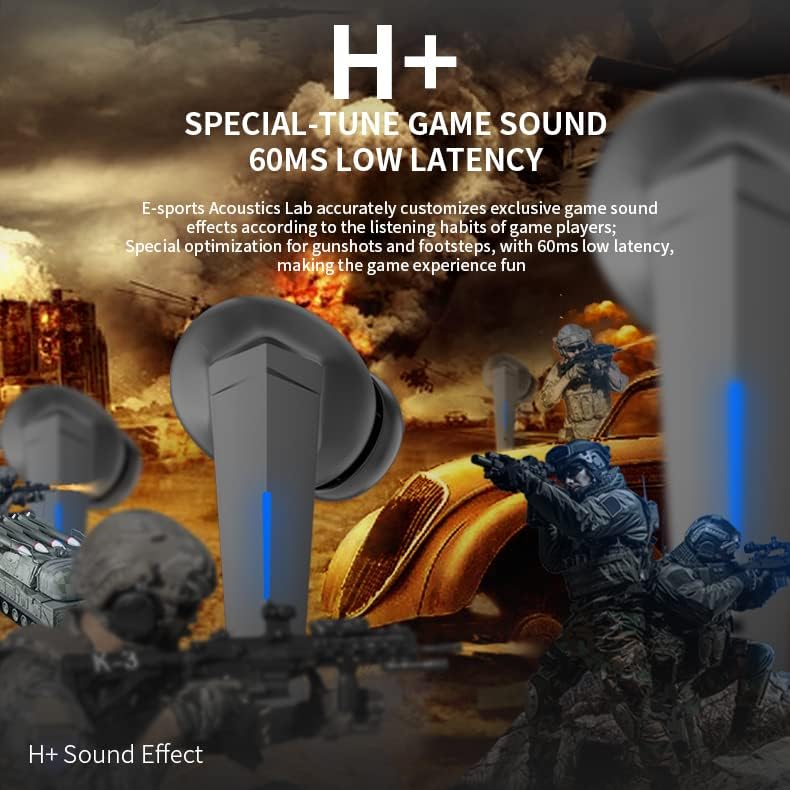
Image: The TWS F1 earbuds, highlighting their H+ special-tuned game sound and ultra-low 60ms latency for an optimized gaming audio experience.
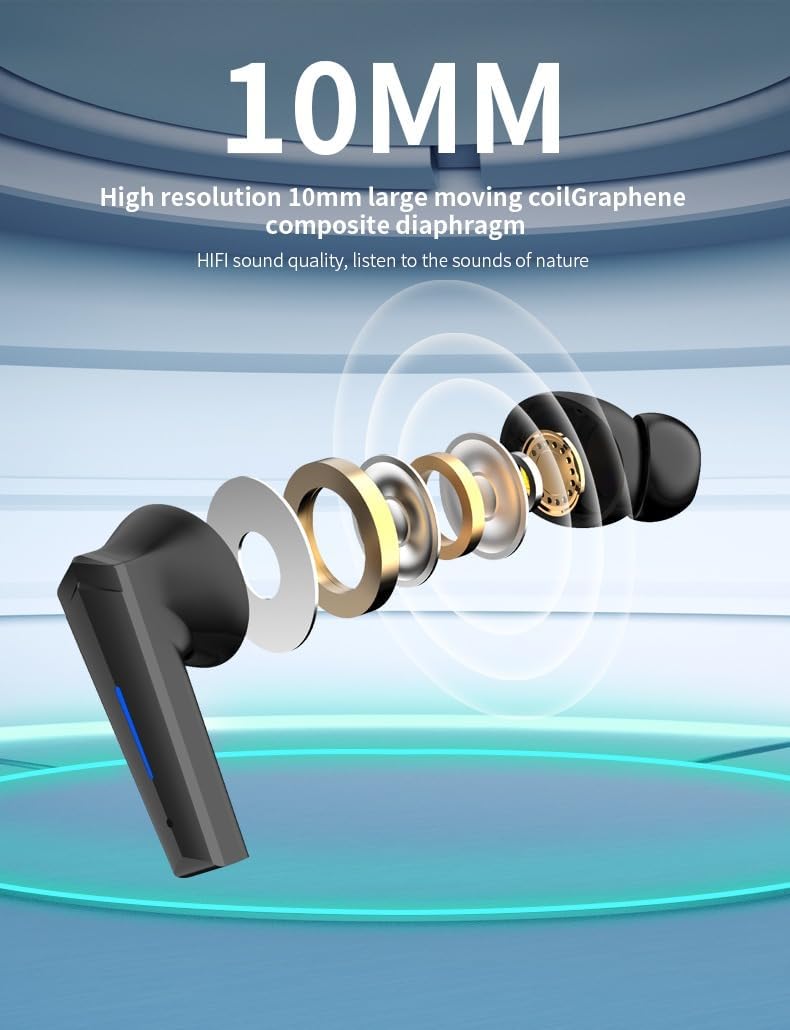
Image: An exploded diagram of the TWS F1 earbud, showcasing its 10mm high-resolution large moving coil with a Graphene composite diaphragm, responsible for its high-fidelity sound quality.
സജ്ജമാക്കുക
1. പ്രാരംഭ ചാർജിംഗ്
Before first use, fully charge the TWS F1 earbuds and their charging case. Connect the provided USB charging cable to the charging port on the case and a power source. The LED indicator on the case will show charging status. A full charge typically takes 1-2 hours.

Image: The TWS F1 Gaming Earbuds placed inside their open charging case, ready for charging or pairing.
2. നിങ്ങളുടെ ഉപകരണവുമായി ജോടിയാക്കുന്നു
- രണ്ട് ഇയർബഡുകളും ചാർജ്ജ് ചെയ്തിട്ടുണ്ടെന്ന് ഉറപ്പാക്കുക.
- ചാർജിംഗ് കേസ് തുറക്കുക. ഇയർബഡുകൾ സ്വയമേവ ഓണാകുകയും ജോടിയാക്കൽ മോഡിലേക്ക് പ്രവേശിക്കുകയും ചെയ്യും.
- നിങ്ങളുടെ ഉപകരണത്തിൽ (സ്മാർട്ട്ഫോൺ, ടാബ്ലെറ്റ്, കമ്പ്യൂട്ടർ), ബ്ലൂടൂത്ത് ക്രമീകരണങ്ങളിലേക്ക് പോയി ബ്ലൂടൂത്ത് ഓണാക്കുക.
- ഇതിനായി തിരയുക available devices. You should see "F1" or "TWS F1" in the list.
- Select "F1" to connect. Once connected, a voice prompt will confirm successful pairing.
- The earbuds will automatically reconnect to the last paired device when the case is opened, if Bluetooth is enabled on the device.
പ്രവർത്തന നിർദ്ദേശങ്ങൾ
സ്മാർട്ട് ടച്ച് നിയന്ത്രണങ്ങൾ
The TWS F1 earbuds feature intuitive touch controls on each earbud. The touch sensitive area is located on the outer surface of the earbud.

Image: A visual guide to the smart touch controls on the TWS F1 earbuds, detailing actions for short press, long press, double click, three clicks, and four taps for both left and right earbuds.
| ആക്ഷൻ | ഇടത് ഇയർബഡ് (എൽ) | വലത് ഇയർബഡ് (R) |
|---|---|---|
| ഷോർട്ട് പ്രസ്സ് | Play/Pause/Hang up call | Play/Pause/Hang up call |
| ദീർഘനേരം അമർത്തുക (2 സെക്കൻഡ്) | Power on (from off state) / Call Siri | Power on (from off state) / Call Siri |
| ദീർഘനേരം അമർത്തുക (4 സെക്കൻഡ്) | Shutdown (from on state) | Shutdown (from on state) |
| ഡബിൾ ക്ലിക്ക് ചെയ്യുക | അടുത്ത ഗാനം | മുൻ ഗാനം |
| മൂന്ന് ക്ലിക്കുകൾ | വ്യാപ്തം - | വോളിയം + |
| Four Taps | Switch between Game Mode and Music Mode. (LED light flashes when in game mode, 4 clicks again to switch back to music mode) | |
| ഇൻകമിംഗ് കോൾ | Short Press to Answer / Long Press to Reject | Short Press to Answer / Long Press to Reject |
Switching Modes (Game/Music)
To switch between Game Mode (low latency) and Music Mode (HiFi sound), tap either earbud four times. The LED indicator will flash to confirm Game Mode activation. Repeat the four-tap action to return to Music Mode.
മെയിൻ്റനൻസ്
- വൃത്തിയാക്കൽ: ഇയർബഡുകളും ചാർജിംഗ് കെയ്സും മൃദുവായതും ഉണങ്ങിയതും ലിന്റ് രഹിതവുമായ തുണി ഉപയോഗിച്ച് പതിവായി വൃത്തിയാക്കുക. അബ്രാസീവ് ക്ലീനറുകളോ ലായകങ്ങളോ ഉപയോഗിക്കരുത്.
- സംഭരണം: ഉപയോഗത്തിലില്ലാത്തപ്പോൾ, ഇയർബഡുകൾ ചാർജിംഗ് കേസിൽ സൂക്ഷിക്കുക, അതുവഴി അവയെ സംരക്ഷിക്കുകയും ചാർജ്ജ് ചെയ്ത് നിലനിർത്തുകയും ചെയ്യുക. നേരിട്ടുള്ള സൂര്യപ്രകാശത്തിൽ നിന്നും ഉയർന്ന താപനിലയിൽ നിന്നും അകന്ന് തണുത്തതും വരണ്ടതുമായ സ്ഥലത്ത് സൂക്ഷിക്കുക.
- ജല പ്രതിരോധം: The earbuds are IPX-5 rated, meaning they are resistant to light splashes and sweat. Do not submerge them in water or expose them to heavy rain. Dry them thoroughly if they get wet.
- ചാർജിംഗ്: നൽകിയിരിക്കുന്ന ചാർജിംഗ് കേബിളോ സാക്ഷ്യപ്പെടുത്തിയ തത്തുല്യമായതോ മാത്രം ഉപയോഗിക്കുക. അമിത ചാർജിംഗ് ഒഴിവാക്കുക.
ട്രബിൾഷൂട്ടിംഗ്
If you encounter issues with your TWS F1 Gaming Earphones, please refer to the following common solutions:
- ഇയർബഡുകൾ ജോടിയാക്കുകയോ ബന്ധിപ്പിക്കുകയോ ചെയ്യുന്നില്ല:
- രണ്ട് ഇയർബഡുകളും ചാർജ്ജ് ചെയ്തിട്ടുണ്ടെന്ന് ഉറപ്പാക്കുക.
- Place earbuds back in the case, close the lid, wait a few seconds, then open the lid again.
- നിങ്ങളുടെ ഉപകരണത്തിൽ ബ്ലൂടൂത്ത് ഓഫാക്കി ഓണാക്കുക.
- നിങ്ങളുടെ ഉപകരണത്തിന്റെ ബ്ലൂടൂത്ത് ലിസ്റ്റിൽ നിന്ന് "F1" മറന്ന് വീണ്ടും ജോടിയാക്കാൻ ശ്രമിക്കുക.
- മറ്റ് ബ്ലൂടൂത്ത് ഉപകരണങ്ങളൊന്നും തടസ്സപ്പെടുത്തുന്നില്ലെന്ന് ഉറപ്പാക്കുക.
- ഒരു ഇയർബഡ് മാത്രമേ പ്രവർത്തിക്കുന്നുള്ളൂ:
- രണ്ട് ഇയർബഡുകളും ചാർജ്ജ് ചെയ്തിട്ടുണ്ടെന്ന് ഉറപ്പാക്കുക.
- Place both earbuds back in the charging case, close the lid, and then open it again. This often re-syncs them.
- Check if the earbud is properly seated in the charging case and making contact with the charging pins.
- കുറഞ്ഞ ശബ്ദം അല്ലെങ്കിൽ മോശം ശബ്ദ നിലവാരം:
- നിങ്ങളുടെ ഉപകരണത്തിലും ഇയർബഡുകളിലും (ടച്ച് കൺട്രോളുകൾ ഉപയോഗിച്ച്) വോളിയം ക്രമീകരിക്കുക.
- ഇയർബഡുകൾ വൃത്തിയുള്ളതും അവശിഷ്ടങ്ങൾ ഇല്ലാത്തതുമാണെന്ന് ഉറപ്പാക്കുക.
- Try different sized ear cushions for a better seal in your ear canal.
- സിഗ്നൽ തടസ്സങ്ങൾ ഒഴിവാക്കാൻ നിങ്ങളുടെ കണക്റ്റുചെയ്ത ഉപകരണത്തിന് അടുത്തേക്ക് നീങ്ങുക.
- ചാർജിംഗ് കേസ് ചാർജുചെയ്യുന്നില്ല:
- ചാർജിംഗ് കേബിൾ കേസിലേക്കും പവർ സ്രോതസ്സിലേക്കും സുരക്ഷിതമായി ബന്ധിപ്പിച്ചിട്ടുണ്ടെന്ന് ഉറപ്പാക്കുക.
- മറ്റൊരു USB പോർട്ട് അല്ലെങ്കിൽ പവർ അഡാപ്റ്റർ പരീക്ഷിക്കുക.
- എന്തെങ്കിലും കേടുപാടുകൾ ഉണ്ടോയെന്ന് ചാർജിംഗ് കേബിൾ പരിശോധിക്കുക.
സ്പെസിഫിക്കേഷനുകൾ
| ഫീച്ചർ | വിശദാംശങ്ങൾ |
|---|---|
| മോഡലിൻ്റെ പേര് | F1 |
| ബ്രാൻഡ് | ജനറിക് |
| കണക്റ്റിവിറ്റി ടെക്നോളജി | വയർലെസ്സ് (ബ്ലൂടൂത്ത് 5.0) |
| ശബ്ദ നിയന്ത്രണം | സജീവ നോയ്സ് റദ്ദാക്കൽ |
| വാട്ടർപ്രൂഫ് സ്റ്റാൻഡേർഡ് | IPX-5 |
| ചാർജിംഗ് സമയം | 1-2 മണിക്കൂർ |
| സ്റ്റാൻഡ്ബൈ സമയം | 120 മണിക്കൂർ |
| ഡ്രൈവർ വലിപ്പം | 10mm (Graphene Composite Diaphragm) |
| കുറഞ്ഞ ലേറ്റൻസി | 60ms (ഗെയിം മോഡ്) |
| ഉൾപ്പെടുത്തിയ ഘടകങ്ങൾ | Cable, User Manual, Ear Cushions |
| ഉൽപ്പന്ന അളവുകൾ | 14.2 x 6.1 x 3.5 സെ.മീ; 160 ഗ്രാം |
വാറൻ്റിയും പിന്തുണയും
For warranty information and technical support, please refer to the purchase documentation or contact the retailer where you purchased the TWS F1 Gaming Earphones. Keep your proof of purchase for any warranty claims.
കൂടുതൽ സഹായത്തിന്, നിങ്ങൾക്ക് നിർമ്മാതാവിന്റെ website (if available) or contact their customer service department.
Ask a question about this manual
Ask about setup, troubleshooting, compatibility, parts, safety, or missing instructions. Manuals+ will review the question and use this page’s manual context to help answer it.