
ഉൽപ്പന്നം കഴിഞ്ഞുview
The DOOGEE S110 is a robust and high-performance rugged smartphone designed for durability and extensive use. It features a large battery, advanced camera system, and a unique rear display for enhanced convenience.
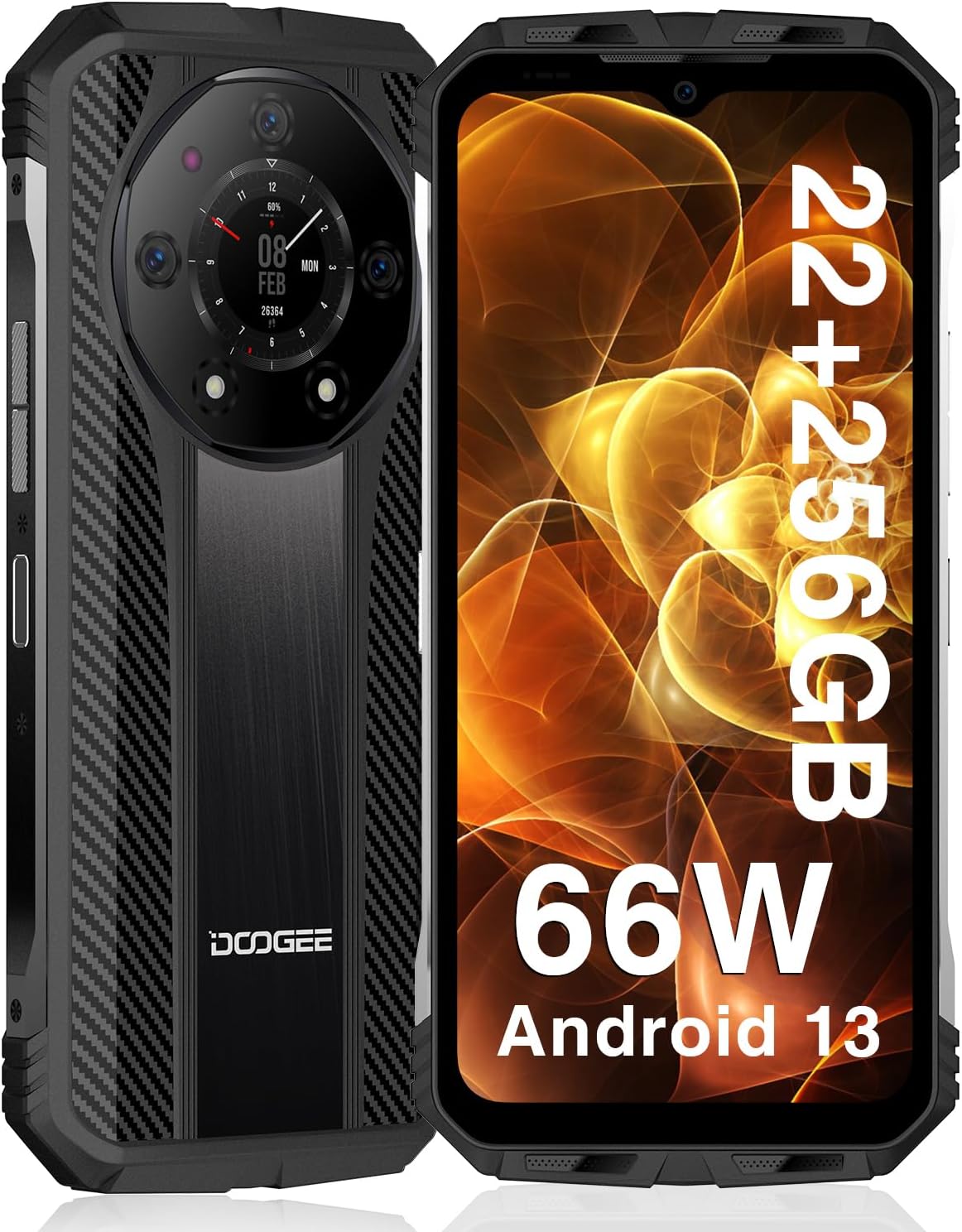
മുന്നിലും പിന്നിലും view of the DOOGEE S110 Rugged Smartphone, highlighting its robust design and rear display.
- ശക്തമായ പ്രകടനം: Equipped with 22GB RAM (12GB fixed + 10GB virtual) and 256GB ROM, expandable up to 2TB via TF card, powered by a 6nm chipset clocked at up to 2.2GHz.
- ദീർഘകാല ബാറ്ററി: Features a 10800mAh battery with 66W super fast charging, providing up to 960 hours standby time and 45 hours talk time. Supports reverse charging.
- Innovative Rear Display: A 1.09-inch rear display for quick access to functions like battery level, music playback, and call management.
- വിപുലമായ ക്യാമറ സിസ്റ്റം: Includes a 50MP main camera, 32MP front camera, and a 24MP night vision camera for versatile photography.
- പരുക്കൻ ഈട്: IP68/IP69K waterproof, dust-resistant, and MIL-STD-810H certified for drop resistance up to 1.5 meters.
- കണക്റ്റിവിറ്റി: Supports Dual Nano SIM, NFC for Google Pay, Wi-Fi 2.4G/5G, Bluetooth 5.2, and multiple positioning modes (GPS, Glonass, Galileo, Beidou).
സജ്ജീകരണ ഗൈഡ്
1. Inserting SIM Cards and TF Card
The DOOGEE S110 supports two Nano SIM cards or one Nano SIM card and one TF (microSD) card for expanded storage.
- ഉപകരണത്തിന്റെ വശത്ത് സിം കാർഡ് ട്രേ കണ്ടെത്തുക.
- ട്രേ തുറക്കാൻ നൽകിയിരിക്കുന്ന സിം എജക്റ്റർ ഉപകരണം ഉപയോഗിക്കുക.
- Carefully place your Nano SIM card(s) and/or TF card into the designated slots on the tray. Ensure the gold contacts are facing down.
- ട്രേ ഫ്ലഷ് ആകുന്നതുവരെ ഉപകരണത്തിലേക്ക് പതുക്കെ തിരികെ തള്ളുക.
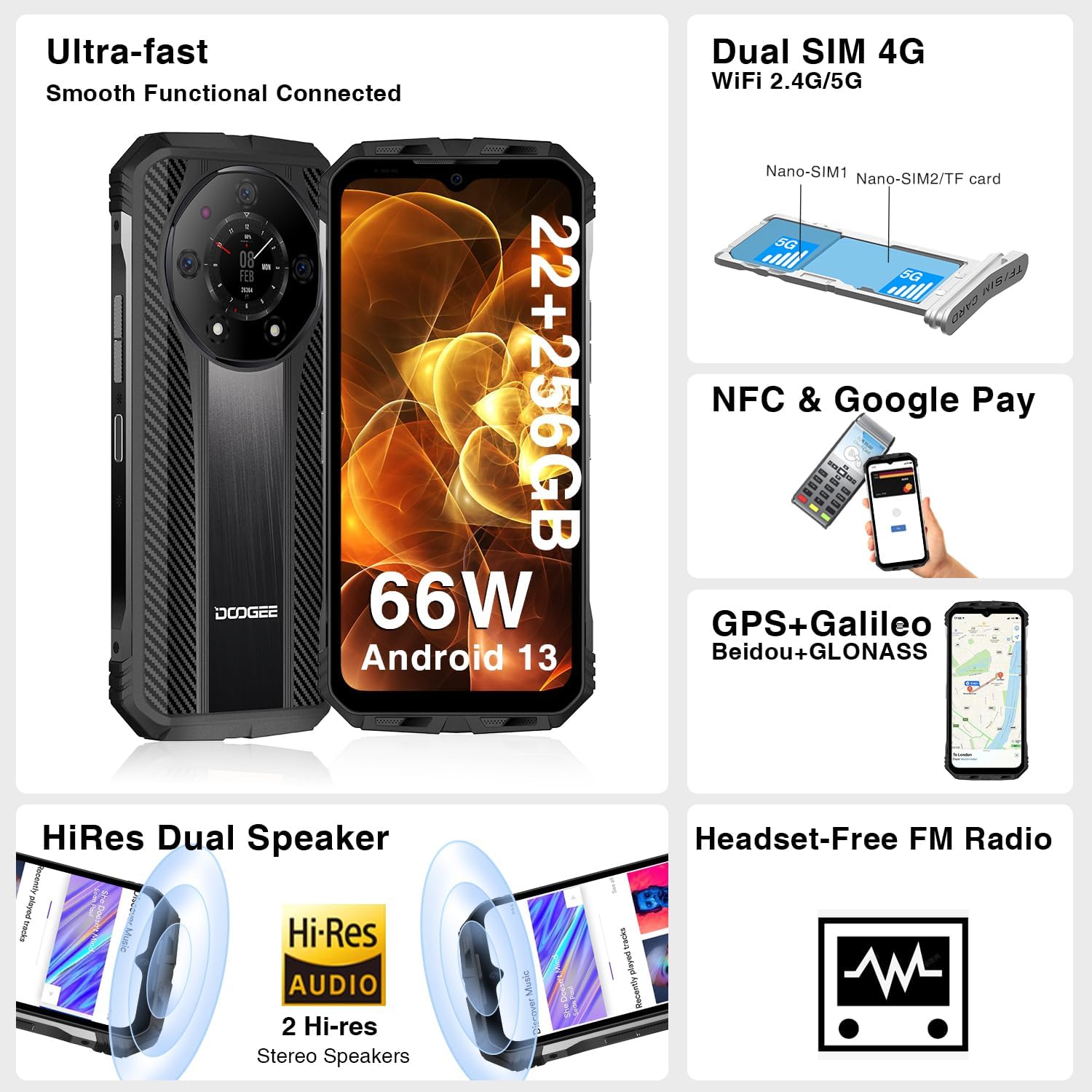
Illustration of inserting Nano SIM cards and a TF card into the DOOGEE S110's card tray.
2. പ്രാരംഭ ചാർജിംഗും പവർ ഓണും
ആദ്യ ഉപയോഗത്തിന് മുമ്പ്, ഉപകരണം പൂർണ്ണമായും ചാർജ് ചെയ്യാൻ ശുപാർശ ചെയ്യുന്നു.
- ഫോണിന്റെ അടിയിലുള്ള ചാർജിംഗ് പോർട്ടിലേക്ക് യുഎസ്ബി ടൈപ്പ്-സി കേബിൾ ബന്ധിപ്പിക്കുക.
- Connect the other end of the cable to the 66W fast charger and plug it into a power outlet.
- ബാറ്ററി ഇൻഡിക്കേറ്റർ 100% കാണിക്കുന്നത് വരെ ഫോൺ ചാർജ് ചെയ്യാൻ അനുവദിക്കുക.
- To power on, press and hold the Power button (located on the side) until the DOOGEE logo appears on the screen.

The DOOGEE S110 connected to its 66W fast charger, illustrating the rapid charging capability.
പ്രവർത്തന നിർദ്ദേശങ്ങൾ
പ്രദർശനവും ഇടപെടലും
The DOOGEE S110 features a 6.6-inch FHD+ display with a 120Hz refresh rate for smooth visuals. It is protected by Corning Gorilla Glass.

The vibrant 6.6-inch FHD+ display of the DOOGEE S110, showcasing its visual quality.
ക്യാമറ പ്രവർത്തനങ്ങൾ
Capture high-quality photos and videos with the versatile camera system.
- 50MP പ്രധാന ക്യാമറ: For detailed and clear images in various lighting conditions.
- 32MP മുൻ ക്യാമറ: സെൽഫികൾക്കും വീഡിയോ കോളുകൾക്കും അനുയോജ്യം.
- 24MP നൈറ്റ് വിഷൻ ക്യാമറ: Utilizes infrared sensors to capture clear images in complete darkness.

ഒരു ഓവർview of the DOOGEE S110's camera capabilities, including the 50MP main, 32MP front, and 24MP night vision cameras.
Using the Innovative Rear Display
The 1.09-inch rear display provides quick access to essential information and controls without needing to activate the main screen.
- ഉണരുക: Double-click the rear display, flip the phone, or synchronize with the main screen to activate it.
- പ്രവർത്തനങ്ങൾ: Check battery level, manage music playback, view incoming call reminders, and capture quick photos.

The DOOGEE S110's innovative rear display showing various functions like battery check, music control, and call management.
കണക്റ്റിവിറ്റി സവിശേഷതകൾ
The S110 offers robust connectivity options for seamless communication and navigation.
- NFC: For contactless payments via Google Pay and quick data transfer.
- ഡ്യുവൽ സിം 4G: Supports two Nano SIM cards for flexible network usage.
- വൈഫൈ: Supports 2.4G/5G for fast internet access.
- ജിപിഎസ്: Integrated GPS, GLONASS, Galileo, and Beidou for accurate positioning.
മെയിൻ്റനൻസ്
The DOOGEE S110 is built to withstand harsh environments, but proper maintenance ensures its longevity.

Visual representation of the DOOGEE S110's MIL-STD-810H, IP68, and IP69K ratings, demonstrating its durability against drops, water, and dust.
- വൃത്തിയാക്കൽ: സോഫ്റ്റ്, ഡി ഉപയോഗിച്ച് ഉപകരണം തുടയ്ക്കുകamp തുണി. കഠിനമായ രാസവസ്തുക്കളോ ഉരച്ചിലുകളോ ഉപയോഗിക്കുന്നത് ഒഴിവാക്കുക.
- തുറമുഖ സംരക്ഷണം: Ensure all port covers (USB-C, SIM tray) are securely closed to maintain water and dust resistance, especially before exposure to liquids or dusty environments.
- താപനില: Avoid exposing the phone to extreme temperatures (very hot or very cold) for prolonged periods, as this can affect battery life and internal components.
- ആഘാതം: While rugged, avoid unnecessary drops or impacts. The MIL-STD-810H rating provides protection but is not a guarantee against all damage.
ട്രബിൾഷൂട്ടിംഗ്
This section addresses common issues you might encounter with your DOOGEE S110.
- ഉപകരണം പവർ ചെയ്യുന്നില്ല: Ensure the battery is charged. Connect to the charger and wait a few minutes before attempting to power on again. If unresponsive, try a forced restart by holding the Power button for 10-15 seconds.
- Poor Signal/Connectivity: Check if SIM cards are correctly inserted. Ensure you are within network coverage. Try toggling Airplane Mode on and off. If issues persist, contact your carrier.
- ആപ്പുകൾ ക്രാഷാകൽ/മന്ദഗതിയിലുള്ള പ്രകടനം: Close background applications. Clear app cache (Settings > Apps > [App Name] > Storage > Clear Cache). Restart the device. Ensure sufficient storage space is available.
- ബാറ്ററി വേഗത്തിൽ തീർന്നു: Reduce screen brightness. Disable unused features like Wi-Fi, Bluetooth, GPS when not needed. Limit background app refresh. Check battery usage in settings to identify power-hungry apps.
- Rear Display Not Responding: Ensure the main screen is active or try double-tapping the rear display. Check for any system updates that might resolve software glitches.
For persistent issues, consider performing a factory reset (backup your data first) or contact customer support.
സ്പെസിഫിക്കേഷനുകൾ
| ഫീച്ചർ | വിശദാംശങ്ങൾ |
|---|---|
| മോഡലിൻ്റെ പേര് | DOOGEE S110 |
| ഓപ്പറേറ്റിംഗ് സിസ്റ്റം | ആൻഡ്രോയിഡ് 13.0 |
| ഇൻസ്റ്റാൾ ചെയ്ത RAM മെമ്മറി വലുപ്പം | 22 GB (12GB + 10GB Virtual) |
| മെമ്മറി സ്റ്റോറേജ് കപ്പാസിറ്റി | 256 GB (Expandable up to 2TB TF) |
| സ്ക്രീൻ വലിപ്പം | 6.58 ഇഞ്ച് |
| റെസലൂഷൻ | 1920 x 1080 (FHD+) |
| പുതുക്കിയ നിരക്ക് | 120Hz |
| സിപിയു വേഗത | 2.2 GHz |
| ബാറ്ററി ശേഷി | 10800 മില്ലിamp മണിക്കൂറുകൾ |
| ചാർജിംഗ് | 66W ഫാസ്റ്റ് ചാർജിംഗ് |
| പ്രധാന ക്യാമറ | 50എംപി |
| മുൻ ക്യാമറ | 32എംപി |
| നൈറ്റ് വിഷൻ ക്യാമറ | 24എംപി |
| പിൻ ഡിസ്പ്ലേ | 1.09 ഇഞ്ച് |
| ഈട് റേറ്റിംഗുകൾ | IP68, IP69K, MIL-STD-810H |
| കണക്റ്റിവിറ്റി | NFC, Wi-Fi, Bluetooth, GPS |
| ഇനത്തിൻ്റെ ഭാരം | 1.57 പൗണ്ട് |
വാറൻ്റിയും പിന്തുണയും
DOOGEE is committed to providing excellent customer service and support for your S110 Rugged Smartphone.
- 2 വർഷത്തെ വാറൻ്റി: The DOOGEE S110 comes with a 2-year limited warranty covering manufacturing defects.
- 30 ദിവസത്തെ പണം തിരികെ നൽകൽ ഗ്യാരണ്ടി: Enjoy a 30-day money-back guarantee and free return policy.
- 24/7 സാങ്കേതിക പിന്തുണ: Access to 24/7 online technical support for any queries or assistance you may need.
For warranty claims or technical assistance, please visit the official DOOGEE support webസൈറ്റ് ചെയ്യുക അല്ലെങ്കിൽ അവരുടെ ഉപഭോക്തൃ സേവന ടീമിനെ നേരിട്ട് ബന്ധപ്പെടുക.