
ആമുഖം
Thank you for choosing the AWEI A996BL Bluetooth Over-Ear Headphones. This manual provides detailed instructions for setting up, operating, and maintaining your headphones to ensure optimal performance and longevity. Please read this manual carefully before use.
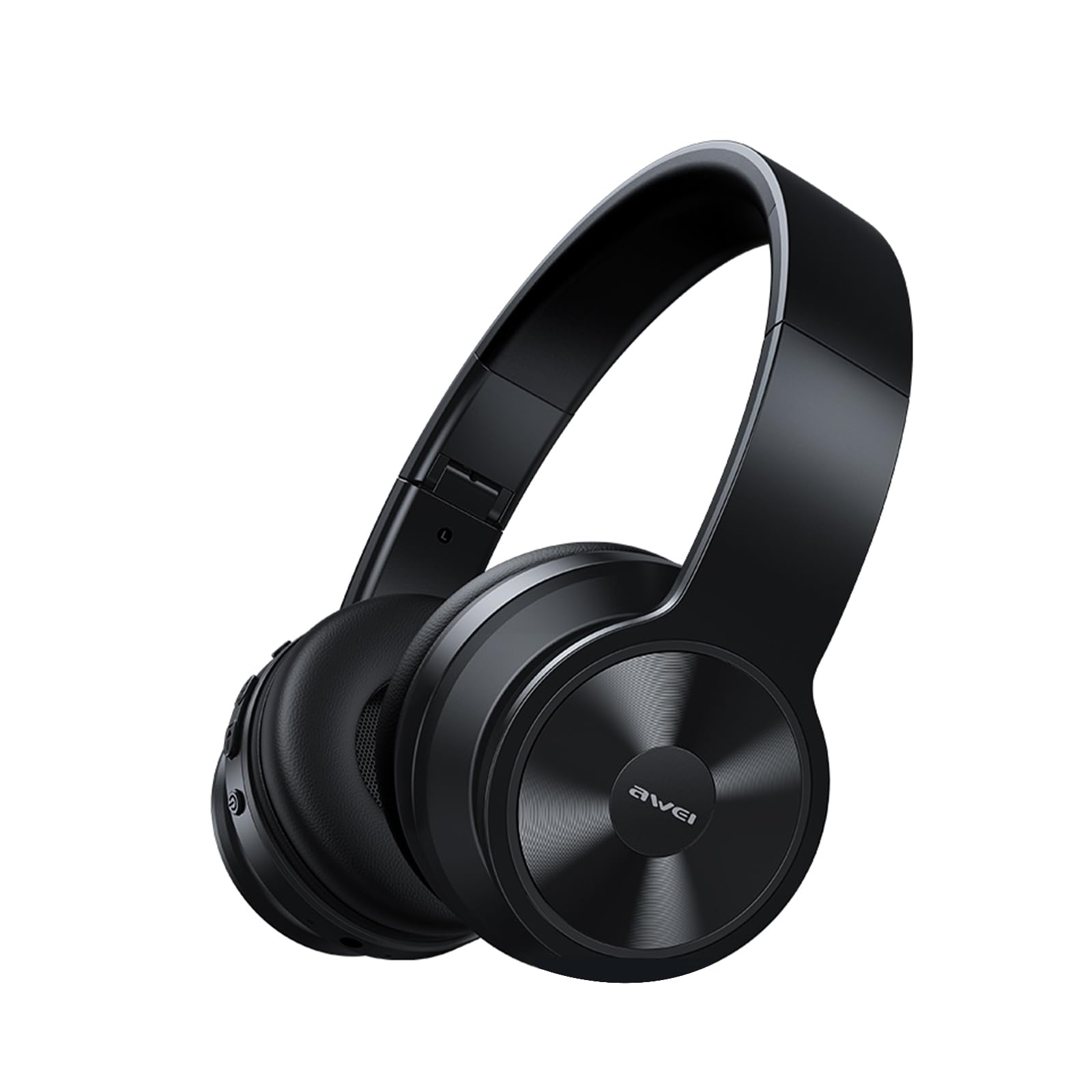
Image: AWEI A996BL over-ear headphones, showcasinഅവരുടെ ഡിസൈൻ.
The AWEI A996BL headphones feature advanced Bluetooth 5.3 technology for stable connections, 40mm drivers for immersive stereo sound, and a comfortable, foldable design with soft protein earpads. Enjoy up to 16 hours of playtime on a single charge, with the flexibility of both wireless and wired (AUX) listening modes.
പാക്കേജ് ഉള്ളടക്കം
- AWEI A996BL Bluetooth Over-Ear Headphones
- യുഎസ്ബി ചാർജിംഗ് കേബിൾ
- ഉപയോക്തൃ മാനുവൽ
- (Note: An AUX cable may be included for wired connection, depending on the specific package.)
ഉൽപ്പന്നം കഴിഞ്ഞുview
Familiarize yourself with the headphone components and controls.

Image: Right earcup of the AWEI A996BL headphones, highlighting the control buttons.
നിയന്ത്രണങ്ങളും സൂചകങ്ങളും:
- മൾട്ടി-ഫംഗ്ഷൻ ബട്ടൺ (MFB): Power On/Off, Play/Pause, Answer/End Call, Reject Call, Activate Voice Assistant.
- വോളിയം കൂട്ടുക / അടുത്ത ട്രാക്ക് ബട്ടൺ: Short press for Volume Up, Long press for Next Track.
- ശബ്ദം കുറയ്ക്കുക / മുമ്പത്തെ ട്രാക്ക് ബട്ടൺ: Short press for Volume Down, Long press for Previous Track.
- LED സൂചകം: പവർ സ്റ്റാറ്റസ്, ജോടിയാക്കൽ മോഡ്, ചാർജിംഗ് സ്റ്റാറ്റസ് എന്നിവ കാണിക്കുന്നു.
- മൈക്രോഫോൺ: ഹാൻഡ്സ് ഫ്രീ കോളുകൾക്കായി.
- USB-C ചാർജിംഗ് പോർട്ട്: ഹെഡ്ഫോണുകൾ ചാർജ് ചെയ്യുന്നതിനായി.
- 3.5mm AUX പോർട്ട്: വയർഡ് ഓഡിയോ കണക്ഷന്.
സജ്ജമാക്കുക
1. ഹെഡ്ഫോണുകൾ ചാർജ് ചെയ്യുന്നു
ആദ്യമായി ഉപയോഗിക്കുന്നതിന് മുമ്പ്, ഹെഡ്ഫോണുകൾ പൂർണ്ണമായും ചാർജ് ചെയ്യുക. പൂർണ്ണമായി ചാർജ് ചെയ്യാൻ ഏകദേശം 2 മണിക്കൂർ എടുക്കും.
- Connect the USB charging cable to the USB-C charging port on the headphones.
- കേബിളിന്റെ മറ്റേ അറ്റം ഒരു USB പവർ അഡാപ്റ്ററുമായി (ഉൾപ്പെടുത്തിയിട്ടില്ല) അല്ലെങ്കിൽ ഒരു കമ്പ്യൂട്ടറിന്റെ USB പോർട്ടുമായി ബന്ധിപ്പിക്കുക.
- The LED indicator will show a red light during charging and turn off or blue when fully charged.

Image: Visual representation of the 300mAh battery capacity, indicating long battery life.
2. പവർ ഓൺ/ഓഫ്
- പവർ ഓൺ: Press and hold the Multi-function Button (MFB) for approximately 3 seconds until the LED indicator flashes blue and a voice prompt confirms "Power On".
- പവർ ഓഫ്: Press and hold the Multi-function Button (MFB) for approximately 3 seconds until the LED indicator flashes red and a voice prompt confirms "Power Off".
3. Bluetooth Pairing (Wireless Mode)
The headphones use Bluetooth 5.3 for a stable connection.
- ഹെഡ്ഫോണുകൾ പൂർണ്ണമായും ചാർജ് ചെയ്തിട്ടുണ്ടെന്നും പവർ ഓഫ് ചെയ്തിട്ടുണ്ടെന്നും ഉറപ്പാക്കുക.
- Press and hold the Multi-function Button (MFB) for approximately 5-7 seconds until the LED indicator flashes blue and red alternately. This indicates pairing mode.
- നിങ്ങളുടെ ഉപകരണത്തിൽ (സ്മാർട്ട്ഫോൺ, ടാബ്ലെറ്റ്, പിസി), ബ്ലൂടൂത്ത് പ്രവർത്തനക്ഷമമാക്കി ലഭ്യമായ ഉപകരണങ്ങൾക്കായി തിരയുക.
- Select "AWEI A996BL" from the list of found devices.
- Once paired, the LED indicator will flash blue slowly, and a voice prompt will confirm "Connected".
- If a password is required, enter "0000".

Image: Headphones connected wirelessly to a laptop and smartphone, demonstrating a stable Bluetooth connection. Note: The product features Bluetooth 5.3 for enhanced performance.
4. വയർഡ് കണക്ഷൻ (AUX മോഡ്)
You can use the headphones in wired mode even when the battery is depleted or with non-Bluetooth devices.
- Connect one end of a 3.5mm audio cable (not included) to the AUX port on the headphones.
- മറ്റേ അറ്റം നിങ്ങളുടെ ഉപകരണത്തിന്റെ 3.5mm ഓഡിയോ ഔട്ട്പുട്ട് ജാക്കുമായി ബന്ധിപ്പിക്കുക.
- The headphones will automatically switch to wired mode. Note that controls on the headphones (volume, play/pause) may not function in wired mode; control playback from your connected device.

Image: Headphones showing both USB-C charging port and 3.5mm AUX port, illustrating wired and wireless options.
പ്രവർത്തന നിർദ്ദേശങ്ങൾ
ഹെഡ്ഫോണുകൾ ധരിക്കുന്നു
Adjust the headband for a comfortable fit. The soft protein earpads are designed for extended wear.

Image: A person wearing the AWEI A996BL headphones, highlighting their lightweight and comfortable design with adjustable headband and bendable earmuffs.
Basic Functions (Wireless Mode)
| ഫംഗ്ഷൻ | ഓപ്പറേഷൻ |
|---|---|
| സംഗീതം പ്ലേ ചെയ്യുക/താൽക്കാലികമായി നിർത്തുക | Short press the Multi-function Button (MFB). |
| വോളിയം കൂട്ടുക | Short press the "Volume Up / Next Track" button. |
| വോളിയം ഡൗൺ | Short press the "Volume Down / Previous Track" button. |
| അടുത്ത ട്രാക്ക് | Long press the "Volume Up / Next Track" button. |
| മുമ്പത്തെ ട്രാക്ക് | Long press the "Volume Down / Previous Track" button. |
| ഉത്തരം / കോൾ അവസാനിപ്പിക്കുക | Short press the Multi-function Button (MFB). |
| കോൾ നിരസിക്കുക | മൾട്ടി-ഫംഗ്ഷൻ ബട്ടൺ (MFB) ദീർഘനേരം അമർത്തുക. |
| വോയ്സ് അസിസ്റ്റൻ്റ് സജീവമാക്കുക | മൾട്ടി-ഫംഗ്ഷൻ ബട്ടൺ (MFB) രണ്ടുതവണ അമർത്തുക. |
മെയിൻ്റനൻസ്
വൃത്തിയാക്കൽ
- മൃദുവായതും ഉണങ്ങിയതും ലിന്റ് രഹിതവുമായ തുണി ഉപയോഗിച്ച് ഹെഡ്ഫോണുകൾ തുടയ്ക്കുക.
- അബ്രാസീവ് ക്ലീനറുകൾ, ആൽക്കഹോൾ, കെമിക്കൽ ലായകങ്ങൾ എന്നിവ ഉപയോഗിക്കരുത്.
- ഏതെങ്കിലും ദ്വാരങ്ങളിൽ ഈർപ്പം കയറുന്നത് ഒഴിവാക്കുക.
സംഭരണം
- ഉപയോഗത്തിലില്ലാത്തപ്പോൾ, ഹെഡ്ഫോണുകൾ തണുത്തതും വരണ്ടതുമായ സ്ഥലത്ത് സൂക്ഷിക്കുക, നേരിട്ടുള്ള സൂര്യപ്രകാശത്തിൽ നിന്നും കടുത്ത താപനിലയിൽ നിന്നും അകറ്റി നിർത്തുക.
- എളുപ്പത്തിൽ സൂക്ഷിക്കാനും കൊണ്ടുപോകാനും കഴിയുന്ന തരത്തിൽ മടക്കാവുന്ന രൂപകൽപ്പനയാണ് ഹെഡ്ഫോണുകളുടെ സവിശേഷത.
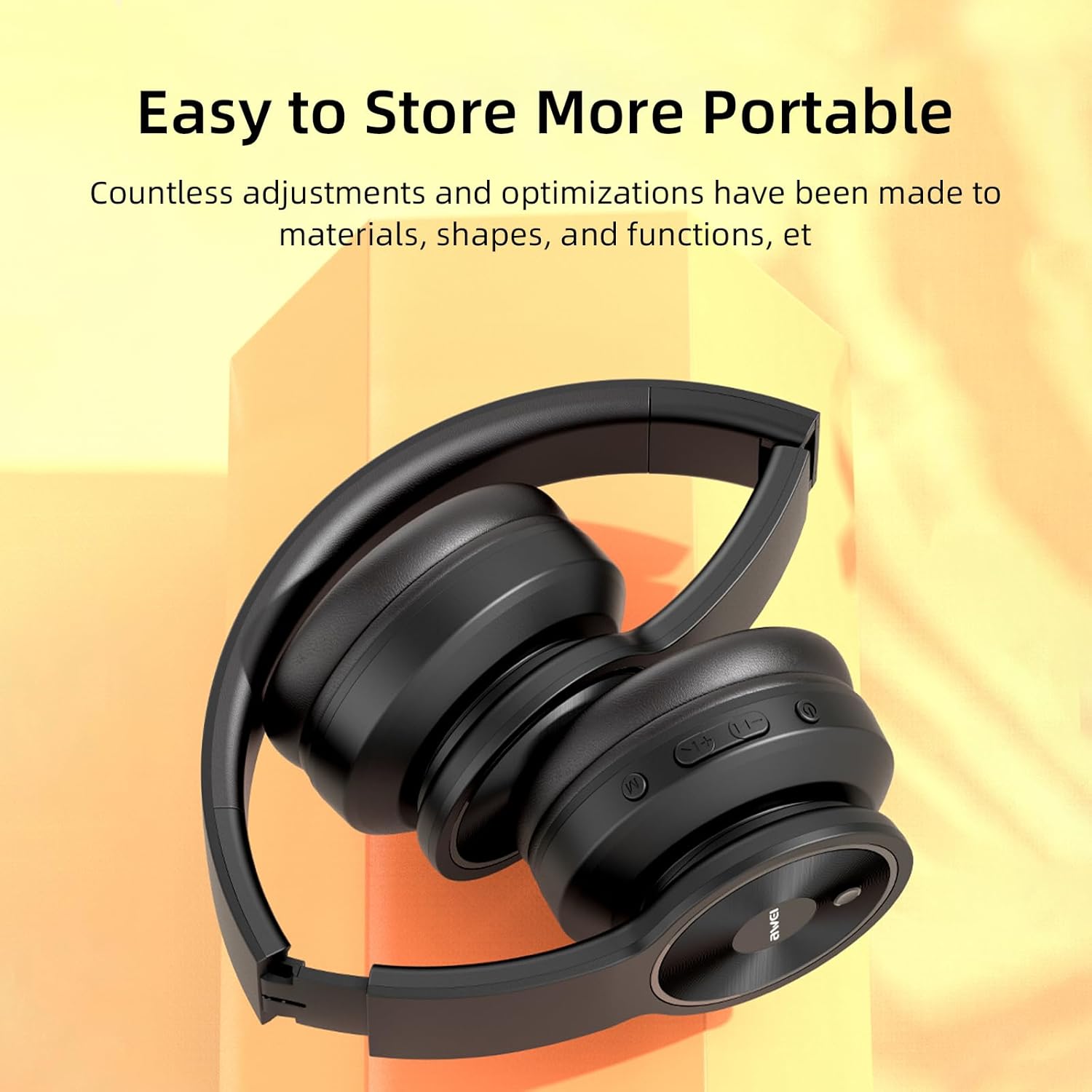
Image: The AWEI A996BL headphones in a folded position, demonstrating their portable and easy-to-store design.
ബാറ്ററി കെയർ
- To preserve battery life, charge the headphones regularly, even if not used frequently.
- ബാറ്ററി ദീർഘനേരം പൂർണ്ണമായും ഡിസ്ചാർജ് ചെയ്യുന്നത് ഒഴിവാക്കുക.
- ഉയർന്ന താപനിലയിൽ ബാറ്ററി തുറന്നുകാട്ടരുത്.
ട്രബിൾഷൂട്ടിംഗ്
| പ്രശ്നം | പരിഹാരം |
|---|---|
| ഹെഡ്ഫോണുകൾ പവർ ഓൺ ചെയ്യുന്നില്ല. | Ensure the headphones are charged. Connect to a power source using the USB cable. |
| ഉപകരണവുമായി ജോടിയാക്കാൻ കഴിയില്ല. |
|
| ശബ്ദമില്ല അല്ലെങ്കിൽ കുറഞ്ഞ ശബ്ദമില്ല. |
|
| ശബ്ദ നിലവാരം മോശമാണ് അല്ലെങ്കിൽ ഇടവിട്ടുള്ളതാണ്. |
|
| മൈക്രോഫോൺ പ്രവർത്തിക്കുന്നില്ല. |
|
സ്പെസിഫിക്കേഷനുകൾ
| ഫീച്ചർ | വിശദാംശങ്ങൾ |
|---|---|
| മോഡൽ | A996BL |
| ബ്ലൂടൂത്ത് പതിപ്പ് | 5.3 |
| ഡ്രൈവർ വലിപ്പം | 40 മി.മീ |
| ബാറ്ററി ശേഷി | 300mAh |
| കളിക്കുന്ന സമയം | 16 മണിക്കൂർ വരെ |
| ചാർജിംഗ് സമയം | ഏകദേശം 2 മണിക്കൂർ |
| വയർലെസ് ശ്രേണി | 33 അടി വരെ (10 മീറ്റർ) |
| കണക്റ്റിവിറ്റി | വയർലെസ്സ് (ബ്ലൂടൂത്ത്), വയർഡ് (3.5mm AUX) |
| പ്രത്യേക സവിശേഷതകൾ | Ergonomic, Lightweight, Foldable design |
| ചെവി പ്ലേസ്മെൻ്റ് | ചെവിക്ക് മുകളിൽ |
വാറൻ്റിയും പിന്തുണയും
AWEI provides a 12-month warranty for the A996BL headphones from the date of purchase, covering manufacturing defects. A 30-day return policy is also available. For any questions, technical support, or warranty claims, please contact our customer service team.
ഉപഭോക്തൃ പിന്തുണ:
- ഇമെയിൽ: support@awei.com
- Webസൈറ്റ്: www.awei.com
എല്ലാ അന്വേഷണങ്ങൾക്കും 12 മണിക്കൂറിനുള്ളിൽ മറുപടി നൽകാൻ ഞങ്ങൾ ലക്ഷ്യമിടുന്നു.