
1. ആമുഖം
The Smart Sensor AR991 Digital Grain Moisture Meter is a precision instrument designed for rapidly and accurately measuring the moisture content and temperature of various types of grain. This device is essential for applications in grain purchase, storage, and processing, ensuring optimal quality control.
Key features include an LCD display with backlight for clear readings in low light, a built-in speaker for audible reporting of measurements, and an ergonomic design for comfortable handling. It is capable of measuring moisture in 14 different grain types, including wheat, corn, rice, peanuts, and soybeans.
2 സുരക്ഷാ വിവരങ്ങൾ
Please read and understand all safety instructions before operating the device to prevent injury or damage. Keep this manual for future reference.
- Do not expose the meter to extreme temperatures, high humidity, or direct sunlight.
- ഉപകരണം ഉപേക്ഷിക്കുകയോ ശക്തമായ ആഘാതങ്ങൾക്ക് വിധേയമാക്കുകയോ ചെയ്യരുത്.
- Keep the probes clean and dry. Do not use abrasive cleaners.
- Do not attempt to disassemble or modify the meter. Refer all servicing to qualified personnel.
- Keep out of reach of children. The probes are sharp.
- Ensure the probes are fully inserted into the grain sample for accurate readings.
3. ഉൽപ്പന്നം കഴിഞ്ഞുview
Familiarize yourself with the components of your Smart Sensor AR991 Digital Grain Moisture Meter.
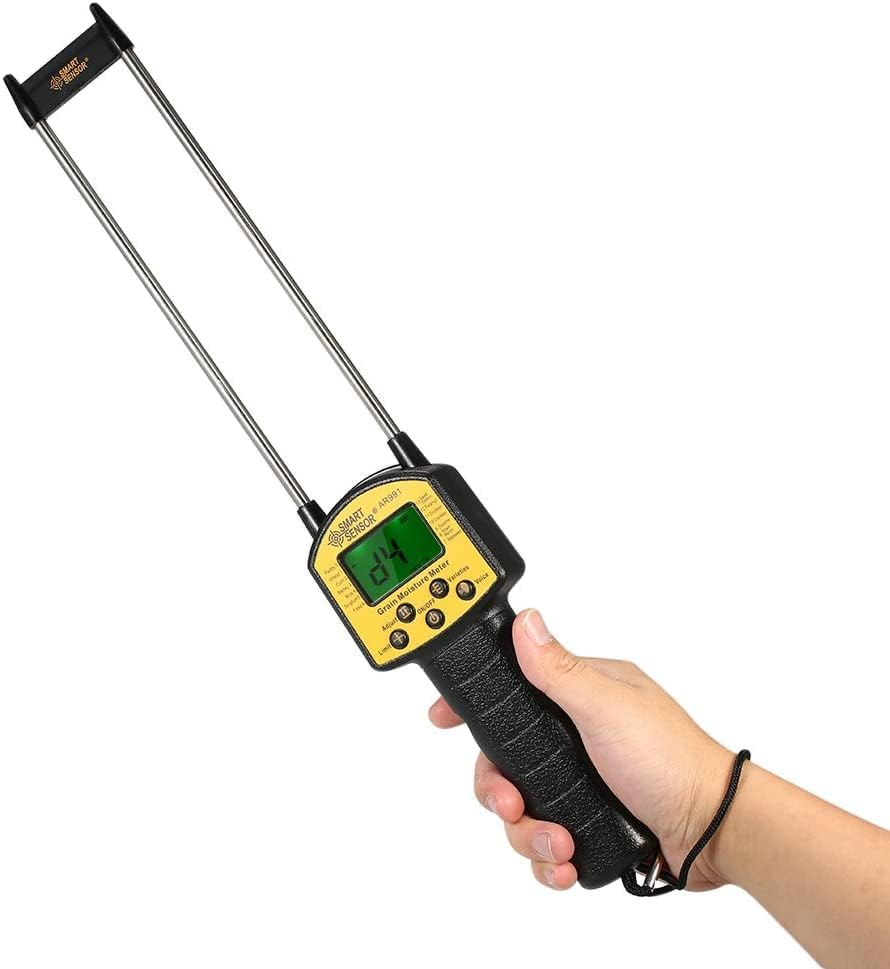
Figure 3.1: The Smart Sensor AR991 Digital Grain Moisture Meter in use, demonstrating its ergonomic design and clear LCD display.

ചിത്രം 3.2: വിശദമായി view of the AR991 meter with key components labeled for easy identification.
- പേടകങ്ങൾ: Two long, sharp metal probes for insertion into grain sampലെസ്.
- LCD ഡിസ്പ്ലേ: Backlit screen showing moisture content, temperature, and selected grain type.
- നിയന്ത്രണ ബട്ടണുകൾ: Including On/Off, Adjust, Limit, Varieties Selection, and Voice-over Selection.
- സ്പീക്കർ: Located on the back for audible reading reports.
- കൈകാര്യം ചെയ്യുക: സുഖകരവും സുരക്ഷിതവുമായ ഒരു പിടിക്കായി എർഗണോമിക് ആയി രൂപകൽപ്പന ചെയ്തിരിക്കുന്നു.
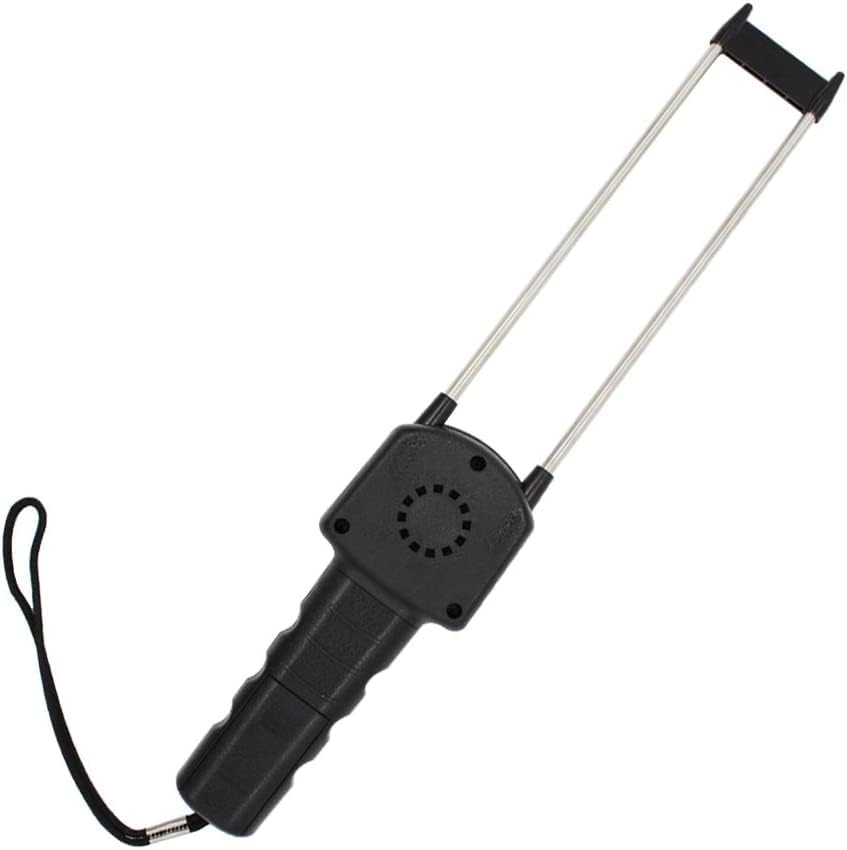
ചിത്രം 3.3: പിൻഭാഗം view of the meter highlighting the integrated speaker.
4. സജ്ജീകരണം
The Smart Sensor AR991 is designed for ease of use. Before first use, ensure the device has sufficient power.
- ബാറ്ററി ഇൻസ്റ്റാളേഷൻ (ബാധകമെങ്കിൽ): While the device is typically ready for use, if the display does not power on, check the battery compartment (usually located on the handle) and install or replace batteries as needed. Use the specified battery type (e.g., 4x AA batteries, not included).
- പ്രാഥമിക പരിശോധന: Inspect the probes for any damage or debris. Ensure they are clean and straight.
5. പ്രവർത്തന നിർദ്ദേശങ്ങൾ
Follow these steps to accurately measure grain moisture content.
- പവർ ഓൺ: അമർത്തുക ഓൺ/ഓഫ് button to turn on the meter. The LCD display will illuminate.
- Select Grain Type: അമർത്തുക Varieties Selection button to cycle through the available grain types (e.g., Wheat, Corn, Rice, Peanut, Soybeans, etc.). Ensure the displayed grain type matches the sample you are testing.
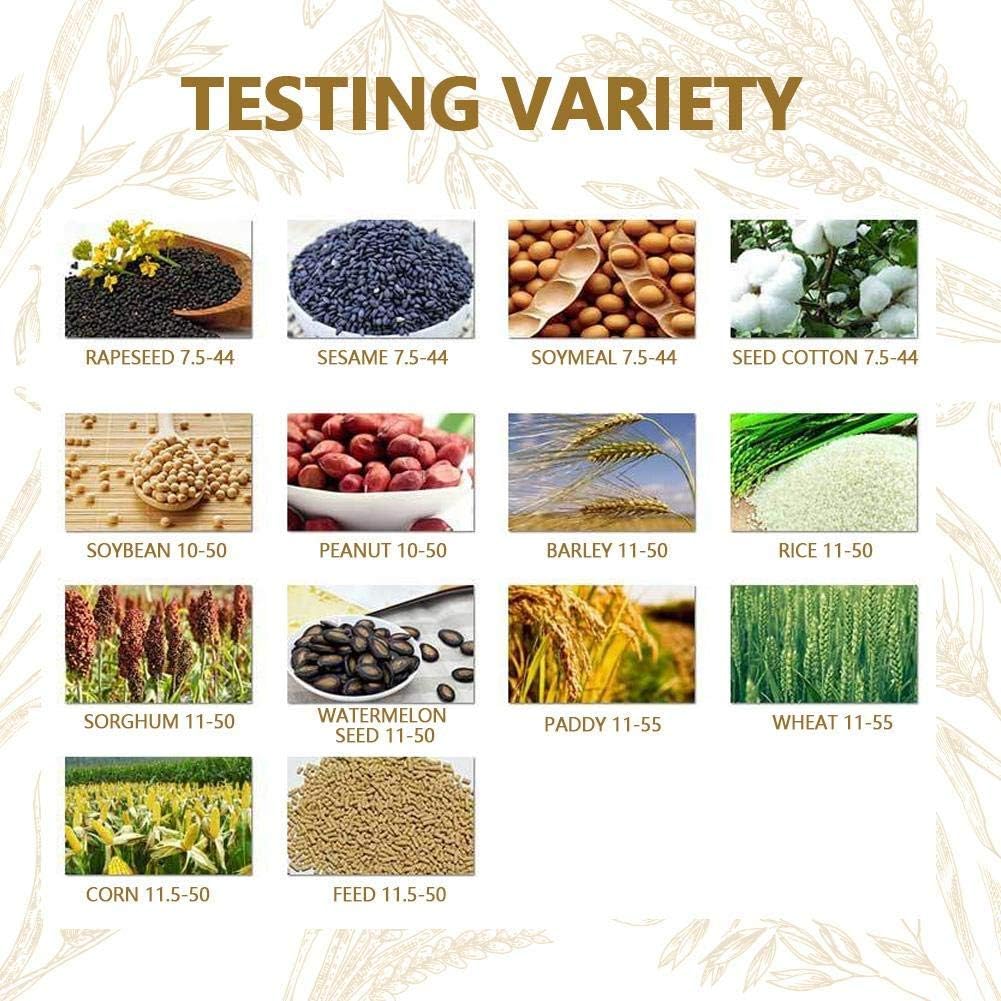
Figure 5.1: Reference chart for various grain types supported by the meter and their typical moisture ranges.
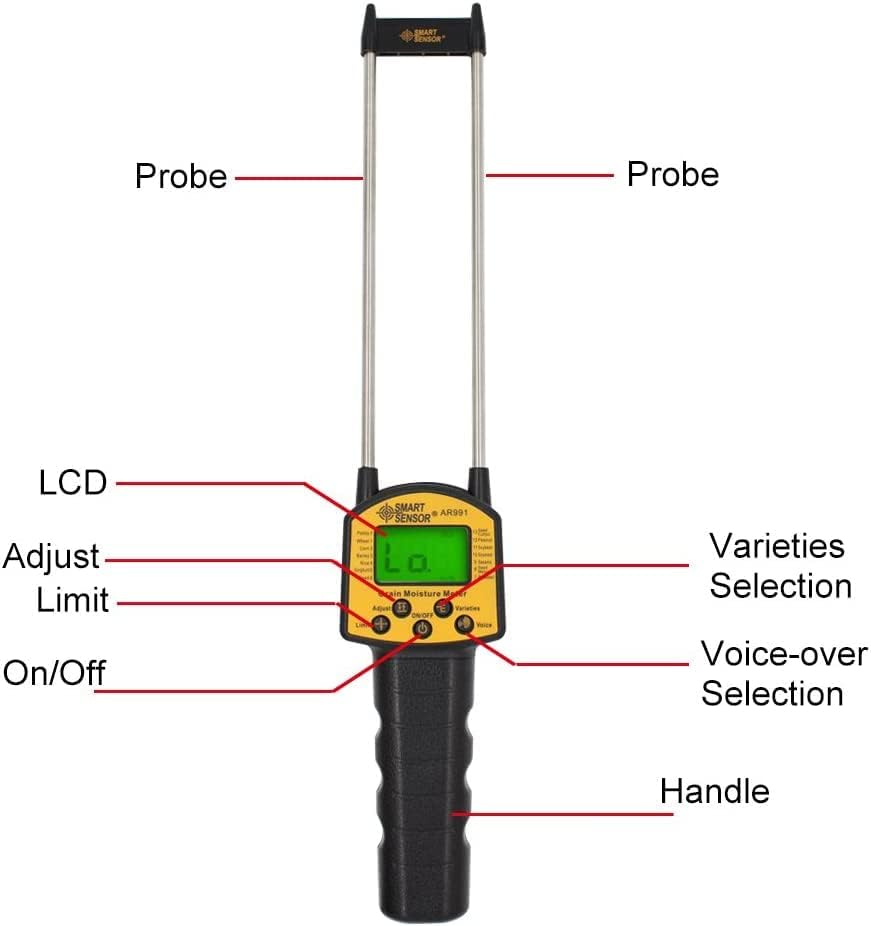
Figure 5.2: The meter's applicability across a wide range of grain types.
- പ്രോബുകൾ ചേർക്കുക: Carefully insert the two probes into the grain sample. Ensure the probes are fully submerged and stable within the grain for an accurate reading.

Figure 5.3: Demonstrating proper probe insertion into a grain sample.
- അളവ് വായിക്കുക: ഈർപ്പം ശതമാനംtage and temperature will be displayed on the LCD screen.
- Voice-over Function: If enabled, the meter's speaker will audibly report the measurement. Press the Voice-over Selection ഈ സവിശേഷത ഓൺ അല്ലെങ്കിൽ ഓഫ് ടോഗിൾ ചെയ്യുന്നതിനുള്ള ബട്ടൺ.
- Adjust/Limit Functions: ഉപയോഗിക്കുക ക്രമീകരിക്കുക button for calibration or fine-tuning if necessary (refer to specific calibration procedures if provided by manufacturer). The പരിധി button may be used to set thresholds for moisture content.
- പവർ ഓഫ്: അമർത്തുക ഓൺ/ഓഫ് button again to turn off the meter when finished.
6. പരിപാലനം
Proper maintenance ensures the longevity and accuracy of your moisture meter.
- വൃത്തിയാക്കൽ: After each use, wipe the probes and the body of the meter with a soft, dry cloth. Do not use water or chemical solvents. Ensure no grain residue remains on the probes.
- സംഭരണം: Store the meter in a cool, dry place, away from direct sunlight and extreme temperatures. Keep the protective cap on the probes if provided.
- ബാറ്ററി മാറ്റിസ്ഥാപിക്കൽ: If the display becomes dim or the meter does not power on, replace the batteries promptly. Remove batteries if the device will not be used for an extended period to prevent leakage.
7. പ്രശ്നപരിഹാരം
പൊതുവായ പ്രശ്നങ്ങളും അവയുടെ പരിഹാരങ്ങളും അറിയാൻ ഈ വിഭാഗം കാണുക.
| പ്രശ്നം | സാധ്യമായ കാരണം | പരിഹാരം |
|---|---|---|
| മീറ്റർ പവർ ഓൺ ആകുന്നില്ല. | കുറഞ്ഞതോ ഡെഡ് ബാറ്ററികളോ; തെറ്റായ ബാറ്ററി ഇൻസ്റ്റാളേഷൻ. | Replace batteries; ensure batteries are inserted with correct polarity. |
| കൃത്യമല്ലാത്ത വായനകൾ. | Probes not fully inserted; incorrect grain type selected; probes are dirty. | Ensure probes are fully inserted; select correct grain type; clean probes thoroughly. |
| No voice output. | Voice-over function is off. | Press the Voice-over Selection button to activate. |
| ഡിസ്പ്ലേ മങ്ങിയതാണ്. | കുറഞ്ഞ ബാറ്ററി പവർ. | ബാറ്ററികൾ മാറ്റിസ്ഥാപിക്കുക. |
8 സ്പെസിഫിക്കേഷനുകൾ
Technical specifications for the Smart Sensor AR991 Digital Grain Moisture Meter.
- മോഡൽ: AR991
- ബ്രാൻഡ്: Generic (Smart Sensor)
- ഇനത്തിൻ്റെ ഭാരം: 9.17 ഔൺസ്
- മാതൃരാജ്യം: ഇന്ത്യ
- നിർമ്മാതാവ്: Spancare Pharmaceuticals
- ASIN: B0CDLQM76G
- അളക്കൽ ശ്രേണി: Varies by grain type (refer to operating instructions for specific ranges).
- ഡിസ്പ്ലേ: ബാക്ക്ലൈറ്റുള്ള എൽസിഡി
- ഫീച്ചറുകൾ: Voice-over function, energy-saving backlight control.
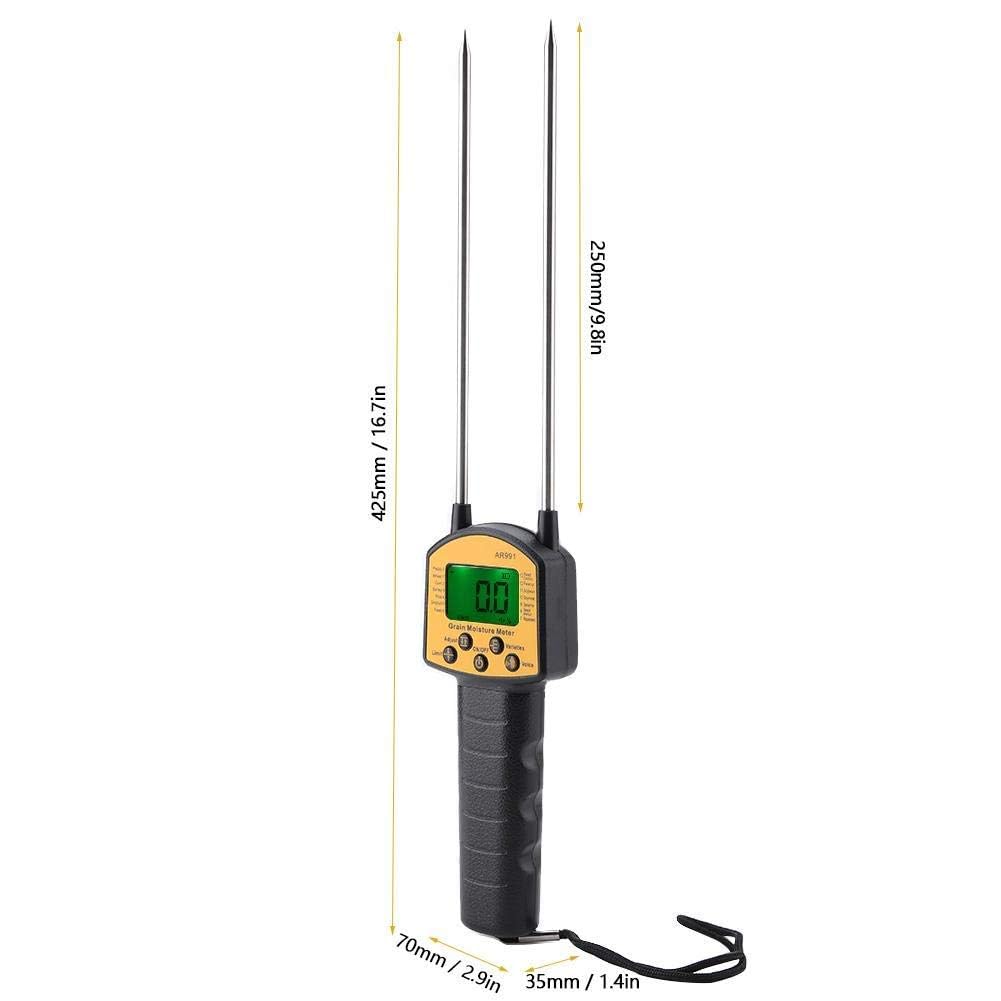
Figure 8.1: Physical dimensions of the AR991 meter.
9. വാറൻ്റിയും പിന്തുണയും
For warranty information or technical support, please contact the manufacturer directly.
- നിർമ്മാതാവ്: Spancare Pharmaceuticals, India
- കസ്റ്റമർ കെയർ നമ്പർ: +918377935124
- ആദ്യം ലഭ്യമായ തീയതി: ഓഗസ്റ്റ് 3, 2023
ഏതെങ്കിലും വാറന്റി ക്ലെയിമുകൾക്കുള്ള വാങ്ങിയതിന്റെ തെളിവായി നിങ്ങളുടെ വാങ്ങൽ രസീത് സൂക്ഷിക്കുക.