
1. ആമുഖം
This manual provides essential information for the safe and efficient operation of your Optoma X341 DLP Portable Projector. Please read this manual thoroughly before using the projector and retain it for future reference. The Optoma X341 is designed for clear XGA projection, suitable for various environments including small classrooms and businesses, offering accurate color reproduction and image enhancement features.
2 സുരക്ഷാ വിവരങ്ങൾ
- l ചെയ്യുമ്പോൾ പ്രൊജക്ടർ ലെൻസിലേക്ക് നേരിട്ട് നോക്കരുത്amp ഓണാണ്. തിളക്കമുള്ള വെളിച്ചം കണ്ണിന് കേടുപാടുകൾ വരുത്തിയേക്കാം.
- ശരിയായ വായുസഞ്ചാരം ഉറപ്പാക്കുക. വായുസഞ്ചാര ദ്വാരങ്ങൾ അടയ്ക്കരുത്. അമിതമായി ചൂടാകുന്നത് തകരാറുകൾക്കോ തീപിടുത്തത്തിനോ കാരണമാകും.
- Do not place the projector on an unstable cart, stand, or table. The projector may fall, causing serious injury to a child or adult, and serious damage to the unit.
- തീപിടുത്തമോ വൈദ്യുതാഘാതമോ ഉണ്ടാകാനുള്ള സാധ്യത കുറയ്ക്കുന്നതിന് പ്രൊജക്ടറിൽ മഴയോ ഈർപ്പമോ ഏൽക്കരുത്.
- എല്ലാ സേവനങ്ങളും യോഗ്യതയുള്ള സേവന ഉദ്യോഗസ്ഥർക്ക് റഫർ ചെയ്യുക.
- പ്രൊജക്ടർ ദീർഘനേരം ഉപയോഗിക്കാൻ പാടില്ലെങ്കിൽ, വാൾ ഔട്ട്ലെറ്റിൽ നിന്ന് പവർ കോർഡ് വിച്ഛേദിക്കുക.
3. പാക്കേജ് ഉള്ളടക്കം
താഴെ ലിസ്റ്റ് ചെയ്തിരിക്കുന്ന എല്ലാ ഇനങ്ങളും നിങ്ങളുടെ പാക്കേജിൽ ഉൾപ്പെടുത്തിയിട്ടുണ്ടെന്ന് ഉറപ്പാക്കുക:
- Optoma X341 DLP Portable Projector
- പവർ കേബിൾ
- റിമോട്ട് കൺട്രോൾ
- HDMI കേബിൾ
- ഉപയോക്തൃ മാനുവൽ (ഈ പ്രമാണം)
4. പ്രൊജക്ടർ ഓവർview
4.1 പിൻ പാനൽ കണക്ഷനുകൾ
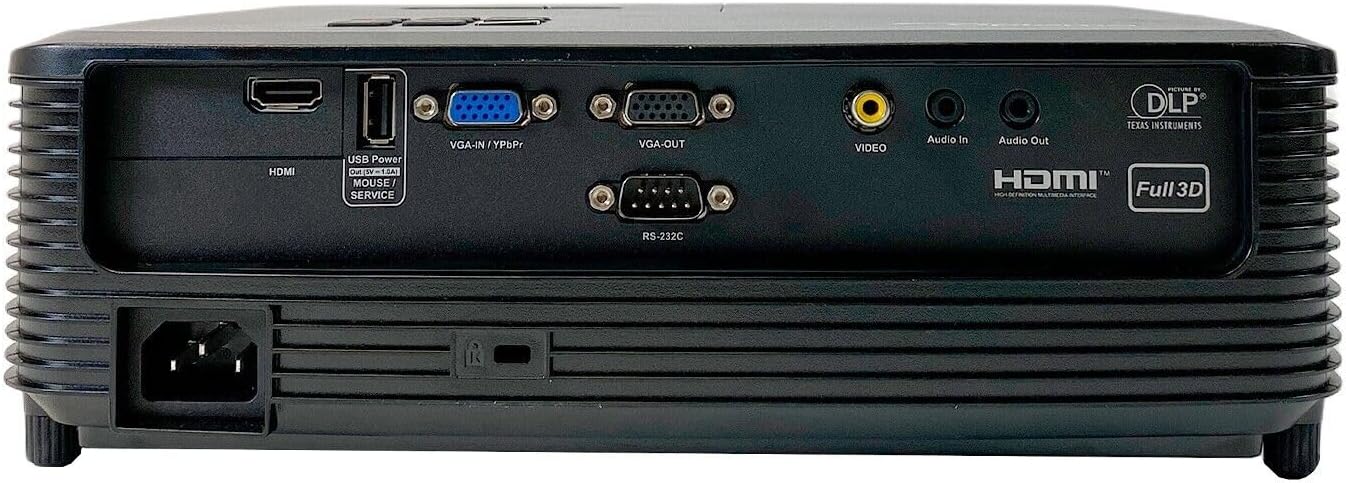
This image displays the rear panel of the Optoma X341 projector, highlighting its connectivity options. From left to right, you can see the power input, an HDMI port, a USB Power/Service port, VGA-IN/YPbPr, VGA-OUT, Video input (RCA), Audio In, Audio Out, and an RS-232C port for control. These ports allow connection to various devices such as computers, gaming consoles, and audio systems.
4.2 മുകളിലെ പാനൽ നിയന്ത്രണങ്ങൾ

The top panel of the Optoma X341 projector features the focus and zoom rings for image adjustment, along with an array of control buttons. These buttons include power on/off, menu navigation, source selection, and other function keys for direct control of the projector settings.
4.3 Side Panels and Ventilation
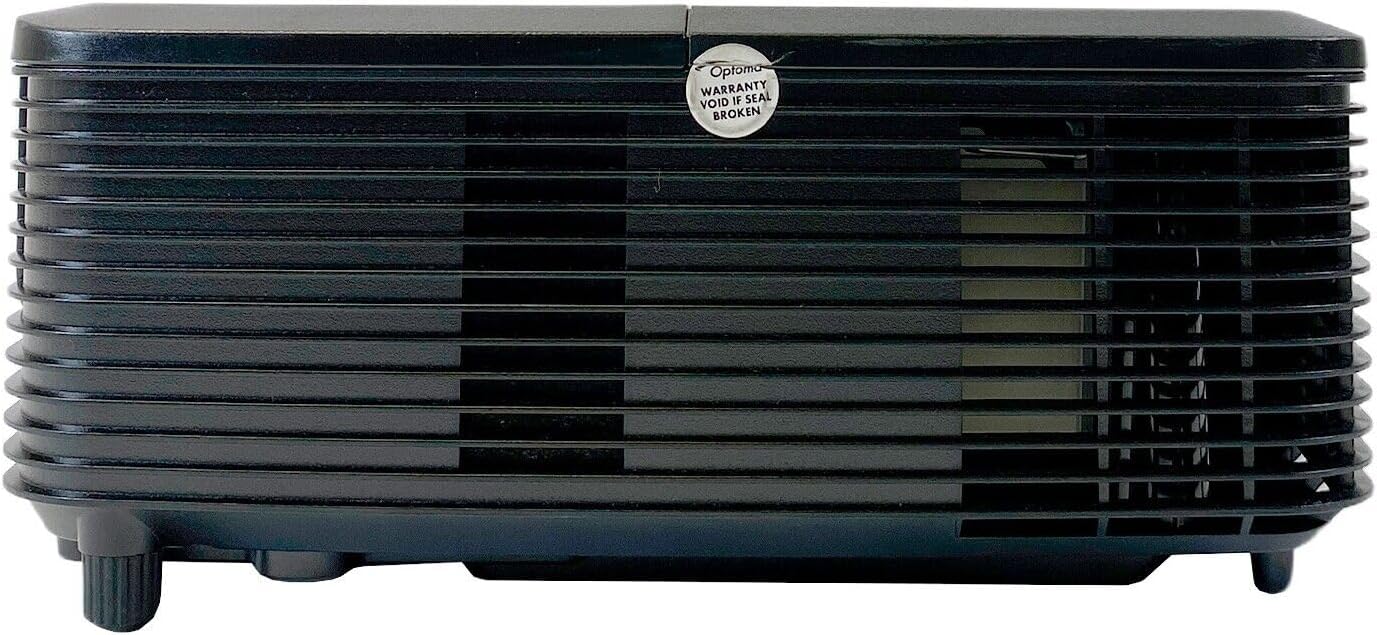
ഈ ചിത്രം ഒരു വശം കാണിക്കുന്നു view of the Optoma X341 projector, emphasizing the ventilation grilles. These grilles are crucial for dissipating heat generated during operation, ensuring the projector maintains optimal performance and longevity. It is important to keep these vents unobstructed.
4.4 Bottom Panel and Label
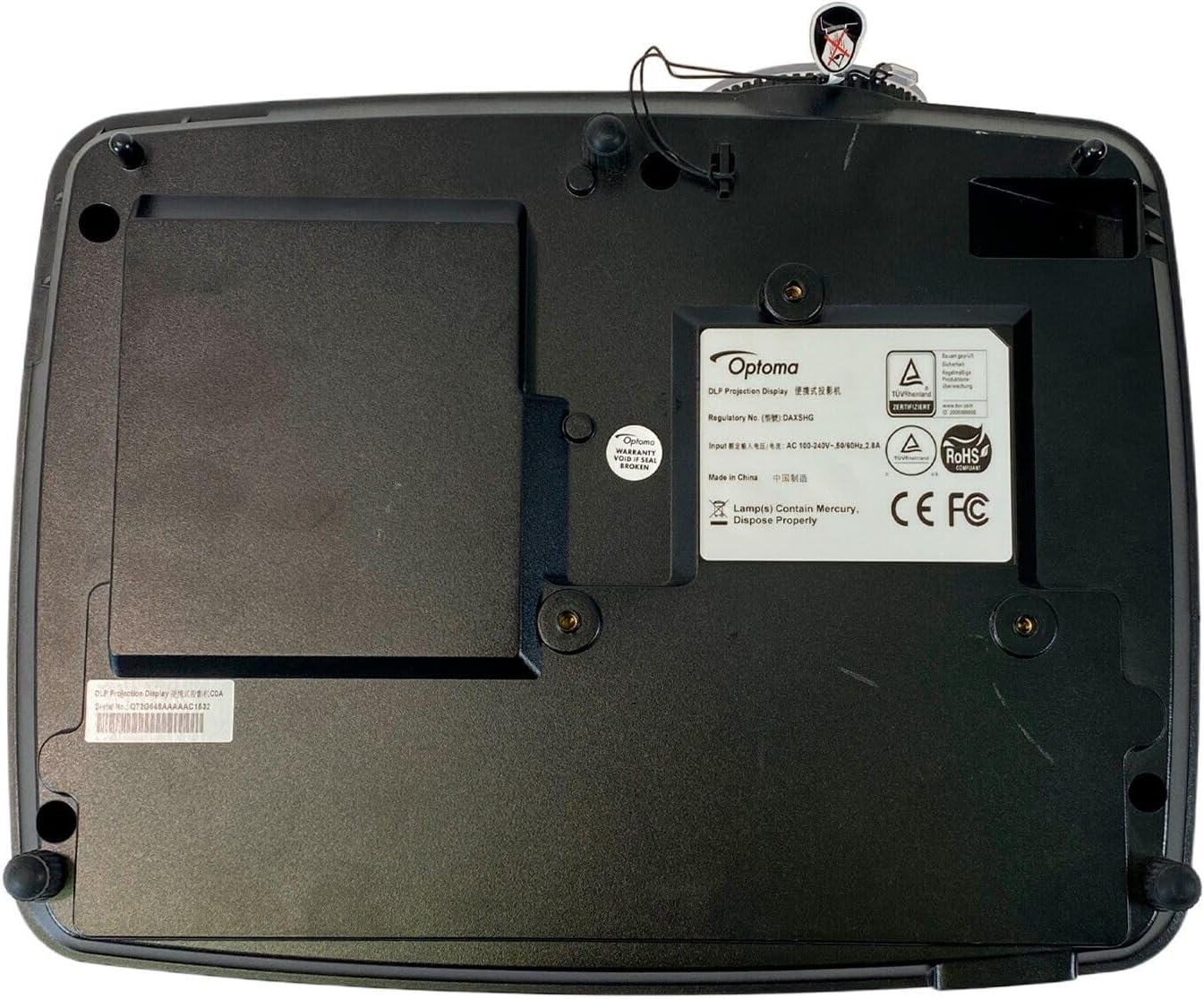
The bottom panel of the Optoma X341 projector is visible in this image, displaying the mounting points for ceiling or tabletop installation. Also visible is the product information label, which includes regulatory details, model number (DAXSHG), power requirements, and manufacturing origin.
5. സജ്ജീകരണം
5.1 പ്ലേസ്മെൻ്റ്
- Place the projector on a stable, flat surface or mount it securely.
- Ensure there is adequate space around the projector for ventilation.
- Position the projector perpendicular to the screen for optimal image geometry.
- The maximum throw distance is 10 feet for optimal image size and clarity.
5.2 ബന്ധിപ്പിക്കുന്ന പവർ
- Connect the provided power cable to the projector's power input port (located on the rear panel).
- പവർ കേബിളിന്റെ മറ്റേ അറ്റം ഒരു ഗ്രൗണ്ടഡ് ഇലക്ട്രിക്കൽ ഔട്ട്ലെറ്റിലേക്ക് പ്ലഗ് ചെയ്യുക.
5.3 ഇൻപുട്ട് സ്രോതസ്സുകൾ ബന്ധിപ്പിക്കുന്നു
- എച്ച്ഡിഎംഐ: Connect an HDMI cable from your source device (e.g., laptop, gaming console, Blu-ray player) to the HDMI port on the projector.
- വി.ജി.എ: Connect a VGA cable from your computer to the VGA-IN port on the projector.
- വീഡിയോ (ആർസിഎ): Use an RCA composite video cable to connect older video sources to the yellow 'VIDEO' port.
- ഓഡിയോ: Connect external audio sources to the 'Audio In' port or use the 'Audio Out' port to connect to external speakers.
5.4 ഫോക്കസ്, സൂം ക്രമീകരണം
- പ്രൊജക്ടർ ഓണാക്കി ഒരു ചിത്രം പ്രദർശിപ്പിക്കുക.
- തിരിക്കുക സൂം റിംഗ് on the top of the projector to adjust the image size.
- തിരിക്കുക ഫോക്കസ് റിംഗ് to sharpen the image until it is clear and legible.
6. പ്രൊജക്ടർ പ്രവർത്തിപ്പിക്കൽ
6.1 പവർ ഓൺ/ഓഫ്
- പവർ ഓൺ: Press the power button on the projector's control panel or the remote control. The power indicator light will turn blue.
- പവർ ഓഫ്: Press the power button twice. The projector will enter a cooling cycle before shutting down completely. Do not unplug the projector during the cooling cycle.
6.2 ഇൻപുട്ട് ഉറവിട തിരഞ്ഞെടുപ്പ്
- Press the 'Source' button on the projector or remote control.
- Use the arrow keys to navigate through the available input sources (HDMI, VGA, Video) and press 'Enter' to select.
6.3 മെനു നാവിഗേഷൻ
- Press the 'Menu' button to access the On-Screen Display (OSD) menu.
- മെനു ഓപ്ഷനുകളിലൂടെ നാവിഗേറ്റ് ചെയ്യാൻ അമ്പടയാള കീകൾ ഉപയോഗിക്കുക.
- Press 'Enter' to select an option or confirm a setting.
- Press 'Menu' again to exit the OSD.
6.4 ചിത്ര ക്രമീകരണങ്ങൾ
- തെളിച്ചം/തീവ്രത: Adjust these settings in the OSD menu to optimize image visibility for your viewപരിസ്ഥിതി.
- നിറം: The projector supports sRGB color space for accurate color reproduction. Adjust color settings as needed.
- ഭിത്തിയുടെ വർണ്ണ ക്രമീകരണം: This feature uses various gamma profiles to improve brightness and color accuracy when projecting onto non-white surfaces. Access this setting in the OSD menu.
- എഡ്ജ് മാസ്ക്: This technology helps eliminate soft edges and jaggies at the border of the projection image, resulting in a smoother, more consistent display. Enable or disable this feature via the OSD menu.
6.5 3D Operation
The Optoma X341 supports Full HD 3D content. To view 3D content, you will need compatible 3D glasses and a 3D-enabled source device. Refer to your 3D source device's manual for specific setup instructions.
7. പരിപാലനം
- ലെൻസ് ക്ലീനിംഗ്: Gently wipe the lens with a soft, lint-free cloth specifically designed for optical surfaces. Do not use abrasive cleaners or solvents.
- Projector Body Cleaning: പ്രൊജക്ടറിന്റെ പുറംഭാഗം വൃത്തിയാക്കാൻ മൃദുവായതും ഉണങ്ങിയതുമായ തുണി ഉപയോഗിക്കുക. കഠിനമായ പാടുകൾക്ക്, അല്പം ഡി.amp വീര്യം കുറഞ്ഞ സോപ്പ് ഉള്ള തുണി ഉപയോഗിക്കാം, തുടർന്ന് ഉണങ്ങിയ തുടയ്ക്കാം.
- വെൻ്റിലേഷൻ: Regularly check and clean the ventilation grilles to ensure proper airflow. Use a soft brush or compressed air to remove dust accumulation.
- Lamp മാറ്റിസ്ഥാപിക്കൽ: പ്രൊജക്ടർ എൽamp പരിമിതമായ ആയുസ്സ് ഉണ്ട്. lamp ഇൻഡിക്കേറ്റർ പ്രകാശിക്കുകയോ ചിത്രം മങ്ങുകയോ ചെയ്താൽ, lamp may need replacement. Consult a qualified technician for lamp replacement to ensure proper handling and safety.
8. പ്രശ്നപരിഹാരം
| പ്രശ്നം | സാധ്യമായ പരിഹാരം |
|---|---|
| സ്ക്രീനിൽ ചിത്രമൊന്നുമില്ല | Check power connection. Ensure input source is correctly selected. Verify source device is powered on and outputting a signal. |
| ചിത്രം മങ്ങിയതാണ് | Adjust the focus ring on the projector lens. Ensure the projector is within the recommended throw distance. |
| Image is distorted or trapezoidal | Adjust the keystone correction in the OSD menu. Ensure the projector is placed perpendicular to the screen. |
| ഓഡിയോ ഇല്ല | Check audio cable connections. Ensure volume is not muted or set too low on both the projector and the source device. |
| പ്രൊജക്ടർ അമിതമായി ചൂടാകുകയും ഓഫാകുകയും ചെയ്യുന്നു | Ensure ventilation openings are not blocked. Clean any dust from the vents. Operate in a well-ventilated area. |
9 സ്പെസിഫിക്കേഷനുകൾ
| ഫീച്ചർ | സ്പെസിഫിക്കേഷൻ |
|---|---|
| മോഡൽ | X341 |
| ഡിസ്പ്ലേ ടെക്നോളജി | ഡി.എൽ.പി |
| നേറ്റീവ് റെസല്യൂഷൻ | 1024 x 768 (XGA) |
| പരമാവധി മിഴിവ് | 1920 x 1080 (പൂർണ്ണ HD) |
| തെളിച്ചം | 3300 ആൻസി ലുമെൻസ് |
| കോൺട്രാസ്റ്റ് റേഷ്യോ | 22,000:1 |
| കണക്റ്റിവിറ്റി | HDMI, VGA-IN/YPbPr, VGA-OUT, Video (RCA), Audio In, Audio Out, RS-232C, USB Power/Service |
| പ്രത്യേക സവിശേഷതകൾ | Portable, Full 3D Support, Wall Color Adjustment, Edge Mask |
| നിയന്ത്രണ രീതി | റിമോട്ട് കൺട്രോൾ |
| അളവുകൾ (L x W x H) | 10"L x 12"W x 8"H |
10. വാറൻ്റിയും പിന്തുണയും
For warranty information and technical support, please refer to the documentation provided with your purchase or visit the official Optoma website. Keep your proof of purchase for warranty claims. Do not attempt to service the projector yourself, as this may void your warranty and expose you to electrical hazards.