Alarm.com ADC-VDB750 WiFi 2MP Video Doorbell Camera User Manual
Model: ADC-VDB750
ആമുഖം
The Alarm.com ADC-VDB750 is an advanced WiFi 2MP Video Doorbell Camera designed to enhance your home security. It features a crystal clear 2MP picture, expansive field of view, two-way audio, and intelligent people detection to provide comprehensive monitoring of your front door. This manual provides essential information for setup, operation, and maintenance of your device.
സുരക്ഷാ വിവരങ്ങൾ
ഈ ഉപകരണം ഇൻസ്റ്റാൾ ചെയ്യുന്നതിനും പ്രവർത്തിപ്പിക്കുന്നതിനും മുമ്പ് എല്ലാ സുരക്ഷാ നിർദ്ദേശങ്ങളും വായിച്ച് മനസ്സിലാക്കുക. ഈ നിർദ്ദേശങ്ങൾ പാലിക്കുന്നതിൽ പരാജയപ്പെടുന്നത് വൈദ്യുതാഘാതം, തീപിടുത്തം അല്ലെങ്കിൽ മറ്റ് അപകടങ്ങൾക്ക് കാരണമായേക്കാം.
- ഇൻസ്റ്റാളേഷൻ അല്ലെങ്കിൽ അറ്റകുറ്റപ്പണികൾക്ക് മുമ്പ് വൈദ്യുതി വിച്ഛേദിച്ചിട്ടുണ്ടെന്ന് ഉറപ്പാക്കുക.
- Do not expose the device to extreme temperatures or moisture beyond its operating specifications.
- Use only manufacturer-approved accessories and replacement parts.
- This device requires an Alarm.com subscription for full functionality.
ബോക്സിൽ എന്താണുള്ളത്
ഇൻസ്റ്റാളേഷൻ ആരംഭിക്കുന്നതിന് മുമ്പ് എല്ലാ ഘടകങ്ങളും നിലവിലുണ്ടെന്ന് ഉറപ്പാക്കുക:
- ക്യാമറ ബോഡി
- മൗണ്ടിംഗ് പ്ലേറ്റ്
- മൌണ്ടിംഗ് ഹാർഡ്വെയർ
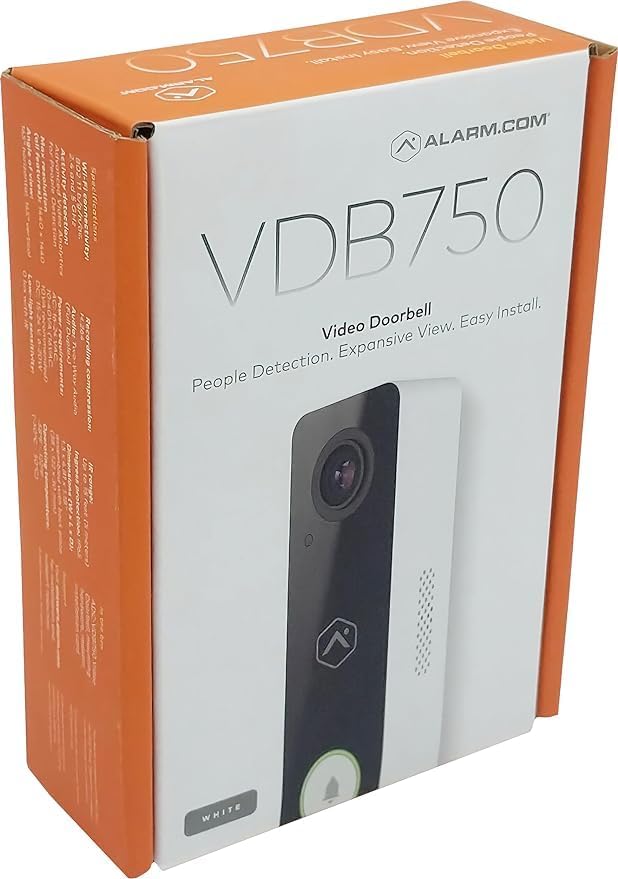
Image: The retail packaging for the Alarm.com ADC-VDB750 Video Doorbell Camera, showing the product name and key features.
സജ്ജീകരണവും ഇൻസ്റ്റാളേഷനും
പ്രീ-ഇൻസ്റ്റലേഷൻ ചെക്ക്ലിസ്റ്റ്:
- Ensure you have an active Alarm.com subscription.
- Verify your existing doorbell wiring is compatible (wired installation).
- Confirm strong Wi-Fi signal at the installation location.
- Gather necessary tools (screwdriver, drill, etc.).
ഇൻസ്റ്റലേഷൻ ഘട്ടങ്ങൾ:
- പവർ വിച്ഛേദിക്കുക: സർക്യൂട്ട് ബ്രേക്കറിൽ നിലവിലുള്ള ഡോർബെല്ലിലേക്കുള്ള പവർ ഓഫ് ചെയ്യുക.
- പഴയ ഡോർബെൽ നീക്കം ചെയ്യുക: Carefully remove your current doorbell button and disconnect its wires.
- മൗണ്ടിംഗ് പ്ലേറ്റ് ഇൻസ്റ്റാളേഷൻ: Secure the provided mounting plate to your wall using the included mounting hardware. Ensure it is level and stable.
- വയർ കണക്ഷൻ: Connect the existing doorbell wires to the terminals on the ADC-VDB750 camera body. Follow the wiring diagram provided in the quick start guide (not included in this manual).
- Attach Camera Body: Carefully attach the camera body to the mounting plate, ensuring it clicks securely into place.
- പവർ പുന ore സ്ഥാപിക്കുക: സർക്യൂട്ട് ബ്രേക്കറിൽ പവർ വീണ്ടും ഓണാക്കുക.
- Wi-Fi കണക്ഷൻ: Follow the instructions in the Alarm.com app to connect your new doorbell camera to your home Wi-Fi network.

ചിത്രം: മുൻഭാഗം view of the Alarm.com ADC-VDB750 Video Doorbell Camera, highlighting its sleek design and camera lens.

ചിത്രം: വശം view of the Alarm.com ADC-VDB750 Video Doorbell Camera, showing its slim profile and speaker grille.
Operating Your Doorbell Camera
The ADC-VDB750 integrates seamlessly with your Alarm.com system, offering a range of features for enhanced security and convenience.
പ്രധാന സവിശേഷതകൾ:
- ടു-വേ ഓഡിയോ: Communicate with visitors at your door from anywhere using the Alarm.com app.
- Video Analytics with People Detection: Receive faster and more relevant alerts with advanced detection capabilities, reducing false notifications.
- Expansive Field of View: A 165° horizontal and 145° vertical field of view ensures you capture a wide area around your front door.
- Full HD Resolution & HDR: Enjoy clear, detailed video quality in various lighting conditions.
- ഇൻഫ്രാറെഡ് നൈറ്റ് വിഷൻ: Monitor your property effectively even in low-light or nighttime environments.
- അനുയോജ്യത: Works with the Alarm.com Smart Chime (ADC-W115C) for indoor alerts.
Using the Alarm.com App:
Once connected, use the Alarm.com mobile application to:
- View live video feed from your doorbell.
- Receive instant notifications for motion detection or doorbell presses.
- Engage in two-way conversations with visitors.
- Access recorded video clips and events.
- Customize detection zones and notification settings.
മെയിൻ്റനൻസ്
Regular maintenance helps ensure optimal performance and longevity of your doorbell camera.
- വൃത്തിയാക്കൽ: ക്യാമറ ലെൻസും ബോഡിയും മൃദുവായ, d തുണി ഉപയോഗിച്ച് സൌമ്യമായി തുടയ്ക്കുക.amp തുണി. ഉരച്ചിലുകൾ ഉണ്ടാക്കുന്ന ക്ലീനറുകളോ ലായകങ്ങളോ ഒഴിവാക്കുക.
- ഫേംവെയർ അപ്ഡേറ്റുകൾ: Ensure your device's firmware is up-to-date through the Alarm.com app to benefit from the latest features and security enhancements.
- കണക്റ്റിവിറ്റി പരിശോധന: Periodically check your Wi-Fi signal strength to ensure a stable connection.
ട്രബിൾഷൂട്ടിംഗ്
If you encounter issues with your ADC-VDB750, try the following common troubleshooting steps:
- പവർ/ഓഫ്ലൈൻ ഇല്ല:
- Check your circuit breaker to ensure power is on.
- എല്ലാ വയറിംഗ് കണക്ഷനുകളും സുരക്ഷിതമാണെന്ന് ഉറപ്പാക്കുക.
- Ensure your Wi-Fi network is active and the doorbell is within range.
- മോശം വീഡിയോ നിലവാരം:
- ക്യാമറ ലെൻസ് വൃത്തിയാക്കുക.
- Check your Wi-Fi signal strength; a weak signal can affect video streaming.
- ഓഡിയോ പ്രശ്നങ്ങൾ:
- Ensure your device's microphone and speaker are not obstructed.
- Check audio settings within the Alarm.com app.
- False Notifications:
- Adjust motion detection sensitivity and detection zones in the Alarm.com app.
For more detailed troubleshooting or persistent issues, please refer to the Alarm.com support resources or contact your Alarm.com service provider.
സ്പെസിഫിക്കേഷനുകൾ
| ഫീച്ചർ | സ്പെസിഫിക്കേഷൻ |
|---|---|
| മോഡലിൻ്റെ പേര് | Alarm.com ADC-VDB750 |
| ഇൻഡോർ/ഔട്ട്ഡോർ ഉപയോഗം | ഔട്ട്ഡോർ |
| പവർ ഉറവിടം | ബാറ്ററി പവർ |
| കണക്റ്റിവിറ്റി പ്രോട്ടോക്കോൾ | വൈഫൈ |
| കൺട്രോളർ തരം | അലാറം.കോം |
| മൗണ്ടിംഗ് തരം | മതിൽ മൗണ്ട് |
| വീഡിയോ ക്യാപ്ചർ റെസല്യൂഷൻ | 1080p |
| നിറം | വെള്ള |
| ഇനങ്ങളുടെ എണ്ണം | 1 |
| ചാനലുകളുടെ എണ്ണം | 1 |
| ഫോം ഫാക്ടർ | ഡോർബെൽ |
| Viewing ആംഗിൾ | 165 ഡിഗ്രി |
| ഇൻസ്റ്റലേഷൻ തരം | സ്ക്രൂ ഇൻ |
| നൈറ്റ് വിഷൻ റേഞ്ച് | 15 അടി |
| ഇനത്തിൻ്റെ അളവുകൾ L x W x H | 4.81 x 1.5 x 1.18 ഇഞ്ച് |
| ഇനത്തിൻ്റെ ഭാരം | 8.9 ഔൺസ് |
| യു.പി.സി | 850038186692 |
| നിർമ്മാതാവ് | അലാറം.കോം |
| ഉൽപ്പന്നത്തിനുള്ള ശുപാർശിത ഉപയോഗങ്ങൾ | ഔട്ട്ഡോർ സെക്യൂരിറ്റി |
| പ്രത്യേക ഫീച്ചർ | HD Resolution, Night Vision, 2-Way Audio, Night Vision Motion Sensor, Motion Sensor |
വാറൻ്റിയും പിന്തുണയും
For warranty information, technical support, or further assistance, please contact your Alarm.com service provider or visit the official Alarm.com website. Keep your purchase receipt and product model number (ADC-VDB750) handy for faster service.


