
1. ആമുഖം
വാങ്ങിയതിന് നന്ദി.asing the TOPTRO X2 Mini Portable Projector. This manual provides essential information for setting up, operating, and maintaining your projector. Please read it thoroughly before use to ensure optimal performance and safety.

Image 1.1: TOPTRO X2 Projector, carrying bag, and screen projection.

Image 1.2: Key features of the TOPTRO X2 Projector.
2. സുരക്ഷാ നിർദ്ദേശങ്ങൾ
- l ചെയ്യുമ്പോൾ പ്രൊജക്ടർ ലെൻസിലേക്ക് നേരിട്ട് നോക്കരുത്amp ഓണാണ്.
- അമിതമായി ചൂടാകുന്നത് തടയാൻ പ്രൊജക്ടറിന് ചുറ്റും ശരിയായ വായുസഞ്ചാരം ഉറപ്പാക്കുക.
- Keep the projector away from water, moisture, and flammable materials.
- പ്രൊജക്ടറിനൊപ്പം നൽകിയിരിക്കുന്ന പവർ അഡാപ്റ്റർ മാത്രം ഉപയോഗിക്കുക.
- Do not attempt to disassemble or repair the projector yourself. Contact professional support if needed.
- കുട്ടികൾക്ക് ലഭ്യമാകാതെ സൂക്ഷിക്കുക.
3. പാക്കേജ് ഉള്ളടക്കം
പാക്കേജിൽ ഇനിപ്പറയുന്ന ഇനങ്ങൾ ഉണ്ടോ എന്ന് പരിശോധിക്കുക:
- TOPTRO X2 Mini Portable Projector
- പവർ അഡാപ്റ്റർ
- റിമോട്ട് കൺട്രോൾ
- HDMI കേബിൾ
- എവി കേബിൾ
- ഉപയോക്തൃ മാനുവൽ
- ചുമക്കുന്ന ബാഗ്
4. ഉൽപ്പന്നം കഴിഞ്ഞുview
Familiarize yourself with the projector's components and controls.

Image 4.1: Projector controls and ports.
4.1 ഫ്രണ്ട് View
- പ്രൊജക്ഷൻ ലെൻസ്: ചിത്രം പുറപ്പെടുവിക്കുന്നു.
- ഫോക്കസ് റിംഗ്: ചിത്രത്തിന്റെ വ്യക്തത ക്രമീകരിക്കുന്നു.
4.2 ടോപ്പ് View
- നിയന്ത്രണ പാനൽ: Power button, navigation buttons, OK button.
4.3 Rear/Side View
- പവർ ഇൻപുട്ട്: പവർ അഡാപ്റ്ററുമായി ബന്ധിപ്പിക്കുന്നു.
- HDMI പോർട്ടുകൾ: Connect to HDMI-enabled devices (laptops, game consoles).
- USB പോർട്ടുകൾ: മീഡിയ പ്ലേബാക്കിനായി USB ഡ്രൈവുകൾ ബന്ധിപ്പിക്കുക.
- എവി പോർട്ട്: Connect to older devices using the AV cable.
- ഓഡിയോ ഔട്ട്പുട്ട് (3.5 മിമി): ബാഹ്യ സ്പീക്കറുകളോ ഹെഡ്ഫോണുകളോ ബന്ധിപ്പിക്കുക.
- ഐആർ റിസീവർ: റിമോട്ട് കൺട്രോൾ സിഗ്നലുകൾക്കായി.
5. സജ്ജീകരണം
5.1 പ്ലേസ്മെൻ്റ്
Position the projector on a stable, flat surface or mount it. Ensure the projection path is clear.

Image 5.1: Multiple installation options.
5.2 പവർ കണക്ഷൻ
- Connect the power adapter to the projector's power input.
- പവർ അഡാപ്റ്റർ ഒരു പവർ ഔട്ട്ലെറ്റിൽ പ്ലഗ് ചെയ്യുക.
5.3 ഫോക്കസ് അഡ്ജസ്റ്റ്മെന്റ്
Rotate the focus ring on the projector lens until the projected image is clear and sharp.
5.4 കീസ്റ്റോൺ തിരുത്തൽ
If the projected image appears trapezoidal, use the manual keystone correction feature to adjust the vertical angle. This projector supports ±15° vertical keystone correction.

Image 5.2: Manual keystone correction.
6. ഓപ്പറേഷൻ
6.1 പവർ ഓൺ/ഓഫ്
Press the power button on the projector or remote control to turn the unit on or off.
6.2 ഇൻപുട്ട് ഉറവിട തിരഞ്ഞെടുപ്പ്
Use the 'Source' button on the remote or projector to select your desired input (HDMI1, HDMI2, USB, AV, Screen Mirroring).

Image 6.1: Projector ports and compatible devices.
6.3 Wireless Connection (WiFi Screen Mirroring)
The TOPTRO X2 supports wireless screen mirroring for iOS, Android, Windows 10, and Mac devices. No additional adapters or cables are needed.
- ഇൻപുട്ട് ഉറവിടമായി 'സ്ക്രീൻ മിററിംഗ്' തിരഞ്ഞെടുക്കുക.
- Follow the on-screen instructions to connect your device via WiFi.

Image 6.2: Wireless WiFi connection in use.
6.4 ബ്ലൂടൂത്ത് കണക്ഷൻ
Connect external Bluetooth speakers or headphones for an enhanced audio experience.
- പ്രൊജക്ടറിന്റെ മെനുവിലെ ബ്ലൂടൂത്ത് ക്രമീകരണങ്ങളിലേക്ക് നാവിഗേറ്റ് ചെയ്യുക.
- ബ്ലൂടൂത്ത് പ്രവർത്തനക്ഷമമാക്കി ലഭ്യമായ ഉപകരണങ്ങൾക്കായി തിരയുക.
- Select your Bluetooth speaker or headphones to pair.

Image 6.3: Bluetooth 5.0 connectivity.
6.5 പ്രൊജക്ഷൻ വലുപ്പം ക്രമീകരിക്കൽ (സൂം)
The projector features a zoom function to adjust the screen size from 75% to 100% without moving the projector.

Image 6.4: Zoom function (75%-100%).
6.6 ബാഹ്യ ഉപകരണങ്ങൾ ബന്ധിപ്പിക്കുന്നു
Connect various devices such as TV sticks, laptops, game consoles, or USB drives to the projector's HDMI or USB ports.
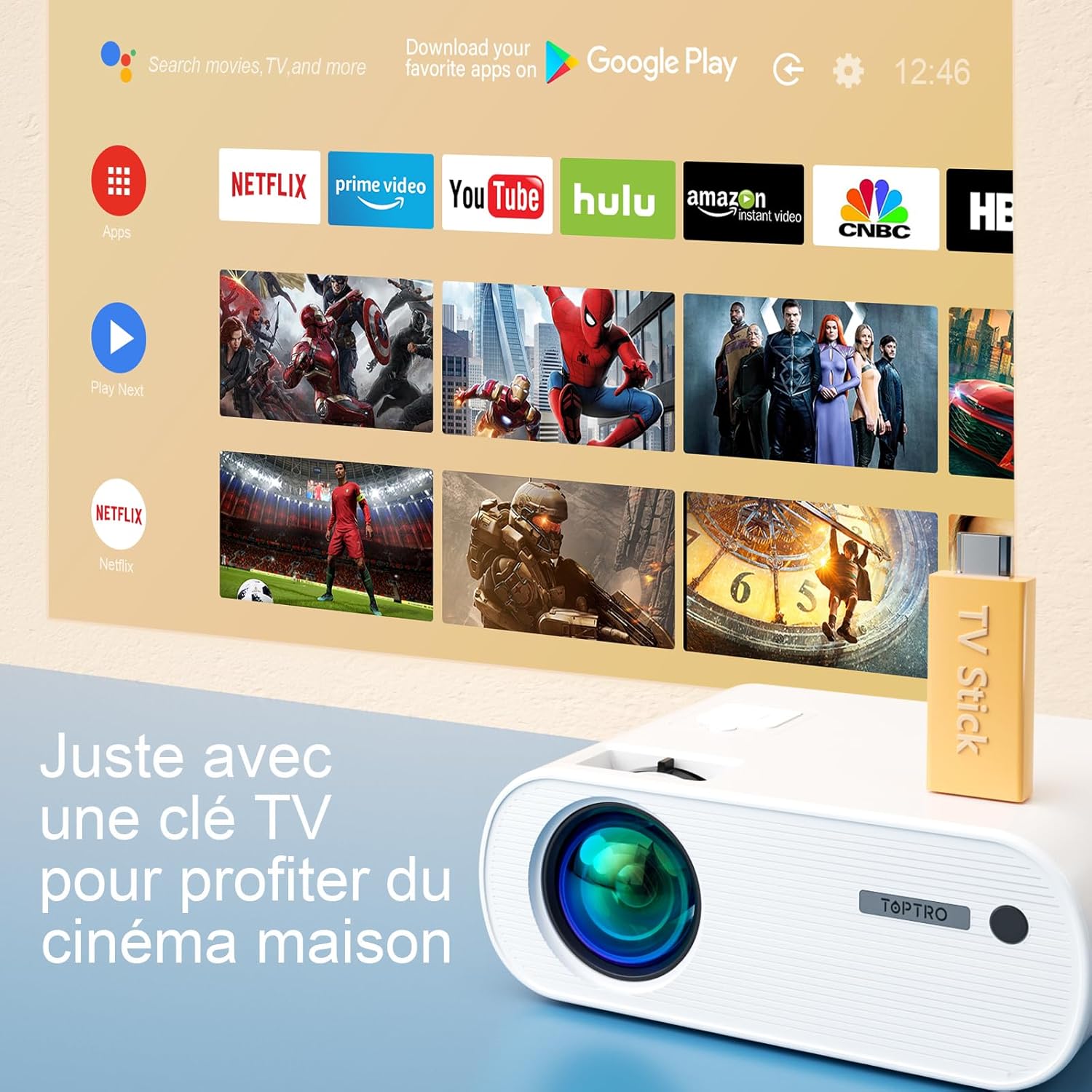
Image 6.5: Enjoying home cinema with a TV stick.
7. പരിപാലനം
7.1 വൃത്തിയാക്കൽ
- പ്രൊജക്ടറിന്റെ പുറംഭാഗം വൃത്തിയാക്കാൻ മൃദുവായതും ഉണങ്ങിയതുമായ തുണി ഉപയോഗിക്കുക.
- For the lens, use a professional lens cleaning cloth and solution. Avoid harsh chemicals.
- Regularly clean the ventilation vents to prevent dust buildup.
7.2 സംഭരണം
When not in use, store the projector in its carrying bag in a cool, dry place, away from direct sunlight and extreme temperatures.
7.3 എൽamp കെയർ
The projector features an LED lamp with an extended lifespan of up to 90,000 hours, ensuring long-term use without frequent lamp മാറ്റിസ്ഥാപിക്കൽ.

Image 7.1: Projector features including 90,000 hours LED lamp ജീവിതം.
8. പ്രശ്നപരിഹാരം
- ശക്തിയില്ല: Ensure the power adapter is securely connected to both the projector and the power outlet.
- ചിത്രമില്ല: Check the input source selection. Ensure the connected device is powered on and sending a signal. Adjust focus.
- മങ്ങിയ ചിത്രം: Adjust the focus ring. Ensure the projection surface is flat.
- ശബ്ദമില്ല: Check the volume settings on both the projector and the connected device. Ensure external speakers are properly connected or paired via Bluetooth.
- റിമോട്ട് കൺട്രോൾ പ്രവർത്തിക്കുന്നില്ല: ബാറ്ററികൾ മാറ്റിസ്ഥാപിക്കുക. റിമോട്ടിനും പ്രൊജക്ടറിന്റെ ഐആർ റിസീവറിനും ഇടയിൽ തടസ്സങ്ങളൊന്നുമില്ലെന്ന് ഉറപ്പാക്കുക.
- വൈഫൈ കണക്ഷൻ പ്രശ്നങ്ങൾ: Ensure your device and projector are within range of the WiFi network. Restart both devices.
9 സ്പെസിഫിക്കേഷനുകൾ
Detailed technical specifications for the TOPTRO X2 Projector:

Image 9.1: Brightness and contrast comparison.
| ഫീച്ചർ | സ്പെസിഫിക്കേഷൻ |
|---|---|
| ബ്രാൻഡ് | ടോപ്ട്രോ |
| മോഡൽ സീരീസ് | X2 |
| ഡിസ്പ്ലേ തരം | എൽസിഡി |
| നേറ്റീവ് റെസല്യൂഷൻ | 1280 x 720 പിക്സലുകൾ |
| പിന്തുണയുള്ള റെസല്യൂഷൻ | ഫുൾ HD 1080P |
| തെളിച്ചം | 12000 ല്യൂമെൻസ് |
| കോൺട്രാസ്റ്റ് റേഷ്യോ | 20000:1 |
| കണക്റ്റിവിറ്റി ടെക്നോളജി | വൈ-ഫൈ, ബ്ലൂടൂത്ത് |
| ഹാർഡ്വെയർ ഇന്റർഫേസ് | എച്ച്ഡിഎംഐ, യുഎസ്ബി, എവി |
| കീസ്റ്റോൺ തിരുത്തൽ | Manual ±15° (Vertical) |
| സൂം പ്രവർത്തനം | 75% - 100% |
| Lamp ജീവിതം | 90,000 മണിക്കൂർ വരെ |
| ഉൽപ്പന്ന അളവുകൾ (L x W x H) | 21.2 x 17.2 x 8 സെ.മീ |
| ഫോം ഫാക്ടർ | പോർട്ടബിൾ |
| മൗണ്ടിംഗ് തരം | ടേബിൾടോപ്പ് |
10. വാറൻ്റിയും പിന്തുണയും
TOPTRO is committed to providing high-quality products and professional technical support. While specific warranty details may vary by region or retailer, TOPTRO ensures quality control before delivery.
If you encounter any issues or have questions regarding your TOPTRO X2 projector, please do not hesitate to contact TOPTRO customer support. Our team is available to assist you.
For support, please refer to the contact information provided with your purchase or visit the official TOPTRO webസൈറ്റ്.