
LeeKooLuu LeeKooLuu-A3466A3AM47EU
LeeKooLuu 1 Din Car Radio User Manual
Model: LeeKooLuu-A3466A3AM47EU
1. ഉൽപ്പന്നം കഴിഞ്ഞുview
The LeeKooLuu 1 Din Car Radio is a versatile in-car entertainment and communication system featuring a 5-inch touchscreen. It supports Apple CarPlay, Android Auto, Bluetooth hands-free calling, FM radio, and includes a rear view camera for enhanced safety. The unit also offers USB and TF card playback, fast charging capabilities, and steering wheel control compatibility.
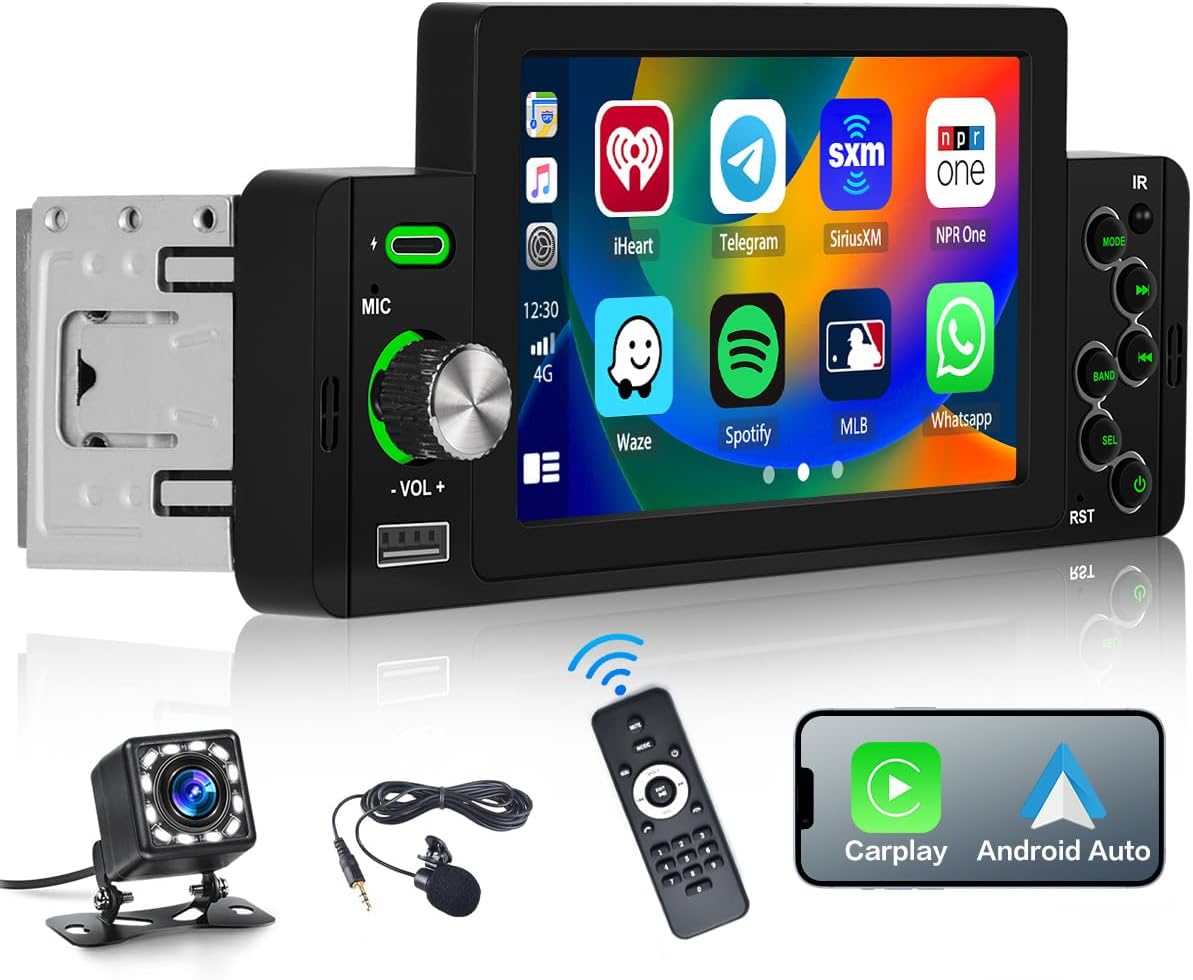
Image: LeeKooLuu 1 Din Car Radio with 5-inch touchscreen, remote control, microphone, and rear view ക്യാമറ.
2. സജ്ജീകരണവും ഇൻസ്റ്റാളേഷനും
2.1 പാക്കേജ് ഉള്ളടക്കം
- 1 x LeeKooLuu 1 Din Car Radio
- 1 x പിൻഭാഗം View ക്യാമറ
- 1 x റിമോട്ട് കൺട്രോൾ
- 1 x മൈക്രോഫോൺ
- 1 x പവർ കേബിൾ
- 1 x സ്പീക്കർ കേബിൾ
- 1 x ഉപയോക്തൃ മാനുവൽ
2.2 അളവുകളും അനുയോജ്യതയും
The installation size of the unit is approximately 177mm (width) x 58mm (height) x 49mm (depth). Please ensure your vehicle's dashboard opening is compatible with these dimensions. If unsure, consult a professional installer or compare with your vehicle's existing head unit.
2.3 വയറിംഗ് ഡയഗ്രം
Proper wiring is crucial for safe and correct operation. Refer to the detailed wiring diagram below for connections including power, speakers, antenna, and auxiliary inputs/outputs. It is recommended to have installation performed by a qualified technician.

Image: Detailed diagram showing product dimensions, rear wiring ports, and color-coded wiring harness connections for power, speakers, and control lines.
കീ വയറിംഗ് കണക്ഷനുകൾ:
- പവർ കേബിൾ: Connect to vehicle's power supply (GND, +12V Ignition Switch, B+(+12V)).
- സ്പീക്കർ കേബിൾ: Connect to vehicle's speakers (Front Right, Front Left, Rear Right, Rear Left).
- Reversing Control Line: Connect to vehicle's reverse light signal for automatic rear camera display.
- സ്റ്റിയറിംഗ് വീൽ നിയന്ത്രണം: Connect to vehicle's steering wheel control wires (Key1, Key2) if applicable.
- ആൻ്റിന: Connect to vehicle's radio antenna.
3. പ്രവർത്തന നിർദ്ദേശങ്ങൾ
3.1 പവർ ഓൺ/ഓഫ്, വോളിയം നിയന്ത്രണം
Press the power button on the unit or remote control to turn the device on or off. Rotate the volume knob to adjust the audio output level. The touchscreen also provides on-screen volume controls.

Image: Visual representation of volume adjustment via knob and remote control functions.
3.2 ആപ്പിൾ കാർപ്ലേയും ആൻഡ്രോയിഡ് ഓട്ടോയും
Connect your Apple or Android smartphone to the car radio via a USB cable. This enables access to navigation, music, voice assistant, and other compatible applications directly on the car radio's screen. Note: Huawei and Samsung phones may not be supported for this feature.
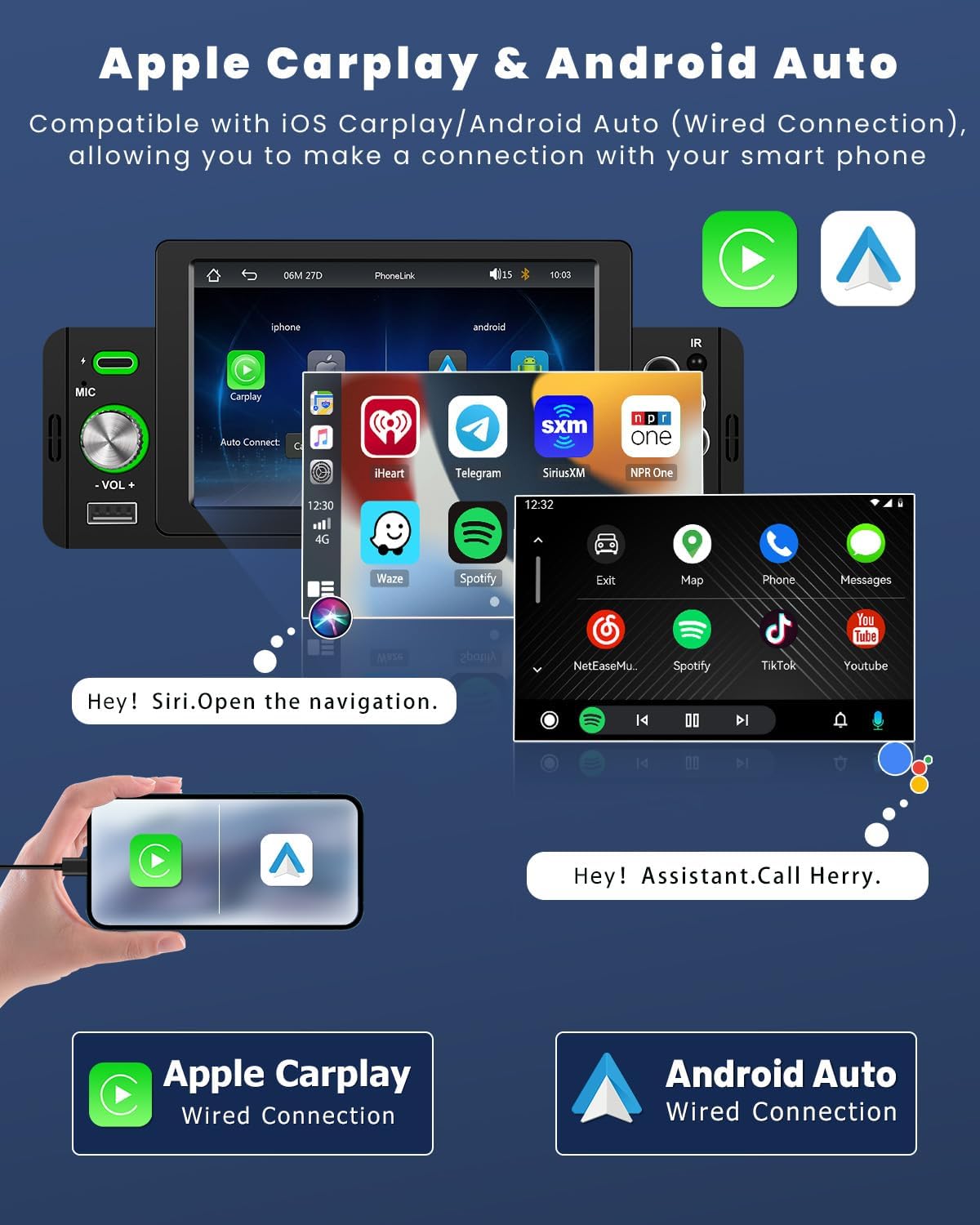
Image: Screenshots demonstrating the Apple CarPlay and Android Auto interfaces on the car radio screen, showing app icons and voice command prompts.
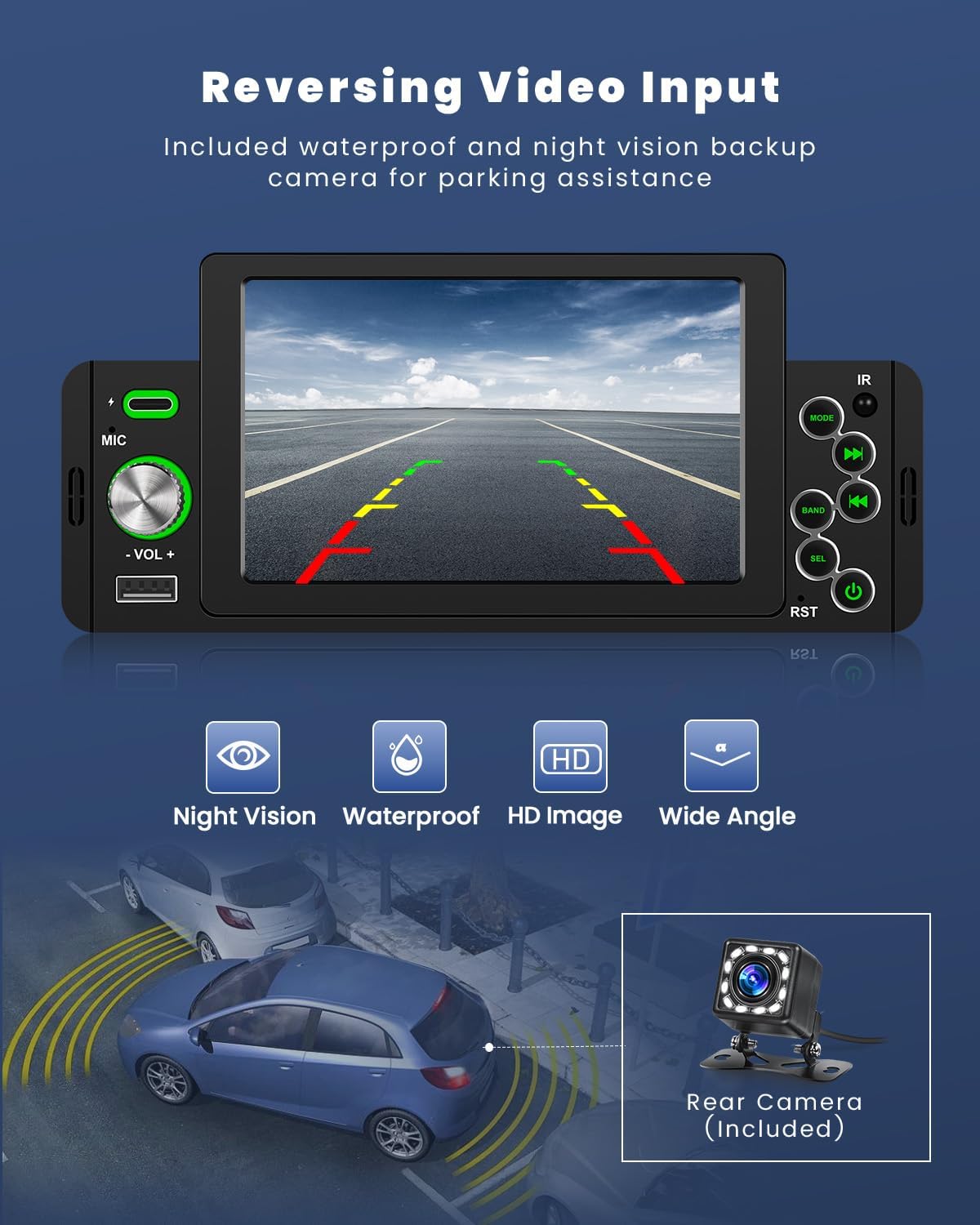
Image: Illustration of voice control functionality for Apple CarPlay and Android Auto, showing voice commands like "Hey Siri! Turn off radio" and "Play a fast song."
3.3 ബ്ലൂടൂത്ത് കണക്റ്റിവിറ്റി
The car radio features Bluetooth 5.1 for hands-free calling and wireless music streaming. Pair your smartphone with the unit to make and receive calls, and play audio directly from your device.
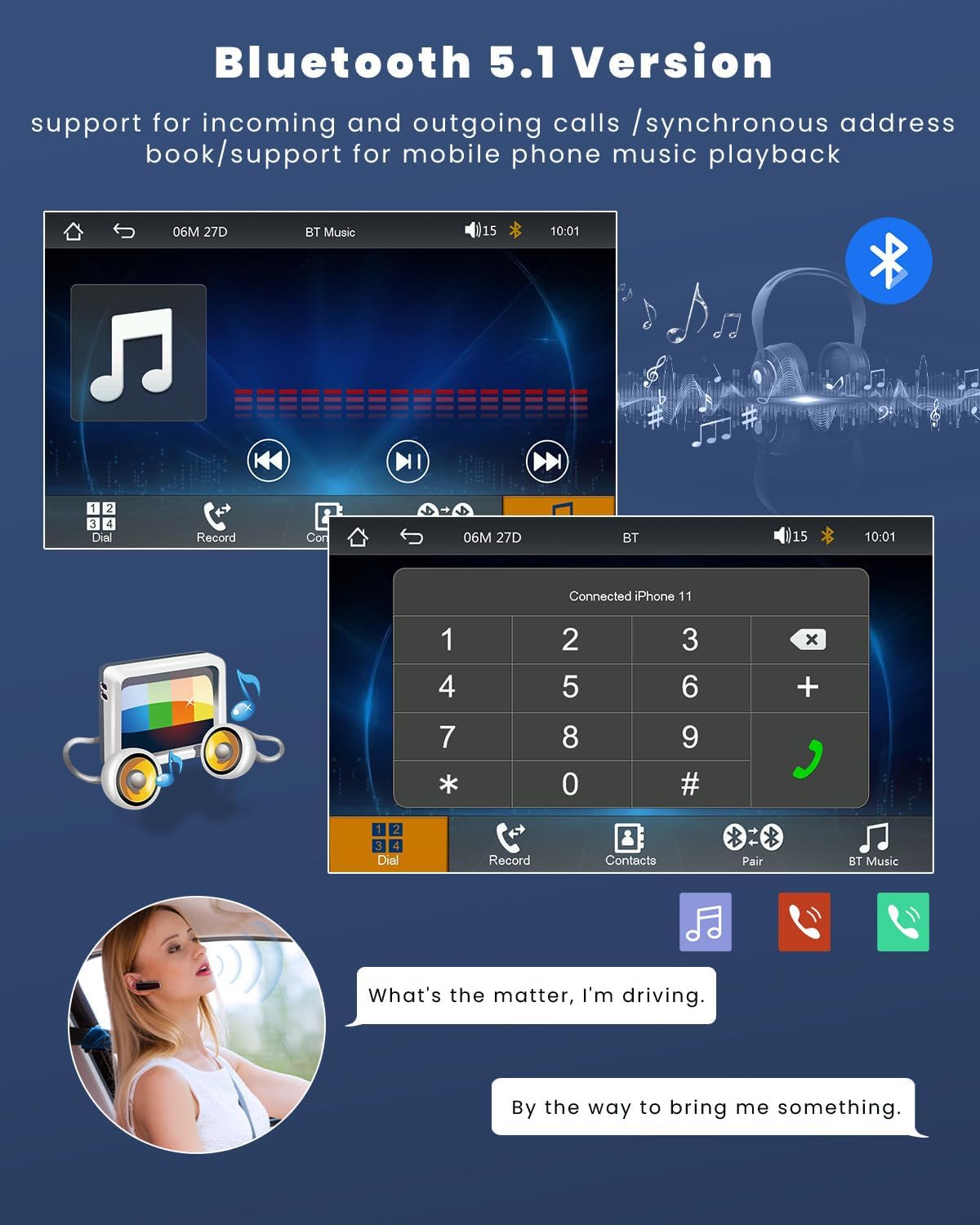
Image: Screenshots of the Bluetooth interface showing call dialing, contact list, and music playback controls.
3.4 എഫ്എം റേഡിയോ
Access the integrated FM radio to listen to live traffic reports, news, and music. The unit allows presetting up to 18 stations for quick access. Use the EQ settings to customize the audio output.

Image: Screenshots of the FM radio interface displaying frequency tuning, station presets, and scan options.
3.5 പിൻഭാഗം View ക്യാമറ പ്രവർത്തനം
When connected to the included rear view camera, the touchscreen display will automatically show the reverse image when the vehicle is put into reverse gear, aiding in parking and maneuvering.
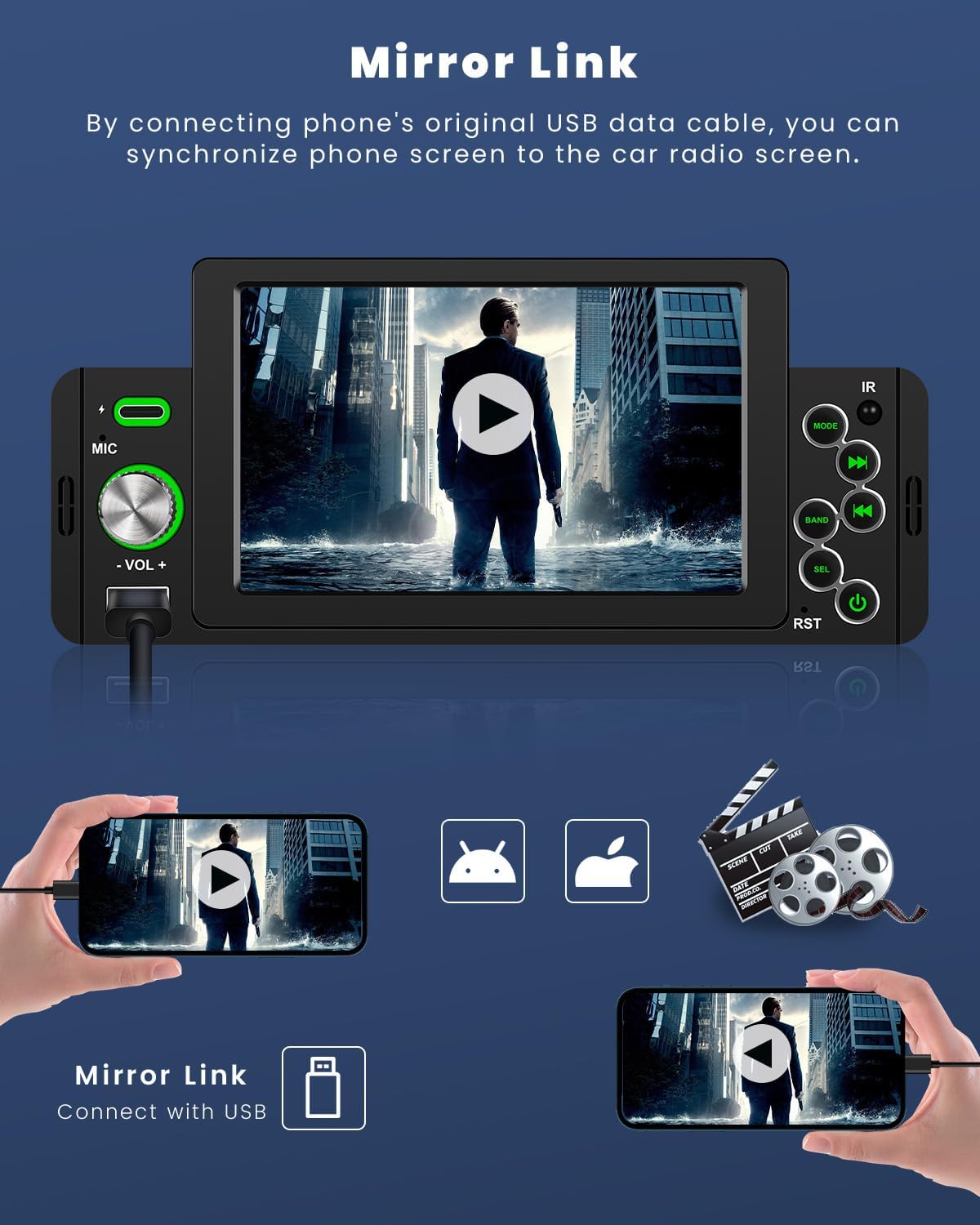
Image: Display showing the rear view camera feed with parking guidelines, highlighting night vision, waterproof, HD image, and wide angle features.
3.6 മിറർ ലിങ്ക്
Mirror Link allows you to synchronize your smartphone's screen to the car radio display using a USB data cable. This enables viewing GPS navigation, videos, and other content from your phone on the larger car radio screen.

Image: Illustration of Mirror Link showing a smartphone screen mirrored onto the car radio display, with both iOS and Android compatibility.
3.7 USB and TF Card Playback & Fast Charging
The unit supports USB and TF card input for playing music and videos. The USB port also provides 5V 1.5A power for charging mobile phones.

Image: Depiction of USB and Type-C ports for charging and U-disk media playback within a car dashboard.
3.8 സ്റ്റിയറിംഗ് വീൽ നിയന്ത്രണം
If your vehicle supports steering wheel controls, you can connect them to the car radio to quickly switch functions, adjust volume, and manage calls without taking your hands off the wheel, enhancing driving safety.
Image: Screenshot of the steering wheel control setup menu on the car radio, showing options to map vehicle controls.
4. പരിപാലനം
നിങ്ങളുടെ കാർ റേഡിയോയുടെ ദീർഘായുസ്സും ഒപ്റ്റിമൽ പ്രകടനവും ഉറപ്പാക്കാൻ, ഈ പരിപാലന മാർഗ്ഗനിർദ്ദേശങ്ങൾ പാലിക്കുക:
- വൃത്തിയാക്കൽ: Use a soft, dry cloth to wipe the touchscreen and exterior of the unit. For stubborn smudges, slightly dampen the cloth with water or a screen-safe cleaner. Avoid abrasive cleaners or solvents.
- താപനില: യൂണിറ്റ് ദീർഘനേരം ചൂടും തണുപ്പും ഉൾപ്പെടുന്ന തീവ്രമായ താപനിലയിൽ തുറന്നുകാട്ടുന്നത് ഒഴിവാക്കുക.
- കണക്ഷനുകൾ: എല്ലാ കേബിൾ കണക്ഷനുകളും സുരക്ഷിതമാണെന്നും നാശത്തിൽ നിന്ന് മുക്തമാണെന്നും ഉറപ്പാക്കാൻ ഇടയ്ക്കിടെ പരിശോധിക്കുക.
- സോഫ്റ്റ്വെയർ അപ്ഡേറ്റുകൾ: നിർമ്മാതാവ് പരിശോധിക്കുക webപ്രകടനം മെച്ചപ്പെടുത്തുന്നതിനും പുതിയ സവിശേഷതകൾ ചേർക്കുന്നതിനുമായി ലഭ്യമായ ഏതെങ്കിലും ഫേംവെയർ അപ്ഡേറ്റുകൾക്കായി സൈറ്റ്.
5. പ്രശ്നപരിഹാരം
If you encounter issues with your LeeKooLuu car radio, refer to the following common problems and solutions:
| പ്രശ്നം | സാധ്യമായ കാരണം | പരിഹാരം |
|---|---|---|
| യൂണിറ്റ് പവർ ഓണാക്കുന്നില്ല. | വൈദ്യുതി ഇല്ല; ഫ്യൂസ് പൊട്ടി; തെറ്റായ വയറിംഗ്. | Check power connections; Inspect vehicle's fuse box; Verify wiring according to diagram. |
| ശബ്ദമില്ല. | ശബ്ദം വളരെ കുറവാണ്; മ്യൂട്ട് സജീവമാക്കി; സ്പീക്കർ വയറിംഗ് പ്രശ്നം. | ശബ്ദം കൂട്ടുക; മ്യൂട്ട് നിർജ്ജീവമാക്കുക; സ്പീക്കർ കണക്ഷനുകൾ പരിശോധിക്കുക. |
| ബ്ലൂടൂത്ത് കണക്റ്റ് ചെയ്യുന്നില്ല. | Bluetooth not enabled on phone/unit; Incorrect pairing process. | Ensure Bluetooth is on; Re-attempt pairing process; Forget device and re-pair. |
| പിൻ ക്യാമറ പ്രദർശിപ്പിക്കുന്നില്ല. | ക്യാമറ കണക്റ്റുചെയ്തിട്ടില്ല; റിവേഴ്സ് ട്രിഗർ വയർ കണക്റ്റുചെയ്തിട്ടില്ല. | Check camera and video input connections; Verify reverse trigger wire connection. |
| കാർപ്ലേ/ആൻഡ്രോയിഡ് ഓട്ടോ പ്രവർത്തിക്കുന്നില്ല. | Faulty USB cable; Incompatible phone model; Software glitch. | Use original or certified USB cable; Check phone compatibility; Restart phone and unit. |
ഈ പരിഹാരങ്ങൾ പരീക്ഷിച്ചതിനുശേഷവും പ്രശ്നം നിലനിൽക്കുകയാണെങ്കിൽ, ദയവായി ഉപഭോക്തൃ പിന്തുണയുമായി ബന്ധപ്പെടുക.
6 സ്പെസിഫിക്കേഷനുകൾ
| ഫീച്ചർ | സ്പെസിഫിക്കേഷൻ |
|---|---|
| ഉൽപ്പന്ന അളവുകൾ | 18.7T x 5.8W x 8.2H cm (7.36 x 2.28 x 3.23 inches) |
| ഭാരം | 770 ഗ്രാം |
| മോഡൽ നമ്പർ | ലീകൂലു-A3466A3AM47EU |
| കണക്റ്റിവിറ്റി ടെക്നോളജി | ബ്ലൂടൂത്ത്, യുഎസ്ബി |
| കൺട്രോളർ തരം | iOS, Push Button, Android |
| പ്രത്യേക സവിശേഷതകൾ | Touchscreen, Equalizer |
| അനുയോജ്യമായ ഉപകരണങ്ങൾ | സ്മാർട്ട്ഫോൺ |
| കണക്റ്റർ തരം | ആർസിഎ, യുഎസ്ബി 2.0 |
| ഓഡിയോ put ട്ട്പുട്ട് മോഡ് | സ്റ്റീരിയോ |
| വീഡിയോ എൻകോഡിംഗ് | FLV |
| നിറം | കറുപ്പ് |
7. വാറൻ്റിയും പിന്തുണയും
LeeKooLuu is committed to providing excellent customer service and professional technical support. If you have any questions, require assistance with installation, or encounter any issues with your product, please do not hesitate to contact our support team.
While specific warranty details are not provided in this manual, please refer to your purchase documentation or the seller's website for information regarding warranty coverage and terms.
For technical inquiries or customer service, please reach out through the contact information provided at the point of purchase or on the official LeeKooLuu webസൈറ്റ്.
Ask a question about this manual
Ask about setup, troubleshooting, compatibility, parts, safety, or missing instructions. Manuals+ will review the question and use this page’s manual context to help answer it.