
1. ഉൽപ്പന്നം കഴിഞ്ഞുview
The Orange Pi 5 Plus WiFi 6 Module Wireless Card R6 is a highly integrated wireless communication module designed for the Orange Pi 5 Plus Single Board Computer. It provides advanced Wi-Fi 6 (802.11ax) and Bluetooth 5.2 connectivity, offering high-speed data transfer rates up to 1201Mbps. This module utilizes a PCIe M.2 E-Key interface for Wi-Fi and a USB2.0 interface for Bluetooth, ensuring seamless integration and robust performance.
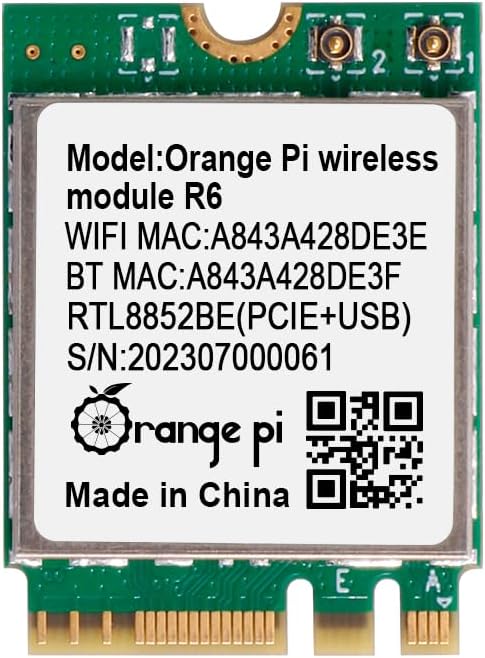
ചിത്രം 1: മുൻഭാഗം view of the Orange Pi 5 Plus WiFi 6 Module R6, displaying its model, MAC addresses (e.g., WiFi MAC: A843A428DE3E), and Realtek RTL8852BE chip details.
2 സുരക്ഷാ വിവരങ്ങൾ
- Always power off and disconnect the Orange Pi 5 Plus from its power source before installing or removing the module.
- Handle the module by its edges to avoid touching sensitive components and to prevent electrostatic discharge (ESD) damage.
- Ensure proper ventilation around the Orange Pi 5 Plus to prevent overheating.
- Keep the module away from liquids and extreme temperatures.
- Do not attempt to modify or repair the module yourself. Refer to qualified personnel for service.
3. പാക്കേജ് ഉള്ളടക്കം
നിങ്ങളുടെ പാക്കേജിൽ എല്ലാ ഇനങ്ങളും ഉണ്ടെന്ന് ഉറപ്പാക്കുക:
- 1 x Orange Pi 5 Plus Wireless Module R6
- 2 x Antenna Cables (typically included for external antenna connection)
4. ഇൻസ്റ്റാളേഷൻ ഗൈഡ്
Follow these steps to install the Orange Pi 5 Plus WiFi 6 Module R6 into your Orange Pi 5 Plus Single Board Computer:
- തയ്യാറാക്കൽ: Ensure your Orange Pi 5 Plus is powered off and disconnected from all power sources. Place it on a clean, static-free surface.
- Locate the M.2 E-Key Slot: Identify the M.2 E-Key slot on your Orange Pi 5 Plus board. This slot is specifically designed for Wi-Fi and Bluetooth modules.
- മൊഡ്യൂൾ തിരുകുക: Gently align the notch on the Orange Pi R6 module with the key in the M.2 E-Key slot. Insert the module at a slight angle (approximately 30 degrees) into the slot until the gold contacts are fully seated.
- മൊഡ്യൂൾ സുരക്ഷിതമാക്കുക: Once seated, gently push the module down towards the board. Secure it with a small screw (not typically included with the module, but usually provided with the Orange Pi 5 Plus board or M.2 accessories) into the standoff at the end of the module.
- ആന്റിനകൾ ബന്ധിപ്പിക്കുക: Carefully attach the provided antenna cables to the small connectors on the module. These are typically U.FL or IPEX connectors. Ensure they snap securely into place. Route the antenna cables away from other components and connect them to external antennas if applicable.
- Power On and Driver Installation: Reconnect power to your Orange Pi 5 Plus and boot the operating system. Most modern Linux distributions (like Ubuntu or Armbian for Orange Pi) should automatically detect the Realtek RTL8852BE-CG chip and install the necessary drivers. If not, you may need to manually install drivers or update your system's kernel. Refer to the Orange Pi official documentation or community forums for specific driver installation instructions for your chosen OS.

ചിത്രം 2: കോണാകൃതിയിലുള്ളത് view of the Orange Pi R6 module, illustrating its M.2 E-Key connector for proper insertion.

ചിത്രം 3: പിൻഭാഗം view of the Orange Pi R6 module, highlighting the antenna connection points.
5. പ്രവർത്തന നിർദ്ദേശങ്ങൾ
5.1. വൈഫൈ കണക്ഷൻ
- Once your Orange Pi 5 Plus is booted, navigate to your operating system's network settings.
- Enable Wi-Fi if it is not already active.
- ലഭ്യമായ നെറ്റ്വർക്കുകളുടെ പട്ടികയിൽ നിന്ന് നിങ്ങൾക്ക് ആവശ്യമുള്ള വയർലെസ് നെറ്റ്വർക്ക് (SSID) തിരഞ്ഞെടുക്കുക.
- Enter the network password (if required) and click 'Connect'.
- Your Orange Pi 5 Plus should now be connected to the internet via Wi-Fi 6.
5.2. ബ്ലൂടൂത്ത് ജോടിയാക്കൽ
- Go to your operating system's Bluetooth settings.
- Ensure Bluetooth is enabled and set to 'discoverable' or 'pairing mode'.
- Put your Bluetooth device (e.g., headphones, keyboard, mouse) into pairing mode.
- On your Orange Pi 5 Plus, scan for new Bluetooth devices.
- ലിസ്റ്റിൽ നിന്ന് നിങ്ങളുടെ ഉപകരണം തിരഞ്ഞെടുത്ത് ജോടിയാക്കൽ പ്രക്രിയ പൂർത്തിയാക്കാൻ ഓൺ-സ്ക്രീൻ നിർദ്ദേശങ്ങൾ പാലിക്കുക.
6. പരിപാലനം
- Keep the module and the Orange Pi 5 Plus in a clean, dust-free environment.
- Avoid exposing the module to excessive physical shock or vibration.
- Regularly check for and install operating system updates, which may include updated drivers for improved performance and stability.
7. പ്രശ്നപരിഹാരം
7.1. മൊഡ്യൂൾ കണ്ടെത്തിയില്ല.
- ഭൗതിക ഇൻസ്റ്റാളേഷൻ പരിശോധിക്കുക: Ensure the module is correctly seated in the M.2 E-Key slot and secured with a screw.
- Verify M.2 Slot Functionality: Confirm that the M.2 E-Key slot on your Orange Pi 5 Plus is enabled and functioning correctly (refer to Orange Pi documentation).
- ഡ്രൈവർ പ്രശ്നങ്ങൾ: Ensure the correct drivers for the Realtek RTL8852BE-CG chip are installed for your operating system.
7.2. No Wi-Fi or Bluetooth Connectivity
- ആന്റിന കണക്ഷൻ: Double-check that the antenna cables are securely connected to the module and any external antennas. Loose connections can severely impact performance.
- Software Enablement: Ensure Wi-Fi and Bluetooth are enabled in your operating system's settings.
- ഇടപെടൽ: Move the Orange Pi 5 Plus away from potential sources of interference (e.g., microwaves, cordless phones).
7.3. Slow Wi-Fi Speeds
- റൂട്ടർ സാമീപ്യം: Ensure the Orange Pi 5 Plus is within a reasonable range of your Wi-Fi router.
- റൂട്ടർ ക്രമീകരണങ്ങൾ: Verify your router supports Wi-Fi 6 (802.11ax) and is configured for optimal performance.
- ചാനൽ ഇടപെടൽ: Use a Wi-Fi analyzer tool to check for crowded Wi-Fi channels in your area and adjust your router's channel if necessary.
8 സാങ്കേതിക സവിശേഷതകൾ
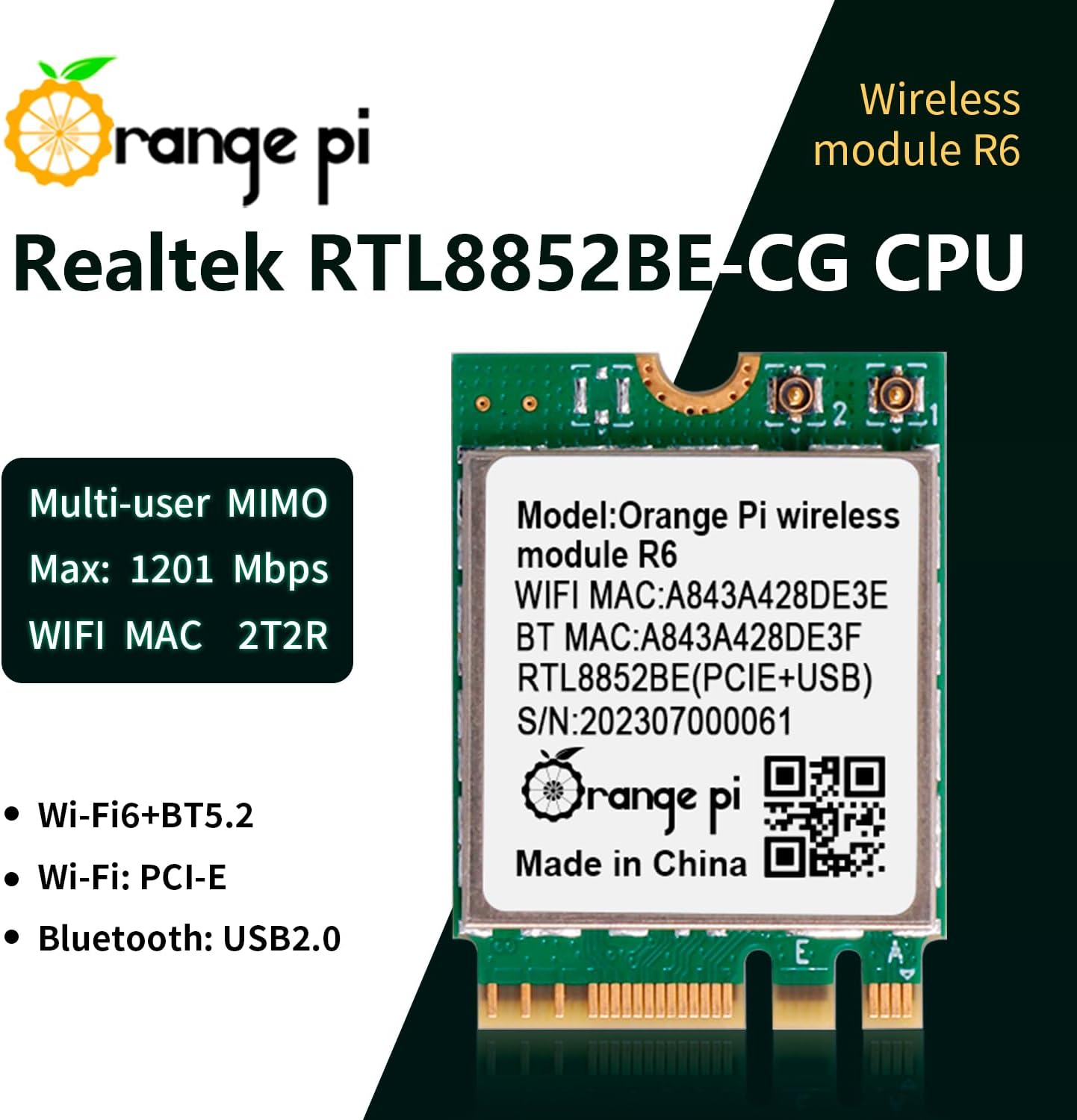
Figure 4: Orange Pi R6 module highlighting its core specifications and features.
| പരാമീറ്റർ | മൂല്യം |
|---|---|
| Major Chip | Realtek RTL8852BE-CG |
| വയർലെസ് സ്റ്റാൻഡേർഡ് | IEEE802.11a/b/g/n/ac/ax (Wi-Fi 6) |
| ബ്ലൂടൂത്ത് സ്റ്റാൻഡേർഡ് | BT V2.1+EDR/4.2/5.2 |
| ഡാറ്റ കൈമാറ്റ നിരക്ക് (പരമാവധി) | 1201Mbps |
| ഫ്രീക്വൻസി ബാൻഡ് | 2.4~2.4835GHz, 5.0~5.8 GHz |
| Interface (Wi-Fi) | PCI-E (M.2 E-Key) |
| Interface (Bluetooth) | USB2.0 |
| പ്രവർത്തന താപനില | 10~+70°C ambient temperature |
| സംഭരണ താപനില | 40~+85°C ambient temperature |
| അളവുകൾ (LxWxH) | 22mm x 30mm x 2.33mm (0.87 x 1.18 x 0.09 ഇഞ്ച്) |
| ഇനത്തിൻ്റെ ഭാരം | 0.634 ഔൺസ് |
| അനുയോജ്യമായ ഉപകരണങ്ങൾ | Orange Pi 5 Plus |
9. വാറൻ്റി വിവരങ്ങൾ
This Orange Pi product is covered by a limited manufacturer's warranty. Please refer to the official Orange Pi website or your purchase documentation for specific warranty terms and conditions. Typically, the warranty covers defects in materials and workmanship under normal use.
10. പിന്തുണയും സമ്പർക്കവും
For technical support, driver downloads, or further assistance with your Orange Pi 5 Plus WiFi 6 Module R6, please visit the official Orange Pi webസൈറ്റ്:
- ഉദ്യോഗസ്ഥൻ Webസൈറ്റ്: www.orange-pi.com
- കമ്മ്യൂണിറ്റി ഫോറങ്ങൾ: Engage with other users and find solutions on the Orange Pi community forums.
- ഇമെയിൽ പിന്തുണ: Contact Orange Pi customer service directly for specific inquiries.
Always ensure you have your product model (R6) and any relevant purchase information ready when contacting support.