
DOOGEE T10 Pro
DOOGEE T10 Pro Android Tablet User Manual
Model: T10 Pro | Brand: DOOGEE
1. ആമുഖം
Welcome to the user manual for your new DOOGEE T10 Pro Android Tablet. This guide provides essential information on setting up, operating, and maintaining your device. Please read this manual thoroughly before using your tablet to ensure proper function and longevity.
സുരക്ഷാ വിവരങ്ങൾ
- ടാബ്ലെറ്റിനെ തീവ്രമായ താപനിലയിലോ, നേരിട്ടുള്ള സൂര്യപ്രകാശത്തിലോ, ഉയർന്ന ആർദ്രതയിലോ തുറന്നുകാട്ടരുത്.
- ടാബ്ലെറ്റ് താഴെയിടുകയോ ശക്തമായ ആഘാതങ്ങൾക്ക് വിധേയമാക്കുകയോ ചെയ്യുന്നത് ഒഴിവാക്കുക.
- അംഗീകൃത ചാർജറുകളും അനുബന്ധ ഉപകരണങ്ങളും മാത്രം ഉപയോഗിക്കുക.
- Do not attempt to disassemble or repair the tablet yourself. Contact authorized service personnel.
- Keep the tablet away from children and pets.
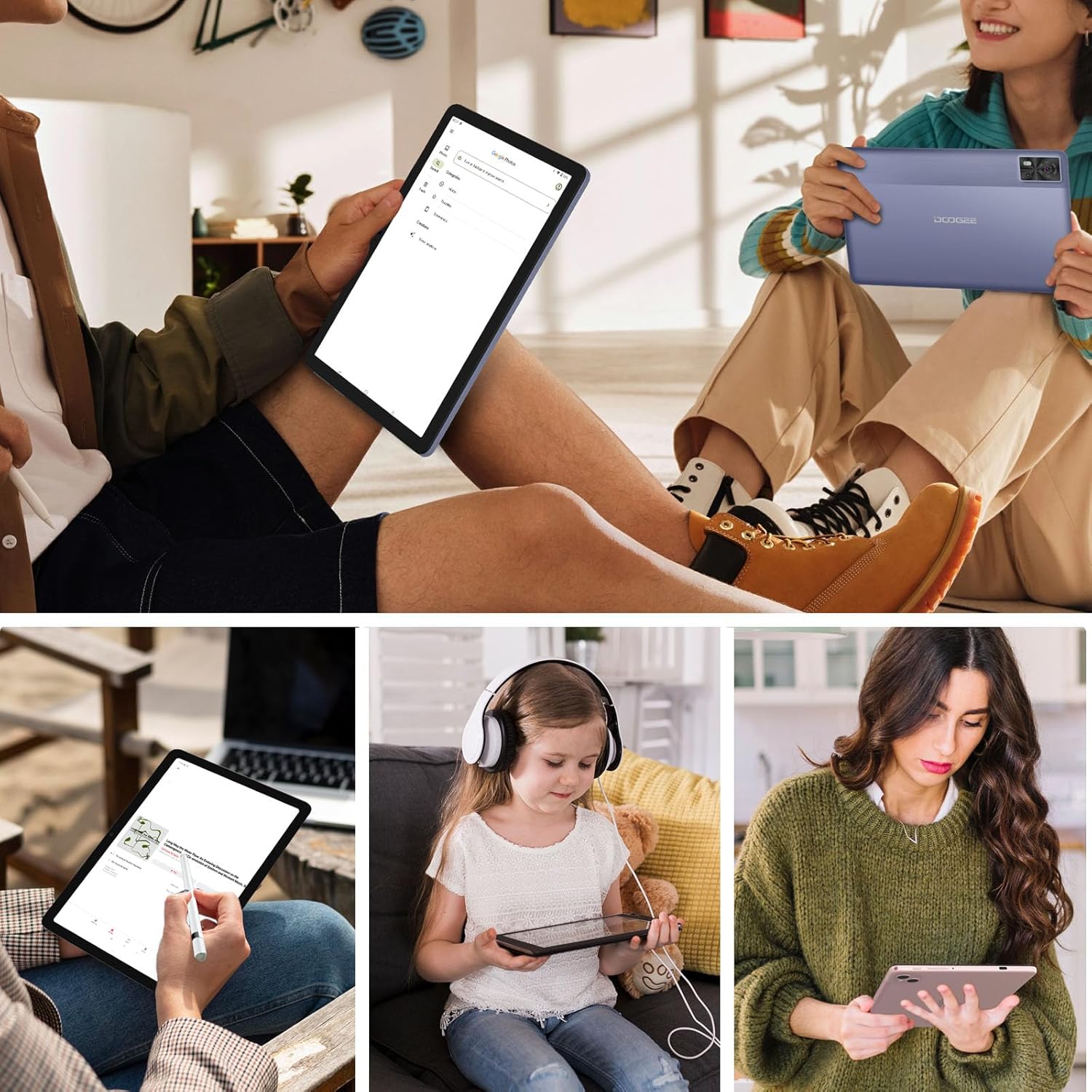
Figure 1.1: The DOOGEE T10 Pro tablet in use, showcasing its versatility for different users and activities.
2. പാക്കേജ് ഉള്ളടക്കം
അൺബോക്സ് ചെയ്യുമ്പോൾ പാക്കേജ് ഉള്ളടക്കങ്ങൾ പരിശോധിക്കുക. ഏതെങ്കിലും ഇനങ്ങൾ നഷ്ടപ്പെട്ടാലോ കേടായാലോ, നിങ്ങളുടെ റീട്ടെയിലറെ ബന്ധപ്പെടുക.
- DOOGEE T10 Pro ടാബ്ലെറ്റ്
- Power Adapter (18W Fast Charge compatible)
- യുഎസ്ബി-സി കേബിൾ
- സിം എജക്റ്റ് ടൂൾ
- ദ്രുത ആരംഭ ഗൈഡ്
- വാറൻ്റി കാർഡ്
3. ഡിവൈസ് ഓവർview
Familiarize yourself with the physical components of your DOOGEE T10 Pro tablet.
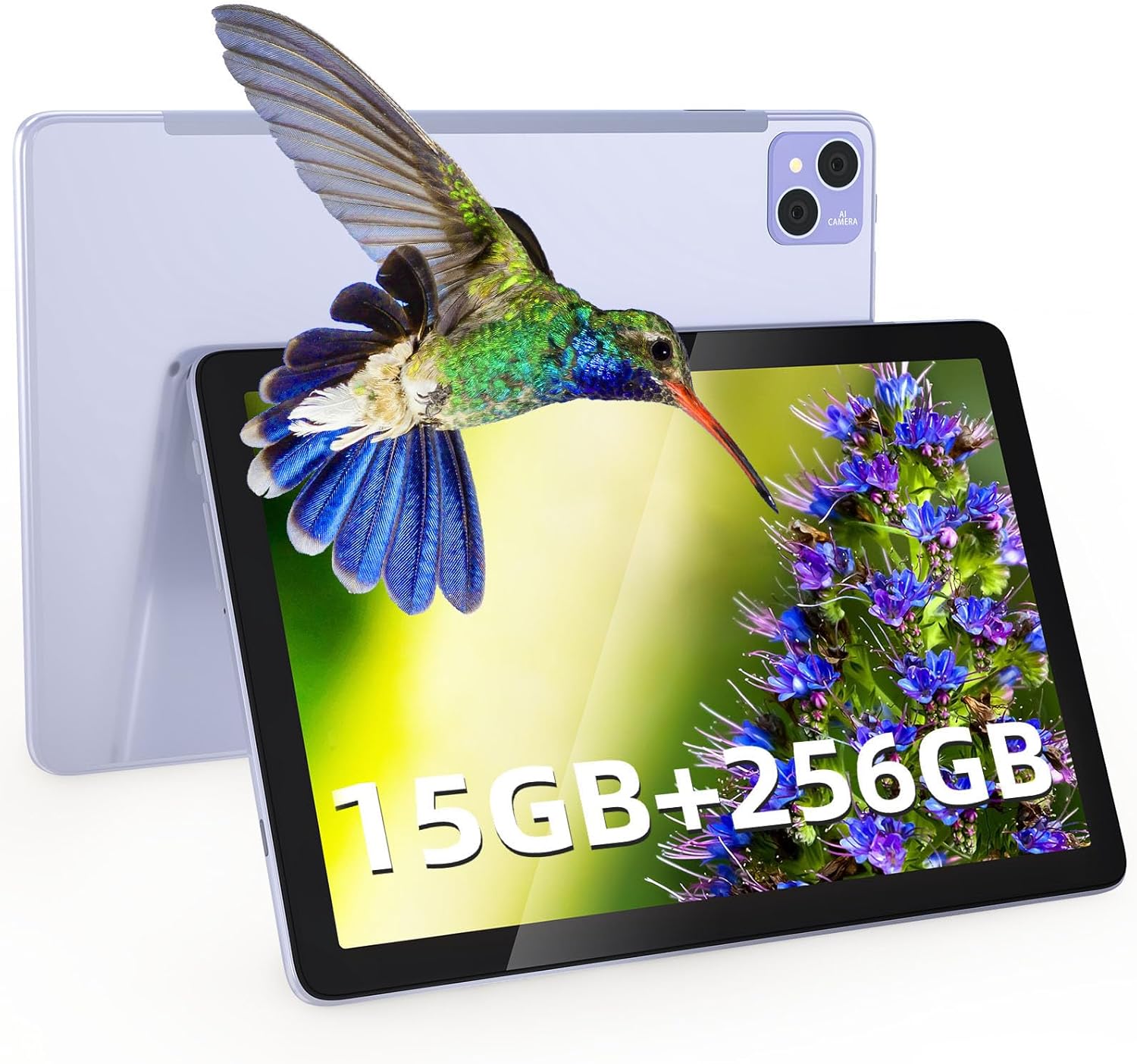
ചിത്രം 3.1: മുന്നിലും പിന്നിലും view of the DOOGEE T10 Pro tablet, showcasing its overall design and the rear camera setup.
ഭൗതിക ഘടകങ്ങൾ
- പവർ ബട്ടൺ: വശത്ത് സ്ഥിതിചെയ്യുന്നു, ഉപകരണം ഓൺ/ഓഫ് ചെയ്യാനോ ഉണർത്താനോ ഉറങ്ങാനോ ഉപയോഗിക്കുന്നു.
- വോളിയം ബട്ടണുകൾ: ഓഡിയോ വോളിയം ക്രമീകരിക്കുക.
- യുഎസ്ബി-സി പോർട്ട്: ചാർജിംഗിനും ഡാറ്റ കൈമാറ്റത്തിനും.
- സിം/ടിഎഫ് കാർഡ് സ്ലോട്ട്: Insert Nano SIM cards for 4G connectivity and a TF (microSD) card for expanded storage.
- മുൻ ക്യാമറ (8MP): Located on the display side, for video calls and selfies.
- പിൻ ക്യാമറ (13MP): Located on the back, for taking photos and videos.
- സ്പീക്കറുകൾ: Dual stereo speakers for immersive audio.
- മൈക്രോഫോൺ: വോയിസ് ഇൻപുട്ടിനായി.

ചിത്രം 3.2: സ്ലിം പ്രോfile (8.5mm) and lightweight design (568g) of the DOOGEE T10 Pro, highlighting its portability and large 8580 mAh battery with 18W fast charging capability.
4. സജ്ജീകരണം
4.1 ടാബ്ലെറ്റ് ചാർജ് ചെയ്യുന്നു
Before first use, fully charge your tablet. Connect the USB-C cable to the tablet's USB-C port and the other end to the 18W power adapter. Plug the adapter into a power outlet. The battery indicator on the screen will show charging status.
4.2 പവർ ഓൺ/ഓഫ്
- പവർ ഓണാക്കാൻ: Press and hold the Power button until the DOOGEE logo appears.
- പവർ ഓഫ് ചെയ്യാൻ: പവർ ഓപ്ഷൻ മെനു ദൃശ്യമാകുന്നതുവരെ പവർ ബട്ടൺ അമർത്തിപ്പിടിക്കുക, തുടർന്ന് "പവർ ഓഫ്" തിരഞ്ഞെടുക്കുക.
- ഉറങ്ങാൻ/ഉണരാൻ: പവർ ബട്ടൺ ഹ്രസ്വമായി അമർത്തുക.
4.3 സിം, ടിഎഫ് കാർഡ് ഇൻസ്റ്റാളേഷൻ
The DOOGEE T10 Pro supports dual Nano SIM cards for 4G LTE connectivity and a TF (microSD) card for storage expansion up to 1TB.
- ടാബ്ലെറ്റിന്റെ വശത്ത് സിം/ടിഎഫ് കാർഡ് സ്ലോട്ട് കണ്ടെത്തുക.
- Insert the SIM eject tool into the small hole next to the tray to pop it open.
- ട്രേ ശ്രദ്ധാപൂർവ്വം പുറത്തെടുക്കുക.
- Place your Nano SIM card(s) and/or TF card into the designated slots on the tray, ensuring correct orientation.
- ട്രേ അതിന്റെ സ്ഥാനത്ത് ക്ലിക്ക് ആകുന്നതുവരെ സ്ലോട്ടിലേക്ക് പതുക്കെ തിരികെ തള്ളുക.
5. നിങ്ങളുടെ ടാബ്ലെറ്റ് പ്രവർത്തിപ്പിക്കൽ
5.1 അടിസ്ഥാന നാവിഗേഷൻ (ആൻഡ്രോയിഡ് 12)
Your tablet runs on Android 12, offering an intuitive user experience. Common gestures include:
- ടാപ്പ് ചെയ്യുക: ഒരു ഇനം തിരഞ്ഞെടുക്കുകയോ ഒരു ആപ്പ് തുറക്കുകയോ ചെയ്യുക.
- സ്വൈപ്പ്: സ്ക്രീനുകളിലൂടെയോ ലിസ്റ്റുകളിലൂടെയോ സ്ക്രോൾ ചെയ്യുക.
- പിഞ്ച്-ടു-സൂം: ചിത്രങ്ങൾ സൂം ഇൻ ചെയ്യുകയോ ഔട്ട് ചെയ്യുകയോ ചെയ്യുക, web പേജുകൾ.
- ലോംഗ് പ്രസ്സ്: സന്ദർഭോചിത മെനുകൾ ആക്സസ് ചെയ്യുക അല്ലെങ്കിൽ ഐക്കണുകൾ നീക്കുക.
- സ്പ്ലിറ്റ് സ്ക്രീൻ: Utilize the multi-screen connection feature to run two apps side-by-side.
- ഫ്ലോട്ടിംഗ് വിൻഡോ: Open apps in a resizable floating window for multitasking.
5.2 കണക്റ്റിവിറ്റി
- വൈഫൈ: Go to Settings > Network & internet > Wi-Fi to connect to available Wi-Fi networks (supports 2.4G/5G).
- മൊബൈൽ ഡാറ്റ (4G LTE): Ensure a SIM card is inserted. Go to Settings > Network & internet > Mobile network to enable mobile data.
- ബ്ലൂടൂത്ത്: Go to Settings > Connected devices > Connection preferences > Bluetooth to pair with Bluetooth devices like headphones or speakers.
5.3 പ്രദർശന, ദൃശ്യാനുഭവം
The DOOGEE T10 Pro features a 10.1-inch 2K IPS display with a resolution of 1920 x 1200 pixels, providing clear and vibrant visuals. It also supports Google Widevine L1 for high-definition streaming content.
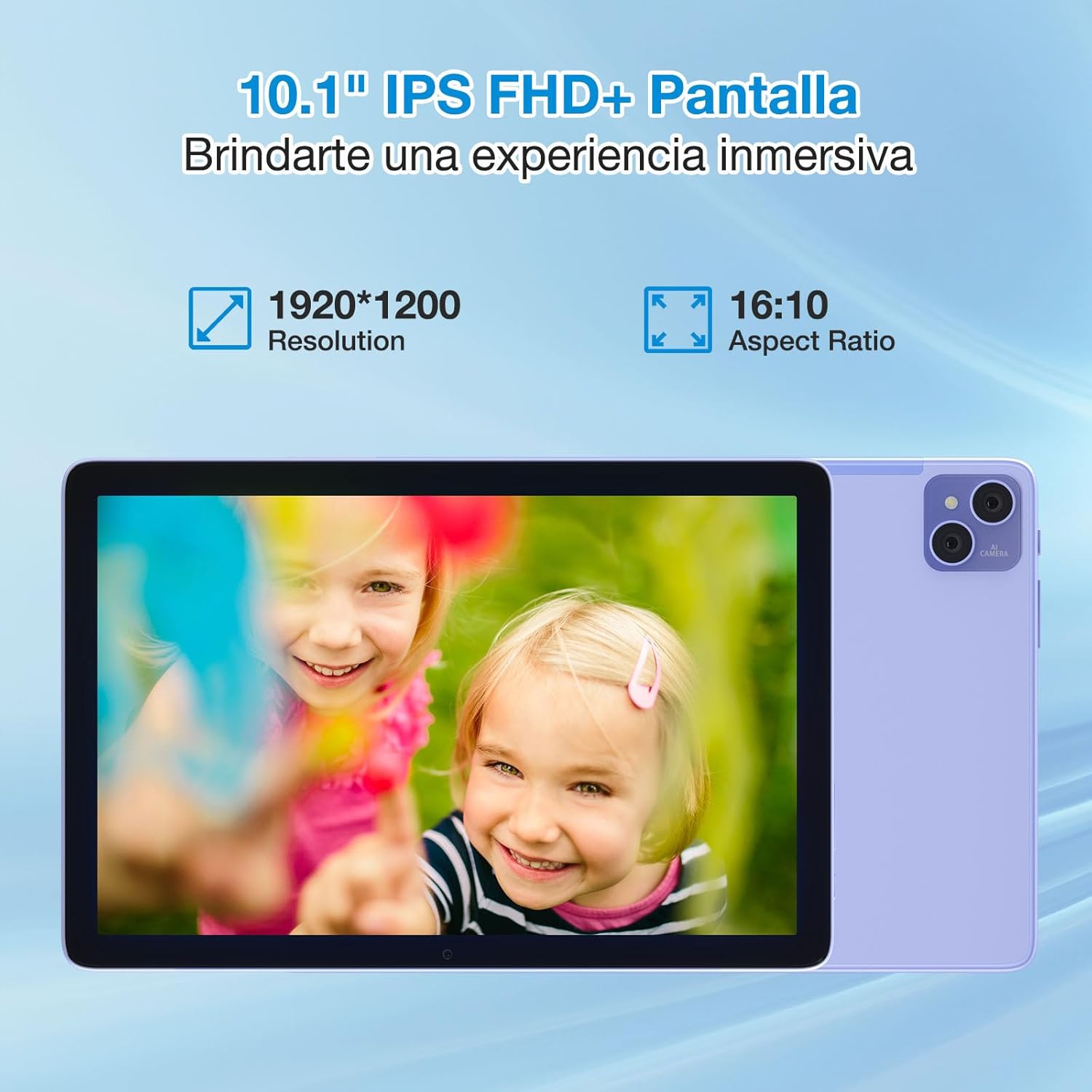
Figure 5.1: The 10.1-inch IPS FHD+ display of the DOOGEE T10 Pro, featuring a 1920x1200 resolution and 16:10 aspect ratio for an immersive viewഅനുഭവം.
The tablet is TÜV SÜD Blue Light certified, which helps reduce harmful blue light emissions, minimizing eye strain during prolonged use. You can adjust display settings in Settings > Display.
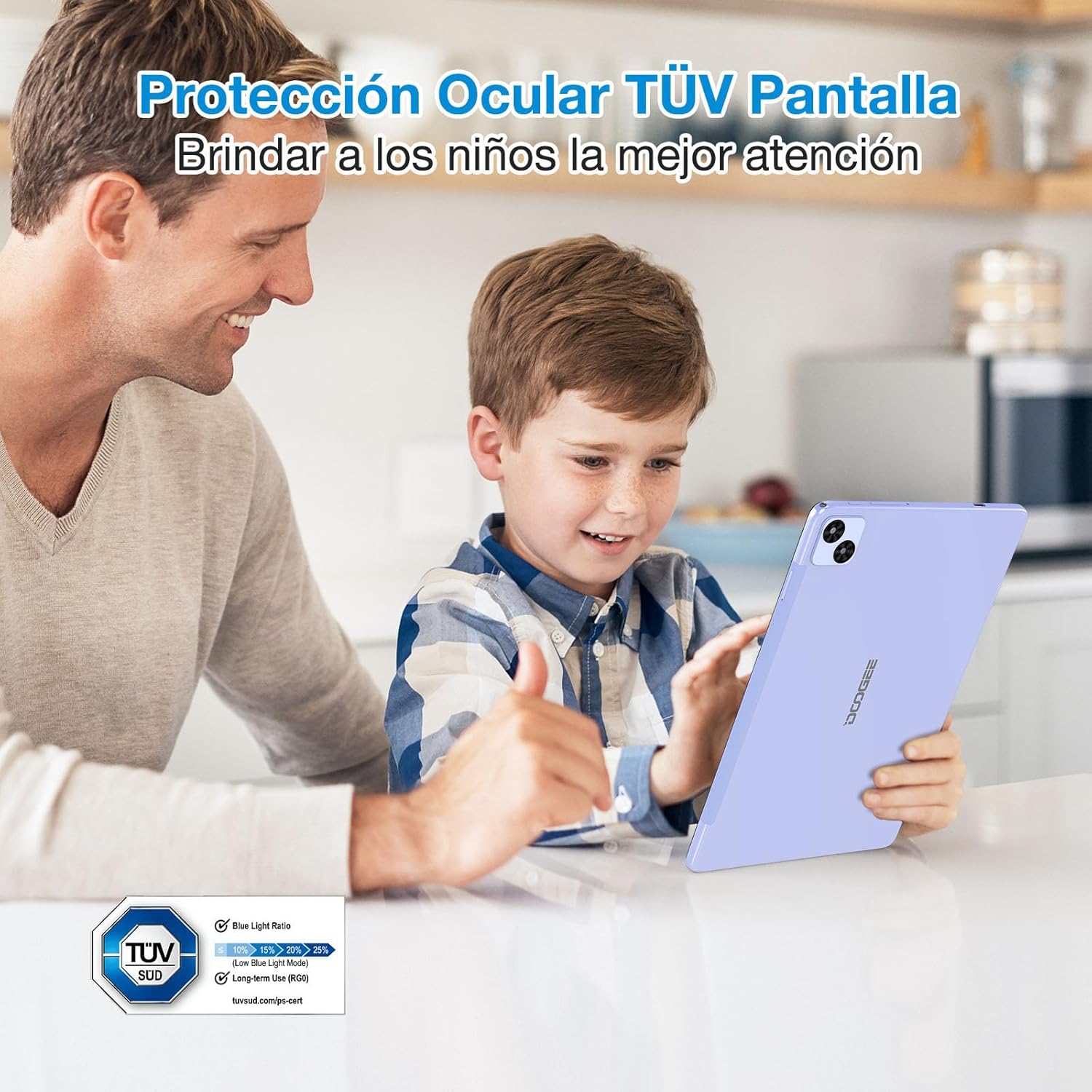
Figure 5.2: The DOOGEE T10 Pro's TÜV SÜD Blue Light certified display, designed to protect eyes and provide a comfortable viewing experience, especially for children.
5.4 ക്യാമറ ഉപയോഗം
Your tablet is equipped with a 13MP rear camera and an 8MP front camera.
- നിങ്ങളുടെ ഹോം സ്ക്രീനിൽ നിന്നോ ആപ്പ് ഡ്രോയറിൽ നിന്നോ "ക്യാമറ" ആപ്പ് തുറക്കുക.
- ക്യാമറ ഐക്കൺ ഉപയോഗിച്ച് മുൻ ക്യാമറയും പിൻ ക്യാമറയും തമ്മിൽ മാറുക.
- ഒരു ഫോട്ടോ എടുക്കാൻ ഷട്ടർ ബട്ടൺ ടാപ്പ് ചെയ്യുക അല്ലെങ്കിൽ വീഡിയോ റെക്കോർഡിംഗ് ആരംഭിക്കുക/നിർത്തുക.

Figure 5.3: The 13MP main camera and 8MP front camera of the DOOGEE T10 Pro, capable of capturing clear images and supporting video calls.
5.5 സംഭരണവും പ്രകടനവും
The DOOGEE T10 Pro comes with 15GB of RAM (8GB physical + 7GB extended) and 256GB of internal storage. Storage can be expanded up to 1TB using a TF card. The Unisoc T606 Octa Core processor ensures smooth performance for various applications and games.
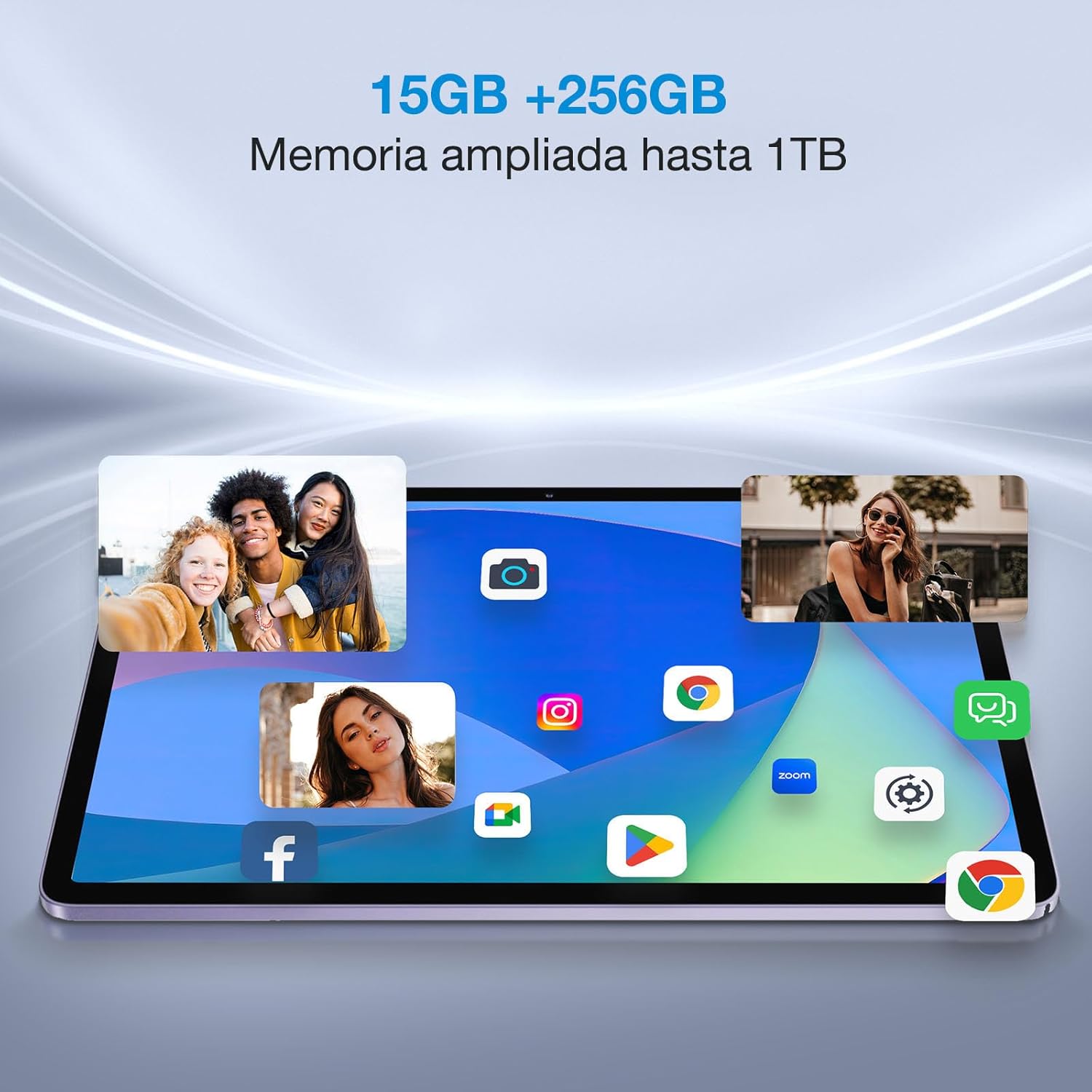
Figure 5.4: The DOOGEE T10 Pro's ample 15GB RAM and 256GB internal storage, expandable to 1TB, allowing for smooth multitasking and extensive app installation.
6. പരിപാലനം
6.1 നിങ്ങളുടെ ടാബ്ലെറ്റ് വൃത്തിയാക്കൽ
ടാബ്ലെറ്റിന്റെ സ്ക്രീനും ബോഡിയും വൃത്തിയാക്കാൻ മൃദുവായ, ലിന്റ് രഹിത തുണി ഉപയോഗിക്കുക. കഠിനമായ പാടുകൾക്ക്, ചെറുതായി ഡി.ampതുണിയിൽ വെള്ളം അല്ലെങ്കിൽ സ്ക്രീൻ ക്ലീനർ ഉപയോഗിക്കുക. കഠിനമായ രാസവസ്തുക്കളോ ഉരച്ചിലുകളോ ഉള്ള വസ്തുക്കൾ ഉപയോഗിക്കുന്നത് ഒഴിവാക്കുക.
6.2 സോഫ്റ്റ്വെയർ അപ്ഡേറ്റുകൾ
Regularly check for system updates to ensure your tablet has the latest features, security patches, and performance improvements. Go to Settings > System > System update.
6.3 ബാറ്ററി കെയർ
- ബാറ്ററി ഇടയ്ക്കിടെ പൂർണ്ണമായും കളയുന്നത് ഒഴിവാക്കുക.
- Do not leave the tablet charging for excessively long periods after it's full.
- Store the tablet in a cool, dry place if not used for extended periods.
7. പ്രശ്നപരിഹാരം
| പ്രശ്നം | സാധ്യമായ പരിഹാരം |
|---|---|
| ടാബ്ലെറ്റ് ഓണാകുന്നില്ല. | Ensure the battery is charged. Connect to the charger for at least 30 minutes. Try holding the Power button for 10-15 seconds. |
| സ്ക്രീൻ പ്രതികരിക്കുന്നില്ല. | Restart the tablet. If unresponsive, force restart by holding the Power button for about 10 seconds. Clean the screen. |
| Wi-Fi-ലേക്ക് കണക്റ്റ് ചെയ്യാൻ കഴിയില്ല. | വൈഫൈ പ്രവർത്തനക്ഷമമാക്കിയിട്ടുണ്ടെന്ന് ഉറപ്പാക്കുക. നിങ്ങളുടെ റൂട്ടർ പുനരാരംഭിക്കുക. നെറ്റ്വർക്ക് മറന്ന് വീണ്ടും കണക്റ്റുചെയ്യുക. |
| Apps are crashing or running slow. | Close background apps. Clear app cache (Settings > Apps > [App Name] > Storage & cache). Restart the tablet. Ensure sufficient storage space. |
| ടാബ്ലെറ്റ് ചാർജ് ചെയ്യുന്നില്ല. | Check the cable and adapter for damage. Try a different outlet. Ensure the USB-C port is clean. |
If the problem persists, please contact DOOGEE customer support.
8 സ്പെസിഫിക്കേഷനുകൾ
| ഫീച്ചർ | വിശദാംശങ്ങൾ |
|---|---|
| ബ്രാൻഡ് | ഡോഗി |
| മോഡൽ | T10 പ്രോ |
| ഓപ്പറേറ്റിംഗ് സിസ്റ്റം | ആൻഡ്രോയിഡ് 12 |
| പ്രോസസ്സർ | Unisoc T606 Octa Core |
| റാം | 15 GB (8GB + 7GB extended) |
| ആന്തരിക സംഭരണം | 256 ജിബി |
| വികസിപ്പിക്കാവുന്ന സംഭരണം | TF കാർഡ് വഴി 1 TB വരെ |
| ഡിസ്പ്ലേ വലിപ്പം | 10.1 ഇഞ്ച് |
| ഡിസ്പ്ലേ തരം | 2K IPS |
| ഡിസ്പ്ലേ റെസല്യൂഷൻ | 1920 x 1200 പിക്സലുകൾ |
| നേത്ര സംരക്ഷണം | TÜV SÜD Blue Light Certified |
| ബാറ്ററി ശേഷി | 8580 mAh |
| ചാർജിംഗ് | 18W ഫാസ്റ്റ് ചാർജ് |
| പിൻ ക്യാമറ | 13 എം.പി |
| മുൻ ക്യാമറ | 8 എം.പി |
| കണക്റ്റിവിറ്റി | Dual 4G LTE, 2.4G/5G WiFi, Bluetooth |
| ഭാരം | 568 ഗ്രാം |
| കനം | 8.5 മി.മീ |
| മറ്റ് സവിശേഷതകൾ | Google Widevine L1, Dual Stereo Speakers, Multi-screen connection, Split touch, Floating window |
9. വാറൻ്റിയും പിന്തുണയും
9.1 വാറൻ്റി വിവരങ്ങൾ
Your DOOGEE T10 Pro tablet comes with a standard manufacturer's warranty. Please refer to the warranty card included in your package for specific terms, conditions, and duration. Keep your proof of purchase for warranty claims.
9.2 ഉപഭോക്തൃ പിന്തുണ
For technical assistance, troubleshooting beyond this manual, or warranty inquiries, please contact DOOGEE customer support through their official webസൈറ്റ് അല്ലെങ്കിൽ നിങ്ങളുടെ വാറന്റി കാർഡിൽ നൽകിയിരിക്കുന്ന ബന്ധപ്പെടാനുള്ള വിവരങ്ങൾ.
DOOGEE Official Webസൈറ്റ്: www.doogee.cc
Ask a question about this manual
Ask about setup, troubleshooting, compatibility, parts, safety, or missing instructions. Manuals+ will review the question and use this page’s manual context to help answer it.