
1. ആമുഖം
This manual provides comprehensive instructions for the installation, operation, and maintenance of your Nayax VPOS Touch card reader. The VPOS Touch is an innovative payment solution designed for unattended retail environments, offering seamless cashless clearance, real-time monitoring, and robust management capabilities.
2. ഉൽപ്പന്നം കഴിഞ്ഞുview
The Nayax VPOS Touch integrates a card reader with advanced telemetry features, enabling real-time monitoring and management of your machines. It provides updated information on inventory, cash monitoring, alerts, and detailed reports, enhancing operational efficiency.
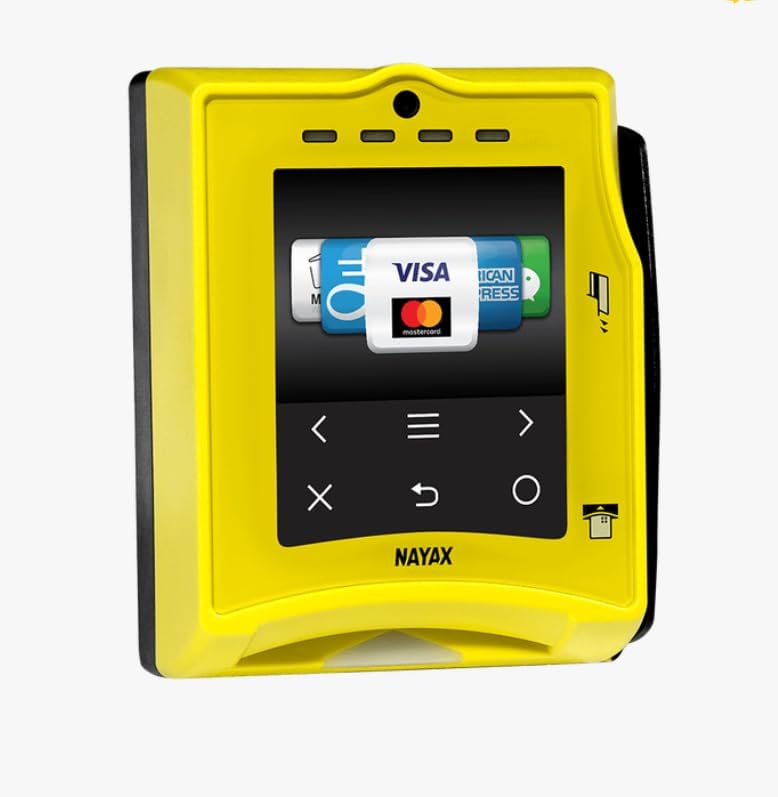
Figure 2.1: VPOS Touch Card Reader Unit
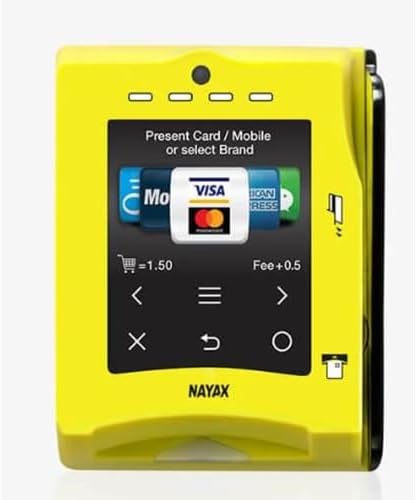
Figure 2.2: VPOS Touch Display Interface
3 പ്രധാന സവിശേഷതകൾ
- Remote Vending: Manage and control vending operations remotely.
- Instant Refunds: Process refunds quickly and efficiently.
- Technician Mode: Dedicated mode for service and maintenance personnel.
- Multivend: Support for multiple product selections in a single transaction.
- Anti-fraud Thresholds: Configurable settings to prevent fraudulent transactions.
- Real-time Data/DEX: Provides immediate access to operational data and DEX fileമാനേജ്മെന്റിനുള്ള എസ്.
- സമഗ്രമായ കണക്റ്റിവിറ്റി: Supports MDB, Pulse, VCCS, CCI, 3G/4G LTE, Ethernet, DEX, DDCMP, and RS232 interfaces.
4. പാക്കേജ് ഉള്ളടക്കം
Your VPOS Touch kit includes the following components:
- One (1) Nayax VPOS Touch Card Reader with Integrated Telemetry
- One (1) Antenna
- One (1) MDB/DEX Communication Harness

Figure 4.1: Included Antenna
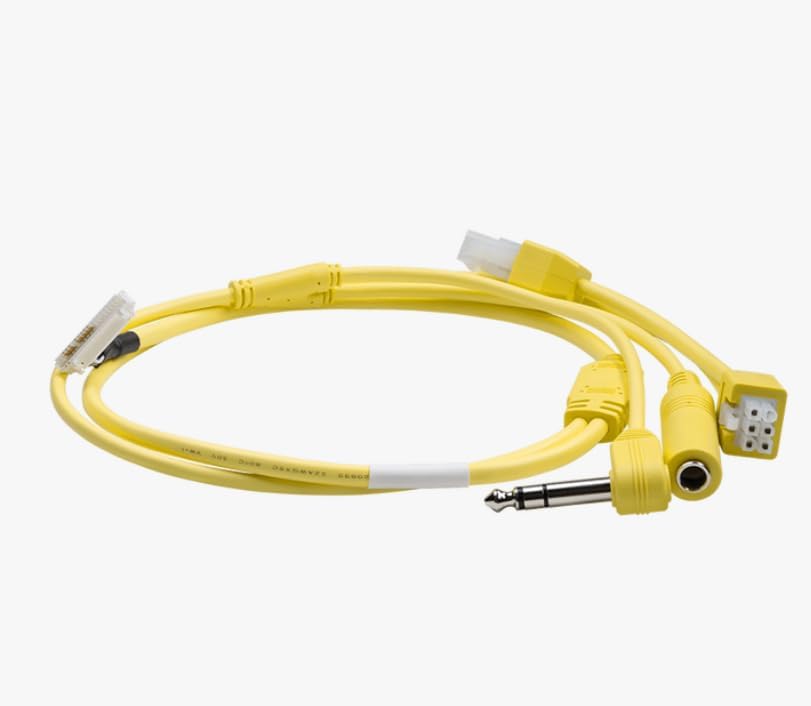
Figure 4.2: MDB/DEX Communication Harness
5. സജ്ജീകരണവും ഇൻസ്റ്റാളേഷനും
Before operating your VPOS Touch unit, an account with Nayax is required. The device operates on the Verizon cellular network within the 50 United States and connects directly to the internet via its cellular connection.
5.1 അക്കൗണ്ട് രജിസ്ട്രേഷൻ
- പുതിയ അക്കൗണ്ട്: Provide your email address to Nayax to receive an application for a new account.
- Existing Account: Provide your email address to Nayax to associate the VPOS Touch unit with your existing account.
5.2 ഹാർഡ്വെയർ കണക്ഷൻ
Connect the antenna and the MDB/DEX communication harness to the VPOS Touch unit and integrate it with your vending or ice machine. Ensure all connections are secure.
6. ഓപ്പറേഷൻ
The VPOS Touch supports various payment methods, including traditional card swipes, chip inserts, and contactless payments (NFC) via mobile devices or tap-to-pay cards.
6.1 Accepting Payments
- കാർഡ് സ്വൈപ്പ്: Insert the card into the designated slot and swipe.
- Chip Insert: Insert the card with the chip facing up into the bottom slot. Leave the card inserted until the transaction is complete.
- Contactless Payment: Tap your contactless card or mobile device (e.g., Apple Pay, Samsung Pay) near the screen where indicated.

Figure 6.1: Card Insertion for Payment
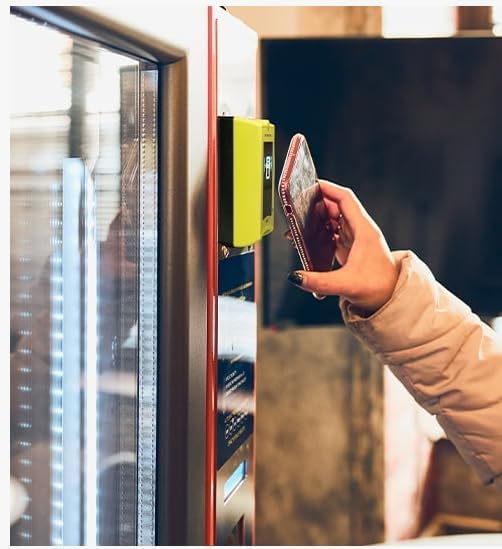
Figure 6.2: Contactless Payment with Mobile Device

Figure 6.3: Preparing for Card Insertion
After a successful payment, the machine will be ready for product selection or service initiation.
7. പരിപാലനം
Regular maintenance ensures optimal performance and longevity of your VPOS Touch unit. Keep the screen and card reader slots clean and free from debris. Use a soft, dry cloth for cleaning. Avoid abrasive cleaners or solvents.
For advanced maintenance or technical issues, utilize the ടെക്നീഷ്യൻ മോഡ് feature and refer to the Nayax support documentation or contact their customer service.
8. പ്രശ്നപരിഹാരം
If you encounter issues with your VPOS Touch unit, consider the following general troubleshooting steps:
- ശക്തിയില്ല: Ensure the unit is correctly connected to the machine's power supply via the MDB/DEX harness.
- പേയ്മെന്റ് പ്രോസസ്സ് ചെയ്യുന്നില്ല: Verify the customer's card is valid and has sufficient funds. Ensure the card is inserted or tapped correctly. Check for network connectivity issues.
- നെറ്റ്വർക്ക് പ്രശ്നങ്ങൾ: Confirm the unit is within Verizon cellular network coverage. If using Ethernet, check the cable connection and network status.
- സ്ക്രീൻ പ്രതികരിക്കുന്നില്ല: Attempt a soft reset by disconnecting and reconnecting power, if safe to do so.
For persistent problems, contact Nayax customer support with your unit's serial number and a detailed description of the issue.
9 സ്പെസിഫിക്കേഷനുകൾ
| ഫീച്ചർ | വിശദാംശങ്ങൾ |
|---|---|
| മോഡൽ | VPOS Touch |
| നിർമ്മാതാവ് | നായക്സ് |
| കണക്റ്റിവിറ്റി | 3G / 4G LTE (Verizon Network), Ethernet, MDB / Pulse / VCCS / CCI, DEX / DDCMP / RS232 |
| സർട്ടിഫിക്കേഷനുകൾ | EMV Co (levels 1 & 2), CE, FCC, RoHS, MasterCard Pay Pass, Visa pay Wave, PCI DSS |
| പ്രവർത്തന മേഖല | 50 United States (Verizon cellular network) |
10. വാറൻ്റിയും പിന്തുണയും
For information regarding warranty coverage, technical support, or service requests, please contact Nayax directly. Ensure you have your product's serial number available when contacting support.
Nayax Contact Information: Please refer to the official Nayax webഏറ്റവും പുതിയ കോൺടാക്റ്റ് വിശദാംശങ്ങൾക്ക് സൈറ്റ് അല്ലെങ്കിൽ നിങ്ങളുടെ വാങ്ങൽ ഡോക്യുമെന്റേഷൻ.