
1. ആമുഖം
The HARFO Fingerprint Door Lock Model DK2 provides advanced security and convenience for your home or office. This smart lock offers multiple access methods, including fingerprint, IC cards, passcodes, and traditional backup keys. Designed for easy installation and user-friendly operation, it features an OLED display with an English voice guide to assist you through the setup and daily use.
പ്രധാന സവിശേഷതകളിൽ ഇവ ഉൾപ്പെടുന്നു:
- Multiple Unlock Methods: Fingerprint, IC Cards, Passcode, Backup Keys.
- User Capacity: Supports over 300 users.
- Automatic Locking: Auto-lock and one-touch lock functions.
- Intuitive Interface: OLED display and English voice guide.
- Security Features: Anti-peeping password, 2000 unlock records.
- Emergency Power: USB power supply port.
- Durability: Waterproof design.
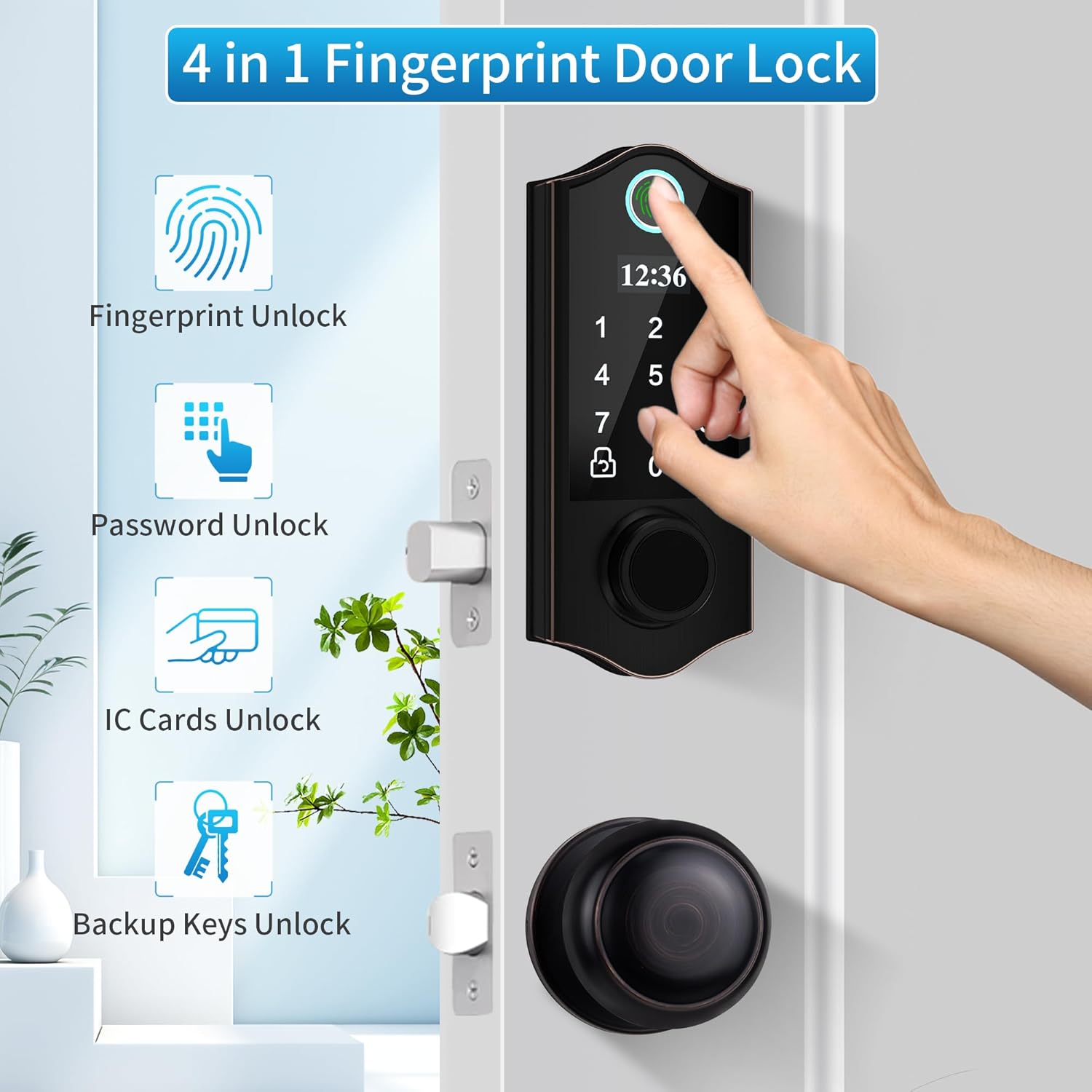
ചിത്രം 1: ഓവർview of the HARFO Fingerprint Door Lock's 4-in-1 unlock capabilities.
2. സജ്ജീകരണവും ഇൻസ്റ്റാളേഷനും
The HARFO DK2 lock is designed for easy installation and can replace existing hardware without requiring additional drilling in most standard doors. It is suitable for both left and right-opening doors.
2.1 ഉൾപ്പെടുത്തിയ ഘടകങ്ങൾ
ഇൻസ്റ്റാളേഷൻ ആരംഭിക്കുന്നതിന് മുമ്പ്, എല്ലാ ഘടകങ്ങളും ഉണ്ടെന്ന് ഉറപ്പാക്കുക:
- സ്മാർട്ട് ഡെഡ്ബോൾട്ട് ലോക്ക്
- Door Lock with Knob
- 3 ഐസി കാർഡുകൾ
- 2 ബാക്കപ്പ് കീകൾ
- Accessories Package (screws, spindle, etc.)
- ഉപയോക്തൃ മാനുവൽ (ഈ പ്രമാണം)
2.2 Door Compatibility and Dimensions
Verify your door's dimensions match the lock's requirements. The lock fits standard door preparations.

Figure 2: Door compatibility and measurement guide for HARFO DK2 installation.
2.3 ഇൻസ്റ്റലേഷൻ ഘട്ടങ്ങൾ
Follow the detailed instructions provided in the included printed user manual for step-by-step installation. A screwdriver is typically the only tool required.
- Prepare the door: Ensure existing hardware is removed and the door is clean.
- Install the latch: Insert the latch into the door edge.
- Install the exterior assembly: Mount the exterior keypad unit.
- Install the interior assembly: Connect the interior unit, ensuring cables are properly routed.
- Install batteries: Insert 4 AA batteries (not included) into the battery compartment.
- Test the lock: Verify mechanical and electronic functions.

Figure 3: The HARFO DK2 lock is designed for straightforward installation.
3. പ്രവർത്തന നിർദ്ദേശങ്ങൾ
The HARFO DK2 lock offers multiple convenient ways to unlock and manage access. The OLED display and English voice guide will assist you through all settings.
3.1 Initial Setup and Administrator Registration
Upon first power-up, you will be prompted to register an administrator fingerprint or passcode. This administrator has full control over user management and system settings. Follow the voice prompts and on-screen instructions.

Figure 4: The OLED display and voice guide simplify programming and settings.
3.2 അൺലോക്ക് രീതികൾ
- ഫിംഗർപ്രിന്റ് അൺലോക്ക്: Place your registered finger firmly and completely on the fingerprint sensor. The lock will unlock if the fingerprint is recognized.
- പാസ്കോഡ് അൺലോക്ക്: Enter your registered passcode on the keypad, followed by the '#' key.
- ഐസി കാർഡ് അൺലോക്ക്: Present a registered IC card to the card reader area on the lock.
- Backup Key Unlock: In case of emergency or battery depletion, use the physical backup key to unlock the door.
3.3 ഉപയോക്തൃ മാനേജ്മെന്റ്
The lock supports over 300 users. As an administrator, you can add or delete users (fingerprints, passcodes, IC cards) through the system settings menu.
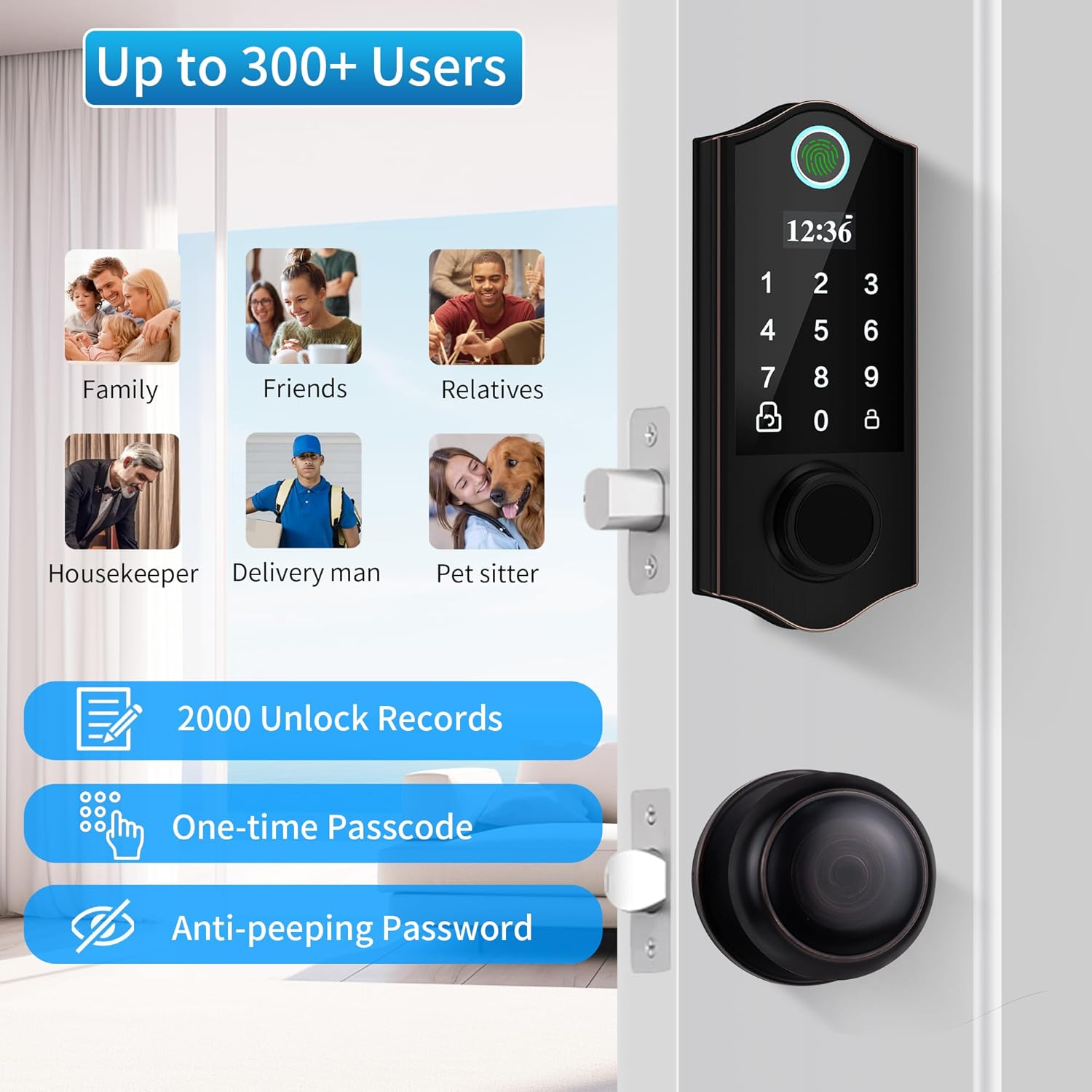
Figure 5: The lock supports a large number of users and advanced security features.
3.4 ഓട്ടോ-ലോക്കും വൺ-ടച്ച് ലോക്കും
- യാന്ത്രിക ലോക്ക്: The lock can be configured to automatically lock after a set period once the door is closed.
- വൺ-ടച്ച് ലോക്ക്: From the outside, simply press the '#' key to engage the lock. From the inside, turn the rotary knob or press the lock/unlock button.
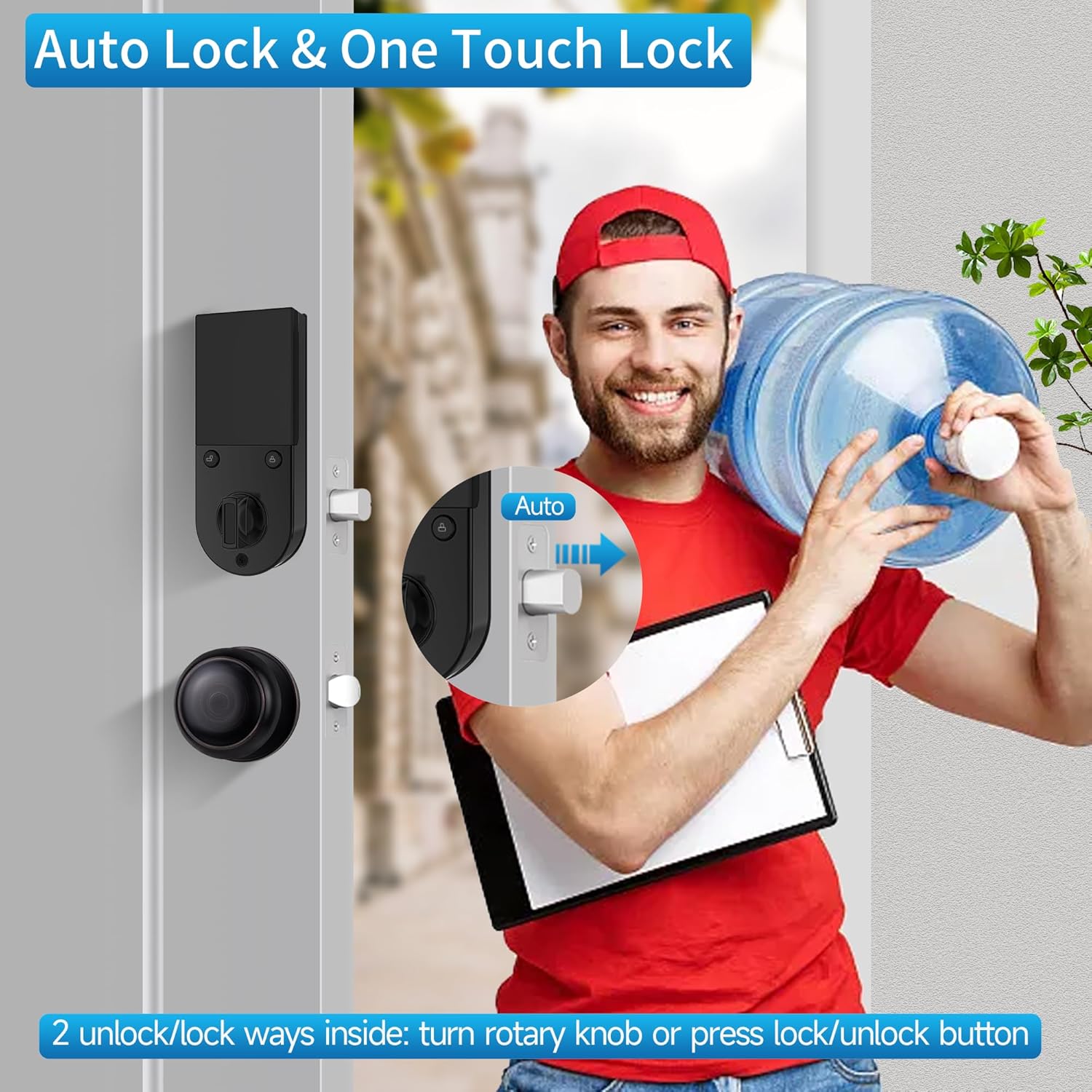
Figure 6: Auto-lock and one-touch lock features for convenience.
3.5 One-Time Passcode
Generate temporary one-time passcodes for guests or service providers. These passcodes expire after a single use, providing secure temporary access.

Figure 7: Securely grant temporary access using one-time passcodes.
3.6 ആന്റി-പീപ്പിംഗ് പാസ്വേഡ്
To prevent others from guessing your passcode, you can enter random digits before or after your actual passcode. The lock will still recognize the correct sequence within the longer string of numbers.
4. പരിപാലനം
4.1 ബാറ്ററി മാറ്റിസ്ഥാപിക്കൽ
The HARFO DK2 lock is powered by 4 AA batteries, providing approximately 1 year of battery life under normal usage. When the battery level is low, the lock will provide an audible or visual alert. Replace all four batteries promptly with new, non-rechargeable AA alkaline batteries.
Note: Do not use rechargeable batteries as they may not provide consistent power or may damage the lock.
4.2 എമർജൻസി പവർ സപ്ലൈ
In the event of complete battery depletion, the lock features an emergency USB power supply port. Connect a power bank or a USB power source to this port to temporarily power the lock and gain entry using your registered fingerprint, passcode, or IC card.
4.3 വൃത്തിയാക്കൽ
Clean the lock's exterior with a soft, dry cloth. Avoid using abrasive cleaners, solvents, or harsh chemicals, as these can damage the finish and electronic components. Ensure the fingerprint sensor and keypad are kept clean for optimal performance.
5. പ്രശ്നപരിഹാരം
- Lock does not respond or power on:
- Check if batteries are correctly installed and have sufficient charge. Replace all four AA batteries if necessary.
- Use the emergency USB power supply port with a power bank to temporarily power the lock.
- Use the physical backup key for immediate access.
- Fingerprint scanner not recognizing:
- നിങ്ങളുടെ വിരൽ വൃത്തിയുള്ളതും വരണ്ടതുമാണെന്ന് ഉറപ്പാക്കുക.
- നിങ്ങളുടെ വിരൽ ദൃഢമായും പൂർണ്ണമായും സെൻസറിൽ വയ്ക്കുക.
- Try re-registering your fingerprint if issues persist.
- After multiple failed attempts, the lock may temporarily disable the fingerprint scanner for security. Wait for the lockout period to expire.
- Keypad not responding or incorrect entry:
- നിങ്ങൾ ശരിയായ പാസ്കോഡാണ് നൽകുന്നതെന്ന് ഉറപ്പാക്കുക.
- Clean the keypad surface.
- If using the anti-peeping feature, ensure the correct passcode sequence is embedded within the random digits.
- Extreme temperatures might affect keypad responsiveness. Allow the lock to return to a moderate temperature.
- ഓട്ടോ-ലോക്ക് പ്രവർത്തിക്കുന്നില്ല:
- Check system settings to ensure the auto-lock feature is enabled and the delay time is set correctly.
- Ensure the door is fully closed and the latch is properly aligned.
- Lock is making unusual noises or movements:
- Check for any obstructions in the door frame or latch mechanism.
- എല്ലാ മൗണ്ടിംഗ് സ്ക്രൂകളും മുറുക്കിയിട്ടുണ്ടെന്ന് ഉറപ്പാക്കുക.
- പ്രശ്നം നിലനിൽക്കുകയാണെങ്കിൽ, ഉപഭോക്തൃ പിന്തുണയുമായി ബന്ധപ്പെടുക.
6 സ്പെസിഫിക്കേഷനുകൾ
| ഫീച്ചർ | വിശദാംശങ്ങൾ |
|---|---|
| ബ്രാൻഡ് | ഹാർഫോ |
| മോഡൽ നമ്പർ | DK2 |
| ലോക്ക് തരം | Biometric (Fingerprint) / Keypad / IC Card / Key |
| മെറ്റീരിയൽ | സിങ്ക് |
| നിറം | പ്രായമായ വെങ്കലം |
| ഇനത്തിന്റെ അളവുകൾ (L x W x H) | 33 x 20.3 x 7.6 സെൻ്റീമീറ്റർ |
| പവർ ഉറവിടം | 4 x AA Batteries (approx. 1 year life) |
| എമർജൻസി പവർ | USB പോർട്ട് |
| ഉപയോക്തൃ ശേഷി | 300+ |
| റെക്കോർഡുകൾ അൺലോക്ക് ചെയ്യുക | 2000 |
| പ്രത്യേക സവിശേഷതകൾ | Keyless, Auto Lock, One-Touch Lock, Anti-Peeping Password, OLED Display, English Voice Guide, Waterproof |
| ശുപാർശ ചെയ്യുന്ന ഉപയോഗങ്ങൾ | Residential door lock, Commercial door lock |
7. വാറൻ്റിയും പിന്തുണയും
7.1 വാറൻ്റി വിവരങ്ങൾ
Specific warranty details for the HARFO Fingerprint Door Lock Model DK2 are typically provided with the product packaging or on the manufacturer's official webസൈറ്റ്. ഏറ്റവും കൃത്യവും കാലികവുമായ വാറന്റി നിബന്ധനകൾക്കും വ്യവസ്ഥകൾക്കും ദയവായി ഈ ഉറവിടങ്ങൾ പരിശോധിക്കുക.
7.2 ഉപഭോക്തൃ പിന്തുണ
For technical assistance, troubleshooting beyond this manual, or warranty claims, please contact HARFO customer support. Contact information can usually be found on the product packaging, the manufacturer's webസൈറ്റ്, അല്ലെങ്കിൽ നിങ്ങളുടെ വാങ്ങൽ ഡോക്യുമെന്റേഷൻ.
When contacting support, please have your product model number (DK2) and purchase details readily available.