
Audizio Frisco
Audizio Frisco Turntable User Manual
Model: Frisco (102.200)
1. ആമുഖം
വാങ്ങിയതിന് നന്ദി.asing the Audizio Frisco Turntable. This multifunctional audio system combines vintage aesthetics with modern technology, allowing you to enjoy your vinyl collection, digital radio, and streaming services. This manual provides essential information for safe operation, setup, and maintenance of your device. Please read it thoroughly before use and retain it for future reference.
2. സുരക്ഷാ നിർദ്ദേശങ്ങൾ
- ഊർജ്ജ സ്രോതസ്സ്: വൈദ്യുതി വിതരണം വോളിയം ഉറപ്പാക്കുകtage matches the rating label on the unit. Use only the provided power cable.
- ജലവും ഈർപ്പവും: യൂണിറ്റ് മഴ, ഈർപ്പം, തുള്ളികൾ, തെറിക്കൽ എന്നിവയ്ക്ക് വിധേയമാക്കരുത്. പാത്രങ്ങൾ പോലുള്ള ദ്രാവകങ്ങൾ നിറച്ച വസ്തുക്കൾ യൂണിറ്റിൽ വയ്ക്കരുത്.
- വെൻ്റിലേഷൻ: Ensure adequate ventilation. Do not cover ventilation openings with items like newspapers, tablecloths, or curtains.
- ചൂട്: റേഡിയേറ്ററുകൾ, ഹീറ്റ് രജിസ്റ്ററുകൾ, സ്റ്റൗകൾ അല്ലെങ്കിൽ മറ്റ് ഉപകരണങ്ങൾ (ഉൾപ്പെടെ) പോലുള്ള താപ സ്രോതസ്സുകൾക്ക് സമീപം യൂണിറ്റ് സ്ഥാപിക്കരുത്. ampലൈഫയറുകൾ) ചൂട് ഉത്പാദിപ്പിക്കുന്നത്.
- വൃത്തിയാക്കൽ: ഉണങ്ങിയ തുണി ഉപയോഗിച്ച് മാത്രം വൃത്തിയാക്കുക.
- സേവനം: യൂണിറ്റ് സ്വയം സർവീസ് ചെയ്യാൻ ശ്രമിക്കരുത്. എല്ലാ സർവീസിംഗും യോഗ്യതയുള്ള സർവീസ് ഉദ്യോഗസ്ഥരെ ഏൽപ്പിക്കുക.
- പ്ലേസ്മെൻ്റ്: കേടുപാടുകൾ വീഴാതിരിക്കാൻ യൂണിറ്റ് ഒരു സ്ഥിരതയുള്ള, നിരപ്പായ പ്രതലത്തിൽ വയ്ക്കുക.
3. പാക്കേജ് ഉള്ളടക്കം
Carefully unpack your Audizio Frisco Turntable and ensure all items are present and in good condition.
- Audizio Frisco Turntable Unit
- പവർ കേബിൾ
- ഉപയോക്തൃ മാനുവൽ (ഈ പ്രമാണം)
4. ഉൽപ്പന്നം കഴിഞ്ഞുview
Familiarize yourself with the various parts and controls of your Audizio Frisco Turntable.
4.1 ഫ്രണ്ട് പാനൽ നിയന്ത്രണങ്ങൾ

This image displays the front panel of the Audizio Frisco turntable, highlighting the control knobs for volume and tuning/selection, along with buttons for power, scan, menu, info, alarm, mode, and preset. The central display shows 'BBC WS WORLD SERVICE' and 'DAB', indicating DAB+ radio functionality.
- പവർ ബട്ടൺ: യൂണിറ്റ് ഓണാക്കുകയോ ഓഫാക്കുകയോ ചെയ്യുന്നു.
- സ്കാൻ ബട്ടൺ: Initiates scanning for radio stations.
- മെനു ബട്ടൺ: മെനു ഓപ്ഷനുകൾ ആക്സസ് ചെയ്യുന്നു.
- വിവര ബട്ടൺ: Displays information about the current track or station.
- അലാറം ബട്ടൺ: Sets and manages alarm functions.
- മോഡ് ബട്ടൺ: Switches between different input modes (Phono, DAB+, FM, Bluetooth, USB, AUX).
- പ്രീസെറ്റ് ബട്ടൺ: Accesses saved radio presets.
- വോളിയം നോബ്: ഓഡിയോ ഔട്ട്പുട്ട് ലെവൽ ക്രമീകരിക്കുന്നു.
- ട്യൂൺ / സെലക്ട് നോബ്: Tunes radio frequencies or navigates menu options and confirms selections.
- ഡിസ്പ്ലേ സ്ക്രീൻ: നിലവിലെ മോഡ്, സ്റ്റേഷൻ വിവരങ്ങൾ, ട്രാക്ക് വിശദാംശങ്ങൾ, മെനു ഓപ്ഷനുകൾ എന്നിവ കാണിക്കുന്നു.
4.2 ടേൺ ചെയ്യാവുന്ന ഘടകങ്ങൾ

ഈ ചിത്രം ഒരു ക്ലോസ്-അപ്പ് നൽകുന്നു view of the turntable's platter area, showing the speed selector switch (33, 45, 78 RPM) and the auto-stop switch (ON/OFF). These controls are essential for proper vinyl playback.
- പൊടി കവർ: ഉപയോഗത്തിലില്ലാത്തപ്പോൾ പൊടിയിൽ നിന്ന് ടർടേബിളിനെ സംരക്ഷിക്കുന്നു.
- പ്ലേറ്റർ: റെക്കോർഡുകൾ സ്ഥാപിക്കുന്ന കറങ്ങുന്ന പ്ലാറ്റ്ഫോം.
- സ്പിൻഡിൽ: Holds the record in place on the platter.
- ടോണെർം: സ്റ്റൈലസ് പിടിച്ച് റെക്കോർഡ് ഗ്രൂവുകൾ ട്രാക്ക് ചെയ്യുന്നു.
- സ്റ്റൈലസ് (സൂചി): The component that reads the record grooves.
- ടോൺആം ലിഫ്റ്റ് ലിവർ: ടോണെർം ഉയർത്തുകയും താഴ്ത്തുകയും ചെയ്യുന്നു.
- സ്പീഡ് സെലക്ടർ സ്വിച്ച്: Allows selection of 33, 45, or 78 RPM playback speeds.
- Auto-Stop Switch: When ON, the platter stops rotating automatically at the end of a record. When OFF, the platter continues to rotate.
4.3 പിൻ കണക്ഷനുകൾ
- USB പോർട്ട്: For connecting USB storage devices for playback.
- ജാക്സിലെ ഓക്സ്: 3.5mm ഓഡിയോ കേബിൾ വഴി ബാഹ്യ ഓഡിയോ ഉപകരണങ്ങൾ ബന്ധിപ്പിക്കുന്നതിന്.
- ഹെഡ്ഫോൺ ജാക്ക്: സ്വകാര്യ ശ്രവണത്തിനായി ഹെഡ്ഫോണുകൾ ബന്ധിപ്പിക്കുന്നതിന്.
- പവർ ഇൻപുട്ട്: വൈദ്യുതി കേബിൾ ബന്ധിപ്പിക്കുന്നതിന്.
5. സജ്ജീകരണം
5.1 അൺപാക്കിംഗും പ്ലേസ്മെന്റും
- യൂണിറ്റ് അതിന്റെ പാക്കേജിംഗിൽ നിന്ന് ശ്രദ്ധാപൂർവ്വം നീക്കം ചെയ്യുക.
- നേരിട്ടുള്ള സൂര്യപ്രകാശം, താപ സ്രോതസ്സുകൾ, അമിതമായ പൊടി അല്ലെങ്കിൽ വൈബ്രേഷൻ എന്നിവയിൽ നിന്ന് അകലെ സ്ഥിരതയുള്ളതും നിരപ്പായതുമായ ഒരു പ്രതലത്തിൽ ടേൺടേബിൾ സ്ഥാപിക്കുക.
- യൂണിറ്റിന് ചുറ്റും വായുസഞ്ചാരത്തിന് മതിയായ ഇടമുണ്ടെന്ന് ഉറപ്പാക്കുക.

This image shows the Audizio Frisco turntable positioned on a cabinet in a living room, demonstrating a typical setup environment. The dust cover is open, and the unit is ready for use.
5.2 പവർ കണക്ഷൻ
- Connect the provided power cable to the Power Input on the rear of the unit.
- പവർ കേബിളിന്റെ മറ്റേ അറ്റം അനുയോജ്യമായ ഒരു മതിൽ ഔട്ട്ലെറ്റിലേക്ക് പ്ലഗ് ചെയ്യുക.
5.3 പ്രാരംഭ പവർ ഓൺ
- അമർത്തുക പവർ button on the front panel to turn on the unit.
- The display screen will illuminate.
6. പ്രവർത്തന നിർദ്ദേശങ്ങൾ
6.1 Vinyl Playback
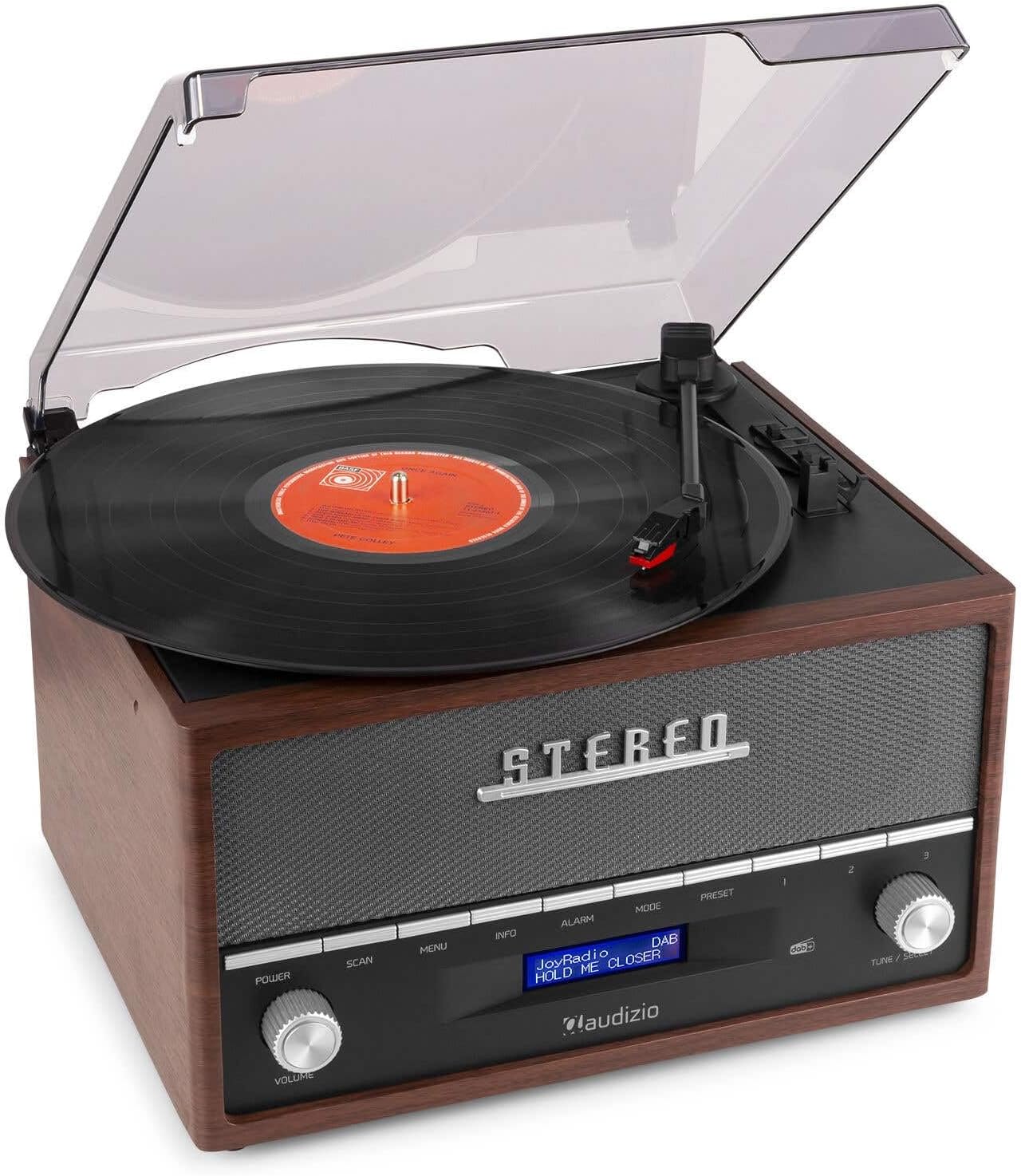
This image shows a vinyl record spinning on the Audizio Frisco turntable, with the tonearm positioned over the record, indicating active playback.
- പൊടി കവർ തുറക്കുക.
- ഒരു വിനൈൽ റെക്കോർഡ് പ്ലേറ്ററിൽ വയ്ക്കുക.
- Select the correct speed (33, 45, or 78 RPM) using the സ്പീഡ് സെലക്ടർ സ്വിച്ച്. For 45 RPM records, place the included adapter on the spindle if needed.
- സജ്ജമാക്കുക ഓട്ടോ-സ്റ്റോപ്പ് സ്വിച്ച് to ON if you want the platter to stop automatically at the end of the record, or OFF for continuous rotation.
- Gently move the tonearm over the record and use the ടോണെർം ലിഫ്റ്റ് ലിവർ to lower the stylus onto the desired track.
- ഉപയോഗിച്ച് വോളിയം ക്രമീകരിക്കുക വോളിയം മുട്ട്.
- At the end of the record, lift the tonearm using the lever and return it to its rest.
6.2 DAB+ / FM Digital Radio
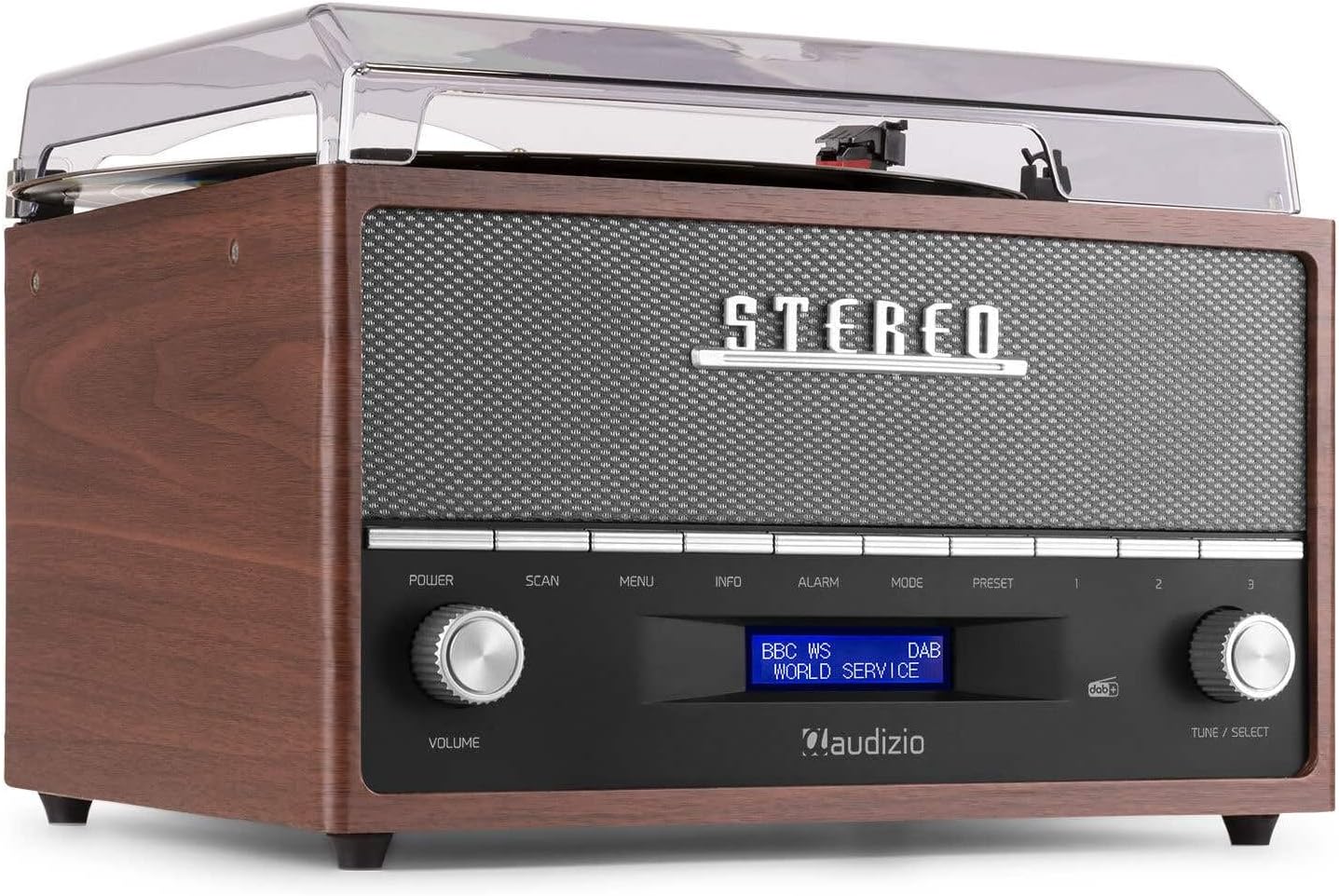
This image focuses on the display screen of the Audizio Frisco turntable, showing 'BBC WS WORLD SERVICE' and 'DAB', confirming active DAB+ radio reception and station identification.
- അമർത്തുക മോഡ് button to select DAB+ or FM radio mode.
- DAB+ മോഡിൽ, അമർത്തുക സ്കാൻ ചെയ്യുക button to perform an auto-scan for available stations.
- FM മോഡിൽ, ഉപയോഗിക്കുക ട്യൂൺ / തിരഞ്ഞെടുക്കുക knob to manually tune to a station or press സ്കാൻ ചെയ്യുക for auto-scan.
- To save a preset, tune to the desired station, then press and hold the പ്രീസെറ്റ് ബട്ടൺ. ഉപയോഗിക്കുക ട്യൂൺ / തിരഞ്ഞെടുക്കുക knob to choose a preset number, then press the knob to confirm.
- ഒരു പ്രീസെറ്റ് തിരിച്ചുവിളിക്കാൻ, അമർത്തുക പ്രീസെറ്റ് ബട്ടൺ, തുടർന്ന് ഉപയോഗിക്കുക ട്യൂൺ / തിരഞ്ഞെടുക്കുക knob to select the desired preset.
6.3 ബ്ലൂടൂത്ത് സ്ട്രീമിംഗ്
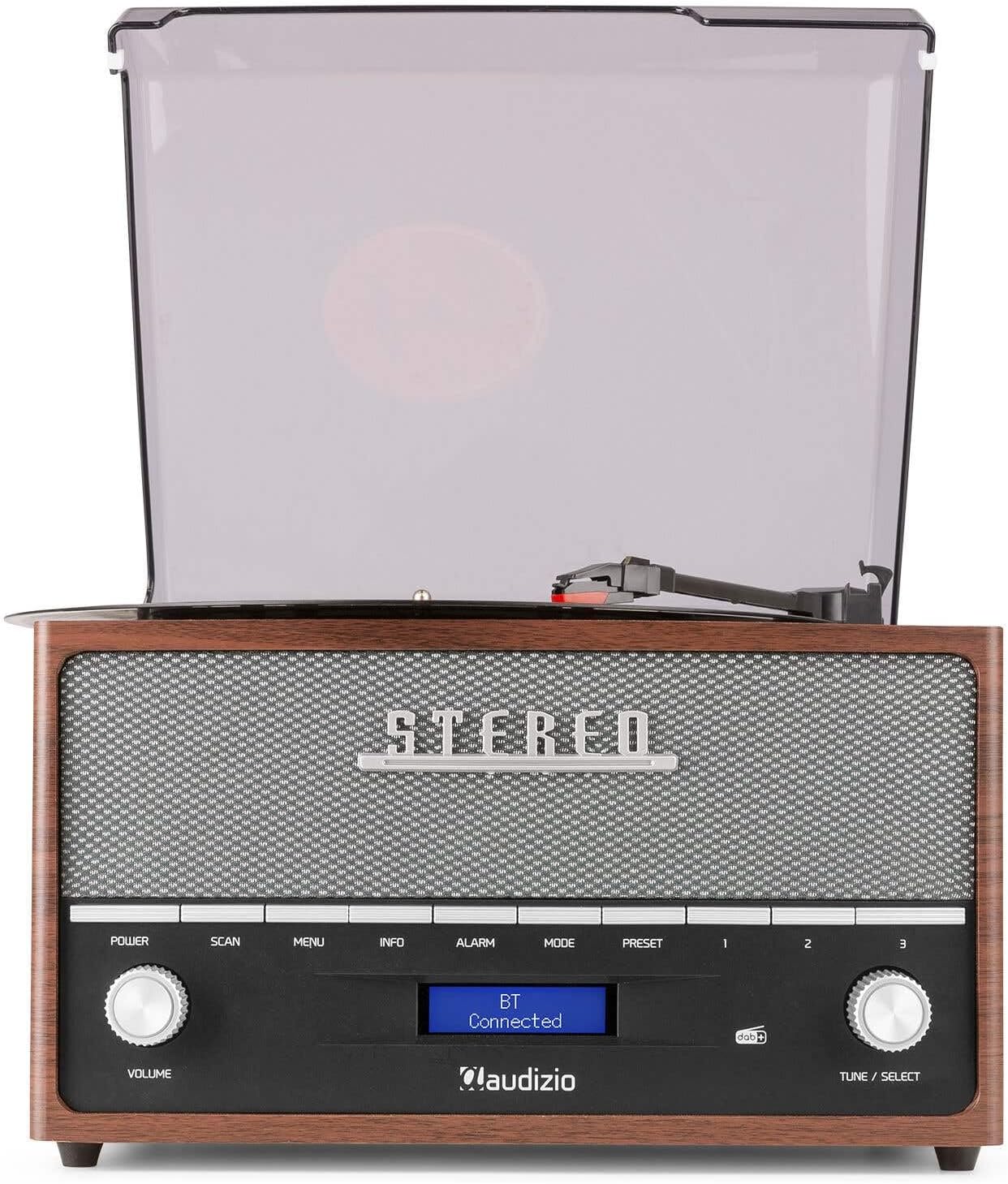
This image shows the Audizio Frisco turntable's display screen indicating 'BT Connected', signifying a successful Bluetooth connection with an external device.
- അമർത്തുക മോഡ് button to select Bluetooth mode. The display will show "BT Pairing" or similar.
- നിങ്ങളുടെ സ്മാർട്ട്ഫോണിലോ മറ്റ് ബ്ലൂടൂത്ത് ഉപകരണത്തിലോ, ബ്ലൂടൂത്ത് പ്രവർത്തനക്ഷമമാക്കി ലഭ്യമായ ഉപകരണങ്ങൾക്കായി തിരയുക.
- Select "Audizio Frisco" from the list of devices.
- Once connected, the display will show "BT Connected". You can now play audio from your device through the turntable's speakers.
6.4 യുഎസ്ബി പ്ലേബാക്ക്
- യൂണിറ്റിന്റെ പിൻഭാഗത്തുള്ള USB പോർട്ടിലേക്ക് ഒരു USB ഫ്ലാഷ് ഡ്രൈവ് ചേർക്കുക.
- അമർത്തുക മോഡ് USB മോഡ് തിരഞ്ഞെടുക്കാനുള്ള ബട്ടൺ.
- The unit will automatically begin playing compatible audio fileയുഎസ്ബി ഡ്രൈവിൽ നിന്നുള്ള ങ്ങൾ.
- ഉപയോഗിക്കുക ട്യൂൺ / തിരഞ്ഞെടുക്കുക knob to navigate tracks or folders.
6.5 AUX ഇൻപുട്ട്
- Connect an external audio device (e.g., MP3 player, CD player) to the ഓക്സ് ഇൻ jack on the rear of the unit using a 3.5mm audio cable (not included).
- അമർത്തുക മോഡ് AUX മോഡ് തിരഞ്ഞെടുക്കാൻ ബട്ടൺ.
- Play audio from your external device. The sound will be output through the turntable's speakers.
6.6 അലാറം ക്ലോക്ക് പ്രവർത്തനം
- അമർത്തുക അലാറം അലാറം ക്രമീകരണങ്ങൾ ആക്സസ് ചെയ്യുന്നതിനുള്ള ബട്ടൺ.
- ഉപയോഗിക്കുക ട്യൂൺ / തിരഞ്ഞെടുക്കുക knob to set the alarm time and select the alarm source (e.g., DAB+, FM, Buzzer).
- You can set alarms for daily, weekend, or specific days of the week. Follow the on-screen prompts and use the ട്യൂൺ / തിരഞ്ഞെടുക്കുക knob to confirm your selections.
7. പരിപാലനം
7.1 യൂണിറ്റ് വൃത്തിയാക്കൽ
- വൃത്തിയാക്കുന്നതിന് മുമ്പ് എല്ലായ്പ്പോഴും പവർ ഔട്ട്ലെറ്റിൽ നിന്ന് യൂണിറ്റ് അൺപ്ലഗ് ചെയ്യുക.
- പുറംഭാഗങ്ങൾ തുടയ്ക്കാൻ മൃദുവായതും ഉണങ്ങിയതുമായ തുണി ഉപയോഗിക്കുക.
- അബ്രാസീവ് ക്ലീനറുകൾ, മെഴുക് അല്ലെങ്കിൽ ലായകങ്ങൾ എന്നിവ ഉപയോഗിക്കരുത്, കാരണം അവ ഫിനിഷിന് കേടുവരുത്തും.
- For the dust cover, use a soft cloth and a mild, non-abrasive cleaner if necessary.
7.2 സ്റ്റൈലസ് കെയർ
- The stylus is a delicate component. Handle it with care.
- മൃദുവായ ബ്രഷ് ഉപയോഗിച്ച് സ്റ്റൈലസ് ഇടയ്ക്കിടെ വൃത്തിയാക്കുക, പിന്നിൽ നിന്ന് മുന്നിലേക്ക് സൌമ്യമായി ബ്രഷ് ചെയ്യുക.
- A worn or damaged stylus can harm your records and degrade sound quality. Replace the stylus when necessary.
8. പ്രശ്നപരിഹാരം
| പ്രശ്നം | സാധ്യമായ കാരണം | പരിഹാരം |
|---|---|---|
| ശക്തിയില്ല | Power cable not connected; Wall outlet not active | Ensure power cable is securely connected; Try a different outlet |
| ശബ്ദമില്ല | Volume too low; Incorrect mode selected; Headphones connected | Increase volume; Select correct input mode; Disconnect headphones if using speakers |
| ടേണബിൾ കറങ്ങുന്നില്ല | Power off; Auto-stop engaged at end of record | Ensure unit is powered on; Check Auto-Stop switch position |
| Skipping records | Record dirty or scratched; Stylus worn or dirty; Turntable not level | Clean record; Clean or replace stylus; Place turntable on a level surface |
| ബ്ലൂടൂത്ത് കണക്റ്റ് ചെയ്യുന്നില്ല | Turntable not in Bluetooth mode; Device too far; Device already connected to another unit | Select Bluetooth mode; Move device closer; Disconnect from other devices and try again |
| മോശം റേഡിയോ സ്വീകരണം | Weak signal; Antenna not extended | Adjust antenna position; Try repositioning the unit for better signal |
9 സ്പെസിഫിക്കേഷനുകൾ
| ബ്രാൻഡ് | ഓഡിസിയോ |
| മോഡലിൻ്റെ പേര് | Frisco |
| മോഡൽ നമ്പർ | 102.200 |
| പരമാവധി ഭ്രമണ വേഗത | 78 ആർപിഎം |
| മെറ്റീരിയൽ | മരം |
| ഇനത്തിൻ്റെ ഭാരം | 3.8 കിലോഗ്രാം |
| പ്രത്യേക സവിശേഷതകൾ | DAB+ Radio, Bluetooth streaming, USB playback, Alarm Clock |
| കണക്റ്റിവിറ്റി ടെക്നോളജി | ഓക്സിലറി, ബ്ലൂടൂത്ത്, യുഎസ്ബി |
| പവർ ഉറവിടം | കോർഡഡ് ഇലക്ട്രിക് |
| വാല്യംtage | 220 വോൾട്ട് |
| വൈദ്യുതി ഉപഭോഗം | 60 വാട്ട് |
| സിഗ്നൽ-ടു-നോയിസ് അനുപാതം | 60 ഡി.ബി |
| മോട്ടോർ തരം | ഡിസി മോട്ടോർ |
| അളവുകൾ (L x W x H) | Refer to product packaging for accurate dimensions (Note: Provided dimensions of 2.8L x 3.18W x 2.35H meters are likely incorrect and should be verified) |
10. വാറൻ്റി വിവരങ്ങൾ
This product is designed and manufactured to the highest quality standards. For specific warranty terms and conditions, please refer to the warranty card included with your purchase or the retailer's policy where the product was acquired. Information regarding the availability of spare parts is typically for a period of 2 years from the date of purchase.
11. ഉപഭോക്തൃ പിന്തുണ
If you encounter any issues or have questions regarding your Audizio Frisco Turntable that are not covered in this manual, please contact your retailer or the manufacturer's customer support for assistance. Please have your model number (Frisco, 102.200) and purchase details ready when contacting support.
Ask a question about this manual
Ask about setup, troubleshooting, compatibility, parts, safety, or missing instructions. Manuals+ will review the question and use this page’s manual context to help answer it.