
ആമുഖം
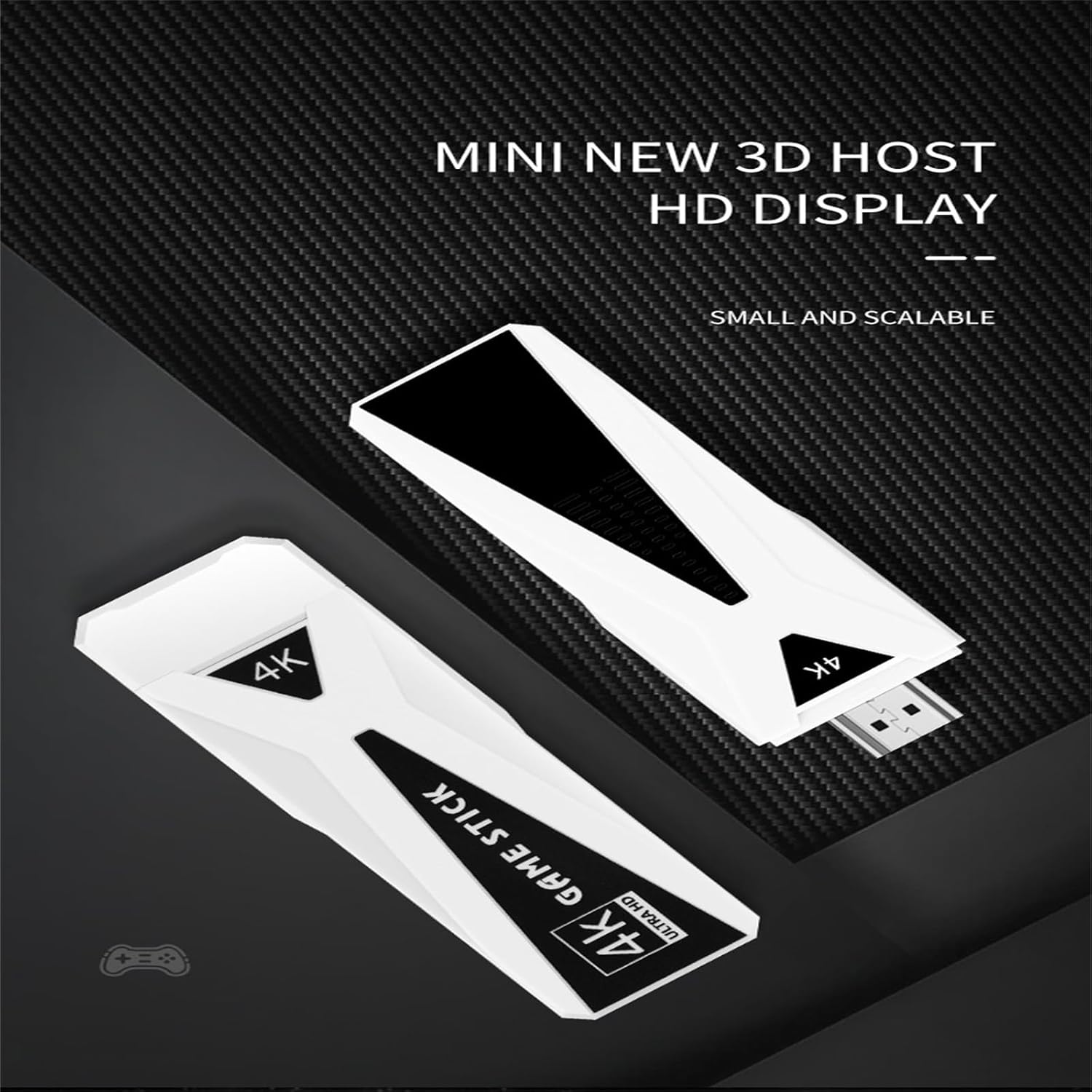
The WUYJTIF GT68 4K HD TV Game Stick is a versatile entertainment device designed to provide both retro gaming and Android TV functionalities. It operates on Android 7.1 and supports multiple languages, including English, Simplified Chinese, Traditional Chinese, Japanese, and Korean. This device offers a vast library of pre-installed games and the flexibility to access various applications through its Android TV mode.
പ്രധാന സവിശേഷതകളിൽ ഇവ ഉൾപ്പെടുന്നു:
- Integrated Gaming and Android TV: Seamlessly switch between a vast library of retro games and the Android 7.1 operating system for streaming and apps.
- വിപുലമായ ഗെയിം ലൈബ്രറി: Pre-installed with over 10,000 or 20,000 retro classic games, compatible with emulators such as PSP, PS1, CP1, CP2, Neogeo, MAME, NES, SFC, GB, GBA, GBC, MD, and N64.
- 4K HD Output: Connects to your TV, computer, monitor, or projector via HDMI for 1080P HD image quality, supporting 4K resolution.
- വയർലെസ് കണക്റ്റിവിറ്റി: Features 2.4G wireless controllers and supports Wi-Fi and LAN connections for Android TV functions.
- മെച്ചപ്പെടുത്തിയ പ്രകടനം: Equipped with an upgraded CPU chip for smooth gameplay across various emulators.
- Multiplayer Support: Includes two 2.4G wireless controllers, supporting up to 4 players simultaneously for shared gaming experiences.

സജ്ജീകരണ നിർദ്ദേശങ്ങൾ
Follow these steps to set up your GT68 4K HD TV Game Stick:
- ടിവിയിലേക്ക് കണക്റ്റ് ചെയ്യുക: Insert the GT68 Game Stick directly into an available HDMI port on your television, monitor, or projector.
- പവർ കണക്ഷൻ: Connect the included USB power cable to the Game Stick and then to a USB power source (e.g., a TV USB port or a USB wall adapter, not included). Ensure the device receives stable power.
- ഇൻപുട്ട് തിരഞ്ഞെടുക്കുക: Turn on your TV and use your TV remote to select the correct HDMI input source that corresponds to the port where the Game Stick is connected.
- TF കാർഡ് ചേർക്കുക: Ensure the TF (MicroSD) card, pre-loaded with games, is securely inserted into the Game Stick's TF card slot.
- Install Batteries in Controllers: Open the battery compartment on the back of each wireless controller and insert two AAA batteries (not included), observing the correct polarity.
- Connect Wireless Receiver: Plug the 2.4G wireless receiver (USB dongle) into the USB port on the GT68 Game Stick.
- Pair Controllers: The controllers should automatically pair with the Game Stick once powered on. If not, press the Home button on the controller to initiate pairing.

പ്രവർത്തന നിർദ്ദേശങ്ങൾ
ഗെയിം മോഡ്
- മെനുകൾ നാവിഗേറ്റ് ചെയ്യുക: Use the directional pad (D-pad) on your wireless controller to move through the game selection menu.
- Select a Game: Press the 'A' button (or equivalent action button) to select a game.
- ഗെയിം ആരംഭിക്കുക: Once a game is selected, it will load automatically. Follow on-screen prompts to start playing.
- Exit Game: To exit a game and return to the main menu, press the 'SELECT' and 'START' buttons simultaneously on the controller.
- Save/Load Game Progress: Many emulators support in-game saving and loading. Refer to the specific emulator's instructions within the game menu for details.


Android TV Mode
The GT68 Game Stick can also function as an Android TV box:
- Switch to Android TV: From the main game menu, locate and select the option to switch to Android TV mode. This may be labeled as "Android System" or similar.
- നെറ്റ്വർക്ക് കണക്ഷൻ:
- വൈഫൈ: Navigate to the settings menu in Android TV, select "Network & Internet," and connect to your preferred Wi-Fi network.
- ലാൻ: If available, connect an Ethernet cable to the LAN port on the Game Stick for a wired internet connection.
- ആപ്പുകൾ ഇൻസ്റ്റാൾ ചെയ്യുക: Access the Google Play Store (or similar app store) to download and install streaming applications like Netflix, YouTube, and other utilities.
- Browse Content: Use the wireless controller or a compatible remote (not included) to navigate the Android TV interface, browse content, and watch videos.

മെയിൻ്റനൻസ്
- വൃത്തിയാക്കൽ: Use a soft, dry cloth to clean the exterior of the Game Stick and controllers. Do not use liquid cleaners or abrasive materials.
- സംഭരണം: നേരിട്ടുള്ള സൂര്യപ്രകാശത്തിൽ നിന്നും കടുത്ത താപനിലയിൽ നിന്നും മാറി തണുത്തതും വരണ്ടതുമായ സ്ഥലത്ത് ഉപകരണം സൂക്ഷിക്കുക.
- ബാറ്ററി കെയർ: Remove batteries from the wireless controllers if they will not be used for an extended period to prevent leakage.
- സോഫ്റ്റ്വെയർ അപ്ഡേറ്റുകൾ: Periodically check for system updates in Android TV mode to ensure optimal performance and security.
ട്രബിൾഷൂട്ടിംഗ്
| പ്രശ്നം | സാധ്യമായ കാരണം | പരിഹാരം |
|---|---|---|
| ടിവിയിൽ ഡിസ്പ്ലേ ഇല്ല. | Incorrect HDMI input selected; power issue; loose connection. |
|
| Controllers not responding. | Low batteries; wireless receiver not connected; pairing issue. |
|
| Games not loading or freezing. | TF card issue; software glitch; insufficient power. |
|
| Cannot connect to Wi-Fi in Android TV mode. | തെറ്റായ പാസ്വേഡ്; പരിധിക്ക് പുറത്താണ്; റൂട്ടർ പ്രശ്നം. |
|
സ്പെസിഫിക്കേഷനുകൾ
- മോഡലിൻ്റെ പേര്: Game Console (GT68)
- ബ്രാൻഡ്: WUYJTIF
- പ്ലാറ്റ്ഫോം: ആൻഡ്രോയിഡ് 7.1
- മെമ്മറി സ്റ്റോറേജ് കപ്പാസിറ്റി: 64 GB (variant specific, 128GB also available)
- നിറം: വെള്ള
- ഉൽപ്പന്ന അളവുകൾ: ഏകദേശം 1 x 1 x 1 ഇഞ്ച്
- HDMI ഔട്ട്പുട്ട്: 4K HD, 1080P
- വയർലെസ് കണക്റ്റിവിറ്റി: 2.4G Wireless (for controllers), Wi-Fi, LAN
- പിന്തുണയ്ക്കുന്ന എമുലേറ്ററുകൾ: PSP, PS1, CP1, CP2, Neogeo, MAME, NES, SFC, GB, GBA, GBC, MD, N64, IGS
- ശുപാർശ ചെയ്യുന്ന പ്രായം: 4 വർഷവും അതിൽ കൂടുതലും
വാറൻ്റി വിവരങ്ങൾ
Please refer to the retailer's return policy for details regarding product returns and exchanges. For specific warranty coverage, consult the documentation provided with your purchase or contact the manufacturer directly.
ഉപഭോക്തൃ പിന്തുണ
For technical assistance or further inquiries, please contact your point of purchase or refer to the manufacturer's official website for support resources. Keep your purchase receipt and product model information handy when seeking support.