
1. ആമുഖം
This manual provides instructions for the setup, operation, maintenance, and troubleshooting of your Fnatic STREAK80 LP White TKL Mechanical Low Profile Gaming Keyboard. Please read this manual thoroughly before using the product to ensure proper functionality and longevity.

ചിത്രം 1.1: മുകളിൽ നിന്ന് താഴേക്ക് view of the Fnatic STREAK80 LP keyboard with RGB lighting enabled.
The STREAK80 LP is a tenkeyless (TKL) mechanical keyboard designed for gaming, featuring low-profile speed switches, PBT keycaps, and RGB lighting. It includes a sturdy aluminum top case and a dedicated volume wheel.
2. പാക്കേജ് ഉള്ളടക്കം
പാക്കേജിൽ എല്ലാ ഇനങ്ങളും ഉണ്ടെന്ന് ഉറപ്പാക്കുക:
- Fnatic STREAK80 LP Keyboard
- USB കേബിൾ
3. സജ്ജീകരണം
- USB കേബിൾ ബന്ധിപ്പിക്കുക: Insert the USB-C end of the provided cable into the port on the keyboard. Connect the USB-A end to an available USB port on your computer (PC or Laptop).
- ഡ്രൈവർ ഇൻസ്റ്റാളേഷൻ: The keyboard is plug-and-play. Your operating system (Windows, macOS) will automatically detect and install the necessary drivers.
- സോഫ്റ്റ്വെയർ ഇൻസ്റ്റാളേഷൻ (ഓപ്ഷണൽ): For advanced customization of RGB lighting and key assignments, download and install the Fnatic software from the official Fnatic webസൈറ്റ്.

Image 3.1: A hand typing on the Fnatic STREAK80 LP keyboard, demonstrating typical usage.
4. പ്രവർത്തന നിർദ്ദേശങ്ങൾ
4.1 Keyboard Layout and Design
The STREAK80 LP features a tenkeyless (TKL) design, which omits the numeric keypad to save desk space. This compact form factor is beneficial for users who require more mouse movement area.
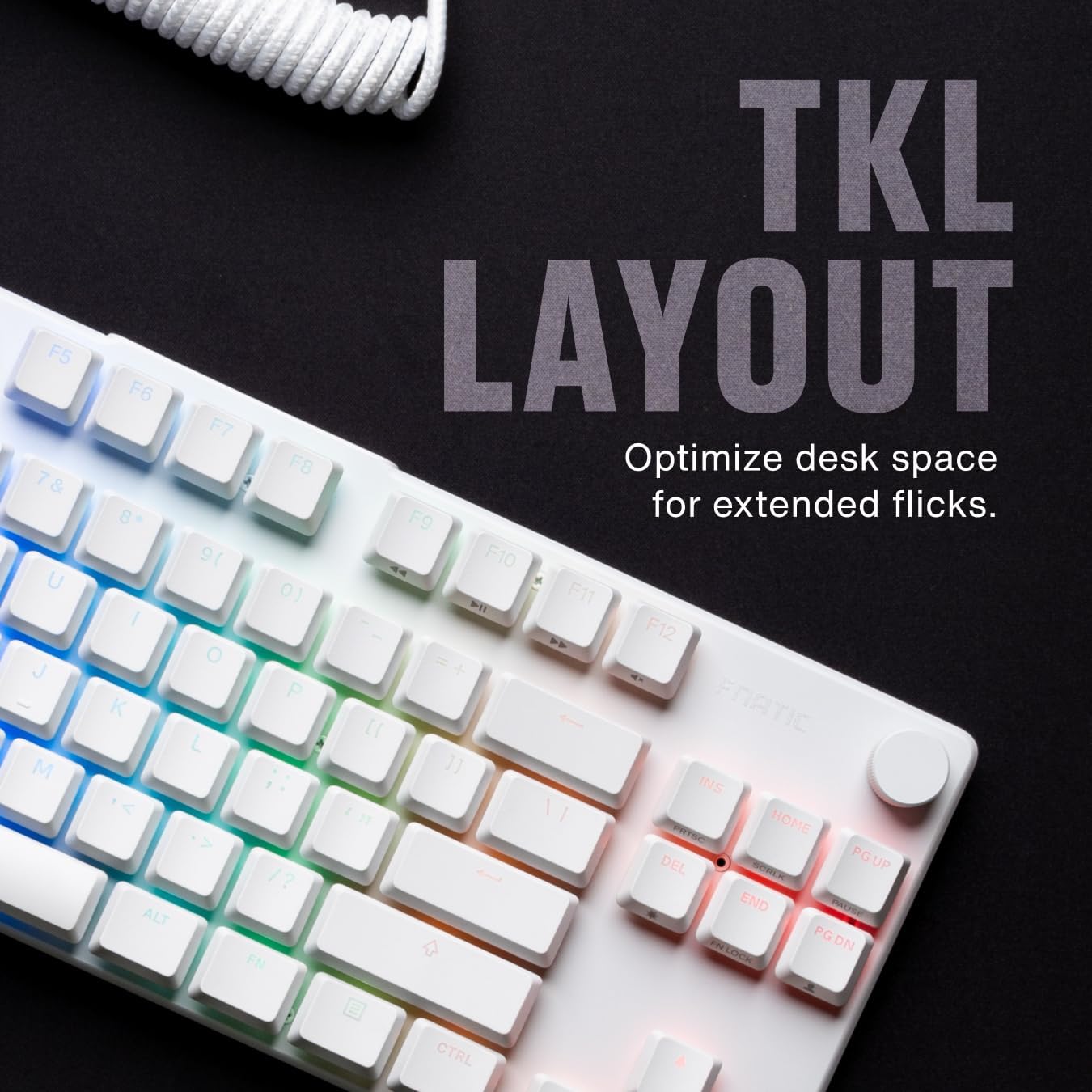
ചിത്രം 4.1.1: കഴിഞ്ഞുview of the Fnatic STREAK80 LP's tenkeyless layout.
The keyboard is designed with a low profile, contributing to an ergonomic typing and gaming experience without requiring a separate wrist rest.
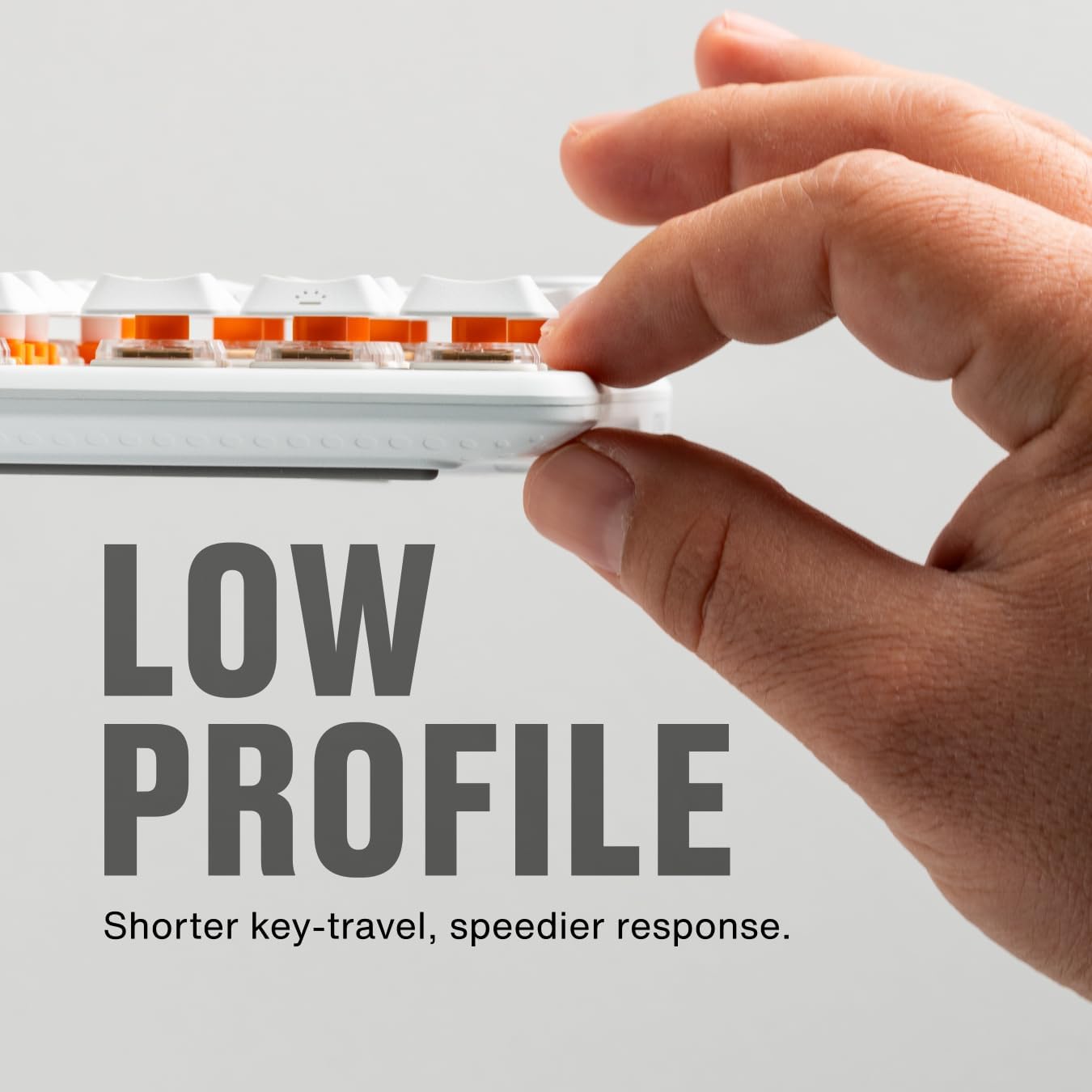
Image 4.1.2: A hand demonstrating the slim, low-profile design of the keyboard.
4.2 Switches and Keycaps
The keyboard is equipped with custom low-profile speed switches, featuring a 1.0mm actuation distance for rapid response. The keycaps are made from premium Doubleshot PBT material, designed to resist oils and shine over time.

Image 4.2.1: Detail of a pre-lubricated stabilizer and switch on the keyboard.

Image 4.2.2: Individual PBT keycaps, highlighting their textured surface.
4.3 RGB ലൈറ്റിംഗ്
The STREAK80 LP features customizable RGB backlighting. The low-profile keycap design enhances the visibility of the vibrant lighting emanating from the switches.

ചിത്രം 4.3.1: കീബോർഡ് ഷോയുടെ ക്ലോസ്-അപ്പ്asing അതിന്റെ ഊർജ്ജസ്വലമായ RGB ലൈറ്റിംഗ്.
Lighting effects can be adjusted using the Fnatic software or via onboard shortcuts (refer to the software manual for detailed key combinations).
4.4 വോളിയം നിയന്ത്രണം
A dedicated volume wheel is located on the top right of the keyboard, providing instant control over audio levels. Rotate the wheel to adjust volume up or down, and press it to mute or unmute audio.

Image 4.4.1: A hand operating the volume control wheel on the keyboard.
4.5 Acoustic Optimization
The keyboard incorporates genuine PORON foam to reduce internal case ping and other unwanted acoustic resonances, contributing to a quieter typing experience.
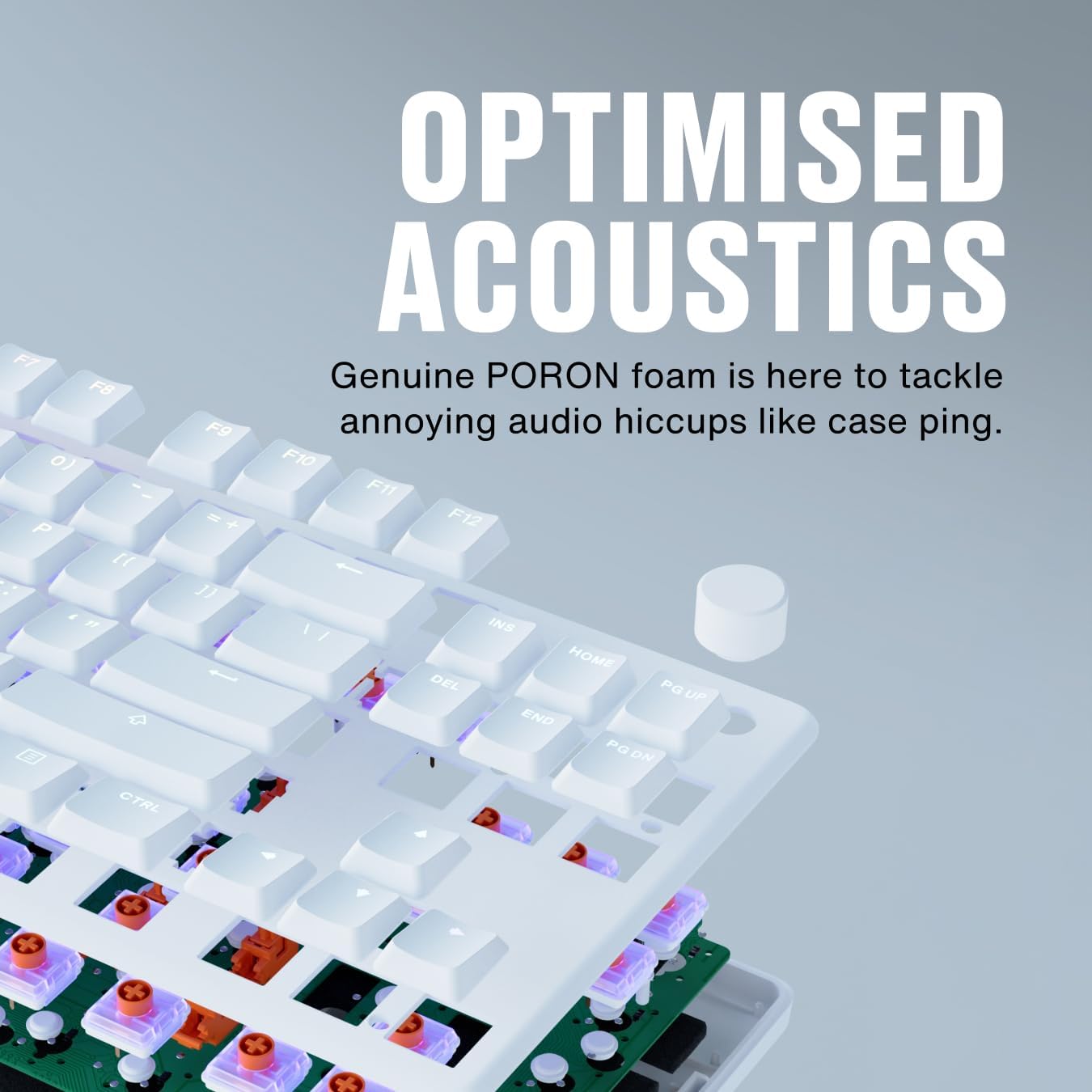
Image 4.5.1: An exploded diagram illustrating the internal components, including the PORON foam for acoustic optimization.
5. പരിപാലനം
- കീക്യാപ്പുകൾ വൃത്തിയാക്കൽ: ഒരു സോഫ്റ്റ് ഉപയോഗിക്കുക, ഡിamp cloth to wipe down keycaps. For deeper cleaning, keycaps can be carefully removed using a keycap puller (not included) and cleaned with mild soap and water. Ensure they are completely dry before reattaching.
- കീബോർഡ് ബോഡി വൃത്തിയാക്കൽ: Use a microfiber cloth to wipe the aluminum top case and plastic base. Avoid abrasive cleaners.
- Removing Dust and Debris: Use compressed air to clear dust and debris from between the keycaps and switches.
- കേബിൾ കെയർ: കേടുപാടുകൾ ഒഴിവാക്കാൻ മൂർച്ചയുള്ള വളവുകളോ യുഎസ്ബി കേബിളിൽ അമിതമായി വലിക്കുന്നതോ ഒഴിവാക്കുക.
6. പ്രശ്നപരിഹാരം
- കീബോർഡ് പ്രതികരിക്കുന്നില്ല:
- യുഎസ്ബി കേബിൾ കീബോർഡിലേക്കും കമ്പ്യൂട്ടറിലേക്കും സുരക്ഷിതമായി ബന്ധിപ്പിച്ചിട്ടുണ്ടെന്ന് ഉറപ്പാക്കുക.
- നിങ്ങളുടെ കമ്പ്യൂട്ടറിലെ മറ്റൊരു USB പോർട്ടിലേക്ക് കീബോർഡ് ബന്ധിപ്പിക്കാൻ ശ്രമിക്കുക.
- ഒരു സിസ്റ്റം-നിർദ്ദിഷ്ട പ്രശ്നം ഒഴിവാക്കാൻ മറ്റൊരു കമ്പ്യൂട്ടറിൽ കീബോർഡ് പരിശോധിക്കുക.
- RGB ലൈറ്റിംഗ് പ്രവർത്തിക്കുന്നില്ല:
- Check the Fnatic software for lighting settings and ensure they are enabled.
- Verify that no onboard lighting shortcuts have inadvertently turned off the lighting.
- രജിസ്റ്റർ ചെയ്യാത്ത കീകൾ:
- Ensure no debris is lodged under the affected keycap.
- If using the Fnatic software, check for any remapping that might affect key functionality.
For further assistance, refer to the official Fnatic support resources online.
7 സ്പെസിഫിക്കേഷനുകൾ
| ഫീച്ചർ | വിശദാംശങ്ങൾ |
|---|---|
| ബ്രാൻഡ് | ഫെനാറ്റിക് |
| മോഡൽ | STREAK80 LP (KB0007-001) |
| ലേഔട്ട് | Tenkeyless (TKL), US ANSI |
| സ്വിച്ച് തരം | ലോ-പ്രോfile സ്പീഡ് സ്വിച്ചുകൾ |
| ആക്ച്വേഷൻ ദൂരം | 1.0 മി.മീ |
| കീകാപ്പുകൾ | ഡബിൾഷോട്ട് പിബിടി |
| ബാക്ക്ലൈറ്റിംഗ് | RGB |
| അക്കോസ്റ്റിക് ഡിampening | PORON Foam |
| കണക്റ്റിവിറ്റി | USB-A (wired) |
| അളവുകൾ (LxWxH) | 13.98 x 5.08 x 1.1 ഇഞ്ച് (35.5 x 12.9 x 2.8 സെ.മീ) |
| ഭാരം | 1.29 പൗണ്ട് (0.58 കി.ഗ്രാം) |
| അനുയോജ്യമായ ഉപകരണങ്ങൾ | ലാപ്ടോപ്പ്, പിസി, മാക് |
8. വാറൻ്റിയും പിന്തുണയും
Fnatic products are covered by a manufacturer's warranty. For detailed warranty information, terms, and conditions, please visit the official Fnatic webസൈറ്റ് അല്ലെങ്കിൽ അവരുടെ ഉപഭോക്തൃ പിന്തുണയുമായി ബന്ധപ്പെടുക.
സാങ്കേതിക പിന്തുണ, ഡ്രൈവർ ഡൗൺലോഡുകൾ, പതിവ് ചോദ്യങ്ങൾ എന്നിവയ്ക്കായി, ദയവായി സന്ദർശിക്കുക: Fnatic Support