
1. ആമുഖം
This manual provides essential information for the safe and efficient use of your Axiom SFP-25G-SR-C-AX SFP28 Transceiver Module. Please read this manual thoroughly before installation and operation to ensure proper functionality and to prevent damage to the device or connected equipment. Keep this manual for future reference.
2. ഉൽപ്പന്നം കഴിഞ്ഞുview
The Axiom SFP-25G-SR-C-AX is a high-performance SFP28 transceiver module designed for 25 Gigabit Ethernet applications over multi-mode fiber. It provides a 25GBase-SR interface for optical network and data networking environments, offering reliable and high-speed connectivity.
പ്രധാന സവിശേഷതകൾ:
- 100% compatibility with all OEM applications.
- Pre-configured with application-specific code to meet router and switch OEM requirements.
- Performs, fits, and functions identically to original transceivers.
- Functions seamlessly with other brands within the same network.
- Guaranteed compatibility and unique product serialization for easy identification and conflict prevention.
- Fully compliant with the multi-sourcing agreement (MSA).
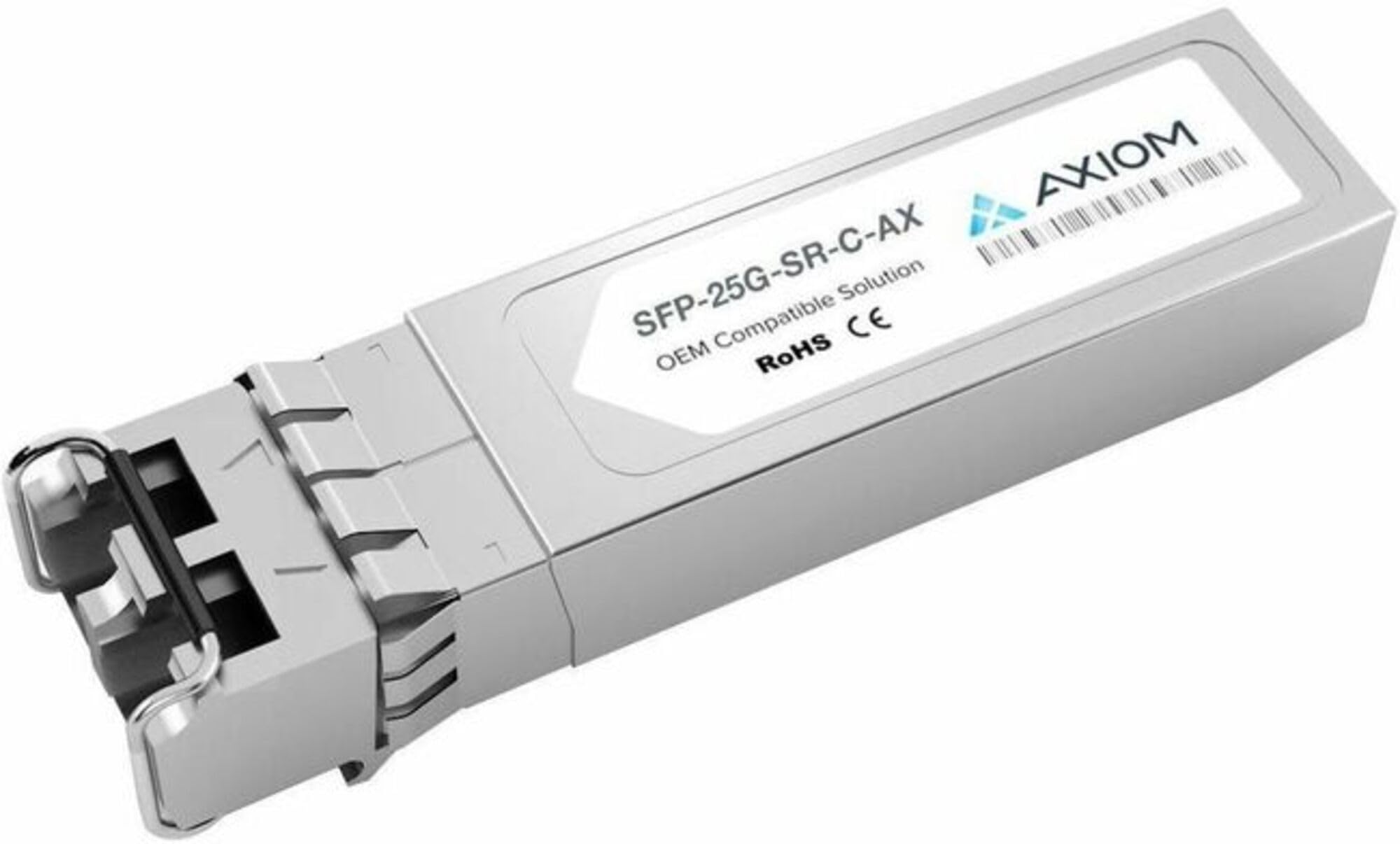
An image showing the Axiom SFP-25G-SR-C-AX SFP28 transceiver module. The module is silver-colored with a label displaying 'SFP-25G-SR-C-AX', 'OEM Compatible Solution', 'RoHS CE', and the 'AXIOM' logo.
3. സജ്ജീകരണവും ഇൻസ്റ്റാളേഷനും
Follow these steps to properly install the SFP28 transceiver module into a compatible network device (e.g., switch, router, network interface card).
- തയ്യാറാക്കൽ: Ensure the host device is powered off or the specific port intended for the module is disabled to prevent electrical damage or data interruption.
- Module Alignment: Carefully align the SFP28 module with the designated SFP28 port slot on your network device. The module should slide in smoothly.
- ഉൾപ്പെടുത്തൽ: Gently push the module into the slot until it clicks into place. Ensure it is fully seated and secured. Do not force the module.
- കേബിൾ കണക്ഷൻ: Remove the dust caps from both the SFP28 module's optical ports and the fiber optic cable (LC connector). Connect the appropriate multi-mode fiber optic cable to the module. Ensure the transmit (TX) and receive (RX) fibers are correctly connected to their respective ports.
- സ്ഥിരീകരണം: Power on the host device or enable the port. Observe the link status indicators on the host device. A steady green or amber light typically indicates a successful link.
4. പ്രവർത്തന നിർദ്ദേശങ്ങൾ
Once installed and connected, the Axiom SFP-25G-SR-C-AX module operates automatically. It establishes a 25 Gigabit Ethernet optical link with a compatible transceiver at the other end of the fiber optic cable.
- യാന്ത്രിക പ്രവർത്തനം: The module will automatically negotiate and establish a 25GbE link.
- നിരീക്ഷണം: You can monitor the link status, data transmission rates, and other diagnostic information through the management interface of your host network device (e.g., switch CLI or GUI).
- Full-Duplex: The module supports full-duplex operation, allowing simultaneous data transmission and reception.
5. പരിപാലനം
The Axiom SFP-25G-SR-C-AX transceiver module is designed for minimal maintenance. However, proper care ensures optimal performance and longevity.
- Optical Connector Cleaning: Keep the optical connectors clean. Dust and contaminants can significantly degrade optical performance. Use only approved fiber optic cleaning tools and procedures. Always replace dust caps when the module is not in use or not connected to a fiber cable.
- പരിസ്ഥിതി വ്യവസ്ഥകൾ: മൊഡ്യൂളിനെ തീവ്രമായ താപനില, ഉയർന്ന ഈർപ്പം, അല്ലെങ്കിൽ നശിപ്പിക്കുന്ന അന്തരീക്ഷങ്ങൾ എന്നിവയിലേക്ക് തുറന്നുകാട്ടുന്നത് ഒഴിവാക്കുക.
- കൈകാര്യം ചെയ്യൽ: Handle the module carefully. Do not drop it or subject it to strong impacts.
- വേർപെടുത്തുക: മൊഡ്യൂൾ ഡിസ്അസംബ്ലിംഗ് ചെയ്യാനോ പരിഷ്ക്കരിക്കാനോ ശ്രമിക്കരുത്. ഇത് വാറന്റി അസാധുവാക്കുകയും കേടുപാടുകൾക്ക് കാരണമാവുകയും ചെയ്തേക്കാം.
6. പ്രശ്നപരിഹാരം
If you encounter issues with your SFP28 module, refer to the following troubleshooting steps:
No Link Light or Link Flapping:
- മൊഡ്യൂൾ സീറ്റിംഗ്: Ensure the SFP28 module is fully and correctly seated in the host port. Remove and re-insert it firmly.
- ഫൈബർ ഒപ്റ്റിക് കേബിൾ: Verify that the fiber optic cable is securely connected at both ends and is not damaged (e.g., kinks, sharp bends). Check for correct TX/RX polarity.
- പോർട്ട് നില: Confirm that the host device's port is enabled and configured correctly for 25GbE operation.
- അനുയോജ്യത: Ensure the module is compatible with the host device and the transceiver at the other end of the link.
- ക്ലീൻ കണക്ടറുകൾ: Clean the optical connectors on both the module and the fiber cable.
Poor Performance or High Error Rates:
- Cable Quality/Type: Ensure you are using the correct type of multi-mode fiber (e.g., OM3 or OM4) and that it meets quality standards.
- കേബിൾ നീളം: Verify that the fiber cable length does not exceed the maximum supported distance for 25GBase-SR over your specific fiber type.
- കണക്റ്റർ ശുചിത്വം: Re-clean all optical connectors thoroughly.
- പാരിസ്ഥിതിക ഘടകങ്ങൾ: Check for any environmental factors (e.g., extreme temperature fluctuations) that might affect performance.
If issues persist after performing these steps, contact Axiom Memory technical support or your authorized reseller for further assistance.
7 സ്പെസിഫിക്കേഷനുകൾ
| ഫീച്ചർ | വിവരണം |
|---|---|
| ബ്രാൻഡ് | ആക്സിയം |
| മോഡൽ നമ്പർ | SFP-25G-SR-C-AX |
| ഫോം ഫാക്ടർ | SFP28 |
| ഡാറ്റ നിരക്ക് | 25 ജിബിപിഎസ് |
| ഇൻ്റർഫേസ് | 25GBase-SR |
| കണക്റ്റർ തരം | എൽസി ഡ്യുപ്ലെക്സ് |
| കേബിൾ തരം | മൾട്ടി-മോഡ് ഫൈബർ (MMF) |
| പരമാവധി ദൂരം | Dependent on fiber type (e.g., 70m over OM3, 100m over OM4) |
| അളവുകൾ (LxWxH) | ഏകദേശം 1 x 1 x 1 ഇഞ്ച് |
| ഇനത്തിൻ്റെ ഭാരം | ഏകദേശം 0.64 ഔൺസ് |
| അനുയോജ്യമായ ഉപകരണങ്ങൾ | Server, Desktop (when equipped with compatible SFP28 ports) |
| പ്രത്യേക ഫീച്ചർ | ഭാരം കുറഞ്ഞ ഡിസൈൻ |
8 സുരക്ഷാ വിവരങ്ങൾ
Observe the following safety precautions to prevent injury or damage to the product and connected equipment:
- ലേസർ സുരക്ഷ: This product contains a laser. Do not stare directly into the optical bore or expose eyes to direct or reflected laser radiation. This is a Class 1 Laser Product.
- ഇലക്ട്രോസ്റ്റാറ്റിക് ഡിസ്ചാർജ് (ESD) മുൻകരുതലുകൾ: Electronic components are sensitive to static electricity. Always handle the module by its metal casing. Use an anti-static wrist strap and work on an anti-static mat when installing or removing the module.
- പരിസ്ഥിതി വ്യവസ്ഥകൾ: Operate the module within the specified temperature and humidity ranges. Refer to the product's technical datasheet for detailed environmental specifications.
- പവർ ഓഫ്: Always ensure the host device is powered off or the port is disabled before inserting or removing the module.
9. വാറൻ്റിയും പിന്തുണയും
For detailed warranty information, technical support, and service inquiries regarding your Axiom SFP-25G-SR-C-AX SFP28 Transceiver Module, please refer to the official Axiom Memory website or contact your authorized Axiom reseller. Ensure you have your product model number and purchase details available when seeking support.