
1. ഉൽപ്പന്നം കഴിഞ്ഞുview
The HiBy USB C OTG Cable is designed to connect your source device (such as a smartphone or computer) to compatible HiBy headphone amplifiers, enabling high-quality digital audio transmission. This cable supports On-The-Go (OTG) functionality, allowing your source device to act as a host for the ampജീവൻ.
അനുയോജ്യത: This cable is specifically designed for use with HiBy FC1, FC3, FC4, FD1, and FD3 Headphone Ampജീവപര്യന്തം.

Image showing the HiBy USB-C to Lightning OTG cable, featuring a braided black cable with a USB-C connector on one end and a Lightning connector on the other.
2. സജ്ജീകരണ നിർദ്ദേശങ്ങൾ
- കണക്ടറുകൾ തിരിച്ചറിയുക: The cable features a USB Type-C connector on one end and either a USB Type-C or Lightning connector on the other, depending on the specific variant purchased.
- ഉറവിട ഉപകരണത്തിലേക്ക് കണക്റ്റുചെയ്യുക: Insert the appropriate connector (USB Type-C or Lightning) into your smartphone, tablet, or computer. Ensure the connection is firm and secure.
- Connect to HiBy Ampജീവപര്യന്തം: Insert the USB Type-C end of the cable into the designated USB input port on your HiBy FC1, FC3, FC4, FD1, or FD3 Headphone Ampജീവൻ.
- കണക്ഷൻ സ്ഥിരീകരിക്കുക: Once both ends are connected, your source device should recognize the HiBy amplifier as an external audio device. You may need to select the amplifier as the audio output in your device's sound settings.
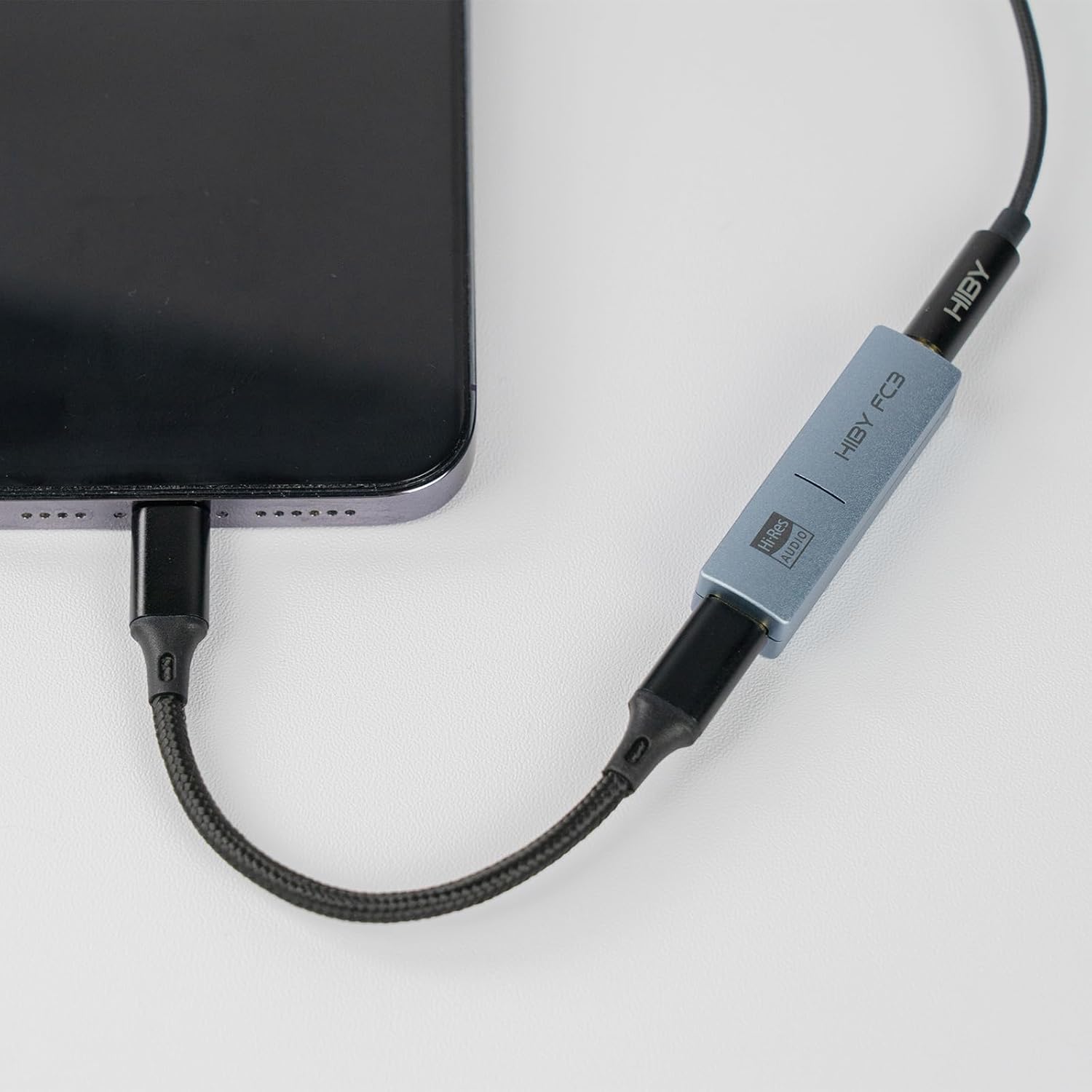
A HiBy USB-C OTG cable connecting a smartphone to a HiBy FC3 portable headphone ampലിഫയർ, ഒരു സാധാരണ ഉപയോഗ സാഹചര്യം കാണിക്കുന്നു.
3. കേബിൾ പ്രവർത്തിപ്പിക്കൽ
The HiBy USB C OTG Cable functions as a direct digital audio link. Once connected, the audio signal from your source device is transmitted digitally to the HiBy amplifier, which then processes and outputs the sound to your headphones. No additional drivers are typically required for standard operation, as most modern operating systems and devices support USB Audio Class 2.0.
- Ensure your HiBy amplifier is powered on and properly connected to your headphones.
- Play audio from your source device. The sound should now be routed through the HiBy ampജീവൻ.
- Adjust volume levels on both your source device and the HiBy amplifier for optimal listening experience.
4. പരിപാലനം
To ensure the longevity and optimal performance of your HiBy USB C OTG Cable, follow these maintenance guidelines:
- സംഭരണം: Store the cable in a clean, dry place away from direct sunlight and extreme temperatures. Avoid tightly coiling or bending the cable at sharp angles, which can damage internal wires.
- വൃത്തിയാക്കൽ: Use a soft, dry cloth to gently wipe the cable and connectors. Do not use harsh chemicals or abrasive materials. Ensure connectors are free of dust and debris before connecting.
- കൈകാര്യം ചെയ്യൽ: Always grasp the connector housing when plugging or unplugging the cable, rather than pulling on the cable itself. This prevents strain on the connection points.
5. പ്രശ്നപരിഹാരം
If you encounter issues with your HiBy USB C OTG Cable, consider the following:
- ഓഡിയോ ഔട്ട്പുട്ട് ഇല്ല:
- Ensure both ends of the cable are securely connected to your source device and HiBy ampജീവൻ.
- Verify that your source device's audio output is set to the connected HiBy ampജീവൻ.
- Check the volume levels on both your source device and the ampജീവൻ.
- Test the cable with another compatible device or amplifier if possible, to rule out issues with the source or ampജീവൻ.
- പതിവ് ബന്ധം വിച്ഛേദിക്കലുകൾ:
- Ensure the connectors are fully inserted and not loose.
- Avoid putting strain on the cable or connectors during use.
- കേബിളിനോ കണക്ടറുകൾക്കോ എന്തെങ്കിലും ഭൗതിക കേടുപാടുകൾ സംഭവിച്ചിട്ടുണ്ടോയെന്ന് പരിശോധിക്കുക.
- Cable Gets Hot / Stops Working:
- Immediately disconnect the cable from all devices.
- This indicates a potential fault. Do not continue to use the cable. Contact HiBy customer support for assistance.
- Not Working with Specific Devices (e.g., iPhone 14):
- Ensure your device supports USB OTG audio output. Some devices may require specific settings or adapters not included with this cable.
- For Apple devices, ensure the Lightning connector variant of the cable is used and that the iOS version supports the connected ampജീവൻ.
6 സ്പെസിഫിക്കേഷനുകൾ
| ഫീച്ചർ | വിശദാംശങ്ങൾ |
|---|---|
| മോഡൽ നമ്പർ | USB C OTG Cable |
| ബ്രാൻഡ് | HiBy |
| നിർമ്മാതാവ് | HiBy |
| കണക്റ്റർ തരം | USB Type C (one end), USB Type C or Lightning (other end) |
| അനുയോജ്യമായ ഉപകരണങ്ങൾ | HiBy FC1, FC3, FC4, FD1, FD3 Headphone Ampജീവപര്യന്തം |
| നിറം | Gray (as per product listing) |
| ഇനത്തിൻ്റെ ഭാരം | 0.705 ഔൺസ് (20 ഗ്രാം) |
| പാക്കേജ് അളവുകൾ | 5.32 x 3.03 x 0.28 ഇഞ്ച് |
| ASIN | B0CJJNCCDY |
| ആദ്യ തീയതി ലഭ്യമാണ് | സെപ്റ്റംബർ 21, 2023 |
7. വാറൻ്റി വിവരങ്ങൾ
This HiBy USB C OTG Cable is covered by a limited warranty against defects in materials and workmanship. The warranty period typically begins from the date of purchase. Please retain your proof of purchase for warranty claims. For specific warranty terms and conditions, refer to the documentation provided with your product or visit the official HiBy webസൈറ്റ്.
8. ഉപഭോക്തൃ പിന്തുണ
For technical assistance, troubleshooting, or warranty inquiries, please contact HiBy customer support through their official website or the retailer from whom you purchased the product. You can often find contact information on the HiBy official webസൈറ്റ്: www.hiby.com