
1. ആമുഖം
വാങ്ങിയതിന് നന്ദി.asing the AGPTEK G02PL 64GB Clip MP3 Player. This portable music player is designed for convenience and durability, especially for sports and outdoor activities. It features a clip-on design, FM radio, and a sweatproof silicone case. This manual provides detailed instructions on how to set up, operate, and maintain your device.
2. ഉൽപ്പന്നം കഴിഞ്ഞുview
2.1 പാക്കേജ് ഉള്ളടക്കം
- AGPTEK G02PL 64GB Clip MP3 Player
- Sweatproof Silicone Case
- യുഎസ്ബി ചാർജിംഗ് കേബിൾ
- ഉപയോക്തൃ മാനുവൽ
- Note: Earphones are not included in the package.

Image: Contents of the AGPTEK G02PL package, including the MP3 player, silicone case, USB cable, and user manual.
2.2 ഉപകരണ സവിശേഷതകൾ
- ക്ലിപ്പ്-ഓൺ ഡിസൈൻ: Easily attachable for sports and outdoor activities.
- Sweatproof Silicone Case: Provides protection during workouts.
- 64GB ഇന്റേണൽ മെമ്മറി: Ample storage for your music library.
- എഫ്എം റേഡിയോ: Listen to your favorite radio stations (requires wired earphones).
- ഷഫിൾ മോഡ്: Quick switch for randomized playback.
- ഒതുക്കമുള്ളതും ഭാരം കുറഞ്ഞതും: Weighs only 0.49 oz (14g), dimensions: 1.97 x 1.43 x 0.61 inches.
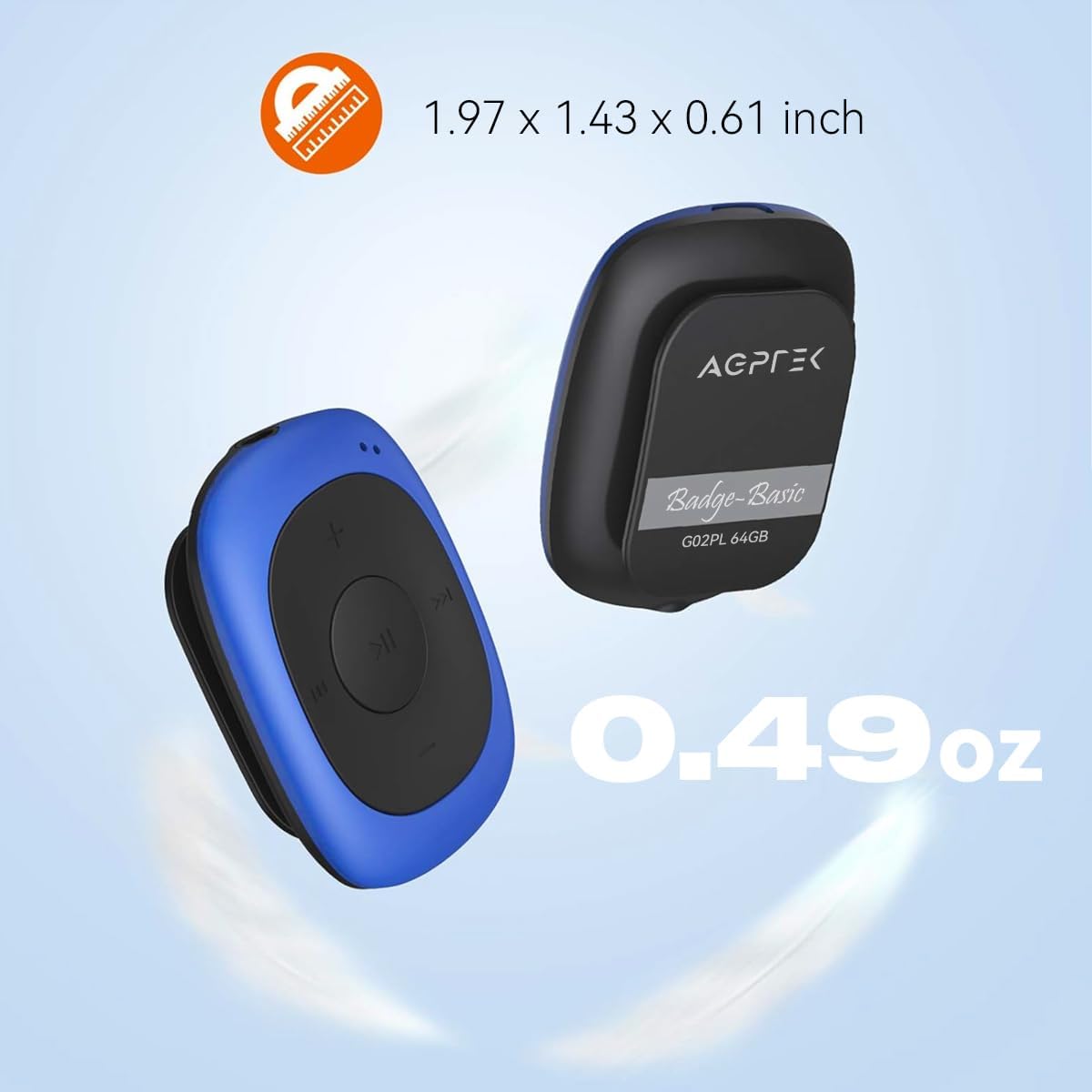
Image: Illustrates the compact size (1.97 x 1.43 x 0.61 inches) and light weight (0.49 oz) of the AGPTEK G02PL MP3 player.

Image: Shows the AGPTEK G02PL MP3 player inside its sweatproof silicone case, highlighting the portable clip feature.
3. സജ്ജീകരണം
3.1 ഉപകരണം ചാർജ് ചെയ്യുന്നു
Before first use, fully charge the MP3 player. Use the included USB cable to connect the device to a computer's USB port or a compatible USB wall charger (not included).
- ഒരു ഫുൾ ചാർജിന് ഏകദേശം 2.5 മണിക്കൂർ എടുക്കും.
- The built-in 160mAh rechargeable battery provides up to 10 hours of audio playback at medium volume. Battery life may be shorter when using FM radio.

Image: Depicts the AGPTEK G02PL MP3 player connected to a USB cable for charging, illustrating the internal components.
3.2 സംഗീതം കൈമാറൽ Files
To transfer music to your AGPTEK G02PL MP3 player:
- നൽകിയിരിക്കുന്ന USB കേബിൾ ഉപയോഗിച്ച് നിങ്ങളുടെ കമ്പ്യൂട്ടറിലേക്ക് MP3 പ്ലെയർ ബന്ധിപ്പിക്കുക.
- നിങ്ങളുടെ കമ്പ്യൂട്ടറിൽ ഉപകരണം നീക്കം ചെയ്യാവുന്ന ഒരു ഡിസ്ക് ഡ്രൈവായി ദൃശ്യമാകും.
- Drag and drop your desired music files (MP3, WMA, WAV formats supported) into the device's storage folder.
- Note: The player does not directly support iTunes music. Convert iTunes files to MP3 format before transferring.
- USB കേബിൾ വിച്ഛേദിക്കുന്നതിന് മുമ്പ് നിങ്ങളുടെ കമ്പ്യൂട്ടറിൽ നിന്ന് ഉപകരണം സുരക്ഷിതമായി പുറത്തെടുക്കുക.

Image: Highlights the 64GB large memory capacity of the AGPTEK G02PL MP3 player.
4. പ്രവർത്തന നിർദ്ദേശങ്ങൾ
4.1 Basic Music Playback
- പവർ ഓൺ/ഓഫ്: Locate the power switch (usually a slider or long press of the play button) and slide it to turn on the device.
- പ്ലേ/താൽക്കാലികമായി നിർത്തുക: Press the central Play/Pause button.
- അടുത്തത് / മുമ്പത്തെ ട്രാക്ക്: Use the forward (⏭) and backward (⏮) buttons to skip tracks.
- വോളിയം ക്രമീകരണം: Use the '+' and '-' buttons to increase or decrease the volume.
4.2 എഫ്എം റേഡിയോ ഫംഗ്ഷൻ
എഫ്എം റേഡിയോ സവിശേഷത ഉപയോഗിക്കുന്നതിന്:
- Connect Wired Earphones: Wired earphones must be connected to the MP3 player as they act as the antenna for the FM radio.
- FM മോഡിലേക്ക് മാറുക: Use the dedicated FM / Music switch slider to select FM mode.
- ട്യൂൺ സ്റ്റേഷനുകൾ: The device supports FM Frequency Range: 88MHz-108MHz. Use the track skip buttons to search for stations or initiate a quick search function if available.

Image: Shows the AGPTEK G02PL MP3 player connected to wired earphones, emphasizing the requirement for FM radio functionality. Icons for News, Sports, Music, and Weather are displayed.
4.3 Shuffle and Repeat Modes
The player features a dedicated slider for repeat and shuffle modes. Slide it to activate or deactivate shuffle playback for your music.
5. പരിപാലനം
- Keep the device dry. Avoid exposure to extreme temperatures.
- മൃദുവായതും ഉണങ്ങിയതുമായ തുണി ഉപയോഗിച്ച് ഉപകരണം വൃത്തിയാക്കുക. കഠിനമായ രാസവസ്തുക്കളോ ഉരച്ചിലുകളുള്ള ക്ലീനറുകളോ ഉപയോഗിക്കരുത്.
- Ensure the silicone case is properly fitted to maintain its sweatproof properties.
- കേടുപാടുകൾ തടയാൻ ഉപയോഗിക്കാത്തപ്പോൾ ഉപകരണം സുരക്ഷിതമായ സ്ഥലത്ത് സൂക്ഷിക്കുക.
6. പ്രശ്നപരിഹാരം
6.1 ഉപകരണം ഓണാക്കുന്നില്ല
- Ensure the battery is charged. Connect the device to a power source and charge for at least 30 minutes.
- പവർ സ്വിച്ചിന്റെ സ്ഥാനം പരിശോധിക്കുക.
6.2 കൈമാറ്റം ചെയ്യാൻ കഴിയില്ല Files
- Verify the USB cable is securely connected to both the player and the computer.
- നിങ്ങളുടെ കമ്പ്യൂട്ടറിൽ മറ്റൊരു USB പോർട്ട് പരീക്ഷിക്കുക.
- സംഗീതം ഉറപ്പാക്കുക files are in a supported format (MP3, WMA, WAV).
- Restart your computer and the MP3 player.
6.3 ശബ്ദമില്ല
- Check if earphones are properly connected.
- Adjust the volume level using the '+' button.
- സംഗീതം ഉറപ്പാക്കുക file is not corrupted. Try playing a different track.
6.4 FM Radio Not Working
- Confirm that wired earphones are plugged in, as they serve as the antenna.
- നല്ല എഫ്എം സിഗ്നൽ സ്വീകരണം ഉള്ള ഒരു പ്രദേശത്താണെന്ന് ഉറപ്പാക്കുക.
- Switch to FM mode using the dedicated slider.
7 സ്പെസിഫിക്കേഷനുകൾ
| ഫീച്ചർ | വിശദാംശങ്ങൾ |
|---|---|
| ബ്രാൻഡ് | AGPTEK |
| മോഡലിൻ്റെ പേര് | AGPTEK 64GB Clip MP3 Player With FM Shuffle (G02PL) |
| മെമ്മറി സ്റ്റോറേജ് കപ്പാസിറ്റി | 64 ജിബി |
| കണക്റ്റിവിറ്റി ടെക്നോളജി | USB |
| പ്രത്യേക ഫീച്ചർ | എഫ്എം റേഡിയോ |
| പിന്തുണയ്ക്കുന്ന സംഗീത ഫോർമാറ്റുകൾ | MP3, WMA, WAV |
| എഫ്എം ഫ്രീക്വൻസി റേഞ്ച് | 88 മെഗാഹെർട്സ് -108 മെഗാഹെർട്സ് |
| ബാറ്ററി ലൈഫ് | Up to 10 hours (audio playback at medium volume) |
| ചാർജിംഗ് സമയം | ഏകദേശം 2.5 മണിക്കൂർ |
| അളവുകൾ | 1.97 x 1.43 x 0.61 ഇഞ്ച് |
| ഭാരം | 0.49 ഔൺസ് |
| അനുയോജ്യമായ ഉപകരണങ്ങൾ | ലാപ്ടോപ്പ്, പേഴ്സണൽ കമ്പ്യൂട്ടർ |
8. വാറൻ്റിയും പിന്തുണയും
For product support, warranty information, or further assistance, please refer to the contact details provided on the AGPTEK official webനിങ്ങളുടെ വാങ്ങലിൽ ഉൾപ്പെടുത്തിയിരിക്കുന്ന ഡോക്യുമെന്റേഷൻ അല്ലെങ്കിൽ സൈറ്റ്. വാറന്റി ക്ലെയിമുകൾക്കായി നിങ്ങളുടെ വാങ്ങൽ രസീത് സൂക്ഷിക്കുക.