
1. ആമുഖം
This manual provides essential information for the safe and efficient operation of your Sharp Roku TV 4K Ultra HD with HDR10 (55"). Please read this manual thoroughly before using the television and retain it for future reference. Your new Sharp Roku TV offers a stunning 4K Ultra HD resolution, integrated Roku streaming experience, and immersive Dolby Audio.

ചിത്രം 1.1: മുൻഭാഗം view of the Sharp Roku TV 4K Ultra HD (55 inch). This image shows the television from the front, highlighting its slim bezels and the display with a colorful image.
2 സുരക്ഷാ വിവരങ്ങൾ
തീപിടുത്തം, വൈദ്യുതാഘാതം അല്ലെങ്കിൽ പരിക്ക് എന്നിവ തടയാൻ താഴെപ്പറയുന്ന സുരക്ഷാ മുൻകരുതലുകൾ എപ്പോഴും പാലിക്കുക.
- മഴയോ ഈർപ്പമോ ടിവിയെ തുറന്നുകാട്ടരുത്.
- വെന്റിലേഷൻ ദ്വാരങ്ങൾ അടയ്ക്കരുത്. ശരിയായ വായുസഞ്ചാരത്തിനായി ടിവിക്ക് ചുറ്റും മതിയായ ഇടം ഉറപ്പാക്കുക.
- നിർമ്മാതാവ് വ്യക്തമാക്കിയ അറ്റാച്ച്മെൻ്റുകൾ/ആക്സസറികൾ മാത്രം ഉപയോഗിക്കുക.
- ഇടിമിന്നൽ ഉണ്ടാകുമ്പോഴോ ദീർഘനേരം ഉപയോഗിക്കാതിരിക്കുമ്പോഴോ ടിവി പ്ലഗ് ഊരിവയ്ക്കുക.
- എല്ലാ സേവനങ്ങളും യോഗ്യതയുള്ള സേവന ഉദ്യോഗസ്ഥർക്ക് റഫർ ചെയ്യുക.
- ബാറ്ററികൾ കുട്ടികൾക്ക് ലഭ്യമാകാതെ സൂക്ഷിക്കുക.
3. ബോക്സിൽ എന്താണുള്ളത്?
സജ്ജീകരണവുമായി മുന്നോട്ടുപോകുന്നതിനുമുമ്പ് എല്ലാ ഘടകങ്ങളും നിലവിലുണ്ടെന്ന് ഉറപ്പാക്കുക.
- Sharp Roku TV (55")
- ടിവി സ്റ്റാൻഡ് (2 കഷണങ്ങൾ)
- റിമോട്ട് കൺട്രോൾ (2 AAA ബാറ്ററികൾ ആവശ്യമാണ്, ഉൾപ്പെടുത്തിയിട്ടില്ല)
- പവർ കോർഡ്
- ദ്രുത ആരംഭ ഗൈഡ് (വിശദമായ നിർദ്ദേശങ്ങൾക്ക് ഈ മാനുവൽ കാണുക)
4. സജ്ജീകരണം
4.1 ടിവി സ്റ്റാൻഡ് ഘടിപ്പിക്കൽ
To ensure stability, attach the included stand to the television. Place the TV face down on a soft, clean surface to prevent screen damage.
- ഇടതും വലതും സ്റ്റാൻഡ് പീസുകൾ തിരിച്ചറിയുക.
- ടിവിയുടെ അടിയിലുള്ള അനുബന്ധ സ്ക്രൂ ദ്വാരങ്ങൾ ഉപയോഗിച്ച് ഓരോ സ്റ്റാൻഡ് പീസും വിന്യസിക്കുക.
- നൽകിയിരിക്കുന്ന സ്ക്രൂകൾ ഉപയോഗിച്ച് സ്റ്റാൻഡുകൾ ഉറപ്പിക്കുക. അമിതമായി മുറുക്കരുത്.

ചിത്രം 4.1: വശം view of the Sharp Roku TV with the stand attached. This image illustrates the profile of the television with its support base.

ചിത്രം 4.2: കോണാകൃതിയിലുള്ളത് view of the Sharp Roku TV with the stand attached. This image provides a perspective view of the television, showing the stand's design and how it supports the unit.
4.2 പവർ കണക്റ്റിംഗും പ്രാരംഭ സജ്ജീകരണവും
Once the stand is securely attached, place the TV in its desired location and proceed with power connection and initial setup.
- പവർ കോർഡ് ടിവിയുടെ പവർ ഇൻപുട്ടിലേക്കും തുടർന്ന് ഒരു വാൾ ഔട്ട്ലെറ്റിലേക്കും ബന്ധിപ്പിക്കുക.
- Insert 2 AAA batteries into the remote control, observing polarity.
- ടിവി ഓണാക്കാൻ റിമോട്ടിലെ പവർ ബട്ടൺ അമർത്തുക.
- Follow the on-screen instructions to complete the Roku TV guided setup, including network connection (Wi-Fi), channel scanning (if using an antenna), and Roku account activation.

ചിത്രം 4.3: പിൻഭാഗം view of the Sharp Roku TV. This image displays the back panel of the television, showing the arrangement of various input and output ports for connectivity.
5. ടിവി പ്രവർത്തിപ്പിക്കൽ
5.1 അടിസ്ഥാന പ്രവർത്തനങ്ങൾ
- പവർ ഓൺ/ഓഫ്: അമർത്തുക ശക്തി റിമോട്ടിലെ ബട്ടൺ.
- വോളിയം നിയന്ത്രണം: ഉപയോഗിക്കുക വോളിയം കൂട്ടുക/താഴ്ത്തുക ബട്ടണുകൾ.
- ഇൻപുട്ട് തിരഞ്ഞെടുക്കൽ: അമർത്തുക ഇൻപുട്ട് button to cycle through connected devices (HDMI, AV, etc.) or select from the Roku Home screen.
- നാവിഗേഷൻ: ദിശാസൂചന പാഡ് ഉപയോഗിക്കുക (മുകളിലേക്ക്, താഴേക്ക്, ഇടത്, വലത്) കൂടാതെ OK മെനുകൾ നാവിഗേറ്റ് ചെയ്യാനും ഓപ്ഷനുകൾ തിരഞ്ഞെടുക്കാനും ബട്ടൺ.
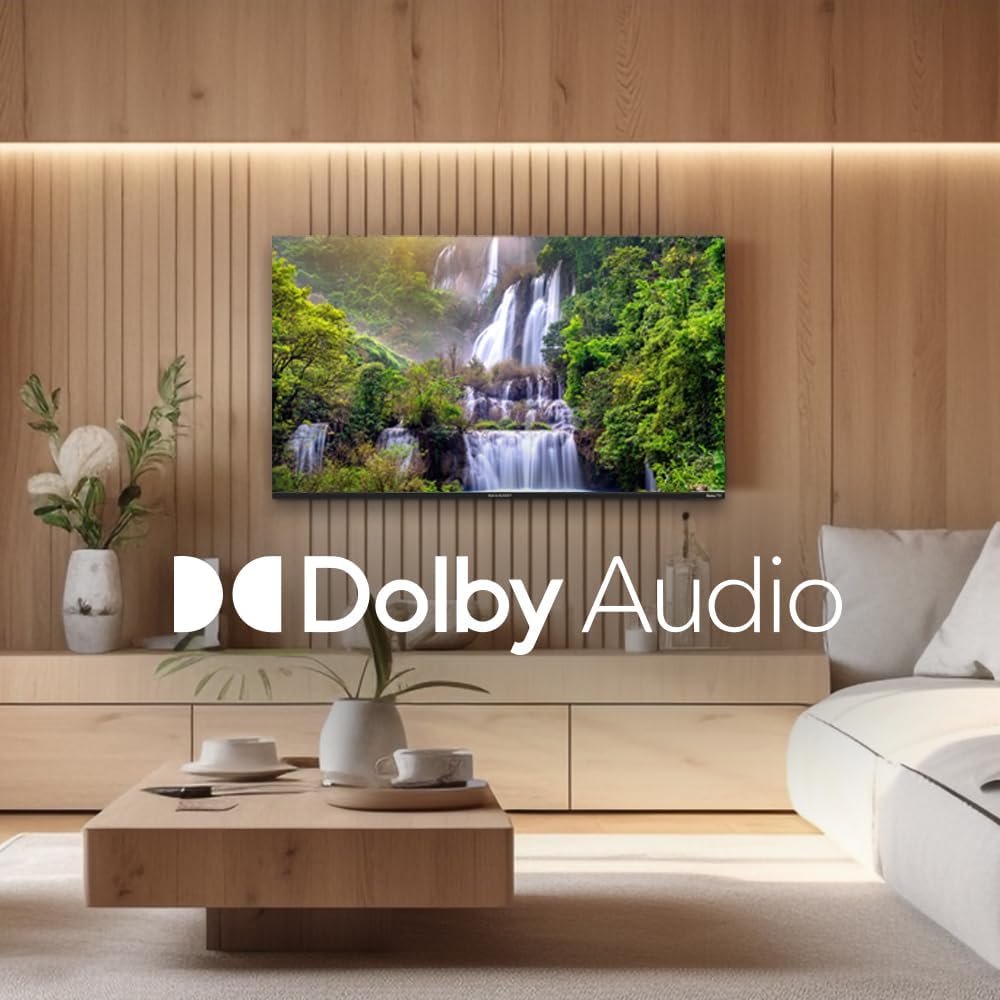
Figure 5.1: Sharp Roku TV showcasing Dolby Audio. This image highlights the television's audio capabilities, with the Dolby Audio logo prominently displayed over a vibrant nature scene.
5.2 Roku OS Navigation
The Roku Home screen provides access to all your streaming channels, inputs, and settings.
- ഹോം സ്ക്രീൻ: അമർത്തുക വീട് button on the remote to return to the main menu.
- സ്ട്രീമിംഗ് ചാനലുകൾ: Select a channel icon to launch the app.
- തത്സമയ ടിവി: Access live broadcast channels (if an antenna is connected) or The Roku Channel's live TV guide.
- ക്രമീകരണങ്ങൾ: എന്നതിലേക്ക് നാവിഗേറ്റ് ചെയ്യുക ക്രമീകരണങ്ങൾ menu for network configuration, display options, audio settings, and system updates.
6. പരിപാലനം
6.1 ടിവി വൃത്തിയാക്കൽ
നിങ്ങളുടെ ടിവിയുടെ രൂപവും പ്രകടനവും നിലനിർത്താൻ, ഈ ക്ലീനിംഗ് മാർഗ്ഗനിർദ്ദേശങ്ങൾ പാലിക്കുക:
- വൃത്തിയാക്കുന്നതിന് മുമ്പ് എപ്പോഴും ടിവി അൺപ്ലഗ് ചെയ്യുക.
- സ്ക്രീൻ മൃദുവായി തുടയ്ക്കാൻ മൃദുവായ, ലിന്റ് രഹിത തുണി ഉപയോഗിക്കുക. കഠിനമായ പാടുകൾക്ക്, ചെറുതായി dampവെള്ളം അല്ലെങ്കിൽ ഒരു പ്രത്യേക സ്ക്രീൻ ക്ലീനർ ഉപയോഗിച്ച് തുണിയിൽ തളിക്കുക. ഒരിക്കലും ക്ലീനർ നേരിട്ട് സ്ക്രീനിൽ സ്പ്രേ ചെയ്യരുത്.
- Wipe the cabinet and stand with a soft, dry cloth.
- അബ്രാസീവ് ക്ലീനറുകൾ, മെഴുക് അല്ലെങ്കിൽ ലായകങ്ങൾ ഉപയോഗിക്കുന്നത് ഒഴിവാക്കുക.
7. പ്രശ്നപരിഹാരം
നിങ്ങൾ നേരിട്ടേക്കാവുന്ന പൊതുവായ പ്രശ്നങ്ങൾക്കുള്ള പരിഹാരങ്ങൾക്കായി ഈ വിഭാഗം പരിശോധിക്കുക.
| പ്രശ്നം | സാധ്യമായ കാരണം | പരിഹാരം |
|---|---|---|
| പവർ ഇല്ല | പവർ കോർഡ് സുരക്ഷിതമായി ബന്ധിപ്പിച്ചിട്ടില്ല; ഔട്ട്ലെറ്റ് പ്രവർത്തിക്കുന്നില്ല. | പവർ കോർഡ് കണക്ഷൻ പരിശോധിക്കുക. മറ്റൊരു ഉപകരണം ഉപയോഗിച്ച് ഔട്ട്ലെറ്റ് പരിശോധിക്കുക. |
| ചിത്രമില്ല, പക്ഷേ ശബ്ദം ഉണ്ട് | Incorrect input selected; external device issues. | അമർത്തുക ഇൻപുട്ട് button to select the correct source. Check connections to external devices. |
| ശബ്ദമില്ല, പക്ഷേ ചിത്രം നിലവിലുണ്ട് | Volume muted or too low; audio settings incorrect. | Unmute volume or increase level. Check audio output settings in the TV menu. |
| Wi-Fi കണക്ഷൻ പ്രശ്നങ്ങൾ | തെറ്റായ പാസ്വേഡ്; റൂട്ടർ പ്രശ്നങ്ങൾ; ടിവി റൂട്ടറിൽ നിന്ന് വളരെ അകലെയാണ്. | Re-enter Wi-Fi password. Restart router and TV. Move TV closer to router or use a Wi-Fi extender. |
| റിമോട്ട് കൺട്രോൾ പ്രവർത്തിക്കുന്നില്ല | ഡെഡ് ബാറ്ററികൾ; റിമോട്ടിനും ടിവിക്കും ഇടയിലുള്ള തടസ്സം. | ബാറ്ററികൾ മാറ്റിസ്ഥാപിക്കുക. തടസ്സങ്ങൾ നീക്കം ചെയ്യുക. റിമോട്ട് ടിവിയിലേക്ക് ചൂണ്ടിയിട്ടുണ്ടെന്ന് ഉറപ്പാക്കുക. |
8 സ്പെസിഫിക്കേഷനുകൾ
Key technical specifications for the Sharp Roku TV 4K Ultra HD (55").
| ഫീച്ചർ | വിശദാംശങ്ങൾ |
|---|---|
| മോഡൽ നമ്പർ | 4TC55EL8UR ന്റെ സവിശേഷതകൾ |
| സ്ക്രീൻ വലിപ്പം | 55 ഇഞ്ച് (140 സെ.മീ. ഡയഗണൽ) |
| ഡിസ്പ്ലേ ടെക്നോളജി | എൽഇഡി |
| റെസലൂഷൻ | 4K അൾട്രാ HD (3840 x 2160p) |
| പുതുക്കിയ നിരക്ക് | 60 Hz |
| വീക്ഷണാനുപാതം | 16:9, 4:3 |
| ഓഡിയോ ഔട്ട്പുട്ട് | 16 Watts (8W+8W) Speaker System, Dolby Audio |
| കണക്റ്റിവിറ്റി | Wi-Fi, HDMI, USB (specific port count not detailed in input, general) |
| ഉൽപ്പന്ന അളവുകൾ (സ്റ്റാൻഡിനൊപ്പം) | Approx. 11.22 x 48.35 x 29.41 inches (D x W x H) |
| ഇനത്തിൻ്റെ ഭാരം | Approx. 29 pounds (13.2 Kilograms) |
| വൈദ്യുതി ഉപഭോഗം | 130 വാട്ട്സ് (പ്രവർത്തനക്ഷമം) |
| ബാറ്ററികൾ ആവശ്യമാണ് (റിമോട്ട്) | 2 AAA ബാറ്ററികൾ |

Figure 8.1: Dimensional diagram of the Sharp Roku TV (55 inch). This diagram provides precise measurements of the television, including width and height with and without the stand.
9. വാറൻ്റിയും പിന്തുണയും
വാറന്റി വിവരങ്ങൾക്കും സാങ്കേതിക പിന്തുണയ്ക്കും, ദയവായി ഔദ്യോഗിക ഷാർപ്പ് കാണുക. website or contact their customer service directly. Warranty terms and conditions may vary by region and purchase date.
കൂടുതൽ വിവരങ്ങളും പിന്തുണാ ഉറവിടങ്ങളും ഔദ്യോഗിക വെബ്സൈറ്റ് സന്ദർശിക്കുന്നതിലൂടെ കണ്ടെത്താനാകും. ആമസോണിലെ ഷാർപ്പ് സ്റ്റോർ.