
ആമുഖം
വാങ്ങിയതിന് നന്ദി.asing the Volkano Cosmic Series Bluetooth Headphones VK-2013-BK. These headphones are designed to provide a comfortable and immersive audio experience with wireless convenience. Featuring a folding design, soft ear cushions, and a padded headband, they offer versatility for various uses. This manual provides essential information for setting up, operating, and maintaining your headphones.
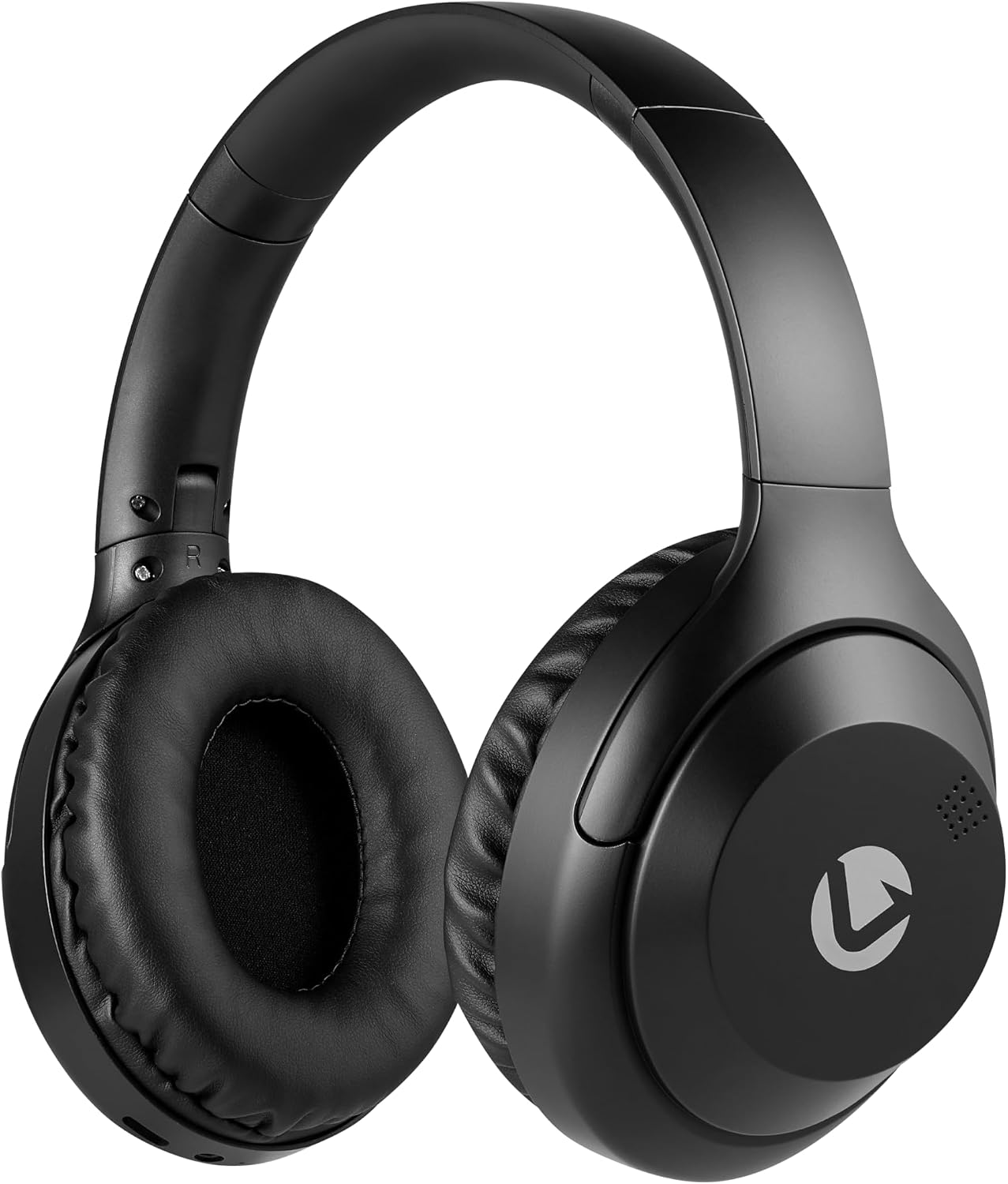
ഫ്രണ്ട് view of the Volkano Cosmic Series Bluetooth Headphones.
പാക്കേജ് ഉള്ളടക്കം
നിങ്ങളുടെ പാക്കേജിൽ എല്ലാ ഇനങ്ങളും ഉണ്ടെന്ന് ഉറപ്പാക്കുക:
- Volkano Cosmic Series Bluetooth Headphones
- യുഎസ്ബി ചാർജിംഗ് കേബിൾ
- 3.5 എംഎം ഓക്സ് കേബിൾ
- ഇൻസ്ട്രക്ഷൻ മാനുവൽ

Image showing the folding headphones and the included USB charging cable and AUX cable.
ഉൽപ്പന്നം കഴിഞ്ഞുview
Familiarize yourself with the various parts and controls of your headphones:

വശം view of the headphones, highlighting the control panel.
- Power / Multi-function Button: Used for powering on/off, play/pause, answering/ending calls.
- വോളിയം കൂട്ടുക / അടുത്ത ട്രാക്ക് ബട്ടൺ: വോളിയം കൂട്ടാൻ ഷോർട്ട് പ്രസ്സ് ചെയ്യുക, അടുത്ത ട്രാക്കിനായി ദീർഘനേരം പ്രസ്സ് ചെയ്യുക.
- ശബ്ദം കുറയ്ക്കുക / മുമ്പത്തെ ട്രാക്ക് ബട്ടൺ: വോളിയം കുറയ്ക്കാൻ ഷോർട്ട് പ്രസ്സ് ചെയ്യുക, മുമ്പത്തെ ട്രാക്കിനായി ദീർഘനേരം അമർത്തുക.
- മോഡ് ബട്ടൺ: Switches between Bluetooth, FM Radio, and Micro SD card modes.
- മൈക്രോ യുഎസ്ബി ചാർജിംഗ് പോർട്ട്: ഹെഡ്ഫോണുകൾ ചാർജ് ചെയ്യുന്നതിനായി.
- 3.5mm AUX ഇൻപുട്ട്: ഓഡിയോ ഉപകരണങ്ങളിലേക്കുള്ള വയർ കണക്ഷന്.
- മൈക്രോ എസ്ഡി കാർഡ് സ്ലോട്ട്: ഒരു മൈക്രോ എസ്ഡി കാർഡിൽ നിന്ന് നേരിട്ട് ഓഡിയോ പ്ലേ ചെയ്യുന്നതിന്.
- മൈക്രോഫോൺ: ഹാൻഡ്സ് ഫ്രീ കോളിംഗിനായി.
- LED സൂചകം: പവർ, ചാർജിംഗ്, ബ്ലൂടൂത്ത് സ്റ്റാറ്റസ് എന്നിവ പ്രദർശിപ്പിക്കുന്നു.

കഴിഞ്ഞുview of key features including Bluetooth, FM Radio, SD Card, Aux Input, and Hands-free calling.
സജ്ജമാക്കുക
ഹെഡ്ഫോണുകൾ ചാർജ് ചെയ്യുന്നു
- Connect the small end of the USB charging cable to the Micro USB port on the headphones.
- Connect the larger end of the USB charging cable to a USB power source (e.g., computer USB port, USB wall adapter).
- ചാർജ് ചെയ്യുമ്പോൾ LED ഇൻഡിക്കേറ്റർ ചുവപ്പ് നിറത്തിൽ പ്രകാശിക്കും.
- Once fully charged, the LED indicator will turn off or change color (refer to specific product behavior if different).
പവർ ഓൺ/ഓഫ്
- പവർ ഓണാക്കാൻ: Press and hold the Power / Multi-function Button for approximately 3 seconds until the LED indicator flashes blue.
- പവർ ഓഫ് ചെയ്യാൻ: Press and hold the Power / Multi-function Button for approximately 3 seconds until the LED indicator turns off.
ബ്ലൂടൂത്ത് ജോടിയാക്കൽ
- ഹെഡ്ഫോണുകൾ ഓഫാണെന്ന് ഉറപ്പാക്കുക.
- Press and hold the Power / Multi-function Button for approximately 5-7 seconds until the LED indicator flashes blue and red alternately. This indicates pairing mode.
- നിങ്ങളുടെ ഓഡിയോ ഉപകരണത്തിൽ (സ്മാർട്ട്ഫോൺ, ടാബ്ലെറ്റ്, കമ്പ്യൂട്ടർ) ബ്ലൂടൂത്ത് പ്രവർത്തനക്ഷമമാക്കുക.
- ഇതിനായി തിരയുക ലഭ്യമായ ബ്ലൂടൂത്ത് ഉപകരണങ്ങൾ.
- Select "Volkano Cosmic" or similar name from the list of devices.
- Once paired, the LED indicator will flash blue slowly.
പ്രവർത്തന നിർദ്ദേശങ്ങൾ
സംഗീത പ്ലേബാക്ക് (ബ്ലൂടൂത്ത് മോഡ്)
- പ്ലേ/താൽക്കാലികമായി നിർത്തുക: Short press the Power / Multi-function Button.
- അടുത്ത ട്രാക്ക്: Long press the Volume Up / Next Track Button.
- മുമ്പത്തെ ട്രാക്ക്: Long press the Volume Down / Previous Track Button.
- വോളിയം കൂട്ടുക: Short press the Volume Up / Next Track Button.
- വോളിയം താഴേക്ക്: Short press the Volume Down / Previous Track Button.
കോൾ പ്രവർത്തനങ്ങൾ
- ഉത്തരം/അവസാന കോൾ: Short press the Power / Multi-function Button.
- കോൾ നിരസിക്കുക: Long press the Power / Multi-function Button.
- അവസാന നമ്പർ വീണ്ടും ഡയൽ ചെയ്യുക: Double-press the Power / Multi-function Button.
എഫ്എം റേഡിയോ മോഡ്
- എഫ്എം റേഡിയോ മോഡിലേക്ക് മാറാൻ മോഡ് ബട്ടൺ അമർത്തുക.
- Long press the Power / Multi-function Button to automatically scan and save available FM stations.
- Short press the Volume Up / Next Track Button or Volume Down / Previous Track Button to switch between saved stations.
AUX മോഡ് (വയർഡ് കണക്ഷൻ)
- Connect one end of the 3.5mm AUX cable to the AUX input port on the headphones.
- Connect the other end of the 3.5mm AUX cable to the audio output jack of your device.
- ഹെഡ്ഫോണുകൾ യാന്ത്രികമായി AUX മോഡിലേക്ക് മാറും.
- Control playback and volume directly from your connected audio device.

Connecting the headphones via the 3.5mm AUX cable for a wired audio experience.
മൈക്രോ എസ്ഡി കാർഡ് മോഡ്
- Insert a Micro SD card (with audio files) into the Micro SD card slot on the headphones.
- Press the Mode Button to switch to Micro SD card mode.
- The headphones will automatically begin playing audio fileകാർഡിൽ നിന്ന്.
- Use the Play/Pause, Next Track, Previous Track, and Volume buttons as in Bluetooth mode.
മെയിൻ്റനൻസ്
വൃത്തിയാക്കൽ
- മൃദുവായതും ഉണങ്ങിയതുമായ തുണി ഉപയോഗിച്ച് ഹെഡ്ഫോണുകൾ തുടയ്ക്കുക.
- അബ്രാസീവ് ക്ലീനറുകൾ, ആൽക്കഹോൾ, കെമിക്കൽ ലായകങ്ങൾ എന്നിവ ഉപയോഗിക്കരുത്.
- Keep the charging port and other openings free from dust and debris.
സംഭരണം
- നേരിട്ടുള്ള സൂര്യപ്രകാശത്തിൽ നിന്നും കടുത്ത താപനിലയിൽ നിന്നും മാറി തണുത്തതും വരണ്ടതുമായ സ്ഥലത്ത് ഹെഡ്ഫോണുകൾ സൂക്ഷിക്കുക.
- When not in use for extended periods, charge the headphones at least once every three months to maintain battery health.
- The folding design allows for compact storage.
ട്രബിൾഷൂട്ടിംഗ്
| പ്രശ്നം | സാധ്യമായ കാരണം | പരിഹാരം |
|---|---|---|
| ഹെഡ്ഫോണുകൾ പവർ ഓൺ ചെയ്യുന്നില്ല. | കുറഞ്ഞ ബാറ്ററി. | ഹെഡ്ഫോണുകൾ പൂർണ്ണമായും ചാർജ് ചെയ്യുക. |
| ബ്ലൂടൂത്ത് വഴി ജോടിയാക്കാൻ കഴിയില്ല. | ഹെഡ്ഫോണുകൾ ജോടിയാക്കൽ മോഡിൽ ഇല്ല; ഉപകരണത്തിൽ ബ്ലൂടൂത്ത് ഓഫാണ്; ഉപകരണം വളരെ അകലെയാണ്. | Ensure headphones are in pairing mode (flashing blue/red). Turn on Bluetooth on your device. Move device closer to headphones (within 10 meters). |
| ശബ്ദമില്ല. | ശബ്ദം വളരെ കുറവാണ്; തെറ്റായ മോഡ്; ഉപകരണം കണക്റ്റുചെയ്തിട്ടില്ല. | Increase headphone and device volume. Ensure correct mode (Bluetooth, AUX, SD). Verify successful Bluetooth connection or AUX cable insertion. |
| എഫ്എം റേഡിയോ റിസപ്ഷൻ മോശമാണ്. | ദുർബലമായ സിഗ്നൽ; പരിസ്ഥിതി ഇടപെടൽ. | ഒരു തുറസ്സായ സ്ഥലത്തേക്ക് മാറുക. സ്റ്റേഷനുകൾക്കായി വീണ്ടും സ്കാൻ ചെയ്യുക. |
സ്പെസിഫിക്കേഷനുകൾ
| ഫീച്ചർ | വിശദാംശങ്ങൾ |
|---|---|
| ബ്രാൻഡ് | വോൾക്കാനോ |
| മോഡൽ നമ്പർ | വി.കെ -2013-ബി.കെ. |
| മോഡലിൻ്റെ പേര് | Cosmic 2.0 Series |
| കണക്റ്റിവിറ്റി ടെക്നോളജി | Wireless (Bluetooth) / Wired (3.5 mm Jack) |
| വയർലെസ് ടെക്നോളജി | ബ്ലൂടൂത്ത് |
| ചെവി പ്ലേസ്മെൻ്റ് | ചെവിക്ക് മുകളിൽ |
| ഫോം ഫാക്ടർ | ചെവിക്ക് മുകളിൽ |
| പ്രതിരോധം | 32 ഓം |
| ഫ്രീക്വൻസി പ്രതികരണം | 20 KHz |
| സംവേദനക്ഷമത | 95 ഡി.ബി |
| ശബ്ദ നിയന്ത്രണം | ഒന്നുമില്ല |
| എൻക്ലോഷർ മെറ്റീരിയൽ | പോളിയുറീൻ (PU) |
| ഉൽപ്പന്നത്തിൻ്റെ പ്രത്യേക ഉപയോഗങ്ങൾ | വിനോദം |
| ഹെഡ്ഫോൺ ഫോൾഡിംഗ് ഫീച്ചറുകൾ | മടക്കാവുന്ന |
| അന്തർനിർമ്മിത മീഡിയ | FM Radio, Micro SD Card Slot |
| നിർമ്മാതാവ് | SMD Technologies LLC |
വാറൻ്റിയും പിന്തുണയും
വാറൻ്റി വിവരങ്ങൾ
Volkano products are backed by a 1 വർഷത്തെ പരിമിത വാറൻ്റി. This warranty reflects our commitment to quality and dependable performance. For additional coverage, you may be eligible to register your product for an extended 12-month warranty, totaling 24 months of coverage.
ഉപഭോക്തൃ പിന്തുണ
Should you have any questions or require assistance with your Volkano Cosmic Series Bluetooth Headphones, please contact Volkano customer support. Your satisfaction is important to us.
For more information or to register your product, please visit the official Volkano page or contact their support channels as indicated on their webസൈറ്റ് അല്ലെങ്കിൽ ഉൽപ്പന്ന പാക്കേജിംഗ്.