
1. ആമുഖം
This manual provides detailed instructions for the installation, operation, and maintenance of your Ernitec WOLF-PX-515IR Turret Camera. This camera is designed for surveillance applications, offering high-resolution video recording, motion detection, night vision, and remote viewing capabilities via a smartphone application.
Please read this manual thoroughly before operating the device to ensure proper use and to prevent damage.
1.1 സുരക്ഷാ വിവരങ്ങൾ
- വൈദ്യുതി വിതരണം: വ്യക്തമാക്കിയ പവർ അഡാപ്റ്റർ മാത്രം ഉപയോഗിക്കുക. തെറ്റായ വോളിയംtage may damage the camera and void the warranty.
- ഇൻസ്റ്റലേഷൻ പരിസ്ഥിതി: Avoid installing the camera in extreme temperatures, high humidity, or dusty environments. Ensure the mounting surface is strong enough to support the camera's weight.
- വൃത്തിയാക്കൽ: വൃത്തിയാക്കുന്നതിന് മുമ്പ് വൈദ്യുതി വിച്ഛേദിക്കുക. മൃദുവായതും ഉണങ്ങിയതുമായ തുണി ഉപയോഗിക്കുക. ശക്തിയേറിയ ഡിറ്റർജന്റുകളോ ഉരച്ചിലുകളുള്ള ക്ലീനറുകളോ ഉപയോഗിക്കരുത്.
- സേവനം: ക്യാമറ സ്വയം വേർപെടുത്താനോ നന്നാക്കാനോ ശ്രമിക്കരുത്. എല്ലാ സേവനങ്ങളും യോഗ്യതയുള്ള ഉദ്യോഗസ്ഥരെ ഏൽപ്പിക്കുക.
- കേബിളുകൾ: Ensure all cables are properly secured and protected from damage.
2. പാക്കേജ് ഉള്ളടക്കം
Verify that all items are present in the package. If any items are missing or damaged, contact your supplier.
- Ernitec WOLF-PX-515IR Turret Camera
- മ Template ണ്ടിംഗ് ടെംപ്ലേറ്റ്
- മൗണ്ടിംഗ് സ്ക്രൂകളും വാൾ പ്ലഗുകളും
- ദ്രുത ആരംഭ ഗൈഡ്
- Waterproof Connector Kit (for outdoor installations)
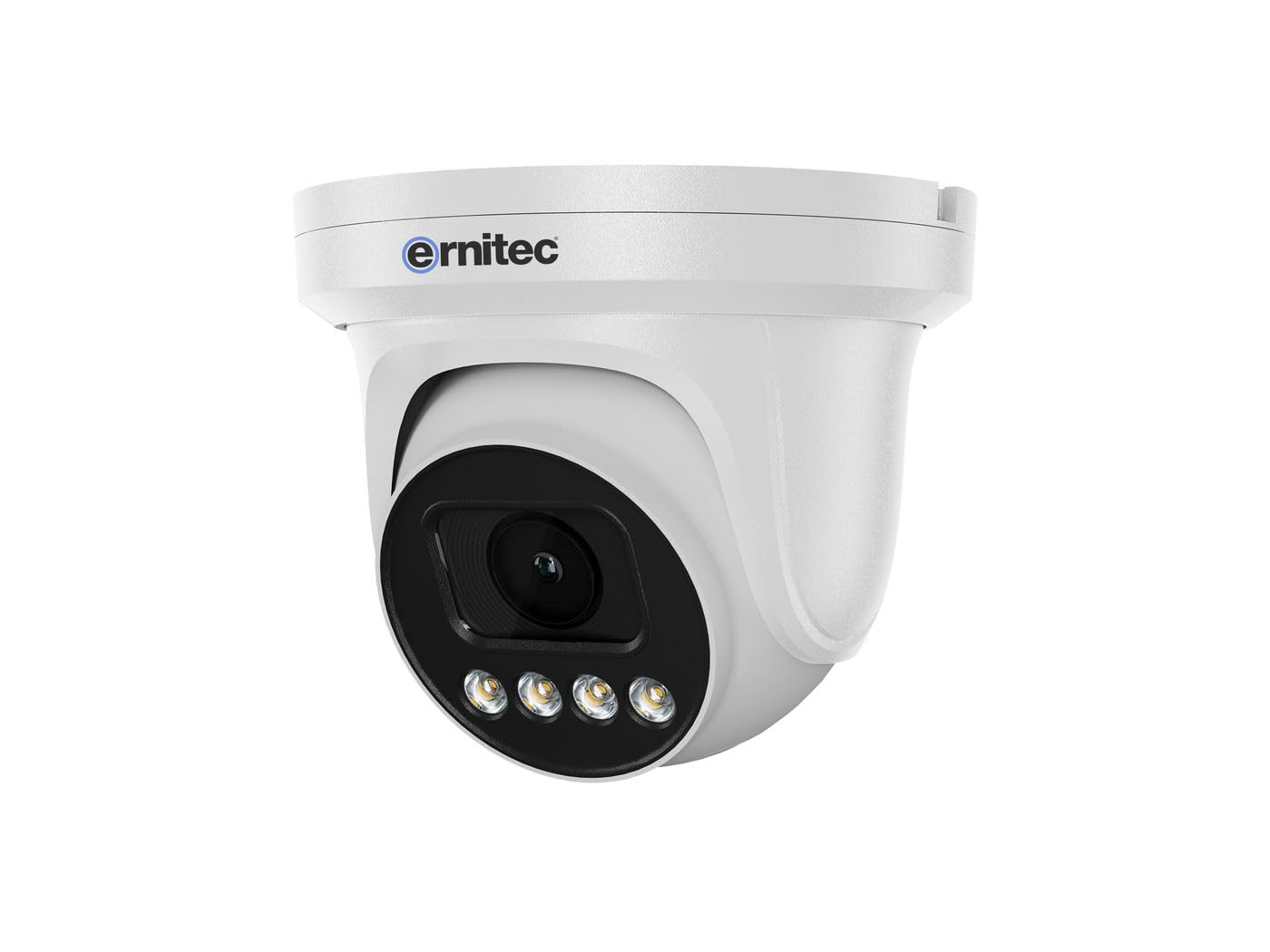
Image 2.1: Ernitec WOLF-PX-515IR Turret Camera with typical accessories.
3. സജ്ജീകരണം
3.1 ഫിസിക്കൽ ഇൻസ്റ്റലേഷൻ
- ലൊക്കേഷൻ തിരഞ്ഞെടുക്കുക: Choose a suitable location for the camera, ensuring it provides the desired field of view കൂടാതെ വൈദ്യുതി, നെറ്റ്വർക്ക് കണക്ഷനുകളുടെ പരിധിയിലാണ്.
- മൗണ്ടിംഗ്:
- Use the provided mounting template to mark drill holes on the wall or ceiling.
- ആവശ്യമെങ്കിൽ ദ്വാരങ്ങൾ തുരന്ന് വാൾ പ്ലഗുകൾ ഇടുക.
- നൽകിയിരിക്കുന്ന സ്ക്രൂകൾ ഉപയോഗിച്ച് ക്യാമറ ബേസ് മൗണ്ടിംഗ് പ്രതലത്തിൽ ഉറപ്പിക്കുക.
- ആംഗിൾ ക്രമീകരിക്കുക: Loosen the adjustment screws on the camera body to set the desired viewing angle. Tighten the screws once the position is finalized.
3.2 വയറിംഗ്
Connect the necessary cables to the camera's ports:
- പവർ കേബിൾ: Connect the power adapter to the camera's power input port. Ensure the power source matches the camera's requirements (e.g., 12V DC).
- Network Cable (Ethernet): Connect an Ethernet cable from the camera's RJ45 port to your network router or PoE switch. If using Power over Ethernet (PoE), a separate power adapter is not required.
3.3 നെറ്റ്വർക്ക് കോൺഫിഗറേഷൻ
After physical installation and wiring, configure the camera for network access:
- പ്രാരംഭ കണക്ഷൻ: ക്യാമറയുടെ അതേ നെറ്റ്വർക്കിലേക്ക് നിങ്ങളുടെ കമ്പ്യൂട്ടറിനെ ബന്ധിപ്പിക്കുക.
- IP വിലാസം: The camera typically obtains an IP address automatically via DHCP. Use the Ernitec IP Search Tool (available on the Ernitec website) to discover the camera's IP address on your network.
- പ്രവേശനം Web ഇൻ്റർഫേസ്: എ തുറക്കുക web browser and enter the camera's IP address. Log in using the default username and password (refer to the Quick Start Guide for default credentials).
- പാസ്വേഡ് മാറ്റുക: സുരക്ഷയ്ക്കായി, ആദ്യ ലോഗിൻ ചെയ്യുമ്പോൾ തന്നെ ഡിഫോൾട്ട് പാസ്വേഡ് മാറ്റുക.
- നെറ്റ്വർക്ക് ക്രമീകരണങ്ങൾ: Configure network settings as needed, such as assigning a static IP address or adjusting port forwarding for remote access.
4. ക്യാമറ പ്രവർത്തിപ്പിക്കുക
4.1 അടിസ്ഥാന പ്രവർത്തനങ്ങൾ
- തത്സമയം View: ക്യാമറകൾ ആക്സസ് ചെയ്യുക web interface or dedicated software to view തത്സമയ വീഡിയോ ഫീഡ്.
- റെക്കോർഡിംഗ്:
- തുടർച്ചയായ റെക്കോർഡിംഗ്: Configure the camera to record continuously to a Network Video Recorder (NVR) or local storage (if supported).
- മോഷൻ ഡിറ്റക്ഷൻ റെക്കോർഡിംഗ്: Set up motion detection zones and sensitivity. The camera will record when motion is detected.
- ഷെഡ്യൂൾഡ് റെക്കോർഡിംഗ്: Define specific time periods for recording.
- രാത്രി കാഴ്ച: The camera automatically switches to infrared (IR) night vision in low-light conditions. Ensure the IR illuminators are not obstructed.
4.2 വിദൂര Viewing via Smartphone Application
- അപ്ലിക്കേഷൻ ഡൗൺലോഡുചെയ്യുക: Download the official Ernitec surveillance application from your smartphone's app store.
- അക്കൗണ്ട് രജിസ്റ്റർ ചെയ്യുക: ഒരു അക്കൗണ്ട് സൃഷ്ടിച്ച് ലോഗിൻ ചെയ്യുക.
- ഉപകരണം ചേർക്കുക: Follow the in-app instructions to add your WOLF-PX-515IR camera. This typically involves scanning a QR code on the camera or manually entering its serial number/IP address.
- തത്സമയം View പ്ലേബാക്കും: ചേർത്തുകഴിഞ്ഞാൽ, നിങ്ങൾക്ക് കഴിയും view തത്സമയംtage, access recorded videos, and receive motion detection alerts directly on your smartphone.
5. പരിപാലനം
5.1 വൃത്തിയാക്കൽ
- വ്യക്തമായ ചിത്രത്തിൻ്റെ ഗുണനിലവാരം ഉറപ്പാക്കാൻ ക്യാമറ ലെൻസും ഹൗസിംഗും പതിവായി വൃത്തിയാക്കുക.
- Use a soft, lint-free cloth. For stubborn dirt, slightly dampവെള്ളം കൊണ്ട് തുണി.
- Do not use harsh chemicals, solvents, or abrasive materials, as these can damage the lens coating or camera finish.
5.2 ഫേംവെയർ അപ്ഡേറ്റുകൾ
Periodically check the Ernitec official website for firmware updates. Firmware updates can improve performance, add new features, and enhance security. Follow the instructions provided with the firmware update package carefully.
6. പ്രശ്നപരിഹാരം
| പ്രശ്നം | സാധ്യമായ കാരണം | പരിഹാരം |
|---|---|---|
| ശക്തിയില്ല | Power adapter disconnected or faulty; no PoE. | Check power connections. Ensure PoE switch is active if using PoE. Test power adapter. |
| വീഡിയോ ഫീഡ് ഇല്ല | Network connection issue; incorrect IP address; camera offline. | Verify network cable connection. Check camera's IP address. Ensure camera is powered on and connected to the network. Restart camera and router. |
| മോശം ചിത്ര നിലവാരം | ലെൻസ് വൃത്തികേടാണ്; കുറഞ്ഞ വെളിച്ചം; തെറ്റായ ക്രമീകരണങ്ങൾ. | Clean the camera lens. Adjust camera settings (e.g., exposure, brightness). Ensure adequate lighting or proper night vision activation. |
| വിദൂരമായി ആക്സസ് ചെയ്യാൻ കഴിയില്ല | Network configuration issues (e.g., port forwarding); app not configured correctly. | Check router settings for port forwarding. Ensure the camera is connected to the internet. Reconfigure the smartphone application. |
7 സ്പെസിഫിക്കേഷനുകൾ
| ഫീച്ചർ | വിശദാംശങ്ങൾ |
|---|---|
| മോഡൽ നമ്പർ | 0070-08113 |
| ബ്രാൻഡ് | എർണിടെക് |
| വൈദ്യുതി ഉപഭോഗം | 10 വാട്ട്സ് |
| ചാനലുകൾ | 1 |
| പ്രധാന സവിശേഷതകൾ | High-resolution video, motion detection, night vision, remote viewസ്മാർട്ട്ഫോൺ ആപ്പ് വഴിയാണ് രജിസ്റ്റർ ചെയ്യുന്നത്. |
| ASIN | B0CKJ4KDNX |
| നിർമ്മാതാവ് | എർണിടെക് |
8. വാറൻ്റിയും പിന്തുണയും
For warranty information, please refer to the warranty card included with your product or visit the official Ernitec website. Technical support is available through the Ernitec customer service channels, which can typically be found on their webസൈറ്റ്.
Note: Information regarding spare parts availability and software updates is not available at the time of this manual's publication. Please check the manufacturer's webഏറ്റവും പുതിയ വിവരങ്ങൾക്കായി സൈറ്റ്.