
ആമുഖം
This manual provides comprehensive instructions for the Scanmarker Pro, a portable reading and translation pen. It is designed to assist with reading comprehension, language learning, and text translation for various users, including those with dyslexia. Please read this manual thoroughly to ensure proper use and to maximize the device's capabilities.
ഉൽപ്പന്നം കഴിഞ്ഞുview
The Scanmarker Pro is a versatile device that scans printed text and offers various functions:
- Reading Aid: Scans and reads printed text aloud, word by word, with on-screen display.
- Language Translator: Translates scanned text into over 100 languages online, with offline translation available for select languages.
- Wireless Scanner with Dictionary: Integrates a dictionary and word translation features to enhance vocabulary and comprehension.
- Reading Ruler Function: Guides text scanning and helps maintain focus line by line.
- പോർട്ടബിൾ ഡിസൈൻ: Lightweight and compact for easy transport and discreet listening with headphones.
ഉപകരണ ഘടകങ്ങൾ
The Scanmarker Pro includes the main scanning pen, a charging cable, and a user manual. The device features a touchscreen display, scanning tip, power button, and connectivity options.

Image: The Scanmarker Pro device, a black pen-shaped scanner with a screen displaying various function icons like Translate, Dictionary, Read, and Export.
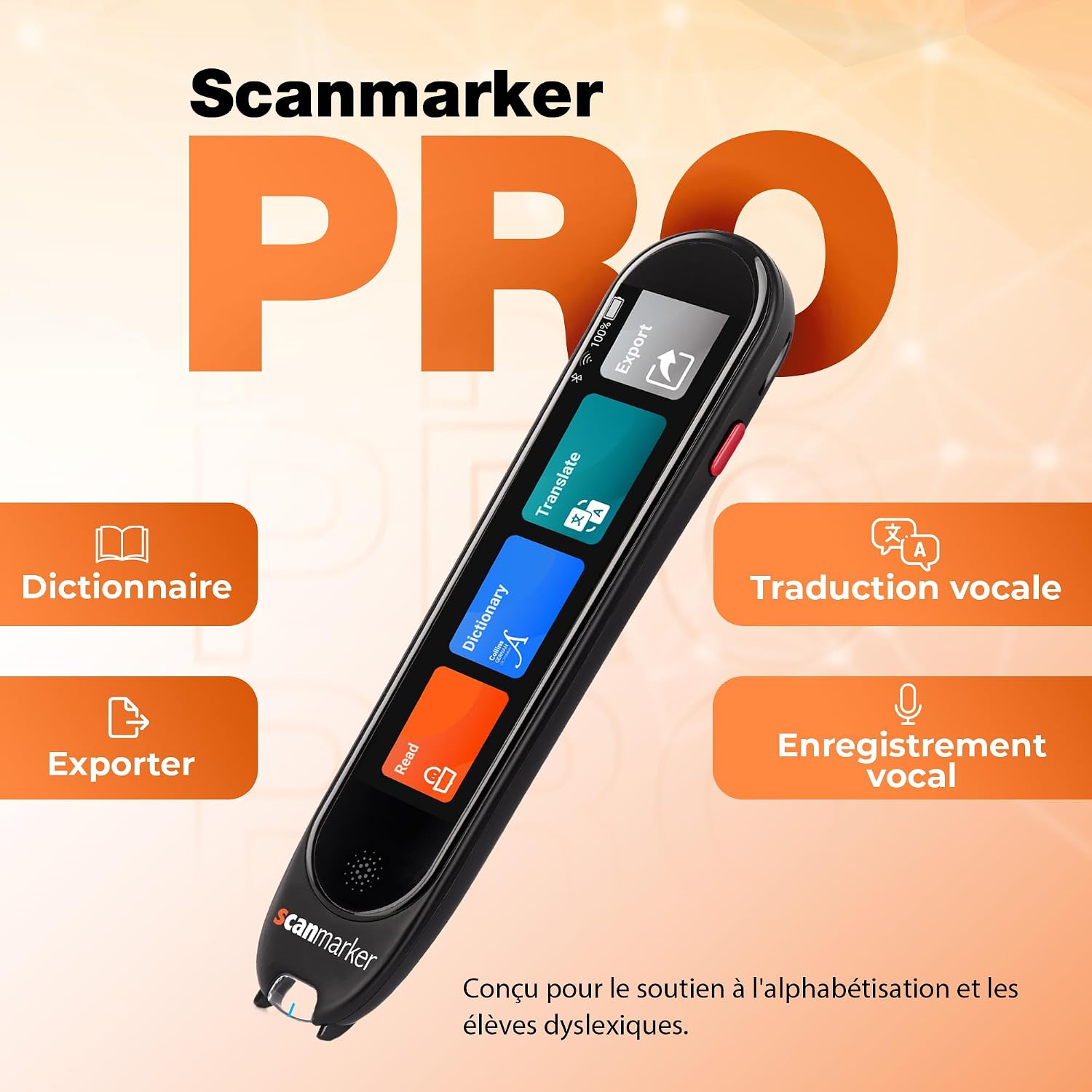
Image: A close-up of the Scanmarker Pro's screen interface, highlighting icons for Dictionary, Export, Voice Translation, and Translate functions. The text "PRO" is prominently displayed.
സജ്ജീകരണ ഗൈഡ്
- ഉപകരണം ചാർജ് ചെയ്യുന്നു: Before first use, fully charge the Scanmarker Pro using the provided USB-C cable. Connect the cable to the device's charging port and a compatible USB power adapter. The screen will indicate charging status.
- പവർ ഓൺ/ഓഫ്: Press and hold the power button (usually located on the side) for a few seconds to turn the device on or off.
- Initial Language Selection: Upon first startup, you will be prompted to select your preferred interface language.
- നെറ്റ്വർക്ക് കണക്ഷൻ: To access online translation and updates, connect the device to a Wi-Fi network. Navigate to Settings > Wi-Fi and select your network.
- ബ്ലൂടൂത്ത് ജോടിയാക്കൽ: For discreet audio, pair Bluetooth headphones. Go to Settings > Bluetooth, enable Bluetooth, and select your headphones from the list of available devices.

Image: A child wearing headphones and writing, with an overlay showing the Scanmarker Pro and a Bluetooth symbol, illustrating wireless connectivity for private listening.
പ്രവർത്തന നിർദ്ദേശങ്ങൾ
1. Scanning Text
Hold the Scanmarker Pro like a pen. Place the scanning tip gently at the beginning of the text line you wish to scan. Glide the pen smoothly and steadily across the text. Ensure the entire line is covered. The scanned text will appear on the device's screen.

Image: A hand holding the Scanmarker Pro, scanning a line of text in a book. The device's screen shows the scanned text and options for original or translated view.
2. Reading Aloud
After scanning, the device can read the text aloud. Tap the 'Read' icon on the screen. You can adjust the reading speed and voice type in the settings menu. This feature is particularly useful for improving reading comprehension and for individuals with reading difficulties.
3. Translation Function
To translate scanned text, select the 'Translate' option after scanning. Choose your desired target language. The device supports over 100 languages online. For offline translation, ensure the language packs are downloaded in advance via the settings.

Image: An illustration showing the Scanmarker Pro translating phrases between German, Spanish, French, Italian, and English, demonstrating its multi-language translation capability.
4. Dictionary Lookup
When a word is scanned, you can tap on it to access its definition through the integrated dictionary. This feature helps in vocabulary expansion and understanding unfamiliar terms.

Image: The Scanmarker Pro scanning text on a document, with icons indicating dictionary lookup, listening to definitions, and vocabulary development.
5. Exporting Text
Scanned text can be exported to other devices or applications. Select the 'Export' option on the screen and follow the prompts to transfer your text via Bluetooth or Wi-Fi, depending on the available options.
6. ക്രമീകരണങ്ങൾ ക്രമീകരിക്കുന്നു
Access the 'Settings' menu to customize your Scanmarker Pro experience. Here you can adjust:
- വായനാ വേഗത: Increase or decrease the speed of text-to-speech.
- തെളിച്ചം: സ്ക്രീൻ തെളിച്ചം ഒപ്റ്റിമൽ ആയി ക്രമീകരിക്കുക viewing.
- ഭാഷ: Change interface language, download offline translation packs, and set default translation languages.
- കണക്റ്റിവിറ്റി: Manage Wi-Fi and Bluetooth connections.
മെയിൻ്റനൻസ്
- വൃത്തിയാക്കൽ: Use a soft, dry cloth to clean the device's exterior. For the scanning tip, gently wipe with a microfiber cloth. Avoid using liquid cleaners directly on the scanning lens or screen.
- ബാറ്ററി കെയർ: ബാറ്ററി ലൈഫ് വർദ്ധിപ്പിക്കാൻ, ഉപകരണം ഇടയ്ക്കിടെ പൂർണ്ണമായും ഡിസ്ചാർജ് ചെയ്യുന്നത് ഒഴിവാക്കുക. പതിവായി ചാർജ് ചെയ്യുക, ദീർഘനേരം ഉപയോഗിക്കാത്തപ്പോൾ തണുത്തതും വരണ്ടതുമായ സ്ഥലത്ത് സൂക്ഷിക്കുക.
- സോഫ്റ്റ്വെയർ അപ്ഡേറ്റുകൾ: Periodically check for software updates via the device's settings menu. Updates can improve performance, add new features, and fix bugs.
- സംഭരണം: Store the Scanmarker Pro in its protective casing or a safe place to prevent damage to the scanning tip and screen.
ട്രബിൾഷൂട്ടിംഗ്
| പ്രശ്നം | സാധ്യമായ കാരണം | പരിഹാരം |
|---|---|---|
| ഉപകരണം ഓണാക്കില്ല. | ബാറ്ററി കുറവാണ്; ഉപകരണം ഫ്രീസുചെയ്തു. | Charge the device for at least 30 minutes. If still unresponsive, perform a soft reset by holding the power button for 10-15 seconds. |
| Scanning is inaccurate or fails. | Incorrect scanning technique; dirty scanning tip; poor lighting; text too small/large or unusual font. | Ensure a smooth, steady scan. Clean the scanning tip. Scan in well-lit conditions. Try different text sizes or fonts. |
| Translation not working or incorrect. | No internet connection (for online translation); incorrect language selected; offline language pack not downloaded. | Verify Wi-Fi connection. Check selected source and target languages. Download necessary offline language packs. |
| Audio is unclear or not playing. | Volume too low; headphones not connected properly; device speaker issue. | Adjust volume. Re-pair Bluetooth headphones or check wired connection. Test with internal speaker. |
| ബാറ്ററി പെട്ടെന്ന് തീരുന്നു. | High screen brightness; continuous Wi-Fi/Bluetooth usage; background processes. | Reduce screen brightness. Turn off Wi-Fi/Bluetooth when not in use. Close unnecessary applications. Ensure device is fully charged before use. |
സ്പെസിഫിക്കേഷനുകൾ
- മോഡലിൻ്റെ പേര്: Scanmarker Pro
- ബ്രാൻഡ്: സ്കാൻമാർക്കർ
- സ്കാനർ തരം: വാചകം
- കണക്റ്റിവിറ്റി ടെക്നോളജി: ബ്ലൂടൂത്ത്
- റെസലൂഷൻ: 1200 ഡിപിഐ
- വർണ്ണ ആഴം: 8 ബിപിപി
- ഒപ്റ്റിക്കൽ സെൻസർ ടെക്നോളജി: സിസിഡി
- പരമാവധി മീഡിയ വലുപ്പം: 8.5 x 14 ഇഞ്ച്
- ഇനങ്ങളുടെ എണ്ണം: 1
- മീഡിയ തരം: പേപ്പർ
- പ്രകാശ സ്രോതസ്സ് തരം: എൽഇഡി
- UPC: 850044444045
- ASIN: B0CKRMQPN5
- മാതൃരാജ്യം: ചൈന
വാറൻ്റിയും പിന്തുണയും
വാറൻ്റി: The Scanmarker Pro comes with a 2-year manufacturer's warranty from the date of purchase. This warranty covers defects in materials and workmanship under normal use. Please retain your proof of purchase for warranty claims.
ഉപഭോക്തൃ പിന്തുണ: For technical assistance, troubleshooting not covered in this manual, or warranty inquiries, please contact Scanmarker customer support. Refer to the official Scanmarker webഏറ്റവും കാലികമായ കോൺടാക്റ്റ് വിവരങ്ങൾക്കും പിന്തുണാ ഉറവിടങ്ങൾക്കുമുള്ള സൈറ്റ്.
ഓൺലൈൻ ഉറവിടങ്ങൾ: സന്ദർശിക്കുക www.scanmarker.com for FAQs, software downloads, and additional user guides.


