
1. ആമുഖം
This manual provides detailed instructions for the MEETION MT-M915 USB Gaming Mouse with Backlight. Please read this guide thoroughly before using the product to ensure correct installation, optimal performance, and to understand its features. This mouse is designed for gaming and general computer use, offering reliable performance and a comfortable design.
2. പാക്കേജ് ഉള്ളടക്കം
- MEETION MT-M915 USB Gaming Mouse
- നിർദ്ദേശ മാനുവൽ (ഈ പ്രമാണം)
3. സിസ്റ്റം ആവശ്യകതകൾ
- Operating System: Windows XP, Linux
- Compatible Devices: Personal Computer, Laptop
- USB പോർട്ട് ലഭ്യമാണ്
4. സജ്ജീകരണം
4.1 മൗസ് ബന്ധിപ്പിക്കൽ
- നിങ്ങളുടെ കമ്പ്യൂട്ടറിലോ ലാപ്ടോപ്പിലോ ലഭ്യമായ USB പോർട്ട് കണ്ടെത്തുക.
- Plug the USB connector of the MEETION MT-M915 mouse into the USB port.
- The operating system will automatically detect and install the necessary drivers. This is a plug-and-play device, so no additional software installation is typically required.
- The mouse backlight will illuminate upon successful connection.
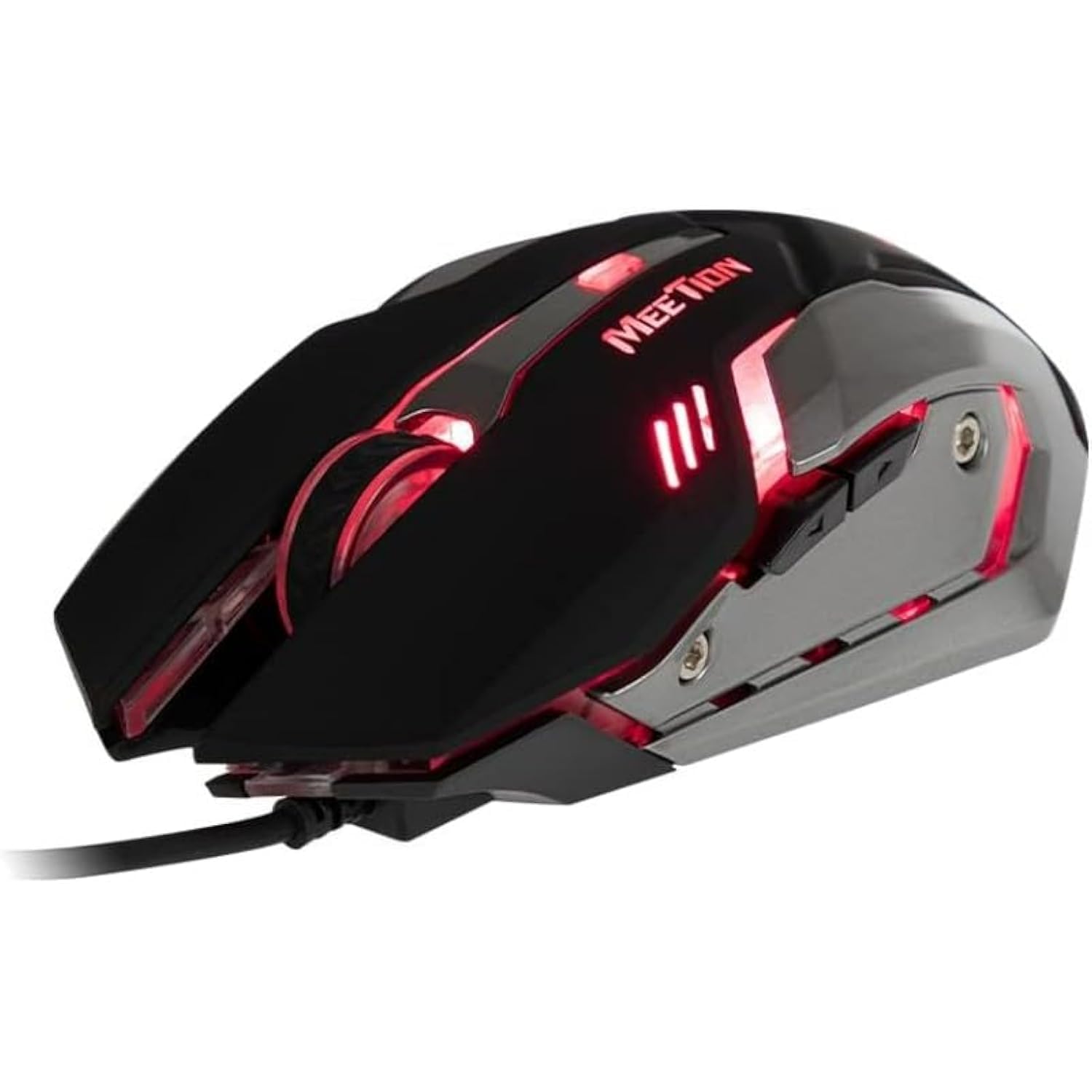
ചിത്രം 1: വശം view of the MEETION MT-M915 mouse with red backlight.
5. മൗസ് പ്രവർത്തിപ്പിക്കൽ
5.1 അടിസ്ഥാന പ്രവർത്തനങ്ങൾ
- ഇടത് ക്ലിക്ക്: Primary action button, typically used for selecting items, opening files, or interacting with software.
- വലത് ക്ലിക്കിൽ: Secondary action button, typically used for opening context menus or accessing additional options.
- സ്ക്രോൾ വീൽ: പ്രമാണങ്ങളിലൂടെ സ്ക്രോൾ ചെയ്യാൻ ഉപയോഗിക്കുന്നു കൂടാതെ web പേജുകൾ. ഇത് ഒരു മിഡിൽ ക്ലിക്ക് ബട്ടണായും പ്രവർത്തിക്കും.
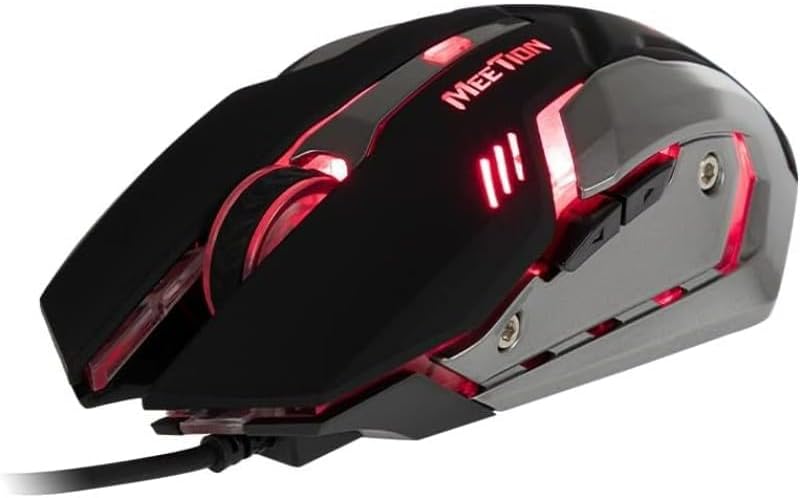
ചിത്രം 2: മുകളിൽ നിന്ന് താഴേക്ക് view of the MEETION MT-M915 mouse, showing button layout.
5.2 ബാക്ക്ലൈറ്റ് പ്രവർത്തനം
The MEETION MT-M915 mouse features an integrated backlight. The backlight activates automatically when the mouse is connected to a powered USB port. The color of the backlight may vary or cycle through different colors, as shown in Figure 3.

ചിത്രം 3: വശം view of the MEETION MT-M915 mouse with purple backlight.
5.3 ആംബിഡെക്സ്ട്രസ് ഡിസൈൻ
The mouse is designed for ambidextrous use, meaning it can be comfortably used by both left-handed and right-handed individuals.
6. പരിപാലനം
6.1 വൃത്തിയാക്കൽ
- വൃത്തിയാക്കുന്നതിനുമുമ്പ് നിങ്ങളുടെ കമ്പ്യൂട്ടറിൽ നിന്ന് മൗസ് വിച്ഛേദിക്കുക.
- മൗസിന്റെ ഉപരിതലം തുടയ്ക്കാൻ മൃദുവായതും ഉണങ്ങിയതുമായ ഒരു തുണി ഉപയോഗിക്കുക.
- കഠിനമായ അഴുക്കിന്, ചെറുതായി dampതുണിയിൽ വെള്ളം അല്ലെങ്കിൽ നേരിയ ക്ലീനിംഗ് ലായനി ഉപയോഗിക്കുക. കഠിനമായ രാസവസ്തുക്കൾ ഒഴിവാക്കുക.
- മൗസിനുള്ളിൽ ദ്രാവകങ്ങൾ പ്രവേശിക്കാൻ അനുവദിക്കരുത് casing.
6.2 സംഭരണം
ദീർഘനേരം ഉപയോഗിക്കാത്തപ്പോൾ നേരിട്ടുള്ള സൂര്യപ്രകാശത്തിൽ നിന്നും കടുത്ത താപനിലയിൽ നിന്നും അകന്ന് തണുത്തതും വരണ്ടതുമായ സ്ഥലത്ത് മൗസ് സൂക്ഷിക്കുക.
7. പ്രശ്നപരിഹാരം
7.1 മൗസ് പ്രതികരിക്കുന്നില്ല
- നിങ്ങളുടെ കമ്പ്യൂട്ടറിലെ പ്രവർത്തിക്കുന്ന ഒരു USB പോർട്ടിലേക്ക് USB കേബിൾ സുരക്ഷിതമായി പ്ലഗ് ചെയ്തിട്ടുണ്ടെന്ന് ഉറപ്പാക്കുക.
- മൗസ് മറ്റൊരു യുഎസ്ബി പോർട്ടിലേക്ക് പ്ലഗ് ചെയ്യാൻ ശ്രമിക്കുക.
- നിങ്ങളുടെ കമ്പ്യൂട്ടർ പുനരാരംഭിക്കുക.
- Test the mouse on another computer to determine if the issue is with the mouse or your computer's USB ports.
7.2 ബാക്ക്ലൈറ്റ് പ്രവർത്തിക്കുന്നില്ല
- Verify the mouse is properly connected to a powered USB port.
- If the mouse functions but the backlight does not, there might be an internal issue. Contact customer support if the mouse is still under warranty.
7.3 ക്രമരഹിതമായ കഴ്സർ ചലനം
- Ensure the optical sensor on the bottom of the mouse is clean and free from dust or debris.
- Use the mouse on a clean, uniform surface. Avoid highly reflective or transparent surfaces.
- നിങ്ങളുടെ കമ്പ്യൂട്ടർ പുനരാരംഭിക്കാൻ ശ്രമിക്കുക.
8 സ്പെസിഫിക്കേഷനുകൾ
| ഫീച്ചർ | വിശദാംശങ്ങൾ |
|---|---|
| ബ്രാൻഡ് | മീറ്റിംഗ് |
| മോഡലിൻ്റെ പേര് | MT-M915 |
| നിർമ്മാതാവിന്റെ മോഡൽ നമ്പർ | CE ELECTRON-559 |
| കണക്റ്റിവിറ്റി ടെക്നോളജി | USB |
| മോഷൻ ഡിറ്റക്ഷൻ ടെക്നോളജി | ഒപ്റ്റിക്കൽ |
| കൈ ഓറിയൻ്റേഷൻ | ഉഭയകക്ഷി |
| പ്രത്യേക സവിശേഷതകൾ | ഭാരം കുറഞ്ഞ |
| ഉൽപ്പന്നത്തിനുള്ള ശുപാർശിത ഉപയോഗങ്ങൾ | ഗെയിമിംഗ് |
| അനുയോജ്യമായ ഉപകരണങ്ങൾ | പേഴ്സണൽ കമ്പ്യൂട്ടർ, ലാപ്ടോപ്പ് |
| ഓപ്പറേറ്റിംഗ് സിസ്റ്റം | Linux, Windows XP |
| ഇനത്തിൻ്റെ ഭാരം | 50 ഗ്രാം |
| പാക്കേജ് അളവുകൾ | 20.7 x 14.3 x 6.1 സെ.മീ |
| ബാറ്ററികൾ ഉൾപ്പെടുത്തിയിട്ടുണ്ട് | ഇല്ല |
9. വാറൻ്റിയും പിന്തുണയും
9.1 വാറൻ്റി വിവരങ്ങൾ
This product is covered by a standard manufacturer's warranty. Please refer to the warranty card included with your purchase or contact your retailer for specific warranty terms and conditions.
9.2 ഉപഭോക്തൃ പിന്തുണ
For technical assistance, troubleshooting, or warranty claims, please contact the retailer where you purchased the product or visit the official MEETION webപിന്തുണാ ഉറവിടങ്ങൾക്കായുള്ള സൈറ്റ്.