
1. ആമുഖം
Thank you for choosing the PROHEAR 033A Hearing Protection Earmuffs. This device is designed to protect your hearing from harmful noise levels while allowing you to listen to DAB+/FM radio or stream audio via Bluetooth. Please read this manual thoroughly before use to ensure proper operation and maintenance.
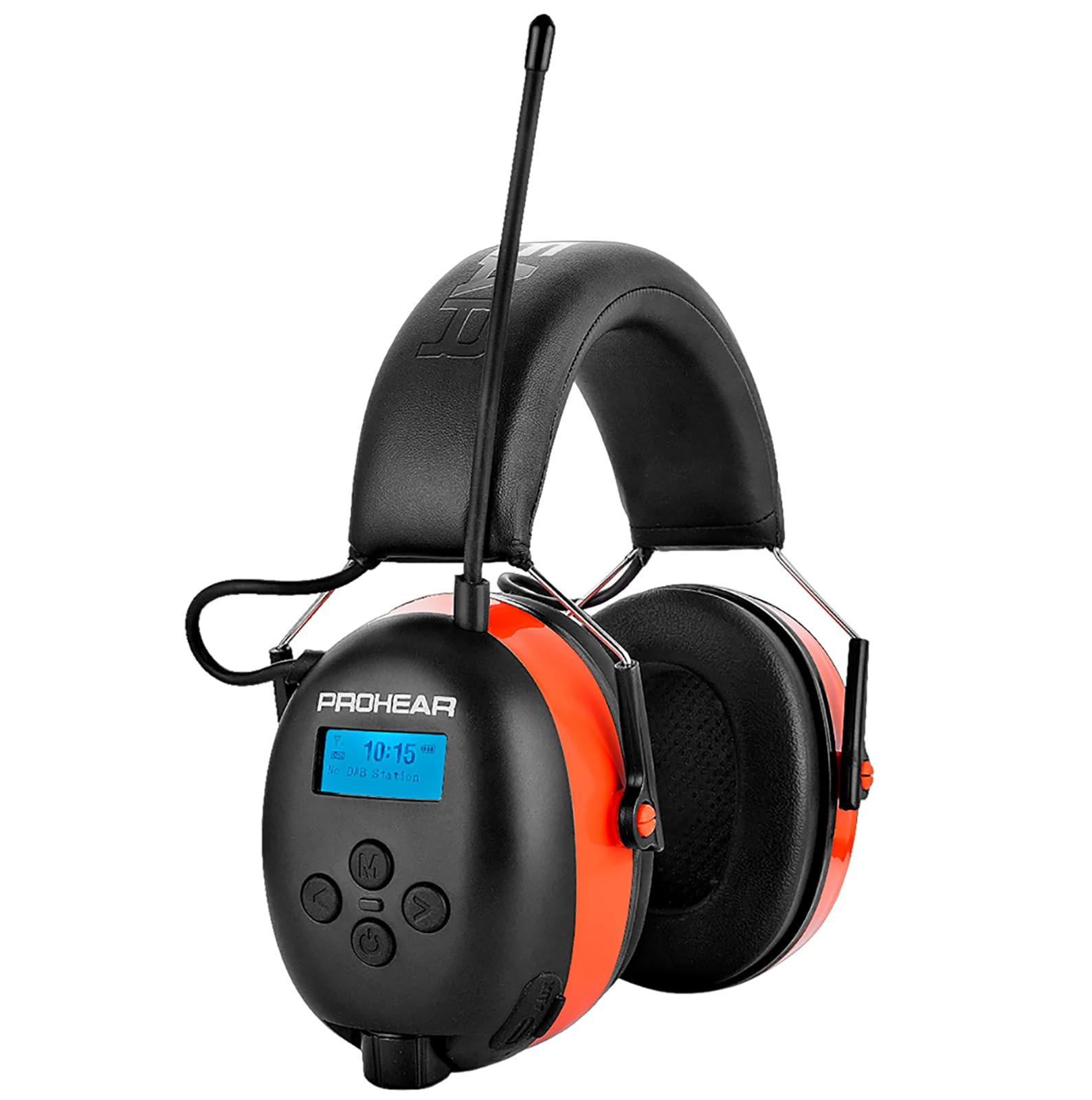
Image: PROHEAR 033A earmuffs in an outdoor setting, demonstrating their use for hearing protection during activities like mowing. Key features such as SNR 31dB, DAB+/FM Radio, and Bluetooth 5.3 are highlighted.
2 സുരക്ഷാ വിവരങ്ങൾ
- Always wear the earmuffs correctly to ensure maximum hearing protection.
- Do not modify the device. Unauthorized modifications may compromise safety and void the warranty.
- ഉപകരണത്തെ തീവ്രമായ താപനില, നേരിട്ടുള്ള സൂര്യപ്രകാശം, ഈർപ്പം എന്നിവയിൽ നിന്ന് അകറ്റി നിർത്തുക.
- Clean the earmuffs with a soft, damp തുണി. ഉരച്ചിലുകളുള്ള ക്ലീനറുകളോ ലായകങ്ങളോ ഉപയോഗിക്കരുത്.
- Ensure the earmuffs are fully charged before extended use to maintain functionality.

Image: This graphic explains how long different noise levels can be tolerated before hearing damage occurs, emphasizing the importance of hearing protection. It shows the NRR 25dB and SNR 31dB ratings of the earmuffs and lists various noisy activities such as snow blowing, workshop tasks, woodworking, mowing, construction, and wood cutting, indicating the decibel levels associated with them.
3. പാക്കേജ് ഉള്ളടക്കം
പാക്കേജിൽ എല്ലാ ഇനങ്ങളും ഉണ്ടെന്ന് ഉറപ്പാക്കുക:
- 1 x PROHEAR 033A Hearing Protection Earmuffs
- 1 x Black Leather Case
- 1 x യുഎസ്ബി-സി ചാർജിംഗ് കേബിൾ
- 1 x 3.5mm ഓഡിയോ കേബിൾ
- 1 x ഉപയോക്തൃ മാനുവൽ

Image: An illustration of all items included in the PROHEAR 033A product package: the hearing protection earmuffs with radio, a black leather carrying case, the product's retail box, a 3.5mm audio cable, the instruction manual, and a USB-C charging cable.
4. ഉൽപ്പന്നം കഴിഞ്ഞുview
The PROHEAR 033A earmuffs feature an ergonomic design for comfort and ease of use. Key components include:
- ക്രമീകരിക്കാവുന്ന ഹെഡ്ബാൻഡ്: For a secure and comfortable fit.
- Padded Ear Cups: Provide noise reduction and comfort.
- LCD ഡിസ്പ്ലേ: Shows radio frequency, battery status, and Bluetooth connection.
- നിയന്ത്രണ ബട്ടണുകൾ: Power, volume, mode selection, and tuning.
- DAB+/FM Antenna: For radio reception.
- USB-C ചാർജിംഗ് പോർട്ട്: ആന്തരിക ബാറ്ററി റീചാർജ് ചെയ്യുന്നതിന്.
- 3.5mm AUX ഇൻപുട്ട്: ബാഹ്യ ഓഡിയോ ഉപകരണങ്ങൾ ബന്ധിപ്പിക്കുന്നതിന്.
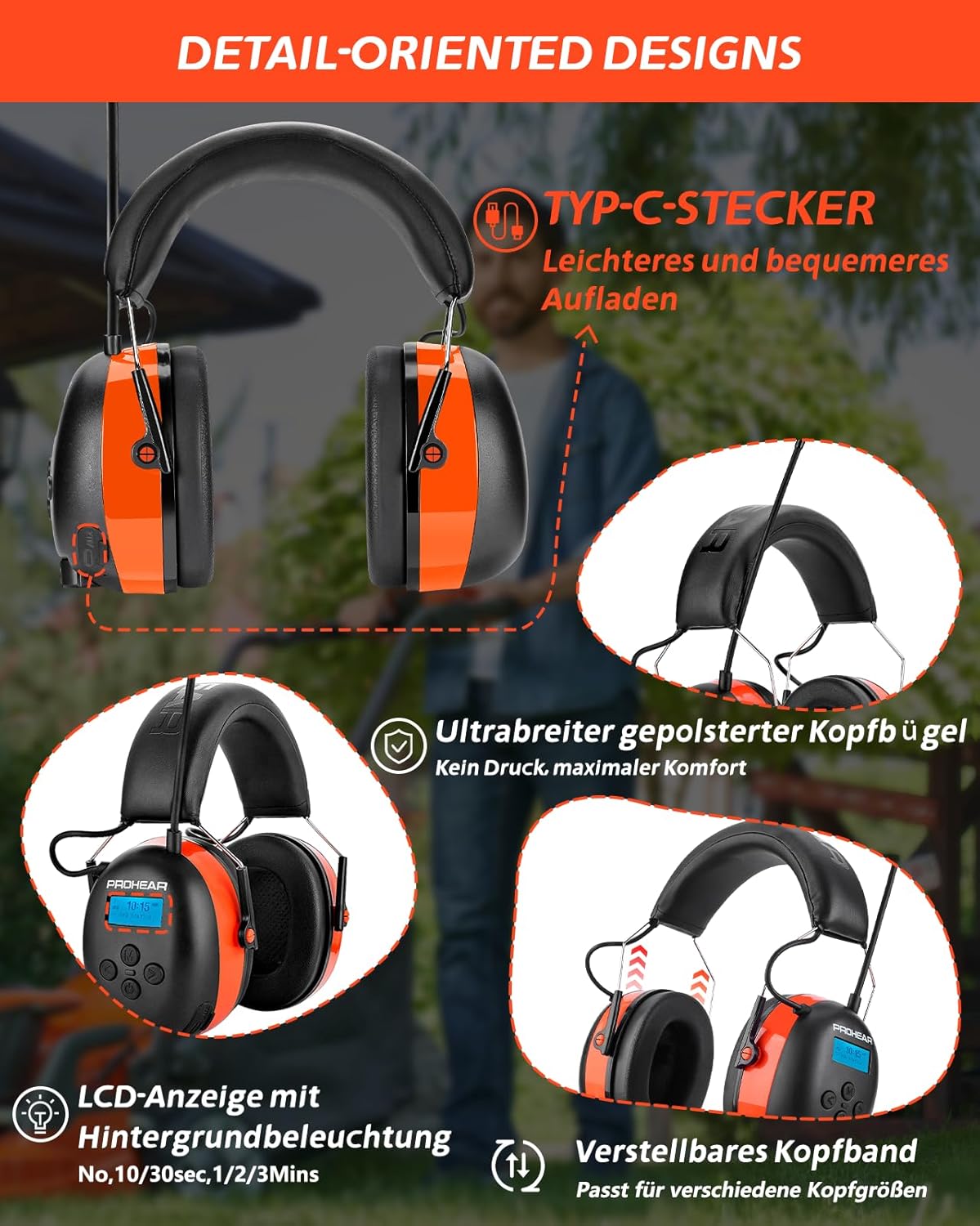
Image: This image details the design features of the PROHEAR 033A earmuffs, including the USB-C charging port for easier charging, the ultra-wide padded headband for maximum comfort without pressure, the LCD display with backlight (showing options for 10/30 seconds, 1/2/3 minutes), and the adjustable headband designed to fit various head sizes.
5. സജ്ജീകരണം
5.1 ബാറ്ററി ചാർജ് ചെയ്യുന്നു
- Locate the USB-C charging port on the earmuffs.
- Connect the provided USB-C cable to the earmuffs and a compatible USB power adapter (not included).
- The LCD display will indicate charging status. A full charge takes approximately 6 hours.
- The earmuffs feature a 2000 mAh rechargeable battery, providing over 50 hours of playtime on a full charge.
5.2 Adjusting the Fit
- Extend the headband by pulling the ear cups downwards.
- Place the earmuffs over your ears, ensuring the ear cups fully cover your ears and create a seal.
- Adjust the headband length until the earmuffs fit snugly and comfortably, without excessive pressure.

Image: This graphic illustrates the battery performance of the PROHEAR 033A earmuffs, showing a 50-hour playtime and a 6-hour charging time for the 2000 mAh rechargeable battery.
6. പ്രവർത്തന നിർദ്ദേശങ്ങൾ
6.1 പവർ ഓൺ/ഓഫ്
- To power on, press and hold the Power button until the LCD display illuminates.
- To power off, press and hold the Power button until the display turns off.
6.2 മോഡ് തിരഞ്ഞെടുക്കൽ
- Press the 'M' (Mode) button to cycle through available modes: DAB+ Radio, FM Radio, and Bluetooth.
6.3 DAB+/FM Radio Operation
- Select DAB+ or FM mode using the 'M' button.
- Extend the antenna for optimal reception.
- Use the tuning buttons (◀ / ►) to scan for stations. Press and hold to auto-scan.
- Press the volume buttons (+ / -) to adjust the audio level.
6.4 ബ്ലൂടൂത്ത് ജോടിയാക്കൽ
- Select Bluetooth mode using the 'M' button. The earmuffs will enter pairing mode, indicated on the LCD display.
- നിങ്ങളുടെ മൊബൈൽ ഉപകരണത്തിൽ, ബ്ലൂടൂത്ത് പ്രവർത്തനക്ഷമമാക്കി ലഭ്യമായ ഉപകരണങ്ങൾക്കായി തിരയുക.
- Select "PROHEAR 033A" from the list to pair.
- Once paired, you can stream audio and make hands-free calls using the integrated microphone.
6.5 ഓക്സിലറി ഇൻപുട്ട്
- Connect an external audio device (e.g., MP3 player) to the 3.5mm AUX input using the provided audio cable.
- The earmuffs will automatically switch to AUX mode.

Image: This collage shows different scenarios where the PROHEAR 033A earmuffs are used to protect hearing, such as a person driving a tractor, another using a string trimmer in a garden, a craftsman working in a workshop, and someone operating power tools, all emphasizing the message to 'Protect Your Hearing'.
7. പരിപാലനം
7.1 വൃത്തിയാക്കൽ
- Wipe the exterior of the earmuffs with a soft, slightly damp തുണി.
- Do not immerse the earmuffs in water or use harsh cleaning agents.
- Regularly inspect ear cushions for wear and tear. Replace if damaged to maintain noise reduction effectiveness.
7.2 സംഭരണം
- Store the earmuffs in the provided leather case when not in use.
- നേരിട്ടുള്ള സൂര്യപ്രകാശത്തിൽ നിന്നും കടുത്ത താപനിലയിൽ നിന്നും മാറി തണുത്തതും വരണ്ടതുമായ സ്ഥലത്ത് സൂക്ഷിക്കുക.
8. പ്രശ്നപരിഹാരം
| പ്രശ്നം | സാധ്യമായ കാരണം | പരിഹാരം |
|---|---|---|
| ശക്തിയില്ല | ബാറ്ററി തീർന്നു | Charge the earmuffs using the USB-C cable. |
| മോശം റേഡിയോ സ്വീകരണം | Antenna not extended or weak signal | Extend the antenna fully. Try moving to an open area. |
| ബ്ലൂടൂത്ത് ജോടിയാക്കുന്നില്ല | Earmuffs not in pairing mode or device too far | Ensure earmuffs are in Bluetooth pairing mode. Keep devices within 10 meters. Restart both devices. |
| AUX ഇൻപുട്ടിൽ നിന്ന് ശബ്ദമില്ല. | Cable not fully inserted or incorrect mode | Ensure 3.5mm cable is securely connected. Verify earmuffs automatically switched to AUX mode. |
9 സ്പെസിഫിക്കേഷനുകൾ
- മോഡൽ: PROHEAR 033A
- നോയ്സ് റിഡക്ഷൻ റേറ്റിംഗ് (NRR): 25dB
- Single Number Rating (SNR): 31dB
- റേഡിയോ: DAB+/FM
- ബ്ലൂടൂത്ത് പതിപ്പ്: 5.3
- ബാറ്ററി തരം: 1 ലിഥിയം-അയൺ (ഉൾപ്പെടുത്തിയിരിക്കുന്നു)
- ബാറ്ററി ശേഷി: Up to 2000 mAh
- ചാർജിംഗ് സമയം: ഏകദേശം 6 മണിക്കൂർ
- കളിസമയം: 50 മണിക്കൂറിലധികം
- നിറം: ഓറഞ്ച്
- നിർമ്മാതാവ്: PROHEAR LLC
- പാക്കേജ് അളവുകൾ: 20.8 x 16.2 x 10.7 സെ.മീ
- ഭാരം: 550 ഗ്രാം
10. വാറൻ്റിയും പിന്തുണയും
For warranty information or technical support, please refer to the contact details provided with your purchase or visit the official PROHEAR website. If you encounter any problems with your device, please contact our customer service for assistance.